A multi-location report can look clean and still hide a mess. If 300 profiles show a flat trend line, you still do not know whether three markets surged, ten stores lost the right hours, or half the calls came from two locations.
That is why GBP Performance API reporting matters in 2026. For multi-location businesses, relying on manual entry is no longer enough to maintain a competitive edge. You need location-level truth, daily trend data, and a reporting model that leverages the Google Business Profile to deliver actionable insights for search, AI-driven answers, and local operations.
Key Takeaways
- API as the Backbone: For multi-location brands, the GBP Performance API is essential for shifting from manual, error-prone reporting to a scalable, daily data-driven architecture.
- Contextualize Data: Raw metrics are often misleading; reporting must include operational context, such as store status, seasonal trends, and category changes to avoid misinterpreting demand shifts.
- Integration over Isolation: Successful reporting links profile actions to downstream business outcomes like CRM conversions and website engagement, rather than treating profile data as a siloed metric.
- Data Governance Matters: Accurate performance reporting depends heavily on clean data across all sources; inconsistencies between the profile, website schema, and citations can trigger reverts and data quality issues.
Why API reporting matters more in 2026
Manual exports break down fast once a brand has dozens of locations. They also age badly. By the time someone copies the data into a slide deck, the real issue may already be live on Google Maps.
Search behavior also changed. Many customers now call, tap directions, or book from the profile without ever visiting the site. That makes profile performance a core reporting source, not a side metric. It also matters for local SEO, because local visibility often rises or falls with profile accuracy, category relevance, review quality, and landing page support.
The same data matters for GEO and AEO. AI summaries, voice assistants, and answer-first search experiences rely on clean business facts. If a phone number, hours set, or service category is wrong, the lead can die before the homepage loads.
Google’s own Google Business Profile documentation makes the scale clear. The platform supports brands with anything from a single location to hundreds of thousands. For enterprise teams, that means API access is not a nice add-on. It is the reporting backbone.
It also helps to separate jobs. The performance side is for measuring engagement and trends. It is not the tool for editing hours, categories, or names. Many reporting problems start when teams mix management workflows with analytics workflows and then blame the dashboard for what is really a data-governance issue.
For enterprise digital marketing teams, profile data now sits beside paid media, CRM, call tracking, and site analytics. It deserves the same rigor in performance tracking.
What the Business Profile Performance API actually gives you
At its best, the GBP Performance API gives you daily, comparable insight across many locations. That means you can review essential performance metrics over time, spot sudden drops, and compare store health without opening each profile one by one.
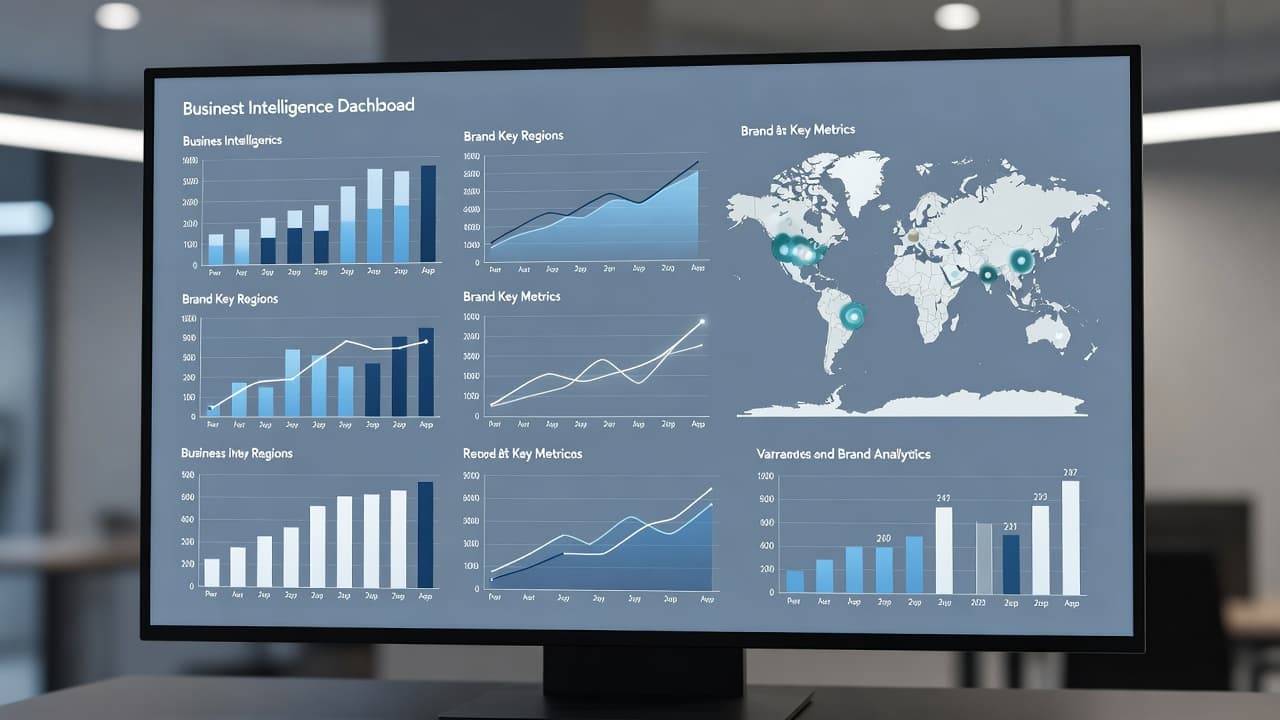
Current implementations center on daily metrics reporting, including the newer fetchMultiDailyMetricsTimeSeries workflow. That is useful because enterprise reporting rarely needs a one-day snapshot. It needs long-term patterns via a time series. Did call clicks fall after a category edit? Did website clicks rise after location page updates? Did one region recover faster after a holiday weekend using direction requests?
The strongest use cases usually involve action-based data. Depending on the profile setup and business type, teams often track interactions that happen directly on the profile. Those actions are the closest thing to zero-click conversion data that local brands get at scale.
Still, this data has limits. A profile action is not the same as a lead in GA4, and neither one is the same as a qualified opportunity in the CRM. One person may call twice, book later, and convert offline. Meanwhile, duplicate web submissions can inflate site analytics while the CRM merges records. If you force those sources to match perfectly, the report will create noise.
Legacy setups also deserve a review. Many teams still depend on deprecated metrics or older vendor connectors. In 2026, that is risky. Current enterprise work is shifting toward newer daily metrics endpoints and broader API-based reporting patterns, as covered in this enterprise guide to the Google Business Profile API.
Good reporting starts with one clear rule: use profile data to measure profile behavior, then connect it to downstream outcomes without pretending every count should line up.
How to structure reporting across hundreds of locations
A useful report works at three levels at once. Leadership wants network health. Regional managers want market comparisons. Analysts need store-level detail they can trust.
This simple model keeps those views aligned within your reporting dashboard:
| Reporting layer | Main question | Best use | | | | | | Network level | Are profile actions rising or falling overall? | Executive trend reporting and budget planning | | Market level | Which regions are outperforming or lagging? | Regional diagnosis and resource allocation | | Location level | What changed at this store? | Local fixes, audits, and coaching |
That structure sounds basic, yet many multi-location businesses skip it. They dump all locations into one view and then wonder why the insight feels vague. For those managing data at scale, we recommend using BigQuery to house the raw API data, which can then be visualized effectively in Looker Studio.
You also need the right dimensions. Store ID, region, state, local market, timezone, brand or sub-brand, location type, primary category, and operational status all matter. Without those fields, daily trends can mislead. A call spike may look like growth when it is really one market opening earlier than another. A traffic dip may look like lower demand when five stores were temporarily closed.
Annotations matter too. If your team changes categories, rolls out new landing pages, updates call routing, or publishes seasonal hours, note the date in the report. Otherwise, your analysts will spend hours hunting for a reason that should have been obvious.
A strong model also keeps open location logic clean. Comparing 250 active stores this month to 263 active stores last month without a location-status filter will distort the story. Temporary closures, relocations, and duplicate suppression all need flags in the dataset.
That discipline pays off later. Once the structure is clean, API reporting can feed scorecards, anomaly alerts, trend views, and regional benchmarks without constant manual repair.
The KPIs that matter for SEO, GEO, and AEO
A profile report should answer one question first: are customers finding the right location and taking the right next step? Everything else supports that.
For SEO teams, the most useful measures are often visibility-adjacent actions. Calls, bookings, website visits, and direction requests show whether a profile is turning search demand into intent. When those numbers drop, the cause is often not ranking in the abstract. It is usually a broken local signal, weak alignment in your categories and services, poor review coverage, or a mismatch between the profile and the site. To understand the user journey before the click, monitor business impressions and the specific search keywords that triggered the discovery of your locations.
For GEO and AEO, clean business facts matter even more. Search is now more answer-first. Users often rely on the phone number, hours, rating, and service cues that Google can read directly. If your website schema says one thing, your profile says another, and major citations list a third version, answer engines get mixed signals. That confusion hurts visibility and trust.
A practical enterprise scorecard usually includes:
- Total profile actions by location and market.
- Action rate relative to profile visibility or visits, when available.
- Lead quality checks for calls or bookings, not just raw volume.
- Data-integrity flags, such as wrong hours, reverted phone numbers, or category drift.
Lead quality deserves extra attention. A location with high call volume and poor booking rates may have a staffing issue, not a search problem. Another store may show fewer calls but far better close rates. Reporting should surface both.
This is also where local pages and profile data need to support each other. You should implement UTM parameters on your website links to track how profile clicks translate into on-site conversions. Clean location pages, accurate schema, and matching contact details help search engines trust your business facts. That is why local teams often pair profile reporting with professional local SEO services that improve citations, location pages, and on-site local signals.
If the KPI stack only measures traffic, it misses how local search works in 2026. The better stack measures discoverability, action, trust, and business goals together.
Data quality issues that break multi-location reports
When a location drops in performance, the dashboard is not always the problem. Often, the business data changed before the numbers did.
A sudden performance drop is often a data problem before it is a demand problem.
Google cross-checks profile information against websites, schema markup, social profiles, and directory listings. If those sources disagree, profile edits may revert. A team updates a phone number in the profile, but the old number still lives in the footer, structured data, and third-party citations. Maintaining strict data accuracy is essential, as Google may trust the broader web more than your recent edit and push the old data back.
That matters because some fields are low-risk and some are not. Hours, phone numbers, and URLs affect leads right away, so they need fast review. Business names and primary categories carry ranking and compliance risk, so they need slower approval. If a public edit is correct, verify it against your master record and site, then accept it. Rolling back a correct edit only creates repeat conflict and damages long-term data accuracy.
Temporary closures are another reporting trap. Marking a store as temporarily closed can cut calls, direction requests, and profile actions quickly because users often skip to an open competitor. Yet accuracy still matters more than wishful reporting. If the listing says open and no one answers, trust falls fast and bad reviews follow.
Access control also shapes performance. Former employees, loose agency permissions, and unapproved local edits can change categories, hours, or addresses without warning. Enterprise brands need quarterly access reviews and a clear approval path for their Google Business Profile to ensure consistent management.
Then there is attribution drift. Profile actions, Search Console data, GA4 events, and CRM stages measure different things. They should connect, but they will not match line for line. The fix is not to flatten them into one count. The fix is to define each metric clearly and report them side by side.
Teams that need a stronger governance layer often review Google Business Profile API best practices before deciding how much to build in-house.
Turning profile data into action across channels
Raw numbers only help when they change decisions. The best enterprise teams use profile reporting to improve local operations, paid media, on-site conversion, and market strategy.
Start with SEO. If one region shows steady profile views but weak actions, the issue may sit on the location page. Thin service content, weak local proof, or mismatched schema can reduce trust after the click. That is where proven data driven SEO services often support the local SEO strategy, because technical fixes and localized content are part of the same system.
Performance Marketing should use the same market map. If paid search is pouring budget into zip codes where profile actions are already strong, you may be paying to cover a problem that does not exist. On the other hand, a market with weak profile engagement and high paid CPL may need better performance tracking, better review coverage, or tighter call handling before more ad spend is allocated.
Social Media Marketing can also support local performance, especially for events, new openings, holiday hours, and review velocity. It will not solve a wrong primary category, but it can help keep local audiences informed and reduce confusion when operating details change.
Website Development matters more than many reporting teams admit. A profile can drive the click, but the site still has to confirm the business facts. Header, footer, contact page, schema, and location pages should all match the profile. By aligning these elements with Search Console data, you ensure that Google sees consistent information across all sources. If Google detects conflicting hours or addresses, the profile can revert, and your reporting will eventually reflect that damage.
This is why enterprise local search no longer sits in one silo. It touches SEO, performance marketing, social media marketing, call operations, and site governance at the same time. When those teams share one location source of truth, profile reporting becomes actionable. When they do not, the API simply reports confusion faster.
If your reporting stack still relies on exports, disconnected citations, and manual checks, it may be time to Get In Touch With Us.
A reporting cadence that works for brands and agencies
The strongest reporting habits are boring, and that is a good thing. Daily checks through your reporting dashboard catch obvious failures, while weekly reviews identify emerging trends and monthly analysis drives broader budget and channel decisions.
A practical cadence follows a specific rhythm. Start by reviewing profile actions and location status alerts every day to monitor daily metrics as they arrive via the API. Check lead quality twice a week, especially for calls and bookings, and then compare actual booked jobs, store outcomes, or revenue impact each week. This rhythm keeps teams responsive without forcing them to overreact to every minor wobble in the data.
Different audiences also need different views. Executives want market trend summaries, while regional leaders need comparison tables and exception alerts. Analysts require raw exports, location tags, and change logs. Meanwhile, store teams need simple signals they can act on, such as wrong hours, missing photos, weak review coverage, or sudden call drops.
Brands with many locations should also keep notes on operational context. A category change, holiday period, staffing issue, or call routing error can explain a performance swing faster than any chart.
Finally, keep the report honest. If it cannot tell the difference between lower customer demand and broken profile data, it is not ready for high level decision making.
Frequently Asked Questions
Why is the GBP Performance API better than manual reporting?
Manual exports are static, time-consuming, and prone to human error, often becoming outdated before they reach leadership. The API provides consistent, daily, and automated insights across hundreds of locations, enabling real-time detection of performance issues.
How should I handle discrepancies between profile data and CRM metrics?
Do not attempt to force-match these sources perfectly, as they measure different parts of the customer journey. Instead, define each metric clearly and report them side-by-side to understand the transition from online discovery to offline conversion.
Can I use the Performance API to edit my business hours or categories?
No, the Performance API is strictly for measuring engagement and reporting, not for management workflows. Mixing analytics with administrative tasks often leads to data-governance issues and dashboard errors.
What is the best way to visualize large-scale API data?
We recommend housing the raw API data within BigQuery to ensure a reliable foundation. This allows you to scale, filter by custom dimensions like region or store ID, and effectively visualize insights in tools like Looker Studio.
Conclusion
Effective multi-location reporting is not about collecting more local data. It is about trusting the data enough to act on it with confidence.
In 2026, the brands that get the most from GBP Performance API reporting are the ones that connect profile actions to clean business records, rigorous location governance, and specific business goals. When the numbers, your Google Business Profile, and the website all tell the same story, local search performance improves and your reporting processes become significantly more streamlined.