An incorrect phone number on your Google Business Profile can cost you real jobs before you even realize there is a problem. Every missed call from Maps represents a potential lost repair, consultation, or emergency service booking that could have driven your revenue.
The GBP phone number rules matter more in 2026 because Google, AI answers, and voice search often display your contact details before a customer ever visits your website. If that number is weak, shared across multiple platforms, or inconsistent with your other local citations, consumer trust drops immediately.
Key Takeaways
- Prioritize Local Numbers: Google strongly prefers a local, direct business line over toll-free or premium-rate numbers to establish trust and relevance.
- Maintain NAP Consistency: Your phone number must be identical across your website, schema markup, social media, and third-party directories to prevent Google from reverting your edits.
- Avoid Risky Tracking Lines: While call tracking numbers are useful for analytics, they often trigger compliance issues; use them only if they are clearly tied to your primary, public-facing business identity.
- Establish a Single Source of Truth: Centralize your business information so that all team members and digital assets reference the same official contact details, preventing data fragmentation that confuses AI and search algorithms.
What Google wants from your GBP phone number in 2026
Google’s rule is simple, even if the day-to-day reality feels messy. According to the official Business Profile guidelines, the primary number on your profile should be one you maintain through direct control, and Google strongly prefers a local phone number to establish trust. These official policies also explicitly discourage the use of premium phone numbers and any lines that redirect users through a third-party call center helpline.
For a service area business, these requirements are vital. Plumbers, roofers, cleaners, locksmiths, and home service teams often rely on a tracking number for internal reporting. While these tools are helpful for analytics, they can trigger compliance issues on your listing if the main profile number does not appear to be a legitimate, public-facing business line. When updating your contact information, ensure you use the international phone number format or the standard E.164 format to provide clarity for Google and your customers.
If you have a secondary number for specific departments, you can add it to your profile, but your primary number must always be the most direct line to your business.
This quick table shows the safest path:
| Phone number type | Good fit for the main GBP number? | Why |
|---|---|---|
| Local direct business line | Yes | It matches Google’s preference and reaches your business directly |
| Toll-free main company line | Sometimes | It may be valid if it is your public business number, but local is still better |
| Call tracking or forwarding line | Risky | Redirects can conflict with Google’s guidance and create trust issues |
| Shared call center number | No | It does not clearly represent one business profile or location |
| Premium-rate number | No | Google does not allow it |
The takeaway is clear. Use one real, verified number as your main point of contact, keep it under your full control, and ensure it remains consistent across all your online assets.
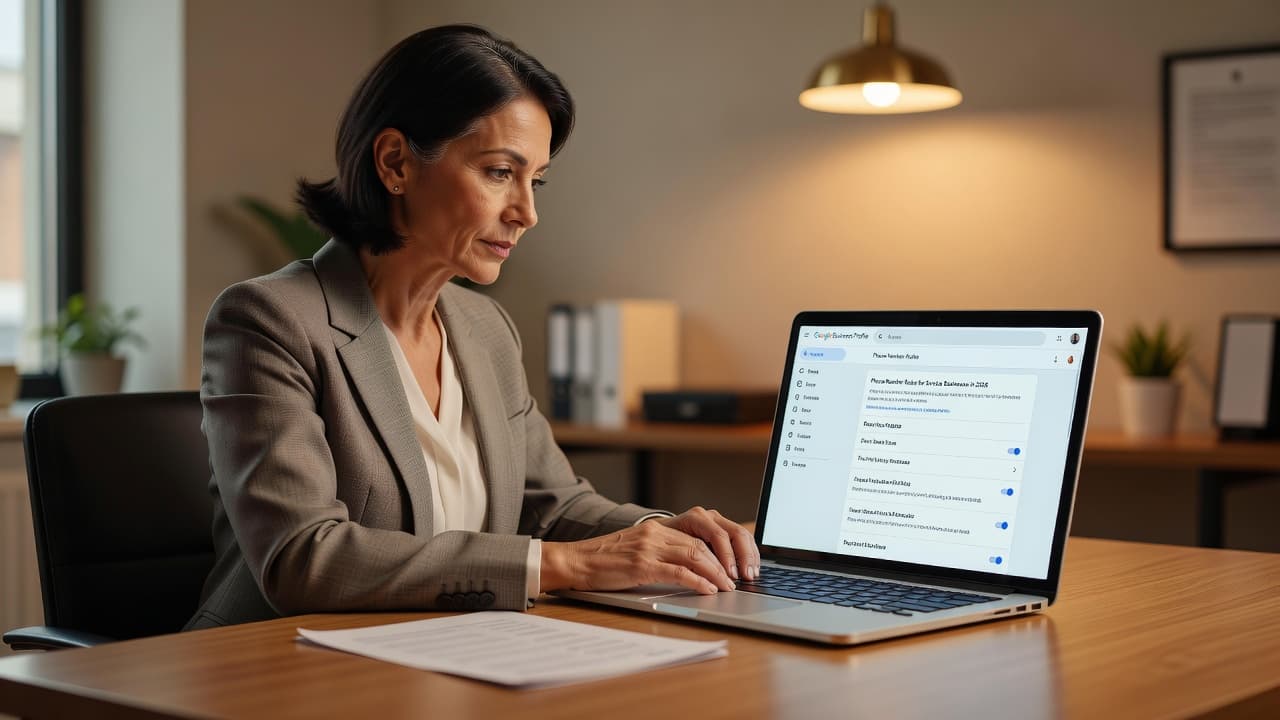
Why service businesses run into phone number problems
Most phone number issues start with good intentions. You want cleaner reporting, better lead routing, or a simple way to split calls across staff. Then Google sees a mismatch between your profile, website, citations, and customer-facing details.
That mismatch is where the trouble starts. Google cross-checks your listing against your contact page, footer, schema, local landing pages, and third-party directories. When your online data is inconsistent, such as an area code that differs between your website and your profile, Google may lose trust in your input. Whether you choose to use landline numbers or mobile phone numbers, the key is ensuring that the digit string is perfectly consistent across the web. If these sources disagree, your edit may revert to an older number that Google trusts more.
If your number keeps changing back, Google is usually trusting another source more than your last edit.
Public edits make this harder. A customer, Local Guide, or Google’s own systems can suggest a correction. Sometimes that edit is wrong. Sometimes it is right. If the public change matches your real business number, accept it, then update your source data so the same conflict does not happen again.
Phone numbers also need a different response speed than other profile fields. A bad phone number or website URL can hurt leads today, so review those changes the same day. A name or primary category change needs slower review because those fields carry ranking and suspension risk.
Small business owners often treat the profile as a separate tool, but it is tied to the rest of your marketing. If your website is weak or your contact data is scattered, you will keep fighting the same issue. That is one reason many service brands invest in professional local SEO services after repeated reverts.
The setup that supports SEO, GEO, and AEO
Phone number accuracy is not just a Maps problem. It also affects SEO, GEO, and AEO because search results are more answer-first now. People see your number in Maps, local pack results, AI summaries, and voice responses. If those systems pull an old number, the lead dies before your homepage has a chance. Your Google Business Profile must be the primary source of truth to ensure these automated systems provide accurate contact information.
Start with one source of truth. Your website header, footer, contact page, schema markup, local landing pages, and main directory listings should all show the same phone number. If you use a different number on Facebook, Apple Business Connect, or Bing Places, Google may read that conflict as a trust problem.
Your teams should not work from separate spreadsheets. Digital Marketing, Performance Marketing, Social Media Marketing, and Website Development all need the same approved business details. Otherwise, one ad team swaps a tracking line onto a landing page while another person updates the profile, and the confusion spreads.
Schema matters here too. If your LocalBusiness markup shows one number while the visible page shows another, you are feeding mixed signals to search engines and AI systems. Adhering to the official Business Profile guidelines helps keep your machine-readable data aligned with what humans see, which is vital for building trust with search algorithms.
There is also a reporting angle. Many owners swap the main profile number because they want clearer attribution. That move often creates a bigger problem. GA4 tracks web actions, while your CRM tracks people and sales stages. Those numbers rarely line up perfectly anyway. A better plan is to keep the profile number stable, use UTM-tagged website links, and compare call logs against booked jobs.
If you want a practical roadmap that connects your profile, site, and local proof, this 90-day service business SEO plan gives a useful structure.
How to fix a phone number that keeps reverting
First, stop making repeated edits. Fast changes can trigger Google’s security filters, which may flag your account for potential profile hijacking. Frequent adjustments rarely solve the underlying conflict and often make the profile appear less trustworthy to automated systems.
Next, ensure your contact details are consistent across the web. Compare the profile number against your official business records. Check your website, schema markup, citations, social profiles, and invoices. If an old contact number still appears in your website footer or on directory listings, Google will likely revert your profile to match the broader web data. When entering the phone number in your dashboard, ensure you are using the correct country code and subscriber number, and avoid adding leading zeros that might confuse the system.
Review your setup carefully. If your business has a storefront address, that number should be the primary contact. For service businesses using a hidden number where the physical location is not displayed to the public, the number must still be verifiable. Avoid using shared support lines or agency-owned tracking numbers, as these are often flagged. Each individual physical location should use its own direct line rather than a shared switchboard.
If you are forced to re-verify, be prepared for the phone verification process. You may be prompted to receive a verification code via text or automated call. Ensure your listed number can accept these types of incoming messages or calls.
After that, document everything. Keep screenshots of your dashboard, your website contact page, and your corrected local listings. If support requests proof, have this evidence ready before opening a case. If your profile is restricted, address these data inconsistencies first, then appeal with your documentation. Do not create a duplicate profile while you wait, as this complicates the verification process.
For owners still setting up a listing, the Google Business Profile overview explains the core profile flow and the specific requirements for service-area businesses.
Persistent phone conflicts often point to a broader local data problem. If your citations, schema, and profile information continue to conflict, Get In Touch With Us for a professional audit of your local SEO strategy.
A simple phone number policy for your team
Every service business should establish a clear internal protocol for managing contact information. Keep your guidelines simple and adhere to them consistently to avoid unnecessary profile flags.
Designate only one authorized person to manage the primary number on your profile. Before making any changes, that individual must verify the information against your official website and master business records. If your contact details change, ensure you update your website, schema markup, local citations, and Google Business Profile within the same work cycle to maintain NAP (Name, Address, Phone) consistency.
Review your profile on a consistent schedule. A weekly check is sufficient for many small businesses, though high-volume locations may require more frequent oversight. Furthermore, conduct a quarterly audit of user access. Former employees and agencies often cause more profile instability than most owners anticipate, so maintaining direct control over who can modify your listing is essential.
Finally, define exactly what constitutes an approved business line. For most service providers, this means the number is public-facing, local, owned by the company, and already active on your website. If a manager suggests using a secondary number for call tracking, the default answer should be no until the full setup is reviewed to ensure it does not negatively impact your SEO performance.
Frequently Asked Questions
Can I use a call tracking number on my Google Business Profile?
While you can technically add a tracking number, it is considered risky. Google prefers that the primary number on your profile be a direct line to your business; using third-party redirects can lead to trust issues or cause your profile information to be flagged or reverted.
Why does my phone number keep changing back to the old one?
If your phone number keeps reverting, it is usually because Google’s systems have identified conflicting information on another site, such as your website, a directory listing, or your schema markup. You must update the number across all your online assets simultaneously so that Google identifies your intended number as the most trustworthy source.
What is the best format for entering my phone number?
Google recommends using the international phone number format or the standard E.164 format. This provides the most clarity for search engines and ensures your contact information is processed correctly across various platforms and voice search tools.
How often should I audit my Google Business Profile contact information?
For most service businesses, a weekly check of your profile is sufficient to ensure all information is accurate. Additionally, you should conduct a quarterly audit of who has access to your account to ensure that former employees or agencies are not making unauthorized or inconsistent changes.
Conclusion
A Google Business Profile phone number serves as a critical trust signal rather than a testing field for your marketing strategies. When you provide a direct, local phone number that remains consistent across the web, your listing becomes easier for customers to trust, simpler for search engines to rank, and more reliable for AI systems to reference correctly in 2026.
Small fixes matter in this process. One clean number, one single source of truth, and one careful workflow will protect far more leads than a complex or clever routing setup ever will.