Many local buyers never reach your homepage first; instead, they find small businesses’ digital presence on their devices. They open Maps, compare photos, check hours, and tap the business that feels easiest to trust.
That is why Apple Business Connect, the free tool for businesses, matters more in 2026. Small businesses must first claim their location, then Apple has folded it into the wider Apple Business platform, but the goal hasn’t changed: make your listing accurate, active, and easy to contact across Maps, Siri, and Spotlight. If you want more calls, bookings, and walk-ins, start by removing friction.
Key Takeaways
- Claim and verify your business location with accurate details, legal name, and map pin before optimizing—wrong info sends leads to competitors.
- Build a strong Apple Maps place card by picking precise categories, adding attributes like parking or Apple Pay, and enabling action buttons for calls, directions, or bookings to match local search intent.
- Keep photos real and fresh (exterior, interior, products), update hours weekly, and use Showcases for promotions to turn casual views into immediate actions.
- Track weekly insights on views and taps, test one change at a time, and integrate Apple Business Connect with Google, SEO, and your website for frictionless leads across platforms.
- In 2026, a complete, active listing drives more calls, walk-ins, and bookings via Maps, Siri, and Spotlight—focus on accuracy over traffic.
Claim their location and verify your listing before you optimize anything
A weak listing can’t win leads, no matter how good your service is. Business owners can visit the self-service website to claim their location, complete business verification, and manage their information. While business owners can handle this themselves, listing management agencies can assist for multi-location setups. If you already had Apple Business Connect set up, recent coverage of 2026 Apple Business changes shows most listing data moved into the new platform automatically.

Use this order:
- Claim the business with your legal name and real address.
- Verify ownership with your Apple ID and add a backup admin.
- Match your phone, hours, and website link to your main business records.
- Double-check your map pin before you publish.
That last step matters more than owners expect. A wrong pin can send people to the next block, or worse, to a competitor.
Keep your details consistent everywhere. The same accurate information on Apple Maps, your site, and Google helps build trust and support stronger Google Business Profile optimization.
Wrong hours lose more leads than weak copy.
Build a Place Card that matches how people search
Apple Maps doesn’t reward vague profiles. Your Apple Maps place card needs the right category, useful attributes, and the fastest next step.
Choose the category that describes what you do most often, not what sounds broad. Business owners, a dentist should pick “Dentist,” not a loose health label. A plumber should not hide under “Home Services.” Apple uses these details to match searches like “open now coffee shop” or “nearby repair” on your Apple Maps place card.
This quick table shows where lead quality improves fastest:
| Listing element | Best move | Why it helps |
|---|---|---|
| Primary category | Pick your main service | Matches local intent better |
| Attributes | Add parking, accessibility, delivery, payment options, Apple Messages, Apple Wallet | Filters the right buyers |
| Action buttons | Use call, directions, order, or book | Reduces steps to contact |
| Website link | Send users to the right landing page | Improves conversion |
Action buttons are where many businesses waste opportunity. They turn your profile into an interactive place card with clear calls to action. If you take bookings, send people to the booking page for making a reservation. For restaurants, enable ordering food directly. If calls close sales, make calling the obvious choice.
Apple’s Business Connect User Guide helps when you need exact field details. At the same time, this work supports the same local trust signals that matter in local SEO services, powering Apple Business Connect for Siri suggestions too.
Keep photos, hours, services, and offers fresh
A complete Apple Business Connect profile can still feel stale. Apple Maps is often a quick decision page, so your visuals and updates on your Apple Maps place card need to provide accurate information and answer buyer questions fast. This boosts customer engagement.
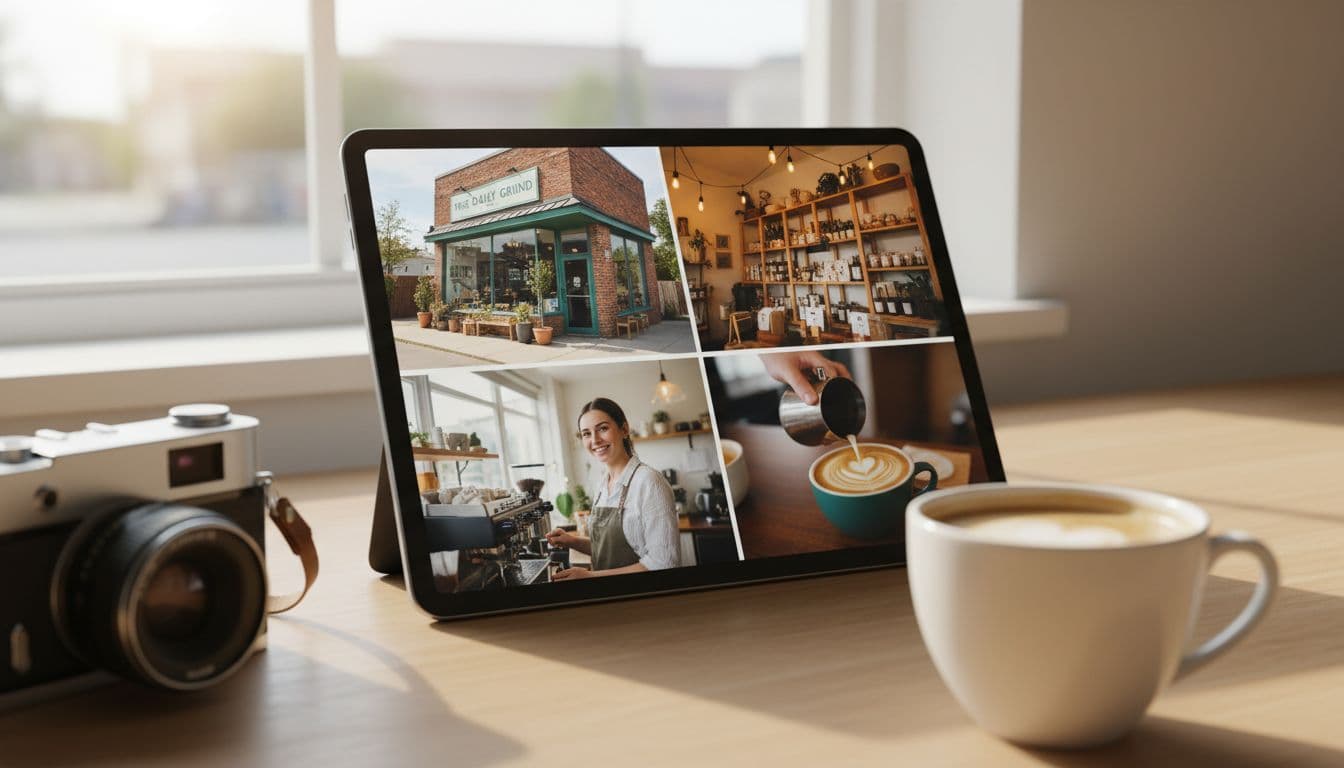
Start with real photos, not stock images. For small businesses, these photos create visual storytelling: add an exterior shot, an interior shot, a team or service photo, and one image that shows your best-selling product or result. Then review your hours, services, and special dates every week. Holiday errors can kill a lead in seconds.
Apple Business Connect also gives businesses the Showcases feature to highlight promotions and events. If you run a bakery, use Showcases for special promotions like pre-orders for seasonal menu items before a holiday weekend. If you own a clinic, spotlight same-day appointments or product discounts. A current offer can turn a casual map view into a call.
Use this short weekly check in Apple Business Connect:
- Update photos and logos with at least one recent photo.
- Confirm the next 30 days of hours.
- Refresh one service or offer.
- Test every action link on mobile and update photos and logos if needed.
For another practical view of Apple discovery, see how local businesses get found on Apple Search.
Frequently Asked Questions
What is Apple Business Connect?
Apple Business Connect is a free tool for small businesses to claim and manage their location on Apple Maps, Siri, and Spotlight. It creates an accurate, interactive place card that drives local leads by reducing friction for calls, directions, and bookings. In 2026, it’s integrated into the broader Apple Business platform with automatic data migration for existing users.
How do I claim and verify my business listing?
Visit the self-service Apple Business Connect website, claim with your legal name and real address, verify using your Apple ID, and add a backup admin. Match phone, hours, website, and double-check the map pin. For multi-locations, agencies can help, and most prior data transfers automatically.
What makes a strong Apple Maps place card?
Select your primary service category precisely, add attributes like accessibility or delivery, and set action buttons for quick calls, orders, or reservations. Link to the right landing page and ensure details match your website and Google profile. This setup filters the right buyers and boosts Siri suggestions.
How often should I update my profile?
Review photos, hours, services, and offers weekly—add recent real images, confirm the next 30 days, and refresh Showcases for promotions like holiday pre-orders. Test all links on mobile to avoid errors. Stale info loses leads faster than weak copy.
How do I track and improve performance?
Check Apple insights weekly for views, taps, and top actions, then test one change like new photos. Pair with broader marketing: fast-loading sites, consistent offers across Apple, Google, and social. Strong organic listings will enhance future Maps ads in 2026.
Track what brings taps, then connect Apple to the rest of your marketing
Optimization is not a one-time setup. Apple gives businesses insights into views, taps, and top actions, so review them every week and change one thing at a time.

Look for patterns. If new exterior photos increase direction taps, add more proof-of-location images. If one promotion gets more clicks, test a similar offer next month. When Apple Maps local ads expand in 2026, especially in the U.S. and Canada, a stronger organic listing should help your paid efforts convert better.
Apple Business Connect works best inside a larger Digital Marketing system. For global brands who need to scale, the Business Connect API enables seamless integration across platforms. Pair it with SEO, Performance Marketing, Social Media Marketing, and Website Development so the tap after Maps does not go to waste. Your site should load fast, your landing page should match the listing, and your offer should stay consistent across Apple, Google, and social channels. Apple Business Essentials provides related device management tools, while Tap to Pay on iPhone helps close the loop on customer engagement.
Small businesses usually don’t need more traffic first. They need less friction. Business owners and small businesses should manage their information holistically across their digital presence.
The businesses that win local leads on Apple in 2026 usually look accurate, recent, and easy to contact. Apple Business Connect is now part of a broader Apple platform, complete with the Apple Maps place card and Showcases, but the lead formula is still simple: strong data, strong visuals, and steady updates. Examples like making a reservation right from the app show true frictionless leads.
If you want help aligning Apple Maps, Google, and your website into one lead system, Get In Touch With Us.