A quote request form can fill your inbox while leaving your sales team with little real work. As a core driver of lead generation, the right quote request form filters poor-fit enquiries, captures useful context, and gives serious buyers an easy next step.
Form length matters, but relevance matters more. Ask too little and your team spends hours qualifying vague requests. Ask too much and potential customers leave before they submit. A well-built online quote form finds the practical middle ground.
Key Takeaways
- Balance form length with relevance to capture enough context for your sales team without causing potential customers to abandon the page.
- Align your call to action and surrounding page content with your specific sales process to filter out poor-fit enquiries early.
- Include high-value qualifying fields—such as job type, location, or budget range—only if they directly shape routing and initial conversations.
- Optimize for mobile usability, reduce friction, and protect your inbox with invisible spam prevention methods rather than aggressive CAPTCHAs.
- Track form performance beyond initial completions by evaluating qualified lead rates, response times, and post-submission funnel outcomes in your CRM.
Start Your Quote Request Form With a Clear Offer
Visitors need to know what happens after they submit an online quote form. “Request a quote” is familiar, yet it can feel vague for a service that needs an inspection, consultation, or detailed scope.
Match the call to action to your sales process. A roofer might offer a “Request a roof inspection,” while a B2B agency may use a service quote form for a project estimate. If pricing depends on many variables, say that a team member will review the price quote request and respond within a stated time frame.
The page around the form should answer four questions before asking potential customers to share their details:
- What service are you requesting?
- Who is the service for and where is it available?
- What type of project is a good fit?
- What happens after submission?
Clear context prevents mismatched enquiries. For example, a local service page should state its service area, scheduling limits, and core job types. A design studio can explain its minimum project scope or preferred platforms. Visitors who don’t fit can leave without wasting their time or yours.
This alignment also helps with SEO, GEO, and AEO. Search engines and AI answer tools favor pages that state the service, location, process, and next action in plain language. Add concise question-and-answer content near the online quote form, such as “How soon will I receive pricing information?” Give a realistic price estimate rather than a sales pitch.
For local service businesses, this service page template for 2026 offers useful guidance on placing clear calls to action alongside proof and service details.
Design a Quote Request Form for Useful Information
A quote request form should collect the details your team needs for a sensible first response. It doesn’t need to replicate a full discovery call.
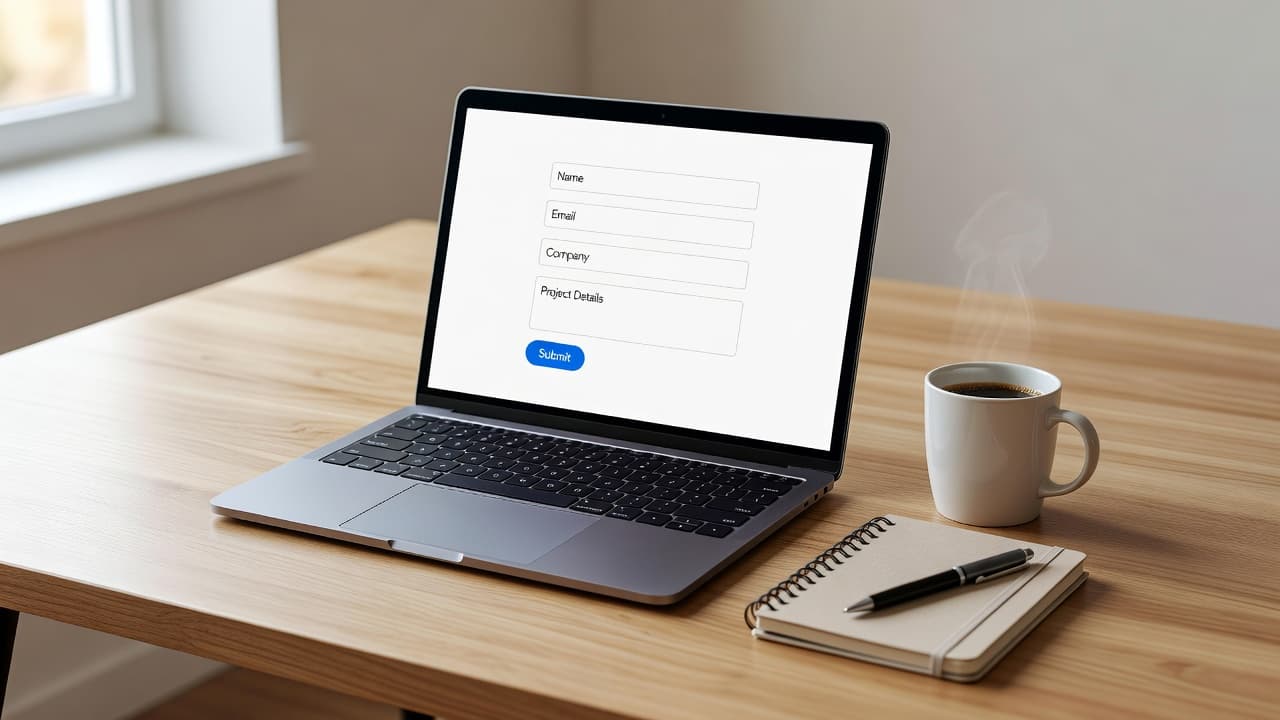
Start with customer contact details that identify the lead and establish fit. For many service businesses, name, phone number, email, service needed, location, and short project details are enough. A postcode or service-area field can prevent leads from outside your operating radius.
Then add one or two fields that shape the sales conversation. The best choice depends on the service:
| Business type | High-value qualifying field | Why it helps |
|---|---|---|
| Home services | Job type and postcode | Confirms the job and service area |
| Web design | Website URL and project goal | Shows the current situation and intent |
| Marketing agency | Monthly budget range | Matches the enquiry to likely engagement size |
| Product quote form | Item specs and quantity | Provides accurate pricing right away |
| Insurance quote form | Coverage level and age | Gathers pricing information faster |
| Custom quote request | Company size or role | Identifies decision-making context |
The table shows a simple rule: each question should affect routing, qualification, or the next conversation. If your team never uses a field, remove it.
Budget questions deserve careful wording. A required budget range can reduce low-fit enquiries for higher-value services. However, it may discourage prospects who need guidance before they know a realistic figure. A softer option, such as asking what investment range they are considering with an option to state they are not sure yet, keeps the conversation open.
Use conditional fields when business needs require different paths. Someone requesting ecommerce Website Development may need to select a platform, while a local repair customer only needs to choose an appointment preference. Conditional logic keeps the first view short and reveals detail only when it matters.
A short form is only effective when it gives the sales team enough information to make a useful first contact.
Reduce Friction Without Attracting Junk Leads
Every field creates a small decision. On a mobile-responsive layout, that decision can feel larger because typing is slower and distractions are constant. Use clear labels above fields, large tap targets, and input types that bring up the right keyboard for phone numbers and email addresses.
Avoid placeholder text as the only label. It disappears once visitors start typing, which makes errors harder to spot. Required fields should be visually obvious, but don’t mark every field as mandatory. When setting up your layout through a reliable website builder, using a pre-designed quote form template or a flexible form builder tool can speed up the process while protecting conversion rates.
Give people space to describe unusual jobs. A short open text field often reveals more than a rigid menu, especially when collecting project details. Prompt it with a useful question, such as “What would you like quoted?” or “Tell us the project scope, timeline, or main concern.”
At the same time, protect your inbox. Use an invisible honeypot field, server-side spam protection, and sensible rate limits. CAPTCHA can help with persistent bot traffic, but an aggressive challenge may frustrate real prospects. Test your online quote form on mobile before publishing.
Trust cues also lower hesitation. Place a brief privacy statement below the submit button and link to your privacy policy. Don’t promise an “instant quote” unless your system genuinely produces a reliable price. For sensitive requests, explain who will receive customer contact details and whether calls or emails are the expected response.
Message match matters across every acquisition channel. Digital Marketing can bring a visitor to the page, but the form must continue the promise made in the ad, social post, or organic result. If a campaign promotes a free consultation, the form title and confirmation message should mention that consultation, not a generic contact request.
Route and Respond Before Interest Fades
A completed form has little value if it sits unassigned. Connect each submission to a CRM, inbox, or work queue using email notifications so that a named owner receives the data immediately with a clear response target.
Route leads by service, location, urgency, or expected value to match potential customers with the right internal team based on their specific business needs. An urgent repair request may go to an on-call person, while a marketing consultation can enter a sales queue. Capture the landing page, source, campaign, timestamp, and service selection on the lead record. For paid search, retain available click identifiers such as GCLID or WBRAID when your setup collects them.
Response standards should match the type of enquiry and your staffing capacity. Emergency requests may need attention within five minutes. Standard service requests can have a longer target during business hours. A detailed price estimate or a formal price quotation form should still receive a personal first response within one business hour when possible.
A thank you page is part of the lead experience. It should confirm receipt, set a realistic response expectation, and offer a relevant alternative action, such as calling the office or booking an available time. Don’t treat it as an empty endpoint.
For forms that support high-value sales, follow-up needs several attempts across permitted channels. A single email often gets buried. Call, text where consent allows, and send a helpful follow-up message that refers to the requested service.
Performance Marketing works better when ad platforms receive outcomes beyond raw submissions from your online quote form. A form completion is an initial signal, while a qualified lead, booked consultation, or sale tells you whether the lead was worth acquiring.
Track the Form Through the Sales Funnel
A form dashboard that only reports completions can hide a costly problem. For example, a lead generation campaign might create 40 enquiries at $30 each, but only eight may fit your service area, budget, or job type. The meaningful cost per qualified lead is $150, not $30, which directly impacts your overall conversion rates.
Track the path after submission in your CRM to evaluate how well your quote request form performs. Your monthly view should include:
- Total submissions, duplicates, and spam enquiries
- Qualified lead rate and contact rate
- Consultation or estimate booking rate
- Proposal-to-sale rate and lead-to-sale rate
- Median first-response time, overdue leads, and loss reasons
These numbers connect marketing activity to operational reality. If SEO brings qualified traffic but contact rates fall, the issue may be staffing or call handling. If a new quote request form increases completions but lowers qualification, revisit the questions and the promise on the landing page, especially if users expected more accurate pricing and upfront pricing information before submitting.
GA4 and the CRM won’t show identical totals. Analytics counts web actions, while the CRM tracks people, duplicate records, sales stages, and revenue. That gap is normal when you can explain it. Test that the form fires one clean generate_lead event after a successful submission, verify that the dedicated thank you page loads correctly, ensure email notifications arrive on schedule, and confirm that the CRM receives the same test lead.
A regular GA4 and form tracking audit can catch broken triggers after a form builder tool update, CRM migration, or page redesign involving your favorite form templates. Track form starts and confirmed leads separately, because an attempted submission isn’t the same as a captured enquiry.
Use Lead Feedback to Improve the Questions
Sales teams hold the information your form analytics can’t provide. Ask them to tag lost leads with consistent reasons, such as outside service area, budget mismatch, duplicate, job seeker, unavailable timeline, or no response.
Review those tags by channel, service, and landing page each month. Social Media Marketing may create early-stage interest, while search campaigns can attract people ready to book. Neither source is automatically better. The right measure is the percentage of leads that reach qualified, booked, and sold stages.
Refine one element at a time. You might add a postcode field after repeated out-of-area requests. When you update your service quote form, you can clarify a minimum project size if small jobs dominate the queue. If qualified leads abandon the form, remove a low-value question or shift it to the follow-up call.
Avoid treating your quote form template as a fixed asset. It is part of your sales operation, and it should change when your business needs, capacity, service mix, or lead data changes. Whether you adjust fields inside a form builder tool, configure a website builder, or design a custom quote request from scratch, your approach should remain flexible. Businesses that need a conversion-focused rebuild can explore web development and design services that connect page experience, tracking, and lead handling, ensuring your updated quote form template converts better over time.
Frequently Asked Questions
How many fields should a quote request form contain?
Your form should include just enough fields to identify the lead, establish fit, and provide context for a useful first response. Typically, this means asking for contact details, the service needed, location, and one or two targeted qualifying questions.
Should I make budget questions mandatory on my quote form?
Requiring a budget range helps filter out low-fit enquiries for higher-value services, but it can also deter prospects who need guidance before knowing a realistic cost. Consider using a softer approach, such as providing an investment range with an option to state that they are unsure yet.
How quickly should my team respond to a quote request?
Standard service requests should ideally receive a personal first response within one business hour during working hours. Urgent requests or emergency jobs may require attention within five minutes to prevent potential customers from moving on to a competitor.
Why do my website analytics and CRM show different form submission totals?
Analytics tools count web actions and page events, whereas your CRM tracks actual people, duplicate records, sales stages, and revenue. This discrepancy is completely normal as long as you regularly test your tracking triggers and understand the reporting gap.
Build the Form Around a Better Conversation
The strongest quote request form gives buyers an easy way to explain what they need and gives your team enough context to respond well. Clear service information, purposeful questions, mobile-friendly design, and fast ownership produce better outcomes than a longer list of fields, especially when you use tested form templates and model your layout after a high converting price quotation form.
Traffic numbers can look healthy while overdue leads and poor qualification quietly drain revenue. Track what happens after the submit button, then adjust your quote request form and follow-up process based on real loss reasons.
If your forms, CRM data, and campaign reports tell different stories, Get In Touch With Us for a practical review of the lead handoff and conversion gaps so you can better serve potential customers and turn every quote request form into a reliable revenue driver.