A cheap enquiry can become expensive when nobody answers your sales team’s calls. Google Ads lead forms make it easier to submit contact details, but more submissions don’t necessarily mean better lead quality.
For a Kolkata business, Google Ads lead forms should be judged by cost per qualified lead, followed by booked appointments and sales. Start with a reliable setup, then connect every enquiry to its CRM outcome before increasing your budget.

Key Takeaways

- Google Ads lead forms reduce mobile friction, but qualification still belongs in your CRM.
- Automate lead form asset delivery because Google’s storage and download windows are limited.
- Return qualified leads and sales to Google Ads through supported offline imports.
- Measure campaigns by qualified-lead cost and revenue, not submission totals alone.
Check Campaign Availability and Eligibility

Google Ads lead forms use lead form assets, formerly called lead form extensions, to open a Google-hosted form within the ad experience. People can submit their contact information without visiting your website, and eligible details may be prefilled.
This shorter route can help mobile users. However, it also removes website content that could explain pricing or screen unsuitable enquiries.
Google’s lead form asset documentation identifies support for search campaigns and Performance Max campaigns. For Search, use Responsive search ads; expanded text ads aren’t eligible.
Video and Display availability has additional conditions. Options can vary by format, account, and current eligibility, so don’t assume every format will appear.
Before setup, prepare a public privacy policy URL and review your account’s policy history. Your business must operate in an eligible industry. Some placements, including Search headlines that open forms directly, have additional spend or advertiser verification requirements.
For local services, check geographic targeting too. Use the presence-based option when you only serve people in your selected area. A valid phone number outside your service area can still be an unsuitable enquiry.
Set Up a Lead Form Asset in Google Ads

For Google Ads lead forms, set qualification rules and delivery responsibilities before publishing.
Create and Attach the Asset

For a new campaign, select the Leads objective and the Submit lead form conversion goal. This goal tracks submissions from the Google-hosted form through Google Ads, so you don’t install website tags inside the form. Choose an eligible campaign type, then configure the form and lead delivery.
For an existing campaign, open Campaigns, then Assets. Select the plus button and choose Lead form where available to attach lead form assets.
Enter your business name, headline, description, contact fields, and privacy policy URL. Write a submission confirmation with a clear call to action, then choose a matching call to action button label.
Attach the lead form assets to the intended campaign and check their approval status. Review campaign goals against ClickyOwl’s lead generation setup checklist before launch. Confirm that conversion tracking reflects the submissions you want to measure.
Ask Only High-Value Questions

For Google Ads lead forms, request the contact details your team needs, rather than every available field. Add supported qualifying questions that help determine whether you can help.
For a Kolkata service business, location and service requirements often matter more than a long description. Keep qualifying questions focused, and ask about budget or purchase timing when the available options fit your offer.
Explain what happens after submission, including whether someone will call. Otherwise, people may mistake an enquiry for an immediate booking.
Don’t assume phone number verification is part of the form. Confirm contact validity during follow-up, and record invalid details separately from genuine prospects who aren’t ready to buy.
Choose More Volume or More Qualified

Google Ads lead forms offer two optimization settings. More volume is the default and requires fewer submission steps. It can generate more enquiries, though some may show weaker interest.
More qualified adds submission steps and can produce fewer, more interested enquiries. It doesn’t change your questions or selected audience.
Google’s lead form best practices recommend aligning the form with your campaign and business goals.
Choose More qualified when your sales team struggles with unsuitable enquiries. More volume may suit you when follow-up capacity is available and qualification is dependable.
Compare CRM outcomes before choosing a winner. Review lead quality, contactability, and qualification rate across comparable periods. Give delayed sales outcomes time to mature.
A lower cost per lead can hide a higher cost per qualified lead when most enquiries never pass sales screening.
Connect Lead Delivery to Your CRM

Google Ads lead forms should feed your sales workflow automatically. Don’t let submissions from lead form assets become another inbox nobody owns.
Choose a Delivery Route
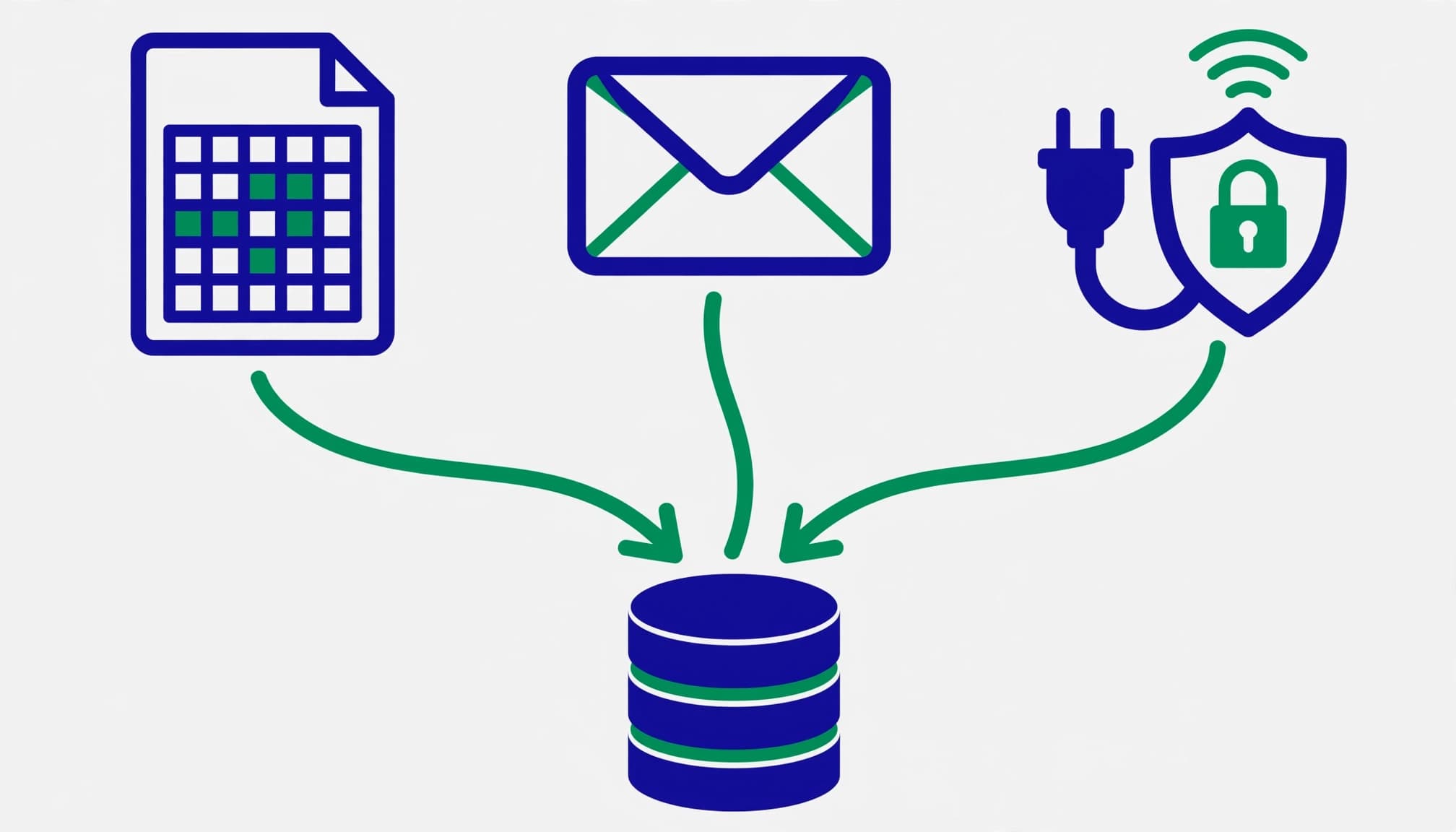
Lead delivery options include manual CSV download, email notifications, webhooks, Zapier, or lead retrieval through the Google Ads API.
Google stores leads for 60 days, but a manual CSV download covers only the latest 30 days. Don’t treat Google Ads as permanent customer storage.
For HubSpot, Salesforce, or another CRM, choose a supported connector for CRM integration, or use a tested webhook integration. Assign an owner and create an alert when delivery fails.
Keep a stable lead ID, submission time, original campaign information, form source, and available click identifiers such as GCLID. Preserve consented first-party data for later matching with enhanced conversions for leads, and don’t overwrite identifiers during later interactions. Native submissions may have no website landing page to record.
Troubleshoot Webhook and Sync Issues

First, use the webhook test and inspect the endpoint response. Check the URL, configured key, HTTPS access, and whether a firewall blocks requests.
Next, inspect CRM field mappings. A required CRM field with no corresponding form answer can reject an otherwise valid lead. Also check expired credentials, request limits, and changed field names.
Deduplicate using the lead identifier, so retried deliveries don’t create extra contacts. Log failures securely and retry temporary errors without exposing customer details.
Finally, trace one consented submission through delivery, CRM creation, ownership assignment, and follow-up. Reconcile stored records with downloaded leads while they remain available. If integration fails, recover eligible records promptly rather than waiting for the retention window to close.
Track Qualified Leads and Revenue

For Google Ads lead forms, use enhanced conversions for leads to connect submissions with CRM outcomes. Define qualification consistently before sending sales outcomes back to Google.
Set Up Enhanced Conversions for Leads

Google’s enhanced conversions for leads improve offline matching using first-party customer data. These enhanced conversions for leads improve attribution, but your CRM still decides whether an enquiry qualifies.
Create conversion actions for meaningful milestones, such as Qualified lead or Closed won. Connect your CRM through Data Manager or a supported integration, then map customer details, event times, available identifiers, and values.
Normalize phone numbers with country codes. Follow the connector’s hashing requirements, avoid double-hashing, and meet consent and customer-data policies. Use the Data Manager API for supported imports, and schedule them regularly, ideally daily.
For custom integrations, review Google’s offline conversion API migration guidance. Legacy uploads face restrictions from June 15, 2026, with allowlisting exceptions. Plan supported workflows around the Data Manager API.
You can’t install your website’s Google Tag Manager container inside Google’s hosted form. Test native delivery separately from website tagging.
Measure the Sales Pipeline

Track new enquiry, contacted, qualified, opportunity, and closed-won stages. Preserve spam and loss reasons instead of deleting unsuccessful records.
These measures show lead quality and separate volume from business results.
| Metric | Calculation |
|---|---|
| Qualified-lead rate | Qualified leads divided by unique leads |
| Cost per qualified lead | Ad spend divided by qualified leads |
| Revenue ROAS | Attributed closed-won revenue divided by ad spend |
Review comparable lead cohorts, allowing for sales delays. Revenue ROAS doesn’t account for profit margins.
Use offline conversion tracking to return CRM milestones. Once imports are dependable, select qualified outcomes for conversion-focused bidding and keep raw submissions secondary where appropriate.
Improve Lead Quality After Submission

Assign each enquiry from Google Ads lead forms to someone who can respond promptly. Use phone number verification as one possible validity check during follow-up. Then record contact attempts, response time, qualification decisions, and overdue follow-ups.
Review unsuitable leads by campaign and form. For Search, examine search terms and add relevant negative keywords. For local businesses, also review service-area mismatches before blaming the form.
Customer Match can support follow-up advertising when your account is eligible and consent permissions allow it. Use eligible customer data with Customer Match, exclude converted customers when appropriate, and don’t treat remarketing as a replacement for sales contact.
Keep original source fields unchanged, and preserve eligible first-party data for enhanced conversions for leads and outcome matching. Record later SEO visits or paid interactions as separate touchpoints, so they don’t erase how the enquiry started.
Google Ads, GA4, and CRM totals won’t match perfectly, even with conversion tracking. Native forms don’t automatically become website GA4 submissions. Attribution windows, duplicate handling, cross-device activity, and delayed imports also affect counts. Investigate important gaps and document their causes.
Google Ads Lead Form FAQ

Are native forms better than landing pages?
Google Ads lead forms reduce submission effort, while landing pages give prospects more room to review pricing and suitability. Compare qualified-lead cost and sales outcomes rather than assuming either route wins.
Will a successful import appear immediately?
Not always. Processing and matching can take time, sometimes 24 to 48 hours. Check import responses and Google Ads diagnostics before changing working settings.
Should every funnel stage be a primary conversion?
Usually, select the outcome you want bidding to pursue. Making submissions and later qualification primary together can reward multiple stages of one enquiry. Review your primary and secondary conversion actions before scaling.
What is a reasonable cost per lead in Kolkata?
There’s no universal figure. Your margins, qualification rate, sales conversion rate, and customer value determine what you can afford.
Build a Reliable Lead-to-Sale Feedback Loop

Google Ads lead forms work best when submissions, CRM delivery, conversion tracking, and sales measurement work together. A qualified customer outcome is the clearest signal of lead quality, supported by consistent records and tested imports.
If your enquiries aren’t translating into sales, Get In Touch With Us for a review of your setup and tracking.
Scale the campaigns that produce worthwhile customers, rather than the largest form totals.