Google Ads Value Rules for Service Businesses in 2026

A lead from your best suburb is not worth the same as a lead from 40 miles away. Yet many service businesses still tell Google Ads to treat both as equal.

That gap costs money. In 2026, Google Ads value rules matter more because automated bidding reacts to the signals you feed it. If you want better calls, forms, and booked jobs, you need cleaner value signals. The first step is knowing what these rules actually change.

What Google Ads value rules actually do

According to Google's overview of conversion value rules, you can adjust conversion values by location, device, and audience. For a service business, that means the same form fill can carry a different value depending on who sent it and from where.

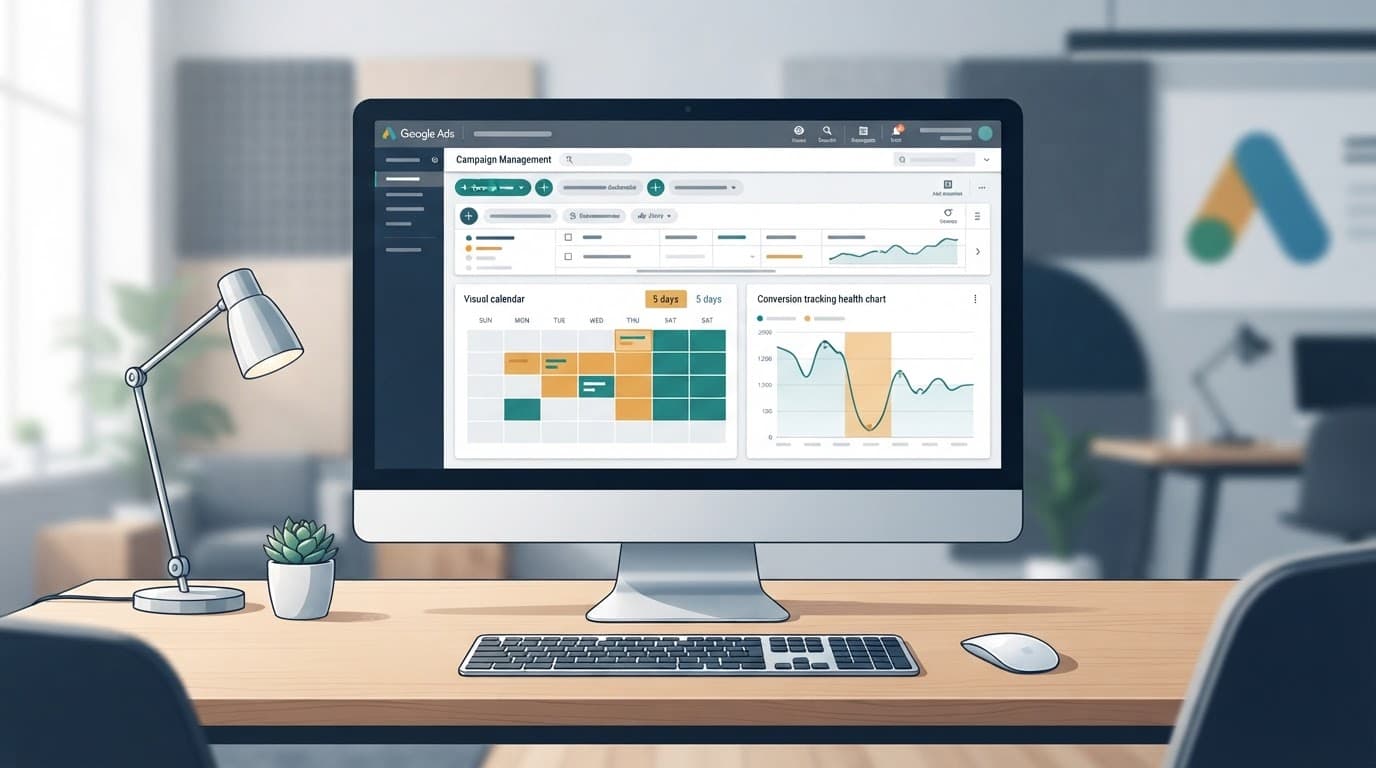
Small business owner at modern office desk reviews Google Ads dashboard showing lead form conversion values.

Google applies those adjusted values in real time for Smart Bidding. They work with Target ROAS, Maximize conversion value, and Performance Max campaigns. In plain terms, value rules help the system bid harder for leads that are more likely to close, not simply more likely to submit a form.

For service businesses, that distinction matters a lot. A local emergency plumbing call at 8 p.m. can be worth far more than a general quote request from outside your service area.

Why service businesses need value rules in 2026

Unlike ecommerce, most service businesses don't know the final sale value at the moment of the click. A cleaning quote may become a weekly contract. A legal consult may turn into a high-fee case. Value rules help fill part of that gap.

Plumber examines charts on angled tablet showing higher leads from local searches in workshop.

They also matter more now because Google's automation touches more decisions across more placements. Performance Max is common in lead generation accounts, and first-party data matters more as older tracking methods fade. If you still optimize on raw lead counts, automation can chase cheap junk leads.

Value rules give the system a better map. They also pair well with call assets, which is useful as call-only ads are set to sunset in February 2027.

How to set up value rules step by step

Start simple. Google's setup guide for conversion value rules is short, and the best accounts keep the logic simple enough to audit.

Hands tweak location and device sliders on angled computer screen showing Google Ads value rules setup, desk with notes.
  1. Pick one primary conversion action, such as a qualified phone call or a booked estimate request.
  2. Set a base value from close rate and margin. If booked estimates close three times more often than raw forms, show that in the value.
  3. Add only a few tested rules, usually location, device, or audience.
  4. Feed back first-party data with enhanced conversions and offline imports. In 2026, clean CRM syncing matters more as Google moves advertisers toward the Data Manager API for stable data connections.

Fix campaign structure before adding rules. If search themes, locations, and landing pages are mixed together, the rules won't rescue the account. This guide to campaign setup for qualified leads is a good companion piece.

Practical examples for your service business

Most local service accounts can start with four types of value rules.

Business owner points to screen showing city map with lead pins, audience segments, and device icons in modern office.

Here is a simple way to frame them:

SignalGood use for service leadsExample adjustment
LocationAreas with better close rates or higher job valueRaise value 30% inside your core service zone
AudienceReturning visitors or past customersRaise value 20% for maintenance-plan leads
DeviceMobile when answered calls convert betterRaise value 25% for emergency mobile leads
First-party dataCRM stages like qualified, scheduled, or soldKeep raw form at $25, booked job at $150

Google lets you use a primary and secondary condition, so you can combine signals when the data supports it. A plumber might increase value for mobile leads within 10 miles during evening hours. A dentist may raise value for returning visitors who book from branded searches. A B2B IT firm might do the opposite and give desktop leads more value because those forms are longer and cleaner.

Pitfalls to avoid and best practices

Value rules help when they mirror sales reality. They hurt when they turn guesses into bids.

Service pro at clean desk compares rising success graph on left monitor with flat misleading line on right.

If you can't defend a rule with lead quality data, don't add it.

Common mistakes are easy to spot. Owners boost mobile because “people call from phones,” even though missed calls never become jobs. Teams raise values for wealthy zip codes without checking close rate. Others pile on several rules in an account with thin volume.

Start with one rule, then watch the output in Google's value rules report. Google also explains the impact on Smart Bidding and performance. Keep high-ticket services separate from low-ticket ones when possible, because a $79 inspection and a $4,000 install should not train the same bidding logic.

Integrating value rules with broader marketing

Value rules don't sit apart from the rest of your marketing. They work best when your Digital Marketing is connected.

Multiple screens show Google Ads, SEO tools, and social media analytics in modern office; two blurred team members in background.

Strong SEO creates more branded and local demand. Social Media Marketing can build remarketing audiences that deserve higher values. Better Website Development improves page speed, trust, and form completion. All of that makes Performance Marketing smarter because the bid is based on a stronger funnel, not a weak landing page.

If you want help tying Google Ads, tracking, and landing pages into one system, Get In Touch With Us.

Conclusion

Google Ads value rules work best when they reflect real lead quality, not hope. That is the whole job.

When your account knows which calls, forms, and booked jobs are worth more, Smart Bidding can spend with better judgment. In 2026, better signals beat more noise, especially for service businesses that care about booked work, not vanity leads.

Google Ads Conversion Strategy for Service Business Leads

Too many service businesses tell Google Ads that every form fill matters the same. Then they wonder why the leads look cheap on paper but weak in real life.

A smart google ads conversion strategy fixes that. When you split primary and secondary conversions the right way, Google stops chasing noise and starts chasing better prospects.

What primary conversions should do in Google Ads

Laptop in bright office shows Google Ads dashboard with charts for phone calls and appointments.

Primary conversions should point Google toward actions that are close to revenue. For most service businesses, that means qualified phone calls, booked consultations, scheduled estimates, case intakes, or signed jobs.

If you run a law firm, a booked case review is stronger than a generic contact form. If you own an HVAC or plumbing company, a new inbound call from a service area ZIP code often matters more than a page view. For a med spa, a consultation request with treatment interest beats a newsletter signup every time.

This is where many accounts go off track. They count soft actions as if they were sales-ready leads. Google then learns to find more of those soft actions.

Here is a simple way to sort actions:

ActionUsually PrimaryUsually Secondary
New lead phone callYesNo
Consultation bookedYesNo
Service request form with qualifying fieldsYesSometimes
Basic contact formSometimesYes
Chat startedRarelyYes
PDF or guide downloadNoYes

The takeaway is simple. A primary conversion should show clear buying intent and give your bidding strategy a reliable target.

In 2026, this matters even more because Google responds better to value-based signals. If a booked consultation is worth more than a short form fill, assign a higher value. If your sales team marks leads as qualified later, import that result back into Google Ads. That is how automation learns what a good lead looks like.
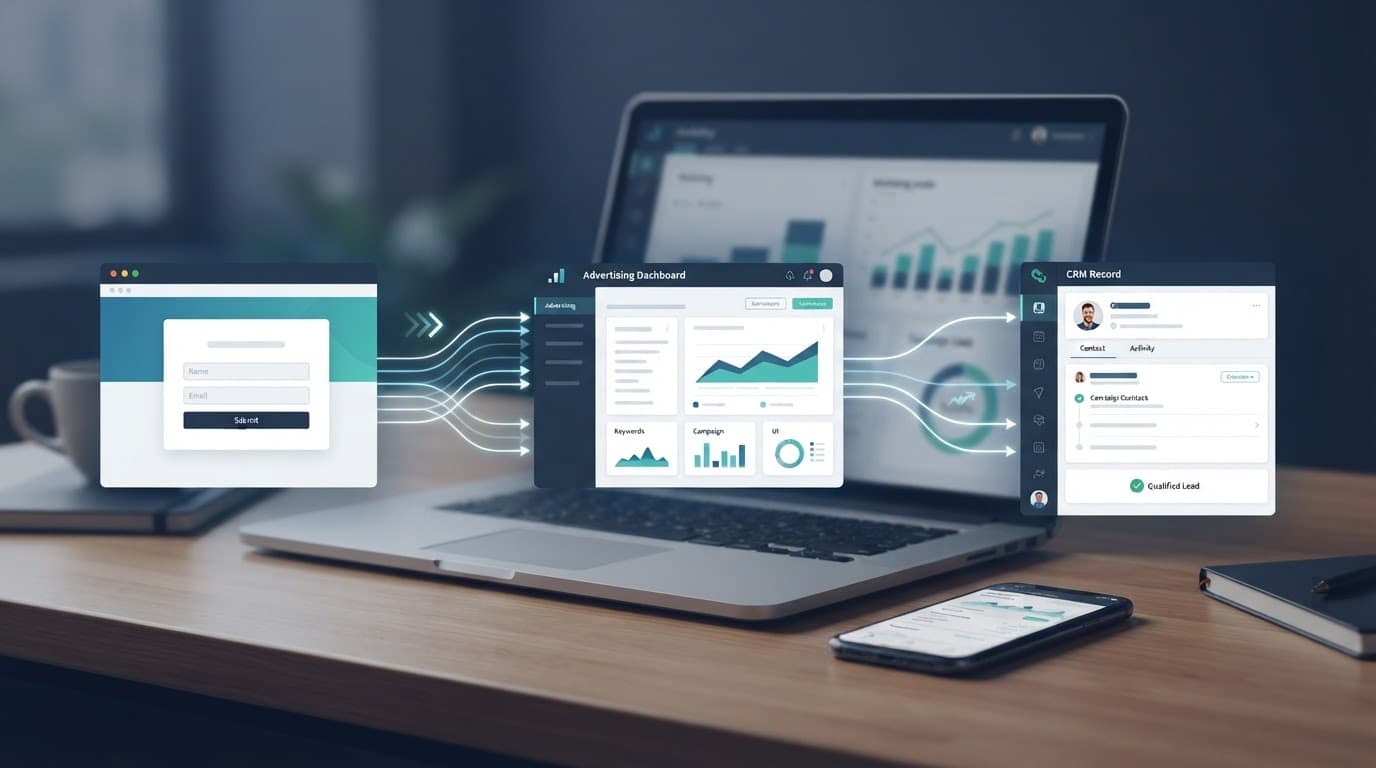
Good structure matters too. A messy account can muddy conversion signals, so clean Google Ads campaign structure for qualified leads helps the data do its job.

Why secondary conversions still matter

Icons of form submissions, chat bubbles, and brochure downloads surround a central lead funnel on white background.

Secondary conversions are not useless. They are your supporting cast. They show interest, reveal friction, and help you spot patterns before a lead becomes sales-ready.

For example, a home services company may track chat starts, financing-page visits, and coupon downloads. A med spa may track treatment-guide downloads or gallery clicks. An agency may track a pricing-page visit or a short lead magnet form. These actions can tell you whether traffic is engaged, even if it is not ready to buy today.

Still, most of these should stay out of bidding. If Google optimizes for chat opens, it may flood you with curious browsers. If it optimizes for low-friction forms, it may find people who never answer the phone.

If you count weak intent as a main success signal, Google will buy more weak intent.

Secondary conversions work best in three ways. First, they help diagnose landing page issues. Second, they show where visitors stall in the funnel. Third, they give context when primary volume is low.

This is especially useful for smaller accounts. If you get fewer than 15 to 30 strong leads per month, you may need time to build history. During that phase, track secondary actions for insight, but keep your main bidding focused on the best signals you have. Once you reach steadier volume, often 30 to 80 monthly primaries, you can shift harder into automated bidding. When quality data and values are strong, higher-volume accounts can move toward Target CPA or value-based bidding.

How to pick primary vs secondary conversions for your business

Simple flowchart on desk with notebook shows choices between phone calls and forms for HVAC service ads.

Use this filter for every action you track.

First, ask how close the action is to revenue. A signed retainer, booked visit, or scheduled estimate belongs near the top. Next, ask how much intent it shows. A call lasting 60 seconds from a new prospect is stronger than a two-field form. Then ask whether you can verify lead quality later in your CRM.

That leads to a practical setup:

  • Track 1 to 3 primary conversions that reflect real sales intent.
  • Track secondary actions for reporting, not as main bid targets.
  • Assign values based on average business impact.
  • Import offline results such as qualified lead, show-up, or closed deal.

Here is what that looks like in real businesses.

A law firm can set “qualified new caller” and “consultation booked” as primary. A general contact form can stay secondary unless it asks case type, location, and urgency.

An HVAC or plumbing company should usually make phone calls and completed service-request forms primary. A coupon click or financing-page visit should stay secondary.

A med spa can treat booked consultations as primary. An email signup for a skincare offer belongs in secondary tracking.

Agencies often need tighter filters. A strategy call booked is primary. A contact form only becomes primary if it includes budget, service need, and timeline.

Your tracking framework should cover both lead volume and lead quality. Volume tells you how many chances you created. Quality tells you whether those chances were worth the spend.

Use volume metrics such as primary leads, cost per primary lead, call count, and booked appointments. Then add quality metrics such as qualified lead rate, show rate, close rate, and revenue per lead. That mix keeps your reporting honest.

Google Ads also does not work alone. Landing pages, DIgital Marketing, SEO, Performance Marketing, Social Media Marketing, and Website Development all shape lead quality. A slow page or weak form can waste great traffic, which is why fast professional web development services often improve paid results more than bid changes do.

If you want help choosing the right conversion mix for your account, Get In Touch With Us.

Conclusion

Primary conversions should tell Google where money comes from. Secondary conversions should help you read the journey without distracting the bidding.

When service businesses track both volume and lead quality, campaigns get sharper. That is when Google Ads starts acting less like a guessing machine and more like a growth channel.

A Practical Google Ads Audit Template for Service Businesses in 2026

Bad leads cost more than bad clicks. In 2026, a service business can show decent click-through rates and still waste money on calls from the wrong city, weak form fills, or people who never book.

A solid Google Ads audit template fixes that. It helps owners, in-house teams, and agencies judge what matters: qualified leads, booked jobs, and revenue. It also keeps Google Ads aligned with your DIgital Marketing plan, including SEO, Social Media Marketing, Website Development, and the rest of your Performance Marketing efforts.

Why Your Service Business Needs a Google Ads Audit in 2026

Google Ads now leans hard on AI, local intent, and business data. That helps good accounts grow faster, but it also makes bad setup more expensive. If your Google Business Profile has old hours, missing services, or weak reviews, your ad quality suffers. If your location targeting is too broad, AI can spend into areas you never serve.

Person in office reviews sleek laptop dashboard with charts showing ad metrics like cost per lead and ROAS.

For a plumber, dentist, lawyer, or HVAC company, the audit starts with one question: are you buying leads that can turn into paying work? If not, the problem is rarely one setting. It is usually structure, tracking, targeting, and offer fit working against each other. If you want to compare your process with another framework, this 2026 audit checklist is a useful benchmark.

Essential Metrics Beyond Clicks and Impressions

Service businesses don't need prettier dashboards. They need a scorecard tied to sales. That means moving past clicks, CPC, and raw conversions.

Laptop screen shows charts and graphs for lead quality metrics in blue and white.

Use this quick audit table to spot weak reporting:

MetricWhy it mattersRed flag
Cost per qualified leadShows if leads match your service and areaLow CPL, poor close rate
Call duration or booked-call rateShort calls often mean bad intentMany calls under 30 seconds
Appointment or estimate rateTells you who moves forwardForms submit, but no bookings
Revenue by campaignConnects ads to real jobsBest-looking campaign closes least

For local services, also watch direction clicks, review response time, and CRM outcomes. Google's automation is stronger when your data is clean. It is weaker when every form fill counts the same.

If your CRM says the leads are bad, the audit has already found the real issue.

Audit Your Account Structure Step by Step

Start with campaign design. Most service accounts get messy because they mix too many goals. One campaign tries to sell emergency repairs, maintenance plans, and branded searches at once. That blurs budget, search terms, and bidding signals.

Folder tree view shows campaign folders and ad groups organized for HVAC service in modern blue-white UI.

Split campaigns by service line, location, or lead value. A dental office might separate implants from general cleaning. An HVAC business should separate emergency repair from seasonal tune-ups. Keep branded search apart from non-brand. Also confirm that location settings use presence, not broad interest, when you only serve defined areas.

If your setup needs a cleaner blueprint, this Google Ads campaign structure guide is a solid reference. Also check that your Google Business Profile is connected and current, because local trust signals now affect ad strength more than many teams realize.

Review Keywords and Match Types

Broad match can work in 2026, but only when the account has sharp negatives and clean conversion data. Without those guardrails, it becomes an open door for low-intent traffic.

Sleek blue dashboard displays match types, search terms panels, and performance graphs.

Audit search terms every week. Look for phrases that signal research, job hunting, free help, DIY intent, or the wrong geography. A lawyer may need to block “free legal forms.” A plumber may need to exclude “salary,” “course,” or distant suburbs. Keep high-intent queries close to the ad copy and landing page. Match types matter less than intent alignment.

Also note that Google's older search automation keeps moving toward AI-led intent models, and Dynamic Search Ads are expected to shift into AI Max later in 2026. That makes search-term mining more important, not less.

Optimize Ad Copy and Extensions

Good service ads don't chase clever lines. They answer the search. State the service, the area, the response time, and the proof. “Emergency AC repair in South Dallas” will beat vague copy almost every time.

Angled view of clean ad preview interface showing responsive search ads, local service extensions, and lead form assets with subtle blue accents.

Audit whether your ads mention trust signals such as reviews, years in business, financing, or same-day service. Then check assets. Call assets, location assets, lead form assets, images, and short videos can lift local performance, especially inside Performance Max. Google is rewarding stronger creative inputs in 2026, including custom images and short video.

Then compare the ad to the landing page. If the ad promises 24/7 repair, the page must show that fast. If the page is slow, cluttered, or off-message, the account leaks money no matter how strong the ad looks.

Check Conversion Tracking and Bidding

This section decides whether automation helps or hurts. Many service accounts still count every call, every form, and every page action as equal. That trains Smart Bidding on junk.

Modern blue-white dashboard shows conversion tracking setup, offline leads, bidding options, and lead flow charts.

Track the actions that predict revenue: qualified phone calls, booked estimates, consultation requests, and closed jobs from your CRM. Use enhanced conversions and offline imports. Also move toward Data Manager API workflows, because old methods lose value as privacy rules and Google data handling keep changing in 2026.

For bidding, value-based rules beat flat lead goals. An implant consult should carry more value than a teeth-cleaning inquiry. An emergency HVAC call should weigh more than a maintenance form. If you need a deeper framework, this guide to Google Ads bid strategy helps map bidding to real lead value. For a broader view of current privacy, PMax, and tracking checks, see this Google Ads optimization checklist.

Budget Allocation and Negative Keywords

An audit should show where spend belongs, and where it should stop. Budget should follow margin, close rate, and service priority, not habit.

Sleek blue pie chart shows budget allocation next to negative keywords list interface.

Use these checks during review:

  • Put more budget behind services that close well, not services that only click well.
  • Separate branded, competitor, and non-brand campaigns so one does not hide the other.
  • Review device, daypart, and location reports for waste.
  • Refresh negative keywords every week, especially in broad match and Performance Max accounts.

Performance Max can work well for local services when the data is clean and the asset group is tight. It fails fast when it runs with loose geo settings and weak negatives. If you want a bigger worksheet to score your account, this 50-point audit template is worth saving.

Final Thoughts

A useful audit is not a long spreadsheet. It is a clear way to find which parts of the account create booked work and which parts only create noise.

Before you raise budgets or change bids, ask what your CRM says about lead quality. If you want a second set of eyes on your account, Get In Touch With Us.

Google Ads RSA Pinning for Service Businesses in 2026

Too much pinning can turn a smart ad into a stiff one. For service businesses, that often means fewer calls and weaker lead quality.

That risk matters more in 2026 because call-only ads are gone. Responsive Search Ads now carry more of the load, especially in HVAC, plumbing, legal, dental, roofing, and other home service campaigns.

A strong RSA pinning strategy gives you control where you need it, without choking off Google's testing.

What RSA pinning actually does in 2026

Over-the-shoulder view of marketer at desk viewing Google Ads Responsive Search Ad editor with pinned headlines highlighted on laptop.

Pinning locks a headline or description into a set position. Headline 1, Headline 2, Headline 3, Description 1, or Description 2. Google says on its responsive search ads help page that if text must appear in every ad, you should pin it, and when possible give that slot two or three approved options.

Because call-only ads ended in early 2026, many service advertisers now rely on RSAs plus call assets. That makes headline control more important, but it also makes over-pinning more dangerous. Google is leaning harder into automation this year, so heavy pinning fights the direction of the platform.

The mistake is copying old expanded text ads and pinning almost everything. Once you do that, the RSA loses much of its ability to match the query, device, and context. For service businesses, the point isn't more control at all costs. The point is controlled flexibility.

Where pinning helps, and where it hurts

Smartphone and laptop on workbench show local plumbing and HVAC search results with highlighted ads.

Pin when a message must show every time. That includes legal wording, license claims, brand terms in branded campaigns, and offers you can't afford to hide, such as “24/7 HVAC Repair” or “Free Roof Inspection.”

However, don't lock down local intent too hard. If you serve many cities, pinning “Dallas Plumber” in every slot can reduce relevance for nearby searches. In non-brand lead-gen campaigns, pin the service or offer in H1 more often, then let city, urgency, trust, and price signals rotate in the other lines.

Brand control also depends on campaign type. In branded search, pinning your business name in H1 is often smart because the query already shows intent. In cold local searches, a service-first H1 usually beats a brand-first one unless your name carries strong trust in that market. For legal and dental advertisers, compliance text often belongs in a pinned description, not a pinned headline.

This also needs to line up with the rest of your funnel. For many small firms, DIgital Marketing isn't split into neat boxes. SEO, Performance Marketing, Social Media Marketing, and Website Development all shape what happens after the click. A clean qualified leads campaign framework makes pinning easier to test.

Sample headline structures for local service ads

Computer screen at angle shows Google Ads previews for HVAC and plumbing, service truck outside window on office desk.

A good service ad usually has one anchor and several flexible lines. On non-brand search, the anchor is often the service type or urgent offer. On branded search, the anchor is often your business name.

If every row in your ad says the same thing, Google has nothing useful to test. If every row says something different, the message gets sloppy. The best middle ground is one fixed promise and several rotating support lines.

This quick table shows the pattern.

BusinessPin in H1Sometimes pin H2Leave unpinned
HVACEmergency HVAC RepairLicensed Local TechsAC Not Cooling?, Same-Day Service, Financing Available
Plumbing24/7 Plumber Near YouNo Trip FeeBurst Pipe Repair, Fast Arrival, Book Today
LegalPersonal Injury LawyerFree Case ReviewNo Fee Unless You Win, Speak With an Attorney
DentalEmergency DentistSame-Day VisitsTooth Pain Relief, Most Insurance Accepted
RoofingRoof Repair ExpertsFree Roof InspectionStorm Damage Help, Local Crew, Financing Options
Home servicesTrusted Local Home ServicesBackground-Checked ProsSame-Day Booking, Upfront Pricing

Notice the pattern. The pinned line states the service, problem, or must-see offer. The unpinned lines handle proof, timing, financing, insurance, or city-level variation. Use Description 1 for pinned compliance text when you need it. Legal and dental advertisers often do this.

Dos and don'ts for compliance, brand control, and testing

Checkmarks and X marks beside simple icons for headlines, compliance, and brand control on neutral background.

Pinning is a control tool, not a default setting.

That approach fits what a recent RSA performance study found: partial pinning tends to beat full pinning on efficiency and conversion metrics.

  • Pin only the lines that must show every time.
  • Give pinned slots more than one approved option when you can.
  • Compare pinned and looser versions on qualified leads, not only CTR.
  • Don't pin all three headline positions.
  • Don't pin city names everywhere in multi-location campaigns.
  • Don't pin fake urgency, like “24/7,” if phones roll to voicemail at night.

Run the test long enough to get stable data, usually two to four weeks for local lead-gen accounts with steady volume. Then look at qualified calls, booked estimates, consults kept, and sales. A roofing ad with lower CTR can still win if storm-damage leads close better.

Before you compare winners and losers, fix tracking. If your forms, call reporting, or offline imports are messy, start with an account setup for qualified leads.

A simple framework for deciding when to pin

Flowchart icons show decision points for pinning versus not pinning ads based on performance data and control needs.

Use this short check before you pin anything.

  1. If the message must appear in every impression, pin it.
  2. If more than one approved line can do that job, pin two or three options to the same slot.
  3. If the campaign is still learning, leave most headlines unpinned.
  4. If lead quality is weak, pin a clearer service qualifier first, not the whole ad.

That last point matters for plumbers, HVAC companies, and other emergency services. If junk traffic is creeping in, a pinned H1 like “Emergency Plumber” can filter curiosity clicks faster than a generic benefit line. On the other hand, if volume drops after pinning, loosen H2 before you touch H1. If you want a second set of eyes on that tradeoff, Get In Touch With Us.

Final thoughts

The best RSA setups don't act like old text ads. They keep one or two lines fixed, then let the rest compete.

For most service businesses in 2026, partial pinning is the safer bet. Pin what protects the brand, the offer, or compliance, then judge the result on booked jobs and qualified calls.

LSA Invalid Lead Disputes in 2026: The New Workflow

A bad Local Services Ads lead still hurts. The difference in 2026 is that LSA invalid lead disputes no longer work like the old manual appeal process.

If you're a local service business owner, the job now is simple: rate bad leads fast, document what happened, and keep your settings tight. That sounds small, but it changes how you recover wasted spend and improve lead quality over time.

What changed with Local Services Ads lead disputes in 2026

Google's current system is built around automation. While Google's Local Services Help still talks about lead credits and disputes, most advertisers now deal with an automated review model instead of a manual case-by-case appeal. Recent reporting on the shift to automation also points to the same reality, as shown in this breakdown of automated LSA reviews.

Blue holographic dashboard scans phone recordings and lead data with green checkmarks in neon-lit server room.

That means you usually can't argue a bad lead with a person anymore. Instead, you rate the lead, choose the closest reason, and let Google's system decide whether a credit applies. Current 2026 reports say the review often happens within about 72 hours of the charge, and approved credits usually show on billing within 30 days.

The bigger surprise is what no longer gets credit. Many location mismatches and service mismatches are now treated as account setup issues, not invalid leads. If your ad reached someone outside your service area, or you forgot to remove a job type, the system may charge you anyway.

Google is judging lead validity, not whether the lead was ideal for your business.

That makes settings and daily lead review far more important than they were a few years ago.

The step-by-step workflow for a bad LSA lead

When a weak lead comes in, speed matters. A consistent process beats a heroic cleanup at the end of the month. If you want a second source on the newer review flow, this 2026 LSA lead credit guide lines up with what many advertisers now see inside their accounts.

Panels show business owner at workstation logging into dashboard, listening to call via headphones, selecting dissatisfied rating, typing notes.
  1. Open the lead in your Local Services Ads dashboard the same day it arrives.
  2. Listen to the call recording, or read the message, before rating it.
  3. Mark the lead as dissatisfied, then choose the closest reason available.
  4. Add short notes with facts, not emotion. “Sales call,” “duplicate caller,” or “wrong business” works better than “bad lead.”
  5. Save the outcome in your CRM or call log so your team sees the same history.
  6. Check billing later for the credit, because approvals can take up to 30 days to appear.

A good owner or office manager can do this in a few minutes per day. The key is to make it routine. Assign one person to review every charged lead before close of business. If calls are coming in after hours, review them first thing the next morning.

You should also coach whoever answers the phone to confirm two facts early, the caller's location and the exact service needed. If it's a mismatch, end the call politely and fast. Long calls on bad fits waste time, and they don't improve your odds of getting a credit.

Which leads are likely to get credit, and which are not

The fastest way to reduce frustration is to stop treating every weak lead like a disputable one. Some are poor quality. Others are clearly invalid.

Side-by-side in workshop: happy plumber talking on phone left, frustrated owner hanging up right.

This quick table shows the difference:

Lead scenarioCredit likelihoodWhy
Robocall, spam, or solicitationOften creditedNo real customer intent
Duplicate lead from the same person and issueOften creditedRepeated charge for the same contact
Caller wanted a different companyOften creditedWrong business
Real caller outside your target areaUsually not creditedOften treated as a settings issue
Caller wants a service you left enabledUsually not creditedOften treated as an account setup issue
Real prospect who hangs up, price shops, or decides not to bookNot creditedGoogle charges for the lead opportunity, not the sale

The main takeaway is simple. Local Services Ads charge for the chance to talk to a prospect, not for a booked job. So a real caller with low buying intent may still count as valid.

Business owner at desk with phone showing spam call, computer displaying wrong service map and duplicate lead alert.

That also explains why service-area mistakes hurt twice. You pay for the bad match, then you often can't recover the charge.

Documentation and habits that improve results

Even without manual appeals, documentation still matters. Clear records help your team rate leads the same way every time, and that gives Google's system better feedback over time.

Business owner at desk uploads screenshots, transcripts, and notes to laptop form in organized workspace with notepad and phone.

Keep four items for every questionable lead:

  • The call date and time
  • A one-line summary of what happened
  • The reason you selected in LSA
  • Any proof of duplication, spam, or wrong business

Then fix prevention issues every week. Review service areas, job types, hours, and booking settings. If your lead mix is sloppy, pair LSA with a stronger Google Ads campaign structure for leads so your broader search traffic is cleaner too.

Two team members at office table review LSA profile on tablet, checking service areas, job types, and screening icons.

LSA should support your broader DIgital Marketing plan, including SEO, Performance Marketing, Social Media Marketing, and Website Development. If you need help tightening lead quality across Local Services Ads and your wider paid search setup, Get In Touch With Us.

Conclusion

Bad leads still happen, but the winning response in 2026 is operational, not emotional. Review every charged lead quickly, rate it with clear facts, and keep your profile settings accurate.

The businesses that recover more spend usually do one thing better than everyone else: consistency. They don't wait for a bad month to notice a broken process.

Google Ads Impression Share Strategy for Service Businesses in 2026

If your ads disappear during peak hours, a competitor gets the call, not you. For plumbers, dentists, lawyers, med spas, and home service teams, google ads impression share is often the first clue that demand exists but your account isn't showing often enough.

Still, more visibility isn't always better. In 2026, the smart move is to win the right auctions, protect profit, and know when a lower share is perfectly fine.

Why impression share looks different in 2026

Top view of office desk with laptop displaying impression share metrics bar chart and coffee mug.

Search impression share is the percentage of eligible search impressions your ads actually received. If you showed 60 times out of 100 chances, your share is 60%.

That sounds simple, but 2026 has a wrinkle. After Google's double-serving change in 2025, competitors can appear twice on one search page, top and bottom. Because total possible impressions grew, your share can fall even when clicks and leads stay steady. So, don't panic over a one-week dip. Read trends over 30 to 90 days.

Also, keep impression share planning focused on Search. Since March 2026, Performance Planner no longer supports impression share goals for Display or Video. For service businesses, that's not a big loss because calls, forms, and booked jobs still come hardest from local search intent.

WordStream's overview of impression share makes the same point many owners miss: the metric matters most when the search itself matters.

Read the three metrics before touching bids

Computer screen shows three pie charts for impression share metrics on a desk with mouse and notepad.

Before you raise budgets, add three columns to your Search campaigns.

MetricWhat it meansUsual fix
Search Impression SharePercent of eligible impressions wonCheck budget and rank loss
Search Lost IS (budget)Missed impressions because daily budget ran outRaise or reallocate budget
Search Lost IS (rank)Missed impressions because Ad Rank was too lowImprove bids, ads, landing pages, assets

This table tells you where the leak is.

If Search Lost IS (budget) is high, the account is eligible but runs out of money. That's common in HVAC, plumbing, and emergency repair campaigns that spike after-hours. If Search Lost IS (rank) is high, your issue is competitiveness. Bid too low, weak ads, thin landing pages, or poor Quality Score can all drag rank down.

Don't chase a 90% share on every keyword. Chase it where a missed impression means a missed sale.

For a more detailed breakdown of why share drops, Heidi Sturrock's guide to falling impression share is a useful reference.

When a higher impression share is worth paying for

Business owner at wooden desk balances calculator against phone with leads on scale, blurred Google Ads logo behind.

A stronger google ads impression share strategy makes sense when searches are urgent, local, and high intent. Think “emergency plumber near me,” “DUI lawyer Dallas,” or “same day dentist.” In those cases, being absent hurts.

It's also worth pushing harder on branded search if competitors bid on your business name. For help there, see when to bid on brand terms.

On the other hand, don't overpay for generic research terms. A med spa doesn't need dominant share for every “skin care tips” search. A law firm shouldn't force top exposure on broad legal education keywords if consultations are already full. In many accounts, a 40% to 60% share on bottom-funnel terms beats 85% on loose traffic.

This is where SEO helps. If your site already ranks well for non-urgent queries, paid search can stay focused on the searches most likely to become calls.

The fixes that raise share without wrecking lead quality

Five flat icons depicting keyword match types, bidding slider, Quality Score stars, location pin, and ad extensions arranged horizontally on a clean whiteboard.

When rank loss is the problem, start with Ad Rank. That means bids, expected click-through rate, ad relevance, landing page experience, and asset impact.

A practical fix list looks like this:

  • Tighten campaign themes. Exact and phrase match usually work best for service keywords with clear intent. Broad match can work, but only with strong negatives and clean conversion data.
  • Push budgets where demand peaks. Emergency trades often need more spend at night and on weekends. Dental and legal accounts may do better during staffed call hours.
  • Narrow location targeting. A plumber serving three suburbs shouldn't pay for the whole metro area. Radius, city, zip, and service-area exclusions matter.
  • Improve assets. Call, location, sitelink, and structured snippet assets can lift Ad Rank and click-through rate.
  • Match ads to the search. If the keyword says “water heater repair,” the headline and landing page should say the same thing.
  • Clean up conversion quality. Import offline outcomes, not only form fills. Enhanced Conversions for Google Ads leads helps here.

Bidding needs the same discipline. Target Impression Share can work for branded campaigns or your highest-value local terms, but it shouldn't control the whole account. For most service businesses, a balanced setup uses smart bidding where lead quality is proven and manual limits where it isn't. If you need a tighter bidding framework, this Google Ads bid strategy guide is a solid next read.

Good Website Development also matters. Slow pages, weak trust signals, and poor mobile layouts hurt rank. So does weak form design. In other words, impression share is part of Performance Marketing, not a standalone fix.

What this looks like for real service businesses

Plumber in uniform holds tablet outside service van on sunny suburban street with tools in background.

An HVAC company may want aggressive share only for repair and replacement terms during hot weeks, then relax on maintenance keywords. A plumber should protect evenings, weekends, and high-margin jobs first. A dental office may focus on implants, emergency dental, and city-based searches, not every cosmetic query.

Law firms often need tighter filters because bad leads are expensive. Med spas should watch age, location, and landing-page match closely. Agencies managing client accounts need qualified pipeline data, not vanity leads, or smart bidding learns the wrong lesson.

Strong DIgital Marketing works best when paid search connects with Social Media Marketing, CRM follow-up, and local content. If your account has high lost rank, weak forms, and shaky call tracking, fix the system before buying more share. If you want a second set of eyes on that system, Get In Touch With Us.

Final thoughts

The best google ads impression share strategy in 2026 is selective. Win the searches that bring revenue, accept lower share where intent is weak, and separate budget loss from rank loss before changing anything.

If your ads keep vanishing, the answer isn't always more spend. Most of the time, the answer is better targeting, better pages, and better conversion quality.

A Practical 2026 Spam Lead Filtering Workflow for Google Ads and GA4

A bad lead doesn't only waste sales time. It also trains your ad account to chase more bad leads.

That's why spam lead filtering matters more in 2026 than it did a year ago. If you run Google Ads for a local service, B2B company, or lead-gen site, you need a workflow that keeps raw submissions for analysis but protects bidding from junk data.

Why Filter Spam Leads Now?

Isometric analytics dashboard shows spam leads filtered from qualified ones in a funnel with red flags and green checks.

As of April 2026, Google Ads has better call-quality tools, including AI-qualified call leads. That helps with robocalls. Form spam is still your problem to manage.

When fake submissions flood GA4 and Google Ads, Smart Bidding learns the wrong lessons. Cost per lead may look better while revenue gets worse. Small businesses feel this fast, because a few junk forms can skew a whole week.

Shared definitions matter too. Across DIgital Marketing, SEO, Performance Marketing, Social Media Marketing, and Website Development, every team should agree on what counts as a raw lead, a suspicious lead, and a qualified lead.

Step-by-Step Workflow Build

Sequence of isometric icons depicting GA4 event capture, ads filtering, CRM check, optimized bidding, and lead filtering pipeline in muted blue-green tones.

Build the workflow in this order, because each step depends on the one before it:

  1. Fire one raw lead event only after a real success state, such as a thank-you page or confirmed form response.
  2. Store lead_id, gclid, landing page, form type, source, medium, and key UTMs with the submission.
  3. Add a spam score with simple rules before you decide what goes back to Google Ads.
  4. Push every record into your CRM, even suspicious ones, so you can audit mistakes later.
  5. Import only qualified leads back into Google Ads as the primary bidding signal.

A simple logic model works well. If honeypot_hit=true or spam_score >= 70, mark the lead as suspicious. If the score is 30 to 69, hold it for review. If sales accepts it, send a qualified conversion later.

This split is the heart of good spam filtering. Raw leads help diagnosis. Qualified leads drive bidding.

Flag Suspicious Leads with GA4 Events

Flat-design dashboard visualizes GA4 events highlighting IP mismatches and rapid submits, arrows separating spam from real leads.

GA4 should not be your only filter, but it should be your early-warning system. Use one event for the raw submit, then attach parameters that explain why a lead looks risky.

This quick structure keeps reports readable:

EventPurposeUseful parameters
lead_submit_rawEvery confirmed form submitlead_id, form_type, landing_page
lead_quality_flagSuspicious behavior detectedspam_score, geo_mismatch, rapid_submit
lead_qualifiedSales or ops accepted the leadcrm_stage, qualified_value

Good filtering criteria are practical, not fancy. Start with submit time under 5 seconds, duplicate phone or email within 24 hours, country outside your service area, invalid ZIP code, junk name patterns, or a filled honeypot field. Google also explains how to use unwanted traffic filters in GA4, and this GA4 spam traffic guide shows useful patterns to review.

Keep one warning in mind:

A suspicious lead is not always a fake lead. Fast submits and short sessions can come from real users on branded search.

Apply Filters Directly in Google Ads

Isometric view of ads interface with conversion filters excluding bot traffic and low-quality leads, plus before-after charts.

Your biggest mistake is easy to spot. If lead_submit_raw is imported into Google Ads as a primary conversion, the system will optimize toward noise.

Keep raw submits as secondary for reporting, or don't import them at all. Instead, send back lead_qualified or sales_accepted_lead as the primary conversion. If you can tie email or phone data back to Ads, use this enhanced conversions setup for Google Ads leads.

Also review traffic by search term, device, location, and hour. If spam clusters in one state, one partner site, or late-night hours, cut that segment before it poisons more data.

For extra protection, a bot traffic prevention guide for GA4 and Google Ads is worth skimming.

Loop in CRM Data for Smarter Decisions

Flat diagram shows data flow from CRM sales qualification to marketing filters via GA4 and Google Ads icons with leads pipeline.

CRM feedback is where this workflow gets smarter. You don't need a huge RevOps stack either. Even a few statuses can help: Spam, Duplicate, Bad Fit, Contacted, Qualified.

That sales outcome should feed back into marketing each week. When one campaign sends lots of “Bad Fit” leads, the issue may be ad copy or targeting, not bots. When one source sends “Spam,” the issue is likely filtering.

If GA4 and the CRM disagree, fix the mismatch before you touch bidding. A good GA4 CRM reconciliation guide will help you match lead IDs, dates, and stages so you can trust the data.

QA Checklist and Pitfalls

Dashboard checklist shows QA items for spam filters with green checks, red flags, and warning icons.

Before you trust the workflow, test it end to end:

  • Submit one clean form and confirm the raw event, CRM record, and qualified import all match the same lead_id.
  • Submit one fake form with the honeypot filled and make sure it never becomes a bidding signal.
  • Check that button clicks do not fire lead events.
  • Review top spam rules weekly, because bots change.
  • Compare valid lead rate against qualified lead rate, not lead count alone.

Be careful with hard blocks. A real prospect may use a VPN, type a messy name, or submit in three seconds because they already know you. Score-based filtering is safer than blanket exclusion.

The best setup is simple: track every real submission, label quality fast, and only teach Google Ads with outcomes you trust. If your forms, GA4, and ad account aren't lining up, Get In Touch With Us and fix the workflow before more budget drifts into junk.

Server-Side GTM Setup for Lead Gen Websites in 2026

If your ads report 50 leads but your CRM shows 37, the missing 13 often vanished before the hit left the browser.

In 2026, browser limits, stronger blockers, and tighter consent rules make browser-only tracking less dependable. A solid server-side GTM setup gives lead gen websites cleaner conversion data, better attribution, and more control over what gets shared.

That matters most when every form fill, call, and qualified lead can change budget decisions.

Why server-side GTM matters on lead gen sites

A server-side GTM setup sends tracking data to a server container you control, then forwards it to GA4, Google Ads, Meta, LinkedIn, or other tools. That extra stop often cuts data loss and reduces messy duplicate logic.

Diagram comparing client-side vs server-side GTM tracking flows for lead gen websites: left side shows browser sending data directly to vendors with blockers; right side shows browser to server container then to vendors using clean lines, icons, and bright colors.

For lead gen sites, the gain is simple. You protect high-value actions like successful form submits, click-to-call events, and later-stage qualified leads. You also get a cleaner path between analytics and CRM reporting, which makes a GA4 lead tracking checklist far easier to keep stable.

Recent server-side tagging best practices for 2026 point to the same issue: browser-side loss is growing, not shrinking. For small teams, DIgital Marketing, SEO, Performance Marketing, Social Media Marketing, and Website Development all depend on the same source data. When that data breaks, every report starts to argue with the next one.

Server-side tracking won't make data perfect, but it removes a lot of avoidable loss.

What you need before you touch the container

Start with a clean base. You need one web GTM container, one new server container, a GA4 property, and a plan for where lead data should end up after the website collects it.

Icons diagram of prerequisites for server-side GTM including cloud server, domain setup, and GTM containers, arranged in a checklist flow with simple line art in professional tech style.

Hosting choice matters too. Managed options like Stape are faster for small teams. Google Cloud Run gives more control, but it asks more from your technical setup. Either way, use a same-site subdomain such as analytics.yoursite.com, not a third-party hostname. That keeps tracking closer to your own domain and helps first-party context.

Also decide three things before launch: your consent rules, your event names, and your lead_id strategy. If the lead record in your CRM can't match the web event later, attribution still breaks. For a broader reference, Trackingplan's sGTM guide is a useful outside read.

The core server-side GTM setup steps

The actual build is not hard, but the order matters.

Clean blueprint-style flowchart showing the main path for server-side GTM container installation: create container, deploy server, update client GTM, transport map, with arrows connecting empty boxes in monochromatic tones with accents.
  1. Create a new Server container in GTM.
  2. Deploy it to your chosen host, then connect your custom subdomain.
  3. In the server container, confirm the GA4 client is available and receiving requests.
  4. In your web container, update the GA4 tag so hits route through the server endpoint, commonly with server_container_url.
  5. Preview both containers before you publish anything.

If your team last touched server-side tagging a while ago, review current templates and client behavior. A lot changed during 2025, so old screenshots can mislead. After the server receives GA4 traffic, keep your web container light. Let the browser capture intent, and let the server decide what each vendor should receive.

A practical build walk-through for lead capture flows is available in this GA4 server-side tracking for lead generation guide.

Configure tags for real lead events, not vanity actions

This is where many setups go off track. Fire on success, not on hope. A form button click is not a lead if validation fails or the request never reaches the backend.

GTM dashboard mockup showing three configured tags for lead events: form_submit, qualified_lead, and phone_call. Blurred screens with focus on tag list and triggers in realistic angled UI screenshot style.

Use this simple event map:

Event Fire when Helpful parameters
form_submit Success message, thank-you page, or confirmed XHR form_id, lead_type, page_type, lead_id
phone_call Click on tel: or connected call from call platform placement, page_type, call_source
qualified_lead CRM or backend marks the lead as valid lead_id, value, currency, lead_stage

Keep personal data out of GA4. Don't send names, email addresses, or phone numbers there. If you need stronger ad matching, pair the setup with enhanced conversions setup for Google Ads leads. For qualified_lead, send the event from your CRM or backend into the server container, then forward it where needed.

Test consent and data flow before launch

Preview mode is not optional. Test the web container, the server container, and the final hit in GA4. Then test again on mobile, because click-to-call behavior often differs from desktop.

Infographic flowchart depicting the server-side Google Tag Manager (GTM) testing process, including preview mode, debug requests, and GA4 event validation with sequential steps, checkmarks, green/red paths, and tool icons.

Check four things every time: the event fires once, the right parameters are present, consent state is respected, and no self-referrals appear from booking or form tools. Consent Mode v2 still matters with server-side tagging. Your server can filter and control data better, but it should not ignore consent choices. This 2026 Consent Mode v2 guide is a helpful comparison point.

If a redesign is coming, keep this website migration SEO checklist nearby, because new templates often break working triggers.

What gets better after launch

After launch, watch the gap between platform leads, GA4 leads, and CRM leads. The goal is not perfect matching. The goal is a smaller, explainable gap.

Side-by-side before-and-after charts in dashboard style: left bar chart with gaps showing poor data accuracy, right with full bars for improved attribution; rising line graph for data quality, blue tones, professional, no labels.

A good server-side GTM setup usually improves lead capture consistency, reduces unassigned traffic, and gives ad platforms cleaner conversion signals. It also gives you more control over privacy filtering before data leaves your stack. When reporting still disagrees, use a GA4 CRM reconciliation guide to find whether the problem sits in attribution, identity, or sales-stage logic.

The missing leads from the start of this post usually come from setup gaps, not campaign failure. Fix the tracking path, and your numbers become much easier to trust.

If you want help building or auditing the setup, Get In Touch With Us before the next form update or campaign launch.


Build a Call Recording QA Framework for Better Lead Quality in 2026

Bad leads rarely look bad in a dashboard. They sound wrong on the call, when the caller asks for a service you do not offer, has no budget, or is nowhere near your market.

A solid call recording QA framework turns those moments into usable data. In 2026, AI transcripts, auto summaries, and live prompts make review faster, but the real win is simple: better lead quality, better coaching, and clearer feedback between marketing and sales. For marketing leaders, sales ops, contact center managers, QA teams, and small business owners, that loop matters more than ever.

Why Your Team Needs a Call Recording QA Framework Now

In a modern office bathed in natural daylight, a sales manager and QA specialist collaborate intently, reviewing call recording transcripts displayed on dual monitors with hands resting on the desk and a laptop nearby.

When you review calls by source, weak patterns stop hiding. One landing page sends high-intent buyers. Another sends price shoppers. A paid keyword may look fine in reporting but keep attracting the wrong service request.

That matters because lead quality is not only a sales issue. In many small businesses, DIgital Marketing, SEO, Performance Marketing, Social Media Marketing, and Website Development all shape who calls and what they expect. A good QA program shows whether poor results come from bad traffic, a weak script, slow follow-up, or a broken handoff.

In 2026, many teams can search transcripts, tag objections, and compare outcomes within minutes. Some tools now flag missed qualification questions during the call, not days later. Start with proven call center QA best practices, then pair the findings with a tighter Google Ads campaign structure for qualified leads if paid search is a major source.

Core Components of an Effective Call Recording QA Framework

Diagram-like visualization of call QA framework components including recording, scoring, feedback loop, and agent training icons arranged in a cycle on a whiteboard in a conference room. Clean modern style with soft lighting, no people, no text, no logos, no watermarks.

Most small businesses do not need a giant scorecard. They need a system that answers four questions: Was the lead a fit, did the agent handle the call well, was the next step clear, and did marketing attract the right person in the first place?

Build your framework around five parts:

  • Record and tag calls by source, campaign, landing page, and agent.
  • Score the same few behaviors on every reviewed call.
  • Connect scores to booked meetings, qualified opportunities, and sales.
  • Coach agents weekly with clips from real calls.
  • Share themes with marketing and sales ops every month.

If marketing and sales use different rules for “qualified,” QA turns into opinion.

Also set rules for consent, storage, and access. That keeps the process safe and useful. A practical sales call recording guide covers the legal side. Then connect call outcomes to enhanced conversions for Google Ads leads so source quality is based on real outcomes, not guesswork.

Sample QA Criteria and Scoring Rubric

Close-up of a QA scoring rubric table on a computer screen displaying criteria like greeting, qualification questions, and close with scores in contact center software dashboard, realistic angled view with soft office lighting.

Start with a short rubric. If you score too many things, reviewers drift and agents ignore the feedback. Keep the focus on lead quality, conversion readiness, and clean handoffs.

This simple model works well for service businesses:

QA area Weight Full-score standard
Opening and trust 10 Clear greeting, sets purpose, confirms caller context
Qualification depth 25 Captures need, location, budget, timeline, decision role
Fit and urgency 25 Confirms service fit, urgency, and buying intent
Next-step control 20 Books appointment or sets a specific follow-up
CRM and compliance 20 Logs source, notes, consent, and outcome correctly

Set score bands before rollout. A score of 85 to 100 means the call was sales-ready. A 70 to 84 call needs coaching. Anything under 70 needs manager review because the agent likely missed fit, urgency, or the close. Run twice-monthly calibration sessions, and use a simple call center QA checklist to keep scoring steady across reviewers.

Key KPIs to Measure Lead Quality Improvements

Dashboard charts on a large screen in a meeting room showing rising KPIs like lead qualification rate, conversion rate, and agent score in modern blue-toned analytics style. Realistic rendering with graphs and metrics, no people, text labels, or logos.

A QA score by itself is not a business metric. The real test is whether lead quality improves across sources, agents, and outcomes. This same view helps contact center managers spot training gaps and helps marketing leaders trim bad spend faster.

Track a small KPI set and review it every month:

  • Qualified lead rate by source
  • Appointment set rate after the first call
  • Lead-to-opportunity rate by agent and campaign
  • No-fit or wrong-service rate by landing page
  • Average QA score and coaching completion
  • Speed to follow-up on high-intent calls

The most useful view compares source quality with conversion readiness. If organic traffic grows but no-fit calls rise, review your pages with this lead-gen SEO audit checklist 2026. If paid volume rises while booked jobs stay flat, the issue may sit in targeting, landing-page promise, or agent handling. QA makes that visible fast.

Step-by-Step Implementation Guide for 2026

Step-by-step infographic style showing implementation workflow for call QA with plan, record, review, train, measure icons in sequence on an office desk with notebook, bright natural light, clean illustrative style, no people, no text, no logos.

Implementation works best in phases, not a big launch. A small team can stand up a useful framework in 30 days if the scope stays tight.

  1. Write one shared lead definition. Include fit, service area, budget, urgency, and decision-maker status.
  2. Tag every recorded call by source, campaign, landing page, and agent.
  3. Review the first 100 calls and note where scorers disagree.
  4. Adjust the rubric until it matches real buying behavior, not script trivia.
  5. Coach from call clips, then track whether the same issue drops the next month.
  6. Report findings to both marketing and sales, then fix the source or the script.

In 2026, AI can cover far more than random spot checks. Still, human review matters because tone and context change meaning. If volume is rising, learn how to audit sales calls at scale so managers spend time coaching instead of hunting through recordings.

Common Pitfalls and How to Avoid Them

A contact center agent with headset checks notes on their phone during a call to avoid poor qualification pitfalls, resulting in a happy customer on screen. Features a modern desk setup in realistic style with warm lighting, exactly one agent.

Most QA programs fail in ordinary ways. Teams grade script use harder than lead fit. They review only star reps or weak reps, so they miss the middle. Managers coach agents but never tell marketing that a keyword, ad, or form is attracting junk. Some teams also keep call files with loose access rules, which creates risk.

The fix is simple. Score for business outcomes first. Sample calls across all agents and sources. Hold one monthly meeting where marketing, sales, and QA listen to the same themes. That is where Website Development gaps, ad-message mismatch, and poor routing start to show up. Recent 2026 tools can flag missed questions in real time, but teams still need calibration so everyone judges calls the same way.

A bad lead stops looking mysterious once you can hear the pattern. A strong call recording QA framework turns that pattern into cleaner campaigns, sharper agents, and more sales-ready conversations.

If your call data, ad data, and CRM still live in separate places, Get In Touch With Us and build a process that improves lead quality without adding busywork.


GA4 Cross-Domain Tracking for Lead Gen Funnels in 2026

If your ads send visitors to one domain, your form lives on another, and your thank-you page sits somewhere else, GA4 can split one visit into pieces. That means bad attribution, inflated direct traffic, and reports you can't trust.

For small businesses spending on GA4 cross-domain tracking and lead generation, this is no small bug. It affects DIgital Marketing, SEO, Performance Marketing, Social Media Marketing, and Website Development because every team ends up reading different numbers. The fix is simple in theory, but details matter.

Why cross-domain tracking matters in lead gen funnels

When GA4 is set up well, it treats a visitor moving from domain A to domain B as one journey. In 2026, that still depends on one core rule: use the same GA4 Measurement ID and web stream across every domain in the funnel.

A small business owner at a desk in a cozy home office looks at a laptop screen showing an analytics dashboard with multiple website domains and lead funnel charts. Natural daylight from a window illuminates the realistic scene with one person only.

GA4 now passes the _gl linker parameter automatically when your domains are configured correctly, so the same client ID can follow the user across sites. Google's own cross-domain measurement guide explains that flow clearly.

A common lead funnel looks like this: a landing page on your main site, a booking form on a separate scheduling domain, then a thank-you page on another branded domain. Without cross-domain setup, GA4 often starts a new session in the middle. Your ad click gets credit for the first page, but the lead may show up as direct or as a referral from your own site.

If your own booking domain shows up as a top referrer, your funnel is broken.

What you need in place before setup

Start with the boring stuff. It saves hours later.

Top-down photorealistic view of a clean setup checklist on a notepad next to a computer keyboard and mouse, listing items like GA4 property, domains, and GTM container in a bright office setting with no readable text or extra objects.

Use one GA4 property for the whole funnel. Put the same Measurement ID on every domain involved. If you're using Google Tag Manager, keep naming and firing rules consistent across containers. If these are only subdomains, GA4 usually handles them with the same tag, so extra cross-domain rules may not be needed.

Next, confirm that your consent tool can share consent across domains. In 2026, that matters more because denied consent can create gaps that look like broken attribution. Many teams now pair this with server-side GTM for better reliability.

Also, make sure your CSP allows Google Analytics requests on every domain. For a broader event structure, this GA4 lead tracking checklist is a useful companion before you touch the funnel.

How to set up GA4 cross-domain tracking step by step

The setup is short, but each step carries weight.

Hand-drawn whiteboard diagram in a conference room showing the tracking flow from domain A landing page to domain B form to domain C thank you page, connected by arrows with GA4 icons.

Go to GA4, then Admin -> Data Streams -> your web stream -> Configure tag settings -> Configure your domains. Add every root domain used in the funnel. “Contains” is usually enough for small business setups.

Then add those same domains to List unwanted referrals. This second step matters because cross-domain setup alone doesn't always stop self-referrals. A recent GA4 cross-domain setup walkthrough shows the full path.

After that, check your links. When a visitor clicks from one domain to the next, GA4 should append _gl to the URL for the handoff. You do not need to build old-school manual linker code like Universal Analytics often did.

Finally, protect attribution beyond GA4. Send utm_source, utm_medium, utm_campaign, click IDs, and a unique lead_id into your CRM at form submit. Otherwise, GA4 may look clean while your sales data still falls apart. This is where a solid UTM governance template pays off.

A practical multi-domain funnel example

Picture a paid search campaign driving traffic to offersite.com. The visitor clicks “Book a demo” and moves to bookingportal.com. After submitting, they land on thankyoubrand.com, and the lead pushes into HubSpot or Salesforce.

Three devices on a modern office table showing a lead funnel sequence: laptop with landing page ad, phone with booking form, and desktop with CRM dashboard success, arranged sequentially with soft lighting.

A strong setup tracks the same session across all three domains, fires the lead event only on real success, and passes campaign data into the CRM. Google's lead generation form reporting guide is helpful for mapping the right funnel steps in GA4.

This matters when you run Google Ads, Meta ads, or email at the same time. If the CRM only stores the final touch, your Performance Marketing team may overvalue branded search. If it stores nothing, Social Media Marketing may look weak even when it started the journey.

Keep both first-touch and latest-touch values in the CRM. Also, never add UTM tags to internal links between your own pages. That rewrites source data and breaks attribution by force.

How to fix broken sessions, self-referrals, and attribution loss

Most problems come from three causes: different Measurement IDs, missing referral exclusions, or bad CRM handoff.

A frustrated analyst in a dimly lit late-evening office highlights error logs with red marks on a computer screen showing graphs of broken sessions, illustrating debugging cross-domain problems. Realistic scene with one person, relaxed hands on keyboard, and blurred screen details.

If sessions break between domains, verify the same GA4 ID loads everywhere. If self-referrals appear, update the unwanted referrals list. If leads show as direct in the CRM, inspect the form and hidden fields, not GA4 alone.

A few quick checks help fast:

  • Preview tags in GTM and confirm page views fire once, not twice.
  • Open both domains and compare the GA4 client ID during a test journey.
  • Watch DebugView while moving from landing page to form to thank-you page.
  • Check whether the lead record stores UTMs, click IDs, and lead_id.

If your tracking issues keep touching ad spend, reporting, and site changes at once, a full-service digital marketing partner can help connect the media and measurement pieces.

Testing habits that keep the data clean in 2026

A smiling analyst in a bright modern workspace reviews a validation dashboard across dual monitors showing unified sessions and green checkmarks for successful testing verification. The back view captures hands on the desk with screens slightly out of focus and no visible text.

Run one live test every time you launch a new landing page, new form tool, or new thank-you domain. That includes Website Development changes, because a small redirect tweak can break a clean handoff.

Check Realtime, DebugView, and the CRM record on the same test. Then repeat on mobile, because consent banners and browser privacy settings often behave differently there. For extra implementation detail, this step-by-step GA4 guide from DevriX is a solid reference.

Clean cross-domain data isn't about making GA4 prettier. It's about knowing which campaigns create leads, which pages close the form, and which channels deserve more budget. When one visit stays one visit from click to CRM, the whole funnel gets easier to trust.