When you need to capture GCLID and WBRAID on your lead forms, precision is everything. If these click IDs never make it into your form submissions, your CRM cannot accurately tie a closed deal back to the original ad click.
This data gap creates significant blind spots for your conversion tracking efforts. To ensure every lead is accounted for after a click from Google Ads, you need the right form fields, a robust tag manager setup, and a reliable handoff process into your CRM.
Key Takeaways
- Enable auto-tagging in your Google Ads account first, or the click IDs will never reach your landing pages.
- Add hidden fields to the form before submission, then populate them with GTM or site code.
- Store values across page loads, because redirects and multi-step journeys often strip URL parameters.
- Prioritize accurate attribution by mapping these IDs into your CRM and offline conversion workflow, rather than relying solely on GA4.
- Test with real form submissions, because preview mode alone will not catch every potential failure.
What GCLID and WBRAID are actually doing
The GCLID is Google’s classic click identifier. When auto-tagging is enabled, Google Ads appends this unique string to your landing page URL after an ad click. Your site can read that value, store it, and pass it into a form submission to ensure your lead data remains actionable.
The WBRAID is a newer, privacy-preserving click identifier. It emerged largely as a response to iOS 14.5 and the subsequent implementation of the App Tracking Transparency or ATT framework. Because these privacy restrictions limit traditional tracking, Google introduced braid-based attribution to help with web-to-app and app-to-web measurement. Unlike the individual tracking associated with a GCLID, braid identifiers rely more heavily on aggregated cohort reporting.
You will also encounter gbraid in your analytics logs. If you only save the GCLID, you will miss a significant portion of your paid traffic.
This quick reference helps keep the identifiers straight:
| Identifier | Where it usually appears | Why you should save it |
|---|---|---|
| GCLID | Desktop and Android web ad clicks | Supports offline matching and lead attribution |
| WBRAID | iOS web ad clicks | Preserves attribution when standard tracking is limited |
| GBRAID | App-to-web and privacy-restricted paths | Fills remaining gaps in cross-platform click tracking |
Your form does not need to understand the underlying technical complexity. It only needs to capture the value that arrives and keep it attached to the lead record. If your team wants a plain-language refresher, this GCLID, GBRAID, and WBRAID explainer is a useful reference.
Auto-tagging remains the gatekeeper here. If it is disabled in your Google Ads account settings, no field mapping or JavaScript configuration will recover the missing IDs.
Give the form a place to store the IDs
Before Google Tag Manager does anything, the form needs a destination to hold the information you intend to collect. By creating hidden inputs for gclid, wbraid, and gbraid, you establish a reliable method for capturing essential first-party data.
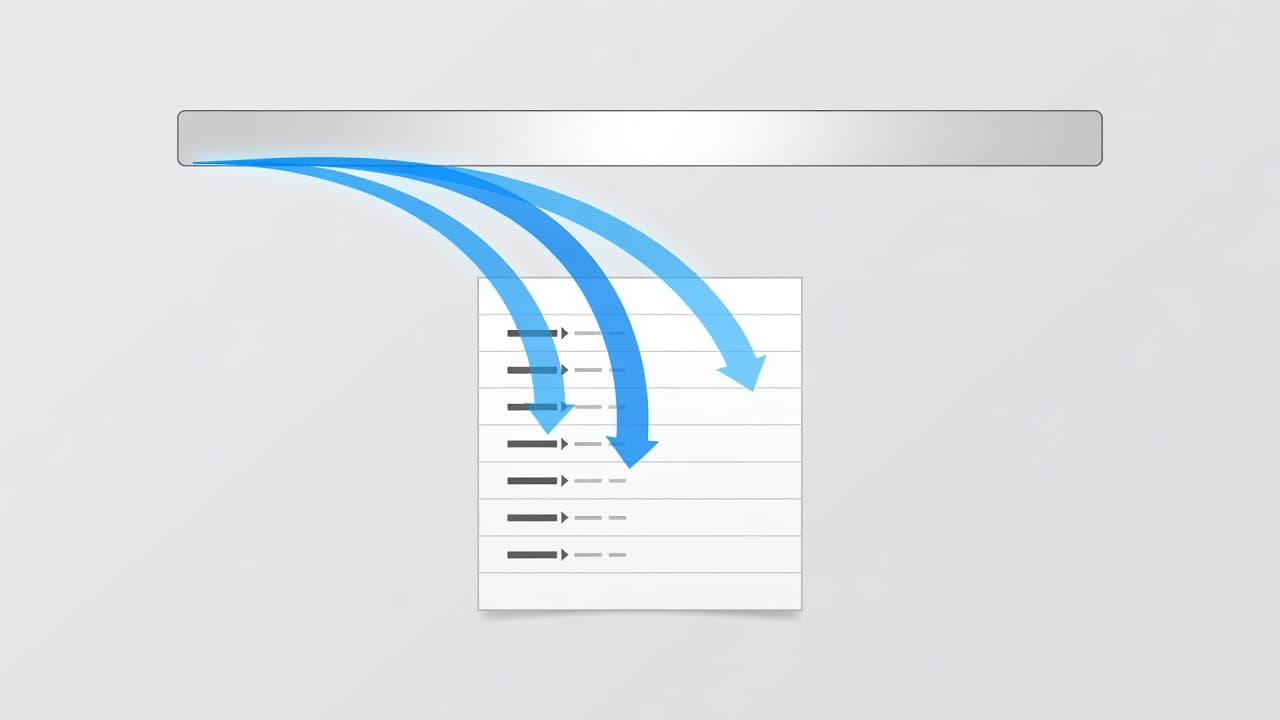
Most form builders support this functionality. Webflow provides a hidden field component, while plugins like WPForms and Formidable Forms allow you to create hidden fields using custom names. HubSpot forms often require more attention because embedded forms may load late or live inside an iframe. However, the core principle remains consistent across all platforms: the field must exist in the form HTML before the submission fires.
Use clear, stable field names. A CRM-friendly pattern like gclid, wbraid, and gbraid is significantly easier to map during your reporting phase than arbitrary internal labels. If your CRM requires specific field names, document them carefully and maintain consistent naming across your form builder, GTM, and your CRM schema.
If the hidden field is missing at submit time, the lead record cannot store the click ID, even when GTM preview looks fine.
Persistence matters just as much as initial capture. Many visitors do not convert on the first page. They click an ad, browse several service pages, and eventually fill out a contact form. If you only look for the tracking values in the initial landing page URL and never store them, the data will disappear as soon as the user navigates to another page.
To solve this, reliable setups store these specific URL parameters in a first-party cookie or localStorage. This allows you to repopulate the hidden fields dynamically whenever the form loads, ensuring that your gclid, wbraid, and gbraid values are captured regardless of how many pages the user visits before converting.
Use GTM to read, store, and inject the values
Google Tag Manager is the cleanest option for most teams because it keeps your conversion tracking logic outside the CMS and makes testing significantly easier.
Start with the Conversion Linker tag and fire it on all pages. Google Ads uses this tag to help read and write click data in first-party cookies, which makes gclid, wbraid, and gbraid capture much more durable. Next, create variables within GTM to extract these specific URL parameters from your landing page URL.
After that, add storage logic. On the first page visit, read those parameters and save them. By storing these values, you also improve the reliability of your cross-device tracking efforts when users move between sessions. You can do this in a custom HTML tag or with site code if your team prefers a code-first setup. A simple pattern works well: if the URL contains gclid, save it. Do the same for wbraid and gbraid. On subsequent pages, read the stored value and write it into the hidden fields.
Trigger the field injection on DOM Ready or later. If your form loads with JavaScript, Window Loaded or a form-specific event may be safer. A tag that fires too early is one of the most common reasons values like gclid, wbraid, or gbraid never appear inside the form.
For multi-step forms, repeat the check on every step that contains the final submit button. Some tools rebuild the DOM as the user moves forward, which wipes the value you injected on the first step.
Redirects cause another frequent failure. URL cleaners, vanity redirects, and cross-domain hops often strip click IDs before the page finishes loading. In that case, capture the values on the earliest possible page, then store them immediately. If you run landing pages on one domain and forms on another, set up cross-domain tracking rules or pass the IDs through the redirect explicitly.
Testing should be boring and repetitive. Append ?gclid=test123&wbraid=test456&gbraid=test789 to a page URL, open GTM preview, load the page, inspect the form, and confirm the hidden inputs contain the expected values. Then submit a real test lead and verify the same values arrive in your CRM.
Send the data into your CRM and attribution stack
Saving the values in the browser is only half the job. The real win comes when your CRM integration ensures these IDs are stored against the contact, deal, or opportunity record that your sales team will actually use.
Map each field deliberately. The contact record should keep the raw click IDs, the landing page, and the original conversion timestamp. If you utilize offline conversion imports into Google Ads through Data Manager or the Google Ads API, keep those fields accessible to the workflow that sends qualified leads or closed revenue back to the ad platform.
Google’s enhanced conversions for leads has become more flexible in 2026. The platform allows multiple data sources to support your setup, and it has moved toward a single account-level switch for web and lead settings. While this helps, it does not remove the need to store click IDs properly. Hashed first-party data like email and phone numbers strengthen matching, while GCLID and WBRAID identifiers give you a direct path back to the specific ad click. When identifiers are missing, Google relies on conversion modeling to fill the gaps.
This is where clean attribution supports more than just paid search. Across digital marketing teams, this source-of-truth approach helps SEO, GEO, AEO, performance marketing, social media marketing, and website development work from consistent lead data instead of disconnected dashboards. Much like the precision required in e-commerce tracking for retail brands, lead-based businesses need this data to maintain a competitive edge.
If your paid search program already depends on qualified lead uploads, strong form capture becomes a critical part of your media engine. Teams that run serious Performance Marketing services usually find that better lead data improves bidding faster than another round of ad copy tweaks.
Google Analytics 4 will still disagree with your CRM sometimes, but that is expected. Google Analytics 4 tracks web events, while the CRM tracks people and stage changes. Click IDs narrow that gap because they give both systems a common thread.
Fix the problems that usually break capture
Most tracking failures come from a short list of technical issues.
Late-loading forms are near the top. If HubSpot, Typeform, or another embedded form appears after the page finishes loading, your injection tag may fire before the form exists. Use a later trigger or attach to the form’s render event.
Single-page apps create a similar problem. The URL changes, but the page does not fully reload, so GTM never re-runs the same way. In that case, listen for route changes and repopulate the fields when the view updates.
Consent settings also matter. Consent Mode v2 now depends on ad_storage, analytics_storage, ad_user_data, and ad_personalization. If your CMP blocks storage before user consent, expect gaps between Google Ads, Google Analytics 4, and CRM totals. You must manage user consent carefully; wire the capture logic into your consent rules instead of treating it as a separate project.
Form naming mistakes can be more damaging than tag errors. A community thread on missing GCLID values in GoHighLevel shows the same pattern many teams hit elsewhere: no hidden field means no saved click ID. Whether you are tracking a gclid, wbraid, or gbraid, you must ensure the destination field exists and is correctly mapped in your form builder.
Finally, test the full path, not only the front end. Submit from a tagged landing page, confirm the hidden fields populate, verify the values reach the CRM, and check that your end-to-end conversion tracking process can still read them later.
If your setup spans multiple domains, embedded forms, consent tools, and CRM automations, Get In Touch With Us. Small tracking gaps tend to spread into bigger digital marketing reporting problems.
Frequently Asked Questions
Do I need to capture both GCLID and WBRAID?
Yes, you should capture both. GCLID is the primary identifier for desktop and Android, while WBRAID is essential for preserving attribution on iOS devices where privacy restrictions limit traditional tracking.
What happens if my form is inside an iframe?
Tracking parameters can be stripped when moving into an iframe, making capture more difficult. You must ensure the tracking logic is configured to pass the URL parameters into the iframe or use a cross-domain tracking setup to maintain the ID visibility.
Can I rely on Google Analytics 4 for my lead data?
GA4 tracks web events, which often diverge from your CRM’s lead and revenue data. Capturing click IDs directly in your forms provides a persistent, unique identifier that reconciles your ad traffic with actual sales outcomes, offering higher accuracy than GA4’s modeled data.
Why are my hidden fields empty upon submission?
This is typically caused by the form loading after the injection script runs or by page navigation clearing the temporary storage. Always verify your injection trigger is set to fire after the form elements exist in the DOM and ensure your script persists values across page loads.
Conclusion
Click identifiers are easy to lose and hard to reconstruct later. The safest setup captures them on arrival, stores them across the visit, writes them into hidden fields, and pushes them into the CRM record that matters.
When you correctly capture the gclid, wbraid, and gbraid, your Google Ads attribution becomes significantly more precise. By ensuring each click identifier stays attached to the lead, your reporting becomes sharper and your bidding strategies become much smarter. This is the foundation for turning a simple form fill into reliable marketing data.