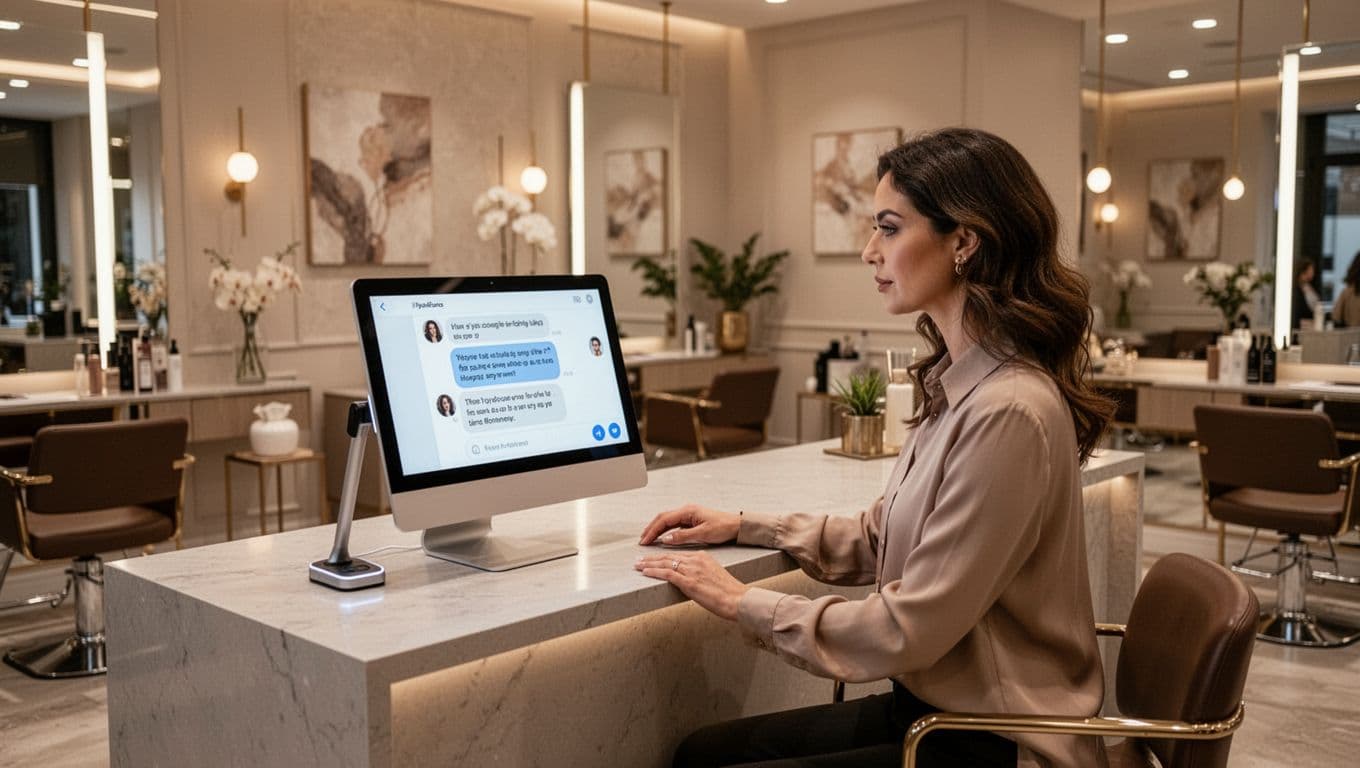
A thin services list can cost you calls in 2026, even when your reviews are strong. Google now uses profile details more directly in Search and Maps, so vague service entries can lead to weak matches and missed leads.
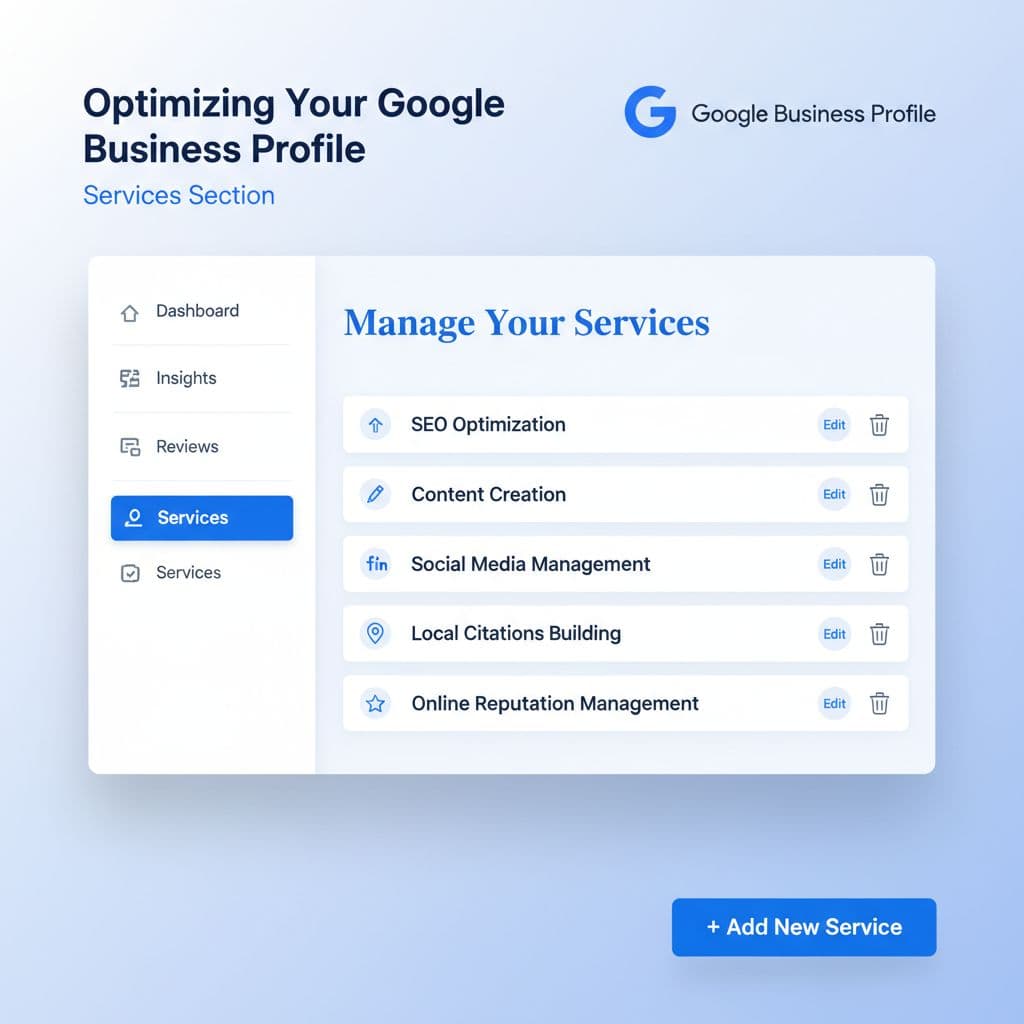
For small service businesses, the services area on your Google profile is no longer a box to fill in later. It helps Google understand what you do, helps customers decide faster, and supports a stronger google business profile services strategy from the ground up.
Build a service list that matches real searches
In 2026, Google is better at pulling service details into search answers and map results. That means your service names do more than fill space. They help Google decide when your business is relevant.
Start with your main category. If you’re a plumber, choose “Plumber,” not a broader label that sounds polished but says less. Then add only the service groups and service types you actually sell. Google’s own help for managing services makes this clear: use suggested services when they fit, and add custom services when they don’t.
Clear beats clever every time. A customer searches “water heater repair,” not “premium hot water solutions.” The same rule applies to cleaning, HVAC, pest control, roofing, legal services, and home care.
Use plain service names first
Write service names the way customers say them on the phone. Keep each entry short, direct, and tied to a real job. If your team uses internal labels or package names, leave them off the profile.
This quick naming test helps:
Weak service name
Better service name
Why it works
Premium home solutions
House cleaning
Says the actual job
Total plumbing care
Drain cleaning
Matches a clear need
Outdoor upgrades
Irrigation installation
Easier for Google to classify
Better labels sound plain because customers search plainly.
A practical setup often looks like this:
Pick one primary category that matches your main revenue service.
Add service groups under that category.
Use suggested services where Google offers a good fit.
Add custom services for real jobs missing from the list.
Write short descriptions only when they add clarity.
Short descriptions help when the service name alone doesn’t tell the full story. For example, “Same-day diagnosis and repair for tank and tankless units” says more than a vague sentence about quality.
Avoid common setup mistakes
Many businesses turn the services section into a keyword dump. That backfires. Don’t add city names to every service. Don’t list jobs you outsource. Don’t create duplicate entries with tiny wording changes. Also, don’t post prices unless they’re stable and easy to honor.
The goal is not a huge list. The goal is a specific list. If a service brings leads, belongs to your core offer, and appears on your site, it belongs here.
Make your website, reviews, and profile agree
A strong profile can’t fix a weak website. If your Google Business Profile lists “water heater repair” but your site only says “full-service plumbing,” you’re giving Google mixed signals. You’re also making customers work harder than they should.
Your top services should appear in both places, using close language. That doesn’t mean copying the same line everywhere. It means the same service themes should show up in your page titles, headings, body copy, forms, and proof points.
If your profile promises a service that your site barely mentions, Google has less reason to trust the match.
Give each core service a real home on your site
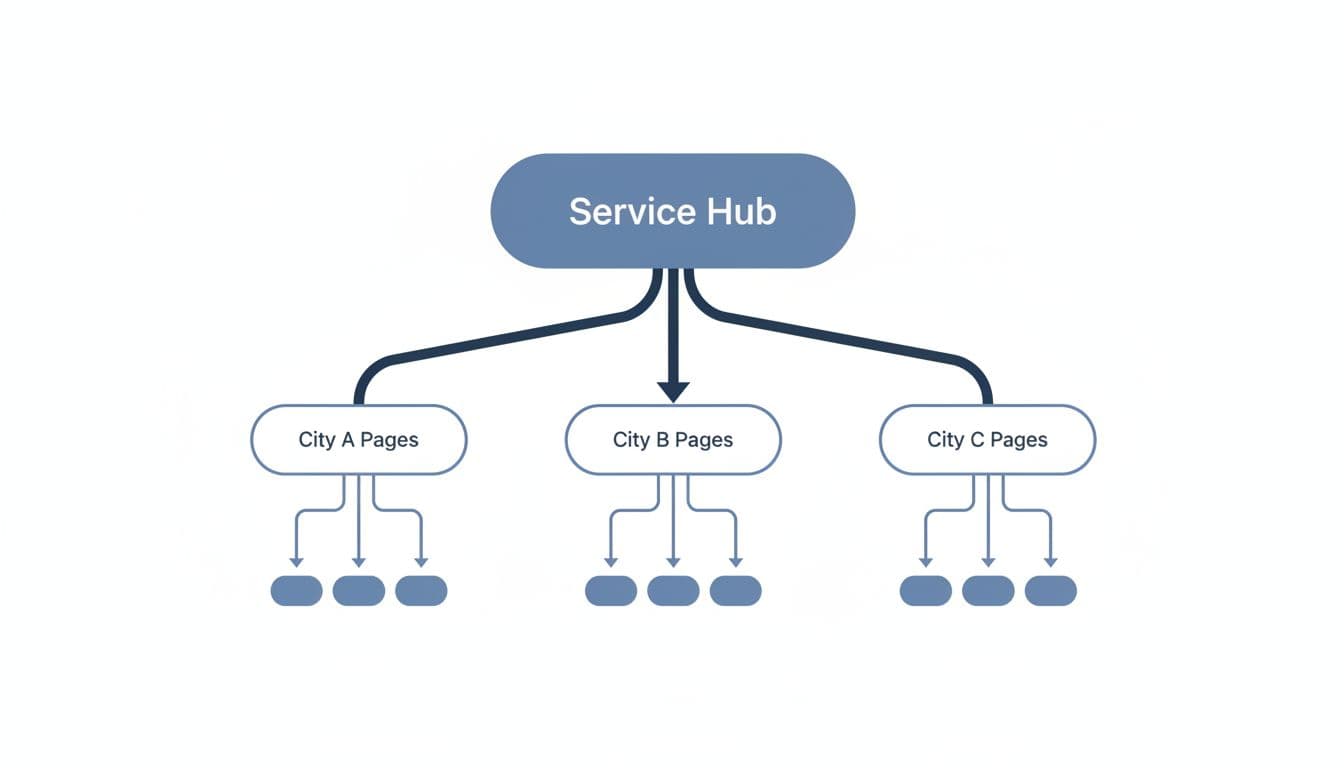
Every core offer needs its own page, or at least a clear section on a strong service page. If you cover multiple towns, connect those service pages to relevant city pages instead of cramming place names into the profile. This local SEO linking guide explains a clean structure for service pages and local pages.
Reviews matter here too. If customers keep mentioning “drain cleaning” or “move-out cleaning,” and those services are missing from your profile, fix the gap. Google is connecting service signals across listings, reviews, and answer formats more than before.
For service-area businesses, structured data adds another layer of clarity. A good structured data guide for service businesses can help you mark up the facts Google needs to read cleanly, including service type and area served.
Treat the services section as part of your full marketing system
This is where DIgital Marketing becomes practical. Your SEO, Performance Marketing, Social Media Marketing, and Website Development should reflect the same service priorities. If you run ads for “same-day AC repair” but your profile hides that service, your message gets weaker. If social posts highlight kitchen remodeling but your profile only lists “home improvement,” you lose clarity.
Google also gives some businesses ways to highlight online or remote services. If you offer consultations, virtual estimates, or online sessions, Google’s profile completion guidance is worth reviewing so those offerings appear properly.
A simple example makes this easier to see. Say you’re an HVAC company. Your profile lists AC repair, furnace repair, duct cleaning, and thermostat installation. Your website should have pages or strong sections for those services. Reviews should mention those jobs in natural language. Your contact forms should route those leads clearly. Then the whole system speaks with one voice.
That kind of consistency does more than help rankings. It improves lead quality because people know what you do before they call.
Review, update, and measure what brings calls
Once your services section is live, don’t leave it untouched for a year. In 2026, stale profile data creates more risk because Google may reuse it in more places. If an old service sits on the profile after you stop offering it, customers can reach out for the wrong job.
A monthly review is enough for most small businesses. Seasonal businesses may need it more often. Roofers, landscapers, HVAC companies, and cleaning firms often shift offers through the year, so the list should reflect that.
Check four things during each review:
Remove services you no longer offer or no longer want.
Add services that now show up often in calls, forms, and reviews.
Compare service names with your website headings and service pages.
Check whether your descriptions or prices still match reality.
Performance data helps you make better edits. Watch which services show up in lead forms, call notes, booked jobs, and service-page traffic. Then compare that with your profile list. If one profitable service keeps winning leads but isn’t featured clearly, move it up in your service groups or add a sharper description.
Common mistakes still show up all the time. Businesses copy competitor service lists. Teams leave old emergency services active after hours change. Owners add broad labels because they sound more premium. None of that helps.
If your profile, site, and reporting still feel disconnected, Get In Touch With Us for help tying profile updates to real lead tracking.
A good services section is not a one-time task. It’s routine maintenance, like keeping your front sign visible and your phone line working.
The practical takeaway
The businesses that get more from their Google profile in 2026 are usually the clearest ones, not the loudest. A strong services section uses real service names, matches the website, and stays current as the business changes.
You don’t need fifty entries to win local intent. You need the right ones, written plainly, backed up by your site, and reviewed often. That’s the kind of clarity Google can match, and customers can trust.
One wrong holiday listing can waste a full day of calls, bookings, and drive-bys. For service businesses, that mistake hits fast because people often search when they need help now.
In 2026, google business holiday hours are still one of the easiest fixes for missed leads, yet many owners treat them as a last-minute task. A better plan starts with operations first, then updates Google, your website, and every place customers check next.
Plan your holiday hours before the week gets messy
Holiday hours should come from your real schedule, not from guesswork at the front desk. If you’re a plumber, dentist, repair shop, law office, clinic, or salon, your Google Business Profile needs to match how your business will actually respond.
Build an operations-first calendar
Start with one shared holiday calendar. Add each date, then decide four things: are you closed, open with reduced hours, taking appointments only, or running on-call service.
That sounds simple, but most problems start in the gaps. A home services company may dispatch emergency calls while the office is closed. A medical practice may close routine visits but keep a nurse line open. A law firm may stop walk-ins but accept scheduled consultations.
Your profile should show the customer-facing hours, not the private back-office reality. If nobody can answer calls or confirm appointments, showing “open” creates friction.
Google may also display a notice that your hours could differ on recognized holidays. Because of that, confirm each holiday in advance, even when your schedule stays the same. Google’s holiday guidance for Business Profile makes that point clearly.
Assign one person to own the updates. Then give them approval from operations, not from memory. This cuts the usual last-minute chain of texts that leads to bad listings.
Update special hours in Google the right way
Once your internal plan is set, update the profile directly in Google Search or Google Maps:
Search for your business name while logged into the owner account.
Click “Edit profile”.
Open “Hours”.
Choose “Special hours” or “Holiday hours”.
Add each holiday date one by one.
Mark the business closed, or enter the exact open and close times.
Save, then review the public profile.
For short-term changes, use special hours. Google says you can use them when your business is closed or has adjusted hours for up to six days in a row. If you’ll be closed for seven days or more, or for an unknown period, use the special hours instructions from Google, which also explain when to mark the profile temporarily closed.
If you’re closed for a full week or longer, special hours alone are not the right fix.
This matters for service businesses with winter shutdowns, extended holiday breaks, or office remodels. A repair company that closes its shop from December 24 through January 2 shouldn’t patch that with a few scattered hour edits.
Use the right holiday setup for each service scenario
Most service businesses don’t fit a neat “open” or “closed” label. That’s why your holiday setup should match how customers can actually reach you.
A quick reference for common cases
This table helps you match the holiday situation to the right profile update.
Scenario
What to show on Google
What to tell customers elsewhere
Closed all day
Mark the business closed for that date
Add the same message on your website, voicemail, and booking page
Reduced hours
Enter exact holiday open and close times
Mention last appointment or cutoff time
On-call service only
Show the real staffed response hours, not 24/7 unless calls are answered live
Explain emergency-only service on website and phone greeting
Temporary change due to staff shortage or event
Use special hours for short changes
Post the same update on social channels and confirmations
The main rule is simple: publish the hours a customer can rely on.
What this looks like for real service businesses
A home services company might close its office on Thanksgiving but keep an emergency plumber on call from 8 a.m. to noon. In that case, don’t list a full normal day. Show the limited response window, then explain “emergency service only” on your site and phone message.
A healthcare practice has even less room for confusion. If routine appointments are paused but urgent calls are screened, your profile should reflect the call-handling window. Patients don’t care what your team intended. They care whether someone answers.
Legal offices often have a similar issue. Attorneys may still review urgent matters over email, but if reception is closed and consultations aren’t being booked, the profile should not imply normal operations.
Repair businesses need special care too. An auto shop may stop in-person drop-offs while still dispatching roadside support. A phone repair store may close early on Christmas Eve but honor pre-booked pickups. Those are different service states, and customers notice the mismatch fast.
For appointment-based businesses, use holiday hours for the public-facing schedule and keep your booking tool aligned. If you offer different service windows, Google also allows “more hours” for certain service types. That helps when office hours and appointment hours are not the same.
If no one can answer calls, texts, or bookings during that window, don’t show the business as open.
Keep every customer touchpoint in sync
Your Google listing is the first stop for many local searches, but it isn’t the only one. If your profile says one thing and your website says another, customers trust neither.
Why local SEO and trust move together
Holiday hour accuracy affects more than convenience. It shapes local visibility, call quality, and reviews. A customer who finds you in Maps, drives over, and sees locked doors may not give you a second chance.
That’s why holiday updates matter to DIgital Marketing, SEO, Performance Marketing, Social Media Marketing, and Website Development at the same time. The profile, the contact page, the booking form, ad schedules, and social posts all need the same answer.
Accurate hours won’t magically fix weak local rankings. Still, inconsistent business data creates avoidable problems. It can waste paid clicks, confuse call extensions, and hurt trust during high-intent searches. For many small companies, this is where professional SEO services help, because local performance depends on clean business information.
Build one holiday-hours workflow across marketing and operations
Keep the process boring and repeatable. Boring wins here.
Use one shared document with holiday dates, approved hours, phone coverage, and website updates. Then set a timeline. For example, lock the schedule two weeks before a major holiday, update Google ten days out, update the website one week out, and refresh voicemail and social posts two days before.
That system protects more than Google. It keeps your ads from running into closed offices. It keeps appointment confirmations accurate. It also keeps your staff from answering the same “Are you open?” question all morning.
If your team runs campaigns, sync ad schedules with holiday hours. If you’re sending email reminders, match them to staffed hours. If you have location pages, update them too. Many owners need one team to handle that cross-channel work, and our digital marketing services are built for that kind of coordination.
Small details matter here. Change the homepage banner. Update the contact page. Adjust lead form copy if responses will be slower. Add a pinned social post if customers check Facebook or Instagram before calling. Those edits take minutes, but they stop a lot of frustration.
If the process already feels messy across locations, teams, or service lines, Get In Touch With Us before the next holiday cycle starts.
Make accuracy the habit
Holiday hours work best when they follow a repeatable system. First set the real operating plan, then publish the same answer everywhere customers look.
For service businesses, the biggest win isn’t technical. It’s trust. When your Google profile, website, phone greeting, and booking flow all match, customers stop guessing and start booking.
That kind of clarity is easy to overlook, but it’s often the difference between a full schedule and a missed holiday rush.
One weak image can make a strong local business look small, dated, or hard to trust. In local search, that often costs the click before your phone ever rings.
For plumbers, HVAC companies, roofers, landscapers, dentists, lawyers, and similar brands, images now shape rankings, map visibility, click-through rate, and conversions. Good local SEO image optimization turns photos into proof, and proof wins more jobs.
The businesses pulling ahead in 2026 usually are not using fancier visuals. They are using clearer, faster, better-placed ones.
Why images now affect local rankings and calls
Local search has become more visual and more trust-driven. When someone searches for “emergency plumber near me” or “dentist in Tampa,” they often judge the business before reading much copy. They scan the profile photo, job images, exterior shots, and service page visuals. If those images feel fake, old, or generic, the click goes elsewhere.
That matters because search engines are also looking for signs that a business is real, active, and locally relevant. Fresh images of your team, trucks, office, tools, and finished work support that story. They also help users stay on the page longer, which gives your page a better chance to turn visits into calls or form fills.
For small service brands, a real photo library does more work than most owners expect. A roofer can show a finished ridge line on a real home. An HVAC company can show a tech testing a condenser. A landscaper can show the crew, the trailer, and the final yard. A lawyer can show the actual office, meeting room, and front desk. A dentist can show treatment rooms, staff, and the exterior so new patients know they found the right place.
Stock photos still have a place in some ad creative, but they are weak local proof. A smiling family in a perfect kitchen does not tell Google or a customer that you fixed a water heater in their city last week. Real work photos do.
The strongest local image is the one that proves you are nearby, active, and trustworthy in two seconds.
Google Business Profile deserves extra attention here because it often shapes first impressions before your website gets a visit. If your profile photos are stale, sparse, or mismatched, start with this Google Business Profile optimization guide. Keep your logo, cover image, team shots, exterior, interior, and recent job photos updated so your map listing feels alive.
This is also where SEO meets the rest of your marketing. The same image set can support Social Media Marketing, local landing pages, email, and even Performance Marketing ads. Better images do not only help rankings. They raise trust across every touchpoint.
How to optimize every upload before it slows your site
A good local image starts before the upload. If your phone saves a file as IMG_4938.jpg, you still have work to do. Rename it, resize it, compress it, and place it on the right page with helpful text around it.
The file name should describe what is in the photo and, when it fits, where it happened. Keep it plain. Use hyphens. Skip filler words. A strong file name for a real job image might be water-heater-repair-midtown-atlanta.jpg. A weak one is best-plumber-atlanta-cheap-fast.jpg. That second example looks spammy because it is.
Alt text matters for accessibility first. Screen readers use it, and search engines use it as added context. Write it like you are describing the image to a person who cannot see it. Good alt text for that same image could be “Technician repairing a leaking water heater in Midtown Atlanta.” Bad alt text looks like a keyword pile.
Captions are optional, but they help when the image needs extra context. A caption can tell the user what changed, where the work happened, or why the image matters. Captions also get read more often than many owners think, so use them when they add value.
Image size is where a lot of local sites lose ground. Owners upload giant originals from a new phone, then trust the website to shrink them. The page still loads the full file. That hurts mobile speed, and local searches are mostly mobile. As tips on optimizing images for local search point out, resize the image before upload instead of relying on the browser to do the work.
As a practical starting point, many service sites do well with content images in the 800 to 1200 pixel range, while hero images often need more width but tighter compression. These small business image SEO best practices are a helpful benchmark if you need one. Use WebP by default when your site supports it. Keep PNG for cases like transparent graphics. AVIF can be excellent too, but only if your setup handles it cleanly.
This is where SEO and Website Development overlap. A page cannot rank or convert well if images drag down load time. Fast pages keep users engaged, improve mobile experience, and help your tap-to-call buttons show up faster. For local service businesses, speed is not a technical side issue. It affects leads.
If you already map services and locations with a local SEO keyword research template, use that same structure when naming images for service and city pages. The image should support the page topic, not drift into random terms.
Here are a few practical examples:
Page use
Filename
Alt text
Caption
Plumber service page
water-heater-repair-midtown-atlanta.jpg
Technician repairing a leaking water heater in Midtown Atlanta
Same-day water heater repair for a Midtown Atlanta homeowner
HVAC city page
ac-install-phoenix-residential-home.webp
HVAC technician installing a new AC unit at a home in Phoenix
New AC system installed before peak summer heat in Phoenix
Dentist location page
teeth-whitening-room-tampa-dental-office.jpg
Treatment room prepared for teeth whitening at a Tampa dental office
Exterior of a personal injury law office in Chicago
Street-facing office entrance in downtown Chicago
The takeaway is simple. Match the image to the page, write like a human, and keep the file light.
One warning matters here. Do not force a city into every image. A staff headshot used across the whole site does not need five different local versions. Name that file for what it is, such as licensed-plumbing-team.jpg, and keep moving.
Where images belong on service pages and local landing pages
A lot of businesses do the hard part, they gather real photos, then hide them on one gallery page. That is a missed chance. The best images belong on the pages that drive calls.
Start with your money pages. If water heater repair, AC replacement, roof repair, dental implants, or personal injury leads the way, those pages should carry the strongest proof. Put a real job image near the top, a team or process image in the middle, and a trust-building visual near the call-to-action. When a visitor reaches the form or phone number, the page should already feel credible.
City pages need special care. If you serve ten nearby areas, do not clone the same gallery across all ten pages and swap only the city name. That feels thin to users and weak to search engines. Use images that honestly support the area page. That might mean a crew photo in a nearby neighborhood, a truck at a known local street, or a finished project from that city. When the image is not tied to one place, keep the description generic instead of pretending.
Before-and-after images work especially well for roofers, cleaners, remodelers, landscapers, and restoration companies. They show change fast, which helps conversion rate. Keep them honest. Use the same angle when you can, avoid heavy filters, and place them near copy that explains the service result.
Professional services need a different mix. Dentists and lawyers may not have dramatic before-and-after visuals, and they should protect patient and client privacy. In those cases, office exterior shots, team photos, consultation rooms, branded materials, and community images can still build strong local trust. The point is to remove doubt. People want proof that the office is real, easy to find, and staffed by people they can picture meeting.
Your contact page also deserves real imagery. An exterior photo helps new visitors recognize the building. An interior shot can reduce first-visit friction for anxious patients or clients. Even service businesses that travel to customers can use photos of branded vans, equipment, or warehouse space to show they are established.
Google Business Profile, service pages, city pages, contact pages, and local blog posts should all work together. A post about “spring AC tune-up in Scottsdale” with real project photos can support long-tail traffic and reinforce your service area. For a broader strategy, image placement works best inside professional local SEO services, because the page, the profile, the reviews, and the internal links all support each other.
If you want more examples of image naming and format choices for local brands, this guidance on image optimization for local business websites is a useful reference. Still, the core rule is simple: each important page should carry visuals that help a buyer trust that page faster.
What works in 2026, what is outdated, and what to ignore
Small business owners hear a lot of half-true image advice. Some of it is old. Some of it was never right. In 2026, the pattern is clear: real photos, fast delivery, useful labels, and local relevance still work. Thin tricks do not.
This quick table sorts the signal from the noise:
Best practice
Outdated tactic
Myth
Use real job, team, office, and vehicle photos
Rely on stock images for every service page
Any image will help local rankings
Compress and resize before upload
Upload giant originals and let the site shrink them
More megapixels mean better SEO
Write short, honest alt text
Stuff service and city terms into every alt attribute
Alt text exists only for rankings
Add location terms only when they are true
Rename the same photo for every city page
Geotagging alone will lift map rankings
Update Google Business Profile photos often
Upload once and ignore images for a year
Quantity matters more than relevance
Geotagging is a good example. Some businesses still act like hidden location data will push them into the map pack by itself. Real-world proof matters more. If a photo truly came from a job in that city, fine. If it did not, fake location signals do not help and can make the rest of the page less trustworthy.
Another myth says image work is a minor DIgital Marketing task you can hand off later. That mindset hurts growth. Image quality touches SEO, Social Media Marketing, Website Development, and Performance Marketing at the same time. A sharp, compressed, well-labeled job photo can improve a landing page, a map listing, an ad, and a remarketing campaign.
Mobile presentation matters too. Most local buyers see your images on a phone first. So crop with mobile in mind. Keep the main subject centered. Test how the page loads on a weaker connection. If your contact button jumps down the screen while a large image loads, you have a conversion problem, not only a design problem.
Freshness still counts, especially on your profile and recent project pages. New photos tell buyers the business is active. They also give you more ways to match search intent across seasons. An HVAC company should show tune-ups in spring, installs in summer, and heating calls in winter. A landscaper should swap in seasonal yard work. A roofer can publish storm-response images when that need spikes.
If your site still runs on oversized files and generic stock art, fix those basics before you chase harder tactics. When you want a second set of eyes on slow pages, weak service photos, or a thin local content setup, Get In Touch With Us for a practical review.
Conclusion
The local businesses winning more clicks in 2026 are doing one thing better than their competitors: they are showing proof. Their images are real, fast, well-labeled, and placed on the pages that matter most.
Start with your top service pages and your Google Business Profile. Replace stock photos, compress every upload, and write alt text that sounds like a person wrote it. When your visuals support trust, page speed, and local relevance at the same time, they stop being decoration and start helping the business grow.
If three city pages compete for the same click, none of them will hold that ranking for long. When you face city page cannibalization, your site performance suffers because Google cannot determine which page serves the user best.
In 2026, Google is better at reading search intent, page roles, and local proof. When your service page, city page, and location page overlap, rankings bounce, clicks split, and thin pages waste your crawl budget by hosting duplicate content.
The way out is clear. Pick one page for each local intent, make the remaining pages meaningfully different, and cut anything that exists only to swap city names for better local SEO results.
Key Takeaways
Consolidate Competing Pages: Keyword cannibalization happens when multiple URLs target the same local intent, forcing Google to split its focus and dilute your rankings.
Define Clear Page Roles: Each city page must serve a unique search intent. If pages overlap, use 301 redirects to merge them or differentiate the content to provide distinct value.
Prioritize Unique Local Proof: Thin doorway pages that simply swap city names fail to rank. Build authority by adding neighborhood-specific insights, genuine testimonials, and coverage notes to each location page.
Audit Site Architecture: Regularly review your Search Console performance to identify clusters of pages targeting the same queries. Ensure your internal linking structure supports one primary page per intent rather than linking every location to every service.
Where city page overlap starts
Keyword cannibalization occurs when two or more URLs target the same service in the same market, creating a competitive conflict that hurts your rankings. This issue frequently stems from poorly structured location pages that send conflicting signals to search engines. Google sees similar titles, similar copy, and identical links, then struggles to pick a clear winner.
A plumbing site often creates this by publishing multiple landing pages like “plumber Dallas,” “Dallas plumbing services,” and “service areas Dallas,” all aimed at the same search query. Only one of those pages needs to rank for that specific intent. The others dilute your relevance unless they serve a distinct purpose.
Not every similar page is a problem. A page about “water heater repair in Dallas” and another about “emergency plumber in Dallas” can coexist because the intent differs. By contrast, a broad “Dallas plumbing services” page and a near-copy “plumber Dallas” page rarely help each other.
Agencies and niche providers hit the same wall. For instance, a firm offering managed IT services might accidentally create competing pages for “IT support in Chicago” and “managed IT services in Chicago.” Trouble starts when a general city landing page, a core service page, and a hyper-local page all chase the same intent. That overlap spreads when every city version repeats the same promise with only minor edits.
Search Console usually provides the first warning. One query starts sending impressions to two or three URLs, and rankings switch between pages week to week. Titles and H1s look almost identical, while reviews, FAQs, and body copy are often cloned. Search Engine Land’s take on cannibalization and this guide to location page overlap both show why similar pages often compete instead of helping your domain authority.
A city page should have one clear job, rank for one local intent, then prove you can serve that place.
Thin doorway pages make the problem worse. If every city page uses the same template, the same promises, and the same proof, the set looks weak to both users and search engines. A smaller group of pages featuring unique content and genuine local relevance usually performs much better.
Run a simple audit before you change URLs
You don’t need fancy software to find the mess. A spreadsheet, Search Console, and a clean page map are enough for most small businesses.
Start with this workflow:
Export all city, service-area, and location URLs, then pull the last 90 days of each search query and the performance of your landing pages from Search Console.
Group pages by intent, not by slug. Put every “service + city” variation in the same row, even if the URL pattern differs.
Pick a likely winner for each cluster. Use clicks, average position, backlink profile, conversion rates, and the amount of real local proof.
Compare titles, H1s, FAQs, internal links, and testimonials. If most of the page is the same, the pages probably compete.
Review architecture. Your core service pages should support city pages, and city pages should link back to the core service pages.
Assign an action to every URL, keep, merge, rewrite, noindex, canonicalize, or rebuild, then watch whether impressions consolidate on the chosen page.
This issue often appears when Digital Marketing, SEO, Performance Marketing, Social Media Marketing, and Website Development live in separate workstreams, and nobody owns the site architecture. One team launches paid landing pages. Another team publishes city pages. A developer adds extra location URLs. Soon, three versions of the same idea are competing.
A clean URL structure reduces that risk. Keep one root domain, define page roles, and make the path obvious. A structure like a core service page, a service-in-city page, and a real office location page gives each URL a different job. This multi-location SEO guide makes the case for clear architecture well.
Also separate office pages from service-area pages. A branch page needs address, hours, and parking or access details. A city page for a service area needs proof, coverage notes, and local service context.
Internal linking matters because it shows which page is primary. Your service page should link to the cities where that service matters most. Each city page should link back to the main service page with natural anchor text. Avoid linking every city to every other city unless the user truly needs that path. A broader local SEO strategy works better when page roles, reviews, and location signals point in the same direction to boost local relevance. If your map listing and site pages are out of sync, tighten your Google Business Profile optimization at the same time.
Choose the right fix for each page
Once the audit is done, the decision becomes much simpler. Each competing page falls into a small set of buckets. You do not need to save every URL; rather, you need to keep the right pages live and useful to solve keyword cannibalization.
Use this framework before touching titles or URLs:
Situation
Best move
Why
Two pages target the same service in the same city, and one is clearly stronger
Content consolidation via 301 redirects
One stronger page gathers signals instead of splitting them
Two pages serve different local intents
Differentiate
Clear page roles let both rank without overlap
A duplicate URL must stay for usability or tracking
Canonical tags
It points search signals to the preferred version
A page helps users but should not be a search entry page
Noindex
It stays available without competing in search
The market matters, but the page is thin and generic
Rebuild
New local proof can make the page worth indexing
After you choose an action, make the change clear enough that Google can identify the new page structure.
Consolidate when the pages are near twins. Keep the best URL, merge any useful testimonials or city notes into it, then 301 redirect the weaker page. This is usually the right answer for duplicate city-service pages. If you leave both live, Google may keep testing both, and neither page will settle.
Differentiate when the intent is truly separate. Ensure each page targets a unique primary keyword. Change more than just the city name. The title tag, H1, opening copy, internal links, FAQs, and proof section should all support a distinct need. For example, “AC repair in Austin” and “24-hour AC repair in Austin” can live on separate pages if the emergency page includes after-hours response details, urgent call workflow, and local emergency proof.
Noindex only when the page still helps users but should not rank. That might be a financing page, a seasonal promo, or a utility page with no local value. Remove internal links that suggest it should be a core landing page, and take it out of the XML sitemap. Also, remember that noindex does not merge signals into another URL.
Canonicalize when duplicate pages must stay live. A common case is a CMS that creates alternate city URLs or campaign variants. A canonical tag is a hint, not a redirect. It works best when the pages are almost identical and you truly need both versions online.
Rebuild when the page targets a real market but feels like thin content. To build effective geo-modified landing pages, you must include a local layer: neighborhoods served, travel-time or coverage notes, city-specific reviews, and common problems in that market. By focusing on unique content that addresses local intent, you turn a weak page into an asset. This guide on city pages without duplicate content shows the level of unique content that helps sites rank.
On-page differentiation is where the recovery sticks. If every surviving page still uses the same headline pattern, the same hero copy, and the same testimonials, the cleanup will not last. Rewrite the intro, adjust the service scope, and organize your subfolders logically. Tighten internal anchors so the service page signals breadth, while the city page signals place-specific relevance, effectively building a topic cluster that strengthens your local authority. Pair that work with technical basics, schema, breadcrumbs, and consistent NAP data, but do not expect markup alone to solve a weak page set.
If the site is already packed with thin location pages, pause new publishing. Fix the existing set first. If you want a second review before redirecting or rebuilding pages, Get In Touch With Us.
Frequently Asked Questions
How can I tell if two of my city pages are competing against each other?
You are likely dealing with cannibalization if Search Console shows multiple URLs receiving impressions for the same search query, or if your rankings fluctuate inconsistently between pages. Check if your page titles, headers, and body content are nearly identical, as this often signals to Google that the pages serve the same intent.
Is it better to redirect or keep similar pages and use canonical tags?
If the pages are near-duplicates, a 301 redirect is usually the superior choice because it consolidates ranking signals into one high-authority URL. Canonical tags are only recommended when you must keep multiple versions of a page live for specific functional or tracking purposes, as they are merely a hint to search engines rather than a merge of signals.
Should I create a separate page for every single suburb or zip code?
Only create unique pages if you can provide genuine, distinct local content for each location, such as specific service areas, neighborhood-level testimonials, or unique local expertise. If you simply copy-paste the same template for every small town, you risk creating thin content that will negatively impact your entire domain’s search performance.
How does internal linking influence city page cannibalization?
Internal links tell search engines which page you prioritize for a specific service or location. If you link every city page to every other city page, you confuse search signals; instead, build a clean structure where specific city pages link back to a primary service page to establish a clear hierarchy of relevance.
Clean page roles win local search
When multiple pages compete for the same local click, Google spreads its attention thin instead of rewarding depth. This keyword cannibalization often forces your content to compete against itself, which ultimately drags down your organic search rankings. The best fix is to ensure one page serves one clear search intent, backed by verified local proof and a strategic internal linking structure.
City page cannibalization is rarely just a content problem. It is fundamentally a structural and intent-based issue. By consolidating your efforts to match what users are actually looking for, you stop the dilution of your organic search rankings and stop wasting crawl budget on redundant content. Clean those structures up, and a smaller set of high-authority pages will consistently outperform a bloated location folder. Taking this approach is the most efficient way to achieve lasting growth in local SEO.
Your profile can look polished and still bring in the wrong leads. For service businesses in 2026, Google Business Profile categories remain a critical ranking factor that directly influences your local search rankings. These classifications help determine which searches trigger your profile, the quality of your incoming leads, and how effectively Google understands your specific services.
Many owners pick a broad category once and never revisit it, which often creates conflicting signals for search algorithms. Even though people still search for these settings using the older term Google My Business categories, the principle remains the same; choosing the right options is essential for maximizing your visibility in Google Maps and securing a spot in the local pack. A tighter setup, with one accurate primary category and a small set of honest secondary categories, almost always performs better than trying to cover every possible base.
Key Takeaways
Prioritize accuracy over quantity: Select a single primary category that reflects your core revenue-generating service, rather than trying to cover every possible job your business performs.
Maintain digital alignment: Ensure your Google Business Profile categories match the content on your website, your customer reviews, and your service listings to provide clear signals to Google’s algorithm.
Use secondary categories sparingly: Limit your secondary categories to two or four relevant services that you perform consistently to avoid diluting your profile’s focus and authority.
Base decisions on data: Audit your revenue mix and search volume rather than guessing; only select categories that reflect real-world business demand and your team’s current capabilities.
Allow time for results: After making category adjustments, wait four to six weeks to observe changes in lead quality and search performance before considering further modifications.
Pick a primary category to define your core service
Google still treats your primary category like an identity label. In its google guidelines, Google explains that you should select a primary category that best describes your business and use only a few additional categories to cover related services.
For service businesses, that means choosing the primary category that matches the work you do most often, the work that brings in the most revenue, and the work your market knows you for. If you are a plumber who also installs water heaters, “Plumber” is usually a stronger choice than a narrower add-on. If you run a carpet-cleaning company, “Carpet cleaning service” is better than a broad label like “Cleaning service.”
Choose what you are, not every job you do
A weak primary category usually falls into one of three buckets. It is too broad, too aspirational, or too tied to a side service.
A service area business might want to show up for every possible query. Still, broad choices often blur the profile. Google wants a clear business type, not a wishlist. That is why it is essential to select a specific category that acts as a statement of core identity rather than a laundry list of services.
This quick comparison shows the difference:
Business
Weak primary choice
Better primary choice
Smart secondary options
Plumbing company
Home services
Plumber
Drainage service
HVAC company
Heating contractor
HVAC contractor
Air conditioning contractor, Air duct cleaning service
Roofing company
Contractor
Roofing contractor
Siding contractor
Carpet cleaner
Cleaning service
Carpet cleaning service
Upholstery cleaning service
The pattern is simple. The better primary category says what the business is, not every problem it can solve.
Pick the category that fits the service you sell most often, not the service you hope will grow someday.
That rule matters even more for local companies. If customers do not visit your location, do not pick categories that imply a storefront unless that is true. Your primary category should match your real setup, your website, and the work your team performs in the field. If you manage multi-location businesses, ensure this strategy remains consistent across every profile to avoid confusing Google or your customers.
A practical way to choose the right primary category
Start with profitability and search volume, not guesswork. Pull the last six to twelve months of booked jobs and sort them by service type. Then compare that list with the terms customers use when they search in your city.
A simple process works well:
Review your revenue by service line.
Search your top service terms in Google Maps to analyze competitor categories.
Consult the official Google business category list to ensure you select the most relevant options.
Choose the closest match, then verify whether your website and reviews support these gmb categories.
That fourth step gets skipped all the time. Yet it matters because category strategy is not a settings trick. If you choose “HVAC contractor” as your primary, your home page, service pages, reviews, and photos should back that up. If your site mostly talks about duct cleaning, Google gets mixed signals.
Borderline cases need judgment. Say a plumbing company gets 70 percent of its jobs from drains and sewer work. If the site, reviews, and intake calls all point to that specialty, “Drainage service” may deserve a closer look. If the business still handles a broad mix of plumbing calls, “Plumber” remains the safer primary, while the specialty can move into a secondary slot.
This is also where category work connects to the rest of your marketing. It shapes SEO, influences how you structure landing pages in Website Development, and gives better direction to Performance Marketing campaigns. Even Social Media Marketing performs better when your message lines up with the services you want more of. In other words, category selection belongs inside your wider Digital Marketing plan.
Use secondary categories to widen reach without muddying the profile
Secondary categories can help you appear for relevant searches, but only when they reflect real services. These secondary categories should expand a clear identity, not replace one.
A tight selection of secondary categories tells Google that this is your main lane and these are the connected services you also deliver. A bloated set suggests that you do everything, and that usually weakens the profile.
What secondary categories should do
A good secondary category passes a few real-world tests. You offer that service often. It has its own page or a strong section on your site. Reviews mention it. Your team can book and perform it without handing the job off elsewhere.
If one of those pieces is missing, pause before adding it.
For example, an HVAC company may add “Air conditioning contractor” and “Air duct cleaning service” because those are established revenue lines. A plumbing business might add “Drainage service” if that work shows up every week. A pest control company can add a specialty category only if it is a true part of the business, not a once-a-month exception.
Meanwhile, many owners add categories because they sound useful in search. That is where problems start. A plumber who adds remodel-related categories because the company handles occasional bathroom jobs may attract slow, low-fit leads. The phone rings, but the jobs are not the ones you want.
More categories do not create more trust. Clearer categories do.
How many secondary categories are enough in 2026
Google allows multiple additional categories, but more is not automatically better. While you want to show up in Google Maps, using too many Google My Business categories or GMB categories will only dilute your relevance. Most service businesses do well with a small set that covers their real service mix. In practice, that often means two to four secondary categories, not a long stack of maybes.
A tighter setup gives you cleaner signals. It also makes auditing easier. When rankings drop or lead quality changes, you can see what shifted. With a cluttered profile, diagnosis gets messy.
Here is a good filter: every secondary category should answer one of two questions. Does this service make meaningful revenue? Do customers search for it as a distinct service? If the answer is no to both, leave it out. Note that practice or practitioner listings, such as individual lawyers or doctors, have different rules for secondary selections compared to typical service companies, so ensure you follow the guidelines specific to your entity type.
Competitor research helps here, but it should stay a sanity check. Search your main services in Maps, open the profiles that rank well, and note repeated patterns. If the best local HVAC companies all use “HVAC contractor” as a primary category and keep specialty categories tight, that tells you something. It does not mean you should copy them blindly. It means your setup should make similar sense.
If you want more examples, this 10-minute category audit checklist and this 2026 guide to choosing categories both reinforce the same point: service-area businesses perform better when category choices reflect their real business model.
Secondary categories also need support on the profile itself. If you add “Air duct cleaning service” but have no duct-cleaning photos, no service item, no related reviews, and no page on your site, the category feels thin. Google can see that mismatch, and so can customers.
That is why category strategy works best when it stays boring. Honest choices beat clever ones.
Audit category fit across your website, reviews, and campaigns
Changing a category can help, but it is rarely enough on its own. Google cross-checks the rest of your profile and the signals around your business. If those signals do not match, the category change may do little. To improve your local seo and ensure your business profile optimization efforts are effective, you must ensure that your entire digital footprint sends a unified message.
For service businesses, the winning move in 2026 is not endless editing. It is alignment. Your categories, services, pages, reviews, and lead tracking should tell the same story.
Run a five-point category audit
Begin with the profile itself. Your services list should reflect the same service lines as your categories. Photos should show the work tied to those services. Your business description should clearly state your primary offer, acting as a critical local ranking factor that helps Google connect you with the right audience. This actionable Google Business Profile checklist is useful when you want a clean audit process.
Next, check the website. Your primary category should map to the strongest page on the site, often the home page or top service page. Secondary categories should connect to real service pages. If that structure is missing, your profile is making promises your site does not support. Strong local SEO strategies for service companies start with that alignment, which ultimately helps you secure a spot in the local 3-pack.
Then look at reviews. If you want to rank as a roofing contractor, but your reviews mostly mention gutters and siding, Google may not see a strong signal for that specific service. Encourage customers to describe the actual work completed in natural language. Don’t script them, but do guide them to help Google understand your relevance for localized searches.
After that, review lead quality. Profile impressions are nice, but booked jobs matter more. Track calls, form fills, and closed revenue by service type before and after a category change. A category setup that increases low-fit leads is not a win.
Finally, compare your profile with the local market every quarter. Competitors change categories, service lines shift, and new specialists enter the map pack. A quick review helps you catch drift before it hurts your position as a key local ranking factor in the area.
Give category changes time, then judge by lead quality
Do not switch categories every week. When you are ready to adjust, use the edit profile button within the new merchant experience. Set a baseline first. Record rankings for a small keyword set, note call volume, website clicks, and booked-job mix. Then make one meaningful change and leave it alone long enough to gather signal.
For most service businesses, four to six weeks is a fair testing window. However, keep in mind that seasonality can cause fluctuations in your data, so allow extra time if your demand varies throughout the year. Also, if you change categories, rewrite service items and check related landing pages at the same time. That way the update has support.
This matters because category strategy does not live in a silo. When the profile is clear, SEO gets cleaner intent signals. Performance Marketing teams can match landing pages to higher-value services. Social Media Marketing can reinforce the same service lines with case studies and before-and-after content. Even Website Development choices become easier because the site hierarchy follows the services that matter most.
If your category setup, site pages, and tracking are all pulling in different directions, fix the message before you chase more traffic to win in the local pack.
Frequently Asked Questions
How many categories should I add to my profile?
Most service businesses perform best with one primary category and a focused set of two to four secondary categories. Adding too many categories can confuse search engines and dilute your authority, so only include services you perform frequently and have the website content to support.
Should I change my categories to match seasonal services?
It is generally better to keep your primary category consistent year-round to build long-term authority. You can use secondary categories or service items to highlight seasonal work, but avoid frequent, radical changes to your core identity, as this can disrupt your local ranking signals.
Can I list every service I offer as a category?
No, you should not list every service as a category. Google prefers that you choose the categories that best describe your core business identity; extraneous, rarely-performed services should instead be detailed in your service list or represented through specific landing pages on your website.
How long should I wait to see changes after updating my categories?
Plan to wait at least four to six weeks after updating your categories to effectively evaluate the impact. This timeframe allows Google to process the changes and provides you with enough data to determine if the adjustments have improved your lead quality and search visibility.
Choose clarity over coverage
The service businesses that win in Maps usually do one thing well: they make their identity easy to understand. One accurate primary category and a short list of relevant secondary categories beat a long, hopeful stack almost every time. When you refine your Google Business Profile categories, you help search engines better understand your business model.
If your leads feel off, review your revenue mix, compare the top local profiles, and make one careful change at a time. Balancing your primary category with specific secondary categories is the best way to improve your local search rankings. While many people still search for them as Google My Business categories, the core principle remains the same: keep your selection focused. These settings work best when the rest of your profile and website support them.
If you want help lining up your Google Business Profile categories, service pages, and local search strategy, Get In Touch With Us.
A weak title tag can lose the click before your phone rings. As a vital HTML element, the title tag informs search engines and users exactly what your page offers. Because local searchers often compare multiple options quickly on mobile devices, effective local SEO title tags are essential for driving conversions.
If you run a service business, clever wording alone will not save you. You need titles that clearly state your service, your location, and a compelling reason for customers to choose your brand. By placing your primary keyword at the beginning of the title and pairing it with persuasive meta descriptions, you can significantly improve your search visibility. Start with a proven formula, then adjust it page by page to capture your local audience.
Key Takeaways
Prioritize Keyword Placement: Front-load your primary service and location at the beginning of your title tag to capture attention and ensure high visibility on mobile devices.
Follow the Proven Formula: Use the standard structure of [Primary Service] + [City or Area] + [Brand or Trust Cue] to maintain consistency and clarity across all service pages.
Focus on Intent, Not Stuffing: Create dedicated landing pages for specific locations and services rather than cramming multiple keywords or towns into a single title tag.
Ensure Content Alignment: Match your page content exactly to the promise made in your title tag to prevent Google from rewriting your titles and to reduce bounce rates.
Why local title tags carry more weight in 2026
The modern search engine results page is more crowded than ever. With AI summaries, paid advertisements, and the prominent map pack occupying the top fold, your organic listing has less room to win attention. That means your title tag must capture interest instantly to help boost your local rankings.
For a service business, user intent is blunt. People want a plumber in Dallas, an AC repair company in Phoenix, or a family dentist in Tampa. Because they have clear local search intent, they are not browsing for ideas. They are looking for the closest match to their immediate problem.
A good title tag works like a storefront sign on a busy road. If the sign is vague, a competitor gets the look. If the sign says exactly what the driver needs, you win the click. This is a fundamental pillar of on-page seo. Because of mobile optimization, the first few words do the heavy lifting. If your primary keyword appears too late, you may lose the user during their rapid scan of the results.
Placing your most important terms at the front of the tag is essential for securing a high click-through rate. This strategy also helps protect your branding. When a title is generic or disconnected from the page content, Google often ignores your input and rewrites it automatically. Clear, page-specific titles are less likely to be rewritten and provide a better experience when paired with compelling meta descriptions.
Service businesses often invest heavily in broader digital marketing strategies. Still, the title tag remains one of the first promises a customer sees. If that promise feels broad, you lose the ability to differentiate your business in the local rankings. When your wording aligns perfectly with the job a customer needs done, that traffic is significantly more likely to turn into actual calls, forms, and booked appointments.
A title tag formula that fits most service pages
For most local service pages, the cleanest structure is [Primary service] + [City or area] + [Brand or trust cue]. We call this our title tag formula because simple, consistent structures perform best. People scan search results in seconds, so you need to front-load keywords to grab attention immediately.
Put the main service first, the location second, and only one extra trust cue or your brand name at the end if it helps the click.
Start with the primary keyword on that page. Not every offer you sell, only the core one. A water heater page should lead with “Water Heater Repair,” not “Plumbing Services.” A legal page should say “Personal Injury Lawyer,” not “Law Office.”
Next, add geographic modifiers, such as a city or specific neighborhood, to reach your target customers. One page should not try to rank for five towns at once. Avoid keyword stuffing by trying to cram multiple locations into one title, as this makes the line messy and dilutes your page focus. When you build dedicated local landing pages for specific areas, you are much more likely to capture high-intent near me queries.
Then decide whether the last slot belongs to your brand name or a unique selling point. Brand is the safer default. A trust cue works well when it is short and real, such as “24/7,” “Licensed,” or “Free Estimate.” If it feels padded, cut it.
These templates cover most cases:
Page type
Simple template
Example
Homepage
Main service + city + brand name
Roofing Company in Columbus – Peak Roof
Core service page
Service + city + brand name
AC Repair in Mesa – Desert Air
Emergency page
Emergency service + city + trust cue
Emergency Plumber in Austin – 24/7
Location page
Service in area + brand name
Pest Control in Buckhead – GreenNest
High-trust service
Service + city + credential
Divorce Lawyer in Boise – Licensed Firm
The takeaway is easy to spot. The best titles focus on one service and one place, then add one short reason to trust the business.
A few rules keep the formula sharp. Lead with service-first wording on most non-branded pages, because that is how local searches are phrased. Keep titles readable, even if you could squeeze in more words. Staying within the 50 to 60 character limit is often a safe target, but clarity matters more than the number because Google measures space in pixels, not characters.
Use plain separators if you like, such as a hyphen or a pipe. The order matters more than the symbol. Also, avoid claims like “Best” or “No. 1” unless you can support them and they fit the rules of your industry.
Make the page back up the title. If the title says “Emergency Electrician in Raleigh,” the page needs clear emergency service content. If the title promises free estimates, that offer should appear on the page. Mismatch creates bounces, weakens trust, and can trigger rewrites.
If you are unsure which service and city combinations deserve their own page, use a real plan before you write titles. This local SEO keyword research template is useful for performing the necessary keyword research to map services to the right local pages.
One more point matters for homepages. Smaller service brands often do better with service-first homepages, especially when brand demand is low. A known local brand can put the brand name first. Most businesses, though, get more value when the homepage still signals the main service and city.
Industry examples, plus a simple way to improve clicks
The formula becomes much easier to apply when you see it in action. Below are weak titles compared to optimized versions that prioritize the primary keyword and local service intent.
Business
Weak title
Better title
Plumber
Home
Emergency Plumber in Austin – 24/7 PipePro
HVAC company
HVAC Services
AC Repair in Phoenix – Same-Day Desert Air
Dentist
Welcome to Smile Care
Family Dentist in Tampa – Smile Care
Electrician
Electrical Solutions
Licensed Electrician in Raleigh – BrightWire
Law firm
Johnson & Lee
Personal Injury Lawyer in Denver – Johnson & Lee
The pattern is clear. Generic words like Home, Welcome, and Services waste space. Better titles tell the searcher exactly what the page offers, where it is available, and why the brand is a top choice. By incorporating your primary keyword early, you signal relevance to both users and search engines.
Different industries require small tweaks to capture the right audience. Emergency trades should emphasize speed, while lawyers and dentists may benefit from highlighting a unique selling point or specific credentials. Even for home service companies with strong brand awareness, it is vital to keep the service term prominent. Furthermore, don’t forget that your meta descriptions act as an extension of the title, allowing you to include a clear call to action that reinforces the promise made in the search result.
Seasonal businesses should adapt their strategy without rewriting everything. An HVAC company might push AC Repair in summer and Furnace Repair in winter. For those looking to capture hyper-local searches, consider creating dedicated pages for specific suburbs or neighborhoods to increase your visibility in localized results.
Consistency is the secret to sustained performance. Monitor your results using Google Search Console to track your click-through rate. If you notice high impressions but a low click-through rate, your title might lack enough social proof or clarity to win the click. When testing a new title, change one element at a time, such as moving the location closer to the front or adding a trust marker. Give each change a few weeks to gather data, as local demand fluctuates by season.
If Google keeps rewriting your title, it is often a sign that the text is too long or repetitive. Keep it concise. Ensure your title aligns with your Google Business Profile to create a seamless experience for the customer from the search page to your landing page.
A good rule for small teams is to review these tags every quarter rather than every week. Focus your efforts on pages that drive the most revenue, such as emergency services or high-ticket offers. When working with outside help, provide a brief that outlines your goals and trust signals, then ask for titles that sound like professional businesses rather than keyword piles. If you want an expert to audit your local presence, Get In Touch With Us.
Frequently Asked Questions
Why does Google rewrite my title tags?
Google often rewrites titles if they find them too long, overly generic, or disconnected from the actual content on your landing page. To minimize this, ensure your title is concise, unique, and directly reflects the specific services described on that page.
Should I include my brand name in every title tag?
Yes, including your brand name is recommended, but it should typically appear at the end of the title tag. This allows the primary service and location to take center stage while still building brand awareness for users scanning the search results.
How many characters should a local title tag be?
While a common target is between 50 and 60 characters, Google measures title length in pixels rather than character counts. Focus on clarity and front-loading your most important keywords to ensure they remain visible across different screen sizes.
Can I rank for multiple cities using one title tag?
It is not recommended to list multiple cities in a single title tag because it dilutes your page’s focus and relevance. Instead, build separate, high-quality landing pages for each specific city or neighborhood you wish to serve to capture higher search intent.
Conclusion
The best local seo title tags do not try to say everything. They make one clear promise: the right service, in the right place, from a business that feels credible. That clarity is what wins the click.
When crafting these titles, remember that choosing the right primary keyword requires a careful balance between high search volume and genuine local relevance. While your title is the most visible element, you should support it with structured data and schema markup to provide search engines with the context needed to display rich results. Finally, treat your meta descriptions as the essential secondary space to reinforce your offer and drive conversions. If your search results feel flat, start with the pages that already rank and tighten the wording. Small changes in a short line can change who clicks and how often they call.
Search results in 2026 are crowded due to search engine optimization advancements. Local businesses compete with map packs, review snippets, ads, and AI summaries before a visitor even clicks.
That means your service page can’t read like a brochure. It needs to build your online presence by matching local intent, prove you can do the work, and make contacting you feel easy.
A strong service page SEO template gives you a repeatable system for every core service. If you own a local business, manage marketing, or build pages for clients, this structure keeps each page focused and useful.
Key Takeaways
Build service pages around one main service and clear local intent, answering what you offer, who it’s for, where you cover it, why trust you, and the next action right up front.
Follow the practical template: H1 with service + location, direct opening paragraph, proof strip, service details, why choose us, real service area info, FAQs, and simple CTAs.
Make local relevance and trust real with specific neighborhoods, response times, reviews, licenses, photos, and case examples—avoid keyword stuffing or generic claims.
Support rankings and conversions with purposeful internal links, matching schema, hesitation-removing FAQs, and mobile-friendly CTAs that appear multiple times.
Skip common pitfalls like doorway pages, buried contact info, vague headings, or interchangeable copy that could fit any business.
What a local service page must do in 2026
A local service page has one job: connect potential clients’ needs to a clear action. If potential clients search for “garage door repair in Tampa,” they don’t want your company history first. They want to know you do the job, cover their area, and can help soon.
Search engines now compare much more than page copy. They look at business profile data, reviews, service-area signals, internal links, on-page SEO signals like page quality, and user experience from how visitors interact with the site. As a result, thin pages that swap city names and repeat the same claims don’t hold up well.
Your service page also affects more than SEO. A strong page supports Digital Marketing as a whole. SEO can bring organic traffic, Performance Marketing can send paid clicks, Social Media Marketing can warm up local demand, and Website Development can keep the page fast and mobile-friendly. When those pieces connect, one page can do a lot more work. If you want that kind of joined-up support, our digital marketing capabilities as a marketing agency show how the channels fit together.
Before you write, define the page’s focus. In most cases, the best setup is one page for one main service with one main local intent. That doesn’t mean one page per tiny neighborhood. It means one page should clearly target a core service and then support nearby service areas with real details.
Every strong page answers these questions fast:
What service do you offer?
Who is it for?
Where do you provide it?
Why should someone trust you?
What should they do next?
If those answers are easy to find in the first screen or two, the page starts strong. If they’re buried under generic text, visitors bounce and rankings often stall.
A practical service page SEO template you can adapt
A good template keeps your page clear without turning every service page into a clone. Unlike rigid landing page templates, the structure below works for plumbers, roofers, dentists, landscapers, electricians, cleaners, lawyers, med spas, and most other local businesses.
Use this customizable page flow as your base:
Page section
What it needs to do
Example content
H1
Match the service and place
“AC Repair in Naperville, IL”
Opening paragraph
Confirm the job, audience, and speed
“Need same-day AC repair? Our licensed team fixes central and ductless systems across Naperville and nearby suburbs.”
Proof strip
Add fast trust signals
Reviews, years in business, license, response time
Service details
Deliver clear service descriptions
Repairs, installs, inspections, emergency calls
Why choose us
Show experience and fit
Local photos, technician bios, warranties
Service area section
Make local coverage real
Neighborhoods, towns, travel radius, response times
FAQs
Remove friction
Price ranges, timing, emergency hours, financing
CTA block
Make contact simple
Call button, short form, booking link
That table looks simple because it should be simple. Most weak service pages fail by trying to sound impressive. Strong pages focus on clarity.
Sample heading stack
Your headings should read like a helpful outline, not a pile of search phrases. Here is a clean format:
H1: AC Repair in Naperville, IL
H2: Fast repairs for central and ductless systems
H2: What our technicians repair
H2: Why homeowners in Naperville call us
H2: Service areas near Naperville
H2: Common AC repair questions
H2: Book your repair visit
That structure works because each section has a job. The first heading states the service. The next sections explain the work, prove credibility, localize the page, and lead the visitor toward action.
Sample copy blocks you can reuse
The opening copy should sound direct and local. It should not sound like a mission statement.
Need AC repair in Naperville? Our licensed team fixes central air systems, ductless units, and common cooling issues for homeowners across Naperville and nearby areas. We offer fast scheduling, clear communication, and repair options that match the problem.
Your CTA block should stay short:
Call now to book a repair visit, or send a quick form and we’ll confirm your time slot.
The same principle applies across trades and service types. This multi layout website template lets you swap in pests, service window, and neighborhood coverage for a pest control company, or adjust the tone while keeping the structure for a family law firm. The page still needs service clarity, local relevance, proof, and an easy next step.
For agencies, web templates like this one make production easier. Build one version as a standard brief, then customize each page with unique proof, service details, and local context. If client volume is growing, white label web and SEO services can help you scale without turning every page into duplicate copy.
Make service area relevance real, not stuffed
Local relevance is where many service pages go off track. Some pages mention a city 30 times and still feel empty. Others barely mention where the business works. Neither approach helps much.
A good service-area section should sound like it came from a business that actually operates there. Mention neighborhoods, nearby suburbs, travel radius, parking or access issues when relevant, local building types, and realistic response times. Those details carry more weight than a long footer full of city names.
You also need to decide when a separate city page makes sense as part of your seo strategy. Create one when you have enough unique material for that place, such as reviews from local customers, photos from local jobs, local regulations, case examples, or a real office there; this kind of content marketing builds genuine relevance. If you don’t have that depth, keep the city detail inside your main service page.
Local relevance comes from real operating detail, not a pile of place names.
Here is a simple sample block:
We provide water heater repair across Plano, Allen, McKinney, and nearby neighborhoods. If you’re in West Plano, Legacy, or Deerfield, we can often offer same-day appointments. Our team also handles common issues in newer townhome communities and older single-family homes.
That works because it sounds lived-in. It gives useful clues without stuffing keywords. In contrast, a paragraph that lists 20 cities with no context looks like filler.
Keep your service area section honest. If you charge travel fees outside a core zone, say so. If emergency service only covers select postcodes after hours, say that too. Clear limits build more trust than vague promises.
Add trust signals that prove you can do the job
A local service page needs more than claims. It needs proof. That is where E-E-A-T becomes practical for small businesses. Visitors want signs of real experience, real expertise, and a real business they can contact if something goes wrong, which drives customer engagement.
Start with the basics. Show the business name, phone number, and service area clearly. Add real review excerpts, license details when relevant, insurance status, staff photos, before-and-after images, case studies, and a short note on how long you’ve offered the service. If you have service guarantees, financing, same-day availability, or manufacturer certifications, place them near the top.
Specific proof beats generic praise. “Trusted by hundreds of happy customers” is weak unless you back it up. A short review quote with a first name, city, and service completed feels more believable. Named technicians, a real storefront photo, and a photo from a recent local job also help.
You don’t need a long wall of badges. In fact, too many icons can make the page feel padded without proper visual hierarchy. Pick the signals that matter most for your service. For an electrician, licenses and insurance matter. For a med spa, practitioner credentials and safety details matter. For a roofer, warranty terms and project photos matter.
A simple proof strip near the top often works well. It might include a review rating, years in business, emergency hours, or a “licensed and insured” note. Then reinforce that proof deeper down with reviews, FAQs, and local case examples.
If you can say, “We completed this job in this town for this type of customer,” you’re already stronger than most local competitors.
Support rankings and leads with links, schema, FAQs, and strong calls to action
A service page should not stand alone. It needs support from the rest of your site, and it needs a conversion path that feels obvious on mobile.
Use internal links with purpose
Internal linking helps search engines understand page relationships, but it also helps real people move through your site. Your service page should link out to the contact page, related services, SEO services, financing pages when relevant, and any useful case studies or blog posts. At the same time, it should also receive links from your service hub, location pages, and homepage navigation through smart link building.
Keep anchor text natural. “Drain cleaning services” is better than “best cheap drain cleaning SEO page.” Good internal links sound like normal language because they are normal language.
Add schema that matches visible page content
For many local service pages, the most useful schema types are LocalBusiness, Service, FAQPage, and BreadcrumbList. Use the one that fits your business model and page content. If your FAQs appear on the page, markup can help search engines understand them. If your address or service area appears on the page, reflect that accurately in your schema.
Don’t markup things that are not visible. Also, don’t use review markup carelessly. It needs to follow Google’s rules and match real reviews about your business.
Schema won’t rescue a weak page, but it can support a strong one. Treat it like wiring behind the wall. Visitors won’t praise it, yet the page works better when it’s done right.
Write FAQs that remove hesitation
Good FAQs answer the questions that stop people from calling and boost conversion. Keep them short, direct, and tied to how the service works in real life. Include pricing tables where relevant for clear expectations.
A few examples:
“Do you offer same-day service in Oak Brook?”
“How much does water heater repair usually cost? (See our pricing tables)”
“Do I need to be home during the appointment?”
“Do you work weekends or after hours?”
“Do you offer free estimates for replacements?”
Those questions help because they handle timing, cost, availability, and expectations. They also give you room to mention service areas and process in a natural way.
Fix the conversion leaks most pages ignore
A page can rank and still underperform if the next step is clumsy. Put your phone number high on the page. Add a clear call to action button above the fold. Repeat the call to action after proof sections and near the FAQs. Keep forms short. For most local services, name, phone, email, postcode, and a short message are enough.
Mobile matters even more in 2026 because many local searches happen when someone needs help now. Click-to-call buttons, fast load times, responsive designs, and readable text on smaller screens are not optional.
Use this quick review checklist before publishing:
The page targets one main service and one clear local intent.
The H1 states the service and location plainly.
The intro says who you help, where you work, and how to contact you.
The page includes real trust signals, not stock claims.
The service-area copy mentions places you truly cover.
Internal links connect the page to contact, related services, and supporting pages.
Schema markup matches visible page content.
The FAQs answer real buying questions.
The call to action appears more than once and works well on mobile.
The copy does not repeat the same city or service phrase over and over.
Perform site auditing to ensure overall optimization.
Most importantly, avoid common mistakes. Don’t create doorway pages with near-identical city copy. Don’t hide contact details. Don’t use vague headings like “Our Solutions.” Don’t bury reviews at the bottom. And don’t write a page that could belong to any business in any town.
Frequently Asked Questions
What should one service page focus on?
Target one core service with one main local intent, like ‘AC Repair in Naperville, IL.’ Cover what you offer, who it’s for, your areas, trust signals, and a clear next step. This keeps the page focused, useful, and strong for both SEO and conversions.
How do you make service areas feel real?
List specific neighborhoods, suburbs, travel radius, response times, and local details like building types or access issues. Sound like a business that operates there, and be honest about limits like travel fees. This builds genuine relevance without keyword stuffing.
What trust signals work best on service pages?
Use a top proof strip with reviews, years in business, licenses, and response times, then add photos, technician bios, warranties, and local case examples deeper down. Specific proof like named reviews or job photos beats generic claims. Pick signals that matter for your service, like insurance for electricians or credentials for med spas.
Do I need schema and internal links?
Yes—add LocalBusiness, Service, FAQPage, or BreadcrumbList schema that matches visible content. Link to contact, related services, and supporting pages with natural anchor text, and get links from your site hub. These support SEO without overpowering the page’s clarity.
How should FAQs and CTAs be structured?
Write short FAQs on real buyer questions like pricing, timing, and availability to remove friction. Place CTAs above the fold, after proof, and near FAQs, with click-to-call for mobile and short forms. Repeat them to guide visitors to action without clutter.
Conclusion
The best local service page in 2026 is built on specificity. It matches one service, one local intent, and one clear next step, then supports that promise with real proof.
If your current page sounds broad, generic, or interchangeable, that is the first problem to fix. A solid service page SEO template gives you a repeatable way to write pages that rank better and convert better without sounding robotic. For agencies aiming to scale these with programmatic SEO, pair it with an SEO proposal template and HTML template to build efficient local page structures.
If you want a second set of eyes on your pages, or help building a stronger local page structure from our digital marketing agency team, Get In Touch With Us.
Most local business homepages still say too little, or they try to say everything at once. Both hurt rankings, leads, and organic traffic, the ultimate goal for local homepages.
A strong homepage SEO template fixes that. It tells Google what you do, tells local visitors where you do it, and gives them a fast next step. This article serves as a functional SEO template and content marketing template to guide small business owners through setting up a page that ranks. Start with the page they already land on most.
Key Takeaways
Focus your homepage hero on one primary service and main city, aligning title tags, H1, meta descriptions, and copy for clear on-page SEO and winnable keyword targets.
Prove local relevance fast with a short intro mentioning neighborhoods and common jobs, tight services list linking to deeper pages, and concrete proof like reviews, photos, NAP details, and team images.
Make CTAs thumb-friendly for mobile users: repeat ‘Call now’ or ‘Book quote’ high and low, keep forms short, and ensure message match across organic, paid, and social traffic.
Keep technical SEO clean for 2026 with fast load times, LocalBusiness schema, NAP consistency matching your Google Business Profile, and monthly audits of speed, conversions, and content freshness.
Build the top of the page around one service and one city
Your homepage should target your main service category and your main city, selected through thorough keyword research and competitor analysis to ensure the target is winnable. That’s the base. If you try to rank one homepage for plumbing, drain cleaning, water heaters, three counties, and six suburbs, the message gets muddy.
Keep the title tags, H1, hero copy, and first paragraph aligned as a core component of on-page SEO. Proper header tags structure helps search engines grasp your page hierarchy and relevance. Use the same core idea in different words, not the same phrase on repeat.
This simple table works well for most local service brands:
Element
Fill-in formula
Example
Title tags
[Primary service] in [City] | [Brand]
Emergency Plumber in Tampa | Bay Flow Plumbing
Meta descriptions
[Problem] + [service] + [city] + [CTA]
Burst pipe in Tampa? Fast plumbing repairs, leak detection, and same-day service. Call now.
H1
[Primary service] for [City]
Plumbing Services for Tampa Homes
Hero subhead
[Proof] + [service area] + [CTA]
Licensed local plumbers serving South Tampa and nearby areas. Book a same-day visit.
After that, make the hero section do real work. Add a clear phone number, one primary button, and a short proof line. “Licensed and insured.” “Serving the area since 2012.” “4.9 stars from local customers.” Those details matter because trust forms fast.
Keep one homepage focused on one main city. Use separate service pages and real location pages for other targets.
If you want a second opinion on structure, BeltStack’s local on-page guide explains why service-plus-place intent works better than a generic “services” wall.
A usable hero copy block looks like this:
“[Primary service] in [City] for [ideal customer]. [Proof statement]. [CTA].”
Example: “Family dental care in North Dallas for busy parents and working adults. Same-week visits and over 300 five-star reviews. Book your appointment today.”
Write body copy that proves local relevance fast
Once the hero is clear, the rest of the homepage should answer three things fast: what you offer, where you work, and why someone should trust you today.
As part of a broader content strategy, start with a short local intro, usually 80 to 140 words. Mention your city, two or three nearby neighborhoods, and the type of jobs you handle most. Write like a local business owner, not a directory listing.
Here is a fill-in block you can copy:
“We help [customer type] in [City] with [primary service] and [secondary service]. Our team works across [neighborhood 1], [neighborhood 2], and nearby areas. If you need [urgent problem] or [planned service], we’re ready to help.”
Then add a services section with links to deeper pages. Keep it tight. A homepage should tease the full menu, not replace the service pages that do the ranking work. Use keyword mapping to assign specific services to those deeper pages. For example, a lawyer can list personal injury, car accidents, and slip-and-fall claims. A med spa can list Botox, laser hair removal, and facials. A plumber can list drain cleaning, leak repair, and water heater service.
This is also where strong local SEO strategies help. Your homepage points users toward the right path, while your service pages do the heavy lifting for specific search intent.
If you serve multiple cities, don’t stuff them into one paragraph. Mention your main city on the homepage. Then link to real location pages only when you have unique proof for each area, such as photos, reviews, job examples, or service notes. When expanding to other pages, use a content brief to maintain consistency and address specific search intent for each neighborhood or service sub-type. That’s also the advice behind Search Engine Land’s 90-day local SEO plan, which puts service pages and real local proof ahead of thin city swaps.
Add proof that turns searchers into callers
A local homepage without proof is like a store with the lights off. People may arrive, but they hesitate.
Put proof above the fold if you can, then repeat it lower on the page. The strongest options are review snippets, before-and-after photos, badges, years in business, local case examples, and team photos. Use real names, real locations, and real specifics when you have permission. These local signals boost search engine rankings by proving relevance to searchers in your area.
A good trust block often includes these pieces:
A short review carousel or three static quotes
One photo of your team or technician
A badge row for licenses, insurance, or awards
A line with your exact name, address, phone, and hours
That last point matters more in 2026 because Google is leaning harder on consistency, entity trust, and zero-click results. A fast-loading, trustworthy layout improves the overall user experience. Many searchers will see your business profile before they ever see your site. Your homepage and profile should match exactly. This Google Business Profile optimization guide is a useful companion if your site and profile still tell slightly different stories.
If your business name, phone, address, or hours don’t match across your homepage and profile, trust drops fast.
Add a brief “Why choose us” section, but make it concrete. “Locally owned since 2011” beats “committed to excellence.” “Over 1,200 garage doors repaired in Phoenix” beats “trusted by many customers.”
For a simple model, Optimized Growth’s local SEO guide shows how local signals, reviews, and NAP details support homepage performance. Properly structured reviews and local data can sometimes help the business earn featured snippets for local queries. The same logic also helps you show up in AI answers, which is why this AI overviews SEO playbook matters now for service brands.
Make every CTA easy on a phone
Most local visits happen on a phone. Mobile optimization is a must for modern local sites, so the best homepage CTA is the one people can use with one thumb and no thought. Clear CTAs like these also improve user experience right away.
Put your main CTA high on the page. “Call now,” “Book an appointment,” or “Request a free quote” all work if the page context supports them. Then repeat that CTA after the services block and near the footer. Track CTA performance via Google Search Console to see what drives results after your website launch.
Keep forms short. Name, phone, service needed, and ZIP code are enough for many local businesses. Every extra field adds friction.
Sample CTA copy:
“Need [service] in [City]? Call [phone number] now or request a fast quote.”
Example: “Need roof repair in Denver? Call 303-555-0182 now or request a fast quote.”
Your homepage also needs to support more than organic search. For many local brands, Digital Marketing starts here. SEO brings discovery, Performance Marketing sends paid clicks, Social Media Marketing sends curious visitors, and Website Development decides whether the page feels smooth or clunky.
That is why message match matters. While ads drive immediate clicks, a solid homepage preserves and grows organic traffic over time. If your ad says “same-day AC repair,” the homepage should repeat that promise near the top. If Instagram traffic lands on the page, the visitor should still see service area, reviews, and a clear next step in seconds. Even basic homepage examples for local businesses show this pattern again and again: clear offer, local proof, simple CTA.
Keep the technical layer clean for 2026
Good copy can’t save a slow, confusing page. Technical SEO basics still matter, and in 2026 they matter more because search results reward clearer destination pages.
Start with speed. Compress large images, load the mobile layout first, and cut scripts you don’t need. Then check your headings. Use one H1, helpful H2s, and vital internal linking to your main services, reviews, about page, and contact page.
Add LocalBusiness schema. Make your business name, address, phone, hours, and service area match the visible page copy. Track calls, form fills, and direction clicks with Google Search Console to monitor performance. If your Google Business Profile drives traffic, add UTM tags so you can tell what the homepage actually converts.
A short monthly audit keeps the page healthy. Follow this SEO checklist:
Test mobile load time and interaction speed
Check NAP consistency against your business profile
Review call and form conversion rates
Refresh review snippets and local photos
Update broken links, schema, and service details
Verify the XML sitemap, robots.txt file, and redirect map to ensure no 301 redirects are looping or broken
Perform a content audit periodically to refresh the page. If you want a sharper QA process, this service pages QA checklist is useful because homepage issues often repeat across the pages that drive leads. This SEO checklist approach helps maintain strong technical SEO.
Google’s 2026 updates also raised the bar for thin pages and weak middleman content. Search Engine Land’s March 2026 core update analysis pointed to stronger destination sources winning more visibility. That’s good news for local service businesses with real proof, clear service pages, and a focused homepage.
Treat your homepage SEO template like a strong first draft. Keep the structure stable, then improve proof, speed, and clarity over time.
Frequently Asked Questions
Should my homepage target multiple services or cities?
No, keep one homepage focused on your primary service and main city to avoid muddy messaging. Use separate service pages for sub-services and real location pages with unique proof for other areas. This supports stronger rankings per Search Engine Land’s local SEO plan.
What proof elements build trust on a local homepage?
Include review snippets or carousels, before-and-after photos, badges for licenses/insurance, team images, and exact NAP with hours above the fold and repeated lower. Concrete details like ‘Locally owned since 2011’ or job counts beat vague claims. Match everything to your Google Business Profile to boost entity trust and avoid zero-click losses.
How do I optimize CTAs for phone users?
Place a clear primary CTA like ‘Call now’ or ‘Request quote’ high in the hero, repeat after services and in footer, with your phone number prominent. Limit forms to name, phone, service, ZIP for low friction. Track performance in Google Search Console to refine what drives calls and leads.
What technical SEO basics matter most for 2026 homepages?
Prioritize Core Web Vitals for speed by compressing images and minimizing scripts, add LocalBusiness schema matching page copy, use proper H1/H2 structure with internal links. Run monthly audits checking mobile speed, NAP consistency, conversions, and schema. Google’s updates reward clear, fast destination pages with real local proof.
Conclusion
A homepage that ranks and converts starts with SEO-friendly website templates, but local customization makes the real difference. It’s clear, local, fast, and easy to act on.
Follow this on-page SEO guide, pair it with keyword research, a detailed content brief, and a solid content marketing template, then tighten the headline, sharpen the service-plus-city message, add real proof, and simplify the CTA. Track success through regular SEO reporting to sustain search engine rankings, and your page will generate long-term leads.
That’s the difference between a homepage that looks fine and one that brings in leads.
Most service businesses don’t lose Google Ads because of one bad bid. They lose because they read auction dynamics like a traffic report, not a lead report.
If you run HVAC, plumbing, legal, dental, or local contractor campaigns, Google Ads Auction Insights can show who keeps appearing beside you, above you, and ahead of you. Used well, it helps you stop paying for weak clicks and put budget behind searches that turn into calls, forms, and booked jobs. Selecting the right search keywords allows for more informed strategic decisions when competing for local leads.
The value is not in spotting every competitor. It’s in making better decisions with the ones that matter.
Key Takeaways
Google Ads Auction Insights reveals competitor overlap, position above rates, and outranking shares in auctions—but focus only on those tied to qualified leads and booked jobs, not vanity metrics.
Prioritize high-value search keywords and auctions where impression share drops signal lost revenue, using 30-90 day trends over daily noise.
Combine auction data with CRM, call tracking, and lead quality to adjust bids, tighten targeting, improve landing pages, and benchmark 2-3 real rivals.
Integrate insights with SEO, social, and website work to win right searches in right places, turning pressure into profitable growth.
The best accounts don’t chase highest impression share; they filter for decisions that pay off in calls, forms, and revenue.
What the Google Ads Auction Insights Report Reveals About Your Competition
The auction insights report provides a detailed view of your search campaigns performance against competitors who share your ad auctions. It shows impression share, overlap rate, position above rate, top of page rate, absolute top of page rate, and outranking share. For a plumber, that might reveal a national lead site taking clicks on “emergency plumber near me.” For a family law firm, it can show whether local rivals or directory brands keep jumping ahead on expensive case terms.
That matters because a crowded auction often feels like a budget problem when it’s really a targeting problem. If your dental office keeps losing the top spot on “emergency dentist,” that’s one issue. If you’re paying for broad cosmetic searches that bring price shoppers, that’s a different one.
Still, the report has limits. It doesn’t show competitor bids, budgets, ad copy, or keyword lists outside your overlap. It also won’t tell you if their leads are any good. Since Google’s double-serving policy change in 2025 allowed more than one ad from the same advertiser on a search results page, short date ranges can look noisy. In 2026, 30 to 90-day trends are more useful than daily swings.
For service businesses, the real question is simple: are the auctions you’re trying to win tied to revenue? If they aren’t, beating competitors faster only wastes money faster.
Access Auction Insights Reports in 2026
Start at the campaign level, then narrow your view to the ad groups or keywords that drive booked work. A local contractor doesn’t need auction data for every campaign. They need it for the jobs that pay well and close often.
A simple review process works well:
Open Google Ads, go to “Insights and reports,” then select Auction Insights.
Review a search campaign first, because that’s where lead intent is clearest; navigate to the auction insights report at the ad groups level for deeper detail.
Compare the last 30 days with the previous 30 days.
Segment by device segmentation, day, and hour if calls matter to your business.
Export the report each month so you can spot patterns over time.
If impression share falls below 10%, the report may disappear for that period. That’s not only annoying, it’s a warning that you’re barely in the auction. Also, don’t expect a smooth reporting workflow yet. Auction Insights still has no direct API access, and it doesn’t flow cleanly into Looker Studio.
For performance max campaigns, review search campaigns and shopping campaigns views separately when Google makes that split available. The data is thinner there, so use it as a clue for search keywords analysis, not a final verdict.
Key Metrics That Drive Lead Quality
Not every metric deserves the same weight. The right one depends on how your leads turn into jobs, consultations, or patients.
Impression share metrics help determine if you are reaching your full potential in the Search Network. Quality Score impacts these rankings by affecting your ad position and eligibility.
This quick view keeps the data grounded:
Metric
What it tells you
What to do with it
Impression share
Percentage of eligible impressions your ad received
Raise bids or budget only on high-value terms
Overlap rate
How often a competitor appears with you
Use it to find your real auction rivals
Position above rate
How often a competitor ranks above you
Check if that gap hurts qualified leads
Outranking share
How often you beat a competitor overall
Track pressure from specific rivals over time
Top of page rate
How often you appear near the top
Push harder only where top placement pays off
Absolute top of page rate
How often your ad appears in the very top position
Prioritize for urgent, high-intent searches
High impression share on weak searches can drain budget faster than low impression share on the right ones.
For example, an HVAC company may need a strong top of page rate after hours on repair terms, because urgent callers usually choose fast. A dental clinic may not need the absolute top spot for every whitening search, because those clicks often shop around. A law firm may see heavy overlap from lead aggregators, but that doesn’t mean those auctions deserve more spend if the signed-case rate is poor.
The best read usually comes from combining overlap rate, position above rate, and your own lead outcomes. Auction data tells you where pressure exists. Your CRM, call tracking, and booked jobs tell you whether that pressure matters.
Competitor Benchmarking Tactics
Don’t treat every name in the report as an equal threat. Some advertisers show high overlap rates with you but bring weak market pressure. Others appear less often yet claim high outranking shares, stealing the best clicks in your core area.
For effective competitor analysis, rank rivals by overlap rate, outranking share, and whether lead quality drops when they gain ground. This competitive intelligence lets service businesses outperform generic PPC accounts.
A legal practice, for instance, might see both local firms and intake platforms in the same auction. If the intake platform boasts a high outranking share but your signed-case rate stays steady, don’t panic. If one local firm rises above you on your best case-type keywords and intake quality falls, that’s worth action. Guidance from this professional services ad strategy lines up with that approach.
Home service brands should also benchmark by geography and local market share. If your overlap rate spikes in zip codes you barely serve, those clicks may never become profitable jobs, especially if competitors dominate both paid visibility and organic search results there. That’s why a tighter service-area structure, like the one described in this local service business guide, often improves lead quality faster than a broad budget increase.
Keep your competitor list short. For most small businesses, three real rivals are enough.
Turn Auction Data Into Bid, Budget, and Landing Page Moves
Auction data should change decisions, not sit in a spreadsheet.
If impression share is low on profitable searches, refine your bid strategy or budget allocation there first, especially if automated bidding needs tweaks based on conversion data and impression share trends. If impression share is healthy but leads are poor, tighten match types in your search campaigns and ad groups for search keywords in the search network, add negative keywords, and cut weak locations. A plumbing company that shows well on “plumber near me” but gets calls from outside its service area doesn’t need more visibility. It needs better control.
Schedule matters too. Many HVAC and plumbing accounts see their best job value after hours, even if conversion rate shifts by time of day. That makes hourly segmentation useful. This HVAC PPC guide for 2026 highlights the same pattern, especially for emergency work.
Then fix the click path. If a competitor keeps outranking you on high-intent terms, don’t assume bidding is the only answer. Better ad copy, faster mobile pages, clearer service-area language, financing details, and stronger call handling often lift results without a major CPC jump. For dentists, that might mean separate pages for implants, emergency visits, and cosmetic services. For lawyers, it means landing pages by case type, not one generic firm page.
If your account needs tighter structure, call tracking, or ongoing bid management, targeted Google Ads management can often close the gap faster than another budget increase.
Integrate Auction Insights With SEO and Other Channels
Google Ads auction insights works best when it feeds the rest of your marketing and informs broader strategic decisions. Good Digital Marketing connects paid search with SEO, Performance Marketing, Social Media Marketing, and Website Development.
If paid search shows strong overlap and strong lead quality on “same-day AC repair,” that topic belongs in your organic content plan too. If “emergency dentist” brings calls but your site lacks a focused page, your Website Development work is lagging behind demand. If visitors from high-intent ad groups don’t convert on the first session, Social Media Marketing remarketing can keep your practice or service brand in front of them.
This is where a broader Digital Marketing services plan helps. Paid auction data can shape landing pages to boost click-through rate, call-to-action language, local service pages, and remarketing audiences. Auction insights report findings can also sharpen your SEO plan by showing which service terms attract real buyers, not casual researchers, while improving organic search results and overall performance marketing.
In 2026, small businesses also have better ways to speed up analysis, including using the report editor to customize views of Google Ads auction insights. Leverage AI-driven marketing support to spot trends faster, but the judgment still has to come from real lead quality. Auction pressure matters. Booked revenue matters more.
Frequently Asked Questions
What does the Google Ads Auction Insights report show?
It reveals impression share, overlap rate, position above rate, outranking share, top of page rate, and absolute top of page rate for competitors in your auctions. For service businesses, this highlights pressure on high-intent terms like “emergency plumber near me” without showing bids, budgets, or lead quality. Use it to spot auctions worth fighting for based on your revenue data.
How do I access Auction Insights in Google Ads?
Go to “Insights and reports” at the campaign level, then drill into ad groups or keywords driving leads. Review 30-90 day periods, segment by device/time, and export monthly for trends. Impression share below 10% may hide the report, signaling you’re out of key auctions.
Which metrics matter most for service businesses?
Overlap rate and position above rate paired with your lead outcomes pinpoint real threats. Impression share guides budget tweaks only on profitable terms; ignore high shares on weak searches that drain budget. Track outranking share over time against 2-3 key rivals.
What are the limits of Auction Insights?
No competitor bids, ad copy, or keyword details; noisy short ranges post-2025 double-serving changes. Data thinner in Performance Max; no API yet. Always validate with your CRM and call data to confirm auction wins deliver revenue.
How should I act on Auction Insights data?
Refine bids/budgets on low impression share for high-value searches, tighten match types/negatives for poor leads, and optimize landing pages/ad copy where rivals outrank. Segment by hour/device for after-hours services like HVAC. Integrate with SEO for terms showing paid demand.
Final Thoughts
Google Ads auction insights is not a scoreboard. For service businesses, it’s a filter for better decisions, with the auction insights report serving as a key tool for evaluating impression share.
The best account isn’t the one with the highest impression share. It’s the one that wins the right searches, in the right places, at the right times, and turns them into qualified leads.
Google Ads auction insights drives long-term service business growth. If you want a second set of eyes on impression share, service-area targeting, landing pages, and lead quality, Get In Touch With Us.
A missed call is rarely “just” a missed call anymore. For a service business, it’s often a hot lead, a same-day job, or a booking that goes to the next company on Google.
That is why missed call text back systems matter so much in 2026. If you answer fast, sound human, and give the caller one easy next step, you can recover leads that used to disappear.
Why Missed Call Text Back Drives More Bookings in 2026
Recent 2026 phone-service benchmarks put the average missed inbound call rate around 22%. In busy categories, especially after 6 PM, the rate climbs much higher. That fits real life. HVAC techs are on rooftops, plumbers are under sinks, electricians are in crawl spaces, and salon owners are with clients.
Meanwhile, the customer is still holding the phone. If they don’t hear back fast, they move on. NextPhone’s 2026 setup guide reports that many missed callers never try again, which is why speed matters more than a polished voicemail.
A text works because it meets people where they already are. SMS messages still get opened fast, and a short reply feels easier than leaving a voicemail or waiting on hold. For roofing, home services, legal intake, medical scheduling, and salons or spas, that quick reply can be the bridge between interest and a booked appointment.
If your DIgital Marketing already drives calls through SEO, Performance Marketing, Social Media Marketing, and strong Website Development, every unanswered ring wastes money. That is why phone response belongs inside your wider digital marketing services, not off to the side.
In 2026, speed-to-lead means seconds, not “we’ll call you tomorrow.”
Essential Best Practices for Quick Text Responses
The first text should go out in 5 to 30 seconds. Signpost’s 2026 follow-up guide points to that range for the best results. Anything slower starts to feel like a cold lead.
Keep that message simple. State your business name, acknowledge the missed call, and offer one clear next step. Don’t send a paragraph. Don’t add three links. Don’t sound like a campaign.
For example, an HVAC company can ask if the issue is urgent and offer a callback. A salon can send a booking link. A plumbing company can ask for the zip code and problem type. Electricians can route “power out” or “burning smell” replies to the on-call tech. Roofing companies can offer photo upload or inspection scheduling after storms.
Compliance matters too. Your first message should stay tied to the inbound call, not drift into promotion. Register your texting number for A2P 10DLC, keep consent logs, honor opt-outs, and avoid quiet-hour texting. For legal and medical offices, keep the first reply narrow. Ask to schedule a callback, not for case details or protected health information.
A good missed-call text-back flow feels like a receptionist who is quick, calm, and helpful.
Step-by-Step Setup for Your Missed Call Text Back System
You don’t need a huge stack to make this work, but you do need a clear workflow.
Pick what counts as a missed call.
Set the rule by ring time, business hours, team availability, or unanswered transfers. A lunch-hour miss should trigger the same way as an after-hours miss.
Connect your phone, SMS, CRM, and calendar.
The text-back tool should write to the contact record, tag the source, and sync with booking slots. If you run ads, Google Business Profile calls, or local SEO, source tracking matters.
Write one primary message and two follow-ups.
Send the first text right away. Then send one short nudge after a few minutes if there is no reply. Add one final follow-up the next morning for non-urgent leads.
Build routing rules.
If a caller replies “urgent,” alert the on-call team. If they reply “book,” send the scheduling link. If they ask a detailed question, hand it to a human.
Match the text to the landing page.
Your booking page, form, and phone script should sound like the same business. That is where strong Website Development helps. The same conversion discipline you see in real SEO case studies also applies to phone leads.
Most owners overbuild the tech and underbuild the message. Start with one clear workflow, then improve it.
HVAC: “Hi, this is Northside HVAC. Sorry we missed your call. Is this urgent? Reply HEAT, AC, or CALLBACK and we’ll respond ASAP.”
Plumbing: “Thanks for calling Rapid Rooter. Sorry we missed you. Reply LEAK, CLOG, or WATER HEATER, and we’ll text back with next steps.”
Electrician: “You reached BrightWire Electric. Sorry we missed your call. Reply URGENT if there is no power or a safety issue, or reply CALLBACK.”
Roofing: “Hi from Summit Roofing. Sorry we missed your call. Reply INSPECTION or REPAIR and we’ll help you book the right visit.”
General home services: “Thanks for calling HomeFix Pro. We missed your call, but we’re here. Reply with your service need and zip code, and we’ll text back shortly.”
Legal office: “Thank you for calling Carter Law. We missed your call. Reply CALLBACK with the best time to reach you. Please don’t send case details by text.”
Medical practice: “Thanks for calling Westside Clinic. We missed your call. Reply APPOINTMENT or CALLBACK and our team will follow up soon. Please don’t text medical details.”
Salon or spa: “Hi from Willow Spa. Sorry we missed your call. Reply BOOK for our online scheduler or CALLBACK if you’d like help choosing a service.”
Keep each message short enough to read at a glance. One action beats three.
Automation Tools That Feel Personal
Automation should handle the first mile, not fake the whole relationship. The best systems sound calm and useful because they ask only what is needed, then hand off cleanly.
That means your workflow can ask one or two smart questions. A plumber might ask, “Is water shut off?” A salon can offer open time slots. A legal office can capture name and callback time. A medical clinic can route scheduling to staff without collecting private details by text.
After that, let a person step in when the conversation gets specific. This missed-call text-back automation guide gets the point right: good automation qualifies, routes, and books, instead of trapping people in a dead-end reply chain.
Use separate paths for daytime, after-hours, and weekends. Also, write like a person. “How can we help?” beats robotic lines like “Your inquiry has been received and is being processed.”
Measure and Boost Your Text Back Performance
Track a few numbers every week so the system keeps improving, starting with your call answer rate.
Metric
What to watch
Why it matters
Text send time
Aim for 5 to 30 seconds
Speed keeps the caller warm
Missed calls by hour
Lunch, evenings, weekends
Shows where leads leak
Reply rate
By source and service line
Tells you if the message works
Booked-job rate
Calls to appointments or jobs
Shows real revenue impact
Also compare daytime and after-hours results. SchedulingKit’s 2026 missed-call guide says businesses can recover a meaningful share of lost leads with instant text-back, far more than voicemail alone.
Tie those numbers back to channel data. If SEO drives calls that book well, protect that source. If Performance Marketing generates calls that go unanswered on weekends, fix staffing or routing. Phone response is not separate from marketing. It is part of conversion.
Turn the Next Missed Call Into a Booked Job
The businesses that win more calls in 2026 are not always the loudest. They are often the fastest, the clearest, and the easiest to reply to.
A strong missed-call text-back system protects the leads you already paid for, keeps after-hours demand from slipping away, and turns silence into bookings. If you want help connecting your calls, forms, ads, and follow-up flows, Get In Touch With Us.