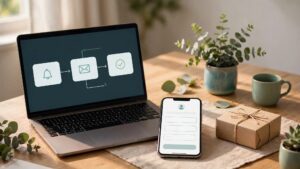
An empty treatment room, chair, or service slot costs more than lost revenue. It disrupts staff schedules, can increase delays to help reduce wait times for others, and can turn a busy day into a patchwork of gaps. The most reliable way to reduce appointment no-shows is to make booking, remembering, changing, and attending an appointment easier for the customer through stronger patient engagement and efficient scheduling practices.
People rarely miss appointments for one reason. Some forget, some cannot find the address, and others feel uncomfortable cancelling late. By addressing these missed appointments and preventing patient no-shows, a clear system catches those problems before they become an empty slot.
Key Takeaways
- Send an appointment confirmation immediately and use automated appointment reminders at useful intervals, including text message reminders, rather than sending everything all at once.
- Make cancellation and rescheduling simple, visible, and judgment-free to prevent last-minute cancellations while clearly communicating your cancellation policy.
- Use deposits and card holds for high-demand or high-cost appointments.
- Track no-shows by appointment type, lead source, day, and staff member.
- Keep your website, Google Business Profile, and booking messages consistent.
Find the Real Reason Clients Miss Appointments
Before changing your policy, look at your last 30 to 60 days of missed appointments. Separate true missed appointments from last-minute cancellations, reschedules, duplicate bookings, and customers who arrived but were recorded incorrectly.
A salon might find that Saturday afternoon bookings have the highest absence rate. A dentist may see more patient no-shows on first-time visits than on follow-up appointments. A home-service company may discover that customers don’t answer because the arrival window was vague.
Ask your front desk team to record a simple reason whenever a customer cancels. Useful categories include:
- Forgot the appointment
- Work or family conflict
- Cost concern
- Booked by mistake
- Couldn’t reach the business
- Found another provider
- Transportation or location issue
Patterns matter more than assumptions. If most patient no-shows come from online bookings made after hours, your appointment confirmation process may be weak. If they come from paid campaigns, your ad copy could be setting the wrong expectations about price, availability, or service area. Behavioral engagement strategies often reveal why certain cohorts drop off before arriving.
Track the result in your practice management software or CRM, keeping a close eye on scheduling practices that affect patient retention. Include appointment status, source, service, booked date, appointment date, and reason lost. This gives you a clearer picture than counting inquiry forms alone. A lead is only valuable when it becomes a completed appointment.
A low cancellation rate can hide a bigger problem if customers simply disappear instead of using your rescheduling process.
How to Reduce Appointment No-Shows With Better Reminders
A reminder works best when it answers the practical questions a client may forget. What is the appointment for? When is it? Where is it? How can they change it?
Send an appointment confirmation immediately after booking. Include the date, time, location, staff member if relevant, parking or access instructions, and a clear link or phone number for changes. For home-service appointments, give the confirmed arrival window rather than a loose promise such as “sometime tomorrow.” This initial appointment confirmation sets clear expectations and supports patient satisfaction.
Then use a short reminder sequence powered by automated appointment reminders:
- Send automated appointment reminders 48 to 72 hours before longer appointments, consultations, or services that need preparation.
- Send a second automated appointment reminder about 24 hours before the visit, with confirm, reschedule, and online self-scheduling options.
- Send a final automated appointment reminder two to three hours before the appointment when timing matters, such as salon visits, medical appointments, or repair callouts, which helps to reduce wait times and missed appointments.
Use the channel the customer selected whenever possible. Text message reminders usually work well for short reminders, while reminder phone calls can be appropriate for high-value consultations or appointments involving paperwork. Email gives you more room for preparation instructions, forms, and directions, and incorporating reminder phone calls or text message reminders helps lower the rate of missed appointments.
Keep the message plain. “Your appointment is tomorrow at 3:00 PM. Reply C to confirm, or use this link to choose another time” is easier to act on than a paragraph of promotional copy, and applying these behavioral engagement strategies keeps operations running smoothly.
For healthcare practices, handle reminders in line with applicable privacy rules. Don’t include sensitive service details in a text message unless your consent process and communications policies allow it, ensuring proper patient engagement throughout the process.
Make Rescheduling Easier Than Skipping
Many clients avoid cancelling because they expect an awkward conversation, a penalty they don’t understand, or a long wait to rebook. That hesitation turns last-minute cancellations into a no-show.
Put a reschedule link in every confirmation and reminder. Online self-scheduling allows clients to open available times directly, and practice management software can handle this process effortlessly. Don’t make someone create another account, search a website, or wait for a return call to make a simple change.
Your cancellation policy also needs plain language. State the notice period, any no-show fee, and how exceptions are handled. A clear cancellation policy belongs on the booking page, confirmation message, and appointment reminders. A cancellation policy buried in terms and conditions will surprise people, not guide them.
For example, a massage studio can say: “Please change or cancel at least 24 hours before your session. Late changes may incur a no-show fee because the time is reserved for you.” That language is firm without sounding hostile.
Appointment software such as Square Appointments, Fresha, Calendly, Acuity Scheduling, and Mindbody can automate reminders, waitlists, deposits, and rebooking. Utilizing automated appointment reminders keeps schedules tight. Choose a platform that matches your service flow rather than adding tools your staff won’t use consistently.
A waitlist can recover lost revenue when last-minute cancellations happen. Automated appointment reminders combined with waitlist notifications let you fill open slots quickly. Online self-scheduling helps reduce wait times for eager clients while keeping slots filled.
Use Deposits and Policies That Match the Appointment Value
A $20 haircut and a two-hour legal consultation don’t carry the same financial risk. Your booking policy should reflect the time, preparation, staff involvement, and lost revenue tied to each service.
Deposits work well when the business commits significant time or resources before the customer arrives. Examples include:
- New-patient dental visits that reserve clinical time
- Bridal hair and makeup trials
- Property inspections or extended home-service windows
- Legal, financial, or design consultations
- Multi-hour spa packages and specialist treatments
A modest deposit gives customers a reason to make a decision early. It also filters accidental bookings, which helps prevent patient no-shows and missed appointments. However, make the terms fair and easy to find. Offer a clear path to move the deposit to a new slot when the customer gives enough notice.
Card holds are another option where your booking software supports them. They can make a cancellation policy more enforceable without collecting a payment upfront. A clear no-show fee can protect your schedule from last-minute cancellations. When dealing with patient no-shows, a fair no-show fee compensates your staff for empty time. Check local consumer rules and processor requirements before applying fees or holds.
Avoid treating every missed appointment as bad intent. Emergencies happen. A sensible policy can allow one documented exception or let staff use discretion. Consistency matters, but so does goodwill.
Improve the Booking Journey Across Search, Ads, and Social
No-show prevention starts before the booking button. Customers who misunderstand what they’re booking are more likely to cancel or disappear.
Your landing page should match the promise in the Google ad, social post, or search result. If an ad promotes a free estimate, the booking page must explain what the estimate includes. If you only serve certain postcodes, show that before the customer chooses a time.
This is where Digital Marketing needs operational input. SEO, Performance Marketing, Social Media Marketing, and Website Development shouldn’t send leads into a booking process with missing prices, unclear locations, or vague appointment windows.
For local businesses, accurate information is also a trust signal. Keep your Google Business Profile, website, directory listings, and booking tool aligned on:
- Business name, phone number, address, and service areas
- Opening hours and holiday hours
- Services offered and appointment length
- Parking, accessibility, or arrival instructions
- Cancellation policy and contact options
A customer who sees conflicting hours may not call to check. They might assume they lack a proper appointment confirmation, leading to unneeded friction or missed visits.
Clear service pages and FAQs also support SEO, GEO, and AEO. Answer real booking questions directly: “Do I need to bring documents?” “Can I reschedule online?” “Do you offer same-day appointments?” “How far in advance should I book?” Keep the answers visible on the page, then use schema only when it reflects that same on-page information. Better scheduling practices, clear details about your cancellation policy, and straightforward online self scheduling options all contribute to higher patient satisfaction and stronger patient engagement from the start. A reliable appointment confirmation system helps lock in attendance before the visit arrives.
For businesses that depend on nearby customers, local SEO support can help align search visibility with accurate service details and conversion-focused booking pages.
Follow Up Fast When Someone Misses an Appointment
A missed appointment doesn’t always mean the relationship is over. Contact the customer soon, while the missed appointment is still on their mind, to protect patient retention and overall revenue.
Send a short, respectful message within 15 to 30 minutes. Avoid blame. Ask whether they need a new time and provide a direct booking option. For high-value services, or when dealing with frequent patient no-shows, a staff member can make a brief call if the customer hasn’t responded.
Try wording such as: “We missed you today at 2:00 PM. If you’d like to reschedule, you can choose a new time here or call us at [phone number].”
Record the outcome. Did the person rebook, request a refund, ignore the message, or say the reminder never arrived? This feedback helps you reduce appointment no-shows through better systems, text message reminders, reminder phone calls, and an appropriate no-show fee instead of stricter rules alone.
Also review whether your own operations contributed. Long waits, frequent schedule changes, unanswered calls, or unclear pricing reduce trust. If clients repeatedly miss appointments after receiving a particular campaign, review the ad, landing page, confirmation copy, automated appointment reminders, and intake process together.
A strong follow-up process also helps teams distinguish poor-fit leads from customers who simply need a better reminder, thereby supporting long-term patient engagement. Marketing reports should include booked appointments, attended appointments, and completed revenue, not only lead volume.
If your booking journey needs tighter tracking, clearer service pages, or better alignment between ads and appointment outcomes, Get In Touch With Us.
Frequently Asked Questions
How can I reduce appointment no-shows effectively?
The most reliable way to reduce no-shows is by sending immediate confirmations followed by a sequence of automated reminders via text or email. Making it easy for clients to reschedule online without penalty or awkward conversations also prevents last-minute absences.
Should I charge a fee for missed appointments?
Charging a fee or requiring a deposit works well for high-demand services, long consultations, or high-value appointments where an empty slot hurts revenue. Always clearly communicate your cancellation policy on your booking page and in your reminder messages.
What is the best way to handle a client who misses an appointment?
Reach out with a short, respectful message within 15 to 30 minutes of the missed slot to ask if they need a new time. Providing a direct booking link in this follow-up often recovers the appointment and protects long-term client retention.
Build a Routine That Keeps Slots Filled
To successfully reduce appointment no-shows over time, treat attendance as a measurable part of customer experience. Review your no-show rate monthly, then compare it by service, booking channel, day, staff member, and lead source to refine your overall scheduling practices.
Start with the easiest fixes: accurate confirmation details, automated appointment reminders, and one-click rescheduling. Add deposits where the cost of an empty slot is high to prevent lost revenue and protect your daily schedule. For service providers in healthcare and similar fields, keeping a close eye on patient no-shows also helps you reduce wait times and improve patient satisfaction.
A full calendar isn’t only about attracting more bookings. Reliable attendance turns the bookings you already have into completed work, stronger client relationships, better patient retention, and steadier revenue that helps you continue to reduce appointment no-shows month after month.