Google can now answer a service question before a prospect ever clicks your website. That’s why AI Overviews SEO matters in 2026, especially if you rely on local calls, form fills, and booked appointments.
You still need rankings, but rankings alone aren’t enough. Google wants clear facts, real proof, and pages it can trust fast. That shift changes how buyers compare plumbers, dentists, lawyers, contractors, and agencies. Once you build for that, AI Overviews become less of a threat and more of a new route to visibility.
What AI Overviews Mean for Your Service Business
Google’s January 2026 Gemini 3 rollout made AI Overviews smarter and more common. March 2026 reporting puts them on about half of US searches, while pure local queries still trigger them much less often. Even so, they matter because they shape first impressions and cut clicks. Recent Google AI Overview statistics for 2026 show why many businesses now see more impressions but fewer visits.
Think of the overview as a fast receptionist. It scans the web, picks facts it trusts, and guides the buyer before your site loads. If your hours, service area, or proof are messy, Google may quote someone else.
If Google can’t verify the basics fast, it won’t feature you confidently.
Strengthen Local SEO to Break Into AI Summaries
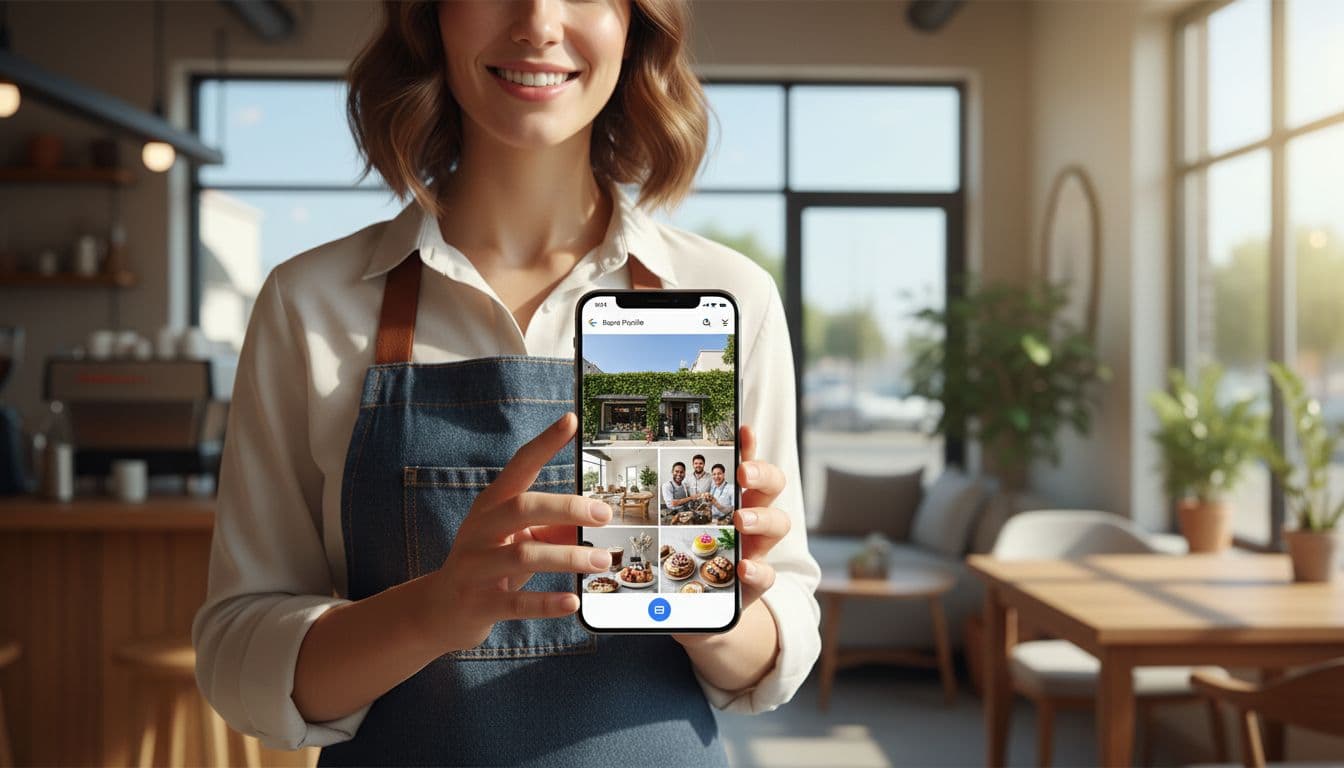
Local SEO is still the base layer. If you want AI summaries to mention your brand, you first need a clean Google Business Profile, accurate NAP, strong categories, recent photos, and pages that match real services. A plumber should have separate pages for drain cleaning, water heater repair, and emergency plumbing. A med spa should split Botox from laser treatments.
Location pages matter too, but only if they’re real. Give each city page unique proof, local testimonials, driving details, and service-area notes. Then compare your site with the brands already winning in maps and organic results. This local SEO competitor audit guide is a good model for that process. The goal isn’t more pages. It’s clearer local relevance.
Build Strong Entity Signals and Trust
Google can’t trust what it can’t connect. That’s why entity signals matter. Keep your business name, address, phone, owners, providers, and social profiles consistent across the web. Add staff bios, licenses, insurance, awards, and case studies where they fit. March 2026 core and spam updates hit thin AI-written pages harder, so real proof now carries more weight.
For service brands, trust should sit close to the claim. If a law firm says it handles truck accidents, show the attorneys, bar status, office location, and client outcomes on that page. If a clinic says same-day care, show the provider and the policy. A roofing company should show license details, insurance, and project photos, not vague promises. That’s the kind of proof AI can repeat.
Add Structured Data to Service and Location Pages
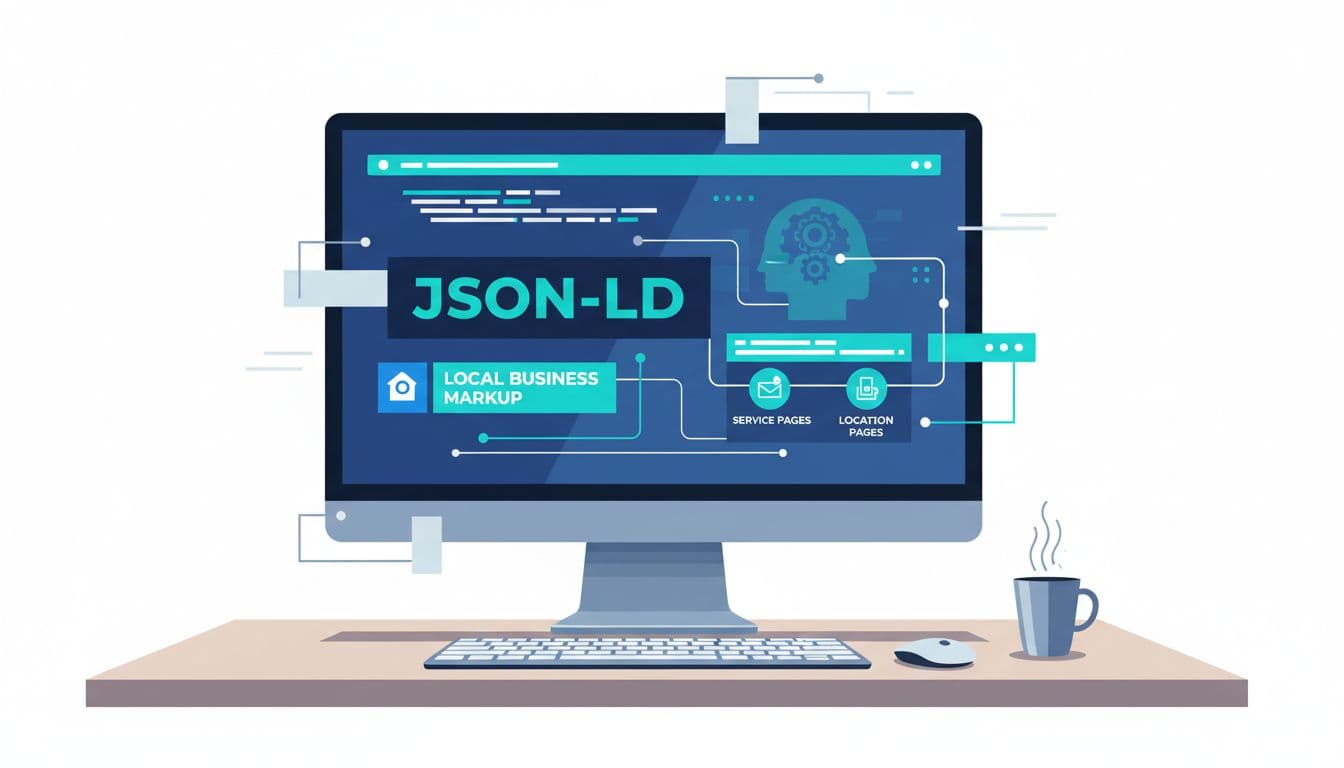
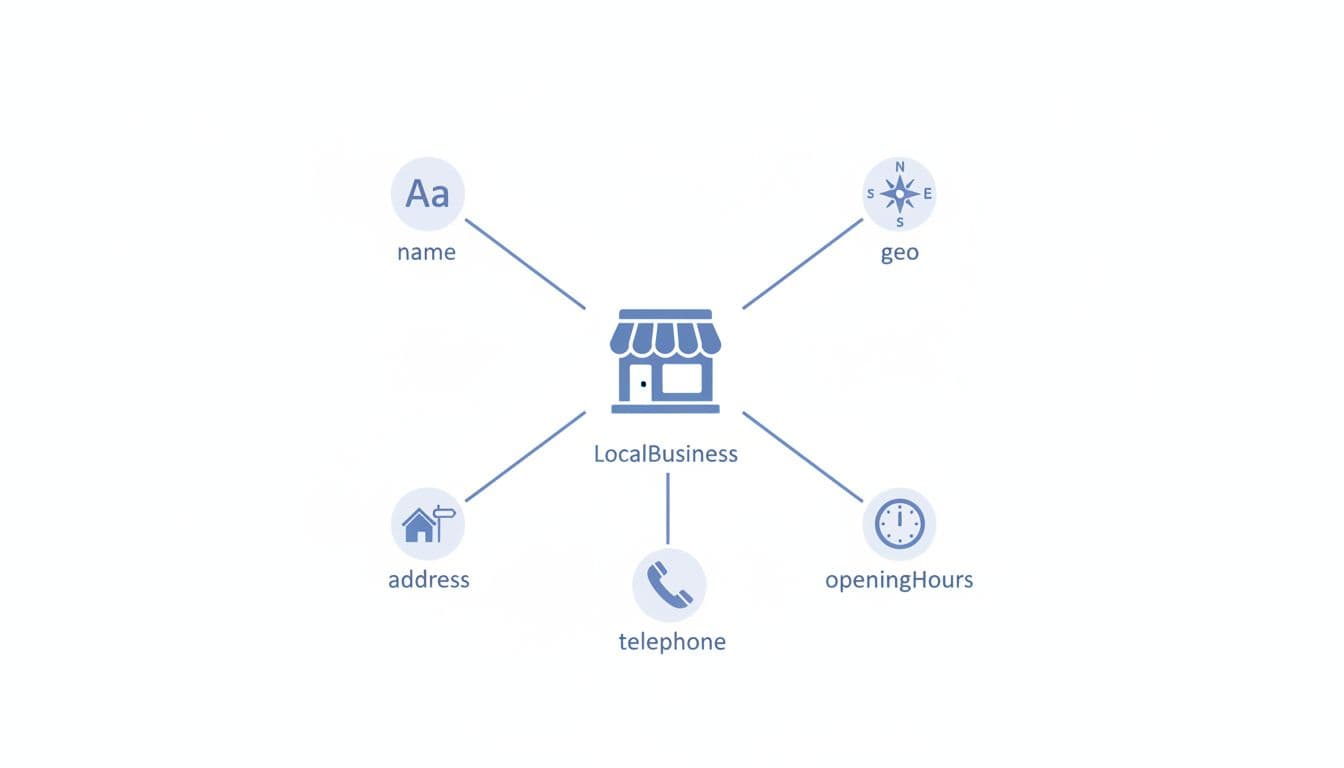
Structured data won’t force an AI citation, but it helps Google read your business correctly. Add schema for LocalBusiness, Organization, Service, and Person where it applies. Use fields like address, opening hours, sameAs, areaServed, and service type. If you publish visible FAQs, mark them up too.
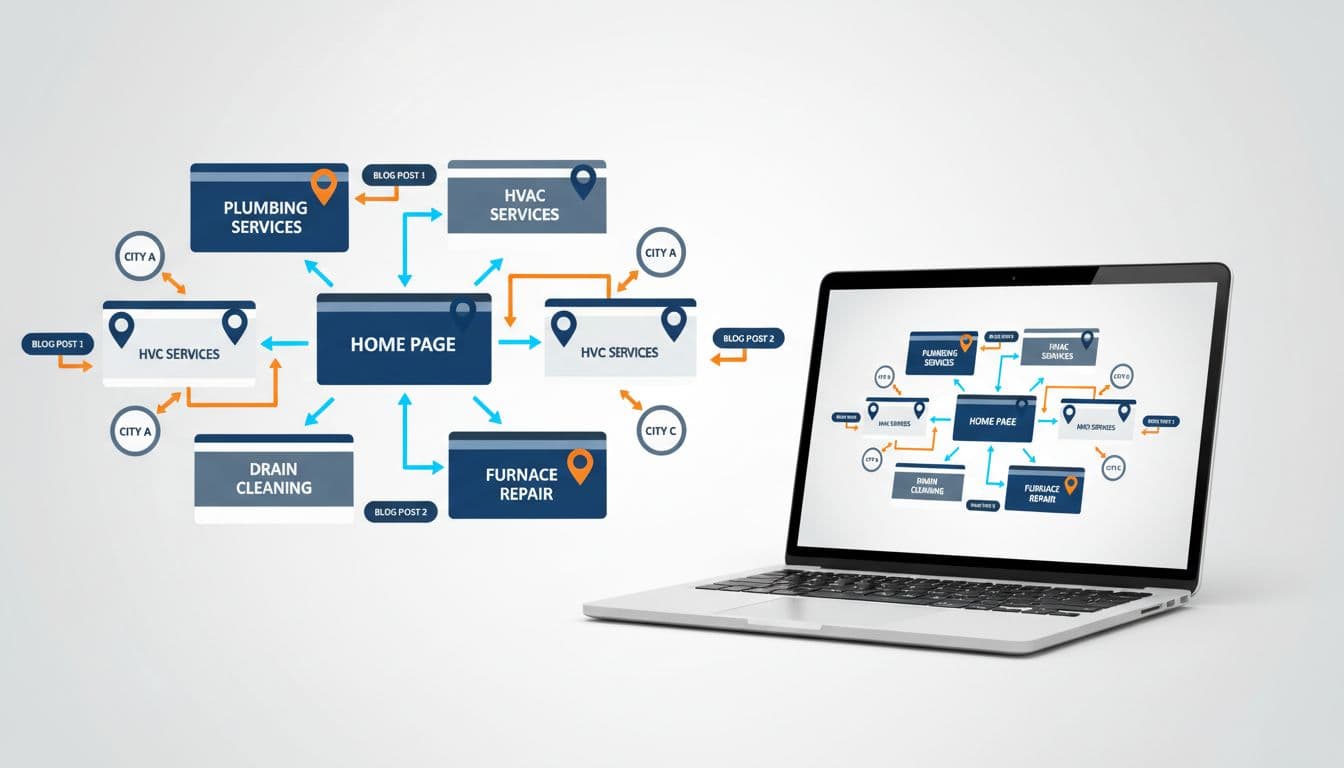
Then fix the page itself. Every service page should answer what you do, who it’s for, where you work, what the process looks like, and how to book. Each location page should show local proof, not spun copy with a city swap. Good site structure helps those pages reinforce each other, so build local SEO internal linking between service, city, FAQ, and contact pages.
Use Reviews and FAQ Content to Feed Better Answers
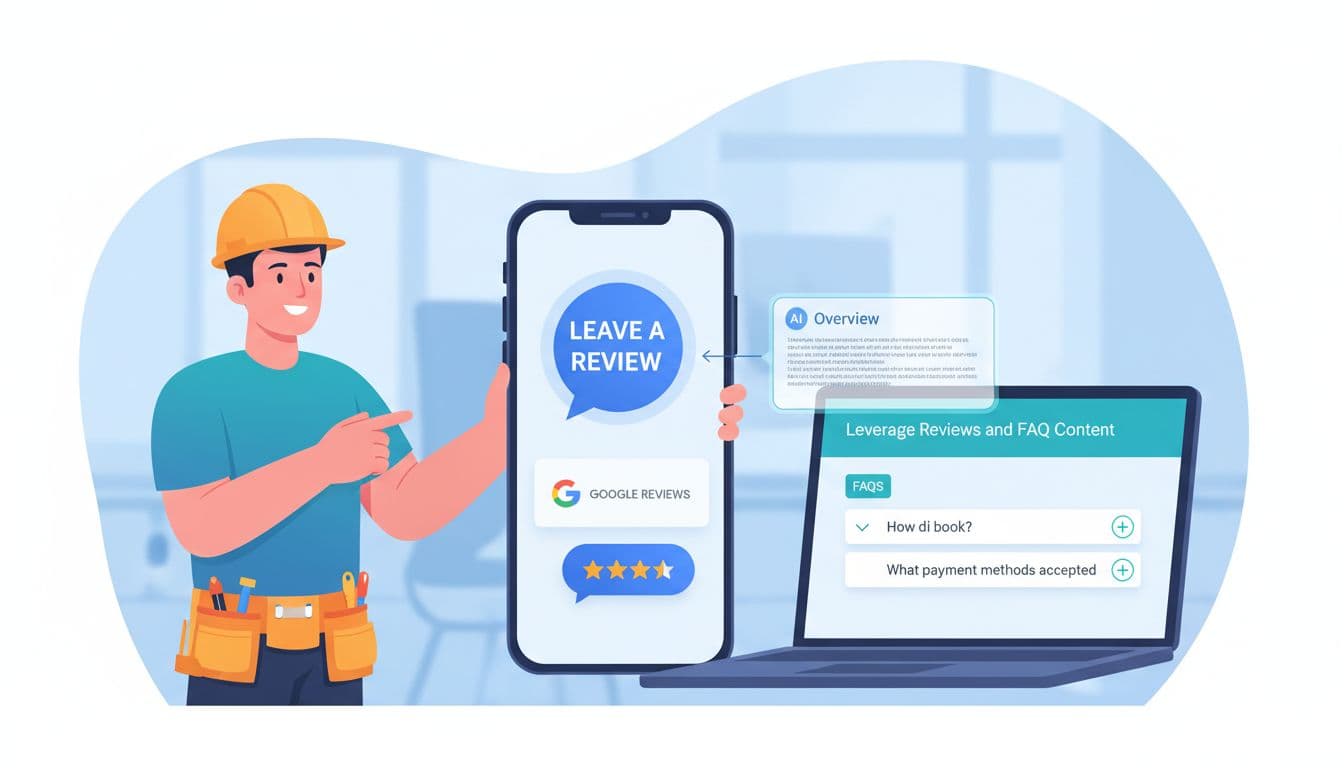
Reviews do more than boost conversion. They supply the plain-language details Google loves to quote. Ask customers to mention the service, city, speed, and result. “Fixed our AC in Plano that night” tells Google more than “great job.” Also reply to reviews with helpful detail, not a generic thank-you.
Your FAQ content should work the same way. Pull questions from calls, chat logs, and sales emails. Answer them in short blocks on service and location pages, then mirror the best ones in your profile with a clear Google Business Profile Q&A strategy. For a bigger view of how this connects to local visibility, see this guide to AI search SEO for local businesses. Keep it tight. Ten honest answers beat forty filler questions.
AI Overviews SEO works best when your business is easy to verify. Clear service pages, real local proof, strong entity signals, structured data, reviews, and useful FAQs all point to the same story.
Start with one high-value service page this week. Tighten the facts, add proof, connect the right pages, and give Google something worth citing.
Google Business Profile Q&A Strategy for More Local Leads in 2026
A local lead often starts with a tiny moment. Someone opens your profile, spots a question, and decides whether to call or keep scrolling.
That’s why Google Business Profile Q&A matters so much in 2026. It’s part FAQ, part sales desk, and part reputation signal, all sitting inside Google Search and Maps. When you manage it well, profile views turn into calls, form fills, and visits. When you ignore it, strangers can shape the conversation for you.
Why Google Business Profile Q&A Drives Local Leads Now
Think of Q&A as the front desk of your listing. People ask about parking, pricing, wait times, service areas, or same-day help. If they get a clear answer fast, trust rises. If they see silence, doubt moves in.
That matters even more now because Google’s AI can suggest answers based on your website and business details. In other words, weak or outdated site content can echo back into your profile. A strong Google Business Profile optimization guide helps keep those facts aligned.
Speed also matters. A reply within 24 hours shows your business is active. It also keeps random users from becoming the loudest voice on your profile.
According to Reputation’s Q&A best practices, this section can directly support trust and conversion because many searchers never visit a website before choosing a business. They decide right on the results page.
A simple example proves the point. If someone asks, “Do you offer emergency drain cleaning tonight?” and your answer says, “Yes, we handle after-hours calls in North Dallas until 10 PM, call now for dispatch,” that’s not just support. That’s lead capture.
Set Up Your Q&A for Maximum Impact
First, turn on alerts. If your team doesn’t see new questions quickly, you’ll miss the short window where intent is hottest.
Next, assign ownership. One person should monitor daily, but every location should have approved answers for common topics. Multi-location brands often lose leads here because every branch answers in a different tone, or worse, not at all.
Keep your source facts clean. Update services, hours, booking rules, and service areas on both your site and profile. If your website says “walk-ins welcome” but your front desk now works by appointment, your Q&A can create friction instead of leads.
A monthly GBP optimization checklist helps prevent that drift. It’s the small mismatches that hurt most.
Outside observers have seen the same shift. This 2026 Q&A update guide notes that Q&A may feel less visible to users than before, yet it still matters because AI systems can pull from it when summarizing local businesses.
One more rule matters here: answer on Google itself. Don’t force people to hunt through your site for basic facts. If they ask about payment methods or kid-friendly appointments, give the answer right there, then offer one simple next step.
Craft Answers That Turn Questions Into Customers
The best answers are short, direct, and useful. Don’t write like a brochure. Write like a good front desk manager.
Start with the plain answer. Then add one detail that reduces doubt. Finish with one clear action, such as call, book, message, or visit.
Answer the question on Google first, then give one easy next step.
This quick format works well:
Question type
What your answer should include
Best next step
Price
Starting range, what affects cost
Call for exact quote
Availability
Same-day, next opening, response time
Book now
Service area
City, neighborhood, travel limits
Confirm address
The takeaway is simple: remove friction. A good answer saves the searcher one extra step.
For example, “Yes, we repair cracked screens. Most jobs are finished the same day, and pricing starts at $89 depending on model. Call now to confirm stock.” That answer handles doubt, timing, and action in one shot.
If a customer answers first, don’t ignore it. Thank them, then add the official detail. That shows you’re engaged while keeping the information accurate.
Seed Smart Questions to Guide Searchers
You don’t have to wait for the public to ask the best questions. In fact, you shouldn’t.
A smart Google Business Profile Q&A strategy includes seeding your own FAQs with a personal account, then answering them as the business. Use real questions from calls, chats, reviews, and intake forms. Your local SEO keyword research template can also surface the wording people use in local searches.
Write questions the way people actually speak. “Do you fix iPhones while I wait?” works better than “mobile device repair turnaround policy.”
Seed topics that move leads forward, such as:
pricing ranges
same-day service
parking or access
insurance accepted
deposits, warranties, or returns
Roll these out over time, not all at once. Then upvote the most helpful ones so they stay visible.
For a solid outside view on this workflow, see this seed, answer, and moderate guide. It lines up with what works now: real questions, fast answers, and active moderation.
Also, flag spam, rude posts, or off-topic questions quickly. An unmoderated Q&A section can turn into a junk drawer.
Monitor and Refine for Ongoing Wins
Q&A should feed your lead system, not sit alone.
After you add or update answers, watch GBP Performance for changes in calls, direction requests, messages, and website clicks. Then compare those trends with what your team hears on the phone. If three callers ask the same thing this week, that topic belongs in Q&A.
Review the section daily for new questions. Then do a deeper sweep each month. Refresh outdated answers, remove spam, and add new FAQs based on seasonality, offers, or service changes.
Look for lead intent, not vanity metrics. A question about “Do you serve my ZIP code?” is often worth more than ten casual profile views.
In short, treat Q&A like a living sales asset. The businesses that win in 2026 don’t just complete profiles. They keep them sharp.
A neglected listing makes people hesitate. A helpful one creates trust before the first call. Start with your top five real customer questions this week, answer them clearly, and let your profile do more of the selling.
A lot of service business sites still work like brochures. They list services, mention a few cities, and hope calls show up. That’s not enough in 2026.
Local SEO internal linking turns your site into a guided path. It helps Google connect your services, locations, and proof. Just as important, it helps a homeowner, patient, or client move from “Can you help?” to “I’m ready to book.”
Why Internal Linking Boosts Local SEO
Internal links do three jobs at once. They help search engines find pages, show which pages matter most, and guide visitors to the next step. For plumbers, HVAC companies, roofers, dentists, and lawyers, that means stronger links between service pages, city pages, blogs, and quote forms.
That structure matters more now because AI summaries and map-based results reward clear site relationships. The broader shift toward internal linking for SEO and GEO points in the same direction. If your Austin water heater page never connects to your Austin plumbing page, you’re hiding your own relevance.
Key Principles of Local SEO Internal Linking
Keep the system simple. Give each core service its own page. Give each real service area its own page. Then use blogs, FAQs, and case studies to support those money pages.
Also, keep important pages within 3 clicks of the homepage. If a location page takes five clicks to reach, it’s buried. Before building links, map your page targets with a local SEO keyword research template.
A few rules help fast:
Link related pages, not random pages
Avoid orphan pages with no internal links
Use in-content links, not just menus
Vary anchor text naturally
Map Your Site for Maximum Impact
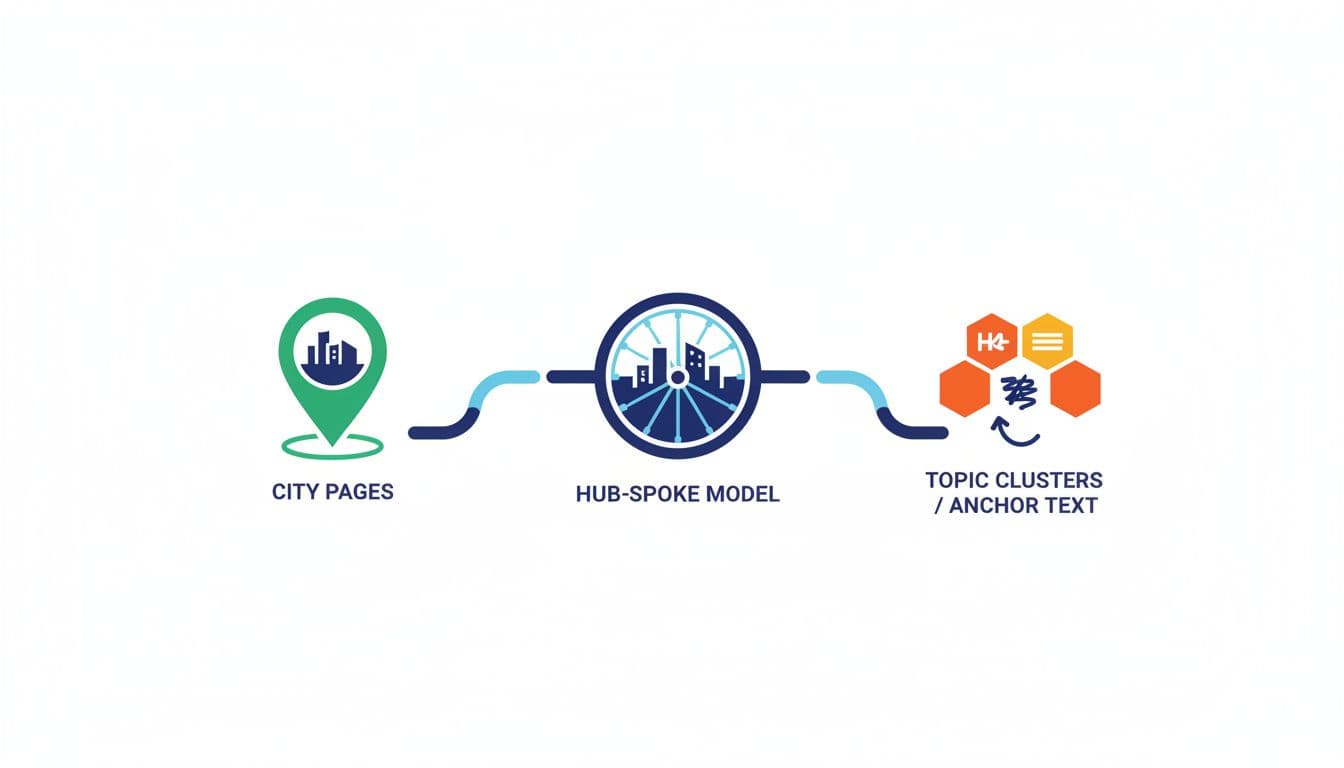
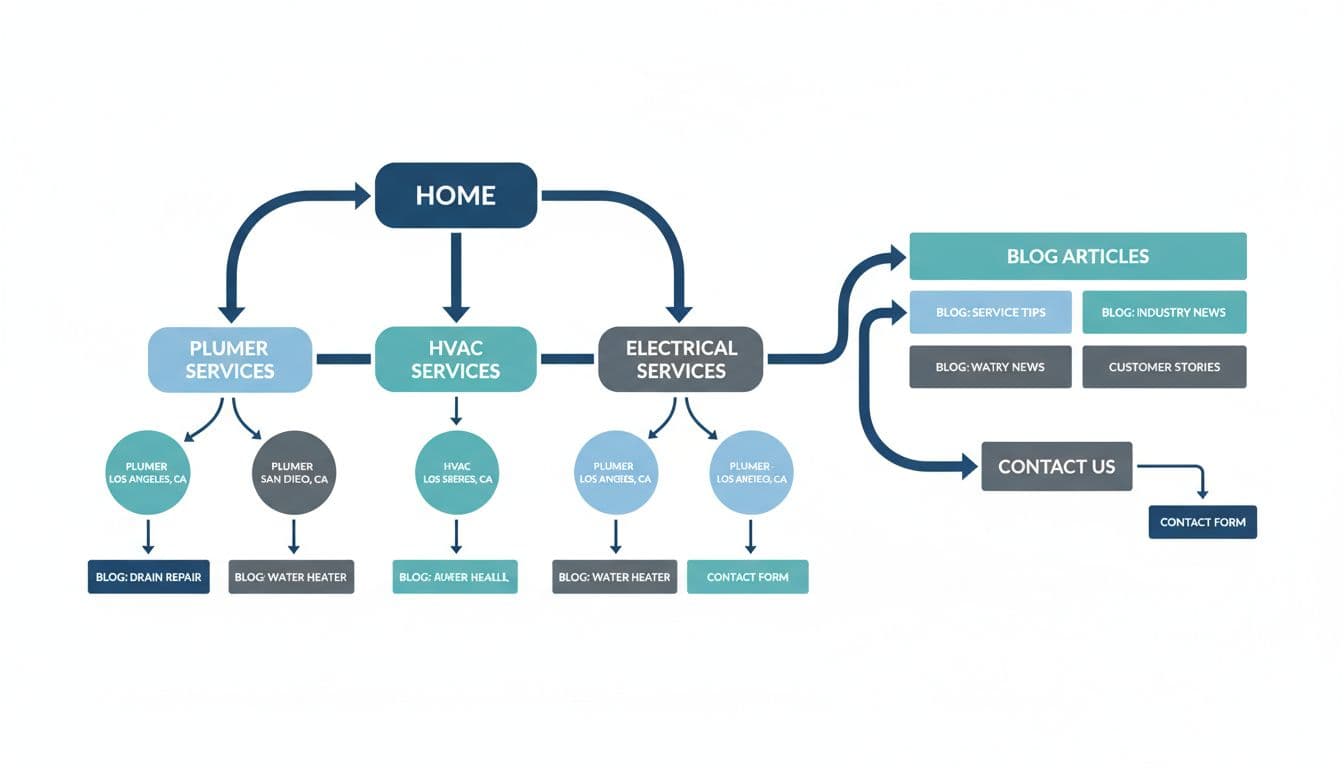
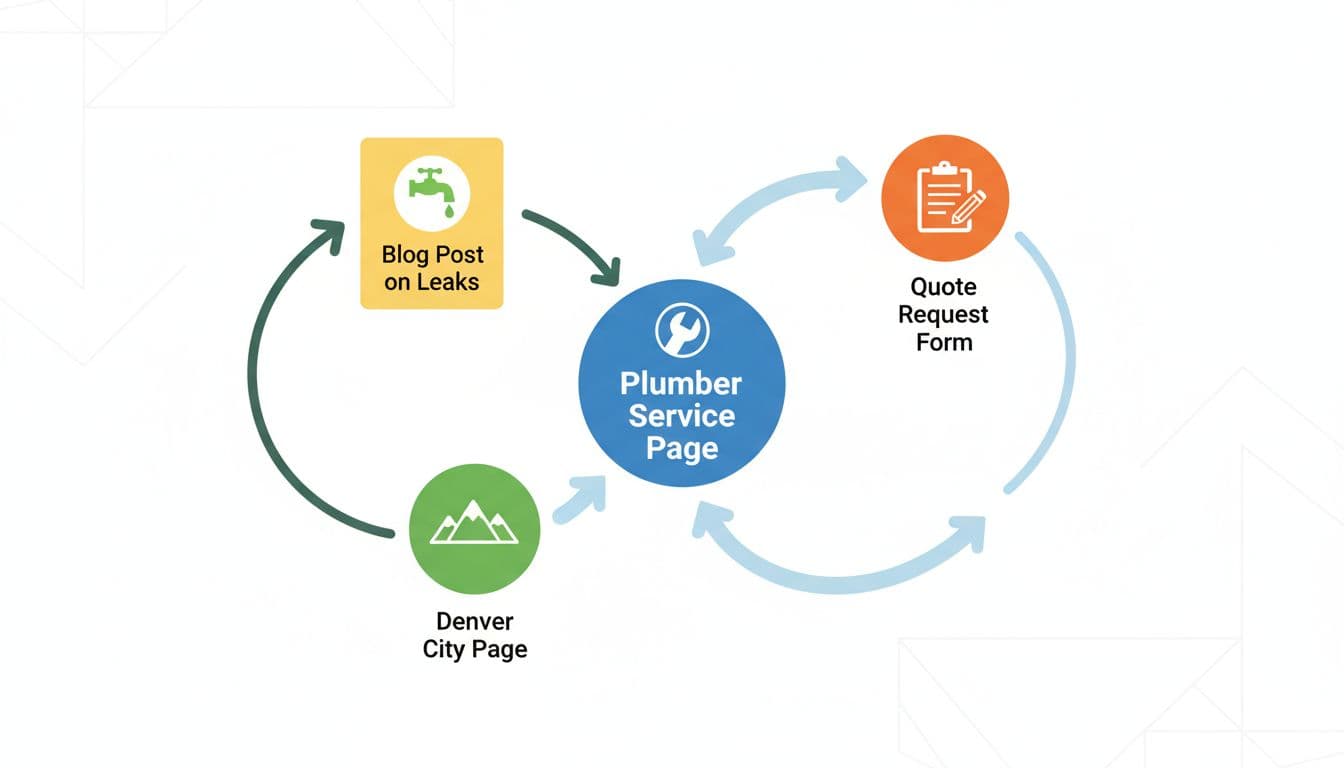
Think in hubs and spokes. Your main service page is the hub. Related city pages, blog posts, and quote pages are the spokes.
This basic map works for most service businesses:
Page type
Should link to
Service page
Related city pages, quote page
City page
Matching services, testimonials
Blog or FAQ
Service page, city page
Contact or quote page
Top services, financing or trust pages
For example, a roofer might link /roof-repair/ to /roof-repair-dallas/, a storm damage guide, and the estimate form. A dentist can link implants, city pages, cost guides, and booking pages the same way. The takeaway is simple, every page should point somewhere useful.
A page that doesn’t connect to the next logical page is a dead end.
Craft Effective Anchor Text
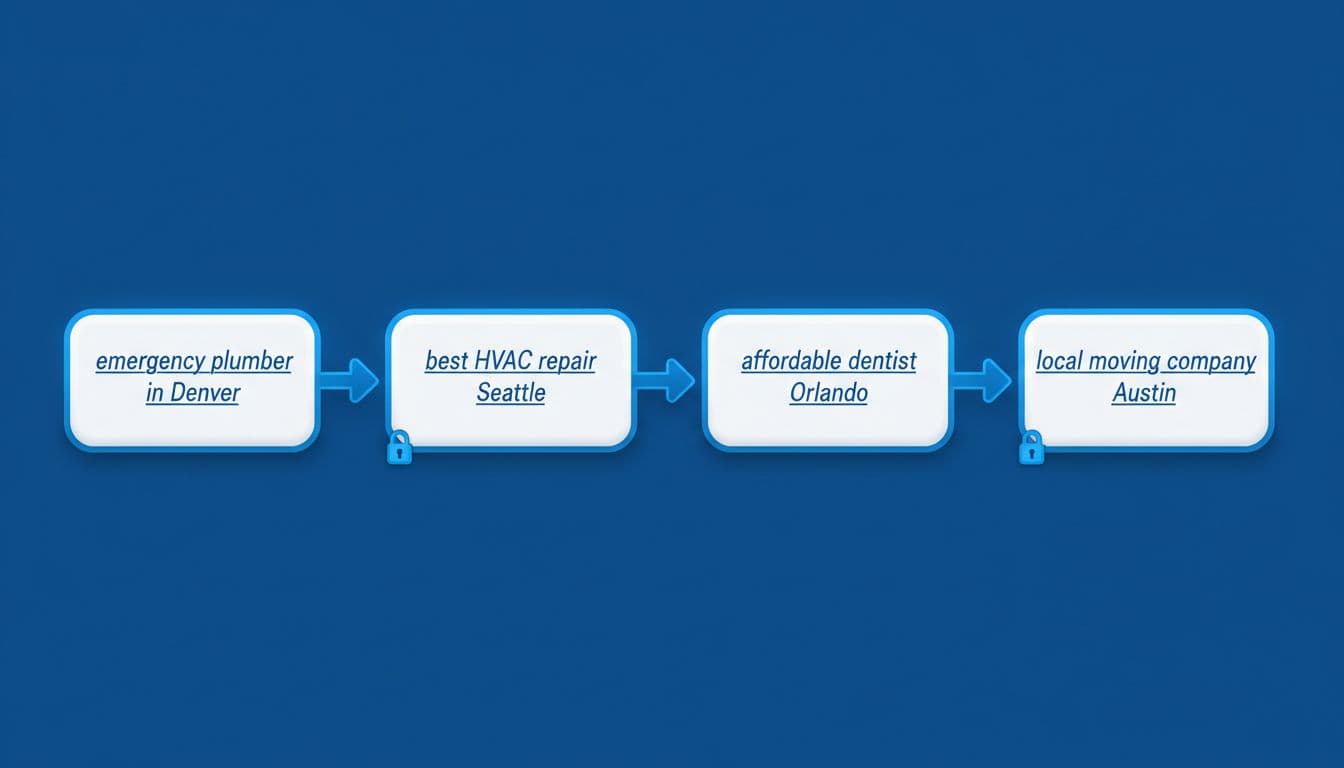
Anchor text is the label on the door. “Click here” tells nobody anything. Clear phrases tell users and search engines what sits on the next page.
Good anchor text sounds natural and matches intent. A few examples:
Emergency plumber in Austin
AC repair in Plano
Dental implant cost guide
Request a roofing estimate
Mix the wording. Your HVAC page doesn’t need the exact same anchor every time. Use service-plus-city anchors on city pages, and more general anchors inside educational blog posts. That balance keeps links readable and useful.
Link Service, City, Blog, and Contact Pages
Many local sites make one costly mistake. Service pages link only to the contact page, while city pages sit alone. That wastes ranking signals and user flow.
Instead, create loops. A plumbing service page should link to the cities it serves, a leak repair blog, and the quote form. Each city page should link back to the core service page, plus one proof page such as reviews, pricing, or a case study. Blog posts should support both.
Here’s a clean example for HVAC: AC repair page → AC repair in Round Rock → “5 signs your AC may fail” blog → request service form.
That same pattern works for lawyers with practice areas, dentists with treatments, and roofers with storm damage pages.
Your Implementation Checklist
You don’t need a huge rebuild to start. A short monthly pass often fixes the biggest issues.
Every core service page links to relevant city pages
Every city page links back to the matching service
Every blog links to a commercial page where it fits
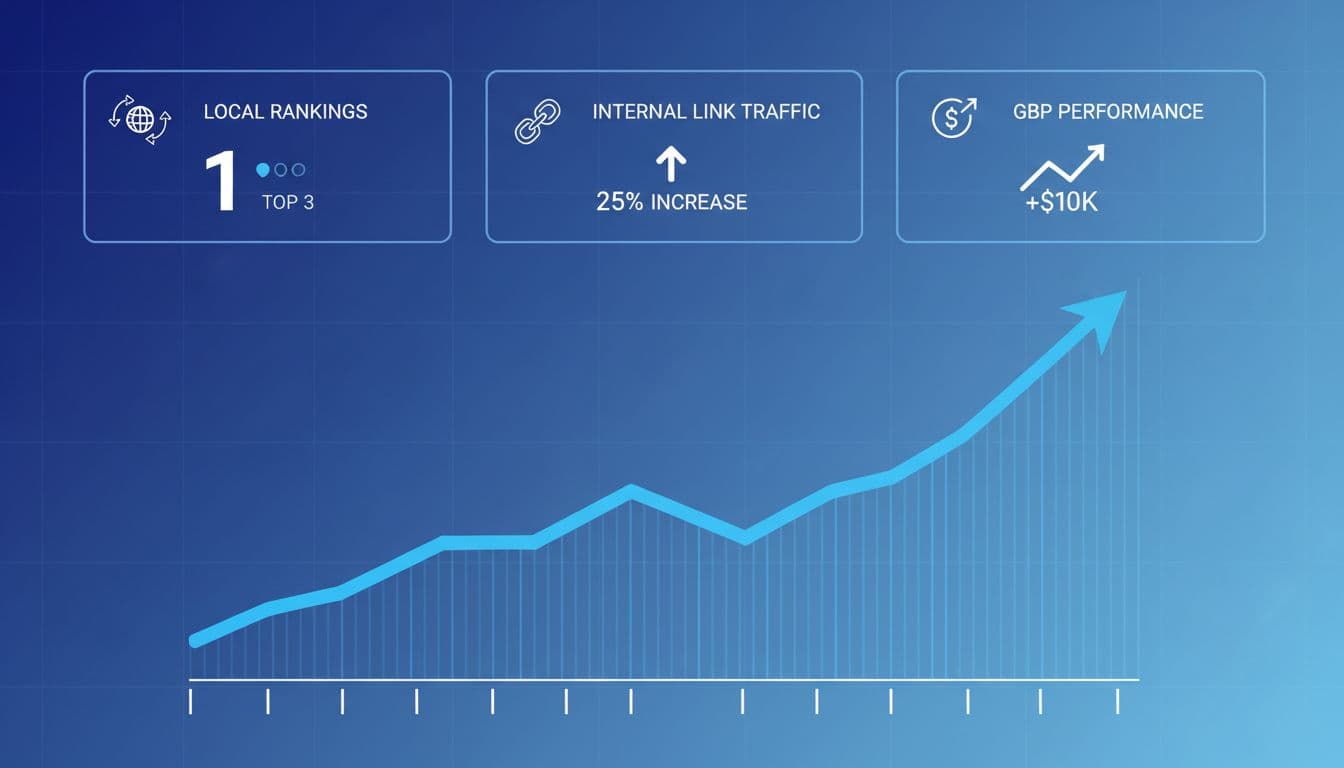
Watch more than rankings. Good internal linking should improve crawl paths, page views, calls, and form fills. Check Search Console for indexed pages and impressions. Then check analytics and call tracking for the real payoff.
Internal linking isn’t busywork. It’s site structure, user flow, and local relevance rolled into one. Start with one service, one city, and one support article, then connect them well. If you want help building that system, focused local SEO services can speed up the work and keep the structure clean.
If your plumbing, HVAC, dental, or landscaping business shows up in Google, you’re already in a competition you didn’t start. The winners usually look more “certain” to Google. They have consistent details, clear services, and strong local signals.
That’s where local business schema helps. Think of it like a tidy label on a toolbox; structured data is the technical term. The tools are the same, but now anyone can find the right one fast. This data helps search engines understand your business name and category, especially for voice search queries.
This guide walks you through what to mark up in 2026, what to avoid, and copy-paste JSON-LD examples you can adapt for your site.
What local business schema actually does (and what it doesn’t)
Local schema markup is structured data, a standardized format using schema.org vocabulary that tells search engines, “Here’s who we are, where we are, and how to contact us.” In most cases, the foundation is the LocalBusiness entity type or a more specific subtype (like Plumber, Dentist, or HVACBusiness).
It doesn’t replace good content, reviews, or a solid Google Business Profile. It also doesn’t guarantee rich results or rich snippets. However, structured data reduces guesswork, especially when Google compares similar businesses in the same area, and it increases the chances of appearing in the Knowledge Panel.
If you’re investing in local SEO services as part of your local SEO strategies, structured data with LocalBusiness is one of the few technical tasks that can support many other efforts at once (location pages, citations, and GBP consistency).
Gotcha: schema should match real-world info. If your markup says “open 24/7” but your GBP says “closes at 6,” trust drops fast.
Why service businesses need local business schema in 2026
In March 2026, local search is even more “answer-first.” Many searches end on the results page. People tap to call, check hours, or pick the best-rated option without opening a website.
Accurate local business schema and structured data support the machine-readable facts Google needs: hours, address, phone, service category, and sometimes ratings. Search engines use LocalBusiness data to populate AI snapshots, while this structured data helps secure SERP features and visibility in rich results. It can also help AI-driven experiences pull the right business details when summarizing options, with a key benefit for service brands being appearances in the Knowledge Panel.
This setup works best when your Google Business Profile is also tight, especially for location pages. If yours needs cleanup, start with this Google Business Profile optimization guide and align your schema to it field-for-field.
How to add LocalBusiness schema (JSON-LD) without breaking your site
JSON-LD is still the safest and preferred structured data format for most sites, recommended by search engines, because it doesn’t interfere with page layout. Add it once per location page (or once site-wide if you only have one location and one main contact page). For multiple locations, check your location pages to ensure each has its individual JSON-LD script.
A practical process for implementing JSON-LD structured data:
Pick the closest LocalBusiness subtype (Plumber, Dentist, Electrician, etc.).
Copy details from your GBP (don’t “improve” them).
Add exact hours, plus holiday overrides if needed. Use openingHoursSpecification for this.
Add @id that stays stable (even if URLs change).
Publish, then use the Rich Results Test for validation (don’t assume it’s fine).
If you’re building location and service pages from a mapped plan, this local SEO keyword research template helps you keep pages, services, and areas aligned.
Schema markup for multi-location and service-area businesses
Multi-location structured data fails when every location looks identical to Google. Each branch needs its own location page, its own NAP details, and its own stable @id. The Organization entity acts as the parent that connects all the LocalBusiness entities, providing a global identity for the brand while each LocalBusiness represents a specific branch with unique NAP details and a postal address.
Also, service-area businesses often confuse “no public storefront” with “no address.” If you meet customers at their homes, you can still mark up your base address (as long as it’s legitimate), and separately describe coverage using Service and areaServed.
Rule of thumb: one location page, one location schema from the Organization markup. Don’t stack five branches on a single “Locations” page and hope for the best.
Schema Markup Validation and Rich Results Test (Then Keep It Current)
After publishing, run your page through Google’s Rich Results Test and the schema.org validator for structured data validation. You’re looking for two things: errors (must fix) and warnings (review, then decide). Use Google Search Console to monitor structured data health and rich results. In 2026, freshness also matters. If your opening hours change seasonally, update schema the same day you update GBP.
This is the simple end-of-project checklist many teams skip:
Local search rewards businesses that look consistent, verifiable, and easy to contact. Local business schema and structured data form the foundation of local SEO, but they won’t carry a weak local strategy; they can remove friction from a strong one. Add the basics, use the right subtype, keep everything synced with your Google Business Profile, and perform validation through Google Search Console to keep the data working. Search engines rely on schema.org for rich results and SERP features, so the next time Google compares you to a nearby competitor, your details won’t be the messy part.
If you’re losing calls to competitors in your own service area, it often isn’t because they’re better. It’s because they have better local visibility, looking more trustworthy in the places customers decide fast: Google Maps, the local pack, and “best of” pages.
A local seo competitor audit turns that frustration into a repeatable workflow. You’ll learn who’s winning, why they’re winning, and what to copy (ethically) with clear priorities.
This guide focuses on local search engine optimization for service businesses in 2026, plumbers, HVAC, dentists, electricians, cleaners, law firms, and local teams supporting them.
Why a Local SEO Competitor Audit matters more in 2026
AI image prompt: Service business owner analyzing Google map pack rankings and local SEO metrics on a laptop in a modern home office, realistic photo, natural light, no readable text.
Local search feels more crowded in 2026 because AI search means more actions happen before a website click. People tap to call, compare photos, skim reviews on Google Business Profile, then book. As a result, your audit can’t stop at “who ranks.” It has to explain what makes Google and customers trust them.
Also, results vary by where the searcher stands. A law firm can dominate local search rankings downtown but disappear in a nearby suburb. So you need a workflow that’s location-aware and consistent.
If you want another perspective on what a modern local audit includes, first verify your own performance in Google Search Console and complete a technical SEO audit to ensure basic site health. Then compare your notes with this local SEO audit guide and keep only what maps to revenue.
Treat your audit like a pre-flight check. You’re not collecting facts, you’re preventing lost leads.
Step 1: Start your competitor analysis by building your competitor list (the right way)
AI image prompt: Marketer creating a local competitor list from Google results using a laptop and notepad at an organized desk, realistic photo, soft light, no readable text.
Start with your main services and your real service area. Then search in incognito and on mobile when possible. Add competitors from both the map results and the organic search results, because you’ll often see different brands in each.
Keep two buckets:
Revenue competitors: businesses that actually take your jobs (even if they don’t rank well yet).
Search competitors: the ones that show up for your money terms.
For example, an HVAC company should track long-tail keywords that match search intent, like “emergency AC repair,” not just “HVAC contractor.” Meanwhile, a dentist should add “Invisalign” and “teeth whitening” if those drive high-margin bookings.
Aim for 5 to 10 competitors. More than that slows decisions.
Step 2: Audit Google Business Profiles like a buyer, not a marketer
AI image prompt: Top-down view of a laptop comparing two Google Business Profiles on a clean desk with notes, photorealistic, natural light, no readable text.
Now open each competitor’s Google Business Profile and capture what a customer can see in 10 seconds. You’re looking for patterns, not perfection.
Focus on:
Primary category and secondary categories: do they match the service you want to rank for? Check the business information for accuracy, and see if competitors may be using schema markup to help Google verify their Google Business Profile data.
Services list: are they thorough and written in customer language?
Photos: do they look real, recent, and local?
Posts: are they active enough to signal “open and responsive”?
Messaging, booking, and call-to-action: do they reduce steps?
If your own Google Business Profile feels “complete,” it still might not compete. Use this as a benchmark, then tighten your setup with ClickyOwl’s Google Business Profile Optimization guide.
Step 3: Check local pack and organic rankings across real locations
AI image prompt: Smartphone showing a Google local pack map result next to printed rank notes on a desk, realistic photo, bright window light, no readable text.
Local search rankings aren’t one number anymore. They shift by neighborhood, device (perform a mobile audit to verify), and wording. So, pick 3 to 5 “grid points” that match where you want customers. Track the local pack and the same core terms at each point.
Dentist: “dentist near me,” “emergency dentist,” “Invisalign.”
Law firm: “personal injury lawyer,” “car accident lawyer,” “free consultation.”
Also note who wins the “people also ask” and who owns the organic pages under the map. When you find gaps, you’ll feed them into your content plan. ClickyOwl’s Local SEO Keyword Research Template helps you turn those terms into a clean page map.
Step 4: Examine competitor websites for local intent, proof, and coverage
AI image prompt: Laptop showing a blurred website audit view with an on-page checklist notebook beside it, warm light, photorealistic, no readable text.
Competitors often win because their site answers buyer questions faster. So, for each top competitor, conduct a local content audit by reviewing the pages that rank for your target terms and write down what they do better.
Look for:
Service page depth: pricing ranges, process, timelines, warranties, FAQs.
Location coverage: city pages, neighborhood pages, “areas we serve” clarity (especially for multi-location businesses).
Proof: case photos, licenses, insurance, awards, staff bios, before-and-after (cross-check with Google Business Profile for added trustworthiness, as these proof points boost conversion rates).
A cleaning company might win with simple proof like “bonded and insured” plus real job photos that align with its Google Business Profile. On the other hand, a dental clinic often wins with provider credentials and financing details close to the top of the page.
Step 5: Analyze reviews, citations, and local links for trust signals
AI image prompt: Tablet displaying review trends and citation audit visuals with backlink graphs on a desk, diffused light, realistic style, no readable text.
This is where “prominence” gets real. Two businesses can look similar, yet one has stronger trust signals across the web.
Start with online reviews:
Compare online review count, rating, and review frequency.
Scan wording. Do customers mention the services you want to rank for?
Check owner replies. Fast, calm replies often correlate with higher conversions.
Next, citations and local backlinks:
Verify nap accuracy across key directory listings, and check citation consistency in directory listings.
Note local backlinks from chambers, local news, sponsorship pages, supplier lists.
A competitor with fewer online reviews can still beat you if their online reviews match high-intent services and stay fresh.
Step 6: Turn findings into a simple action plan (with copy-friendly checklist)
AI image prompt: One professional highlighting gaps in a competitor analysis sheet in a conference room with a whiteboard of action sketches, realistic photo, bright light, no readable text.
Don’t try to “fix everything.” Instead, score each gap by impact and effort, then ship the top few improvements this month. Turn your competitor analysis findings into competitor intelligence that powers a simple action plan. A good local SEO competitor audit ends with a short sprint, not a long wish list.
Copy this copy-friendly competitor analysis checklist into a doc or sheet and fill it for your top 3 competitors:
Competitor analysis area
What to capture
Where to check
Your notes
Competitor set
Top 5 to 10 real competitors
Google Maps + organic search results
Google Business Profile basics
Categories, services, attributes
Google Business Profile
Google Business Profile activity
Photos, posts, Q&A, booking, messaging
Google Business Profile
Local search rankings
Map pack and organic by neighborhood
Manual checks, rank tracker
Service pages
Depth, proof, CTAs, FAQs
Competitor websites
Local visibility
Cities, suburbs, neighborhoods served
Competitor websites
Online reviews
Count, recency, themes, replies
Google reviews
Directory listings
NAP accuracy, key directories
Major directories
Local backlinks
Sponsorships, local PR, associations
Backlink tools, Google
Competitor analysis next actions
3 quick wins, 3 bigger projects
Your plan
Then tailor your action plan by niche. For example, plumbers usually win with faster response messaging, emergency service proof, and review velocity. Dentists often need stronger provider pages and service-level FAQs. Law firms tend to benefit from location-focused practice pages and local news mentions.
If you want help building and executing the plan, ClickyOwl’s Local SEO Services page outlines what a fully managed workflow can cover.
Wrap-up: your competitors aren’t mysterious. They’re leaving clues everywhere. Run this workflow quarterly, refresh the checklist monthly, use Google Search Console to track the impact of your local search engine optimization improvements, and you’ll keep finding winnable gaps that turn into calls.
If your phone isn’t ringing like it should, google business profile reviews are often the missing proof you need to get more reviews and fuel business growth. In 2026, google reviews don’t just shape trust for your google business profile, they also influence whether people tap “Call,” “Directions,” or “Website” without thinking twice.
The catch is simple: Google’s enforcement is tighter than it was a few years ago. Quick-win tactics can trigger removals, posting delays, or even a temporary freeze on new reviews. A real system has to be consistent, fair to every customer, and easy for staff to run daily.
Why Google Business Profile Reviews Drive Growth in 2026
A great review profile works like a familiar face in a new neighborhood. Even if people haven’t met you, they feel safer walking in.
In 2026, buyers compare options fast, often right on Google Maps. That means google business profile reviews do three jobs at once:
Reduce doubt: Customers evaluate profiles at a glance with the star rating, and they trust other customers more than ads.
Answer “Will this work for me?”: Details in reviews (timing, cleanliness, outcomes) help close the gap.
Lift actions, not just rankings: More calls, more direction requests, more website button clicks, more bookings.
If your profile looks “complete” but still underperforms, it’s usually friction. Weak photos, slow responses, and sporadic reviews create hesitation. Pair your review workflow with a strong Google Business Profile foundation, like this Google Business Profile optimization guide, so the whole listing converts better.
Google’s Rules for Review Generation (What Changed for 2026)
Google’s algorithm is better at spotting manipulation patterns like fake reviews now. Sudden spikes, repeated wording, or “too perfect” timing can look unnatural, even if you meant well. Reviews can disappear, and some profiles may get blocked from receiving new reviews for a period, or even face a suspended account, if Google suspects manipulation.
The non-negotiables are straightforward:
Don’t offer money, discounts, gifts, or freebies for reviews.
Don’t ask only happy customers (no review gating).
Don’t pressure people on-site to post immediately.
Don’t tell customers what to say, or require certain keywords or staff names.
A safe rule: ask everyone the same way, at the same point in your service, using the same link for Google Business Profile reviews at that location.
Owner replies can also be moderated before they appear. So, keep responses calm and professional, because edits and reversals take time. For a practical breakdown of the 2026 shifts, see GBP review policy changes in 2026.
Train Your Team to Ask for Reviews (Without Feeling Pushy)
A review system fails when it lives only in the owner’s head. The fix is to train your team to get more reviews: a simple script, one moment to ask, and a backup plan to share review link.
Pick the “success moment” for each location. For a dentist, it might be post-visit checkout. For home services, it’s right after confirming the job is complete. For restaurants, it’s after the bill, not during the meal.
Staff ask script (in person):
“Thanks for coming in today, it really helps us if customers share honest Google reviews. If you’ve got a minute later, I can text you our review link.”
Staff ask script (phone follow-up):
“Quick check, did everything get resolved today? If you have a moment, we’d appreciate an honest Google review. I can send the link.”
Keep training tight. Role-play twice, then move on. Don’t set quotas like “get 10 reviews today.” That kind of pressure creates weird patterns and risky behavior. If you need broader profile support alongside Google Business Profile reviews, compare your workflow to this Google Business Profile best practices for 2026.
SMS and Email Review Request Templates (Plus Receipt Text and Follow-ups)
Speed matters because memory fades. Send your request to share review link within 30 to 120 minutes of the completed service when possible. Always use the correct review link for that specific location (consider a url shortener for cleaner presentation).
SMS (first ask):
Hi {FirstName}, thanks for choosing {business name} today. Could you share an honest Google review? It helps local customers find us: {ReviewLink}
Email (first ask):
Subject: Quick feedback on {Service}
Hi {FirstName}, thanks again for visiting {business name}. If you can spare a minute, please leave an honest Google review here: {ReviewLink}. Photo reviews are a valuable addition (we read every one).
Receipt or invoice text (printed or PDF):
“Tell us how we did on Google: {ReviewLink}”
Follow-up sequence (no spam, just one gentle reminder for google reviews):
Day 0: Send SMS or email within 2 hours.
Day 2: “Just checking, any feedback from your visit? Here’s the link if you didn’t get a chance: {ReviewLink}”
Day 7 (optional): Only for high-value services, one last note: “Thanks again, your honest review helps our local team a lot: {ReviewLink}”
If your audience prefers QR codes, put them where customers naturally pause (front desk, packaging insert, appointment card). Just don’t corner people into scanning in front of staff.
Replying to diverse feedback types builds trust and helps manage your online reputation, even when the review isn’t glowing. In 2026, fast responses to google reviews also help you control the story before it spreads. Stay alert for video reviews as an emerging format.
Positive review response:
Thanks, {Name}! We’re glad you loved the {Service}. If you ever need {RelatedService}, we’re here to help.
Neutral (3-star) response:
Thanks for the customer feedback, {Name}. We’re reviewing your notes about {Issue}. If you’re open to it, please contact us at {Phone/Email} so we can make it right.
Negative review response (keep it calm):
Hi {Name}, sorry this was your experience. We want to understand what happened and fix it. Please reach us at {Phone/Email} with your visit details (date and service), and we’ll follow up.
Avoid arguing point-by-point in public. State intent, offer a direct contact path, then take it offline.
Key KPIs to Track Review Performance (What “Good” Looks Like)
Track a few signals that connect reviews to real revenue, not vanity wins. Here’s a simple scorecard to use monthly.
KPI
How to measure
Target for most local businesses
Review frequency per location
New reviews count
Steady weekly flow (no spikes)
Average star rating
GBP rating
Stable and realistic for your niche
Review diversity
Variety of sources and themes
Balanced across customer types
Response time
Time to first reply
Under 24 to 48 hours
Response rate
% of reviews replied to
90% plus
Sentiment trend
Tag themes (service, price, wait)
More “service outcome” mentions over time
Conversion impact
Calls, direction requests, bookings, business ranking
Upward trend after review gains
When review frequency climbs but conversions don’t, your listing or offer is the bottleneck. That’s where broader local SEO services can support landing pages, tracking, and map visibility across locations for growing businesses.
Review Generation Checklist and SOP (Multi-location Ready)
A good SOP feels boring, and that’s the point. You want repeatable actions that don’t depend on one “motivated” employee.
SOP steps (run per location):
Assign an owner for review management (store manager or marketer).
Set the “ask moment” (after success, never before).
Use one approved SMS and one approved email template.
Send the request to all customers who completed a service (where you have consent to contact) to gather genuine reviews.
Monitor new reviews daily using the Google Business Profile app, respond within 24 to 48 hours.
Log themes weekly (top 3 praises, top 3 complaints).
Report suspicious reviews through GBP tools, don’t fight publicly.
Weekly checklist (10 minutes):
Confirm the correct review link is used for that location (users need a Google account to post).
Check for unusual spikes or repeated wording; monitor Facebook reviews and Yelp reviews for overall brand consistency.
Reply to every new review.
Share one service insight with the ops team (what customers loved or hated).
For agencies, standardize templates across clients, but keep the “ask moment” unique per industry. For a deeper, policy-safe playbook, compare notes with proven, policy-safe review strategies.
Conclusion
A reliable system for google business profile reviews isn’t about pushing harder, it’s about removing friction to achieve a five star rating. Ask every customer fairly, use simple templates, and reply quickly with a steady tone. Then track KPIs that connect reviews to calls and bookings. The businesses that win in 2026 treat reviews like daily operations, not a once-a-quarter campaign. Get more reviews by starting today.
If you run a service business, links aren’t a vanity metric. They’re like referrals that Google can verify. The right local links help you climb local search rankings in the map results, win trust faster, and get the call before your competitor does.
This comprehensive link building strategy focuses on local seo link building you can repeat every month. It’s built for real operators, HVAC, plumbers, roofers, electricians, cleaners, pest control, and local law firms. Expect safer link sources, simple outreach that doesn’t sound robotic, and tracking that ties back to booked jobs.
Why Local SEO Link Building Matters in 2026
In 2026, local search rankings create an even more “winner takes the call” landscape. Many searches end on the results page, particularly in the local pack and organic search results, so you need authority signals that show up before a site visit. Local links and local mentions do that work.
Google also seems less forgiving about old-school tactics. Over-optimized anchor text and spammy placements can hurt more than help. A useful north star is simple: get links that make sense to a customer, not just a crawler. For context on what’s changed, this discussion on the new local link strategy in 2026 is worth a watch.
Build Authority with Google Business Profile First
Links work better when your Google Business Profile looks like a real, active business. Before heavy outreach, tighten these authority signals:
Keep categories, services, hours, and NAP information accurate; this consistency fuels successful local citations.
Post updates weekly (offers, seasonal reminders, recent jobs).
Add fresh photos from real jobs, not stock images.
Reply to every review, and seed Q&A with your real policies.
Also connect your link building to page coverage. If you don’t have a strong service page with localized content for “AC repair” (plus your service areas), many links won’t convert. Pair this with a clean keyword map using ClickyOwl’s local SEO keyword research template so you’re building links to pages that can actually win calls. For a deeper Google Business Profile checklist, use this Google Business Profile optimization guide.
Treat Google Business Profile edits like wiring in a live panel, slow, careful, and documented.
Safe Link Sources for Local Service Pros
Start with link sources that exist for a reason. Think “real-world relationship,” not “SEO inventory.”
High-safety sources that fit service businesses:
Local chambers of commerce and business associations (member directories, business listings)
Supplier and manufacturer dealer pages (especially HVAC, roofing, electrical)
Local sponsorship pages (youth sports, school events, charity runs)
Trade associations and licensing bodies (where relevant)
Local newspapers, community blogs, and event calendars
Trusted local directories used by customers in your area
To uncover even more opportunities, analyze competitor backlinks to identify potential high-quality backlinks that others in the industry have secured.
Directories can help, but keep them selective. Stick to well-known platforms, local directories, and business listings your customers actually use. Skip random “50,000 city listings” sites.
If you want a broader framework for geographic relevance, this local business link building guide breaks down the types of local placements that tend to align with real communities.
The easiest way to stay consistent is to run the same repeatable link building strategy every month. Here’s a workflow most service teams can handle without hiring a full-time PR person:
Pick one “linkable proof asset”: a case study, before-and-after gallery, seasonal checklist, or local pricing guide.
Build a prospect list of 25: chambers, neighborhood sites, resource pages (high-value targets for service providers), event pages, partners, schools, nonprofits, supplier pages.
Conduct an outreach campaign: send 10 tailored emails per week, short, specific, and local.
Follow up once: two follow-ups often turns into spam.
Log outcomes: who replied, who linked, who needs a phone call.
Before you ask for a link, run this quick checklist: confirm the page loads fast, the business name and NAP match GBP, the page has a clear call button, and you can explain the value in one sentence.
Outreach Email Templates That Convert (Without Sounding Salesy)
These outreach email templates are vital for a successful outreach campaign. Good outreach reads like a neighbor wrote it. Keep it short, and avoid exact-match anchor text requests like “best plumber in Dallas.” Ask for a brand mention or a natural link.
Template 1: Partnership mention (supplier, partner, association) (This can also be adapted for link reclamation or unlinked brand mentions.) Subject: Quick question about your local partners page
Hi {Name}, I’m {Your Name} from {Business} in {City}.
We work with {Partner detail}, and I noticed you list trusted local partners.
Would you be open to adding us? Here’s our info and a page that explains our service area: {URL}.
Thanks, {Signature}
Template 2: Sponsorship link (event, school, nonprofit) Subject: Sponsor listing for {Event Name}
Hi {Name}, we’re sponsoring {Event Name} this season.
Could you link our name to {URL} on the sponsor page? That helps attendees confirm details fast.
Appreciate you, {Signature}
If you need a bigger picture of how service businesses fit into a complete campaign, ClickyOwl’s local SEO services page lays out how links, content, and GBP support each other.
Pitch Angles for Local PR Wins (That Journalists Actually Use)
Local PR efforts as part of a digital pr approach yield powerful links because they come with trust. Your pitch needs a real local hook, not “please feature us.”
A few angles that fit service businesses:
Seasonal warnings: Reach out to local news sites and collaborate with local influencers on stories like “Early heat wave, 5 AC mistakes we keep seeing in {City}.”
Data from your calls: “Top 3 plumbing issues in {Neighborhood} this month.”
Community help story: “Free safety checks for seniors before storm season.”
Myth-busting: “Why DIY drain chemicals cause repeat clogs (what to do instead).”
Expert roundups: Participate in expert roundups to showcase your local authority.
Keep the email to 6 to 8 lines. Offer a quote, a checklist, or a short interview. For more general local tactics, this overview of local link building techniques for 2026 can spark ideas.
30/60/90-Day Local Link Building Plan (What to Do First)
Use this 30/60/90-day link building strategy, focused on engaging the local community, as targets, then adjust based on your market and capacity.
Timeframe
Primary focus
Output targets (set your baseline)
Days 1 to 30
Foundations and easy wins
Fix nap information consistency, publish 1 linkable asset, build 1 prospect list, earn 2 to 4 quality local links
Days 31 to 60
Partnerships and sponsorships
Join 1 association, secure 1 local sponsorship, request 5 partner links, earn 4 to 6 links total
Days 61 to 90
Local PR and domain authority
Pitch 10 journalists/blogs, publish 1 case study, earn 1 PR mention plus steady partner links
The takeaway: don’t start with “hard PR” on day one. Build proof, then pitch.
Track Success with a KPI Dashboard (Tools and Benchmarks)
Links only matter if they lift calls, booked jobs, and map pack visibility. Tracking these KPIs contributes to your overall domain authority and local search rankings. Track a small set of KPIs monthly (and compare to your own last 30 days).
KPI
Tool
What “good” looks like (practical benchmark)
Backlink profile growth (local referring domains)
Google Search Console plus Ahrefs or Semrush
Steady growth month over month, with most links relevant to your city/industry
GBP calls, messages, direction requests
Google Business Profile Performance
Up over your baseline after link pushes and PR mentions
Map pack rankings (core services)
Map pack rank tracker
More stable positions across nearby ZIP codes
Lead quality
CRM or call tracking
More “service + area + urgent” calls, fewer price-only tire kickers
Conversion rate on linked pages
GA4
Improves after you add proof, FAQs, and clear CTAs
If you can’t tie links to leads, you’ll end up collecting backlinks like trophies instead of revenue.
Local links should feel like real community signals, because they are. Start with GBP, local citations, and on-site proof, then earn high-quality backlinks through partners, sponsorships, and local stories people actually care about. Run the same local seo link building workflow every month, keep anchors natural, and skip anything that smells like a link scheme. When you track quality and lead impact, it turns from “marketing work” into a predictable pipeline. This combination is the most sustainable way to improve local search rankings and secure a spot in the map pack.
If your service site is slow, it doesn’t just deliver a bad user experience. It costs calls, form leads, and trust, while hurting search engine rankings. A plumber page that loads late, a clinic site that jumps around, or a law firm header that blocks the screen all push people back to Google.
In 2026, Core Web Vitals still come down to three things: how fast your main content appears, how quickly the page reacts to taps, and how stable the layout stays. This guide focuses on WordPress-first fixes for real service sites, not perfect demo scores.
You’ll get quick wins, then a practical path for LCP, INP, and CLS, plus common widget fixes (maps, chat, cookie banners, sticky CTAs).
What Core Web Vitals mean for WordPress service sites in 2026
As of March 2026, the targets most teams work toward are Largest Contentful Paint (LCP) under 2.5 seconds, Interaction to Next Paint (INP) under 200 ms, and Cumulative Layout Shift (CLS) under 0.1. INP matters more than many site owners expect because it measures real interaction delay across the visit (it replaced First Input Delay (FID) in 2024).
On “service” layouts, the biggest problems repeat:
A huge hero image (or slider) becomes the LCP element.
Too many scripts fight for the main thread (page builder add-ons, reviews, chat, analytics).
Sticky headers, cookie banners, and late-loading embeds cause layout shifts.
If you want a deeper platform-specific view, this Core Web Vitals for WordPress optimization guide is a solid reference for what typically holds WordPress back. Managed WordPress hosting can solve some infrastructure issues related to these metrics.
Quick wins: improve scores in under 30 minutes
Start with changes that improve real-user data quickly, without redesigning templates. Before anything else, test your homepage and top service page in Google PageSpeed Insights to check mobile performance, then fix the biggest bottleneck.
Here’s a simple impact vs effort snapshot to prioritize.
Fix
Helps most
Impact
Effort
Enable page caching (plugin or host)
LCP, INP
High
Low
Image optimization: convert hero image to WebP/AVIF and compress
LCP
High
Low
Turn off heavy sliders and autoplay video above the fold
LCP, INP
High
Medium
Delay chat, reviews, and tracking until after interaction
INP
High
Medium
Reserve space for header, banners, and embeds
CLS
High
Low
Reduce fonts to 1 family, 2 weights
LCP, CLS
Medium
Low
Switch to a lightweight WordPress theme (for complex sites)
LCP, CLS
High
Medium
If you need a broader speed checklist for WordPress, this internal guide on how to increase WordPress website speed pairs well with the steps below.
Step-by-step: fix Largest Contentful Paint (LCP) on service pages
For most WordPress service sites, First Contentful Paint serves as a precursor to Largest Contentful Paint, which is the hero section. Treat it like the front door. If it sticks, nothing else matters.
Make the hero an actual image, not a CSS background. WordPress can then generate srcset and pick a smaller size on mobile.
Ship a smaller hero by default. A common win is replacing a 2500 px wide upload with a 1600 px version (and letting srcset handle the rest). Also switch to WebP image format or AVIF via ShortPixel, Imagify, or EWWW.
Avoid “busy” heroes. Sliders, video backgrounds, and rotating testimonials often add scripts and delay LCP.
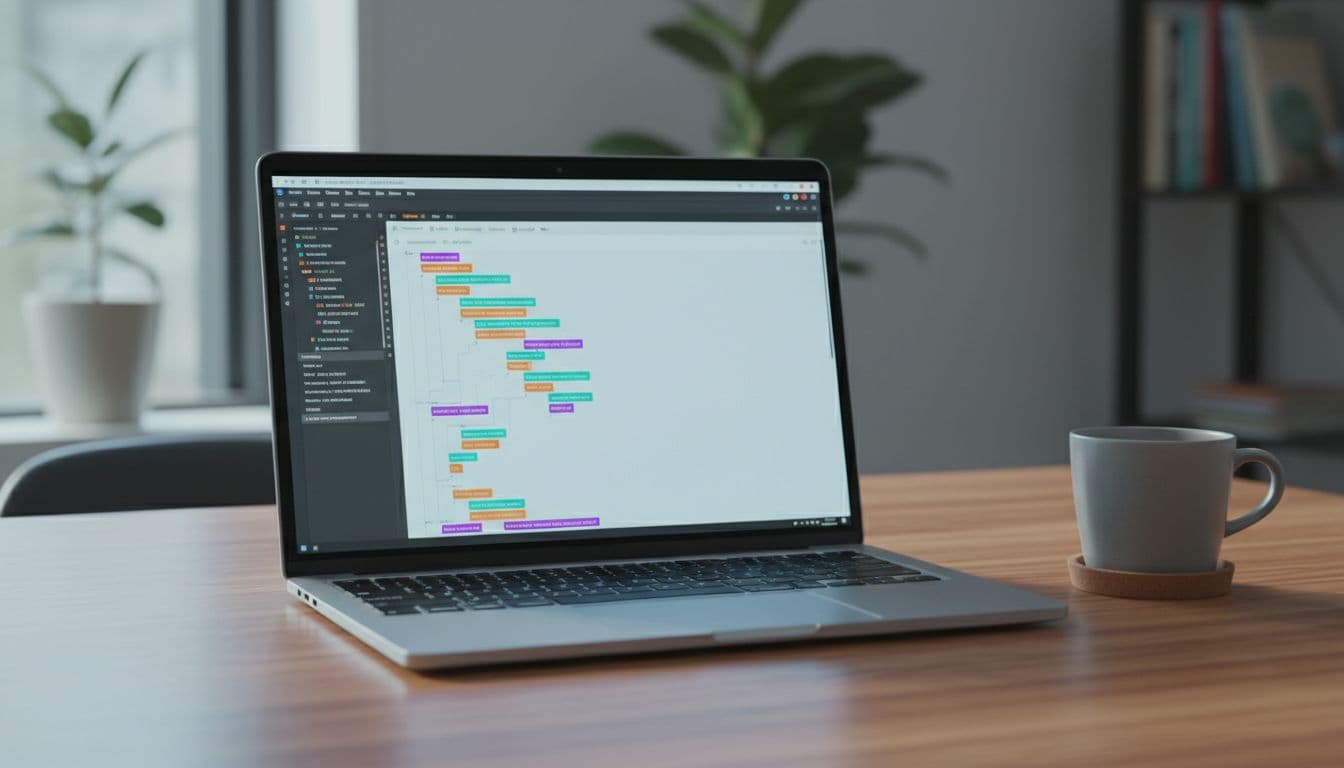
Preload only what matters. Many performance plugins can preload the LCP image and critical CSS, while enabling lazy loading images for non-critical assets. If you control your theme enqueue, set a defer strategy for non-critical scripts: wp_enqueue_script('site', get_template_directory_uri().'/site.js', [], null, ['in_footer'=>true,'strategy'=>'defer']);
Generate critical CSS, then stop loading unused CSS. WP Rocket, LiteSpeed Cache, and similar tools can help, but Time to First Byte and a Content Delivery Network are vital for server-side LCP improvements. Keep it simple: critical CSS for above-the-fold, then remove unused CSS site-wide.
If your LCP element is a giant block of text, check fonts first. Web font delays can make text “appear late,” even when the server is fast.
Cut Interaction to Next Paint (INP) delays without breaking features
Interaction to Next Paint (INP) issues feel like tapping a button and nothing happens. On service sites, render-blocking resources like third-party scripts and page builder extras contribute to these interaction delays.
First, delay JavaScript execution for non-essential scripts. Most caching plugins now offer “Delay JS execution.” Put these in the delay list when safe: chat widgets, review widgets, popups, heatmaps, and marketing tags that don’t affect the first view. To further free up the main thread, minify CSS and JavaScript and remove unused CSS.
Next, unload scripts on pages that don’t need them. Perfmatters or Asset CleanUp can disable plugin assets per page. For example, don’t load slider scripts on every service page if only the homepage uses them.
If you need a tiny theme-side fix for one stubborn script, add a targeted defer tag (single handle only): add_filter('script_loader_tag', fn($t,$h)=>$h==='reviews-widget'?str_replace(' src',' defer src',$t):$t, 10, 2);
Stop Cumulative Layout Shift (CLS) from headers, banners, and embeds
Cumulative Layout Shift is that annoying “page jump” that disrupts visual stability and harms user experience, right when someone tries to tap Call Now. It’s also common on WordPress because widgets load late.
Start with the basics:
Always reserve space for images, videos, and iframes. WordPress does this for images, but embeds and page builder blocks often need manual sizing.
Set a fixed header height using critical CSS to stabilize it and render above-the-fold content early if you use a sticky header. Avoid “shrinking header on scroll” effects unless you keep the layout height stable.
Use font-display: swap on self-hosted fonts, so text doesn’t jump in late. In your font-face rules, ensure font-display: swap; is present.
Also watch for consent banners. Many cookie tools inject a banner that pushes the whole page down. Prefer banners that overlay without resizing content, or reserve a fixed-height slot from the start.
Optimize common service-site elements (sticky CTAs, Google Maps, chat, reviews)
Service sites need conversion tools, but you don’t need all of them on first paint.
Embedded Google Maps: Replace the live embed with a static map image and a click-to-load map (or a simple “Open in Google Maps” button). This usually improves LCP and INP fast, especially for mobile performance.
Sticky phone CTA and header: Keep them, but make them light. Use one icon, one line of text, and fixed dimensions for visual stability. Avoid loading extra icon packs; an SVG is often enough.
Review widgets: Many load large scripts and fonts. Widgets that pull dynamic data benefit from database optimization and improved server response times. If you can, render reviews server-side (cached) or load the widget only after scroll.
Chat: Don’t load it on every page view at once. Delay it until a user scrolls, taps, or spends 10 seconds on page, which supports better mobile performance.
If you want another perspective on balancing performance with modern search visibility, this article on improving Core Web Vitals for WordPress covers the same tradeoffs from an AEO angle.
Measure and verify your Core Web Vitals fixes (workflow that sticks)
Lab tests are helpful, but rankings and leads follow real-world field data from the Chrome User Experience Report. Use a repeatable workflow:
Pick 3 templates (home, service detail, contact or location page). Fix templates, not single URLs.
Run Google PageSpeed Insights on mobile (powered by Google Lighthouse), note the LCP element, total blocking time, and layout shift sources.
Check Google Search Console CWV report for “Poor” groups, then validate after shipping changes.
Re-test in Chrome DevTools using throttling, then click the page like a real user (menu, form, CTA).
Wait for field data to update (often days to weeks). Keep shipping small, safe improvements.
When performance is stable, tie it back to growth work. A faster site supports everything in your wider plan to rank #1 on Google, because it improves user experience so users stick around long enough to convert.
Conclusion
A service site shouldn’t feel like a heavy door. When you fix Largest Contentful Paint, Interaction to Next Paint, and Cumulative Layout Shift in the right order, the whole user experience gets calmer, faster, and easier to trust.
Start with the 30-minute wins, then handle the hero, scripts, and layout stability on your top templates. Once you see core web vitals wordpress improvements in Search Console and better search engine rankings, keep going, because speed work is never “done,” it’s maintained.
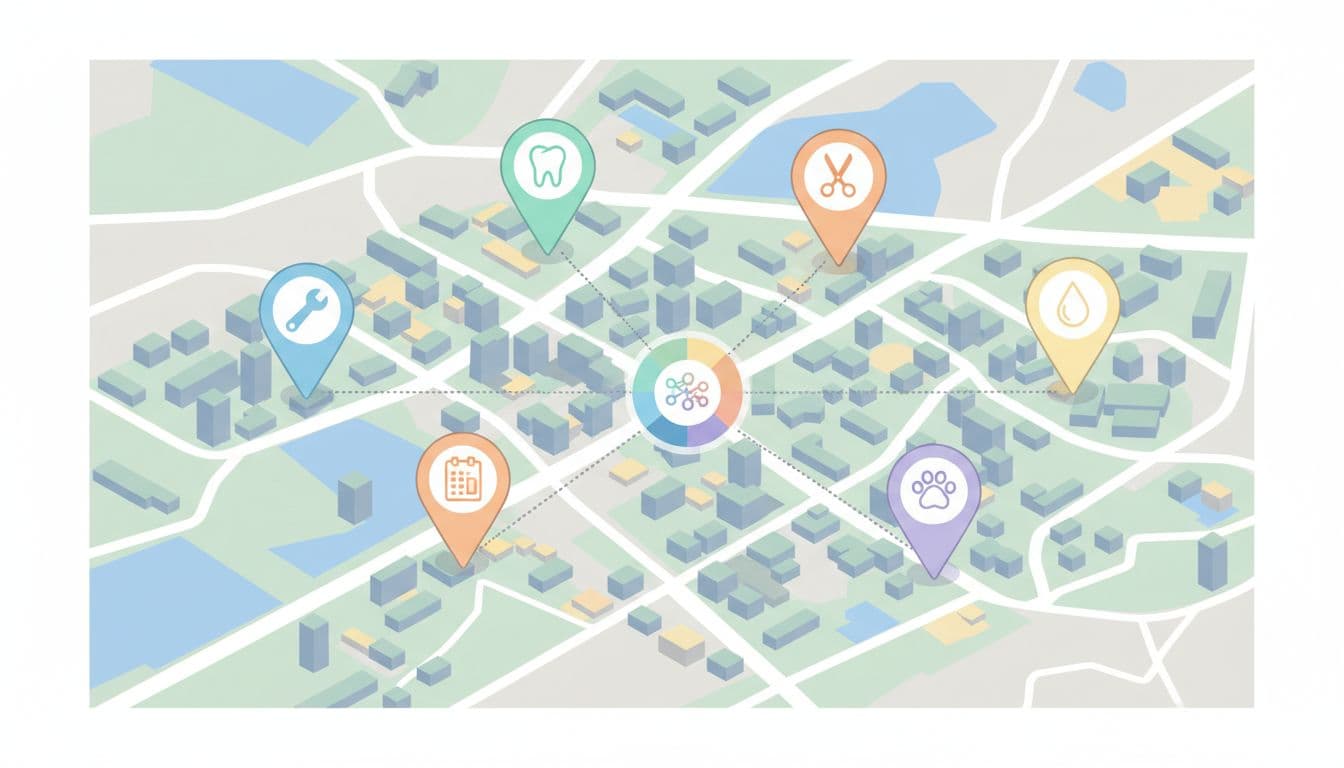
Pins on a city map, a simple visual for planning coverage and page structure, created with AI.
If you serve multiple cities, your website can’t treat every location the same. People don’t search that way for home services. They look for a service, then they look for proof you’ll show up where they live. This behavior drives local SEO.
A strong service area pages template helps you publish faster without shipping a pile of near-duplicate pages. It also keeps your service area pages focused on one job as high-converting landing pages: turning local intent into calls, bookings, and quote requests.
This guide gives you a ready-to-use template (with placeholders), word-count targets, custom content ideas per city, and checks to avoid doorway-page trouble.
What service area pages need to accomplish in 2026
An at-a-glance page layout, showing the key sections a location page should include, created with AI.
In March 2026, many local searches end on the search results page. People tap to call, read reviews, or pick from the map pack. So to compete with strong local search visibility, your service area page has to do two things well: match local intent fast, and reduce doubt fast.
For a service area business, unlike traditional brick and mortar setups, that means clear coverage (where you serve), clear scope (what you do there), and clear next steps (call, booking, quote). It also means your page should support your Google presence, especially your profile details and reviews. Matching these acts as one of many trust signals that can improve the conversion rate. If your on-site claims and profile details don’t match, trust drops.
Reusable pieces vs what must be customized (with word-count targets)
Generic structure versus local customization, shown side by side, created with AI.
Think of location landing pages like store shelves. The shelf shape can match, but the products can’t be identical. Reuse structure, CTA styling, and compliance language. Customize the localized content that proves you actually serve that area.
Here’s a simple range to keep pages useful without turning them into long essays:
Page section
Recommended words
Reusable?
Must customize per location?
Above-the-fold intro + trust line
70 to 120
Structure
City, main pain point, local proof
Services list (scannable)
80 to 140
Structure
Service priorities, local exclusions
Neighborhoods / suburbs served
60 to 120
Structure
Real coverage only
Service radius + boundaries
40 to 80
Partial
Radius, landmarks, edge cases
Customer reviews / proof snippet
60 to 120
Partial
Customer reviews tied to that area when possible
FAQs (3 to 6)
150 to 250
Partial
Local pricing, timing, access, parking
CTA block
40 to 90
Yes
City, tracking number, offer (if any)
Takeaway: reuse the frame, but change the “unique content.” Unique content is what keeps pages from looking cloned. Localized content is key to avoiding duplicate content issues.
The ready-to-use service area pages template (copy, paste, fill)
A clean starting point for a location page draft, created with AI.
Use this as your go-to service area pages template. Keep the headings consistent across cities, then fill the placeholders with real details.
1) Above the fold (70 to 120 words)
[2 to 3 sentences on the main job you solve in City.]
[1 sentence on response time or scheduling window.]
[1 trust line: licensing, warranty, years, or “local team.”]
Explicitly include contact information such as phone details. Call to action button label: [Get a Quote] / [Call Now] / [Book a Visit] Call to action link: [CTA URL] Phone: [City tracking number or main number]
Sample intro block (paste and edit):
Serving [City], we help with [Primary Service] when you need it done right the first time. You’ll get clear pricing, tidy work, and updates you can understand. Most [service type] jobs in [City] can be scheduled within [time window], and urgent requests get priority when available.
2) Services in [City] (80 to 140 words)
List your top services for this location. Keep it honest.
[Service 1]: [One short line on what’s included]
[Service 2]: [One short line]
[Service 3]: [One short line]
Sample service list block:
[Primary Service]: Diagnosis, parts, and fix on the same visit when possible.
[Secondary Service]: Replacement options with clear warranty coverage.
[Maintenance]: Seasonal checks to prevent repeat problems.
3) Neighborhoods and nearby areas served (60 to 120 words)
Neighborhood specific details; Neighborhoods: [Neighborhood 1], [Neighborhood 2], [Neighborhood 3]
Nearby: [Suburb 1], [Suburb 2] Service boundary note: We don’t serve [Not served area] from this location.
Sample neighborhoods block:
We regularly serve [Neighborhoods], plus nearby areas like [Nearby suburbs]. If you’re near [Landmark], you’re usually within our normal route.
4) Reviews and local proof (60 to 120 words)
[2 short review snippets or a summary line.] Review source: [Google / industry platform] Optional proof: [Before/after photos], [case note], [team member in City]
5) FAQ for [City] (150 to 250 words)
Add 3 to 6 questions that people in this city actually ask.
Do you serve [Neighborhood]? [Answer]
What does [Service] cost in [City]? [Range + what changes it]
How fast can you arrive? [Realistic timing]
Do you handle permits/parking/building access? [Answer]
6) Map embed + service radius (40 to 80 words) Google Map embed placeholder: [Google Map embed]. Cross-reference the Google Map embed and Google Business Profile links for consistency. Service radius: [X miles or X km] Coverage notes: [Rivers, bridges, tolls, traffic constraints]
7) Internal linking (placeholders, keep relevant)
Internal link placeholder: [Core service page URL]
Internal link placeholder: [Pricing page URL]
Internal link placeholder: [Contact or booking URL]
Unique content ideas for each location (so pages don’t blur together)
A map-and-CTA layout that helps visitors confirm coverage and act fast, created with AI.
If every city page says the same thing, Google and customers notice, especially since service area pages are essential for mobile businesses. Landing pages should vary across regions. Instead, rotate in location-specific “proof blocks” that are still easy to produce:
Localized content on local job patterns: common issues in that area (older buildings, hard water, seasonal demand).
Route logic: how you schedule that city (days, zones, typical arrival windows).
Building types: apartments, gated communities, industrial parks, coastal homes.
Photos that match reality: team, vehicles, tools, and real before/after from that city.
Local policies: parking, permits, access rules, or HOA restrictions.
When you plan topics and page targets, a simple location keyword map helps. This local SEO keyword research template can speed up the planning.
Compliance: avoid doorway-page signals and duplication issues
Unique content outweighing duplicates, a simple reminder to avoid thin, cloned pages, created with AI.
Doorway pages usually look like this: lots of cities, same copy, same promises, and no real differences. This duplicate content can hurt your search engine rankings, and it can confuse customers.
Unique content is the primary defense against being flagged for doorway pages.
Keep these rules tight:
Only publish a location page if you can actually serve that area at normal quality and speed.
Don’t fake offices. If you’re a service-area business, say so clearly.
Avoid swapping only the city name. Change the proof, the FAQs, and the coverage detail.
Use honest boundaries. A giant radius “just in case” looks suspicious and creates bad leads.
If a page can’t answer “Can you help me here, with this problem, today?” in 10 seconds, it’s not ready.
Final publish checklist (and a clean wrap-up)
A quick pre-publish checklist on a desk, created with AI.
Before you publish, run this quick pass:
Page targets one city (or one tight region), not a whole state.
Intro mentions [City] naturally, plus one real local detail.
Neighborhood list matches your actual dispatch coverage.
Service radius notes include at least one boundary or landmark.
FAQs include at least one city-specific pricing or timing answer.
Reviews or proof feel real, not generic.
Map embed loads and matches the coverage claim.
Schema markup is implemented for local business structured data.
Call to action appears above the fold and near the bottom.
Phone and booking links work on mobile.
Internal links point to the most relevant next step.
Title tag and meta description aren’t copy-pasted across cities.
If you want help building this system across dozens of locations, start with a clear process like these local SEO services teams use to keep pages consistent and measurable.
In the end, a good service area pages template should feel like a reliable checklist, not a content factory. This strategy boosts organic traffic and local SEO performance for landing pages. Keep the structure repeatable, keep the proof local, and your pages will earn trust before the call even starts.
If your service business shows up in Google Maps through local SEO but calls feel random, citations are often the silent problem. A citation is any online mention of your business details in local search results, and in 2026, consistency matters more than volume for appearing in the Map Pack.
Think of local citation building like keeping your business ID card identical everywhere. When it matches, Google (and customers) trust it. When it’s messy, rankings slip, calls go to the wrong number, or duplicates steal your reviews.
Step 1: Run a fast citation audit (with a scoring rubric)
An audit setup for checking NAP accuracy across directories, created with AI.
Start by auditing NAP data across every place your business appears online (business directories, niche sites, and general web mentions). Then score what you find so you know what to fix first.
A simple rubric keeps the team aligned:
Audit factor
Score 0
Score 5
Score 10
NAP match (name, address, phone)
Wrong
Close, minor mismatch
Exact match
Duplicate listings
Many
One duplicate
None found
Listing completeness
Bare-minimum
Some fields filled
Photos, services, hours, URL
Category accuracy
Wrong
Okay
Best-fit primary + relevant secondary
Freshness
Outdated
Updated within 12 months
Updated within 90 days
Quick audit flow (30 to 60 minutes):
Search your brand name, phone, and address on major search engines to identify duplicate listings.
Check top results, then go deeper with “site:directory.com + phone”.
Log mismatches, duplicates, and missing listings.
Prioritize anything that impacts calls, directions, or reviews first; resolving discrepancies helps improve local search engine rankings.
Step 2: Lock a standard NAP format and naming rules
NAP consistency checks across listings, created with AI.
Pick one “source of truth” as the master record for your business information and never freestyle it again. In 2026, tiny differences still create messy entity signals.
NAP (name address phone number) format rules that prevent drift:
Business name: Use your real-world name (no extra keywords like “Best Plumber Near Me”).
Address: Choose one format and stick to it (Street vs St, Suite vs Ste). Don’t mix.
Phone: Use one primary local number everywhere (avoid swapping numbers by channel).
Website URL: Prefer one canonical version (https, with or without www, pick one).
Categories: Keep your primary category consistent, then add 2 to 5 secondary categories where allowed.
Service-area businesses (SABs) need extra care. Keeping your business information consistent across your Google Business Profile and other citations creates the necessary trust signals for local SEO. If you hide your address in Google Business Profile, don’t publish a different address on half your citations. Either commit to a visible address across the ecosystem, or keep it consistently hidden where possible and focus on service areas and city signals.
Step 3: Build citations in tiers (so you don’t waste time)
A tiered approach to citation sources, created with AI.
In March 2026, the pattern is clear: quality beats bulk submissions, and unstructured mentions (news stories, community posts, local blogs) help both rankings and AI-based discovery.
Prioritize manual citation building with this order:
Core citations: Major map and directory ecosystems (start here, always).
Industry citations: industry-specific listings and business directories customers actually use.
Local citations (key to local citation building): Chamber of commerce, neighborhood sites, sponsor pages, local business groups.
Unstructured citations: Local press, event pages, partnerships, “best of” roundups, community forums.
Step 4: Fix duplicates with a merge and suppression playbook
Duplicate listings merging into a single clean entity, created with AI.
Duplicate listings usually come from old addresses, call-tracking experiments, or someone creating a “new” profile instead of claiming the old one. These fragmented profiles split reviews and confuse search engines, which often lower the visibility of businesses with multiple conflicting profiles because they lack a single verified entity.
A practical citation cleanup playbook:
Find them: Search phone numbers, old addresses, and practitioner names.
Claim the correct listing: Use the most complete, most reviewed profile as the “keeper”.
Update the keeper first: Fix NAP, categories, URL, hours, photos.
Request merge or removal: Each platform differs, but most support merge, remove, or “mark as closed”.
Suppress where needed: If you can’t remove it, correct it to match, then minimize damage.
If two listings have different phone numbers, treat it as urgent. Calls and reviews will fragment fast.
Step 5: Multi-location and practitioner listings without cannibalizing
How locations and practitioners connect to one brand entity, created with AI.
For multi-location brands, each branch requires separate business listings with its own consistent NAP and citation set to avoid cannibalization. Don’t reuse one phone number across all locations if customers call branches directly.
Naming conventions that stay clean and improve online visibility:
Locations: Brand Name, City (keep it consistent everywhere).
Practitioners (medical, legal, dental): First Last, Credential (tie to the right location with the same address and main phone when appropriate).
Also, avoid creating practitioner listings on sites that treat them like separate businesses unless patients or clients search by the person’s name. When you do create them, connect them clearly back to the parent practice and correct address to boost local rankings and local SEO performance.
Step 6: Tracking and QA (screenshots, logs, indexation checks)
Citation tracking with proof screenshots and QA columns, created with AI.
If it isn’t logged, it didn’t happen. Build one sheet that stores every login, owner, listing URL, and proof.
Here’s a “downloadable-style” template you can copy into Google Sheets:
Tier
Source
Listing URL
NAP match (Y/N)
Status
Proof (screenshot file)
Last checked
Notes
Core
Google Business Profile
Add URL
Y
Live
File link
2026-03-01
Primary category set
Core
Apple Maps
Add URL
Y
Live
File link
2026-03-01
Photos added
Core
Bing Places
Add URL
Y
Pending
File link
2026-03-01
Awaiting approval
Core
Yelp
Add URL
N
Needs fix
File link
2026-03-01
Old phone showing
For QA, store a submission report for your business listings with:
A screenshot of the live listing (showing NAP and categories if visible).
A screenshot of the edit confirmation screen or email.
A quick indexation check later (some listings get indexed, some don’t, still log it).
This approach ensures long-term record keeping and smooth management of business directories like Yelp.
Step 7: Maintenance cadence and monitoring alerts (2026-ready SOP)
Ongoing monitoring with calendar reminders and alerts, created with AI.
Citations decay as data aggregators often push outdated info, users suggest edits, and platforms auto-fill fields. This makes active citation management a necessity. Set a cadence that matches how often your business changes.
A simple SOP that holds up in 2026:
Weekly: check Google Business Profile for suggested edits and category changes.
Monthly: review your top 10 citations for NAP drift and duplicate listings.
Quarterly: re-run the audit scoring rubric, then fix the lowest scores first.
After any change (move, rebrand, new phone): update core listings within 48 hours, then work down the tiers.
Set alerts wherever the platform allows it (email notifications, owner approvals). Also, keep one owner email for listings, so access doesn’t vanish when staff changes.
Step 8: Common citation pitfalls to avoid this year
Frequent citation mistakes that cause ranking and lead issues, created with AI.
Most citation problems aren’t advanced. They’re small, repeated errors.
One mismatch is noise, many mismatches become a pattern Google can’t trust.
Watch these issues:
Tracking numbers: Use tracking on your website if needed, not as your primary citation phone. If you must track, keep one canonical number and use platform-supported secondary fields only.
Suite numbers: Pick one format (Suite 200 vs Ste 200) and keep it identical.
SAB address hiding: Don’t publish a hidden address on random directories unless you’re ready to standardize it across all your business information.
Category drift: Wrong primary categories cause weak relevance in local search results and impact the health of your business listings, especially for “near me” searches.
Inconsistent abbreviations: St vs Street seems minor, but it multiplies fast across 30 listings, leading to poor local SEO outcomes.
Conclusion
Strong local citation building is a foundational pillar for increasing domain authority and improving local rankings. It’s boring on purpose. It’s careful formatting, smart tier priorities, ruthless duplicate cleanup, and steady maintenance. While automated tools exist, the best results often come from high-quality directory submissions and careful manual submission of data. Once your NAP stays consistent, every other local effort performs better, including reviews and location pages. If you want help turning this into an owned system, explore ClickyOwl SEO services and get a repeatable process in place.