Service Area Pages Template for Multi-Location Service Businesses (2026)

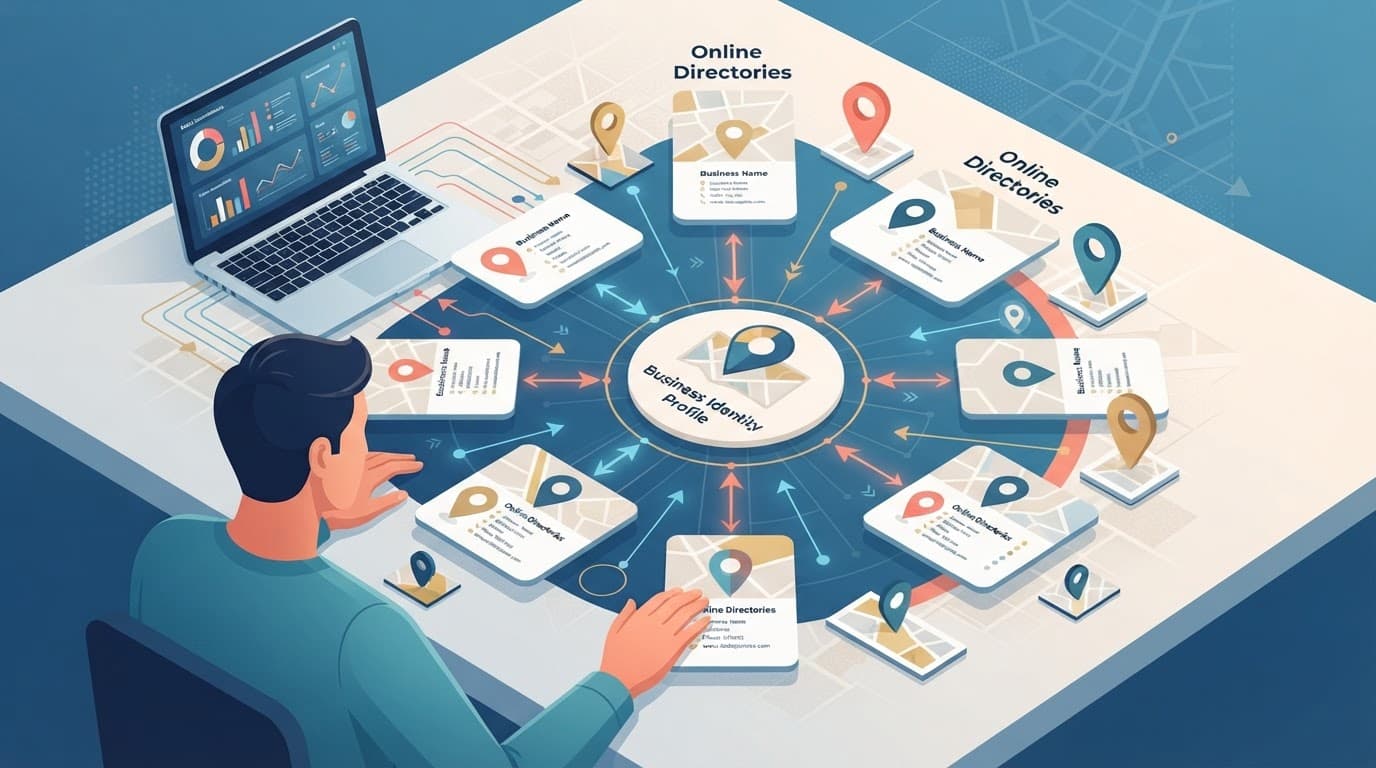
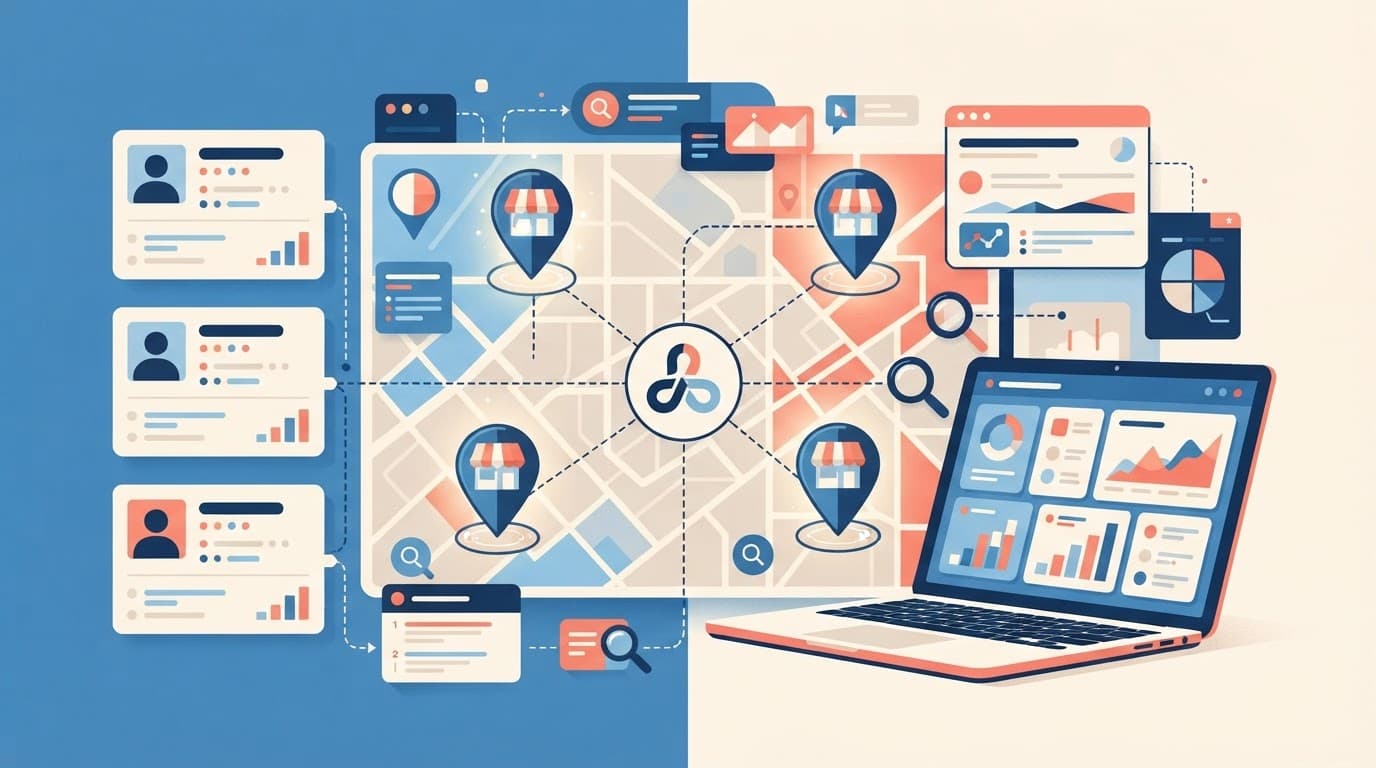
A multi-location service business owner stands over a large city map on a desk with pins marking service areas in a modern office, centered composition focusing on the map and relaxed hands, realistic style with warm natural lighting.
Pins on a city map, a simple visual for planning coverage and page structure, created with AI.

If you serve multiple cities, your website can't treat every location the same. People don't search that way for home services. They look for a service, then they look for proof you'll show up where they live. This behavior drives local SEO.

A strong service area pages template helps you publish faster without shipping a pile of near-duplicate pages. It also keeps your service area pages focused on one job as high-converting landing pages: turning local intent into calls, bookings, and quote requests.

This guide gives you a ready-to-use template (with placeholders), word-count targets, custom content ideas per city, and checks to avoid doorway-page trouble.

What service area pages need to accomplish in 2026

Clean blueprint wireframe of a service area webpage layout with sections for intro, services, map, and FAQs, displayed on a digital tablet screen at a slight angle in a minimalist office desk setting. Top-down composition in technical blueprint style with soft blue lighting, no text, logos, or people.
An at-a-glance page layout, showing the key sections a location page should include, created with AI.

In March 2026, many local searches end on the search results page. People tap to call, read reviews, or pick from the map pack. So to compete with strong local search visibility, your service area page has to do two things well: match local intent fast, and reduce doubt fast.

For a service area business, unlike traditional brick and mortar setups, that means clear coverage (where you serve), clear scope (what you do there), and clear next steps (call, booking, quote). It also means your page should support your Google presence, especially your profile details and reviews. Matching these acts as one of many trust signals that can improve the conversion rate. If your on-site claims and profile details don't match, trust drops.

For a practical refresher on the profile side, see this Google Business Profile optimization guide.

Reusable pieces vs what must be customized (with word-count targets)

Split scene comparing a generic template on the left with a customized location page on the right, featuring abstract icons for services and a map in a modern graphic design studio setting, vibrant illustrative style.
Generic structure versus local customization, shown side by side, created with AI.

Think of location landing pages like store shelves. The shelf shape can match, but the products can't be identical. Reuse structure, CTA styling, and compliance language. Customize the localized content that proves you actually serve that area.

Here's a simple range to keep pages useful without turning them into long essays:

Page sectionRecommended wordsReusable?Must customize per location?
Above-the-fold intro + trust line70 to 120StructureCity, main pain point, local proof
Services list (scannable)80 to 140StructureService priorities, local exclusions
Neighborhoods / suburbs served60 to 120StructureReal coverage only
Service radius + boundaries40 to 80PartialRadius, landmarks, edge cases
Customer reviews / proof snippet60 to 120PartialCustomer reviews tied to that area when possible
FAQs (3 to 6)150 to 250PartialLocal pricing, timing, access, parking
CTA block40 to 90YesCity, tracking number, offer (if any)

Takeaway: reuse the frame, but change the “unique content.” Unique content is what keeps pages from looking cloned. Localized content is key to avoiding duplicate content issues.

The ready-to-use service area pages template (copy, paste, fill)

Photorealistic laptop centered on a wooden desk in a cozy home office, displaying a slightly blurred blank service area page template with placeholders and a coffee mug nearby under soft daylight. No people, hands, readable text, or additional devices are present, with content filling the entire frame.
A clean starting point for a location page draft, created with AI.

Use this as your go-to service area pages template. Keep the headings consistent across cities, then fill the placeholders with real details.

Page H1: [Primary Service] in [City], [State]
URL slug idea: /[primary-service]-[city]/

1) Above the fold (70 to 120 words)
[2 to 3 sentences on the main job you solve in City.]
[1 sentence on response time or scheduling window.]
[1 trust line: licensing, warranty, years, or “local team.”]
Explicitly include contact information such as phone details.
Call to action button label: [Get a Quote] / [Call Now] / [Book a Visit]
Call to action link: [CTA URL]
Phone: [City tracking number or main number]

Sample intro block (paste and edit):
Serving [City], we help with [Primary Service] when you need it done right the first time. You'll get clear pricing, tidy work, and updates you can understand. Most [service type] jobs in [City] can be scheduled within [time window], and urgent requests get priority when available.

2) Services in [City] (80 to 140 words)
List your top services for this location. Keep it honest.

  • [Service 1]: [One short line on what's included]
  • [Service 2]: [One short line]
  • [Service 3]: [One short line]

Sample service list block:

  • [Primary Service]: Diagnosis, parts, and fix on the same visit when possible.
  • [Secondary Service]: Replacement options with clear warranty coverage.
  • [Maintenance]: Seasonal checks to prevent repeat problems.

3) Neighborhoods and nearby areas served (60 to 120 words)
Neighborhood specific details; Neighborhoods: [Neighborhood 1], [Neighborhood 2], [Neighborhood 3]
Nearby: [Suburb 1], [Suburb 2]
Service boundary note: We don't serve [Not served area] from this location.

Sample neighborhoods block:
We regularly serve [Neighborhoods], plus nearby areas like [Nearby suburbs]. If you're near [Landmark], you're usually within our normal route.

4) Reviews and local proof (60 to 120 words)
[2 short review snippets or a summary line.]
Review source: [Google / industry platform]
Optional proof: [Before/after photos], [case note], [team member in City]

5) FAQ for [City] (150 to 250 words)
Add 3 to 6 questions that people in this city actually ask.

  • Do you serve [Neighborhood]? [Answer]
  • What does [Service] cost in [City]? [Range + what changes it]
  • How fast can you arrive? [Realistic timing]
  • Do you handle permits/parking/building access? [Answer]

6) Map embed + service radius (40 to 80 words)
Google Map embed placeholder: [Google Map embed]. Cross-reference the Google Map embed and Google Business Profile links for consistency.
Service radius: [X miles or X km]
Coverage notes: [Rivers, bridges, tolls, traffic constraints]

7) Internal linking (placeholders, keep relevant)
Internal link placeholder: [Core service page URL]
Internal link placeholder: [Pricing page URL]
Internal link placeholder: [Contact or booking URL]

Unique content ideas for each location (so pages don't blur together)

Interactive city map embed with service radius circles and pins next to a prominent call-to-action button mockup on a responsive desktop webpage in clean modern flat design.
A map-and-CTA layout that helps visitors confirm coverage and act fast, created with AI.

If every city page says the same thing, Google and customers notice, especially since service area pages are essential for mobile businesses. Landing pages should vary across regions. Instead, rotate in location-specific “proof blocks” that are still easy to produce:

  • Localized content on local job patterns: common issues in that area (older buildings, hard water, seasonal demand).
  • Route logic: how you schedule that city (days, zones, typical arrival windows).
  • Building types: apartments, gated communities, industrial parks, coastal homes.
  • Photos that match reality: team, vehicles, tools, and real before/after from that city.
  • Local policies: parking, permits, access rules, or HOA restrictions.

When you plan topics and page targets, a simple location keyword map helps. This local SEO keyword research template can speed up the planning.

Compliance: avoid doorway-page signals and duplication issues

A realistic balance scale on a neutral conference room table tips towards unique content outweighing duplicate pages, surrounded by SEO compliance icons under bright overhead light in symmetrical composition with no text, people, or devices.
Unique content outweighing duplicates, a simple reminder to avoid thin, cloned pages, created with AI.

Doorway pages usually look like this: lots of cities, same copy, same promises, and no real differences. This duplicate content can hurt your search engine rankings, and it can confuse customers.

Unique content is the primary defense against being flagged for doorway pages.

Keep these rules tight:

  • Only publish a location page if you can actually serve that area at normal quality and speed.
  • Don't fake offices. If you're a service-area business, say so clearly.
  • Avoid swapping only the city name. Change the proof, the FAQs, and the coverage detail.
  • Use honest boundaries. A giant radius “just in case” looks suspicious and creates bad leads.

If a page can't answer “Can you help me here, with this problem, today?” in 10 seconds, it's not ready.

Final publish checklist (and a clean wrap-up)

Clipboard featuring a printed checklist for publishing service pages with checkmarks, held relaxed by one partially visible hand on a marketer's desk. Blurred laptop in office background, close-up photorealistic composition with natural window light.
A quick pre-publish checklist on a desk, created with AI.

Before you publish, run this quick pass:

  • Page targets one city (or one tight region), not a whole state.
  • Intro mentions [City] naturally, plus one real local detail.
  • Neighborhood list matches your actual dispatch coverage.
  • Service radius notes include at least one boundary or landmark.
  • FAQs include at least one city-specific pricing or timing answer.
  • Reviews or proof feel real, not generic.
  • Map embed loads and matches the coverage claim.
  • Schema markup is implemented for local business structured data.
  • Call to action appears above the fold and near the bottom.
  • Phone and booking links work on mobile.
  • Internal links point to the most relevant next step.
  • Title tag and meta description aren't copy-pasted across cities.

If you want help building this system across dozens of locations, start with a clear process like these local SEO services teams use to keep pages consistent and measurable.

In the end, a good service area pages template should feel like a reliable checklist, not a content factory. This strategy boosts organic traffic and local SEO performance for landing pages. Keep the structure repeatable, keep the proof local, and your pages will earn trust before the call even starts.

Local SEO Citation Building Blueprint For Service Businesses In 2026

If your service business shows up in Google Maps through local SEO but calls feel random, citations are often the silent problem. A citation is any online mention of your business details in local search results, and in 2026, consistency matters more than volume for appearing in the Map Pack.

Think of local citation building like keeping your business ID card identical everywhere. When it matches, Google (and customers) trust it. When it's messy, rankings slip, calls go to the wrong number, or duplicates steal your reviews.

Step 1: Run a fast citation audit (with a scoring rubric)

A plumber sits at a desk reviewing a spreadsheet checklist of NAP data for local citations, with floating map pins and directory icons nearby, and a service truck visible outside the window. Minimalist vector style with subtle 3D accents in high-contrast blues, teals, and charcoal on a light background.
An audit setup for checking NAP accuracy across directories, created with AI.

Start by auditing NAP data across every place your business appears online (business directories, niche sites, and general web mentions). Then score what you find so you know what to fix first.

A simple rubric keeps the team aligned:

Audit factorScore 0Score 5Score 10
NAP match (name, address, phone)WrongClose, minor mismatchExact match
Duplicate listingsManyOne duplicateNone found
Listing completenessBare-minimumSome fields filledPhotos, services, hours, URL
Category accuracyWrongOkayBest-fit primary + relevant secondary
FreshnessOutdatedUpdated within 12 monthsUpdated within 90 days

Quick audit flow (30 to 60 minutes):

  • Search your brand name, phone, and address on major search engines to identify duplicate listings.
  • Check top results, then go deeper with “site:directory.com + phone”.
  • Log mismatches, duplicates, and missing listings.
  • Prioritize anything that impacts calls, directions, or reviews first; resolving discrepancies helps improve local search engine rankings.

For a broader checklist mindset, see this local citation building checklist.

Step 2: Lock a standard NAP format and naming rules

Electrician checking exact matching name, address, and phone across three directory listing panels with green checkmarks and tools on desk. Minimalist vector style with subtle 3D accents in high contrast blues, teals, and charcoal on light background.
NAP consistency checks across listings, created with AI.

Pick one “source of truth” as the master record for your business information and never freestyle it again. In 2026, tiny differences still create messy entity signals.

NAP (name address phone number) format rules that prevent drift:

  • Business name: Use your real-world name (no extra keywords like “Best Plumber Near Me”).
  • Address: Choose one format and stick to it (Street vs St, Suite vs Ste). Don't mix.
  • Phone: Use one primary local number everywhere (avoid swapping numbers by channel).
  • Website URL: Prefer one canonical version (https, with or without www, pick one).
  • Categories: Keep your primary category consistent, then add 2 to 5 secondary categories where allowed.

Service-area businesses (SABs) need extra care. Keeping your business information consistent across your Google Business Profile and other citations creates the necessary trust signals for local SEO. If you hide your address in Google Business Profile, don't publish a different address on half your citations. Either commit to a visible address across the ecosystem, or keep it consistently hidden where possible and focus on service areas and city signals.

For a clear refresher on what counts as a citation and where they show up, use this LocaliQ guide to local citations.

Step 3: Build citations in tiers (so you don't waste time)

Minimalist pyramid diagram illustrating tiers of citations for HVAC businesses: core base with map pins, middle industry directories, top local sites, and apex unstructured mentions, using subtle glows, high-contrast blues/teals on light charcoal background.
A tiered approach to citation sources, created with AI.

In March 2026, the pattern is clear: quality beats bulk submissions, and unstructured mentions (news stories, community posts, local blogs) help both rankings and AI-based discovery.

Prioritize manual citation building with this order:

  • Core citations: Major map and directory ecosystems (start here, always).
  • Industry citations: industry-specific listings and business directories customers actually use.
  • Local citations (key to local citation building): Chamber of commerce, neighborhood sites, sponsor pages, local business groups.
  • Unstructured citations: Local press, event pages, partnerships, “best of” roundups, community forums.

If you want a simple way to explain this to your team, this citation tiers and KPIs overview is a helpful reference.

For a real example of local visibility work in action, see this pet grooming local SEO case study.

Step 4: Fix duplicates with a merge and suppression playbook

Two overlapping map pins merging into one clean pin, alongside a spreadsheet displaying before and after rows for duplicate dentist listings. Minimalist vector style with subtle 3D effects in blues, teals, and charcoal on a light background, no people, text, or logos.
Duplicate listings merging into a single clean entity, created with AI.

Duplicate listings usually come from old addresses, call-tracking experiments, or someone creating a “new” profile instead of claiming the old one. These fragmented profiles split reviews and confuse search engines, which often lower the visibility of businesses with multiple conflicting profiles because they lack a single verified entity.

A practical citation cleanup playbook:

  1. Find them: Search phone numbers, old addresses, and practitioner names.
  2. Claim the correct listing: Use the most complete, most reviewed profile as the “keeper”.
  3. Update the keeper first: Fix NAP, categories, URL, hours, photos.
  4. Request merge or removal: Each platform differs, but most support merge, remove, or “mark as closed”.
  5. Suppress where needed: If you can't remove it, correct it to match, then minimize damage.

If two listings have different phone numbers, treat it as urgent. Calls and reviews will fragment fast.

Step 5: Multi-location and practitioner listings without cannibalizing

Minimalist vector illustration from a desk view showing a city map with precise pins for lawyer branches and practitioners connected by lines, featuring one relaxed person with hands visible in high contrast blues, teals, and charcoal on a light background.
How locations and practitioners connect to one brand entity, created with AI.

For multi-location brands, each branch requires separate business listings with its own consistent NAP and citation set to avoid cannibalization. Don't reuse one phone number across all locations if customers call branches directly.

Naming conventions that stay clean and improve online visibility:

  • Locations: Brand Name, City (keep it consistent everywhere).
  • Practitioners (medical, legal, dental): First Last, Credential (tie to the right location with the same address and main phone when appropriate).

Also, avoid creating practitioner listings on sites that treat them like separate businesses unless patients or clients search by the person's name. When you do create them, connect them clearly back to the parent practice and correct address to boost local rankings and local SEO performance.

Step 6: Tracking and QA (screenshots, logs, indexation checks)

Minimalist vector illustration of a relaxed home service owner at a keyboard, viewing a spreadsheet with screenshot thumbnails, QA columns, and progress bar in blues, teals, and charcoal on light background.
Citation tracking with proof screenshots and QA columns, created with AI.

If it isn't logged, it didn't happen. Build one sheet that stores every login, owner, listing URL, and proof.

Here's a “downloadable-style” template you can copy into Google Sheets:

TierSourceListing URLNAP match (Y/N)StatusProof (screenshot file)Last checkedNotes
CoreGoogle Business ProfileAdd URLYLiveFile link2026-03-01Primary category set
CoreApple MapsAdd URLYLiveFile link2026-03-01Photos added
CoreBing PlacesAdd URLYPendingFile link2026-03-01Awaiting approval
CoreYelpAdd URLNNeeds fixFile link2026-03-01Old phone showing

For QA, store a submission report for your business listings with:

  • A screenshot of the live listing (showing NAP and categories if visible).
  • A screenshot of the edit confirmation screen or email.
  • A quick indexation check later (some listings get indexed, some don't, still log it).

This approach ensures long-term record keeping and smooth management of business directories like Yelp.

Step 7: Maintenance cadence and monitoring alerts (2026-ready SOP)

Minimalist vector illustration of an HVAC technician setting a digital maintenance calendar with alert icons for checks and a nearby monitoring dashboard, featuring subtle 3D accents in high contrast blues, teals, and charcoal on a light background.
Ongoing monitoring with calendar reminders and alerts, created with AI.

Citations decay as data aggregators often push outdated info, users suggest edits, and platforms auto-fill fields. This makes active citation management a necessity. Set a cadence that matches how often your business changes.

A simple SOP that holds up in 2026:

  1. Weekly: check Google Business Profile for suggested edits and category changes.
  2. Monthly: review your top 10 citations for NAP drift and duplicate listings.
  3. Quarterly: re-run the audit scoring rubric, then fix the lowest scores first.
  4. After any change (move, rebrand, new phone): update core listings within 48 hours, then work down the tiers.

Set alerts wherever the platform allows it (email notifications, owner approvals). Also, keep one owner email for listings, so access doesn't vanish when staff changes.

Step 8: Common citation pitfalls to avoid this year

Minimalist vector icons depicting common local citation errors: crossed-out tracking phone, suite mismatch, duplicate pins, wrong categories around a central warning sign on a service van background in blues, teals, and charcoal.
Frequent citation mistakes that cause ranking and lead issues, created with AI.

Most citation problems aren't advanced. They're small, repeated errors.

One mismatch is noise, many mismatches become a pattern Google can't trust.

Watch these issues:

  • Tracking numbers: Use tracking on your website if needed, not as your primary citation phone. If you must track, keep one canonical number and use platform-supported secondary fields only.
  • Suite numbers: Pick one format (Suite 200 vs Ste 200) and keep it identical.
  • SAB address hiding: Don't publish a hidden address on random directories unless you're ready to standardize it across all your business information.
  • Category drift: Wrong primary categories cause weak relevance in local search results and impact the health of your business listings, especially for “near me” searches.
  • Inconsistent abbreviations: St vs Street seems minor, but it multiplies fast across 30 listings, leading to poor local SEO outcomes.

Conclusion

Strong local citation building is a foundational pillar for increasing domain authority and improving local rankings. It's boring on purpose. It's careful formatting, smart tier priorities, ruthless duplicate cleanup, and steady maintenance. While automated tools exist, the best results often come from high-quality directory submissions and careful manual submission of data. Once your NAP stays consistent, every other local effort performs better, including reviews and location pages. If you want help turning this into an owned system, explore ClickyOwl SEO services and get a repeatable process in place.

Lead Gen Keyword Research Workflow for Service Businesses in 2026

If your phone isn't ringing, even a keyword list with high search volume isn't the problem, your lead gen keyword research workflow is. High volume does not always signal high intent from your target audience. In 2026, service buyers search with urgency, compare faster, and expect a short path from “I need help” to “booked.”

This post lays out a repeatable process you can run every month (and refresh quarterly) to find terms that drive calls, form fills, and booked appointments as a key part of your broader SEO strategy. You'll also get a practical scoring rubric, so your team stops debating and starts publishing and testing.

Start with a lead definition (not just traffic)

A modern minimalist 3D isometric infographic depicting a lead generation roadmap with funnel diagram, workflow arrows, appointment booking icons, checklist, and magnifier, featuring one diverse stylized service business owner reviewing a digital dashboard on white background.
Caption: A lead-focused roadmap that uses relevant keywords to tie search intent to booked appointments and business goals, created with AI.

Before you pull a single query, lock down what counts as a lead for your lead generation strategy. Otherwise, you'll “win” rankings that never turn into revenue.

Set these five inputs first (save them in a one-page doc and reuse every cycle):

  • Lead actions that matter: calls over 60 seconds, quote requests, consult bookings, direction clicks, live chat starts.
  • Service boundaries: exact service list, minimum job size, industries you won't take, buyer personas to ensure leads match the ideal customer profile.
  • Service area rules: city list, zip codes, drive-time radius, “we don't go there” zones.
  • Sales path: who answers the phone, how fast, and what happens after the form fills.
  • Tracking plan: if you can't trust conversion data, you can't trust keyword decisions.

For tighter tracking in 2026 (especially with privacy changes and tag drift), use a checklist like accurate lead tracking in GA4 to improve conversion rates and ensure ROI before you scale content or ads.

A keyword is only “good” if it has a clear next step, and your site makes that step easy.

Collect seed keywords from the places leads already show up

Minimalist 3D isometric illustration of a stylized marketer at a desk with laptop, brainstorming keywords using magnifier icon, seed network graph, and subtle funnel icons in a modern clean tech style on white background.
Caption: A practical seed-keyword capture process built from real customer language, created with AI.

Seed keywords should sound like your customers, not like a marketing brainstorm. Start where intent already exists, then expand.

Run this short weekly capture, then consolidate monthly:

  1. Pull Search Console queries that got impressions (even if clicks are low). These often hide long-tail keywords.
  2. Review call logs and form fields for wording customers use (“leaking,” “same-day,” “after hours,” “cost,” “insurance”).
  3. Scan reviews (yours and competitors) for repeating problems and service outcomes.
  4. List your “money pages” (each core service) and write 10 plain-English ways a customer asks for it.
  5. Check competitor navigation and FAQs for categories you missed during competitor analysis, then re-phrase in your brand voice.

Keep all your relevant keywords in one sheet with columns for: keyword, service, location, intent guess, preferred landing page, and notes from sales calls.

Use AI to expand, but keep it grounded

Minimalist 3D isometric infographic with AI nodes connected to keyword clusters, prompt cards, abstract chat bubbles, and subtle spreadsheet icon on white background using deep navy, teal, cobalt, and amber colors.
Caption: AI-assisted expansion that groups variations without losing buyer intent, created with AI.

AI helps you generate variations, but it can also invent demand. Treat it like a junior researcher: fast, helpful, and still supervised.

Use AI after you've collected real phrases, then ask it to:

  • Expand by problem, service type, urgency, price framing, and qualification (commercial vs residential, emergency vs planned).
  • Suggest questions that signal high intent (“how much,” “near me,” “open now,” “best,” “licensed”).

Then validate in the real world by checking the SERP, your analytics, and tools like Google Keyword Planner for estimated CPC data. For a solid 2026 reference point on AI-assisted research methods, skim AI-powered keyword research guidance.

Cluster by intent and match each cluster to a conversion path

Clean editorial hybrid style minimalist 3D isometric tech infographic with keyword clouds grouped into intent clusters, funnel shapes, map pins, and subtle network graphs using navy, teal, cobalt, and amber colors on white background.
Caption: Intent clusters that connect search terms to the right page and call-to-action, created with AI.

Clustering by search intent isn't busywork. It's how you stop sending “hire me now” searchers to an educational blog post. By grouping keywords into search intent buckets, you map each to high-value landing pages and a single best next action.

  • Emergency / urgent (transactional intent): push phone calls (sticky call button, short form, service area trust signals).
  • Quote / pricing (high-intent keywords): push form fills (estimate form, financing, “what affects price” section).
  • Provider comparison: push booked consults (case studies, reviews, credentials, before-after).
  • How-it-works research (informational intent): push soft conversions (download, checklist, email capture), then retarget.

After clustering, assign each cluster to one landing page type: service page, location page, comparison page, or FAQ hub. Direct traffic to optimized landing pages that match the search intent. If your sales cycle is longer (common in B2B services), align clusters to decision stages the way a team offering data-driven B2B keyword research would, so content supports pipeline, not just clicks.

Local modifiers that drive calls and booked visits

A modern clean tech infographic in hybrid minimalist 3D isometric style featuring a map grid of service areas with location pins connected to a conversion funnel path, chat bubbles, and appointment icons on a white background with subtle shadows and high clarity.
Caption: Local intent signals (map pins, service areas, and funnels) tied to conversion actions, created with AI.

Local intent usually shows up in small words that change everything: “near me,” neighborhood names, “open now,” and “24/7.” Build a short modifier library once, then reuse it to boost organic search rankings. Use negative keywords to filter out non-local or irrelevant traffic.

Start with:

  • City + service (“sprinkler repair Plano”)
  • Neighborhood + service (“estate planning Buckhead”)
  • Urgency (“emergency dentist open now”)
  • Trust filters (“licensed,” “insured,” “same-day”)
  • Service qualifiers (“commercial,” “pediatric,” “after-hours”)

If you need a deeper refresher on local research structure, local keyword research basics is a useful reference.

Score and pick winners with a lead-quality rubric

Modern editorial clean tech infographic in hybrid minimalist 3D isometric style with crisp vector overlays, featuring a spreadsheet-like grid, score badges, abstract rubric panels, checklist icons, subtle magnifier, and a stylized marketer reviewing scores on white background with deep navy, teal, cobalt, and warm amber colors.
Caption: A simple scoring grid that helps teams prioritize keywords for lead quality, created with AI.

Here's the part that makes this workflow repeatable: a shared scoring system. Rate each relevant keyword 1 to 5, multiply by weight, then sort.

Use this table as your baseline:

FactorWhat “5” looks likeWeight
Lead qualityFits your best customer, job size, and margins30%
Intent strengthClear hire/buy signal (call, quote, book) that boosts quality score through page relevance25%
Keyword difficultyYou can realistically rank with your site strength15%
LocalityIncludes a service area or “near me” signal15%
Conversion pathObvious landing page and CTA match15%

Takeaway: your top picks should score high on lead quality and intent even if volume is low. These insights also inform PPC keyword research for paid campaigns. One booked job beats 200 “DIY” visits every time.

Turn it into a monthly SOP your team can repeat

Modern minimalist 3D isometric infographic illustrating a monthly workflow checklist with calendar, SOP binder icons, repeating arrows, funnel, dashboard, and stylized business owner planning on a white background with high clarity and negative space.
Caption: A monthly keyword research SOP that creates consistent lead-focused output, created with AI.

A workflow only works if it survives busy months. Put this on a calendar and assign owners.

Monthly (90 minutes):

  1. Export new queries and leads (GSC, GBP insights, call tracking, form data).
  2. Add 20 to 50 new terms to your master sheet.
  3. Re-score your “Top 20” based on last month's leads.
  4. Ship 1 to 2 new pages or major upgrades through content creation (service page sections, FAQs, pricing blocks).
  5. Log outcomes: calls, form fills, booked appointments, qualified lead rate, and search engine rankings.

Quarterly (half-day):

  • Conduct audience research to refresh clusters, prune pages that attract junk leads, and expand winning locations through content creation.
  • Compare against your plan, using a framework like proven steps for Google SEO success to keep your lead generation strategy execution focused.

Conclusion

Service-business growth in 2026 comes from picking relevant keywords with clear search intent, then building pages that make contact simple. When your lead gen keyword research runs on a rubric and an SOP as part of your SEO strategy, your team stops guessing and starts compounding results. Set your lead definition, cluster by intent to avoid keyword cannibalization, score hard, then ship improvements every month. The next time someone searches in a hurry, will they find a page that makes booking effortless?

Local SEO Keyword Research Template for Service Businesses in 2026

Clean modern 2D vector flat design of a neighborhood map grid featuring a central local map pin, search bar overlay, and nearby keyword list spreadsheet icon. High contrast blues and teals palette with orange accent on white light background, ample negative space and simple shapes.
Local intent starts on a map, not a homepage, this illustration was created with AI.

If you run a service business, you don't need “more traffic.” You need the right calls from people nearby who need help now.

That's why local SEO keyword research in 2026, as part of a solid local SEO strategy, looks less like chasing big search volumes and more like building a clean, repeatable system. One that starts with identifying seed keywords for your main services, maps real services to real neighborhoods by selecting a primary keyword for each targeted page, then turns that list into pages you can rank and track.

Below is a template-first approach you can copy, score, and reuse, whether you're a plumber, dentist, roofer, or a small agency supporting them.

What matters in 2026: local pack, GBP signals, and AI answers

Clean modern 2D vector flat design priority scoring chart with stars review icons on neighborhood grid background, entity and GBP signals icons, subtle gradients in blues teals orange accents on high contrast white background. Minimal single focal point simple shapes ample space landscape orientation no text no logos no people.
Prioritizing keywords is really prioritizing leads, this illustration was created with AI.

In 2026, many local searches end before a person ever reaches your site. They may tap a map result, call from your Google Business Profile, or get a quick answer in AI summaries. That changes what “good” research looks like, as search intent is driven by mobile search and voice search queries.

First, plan around how the local pack behaves. Results shift by the searcher's location, and “near me” often means “near where I'm standing.” So city-level terms alone aren't enough. You want neighborhood, landmark, and “open now” style modifiers, the phrases people use when the problem is urgent. Distinguish between explicit local keywords (like service plus city) and implicit local keywords (such as near me queries); both count as geo-modified keywords that impact the map pack and visibility in local search results, regardless of total search volume.

Second, treat your Google Business Profile as a main conversion asset. A strong profile supports local visibility with accurate categories, service areas, attributes, photos, posts, and review activity. If you want more context on how profiles and AI features are changing local search, see this Google Business Profile AI guide.

Third, expect AI-generated results to quote or summarize clear, specific content. In practice, that means your keyword list should point to pages that answer common local questions fast: service scope, pricing ranges, turnaround times, areas served, and proof (reviews, certifications, real project photos).

If your keyword can't be tied to a page that can win trust in 10 seconds, it's usually not a priority.

Finally, think in entities, not just phrases. Consistent business details across the web, service-area clarity, and local mentions help search engines connect the dots. A keyword list that ignores those signals often produces pages that never move.

For extra reading on map pack tactics and what tends to influence visibility, reference a local pack optimization guide for 2026.

Copy/paste keyword research template (with scoring you can actually use)

Clean modern 2D vector flat design spreadsheet template with columns for keyword, service, location, and intent, featuring service van icon, wrench, and GBP profile icon on high-contrast white background with subtle blue, teal, and orange gradients.
Use one sheet to keep service, location, and intent connected, this illustration was created with AI.

Use this table as your master keyword mapping sheet for local SEO keyword research. It's designed for small teams that need speed and consistency. Start with seed keywords like “plumber Austin” in Google Keyword Planner to uncover long-tail keywords and near me keywords, then assign a primary keyword to each row based on search intent.

Before the table, set a simple scoring rule so you don't argue about priorities.

Priority Score formula (0 to 100):
Priority Score = (Intent 0 to 25) + (Revenue fit 0 to 20) + (Local fit 0 to 20) + (SERP chance 0 to 20) + (GBP support 0 to 15)

Quick scoring criteria:

  • Intent: 25 = emergency or ready-to-book (transactional search intent), 15 = comparison, 5 = learning.
  • Revenue fit: higher margin or repeat work scores higher.
  • Local fit: includes neighborhood, suburb, or “near me” language with location modifiers you can genuinely serve.
  • SERP chance: you already have a relevant page, or low keyword difficulty from competitor analysis and SERP analysis shows competitors look beatable (factor in search volume here).
  • GBP support: can you support it with Google Business Profile categories, services, photos, posts, and reviews.

Copy/paste this blank template:

KeywordServiceLocationModifierIntent (0-25)Page typeGBP actionPriority score (0-100)NotesSource

Now here's a filled example for a sample service business: a plumber serving Austin, TX (including a few neighborhoods).

KeywordServiceLocationModifierIntent (0-25)Page typeGBP actionPriority score (0-100)NotesSource
emergency plumber South AustinEmergency plumbingSouth Austinemergency25Location service pageAdd “Emergency service” details, post after-hours note92Add response time and fee rangeCustomer calls
water heater repair near meWater heater repairAustinnear me25Core service pageAdd water heater photos, service list88Build FAQ for common brandsSearch suggestions
drain cleaning ZilkerDrain cleaningZilkerneighborhood20Location service pageAdd Zilker service area mention80Add local case studyCompetitor pages
leak detection Austin costLeak detectionAustincost15Pricing guideAdd “estimates” info in Q&A70Include typical ranges, factorsCustomer emails

The takeaway: each row points to an action through keyword mapping, not just a phrase. That's where many teams finally start seeing momentum.

Turn your research into a page plan and tracking workflow

Clean 2D vector flat design of a workflow funnel from research to page plan to tracking, featuring analytics charts, AI nodes, and local pack icons on a high-contrast white light background with blues, teals, and orange accents.
Research only pays off when it becomes pages, profile updates, and tracking, this illustration was created with AI.

Once the sheet from your local SEO keyword research exists, the next win is turning it into a simple pipeline as part of your local SEO strategy and content strategy that you can repeat every month.

Workflow (research to results):

  1. Cluster: group rows by service (water heater, drain, emergency), then by area (city, suburb, neighborhood).
  2. Assign a page type: one strong core service page first, then supporting location pages, then one or two proof pages (pricing, FAQs, case studies). Optimize meta descriptions with location-specific phrases for better click-through.
  3. Pair every page with a GBP task: add photos for that service, publish a short post, request reviews that mention the job type, confirm services and categories match reality, and audit NAP citations.
  4. Ship, then refine: publish pages, watch calls and form fills, then rewrite sections that don't convert.

Use this page plan table to stay organized:

PagePrimary topicTarget areaSupports which keywordsProof to addPrimary conversion
/water-heater-repair/Water heater repairCity-widerepair, replacement, installphotos, warranty info, FAQscall
/drain-cleaning-zilker/Drain cleaningZilkerneighborhood + servicelocal job story, before/aftercall
/pricing/Pricing guideService areacost, estimate, ratesranges, factors, what's includedquote request

Then track like a business owner, not like a spreadsheet collector. Keep it light, but consistent:

  • GBP metrics: calls, direction requests, message clicks, photo views.
  • Organic traffic: monitor organic traffic for specific search queries to see performance in local search results despite fluctuating search volume.
  • Lead quality: which pages drive booked jobs, not just visits.
  • Local visibility: spot-check core terms from a few nearby ZIP codes.

If AI answers reduce clicks, your goal shifts: win the mention, win the map result, and make the call easy.

If you want a real-world example of how local targeting and service-focused pages can improve visibility, this local SEO success case study for beauty professionals shows how a structured approach can support lead growth.

For another perspective on building repeatable steps, compare your process with an AI-powered local SEO workflow guide, then adapt it to your market.

Conclusion

A good keyword list shouldn't feel like homework. It should feel like a shortlist of jobs you want more of, tied to the exact places you serve.

Start with local SEO keyword research that connects service, location, intent, and a clear next action; it's the foundation of a sustainable local SEO strategy. Score it, build pages that answer fast, and back it up with a strong GBP and real proof. Then track calls and bookings from the map pack and local search results, not vanity search volume metrics.

If you could rank for just five local searches that bring your best jobs, which ones would you pick first?

Service Business SEO: A 90-Day Content Plan for 2026

If your phones aren't ringing from organic traffic, it usually isn't “because service business SEO is dead.” It's because your content isn't answering the exact local questions people ask in 2026, in a format search systems can trust for local SEO and search engine optimization.

This 90-day service business SEO plan is built for busy owners and marketing managers of service based businesses focused on lead generation. You'll publish the right pages first, support them with helpful local content, keep your Google Business Profile active, and track results weekly without drowning in dashboards.

What matters for service business SEO in 2026 (AI answers, local proof, trust)

Professional B2B illustration of a generic AI search assistant icon next to local map pins and service van tools icons in subtle isometric flat hybrid style. Features high-contrast design with lots of white space, deep blue, teal, and warm gray palette, soft shadows, and crisp vector-like edges.
An AI-style search assistant next to local service signals, created with AI.

In 2026, the landscape of local SEO and home services SEO shifts as people search with longer, more specific questions. They also accept answers from AI summaries, but they still hire based on trust signals. That means your content has two jobs: help someone decide, and prove you're real.

Start your 90 days with three foundations:

  • Clarity: One primary service per page aligned with search intent, one clear next step (call, book, request quote).
  • Local evidence: Photos of real jobs, service areas, pricing ranges, before and after examples, and reviewer language you hear on calls to stand out in local search results and Google Maps.
  • Consistency: Accurate business info everywhere, especially your Google Business Profile (Google's own checklist helps: complete your Google Business Profile).

If you need a reference point for how agencies structure the work, skim a practical 90-day sprint model like Local SEO sprints for 2026, then simplify it for your team. For hands-on support, you can also compare what “done-for-you” looks like on ClickyOwl's SEO services.

The goal isn't more content. The goal is fewer, stronger pages that match how people choose a provider.

A sample topic cluster that fits almost any service business

Professional B2B hub-and-spoke diagram for topic clusters, connecting a central hub to spokes with local service icons like tools, map pins, and review stars in subtle isometric flat hybrid style with high contrast, ample white space, and a palette of deep blue, teal, and warm gray.
Topic cluster hubs and spokes for local services, created with AI.

For any service area business, keyword research reveals how a topic cluster keeps you from posting random blogs that never rank. Think of it like a neighborhood map: one “main street” page, then side streets that support it.

Use this generic cluster as a plug-and-play template (swap in your service and cities):

Cluster partPage typeExample topicPrimary intent
HubCore service page“Water Heater Repair”Hire
Spoke 1Problem page“No hot water, causes and fixes”Diagnose then hire
Spoke 2Cost page“Water heater repair cost in (City)”Budget then hire
Spoke 3Location page“Water heater repair service area pages in (Neighborhood)”Local hire
Spoke 4Comparison page“Repair vs replace a water heater”Decide
Spoke 5Proof page“Recent jobs and reviews (City)”Trust
Spoke 6FAQ page“Warranty, timing, permits, brands”Reduce friction

Keep internal links tight to target high intent keywords and transactional keywords. Every spoke should link back to the hub using natural anchor text. Then the hub links out to the top spokes. If you also serve SaaS or product businesses, the internal linking logic is similar to product-led SEO for SaaS, just applied to local intent and service areas.

90-day editorial calendar template (what to publish each week)

A 90-day calendar grid with sequential blocks marked for content publishing weeks, featuring integrated service business motifs like vans, map pins, and tools icons in a subtle isometric flat hybrid style. High-contrast design with ample white space, professional B2B color palette of deep blue, teal, and warm gray, soft shadows, and crisp vector-like edges.
An at-a-glance 90-day publishing calendar for service businesses, created with AI.

This content marketing and local SEO template assumes one strong publish per week (plus lighter updates). That pace is realistic, even for a small team, and it keeps quality high.

WeekPrimary publish (1)Secondary action (lighter)Local trust action
1Update main service hubAdd FAQs to hubAdd 10 new job photos to Google Business Profile
2Cost page for top serviceRefresh title tags on 5 pagesAsk 5 recent clients for customer reviews
3“Repair vs replace” pageAdd internal links to hubPublish 1 case story on site
4Location page (area 1)Add service area blurbsReply to every Google Business Profile customer review
5Problem page (top call driver)Add 5 FAQs + schemaPost “before/after” Google Business Profile update
6Location page (area 2)Improve images + alt textAdd services and attributes in Google Business Profile
7Proof page (jobs, reviews)Add author and license infoUpload 10 more photos to Google Business Profile
8FAQ page (operations)Fix thin pagesRequest customer reviews with service keywords
9Location page (area 3)Improve CTAs sitewideGoogle Business Profile post about seasonal checklist
10Second service hub or sub-serviceAdd comparison linksAdd Q&A to Google Business Profile
11Problem page (secondary)Update internal linksShare a short customer story on Google Business Profile
12Pricing and financing optionsAdd lead magnet or estimate formPublish “limited slots” update (true only)
13Consolidate and refresh winnersPrune 2 weak postsReview report, plan next 90 days

One rule keeps this calendar from failing: don't ship thin AI drafts. Use AI to outline, but add real local detail, pricing context, photos, and the exact questions your staff hears in your service based business.

On-page SOP checklist (use this every time you publish)

Professional isometric flat hybrid style on-page SEO checklist with checkmarks, headings, schema nodes, and internal links icons for B2B service businesses. Features high-contrast design, deep blue, teal, and warm gray palette, ample white space, soft shadows, and crisp edges; landscape 16:9 format with no people or text.
An on-page publishing checklist for local SEO pages, created with AI.

After completing a technical SEO audit, treat this like a pre-flight check. Miss one item and your page can still “look done” while underperforming.

  • Search intent match: The first 120 words confirm who the page is for and what you do.
  • Title and H1 alignment: Similar meaning, not identical, both include the service naturally.
  • Proof near the top: Add 1 to 2 photos, a short testimonial snippet, or a credential.
  • Service area clarity: Mention city or neighborhoods where it's honest, don't spam a list. Ensure NAP data consistency across your site and build local citations.
  • Helpful sections: Costs, timelines, what's included, what can go wrong, FAQs.
  • Internal links: Link to the hub, one related spoke, and your contact page.
  • Schema and FAQs: Add FAQ markup when you truly answer common questions.
  • Strong CTA: One main action, repeated once, with a clear expectation (hours, response time) to boost conversion rates.

If you want a simple framework for prioritizing page edits, borrow the “step” mindset from this Google ranking plan and apply it to your top service and top locations first.

Google Business Profile posting cadence (fast wins that look real)

Professional B2B Google Business Profile card in subtle isometric flat hybrid style with map pin, review stars, service van icon, and local service elements. High-contrast design featuring deep blue, teal, warm gray colors, ample white space, soft shadows, and crisp edges, with no people, brands, text, or watermarks.
An illustrated Google Business Profile-style card with local trust elements, created with AI.

Google Business Profile activity is your “open for business” signal and boosts visibility in the Google Map Pack. Keep it steady, not spammy. If you want a deeper playbook, compare your habits to Google Business Profile best practices for 2026.

Here's a simple cadence that fits most service businesses:

ItemCadenceExample ideas
Photos2x per weekJob site, team, equipment, finished result
Posts1x per weekSeasonal tip, quick checklist, service highlight, Local Services Ads promo
Q&A2 per month“Do you offer same-day?” answered by you
ReviewsOngoingAsk for customer reviews after job completion, reply within 48 hours for reputation management

Post ideas that earn clicks: “3 signs you need (service),” “What we check in a 20-minute visit,” and “A real fix we did this week,” with one photo.

KPI tracking sheet fields, weekly reporting cadence, and a low-cost tool stack

High-contrast analytics dashboard in subtle isometric flat hybrid style for service business SEO, featuring before-after traffic graph with upward trend and KPI metrics icons, using deep blue, teal, and warm gray palette with ample white space and soft shadows.
A simple SEO reporting dashboard with trend lines and KPI tiles, created with AI.

Track what turns into calls, not vanity metrics. Use a simple sheet with these fields:

CategoryFields to track weekly
Content outputPages published, pages updated, internal links added
Search (site)GSC clicks, impressions, top queries (including near me searches for local SEO), top pages
LeadsCalls, forms, bookings, qualified leads (yes or no)
LocalGoogle Business Profile calls, direction requests, website clicks, review count
TrustNew photos added, new testimonials, response time to reviews

Weekly cadence as part of this marketing strategy: check numbers Monday, pick one fix Tuesday, publish Wednesday, promote with Google Business Profile Thursday, and review wins Friday.

For tools, keep it lightweight: Google Search Console, GA4, a spreadsheet, and one rank tracker (see keyword rank tracking tools if you're comparing options). If budget is tight, start with Semrush free tools for auditing local citations on citation sites plus a short list like best free SEO tools in 2026.

Conclusion

A 90-day service business SEO plan works because it forces focus on search engine optimization. You publish the pages that drive decisions, support them with local proof, and measure progress every week. Most importantly, you build trust in places people actually look, your site, your Business Profile, and your reviews. Pick week one from the calendar, put it on the team's schedule, and ship the first update today to boost lead generation.

Google Business Profile Optimization Guide for Local Leads in 2026

Illustration of a city street storefront highlighted by a glowing map pin, with upward arrows showing phone calls, directions, and bookings from a search bar in an urban background.
Your Google Business Profile (formerly known as Google My Business) acts like a digital storefront on Google Maps, turning local searches into calls, direction requests, and bookings through local SEO (created with AI).

AI image prompt: Local storefront with a map pin and lead actions flowing from search.

If your Google Business Profile feels “fine,” it might still be leaking leads. In 2026, a profile can look complete but still fail to trigger calls, messages, and bookings.

That's why google business profile optimization is less about filling boxes and more about removing friction. Your goal is simple: when someone finds you on Google Maps, they should know you're the right choice, and they should have one clear next step to improve local search results and boost your local ranking.

Google also leans harder on on-profile content now. March 2026 updates highlight AI-assisted Q&A, stronger review tools, easier booking connections, and multi-location post scheduling. In other words, your profile isn't a directory listing anymore, it's a mini sales page.

Claim, verify, and protect your Google Business Profile from sudden shutdowns

A laptop on a modern desk shows a blurred screen with profile verification process, highlighted by green checkmark icons and a map pin confirming location, with a business card nearby. Clean, professional illustration focusing on verification success elements.
Verification and ownership steps keep your Google Business Profile stable and editable when you need it most (created with AI).

AI image prompt: Laptop scene showing verification success with a checkmark and map pin.

First, lock down ownership. Use one Google account for admin access, then add staff as managers. That way, you won't lose control when someone leaves.

Next, verify and double-check your business information and contact information, because 2026's AI-powered Q&A can pull answers from your Google Business Profile and reviews. Bad inputs create bad answers. Maintaining a verified Google Business Profile is critical for appearing in local search results and avoiding revenue-impacting suspensions.

Avoid the fastest way to get suspended: changing your business name to include extra locations or services. Keep the name exactly like your signage and legal brand.

A suspended Google Business Profile isn't an SEO issue, it's a revenue issue. Treat edits like you'd treat a change to your bank account.

If you want a second set of eyes, compare your setup to a current checklist like this Google Business Profile optimization checklist for 2026.

Field-by-field setup that drives calls, messages, and bookings

Clean modern illustration of an organized business profile dashboard with icons for name badge, address pin, clock hours, phone, website link, service list, and category tags neatly arranged on a complete info panel. Features subtle flat UI elements with slight 3D depth in a bright professional palette of white, light gray, blue, and green accents.
A well-filled profile helps Google match you to high-intent local searches (created with AI).

AI image prompt: Organized profile fields dashboard with icons for categories, services, and contact info.

Think of each field as a shelf label in a store. When labels are clear, shoppers buy faster. When fields are vague, they wander to a competitor.

Use this field-by-field checklist:

  • Primary category: Choose what you are, not what you sell sometimes (for example, “Plumber,” not “Home Services”).
  • Secondary categories: Add only true services you deliver daily.
  • Services: Create service items that match how customers ask (examples: “Emergency drain cleaning,” “AC installation,” “Same-day pest control”).
  • Business description (lead-gen text field): Lead with location + core outcome + proof (years, warranty, licensing), then end with a direct CTA.
  • Appointment / booking link: Point to a page that loads fast and has one action.
  • Attributes: Add payment types, accessibility, and service options (on-site, online estimates, same-day).
  • Service areas (if relevant): Use real coverage zones, not a huge radius “just in case.”

Relevance (from matching categories and services), proximity (from location and service areas), and business information (from complete fields) influence your position in the map pack on Google Maps. Optimize your Google Business Profile with this checklist for top local visibility.

For a practical example of how local demand translates into real leads, skim this pet grooming local SEO case study.

Photos and Videos, Google Posts, and 2026 Features that Lift Click-Through Rate

A camera device uploads photos to a transforming profile card featuring images, videos, update post bubbles, and CTA button icons, with a rising visibility graph emphasizing content boost. Clean modern SEO marketing illustration with subtle media UI elements, flat design, slight 3D depth, and bright professional palette.
Fresh visuals and short updates make your profile feel active, trustworthy, and worth contacting (created with AI).

AI image prompt: Camera uploading media to a profile card with post bubbles and an upward graph.

In 2026, “activity signals” matter more because many searches end without a website click. Your photos and videos and Google posts do the selling in the results page. Active Google Business Profiles appear more often in discovery searches and Google Maps, which directly lifts your local ranking.

Start with photos and videos that answer buyer questions quickly: exterior (day and night), interior, team at work, before-and-after, and your most popular service in action. Add short videos too, even simple walk-throughs.

Use Google posts weekly. Google guidance shared in March 2026 notes that posts expire after 7 days, so silence looks like neglect. For franchises, multi-location scheduling is a key 2026 feature that makes weekly updates realistic across every branch.

Also watch for newer options you can turn on when available for your category:

  • Smart menu management (great for restaurants and service lists shown as menus)
  • AR store tours (helpful when your space is part of the decision)
  • Direct booking and shopping connections (reduce steps to purchase)

For extra ideas, see these Google Business Profile optimization best practices.

Reviews, Q&A, and messaging that turn map views into leads

Stack of golden star ratings with positive speech bubbles and resolved Q&A checkmarks surrounding a prominent business profile card trust badge. Clean modern SEO marketing illustration focusing on review and feedback UI elements.
Customer reviews and helpful answers remove doubt fast, which improves lead volume and quality (created with AI).

AI image prompt: Star ratings, Q&A checkmarks, and trust elements around a profile card.

Customer reviews are your loudest social proof in the local pack. Ask at the moment of success, not days later. A simple SMS or email works best, and you should route it to the exact customer review link for that location.

Reply to every customer review. Keep it short, mention the service, and invite the next step (call, message, or booking). For negative reviews, acknowledge, clarify, then move it offline. High-quality customer reviews also build prominence in the local pack on Google Maps.

March 2026 updates also mention stronger review moderation tools, so report fake or off-topic reviews from the Google Business Profile dashboard instead of starting an endless public argument.

Finally, don't ignore Q&A section and messaging. With AI-assisted Q&A rolling out, you should seed your own questions and answer them using your real policies:

  • Pricing ranges (when possible)
  • Service area and response times
  • Booking rules and deposits
  • Warranty, refunds, or rework policy

If you want another checklist angle, this 2026 optimization checklist has a solid rundown of engagement areas (posts, reviews, and Q&A).

Tracking local leads: UTMs, conversions, KPIs, and a monthly workflow

Clean modern illustration of an analytics dashboard featuring line charts, bar graphs, KPIs, performance metrics, and a map overlay with active pins for SEO marketing. Professional visualization with subtle UI elements in a bright palette of white, light gray, blue, and green accents.
Simple tracking turns “more views” into leads with better conversion rates you can improve month after month (created with AI).

AI image prompt: Local SEO analytics dashboard with KPIs, charts, and map pins.

If you can't measure leads, you'll end up chasing vanity metrics. Implement UTM tracking on every profile link you control (website, appointment, menu, order). Keep the template consistent, for example:
?utm_source=google&utm_medium=organic&utm_campaign=gbp&utm_content=website

For conversion tracking, aim for signals that match real leads:

  • Call clicks from mobile (plus call tracking numbers if you use them)
  • Form submits on your booking page
  • Clicks to chat or message (if your platform supports event tracking)
  • Direction requests as a proxy for visits (especially for retail)

Use this KPI table as your monthly scorecard for local SEO and local ranking:

KPIWhere to checkWhy it matters
CallsGBP performance, call logsHighest-intent lead type
MessagesGBP messagingCaptures “not ready to call” leads
Website clicksGBP + analytics UTMsShows branded search demand and offer fit
Direction requestsGBP performanceStrong visit intent
Review volume and ratingGBP reviewsImpacts trust, conversion, and local ranking
Top queriesGBP performanceTells you what to emphasize

Run this monthly workflow to keep momentum without living inside GBP (formerly Google My Business):

  1. Review performance trends and local ranking, compare to last month.
  2. Add 5 to 10 new photos and videos, remove outdated ones.
  3. Publish 4 posts (1 per week), reuse the best offer.
  4. Request customer reviews from the past month's happy customers.
  5. Update services, hours, attributes, business description, and contact information for seasonality.
  6. Audit Q&A, approve or edit AI-suggested answers.

If your site also needs to convert that traffic better, pair GBP work with on-site improvements through focused SEO services.

Strong google business profile optimization isn't complicated, it's consistent. Make the profile accurate, make it active, make it easy to contact you, then measure leads like a business owner. When your listing does the talking, your phone rings even when you're busy doing the work.

Google Business Profile Optimization Checklist for 2026

Your google business profile, a key component of local SEO that helps you appear in the local pack, is often your real homepage. It shows before your site, before your ads, and sometimes before your competitors even load.

In 2026, google business profile optimization isn't about filling boxes once and forgetting it. Google rewards profiles that stay accurate, active, and easy for real people to trust fast.

Use this checklist to audit, fix, and maintain your profile, whether you previously used google my business or are starting fresh, with priorities, examples, and mistakes to avoid. Consistent updates improve visibility on google maps. Since features and policies can change, verify anything new against official GBP documentation before rolling it out across locations.

1) Run a 15-minute Google Business Profile audit first (Highest impact)

Diverse business owner holding clipboard with checkmarks beside map pins and profile icons on an office desk with laptop showing Google Maps. Clean modern flat-vector illustration with Google color palette, high contrast, and soft shadows.
An at-a-glance profile audit checklist scene, created with AI.

This is your “does it pass the sniff test?” moment. If a customer has 10 seconds, can they tell what you do, where you are, and how to contact you?

Start with this quick audit table, then fix every “High” item before anything else. If you want a second checklist to cross-check your work, compare against a 2026-focused guide like Dyad's GBP checklist.

Audit itemRecommended setting (2026)PriorityCommon mistake
Ownership and verificationCorrect owner account, verified statusHighEx-employee owns the profile
Business nameAccurate business information, no extra keywordsHighAdding services or city names
Primary categoryMost accurate core serviceHighPicking a “bigger” category for volume
Address and map pinMatches signage and mail addressHighPin placed on a nearby road
Hours (regular + special)Holiday and event updates addedHighForgetting special hours
Phone and websiteAccurate contact information, correct landing pageHighCall center number for every location
Description and attributesClear services, updated attributesMediumMarketing fluff, missing key attributes
Photos and logo/coverFresh, real photos, updated coverMediumOld photos, stock images
Products/servicesKey offers listed and maintainedMediumLeaving outdated pricing or items

If you only fix three things today: primary category, hours (including special hours), and the main landing page link.

2) Fix NAP, service areas, and location trust signals (Highest impact)

Storefront building in street view with consistent NAP signs and floating directory icons, clean modern flat-vector style using Google colors, high contrast professional vibe with subtle 3D depth and soft shadows.
Storefront and directory consistency concept, created with AI.

NAP means name, address, phone. NAP consistency is vital for local ranking and appearing in local search results. In practice, it means “can Google trust you?” and “can customers reach you?” Keep your GBP NAP identical to your website header/footer, contact page, and key directories.

For service-area businesses, be strict about boundaries and service areas. Proximity to the user affects visibility, so recent 2026 updates have pushed tighter limits (often around a 2-hour drive range). Don't stretch it. A too-large radius can trigger edits, suspensions, or lead quality problems.

Also, update what “in-person” means for your model. In 2026, online-only listings are more likely to be rejected, so make sure your profile reflects a real, eligible customer experience (at your place, at theirs, or both).

If you manage a multi-location brand, standardize NAP formatting in a shared doc (suite rules, landmark hints, and phone formatting). High relevance across directories builds trust. The difference shows up in rankings over time, as seen in local wins like this local SEO case study for a pet grooming store.

3) Choose categories, services, and products like a customer would (High to Medium impact)

Clean modern flat-vector illustration of retail store interior shelves tagged with category labels, services icons, and product items, featuring one diverse business owner browsing in Google blue-red-yellow-green palette with neutral grays and white background.
Category and service organization concept, created with AI.

Category choice is still one of the strongest levers, especially for discovery searches. Pick a primary category that matches your main revenue line, then add relevant secondary categories only when you truly offer them.

A practical example:

  • If you do mostly emergency pipe repair, “Plumber” usually beats “Handyman.”
  • If you mainly do installations and remodel work, a different primary may fit better.

Next, build out Services with plain names and short descriptions. Keep the business description clear and customer-focused, writing like your front desk talks, not like your brochure. For instance: “Water heater repair (same-day in most cases)” is clearer than “Comprehensive water heater solutions.”

Add Products if you sell items people search for, like “Brake pads,” “Facial serum,” or “Dog grooming package.” Keep them current, because stale menus and outdated offers can hurt trust. For more ideas on what to include this year, scan what to include in a 2026 GBP.

Mistakes to avoid: stuffing services into the business name, picking categories you “might” do, and listing every neighborhood as a service. A well-organized google business profile attracts more clicks.

4) Upgrade photos and videos for 2026 search behavior (Medium impact)

A camera on a tripod photographs a vibrant storefront exterior in a daytime urban street setting, overlaid with video play icons. Features clean modern flat-vector style with subtle 3D depth, Google brand colors, high contrast, soft shadows, and white background.
A storefront photo and video capture scene, created with AI.

In 2026, visuals do more than “look good.” Google's systems read what's in them and connect that to searches, so fresh, real photos and videos can help you match intent.

Aim for: exterior, interior, team at work, best-selling items, and “proof” shots (parking, entrance, accessibility). High-quality photos and videos also help with the conversion rate once a user finds you on Google Maps. Add short videos too, like a 10-second walk-in view or a quick service demo.

A simple weekly habit works: upload 2 to 5 new photos and videos per location. Rotate seasonal shots and remove anything that's misleading.

Common mistakes: stock photos, heavy filters, outdated storefront shots (old signage), images that don't match the category (for example, a “dentist” profile with only building photos and no clinic shots), and not visually confirming attributes like accessibility in your gallery.

For a broader look at how AI is affecting GBP visibility, see Agency Jet's 2026 GBP AI evolution guide.

5) Customer Reviews and “Ask Maps” answers: control what you can (Highest impact)

Clean modern flat-vector illustration featuring a diverse business owner at a desk with coffee mug, examining a phone screen surrounded by chat bubbles with star ratings and speech icons. Wide composition in Google colors on white background with high contrast, soft shadows, and subtle 3D depth.
Review and customer conversation signals concept, created with AI.

Some markets have seen the classic QA section de-emphasized in favor of AI-style answers (often surfaced as “Ask Maps”). That means your customer reviews, photos, attributes, and services quietly become your FAQ, influencing your local ranking.

Request reviews right after a win moment (job done, appointment complete). Keep it simple, and never “gate” reviews by only asking happy customers.

Use response templates to stay fast, or leverage the messaging feature to respond to inquiries quickly:

  • Positive: “Thanks, [Name]. Glad we could help with [service]. Your customer review means a lot. If you need [related service], call anytime.”
  • Negative: “Sorry this happened, [Name]. Please contact [method] so we can fix it. We take this seriously.”

Also, seed your own “answers” by writing service descriptions that cover common questions: pricing ranges, parking, turnaround time, and warranty basics.

Need proof that steady review work supports local visibility? This beauty pros visibility case study shows how consistent local signals add up.

6) Use Google Posts to look active (Medium impact)

Modern office scene with a calendar featuring pinned posts, a megaphone announcing updates, and a laptop displaying a social media feed, in clean flat-vector style with Google colors, high contrast, and subtle 3D depth, featuring exactly one person.
Posting cadence and updates planning scene, created with AI.

In 2026, Google posts can show near the top of your profile, especially on mobile. Even one post per week signals that you're open, current, and worth a click. Active Google posts help increase your prominence in the local area.

Keep posts tight:

  • One offer or update per post (sale, new service, event, limited slots).
  • One clear action (Call, Book, Order, Learn more).
  • One supporting photo that matches the message.

Avoid posting things you can't honor. Expired deals and unclear terms drive bad reviews. Also, don't recycle the same copy across every location. Swap local context, team photos, and service specifics.

If you want another checklist to compare posting and content choices, this GBP optimization checklist guide is a helpful reference. A well-maintained Google business profile signals a healthy business.

7) Track performance with UTMs, then maintain on a schedule (High impact)

Clean modern flat-vector illustration of an analytics dashboard with line charts, link icons, and UTM tags on a computer screen at a desk with notebook and one diverse marketer, using Google color palette on neutral background with high contrast and soft shadows.
Tracking and measurement workflow concept, created with AI.

Without UTM tracking, you'll argue about opinions. With UTM tracking, you'll make clean calls while distinguishing branded search from generic clicks.

Add UTMs to the Website and Appointment links so you can see GBP traffic in analytics. Example UTM: ?utm_source=google&utm_medium=organic&utm_campaign=gbp&utm_content=website_link

Use a simple KPI tracker like this:

KPIWhere to checkTargetNote
CallsGBP performanceUp month-over-monthWatch missed-call hours
Website clicksGBP performance + analyticsUp with stable conversionUTMs required
Direction requestsGBP performanceStable or risingGreat for retail; Google Maps interactions are a key metric
Photo viewsGBP performanceCompetitive in your areaUpload weekly

Finally, run maintenance like a gym routine, not a one-time project. These local SEO efforts help you dominate the map pack and improve overall local search results:

TaskFrequencyPriorityOwner
Special hoursMonthly, plus holidaysHighManager
New photosWeeklyMediumStaff lead
Customer reviews2 to 5 times/weekHighSupport
Services/products refreshMonthlyMediumMarketing
Category checkQuarterlyHighSEO lead

Conclusion

A great profile feels like a well-run storefront: clear sign, correct hours, helpful staff, and fresh proof you're active. Start with the high-impact fixes, then keep a simple weekly rhythm. These steps succeed old google my business tactics. In 2026, google business profile optimization rewards consistency more than clever tricks, leading to better placement in the local pack and google maps. Set your schedule today, and next month's results will be easier to explain and repeat.

SEO Audit Checklist For Lead Gen Websites In 2026

If your website is a lead-gen machine, SEO isn't the paint job, it's the engine. A ranking bump means nothing if forms break, pages don't index, or GA4 can't tie organic visits to pipeline.

This seo audit checklist is built for 2026 realities: AI-powered search overviews, higher standards for brand trust, Core Web Vitals with INP as the responsiveness metric, and less tolerance for spammy patterns. Each check includes clear pass/fail criteria and how to verify it with tools your team already uses.

The 2026 SEO audit checklist (with pass/fail criteria)

Use this as your baseline. Then prioritize fixes by impact on indexing, conversions, and attribution.

Audit areaCheckPassFailHow to verify
CrawlabilityImportant pages accessibleService and lead pages return 200, not blocked4xx, 5xx, blocked by robots, soft 404Screaming Frog or Sitebulb crawl, GSC Pages report
Indexing controlIndexation matches intentMoney pages indexed, thank-you pages noindexLead pages not indexed, thank-you pages indexedGSC Pages, site: spot checks, Screaming Frog “Indexability”
CanonicalsCanonicals are consistentSelf-referential on clean URLsCanonicals point to wrong page or parameter URLScreaming Frog Canonicals report
Internal linkingMoney pages within 3 clicksService, location, comparison pages linked from hubsOrphan pages, deep pages, generic anchorsScreaming Frog “Crawl depth” + “Orphan URLs” (GSC integration)
CWV (INP focus)Responsive interactionsINP “Good” (aim under 200 ms)INP needs improvement or poorPageSpeed Insights, GSC Core Web Vitals
SpeedFast main pagesLCP “Good” on key templatesSlow LCP on service or location pagesPSI + Lighthouse on top landing pages
Mobile UXNo mobile frictionTaps, forms, menus work on mobileLayout shifts, sticky overlays, tiny tap targetsChrome DevTools mobile emulation + Lighthouse
FormsForms submit reliablyValidations work, no blocked requestsJS errors, blocked third-party endpointsChrome DevTools Console + Network, QA on real devices
AnalyticsOrganic-to-lead tracking worksForm submit and call events fire with sourceLeads show as “(direct)” or missingGA4 DebugView, Tag Manager Preview, GA4 conversions
Structured dataSchema valid and relevantNo errors, matches visible contentErrors, spammy FAQ, mismatchGSC Enhancements, Rich Results test, Schema validator

For deeper technical checklists to cross-reference, keep these handy: technical SEO audit checklist for lead-gen sites and technical SEO audit 2026 checklist.

If Google can't crawl and index your lead pages cleanly, everything else is just guessing.

Audit your lead-gen page templates (service, location, comparison, case study)

Lead-gen sites usually win or lose on a small set of templates. Audit by template first, not by URL count.

Service pages (money pages).
Pass when each service page targets one clear intent, loads fast, and has a single primary CTA above the fold. Fail when one page tries to rank for five services, or when the CTA sits below a wall of text. Verify with GA4 landing page reports (engagement rate, scroll, conversion rate) and GSC query patterns (are you attracting buyers, not students?).

Location pages (the duplicate-content trap).
Pass when each location page has real proof and local detail: service area boundaries, photos, reviews, case snippets, unique FAQs, and clear contact options. Fail when pages are near-copies with just city names swapped. Verify by running a Sitebulb duplicate-content report, then review the worst clusters manually.

If you need a reference for what strong local intent can look like, compare against a real outcome-driven example like this pet grooming local SEO case study.

Comparison pages (high intent, high scrutiny).
Pass when claims are sourced, language is precise, and the page shows who it's for. Fail when it reads like vendor bashing or makes unverifiable promises. Verify by checking SERP intent and making sure the page answers “Which should I pick?” quickly, then backs it up.

Case studies (trust builders that also rank).
Pass when each case study includes constraints, actions, and measurable outcomes, plus links to related services. Fail when it's a vague success story with no numbers or timeline. Verify with on-page content review and internal linking depth, then look for assisted conversions in GA4. A practical example is this SEO case study for business consultants.

Lead-gen tracking and attribution checks (organic to lead to pipeline)

In 2026, reporting “organic sessions are up” won't satisfy anyone. You need clean attribution from organic click to lead event, then to CRM if possible.

Start with the basics: one primary conversion per lead type (demo, contact, quote, call). Then confirm those events fire reliably across templates and devices.

Here's a quick mini-audit for attribution hygiene:

Tracking itemPassFailVerify
Form submission trackingGA4 event fires on successful submitFires on button click, or doesn't fireGA4 DebugView, Tag Manager Preview
Thank-you page handlingThank-you page is noindexThank-you page ranks or shows in GSCGSC Pages, robots meta checks
Call trackingCalls attributed to sourceCalls show as direct or unassignedCall tracking platform logs + GA4 events
Organic landing page mappingTop GSC pages mapped to CTAsHigh-traffic pages have weak CTAsGSC Landing pages + on-page review
Bot and spam filteringLead spam controlledGA4 polluted, CRM floodedServer logs, GA4 filters, reCAPTCHA or alternatives

One more practical tip: if forms fail only sometimes, check browser console errors and blocked requests in DevTools. Ad blockers and strict tracking settings can break form libraries and call widgets.

AI Overviews, entity trust, and spam risks you can actually audit

AI-powered results reward sites that are easy to interpret and hard to doubt. That doesn't mean writing for robots, it means writing like a specialist who expects scrutiny.

Pass when your site shows consistent brand details (name, address, phone, leadership, author bios where relevant), and content matches what your schema claims. Fail when content looks mass-produced, thin, or mismatched (for example, FAQ schema that isn't visible on the page).

Verify trust signals with a quick sweep:

  • In Screaming Frog, extract structured data and look for errors or irrelevant types.
  • In GSC, review Enhancements and manual actions.
  • In content, check if key claims have proof (case studies, testimonials, certifications).

If your team is adapting content for AI visibility, align your review process with what AI-focused audits check, for example this AI SEO audit checklist for 2026.

If you publish pages at scale, make sure each one earns its existence, otherwise spam policies can turn “more pages” into “more risk”.

Remediation roadmap (0 to 30 days, 31 to 90, 90+)

Fix the blockers first, then tighten relevance, then build trust and depth.

TimelineWhat to fix firstDeliverable
0 to 30 daysIndexing, robots, canonicals, 4xx and 5xx, broken forms, GA4 conversion eventsClean crawl, stable tracking, top templates passing CWV checks
31 to 90 daysTemplate improvements (service, location, comparison), internal linking to money pages, schema cleanupHigher conversion rate per landing page, fewer duplicates, stronger SERP alignment
90+ daysCase study pipeline, authority content, partnerships and quality links, ongoing CWV workCompounding growth in qualified leads and brand visibility

Conclusion

A lead-gen site doesn't need a perfect audit score, it needs fewer leaks and clearer proof. Run this seo audit checklist quarterly, and re-check after every template or tracking change. When you can connect crawlability, speed, intent, and attribution, you stop chasing rankings and start building predictable organic lead flow.

Why ClickyOwl Is the Best AI SEO Company in Kolkata for 2025

ai seo company in kolkata

As more Kolkata businesses seek buyers online, the need for smarter SEO strategies keeps growing. Regular SEO just doesn't cut it anymore. In today's market, you need an edge—something that sets your business apart so you can actually reach Kolkata's millions of online shoppers. That's where AI-driven SEO comes in. It helps companies adapt instantly to Google's changes, respond to trends, and win more local customers.

ClickyOwl stands out as the top AI SEO company in Kolkata. They combine powerful AI technology with deep knowledge of what local businesses need. Their advanced tools help websites rank higher on Google, boost web traffic, and turn visits into real business. As more competitors fight for attention online, relying on old strategies is risky. AI SEO ensures you stay ahead, helping your business attract and keep loyal customers.

Kolkata's booming economy brings both opportunity and lots of competition. Only a few agencies really understand the blend of tech and local know-how needed to win here. ClickyOwl keeps things simple. They offer clear, honest advice with detailed reports and ROI-focused SEO that actually brings results. Whether you run a startup or a growing brand, their team uses proven methods to lift you above the competition. You don't have to be a tech expert to see real growth.

That's why more business owners choose ClickyOwl's digital marketing services to get found online, store more leads, and see measurable results. With innovative AI strategies, Kolkata market expertise, and a solid track record, ClickyOwl delivers what modern brands need most: visibility, growth, and value from every marketing dollar.

For businesses ready to take the next step, working with an AI SEO company in Kolkata like ClickyOwl is the smart move for 2025.

What Sets ClickyOwl Apart in AI SEO

Photo realistic scene: A modern workspace with a laptop displaying a dynamic AI-powered SEO dashboard, a person analyzing data, and the Kolkata skyline through a window. Vibrant, detailed, and professional atmosphere. Image created with AI.

Kolkata businesses need more than basic SEO tricks to stand out—they need smarter, custom solutions that keep up with both search engines and the city’s fast-paced market. ClickyOwl blends smart machine learning with a clear, hands-on approach, setting them apart as a forward-thinking ai seo company in kolkata. Their transparency and focus on results give local businesses a real advantage. Here’s how they do it, step by step.

Advanced AI Tools for Keyword and Content Strategy

ClickyOwl's toolkit is purpose-built for Kolkata firms that don’t want cookie-cutter results. Their AI-driven keyword research goes deeper than surface-level phrases to find search terms Kolkata shoppers actually use, even analyzing intent and predicting which trends will matter next month.

  • The AI sorts through thousands of search patterns, pulling out high-impact keywords for niche markets and local services—from online boutiques to home repair pros.
  • Every piece of content gets a boost from AI-guided recommendations, focusing on originality while never skipping SEO essentials.
  • Built-in features check for voice search readiness and mobile-first design, so your content gets seen on phones, smart assistants, and any device your customers use.
  • AI checks site speed and technical SEO in real time, making sure your site loads fast, keeps visitors happy, and grows your user experience score.

The result? Search pages that match what real people in Kolkata want, plus better site performance and more engaged visitors. Need step-by-step details on how to improve your rankings? See ClickyOwl’s Google SEO ranking plan for more.

Data-Driven Insights and Predictive Analytics

ClickyOwl doesn’t guess, they measure and predict. Their AI digs into thousands of local search data points, scanning what customers look for and how competitors adjust their campaigns. It’s like having a weather forecast for your traffic and leads.

  • Their tools pull from sources like Google Analytics and Search Console, but add predictive layers with AI. This means the team can spot rising search terms or sudden shifts before the competition even notices.
  • Businesses get custom, easy-to-understand reports showing real ROI, new leads, and how keyword placements drive growth—so you never wonder what’s working.
  • The AI watches your competitors, tracking their ranking moves and content updates, so you’re always ahead of local rivals.

Kolkata companies using ClickyOwl’s approach have seen sharper growth curves and more consistent visibility, thanks to responsive tactics and fast, automated adjustments. It’s not just tracking the past, it’s guiding the next steps for your business.

To learn more about how smart AI tools drive real results, explore their approach with our AI SEO services and see what’s possible for your website.

ClickyOwl’s Expertise in Local SEO for Kolkata Businesses

A modern coworking space overlooking the Kolkata skyline, with a laptop displaying an AI-powered SEO dashboard and a confident atmosphere. Image created with AI. Photo realistic image of a modern Kolkata coworking office and AI SEO dashboard. Image created with AI.

When it comes to growing a business in Kolkata, location isn’t just street level—it’s digital too. ClickyOwl shines as an ai seo company in kolkata because their team understands how local culture, languages, and neighborhoods shape search intent. They combine AI with genuine Kolkata experience to drive real traffic, map rankings, and leads—whether you run a boutique in Park Street or a tech startup in Salt Lake.

Tailored Strategies for Kolkata’s Unique Market

Kolkata is a city where English and Bengali mix in every part of life—including the way people search online. ClickyOwl’s AI systems spot these language patterns, making sure your business gets found whether someone types “best sweets shop near me” in Bengali or “top cafe in Salt Lake” in English.

Their approach covers every local detail:

  • On-Page Optimization: Schema markup for local events, shop timings, and even festive offers. This makes Google show rich snippets, putting your business front and center for related searches.
  • Neighborhood Targeting: Want to target students in Rajabazar or shoppers in New Market? AI reviews user behavior and creates location pages and service areas that show up for hyper-local searches.
  • Google My Business Management: ClickyOwl optimizes profiles with Bengali and English descriptions, posts, and photos so you appear higher on maps and local packs.
  • Local Citations: AI tools make sure your business is listed (and consistent) across Kolkata business directories, government listings, and local news.

Looking for more detail on how this works? Their local SEO optimization in Kolkata tackles everything from map rankings to reviews—key for any business aiming for top local visibility.

Photo realistic close-up of a digital map of Kolkata with Salt Lake and Park Street highlighted, showing connected business locations and data charts. Image created with AI. Detailed digital map of Kolkata highlighting local business zones. Image created with AI.

Building Authority with Local Backlinks

Backlinks are like word-of-mouth recommendations—the more respected ones you get, the higher your authority. But for local SEO, not just any link will do. ClickyOwl uses AI to discover exactly which Kolkata-based directories, review sites, influencers, and bloggers can boost your trust factor.

Here’s how their AI-assisted link building helps small and medium businesses outrank the national agencies:

  • Spotting partnership and sponsorship opportunities with Kolkata events, food guides, and neighborhood blogs.
  • Suggesting outreach to local journalists who cover business stories in areas like Salt Lake, Behala, or Park Street.
  • Auditing your current link profile to close gaps and replace outdated links with fresh, local sources for better relevance.

By focusing on region-specific citations and authority links, ClickyOwl helps your business rise in both search results and community trust. Need more on building links without blowing your budget? Check out their tips for free automated SEO link building to get ahead, even if you’re just starting out.

With ClickyOwl, you get expertise tailored for Kolkata’s real market, not just another broad SEO plan. Each step is designed to help your business become a local favorite—on the street and online.

Proven Results and Client Success Stories

Photo realistic image of a modern Kolkata office with a team collaborating, an AI-powered SEO dashboard on a laptop displaying graphs and maps, and the city skyline in the background. Image created with AI. Modern Kolkata office with team members analyzing AI-powered SEO results. Image created with AI.

When it comes to picking an ai seo company in kolkata, the real test is always in the results. ClickyOwl stands out by focusing on real metrics you can see and measure. Each campaign brings detailed reports that track rankings, traffic, leads, and actual business growth. Their approach works across industries, helping clients in retail, hospitality, and tech transform their local online reach.

Case Examples from Kolkata Industries

ClickyOwl has delivered consistent growth for Kolkata businesses by putting AI and transparent data at the center of SEO work. Let’s look at how their methods pay off.

Retail Shops: A Kolkata-based clothing boutique struggled with seasonal slowdowns and weak local search presence. After ClickyOwl stepped in, organic traffic jumped over 200 percent within six months. What powered this growth?

  • AI surfaced fresh keyword targets tied to Bengali festivals and shopper habits.
  • The site was optimized for both mobile and desktop experience, improving stay time and lowering bounce rates.
  • Enhanced Google Business Profile results led to a surge in map visits and store calls.

Hospitality Providers: A mid-sized hotel in South Kolkata faced aggressive competition from bigger chains. ClickyOwl’s AI-driven approach tracked the popular search paths that local travelers used, then built out content targeting those exact queries. After three months:

  • Top 5 Google rankings increased by 60 percent.
  • Bookings from organic search doubled compared to the previous season.
  • Conversion rates on the contact form improved after AI-led user testing and landing page tweaks.

Tech Startups: A B2B software company wanted to grow inbound leads without spending heavily on ads. ClickyOwl connected the dots between what business buyers searched for, which content helped them, and which pages closed leads. Results spoke for themselves:

  • Traffic from target keywords increased nearly 250 percent in four months.
  • Lead generation forms saw a 45 percent jump in completions.
  • Repeat visitors and demo requests grew steadily due to smarter content updates suggested by AI.

These cases all share the same ClickyOwl focus on measurable outcomes and ongoing innovation. Clients don’t just see higher rankings, but meaningful jumps in calls, bookings, and sales. Data reports break down the exact numbers, so business owners always know where they stand and where to go next.

Curious about specific examples in similar industries? Dive deeper into proven strategies with our detailed SEO case study: makeup and hair salons, or see more retail growth stories in the jewellery store SEO case study. This commitment to honest, clear results is what makes ClickyOwl a trusted pick for businesses in Kolkata looking for real growth.

Why Choose ClickyOwl Over Other SEO Agencies in Kolkata

Photo realistic, modern Kolkata office with a laptop displaying a vibrant AI-powered SEO dashboard, two professionals reviewing data at a sleek desk, city skyline of Kolkata visible through a large window, natural daylight, clean minimal workspace, subtle branding colors, high detail, professional and focused mood. Image created with AI. Modern Kolkata office scene with professionals using an AI SEO dashboard. Image created with AI.

In Kolkata's busy business world, picking the right ai seo company in kolkata can mean the difference between steady growth and wasted spend. ClickyOwl stands out by making advanced AI SEO accessible to more people, not just the largest brands or tech insiders. Their mix of smart automation, expert support, and true local focus gives their clients a real advantage. Here’s what makes them a top pick, especially for companies ready to get more value for every rupee.

Affordable and Scalable AI SEO Packages: Outline Flexible Pricing and How AI Reduces Manual Work to Keep Costs Low While Scaling for Growth

One common challenge for Kolkata startups and expanding brands is balancing a tight budget with the need for results. ClickyOwl offers scalable AI SEO packages designed for all sizes—new boutiques, established retailers, and tech firms alike can find a plan that fits without straining their resources.

What makes ClickyOwl’s approach different?

  • Their AI system automates repetitive research, reporting, and optimization tasks. This slashes the hours spent on manual checks and frees up experts to focus on strategy, not busywork.
  • By letting AI handle most of the heavy lifting, ClickyOwl cuts costs, so savings go straight to clients. Other agencies may still rely on slow, labor-intensive methods that quietly inflate your bill.
  • Packages grow with your business. You can start with targeted local SEO, then add advanced keyword or content services as your traffic increases.
  • Each package gets regular performance reviews. As soon as your results start to grow, their team adjusts your SEO plan, so you always get the best value.

Here’s why smart businesses in Kolkata keep coming back:

  • You only pay for the results and support you use—no hidden fees or locked-in rates.
  • ClickyOwl sets clear, honest expectations, with real progress displayed in simple reports.
  • Transparent pricing means small businesses and startups know exactly what they're getting before signing up.

It’s not only about price, though. The company is led by seasoned pros like Sparsha Majumder, known for deep search expertise and a transparent work ethic. This experience flows into every client project. Want to see who’s working on your campaigns? Take a closer look and meet the ClickyOwl team.

ClickyOwl also offers support well beyond simple keyword tweaks. Their services touch content, on-site tech fixes, reputation, and even local chatbot integration. If you're interested in tools that drive automation and offer more hands-off success, check out ClickyOwl’s selection of AI tools for digital marketers.

So, if you want an ai seo company in kolkata that's fast, affordable, and always ready to scale with you, ClickyOwl is a smart pick. Ethical, white-hat practices and full transparency help keep your growth steady, without taking shortcuts that could put your business at risk later.

Conclusion

ClickyOwl stands as the best AI SEO company in Kolkata because it brings together AI-driven strategies, true local expertise, and results you can trust. Their approach combines smart automation with a deep understanding of Kolkata's business scene. Each client benefits from solutions that are honest, clear, and designed for growth. The team is transparent and responsive, making sure you always know where your business stands.

You get more than higher rankings—you see new leads, better map visibility, and lasting results. Whether you're a retailer, service provider, or tech startup, ClickyOwl proves its value with honest reporting and consistent wins. Experience matters, but innovation and local knowledge are what set them apart.

Ready to see a real difference and grow your business online? Contact ClickyOwl for a free consultation and get started with the top ai seo company in kolkata. If you're serious about growing your presence, get started with ClickyOwl's AI SEO today.

Thanks for reading—your feedback helps shape future insights, so feel free to share your thoughts in the comments.

GEO vs SEO vs AEO: How to Win Search, Answers, and AI Citations in 2025

GEO vs SEO vs AEO: How to Win Search, Answers, and AI Citations in 2025

Search is changing at a record pace in 2025. Optimizing for Google alone isn't enough anymore. Today, brands and creators face three main strategies: traditional SEO, Answer Engine Optimization (AEO), and Generative Engine Optimization (GEO). Each holds its own answer to how people discover, trust, and use content in an AI-driven world.

GEO focuses on visibility within AI tools and generative engines. SEO is about ranking well in search results. AEO aims to get your brand chosen by answer engines and voice assistants. Comparing GEO vs SEO vs AEO helps content creators spot where to focus for lasting results. Getting these right means your content stands out and earns traffic, answers, and citations—no matter how people search.

What Is SEO?

What Is SEO?

Understanding where SEO fits in the world of GEO vs SEO vs AEO gives you a strong foundation. SEO, short for Search Engine Optimization, is all about helping your website rank higher in search results. By showing up first when people search on platforms like Google, you improve your site's chances of getting clicks, visitors, and new customers. SEO has been the go-to method for building online visibility for years, and even with the rise of AI tools, it's still a must for anyone who wants to stand out.

How SEO Works

SEO works by aligning your site with the signals search engines use to judge quality, relevance, and authority. Search engines crawl and index millions of pages. They look for answers to a searcher's question or need. SEO sends out strong signals that your page is the best choice to meet those needs.

Every time you update your site, add new pages, or improve your content, you're fine-tuning your place in the search results. Search engines read your site and decide where you belong for each keyword or topic.

A Quick Look at SEO’s History

SEO started in the late 1990s, when websites first realized that ranking on search engines could boost business. In the early days, you could rank just by stuffing your page with keywords. As Google grew smarter, it began rewarding sites that actually helped readers.

Over time, algorithms evolved. Now, sites must focus on user experience, high-quality content, and technical health. Google and other search engines make hundreds of updates each year. Staying current is essential. While AI and answer engines are rising, traditional SEO remains the backbone of web visibility.

Core Elements of SEO

When people talk about SEO, they usually mean getting the basics right first. The main building blocks include:

  • Keywords: Choose words and topics that your audience searches for. Place them naturally in your content, titles, and meta descriptions.
  • Content Quality: Search engines reward content that is well-written, helpful, and answers real questions. Detailed pages that provide value perform well.
  • Backlinks: Links from other sites show your content is trusted and recommended. More quality backlinks mean higher authority.
  • Site Health and Speed: A secure, fast website keeps users engaged and reduces bounce rates. Broken links and slow load times hurt your chances of ranking.
  • User Experience: Clean layouts, easy navigation, and mobile-friendly design help both people and search engines find what they need.

With so many factors involved, SEO can feel like solving a puzzle. It's about getting details right while keeping the big picture in mind.

SEO’s Traditional Focus: Ranking for Traffic and Clicks

Traditional SEO’s main job is to get you as close to the top of search results as possible. In simple terms, higher rankings lead to more clicks and more visitors. For years, this has meant targeting keywords with high search volume, analyzing competitors, and improving your content to match what searchers want.

The goal is clear: get your page in front of people who are ready to take action, whether that's reading, signing up, or buying.

Common SEO Tactics and Best Practices for 2025

The basics of SEO have stayed steady, but the tactics keep evolving. As search engines grow sharper, you need updated strategies. Here are some tactics that are working in 2025:

  • Focus on search intent (create content that solves real problems)
  • Use structured data to help search engines understand your site
  • Optimize for mobile and page speed
  • Build high-quality backlinks from trusted sources
  • Refresh old content to keep it relevant
  • Track your results and adapt quickly

You can see how SEO plays out in real businesses by checking out a recent SEO case study: makeup and hairdressers to understand practical results.

SEO continues to set the standard for site visibility. Even as GEO and AEO grow, strong SEO skills equip you for any shift in how people find information online.

What Is AEO? The Rise of Answer Engine Optimization

What Is AEO? The Rise of Answer Engine Optimization

Search isn’t just about blue links anymore. In 2025, users turn to voice assistants, chatbots, and AI-powered search for fast, direct responses. That’s where Answer Engine Optimization (AEO) steps in. AEO helps your content get picked as those instant answers—whether someone’s asking their smart speaker for tonight’s weather or searching a chatbot for quick advice. Alongside GEO and SEO, AEO changes how brands, bloggers, and businesses reach people at the exact moment they want answers.

Defining Answer Engine Optimization

AEO is the process of optimizing content so that it’s easy for AI-driven answer engines to understand, select, and share as direct answers. Instead of aiming only for the top spot in classic search results, AEO focuses on getting your content featured in answer boxes, zero-click responses, and voice search readouts.

This means your content needs to be:

  • Clear and readable
  • Structured for quick scanning by both humans and AI
  • Directly relevant to the questions people ask

Featured snippets on Google, “People Also Ask” boxes, and results from smart assistants like Siri or Alexa are all prime targets for AEO.

AEO vs SEO: Different Goals, Different Tactics

Traditional SEO targets high rankings for specific keywords, drawing traffic to your site. AEO flips the script. It’s about making your content the best direct answer for a specific question, even if the user never clicks your link.

Here’s how they stack up:

SEO AEO
Main Goal Rank high in search results Provide the answer directly in results
Measurement Clicks and site visits Appear in answer boxes, voice search, AI responses
Content Style In-depth and keyword-rich Concise, clearly structured, easy to extract
User Path Clicks from SERP to your site Gets answer right in the SERP or device

AEO is about owning the “zero-click” space, becoming the source that Google, Bing, or Alexa trusts to answer on your behalf.

How AEO Works: Methods and Tools

Optimizing for answer engines is actually pretty practical. To get featured in AI responses, these tactics make a real difference:

  • Use Q&A Format: Write out common questions (with their answers) that your audience asks regularly.
  • FAQ Sections: Add dedicated FAQ blocks to pages. These help AI pull structured responses with ease.
  • Bullet and Numbered Lists: Engines like Google love lists. They’re simple for AI to read and perfect for how-to or step-by-step queries.
  • Structured Data: Apply schema markup. This tells answer engines exactly where to look for specific pieces of information.
  • Summarize at the Top: Lead with a short, clear summary before getting deep into details.
  • Direct Language: Avoid fluff. Be direct and concise—think about how you’d answer a question out loud.

These are the moves that help your content get picked as the instant answer instead of just another result.

Why AEO Is Booming in 2025

AI-powered search rules the web in 2025. People expect crisp, no-nonsense answers when they ask a question—either by voice, mobile device, or through smart software at work. That shift has pushed AEO from a nice-to-have to a must-do.

Recent trends noted by Digiday and others show:

  • AI and voice assistants now field a huge slice of search traffic
  • Zero-click searches are the new normal, with users getting answers without ever visiting a website
  • Brands that adopt AEO early see higher visibility, especially as chatbots and AI platforms pick up direct responses

Adapting to AEO methods puts your content where users already look for answers, not just in link lists. Ignoring AEO can mean losing out to smarter, faster competitors already winning the attention of people using voice or AI to search.

For businesses and creators comparing GEO vs SEO vs AEO, understanding these differences means getting ready for the next big wave in discovery and authority. If you want to explore industry views and how brands are pivoting their strategy, see Digiday’s deep dive on AEO and GEO. This shift isn’t hype—it’s how search looks now.

What Is GEO? Generative Engine Optimization Explained

What Is GEO? Generative Engine Optimization Explained

As search habits shift in 2025, Generative Engine Optimization (GEO) steps up alongside SEO and AEO. GEO is quickly becoming a main focus for marketers, creators, and brands who want their content to be visible not just in traditional searches, but inside conversation-centered AI like ChatGPT, Claude, Google Gemini, and Bing Chat. The lines between web search, instant answers, and AI-generated responses are blurring. GEO is about standing out in this new world, where AI pulls from many sources to generate its answers and content.

Breaking Down Generative Engine Optimization

GEO means optimizing your content to be recognized and cited by generative AI engines. Instead of aiming for a blue link or rich snippet, the goal is to have your content, ideas, or data referenced by AI as the trusted authority behind what it shares. When you win at GEO, your expertise becomes part of the AI’s knowledge and output.

GEO focuses on these AI-driven platforms:

  • Chatbots and AI assistants (like ChatGPT and Bing Chat)
  • Voice-activated tools using natural conversation rather than keyword searches
  • Generative engines that summarize, compare, or create new content by reading from the web

Unlike SEO and AEO, GEO is about citations and recognition inside AI results, not just clicks or direct answers.

How GEO Differs from SEO and AEO

It’s important to see the unique shape GEO takes compared to the more familiar SEO and AEO strategies. While SEO still aims for visibility in search and AEO for answer engines, GEO is about becoming a source for how AI tools learn and repeat information.

Let’s map out the main differences:

Goal SEO AEO GEO
Main Focus Rank in search results Instant answers in AI/voice Cited in AI-generated output
Platforms Google, Bing, Yahoo Google, Alexa, Siri ChatGPT, Bing Chat, Gemini
Success Metric Clicks, page views Appear in answer boxes Citations by AI, brand mentions
Content Style Keyword-optimized Q&A, FAQs, clear summaries Expert, natural language, comparative

GEO raises the bar. Your content should inform and shape AI’s output, not just rank or answer questions.

What Makes GEO Unique?

GEO is about more than just structure—it’s about visibility inside a new layer of AI search. To optimize for GEO, you need to think differently about how your expertise appears and spreads.

Key requirements for GEO include:

  • Natural Language: Write like you’re talking to someone, not a robot. Generative AIs are trained on conversation; your content should sound clear, expert, and easy to quote.
  • Expert Q&A: Address complex topics and common questions with authority. Deep explanations and researched answers help AI engines trust your content more.
  • Credible Citations: Cite your sources and encourage others to reference your work. The more your brand and ideas are validated elsewhere, the more likely AI will recognize them as authoritative.
  • Comparison Content: AI platforms often summarize or compare options. Develop content that makes reviews, side-by-side comparisons, and pros-and-cons easy to extract and reuse.
  • Structured Data: While not exclusive to GEO, having your data organized helps AI pick up context about you and your expertise.

If you want to see a professional take on GEO in action, industry experts on Medium have discussed how these practices push content further into AI visibility. They note that GEO isn’t about winning a single search. It’s about building a reputation as a primary source that AI trusts to inform, compare, and explain complex ideas.

GEO’s New Rules for Content Creators

For writers, brands, and marketers, winning in a GEO-driven world requires a new approach:

  1. Use a natural, expert voice in your writing. Avoid robotic sentences or keyword stuffing.
  2. Cover topics deeply and provide clear, referenced answers to frequent or high-stakes questions in your space.
  3. Build authority with original research, expert opinions, or first-hand experience. AI rewards sources that show unique insights.
  4. Make sure reviews, guides, and comparison pieces are clear and current. AI likes content it can easily summarize for end users.

In short, think of GEO as influencing what “the robots” learn—and what they repeat back to people. You’re not just chasing traffic; you’re creating the facts and context behind tomorrow’s answers.

Why GEO Matters Right Now

SEO got your site in front of searchers. AEO won you a spot in answers from digital assistants. Now, with GEO, your brand or content becomes the data, ideas, or opinions that AI bots use to generate text and advice in real time. If you focus your efforts on GEO, you shape how AI explains your industry, your brand, or your area of expertise.

The rise of generative AI makes GEO a must for anyone wanting to future-proof their digital authority. Brands and marketers who keep up with GEO’s standards today are positioning themselves to get AI citations, mentions, and peerless authority. This is a key strategy to keep in mind as you compare GEO vs SEO vs AEO in your push for visibility, credibility, and trust in search and beyond.

GEO vs SEO vs AEO: Key Differences and Strategic Overlap

GEO vs SEO vs AEO: Key Differences and Strategic Overlap

Before choosing where to spend your time and energy, it helps to see how GEO, SEO, and AEO stack up side by side. Each takes a different approach to discovery and visibility online, but their overlap is what sets winning brands apart. Comparing GEO vs SEO vs AEO gives you the full picture of how to reach both humans and AI-driven platforms wherever people search, ask, or interact.

Direct Comparison: GEO, SEO, and AEO at a Glance

Having all three strategies laid out makes the differences and similarities easy to spot. Here’s a quick table for clarity:

Strategy Main Goal Where to Win Content Style Success Metrics
SEO Rank for search visibility Google, Bing, Yahoo Detailed, keyword-focused Clicks, organic traffic
AEO Get picked as the instant answer Google Snippets, Voice Assistants Concise, Q&A, structured Featured answers, voice mentions
GEO Be cited/used by generative AI ChatGPT, Bing Chat, Gemini Natural, expert, quotable AI citations, source attributions

All three target visibility, but each aims for a unique spot—rank, answer, or citation. Their content demands can pull in different directions, but together they create a well-rounded digital presence.

Unique Goals and Focus Areas

Each model brings something distinct to your strategy:

  • SEO puts your website at the top for organic keyword searches to drive people to your content.
  • AEO positions your content as the best quick answer, not just a clickable link, but the very result voice assistants or answer engines deliver.
  • GEO ensures your expertise and unique ideas are referenced by AI-driven platforms that now respond to millions of queries daily.

If you ignore one, you risk less visibility as people use new search methods. GEO vs SEO vs AEO isn't a debate of which is best, but how to use all three together for the widest reach.

Where They Overlap

There’s real power in their overlap. Modern content that works well across all three does these things:

  • Focuses on topics users care about, addressed with authority and clarity.
  • Answers specific questions up front (helpful for AEO and GEO), but includes depth and detail for SEO.
  • Uses clean site structure, organized headings, and FAQ formats to help both answer engines and AI tools find clear, extractable facts.
  • Backs up information with sources and expert opinions so AI trusts your content and cites it in future answers.

Optimized content earns search clicks, instant answer features, and citations from platforms like ChatGPT. That’s triple the win for a single effort.

Practical Example: Addressing All Three at Once

Let’s say you run a website about sustainable home gardening. To target GEO, SEO, and AEO together, you could:

  • Write keyword-focused guides like “How to Start a Raised Bed Garden” with detailed tips (SEO).
  • Add a short summary or FAQ section at the top answering “What is the best soil mix for raised beds?” (AEO).
  • Provide expert insights and cite sources or data about soil science, so your content is credible for AI engines, which may pull your advice as a citation (GEO).
  • Structure your information with clear headings, bulleted tips, and a Q&A format, making your page easy for any search bot or AI to use.

Suddenly, your page shows up in Google’s featured snippet, gets referenced by voice assistants, and is cited in AI-generated answers. One piece of content, three big wins.

Why Brands Need All Three

Search behavior is split now. People use search, voice, chat, and AI tools depending on their mood or device. The best content doesn't pick one method. It adapts to get found whether someone types, speaks, or asks an assistant or chatbot.

SEO hooks traditional searchers. AEO wins at the answer moment. GEO builds brand credibility into the way AI tools recommend and explain topics. Over time, this multiplatform edge pays off with more consistent and varied visitors—plus brand authority everywhere your market asks questions.

Next Steps: Integrating GEO, SEO, and AEO Into Content Planning

To get ahead, brands should weave all three into their regular content routine. Start with these steps:

  1. Map your topics for SEO using keyword research, then structure your content with clear subheadings.
  2. Add concise answers and summaries as early as possible in your articles for AEO’s instant answer and featured snippet opportunities.
  3. Build authority with data, sources, and expert viewpoints for GEO. When possible, get cited or linked by others.
  4. Revise old content to meet modern standards: better structure, include FAQs, and add expert commentary.
  5. Track which platforms drive your traffic and mentions using analytics tools that watch both human and AI referrals.

Blending GEO vs SEO vs AEO isn’t a shortcut—it’s how smart brands prepare for every search that happens today and tomorrow. Consistent effort across all three strategies makes your expertise visible, trusted, and quoted everywhere people and machines look for answers.

How to Optimize for SEO, AEO, and GEO in 2025

How to Optimize for SEO, AEO, and GEO in 2025

Winning online in 2025 isn't about picking only one strategy. To get found, featured, and cited—whether by people, voice assistants, or AI—you need to cover all three bases: SEO (Search Engine Optimization), AEO (Answer Engine Optimization), and GEO (Generative Engine Optimization). Each has its own playbook, but they also share common ground. Combining the right steps from all three means your site ranks high, gets used as a quick answer, and becomes a trusted source for AI-generated results.

Below, you'll find practical checklists and tips for optimizing your content for SEO, AEO, and GEO. Use these action steps to make your site a top pick for search, answers, and AI citations.

SEO Optimization Checklist: Ranking for Clicks

SEO is about making your site easy for search engines to understand, rank, and display to users looking for information.

Key steps to optimize for SEO:

  • Research keywords your audience uses, and match these with search intent (informational, transactional, or navigational).
  • Write original, useful content that fully covers your topic and solves the searcher’s problem.
  • Structure content clearly with headings (H2, H3), bullet points, and short paragraphs for scannability.
  • Use schema markup to give search engines extra clues about your pages, such as articles, recipes, reviews, or FAQs.
  • Earn quality backlinks from trusted sites to build authority.
  • Optimize on-page elements: Include keywords in titles, meta descriptions, headers, and image alt text.
  • Make your site fast and mobile-friendly. Site speed and responsiveness matter to both users and search engines.
  • Refresh old pages with new data, better images, and updates to keep content current.
  • Track results in Google Search Console and analytics tools.

SEO Quick Checklist

  1. Use keyword research tools and focus each page on a core topic.
  2. Write for readers first, but use keywords naturally in headings and throughout content.
  3. Check your site for broken links and technical errors.
  4. Use schema markup (Article, FAQ, Review) where appropriate.
  5. Make sure your site is secure (HTTPS) and loads quickly.
  6. Monitor rankings and organic clicks monthly.

Well-structured SEO builds the foundation. If you’re unsure about keyword intent and modern tactics, some guides like the ones at Nowspeed explain why SEO’s core work still matters.

AEO Optimization Checklist: Getting the Instant Answer

AEO helps your content land in answer boxes, voice assistants, and quick responses. It’s about clarity, structure, and directness.

Key steps to optimize for AEO:

  • Identify common user questions related to your topic (e.g., “What is GEO vs SEO vs AEO?”).
  • Structure pages with FAQ sections. Place questions as headings and give short, accurate answers.
  • Lead with a clear summary at the start of your articles.
  • Format answers for instant use with simple sentences, lists, or tables.
  • Apply FAQ and How-To schema markup. This guides Google and voice assistants to find and use your content.
  • Keep answers concise and to-the-point, aiming for 40-60 words for featured snippets.
  • Use plain language and avoid too much jargon.
  • Repeat key questions and answers in both your body text and structured data.

AEO Quick Checklist

  1. Start each key page with a quick summary or definition.
  2. Add a dedicated FAQ section answering several related questions.
  3. Use Q&A or FAQ schema.
  4. Keep answers brief, clear, and fact-based.
  5. Organize answers with lists or tables to boost scannability.
  6. Monitor your pages for appearances in featured snippets and voice search.

If you want more depth on actionable AEO tactics, Nowspeed’s comparison of AEO and GEO breaks down the best formats for getting featured.

GEO Optimization Checklist: Becoming a Source for AI

GEO is your ticket to being cited or quoted inside AI-powered platforms like ChatGPT, Google Gemini, or Bing Copilot. Here, it's about authority, context, and structure for AI engines.

Key steps to optimize for GEO:

  • Write in-depth, expert content that answers complex questions and covers topics from every angle.
  • Use a friendly, conversational tone. AI prefers natural language over robotic writing.
  • Include verifiable facts, statistics, and sources. Link to trustworthy references.
  • Highlight your expertise (credentials, years of experience, awards, etc.) to boost content authority.
  • Create comprehensive comparison tables and review lists. AI often summarizes or extracts pros and cons.
  • Encourage others to reference your work (citations, shares, mentions on social or other websites).
  • Use structured data for people, organizations, reviews, and knowledge panels.
  • Make it easy to quote your content with clear statements, definitions, and summaries.

GEO Quick Checklist

  1. Write clear, jargon-free explanations with plenty of detail.
  2. Diversify your content: how-tos, comparisons, and expert guides.
  3. Add citations, stats, and unique data to each long-form page.
  4. Make sure authorship is visible and trusted.
  5. Use schema for articles, people, and organizations.
  6. Track mentions of your brand or site in AI-generated outputs.

Nowspeed’s AEO vs GEO guide offers more details on why building authority and structured data is key for GEO success.

Content Structure, Schema, and Advanced Tactics

Optimizing for GEO, SEO, and AEO means thinking about your page’s structure and trust factors from the ground up. Here’s how to bring it all together:

  • Use H2/H3 headers for logical steps and topics. These help search engines, users, and AI break down content easily.
  • Add FAQ sections to every major resource. This creates instant-answer opportunities while also feeding AEO and GEO needs.
  • Use table formats when comparing products, features, or stats. AI often extracts tables and lists.
  • Combine short answers with comprehensive deep-dives. The first 100 words should offer a crisp summary, while the rest unpacks the topic.
  • Implement structured data everywhere relevant. Article, FAQ, Person, Organization, and Review schema all add trust signals for search engines and AI.
  • Update and expand key resources regularly. Fresh content works better for both SEO and AI platforms.

Example Table: Optimizing Content for GEO vs SEO vs AEO

Step SEO (Clicks) AEO (Answers) GEO (Citations/AI)
Keyword targeting Yes Some Topical depth counts most
Content length Long-form, detailed Short, direct Long-form, in-depth
Structure Headings, sections FAQs, Q&A, lists Clear sections, references
Schema use Article, FAQ FAQ, How-To Article, Person, Org, FAQ
External links/citations Important Useful Critical
Author expertise Helpful Sometimes useful Essential for trust
Brand trust Good Helpful Essential
Update frequency Regular When needed As often as possible

Best Practices to Maximize Search, Answers, and Citations

It pays to approach your website like you're building a toolbox for AI and search engines. Here are some simple best practices for all three:

  • Always keep your info up to date; AI and search prefer recent facts.
  • Make your about page and author bios detailed for authority.
  • Aim for clarity, not cleverness, in your phrasing—machines and people both appreciate it.
  • Answer popular questions in your field and back up claims with evidence.
  • Encourage others to reference and quote your work across the web.

By following these steps, your site will be ready for wherever users choose to look—giving you a top spot in search, AI summaries, instant answers, or all of the above.

Conclusion

GEO, SEO, and AEO each offer unique ways to be found, trusted, and recommended online—by humans and AI. SEO is the foundation for search visibility and organic traffic. AEO positions your content to become the answer voice assistants and answer engines deliver. GEO makes your expertise a go-to source for citations inside AI-generated results, raising your brand’s authority across new digital touchpoints.

Brands that combine all three strategies set themselves up for ongoing success. Adapting your site to rank in search, appear in AI answers, and get cited by generative engines opens doors that single-focus approaches miss. Start updating your content and marketing plans now so you’re not left behind as AI and search habits keep changing.

Taking action today means your content will be front and center tomorrow—gaining trust, more exposure, and the attention slower competitors will wish they had. There’s no better time to refresh your strategy. Keep learning and get ready for what’s next in digital marketing and visibility.