Losing control of your Google Business Profile can stall calls, directions, reviews, and local visibility overnight. When access is messy, a simple admin change can turn into a full business headache.
The good news is that a Google Business Profile ownership transfer is still straightforward in 2026 when the right person starts it. What matters most is knowing whether you need a real ownership handoff, a user role change, or a reclaim request.
Start with that distinction, because it saves time and prevents the wrong fix.
Start with the right type of access change
Many business owners use “transfer” to describe any profile change. Google doesn’t. In practice, there are three different jobs, and each one solves a different problem.
This quick table makes the difference clear:
| Action | When to use it | Who starts it | Typical example |
|---|---|---|---|
| Transfer primary ownership | Legal control of the listing is changing | The current primary owner | Selling the business |
| Add or remove users | Someone needs access to manage the profile | An owner or the primary owner, depending on role changes | Hiring an agency or replacing a manager |
| Reclaim access | Nobody on your team can reach the current owner | The real business representative through Google’s access request flow | Former employee still controls the profile |
Only primary ownership changes the top level of control. That person can later remove other users, change key settings, and decide who else gets owner access. Because of that, you should only transfer primary ownership when the business itself changes hands or when the right long-term controlling party has changed.
By contrast, agencies, staff, and location managers usually need role access, not legal control. That’s why a restaurant owner might add a marketing firm to manage posts and reviews, but still keep primary ownership in-house. For many small companies, the profile is one part of a wider online system that also includes DIgital Marketing, SEO, Performance Marketing, Social Media Marketing, and Website Development. If your access issue sits inside a broader handoff, keep a written inventory of every asset, not only the profile. That matters even more if outside help also handles our full service digital marketing offerings.
How to transfer primary ownership step by step
As of 2026, the normal path is still the same. The current primary owner adds the new person, the new person accepts, and then the current primary owner promotes them to primary owner.
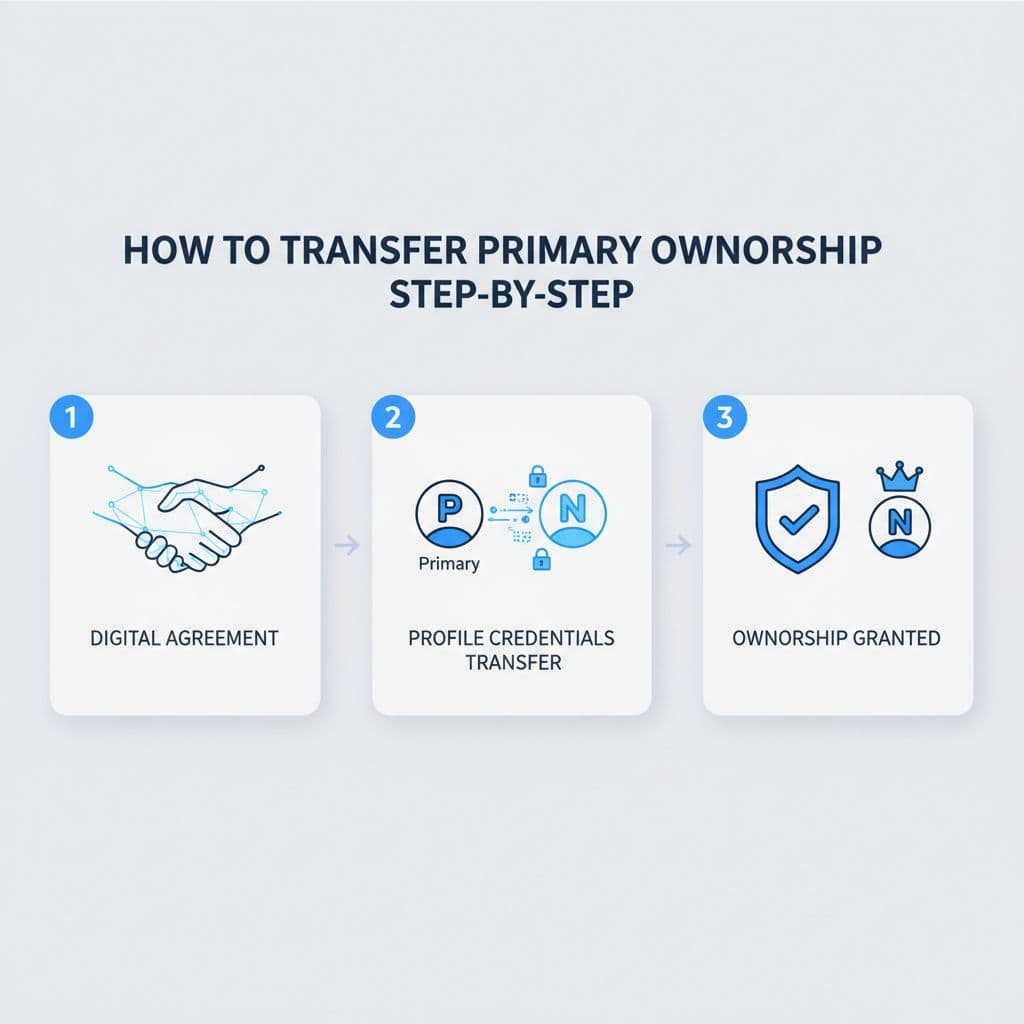
Follow these steps in order:
- Sign in with the current primary owner’s Google account.
Use the account that already controls the profile at the highest level. If you sign in with a manager or standard owner account, you may not see the right transfer option. - Open the correct business profile.
If you manage more than one location, double-check the listing name and address before you change anything. One wrong click can put the wrong location in someone else’s hands. - Go to “Business Profile settings” and then “People and access” or “Business Profile Access.”
Google still changes labels from time to time, so the wording may vary slightly. The access area is where you add users and update roles. - Add the new person by email and give them the “Owner” role.
Use the exact Google account they will keep long term. Don’t send the invite to a personal account if the business will later rely on a company email. - Ask the new owner to accept the invitation.
They need to open the invite from that same Google account and accept it. Until they do, the transfer can’t finish. - Return to the access screen and change them to primary owner.
In some accounts, you will see “Transfer primary ownership.” In others, you may click the role and select “Primary owner.” - Wait if Google applies a hold.
In many accounts, the change works after the invite is accepted. In some, Google still appears to apply a short hold, often reported as seven days. The timing can vary by account and interface. - Confirm the new owner can fully manage the profile before removing the old owner.
Ask them to test edits, review responses, messages, and access settings. After that, the prior owner can step down or be removed.
Only the current primary owner can hand primary ownership to someone else.
If the new person is already on the profile as a manager, you may be able to update their role without re-inviting them. Still, don’t rush the last step. A clean handoff beats a fast one.
For extra screenshots, BrightLocal’s transfer walkthrough matches the current 2026 flow closely.
When you only need to add or remove users
A full ownership transfer is rare compared with normal user changes. Most access updates are routine admin work.
If you’re hiring or replacing an agency, the business owner should usually stay as primary owner. The agency can be added as a manager or owner, based on what they need to do. That setup keeps control with the business while still letting the team handle updates, reviews, posts, and reporting.
The same idea applies when your profile work is bundled with ads or search campaigns. If the old firm also ran your professional SEO services or your performance marketing and advertising, check those accounts separately. Your Google Business Profile should never be the only asset you audit during an agency change.
A new store manager is another common case. They may need enough access to update hours, post photos, or reply to reviews, but they usually don’t need primary ownership. If they are running day-to-day local operations, an owner role may make sense. If they mainly help with front-line updates, manager access is often enough.
Removing users matters just as much as adding them. When an employee leaves, when a freelancer finishes a contract, or when an agency relationship ends, remove unneeded access right away. Old user access is one of the main reasons profiles become hard to reclaim later.
How to reclaim access when nobody can transfer it
Sometimes the current primary owner is gone. A former employee left. An old agency disappeared. The listing exists, but nobody on your team can open it. That isn’t a transfer problem anymore. It’s an access recovery problem.
Start by finding the live business profile on Google Search or Maps. If Google shows that someone already manages it, use the claim or request-access option tied to that listing. Follow the prompts carefully and identify your connection to the business. Google may ask you to verify that you represent the business before it grants or changes access.
Don’t create a second listing while you wait. A duplicate profile can create ranking issues, confuse customers, and make the dispute harder to fix.
Gather proof before you start the reclaim request. The strongest evidence usually comes from the business itself, such as official registration details, branded email access, signage at the location, or other proof that your company operates there. Keep names and addresses consistent across your documents and the profile.
If the request stalls, review active discussions in the Google Business Profile Community transfer thread. Community cases often show the kinds of issues Google flags, including disputes over old owners, duplicates, and inherited listings.
Reclaiming access can take longer than a normal transfer, so plan for that if a sale or rebrand is already in motion.
The safest handoff plan for common business scenarios
Different business situations call for different access moves. The safest path depends on who should control the listing after the change.
Selling a business
When a business is sold, primary ownership should move to the buyer or to the company account the buyer controls. Add the buyer before closing day if possible, let them accept the invitation, and then transfer primary ownership once both sides confirm the listing details are correct. Keep the former owner on the profile briefly if you need overlap for support, then remove that access when the transition is complete.
Changing agencies
An agency switch usually does not require a primary ownership transfer. The client should remain the primary owner. Add the new agency with the least access they need, verify that they can work inside the profile, and only then remove the old agency. This matters even more when the same provider also handles SEO, paid ads, or social channels.
Handing off one location to a new manager
A location manager rarely needs primary ownership. In most cases, they need access to update hours, answer reviews, and post location changes. If they oversee local operations full time, owner access may fit better than manager access. Keep primary ownership with the business entity, especially when you run more than one location.
Don’t remove the old user until the new person confirms they can edit the profile from their own account.
Troubleshooting problems that slow the transfer
Most failed transfers come down to a small mistake. The good news is that these issues are usually fixable.

If the invite never arrives, check the email address first. The new user must receive the invite at the exact Google account they will use. Spam folders, typos, and old work emails cause many delays.
If you can’t see the primary owner option, you’re probably signed in with the wrong account or the invite hasn’t been accepted yet. Go back one step and confirm the new user appears as an accepted owner before trying the transfer again.
When Google applies a hold, wait it out rather than starting over. Re-inviting the user or removing them too early can reset the process. During the wait, keep both parties informed so nobody assumes the transfer failed.
A suspended or duplicate profile can also slow things down. Resolve the profile issue first, because account disputes become harder when the listing itself has a problem. If you need another visual reference, this ownership transfer guide shows the role-change path clearly, and this video walkthrough helps if you prefer to see the menus in action.
Quick checklist before and after the handoff
Use this short checklist to keep the process clean:
- Confirm who currently holds primary ownership.
- Decide whether you need a transfer, a role change, or a reclaim request.
- Send the invite to the correct long-term Google account.
- Wait for the new user to accept before changing roles.
- Transfer primary ownership only when legal control should change.
- Keep old access in place until the new owner tests editing rights.
- Remove former staff or agencies after the handoff is confirmed.
- Review other connected assets, including website, analytics, and ad accounts.
Final thoughts
A Google Business Profile ownership transfer goes smoothly when you choose the right path first. Most problems happen because owners try to transfer control when they only needed to change user roles, or they create a new listing instead of reclaiming the real one.
Treat the profile like any other core business asset. Clear ownership, the right email account, and a short overlap period will protect your visibility, reviews, and local SEO.
FAQ
Can a manager transfer primary ownership?
No. A manager can’t hand over primary ownership. The current primary owner must complete that step.
How long does a Google Business Profile ownership transfer take in 2026?
Sometimes it happens after the invite is accepted. In other accounts, Google still appears to apply a short hold, often reported as seven days.
Should my agency be the primary owner of my profile?
Usually no. Most agencies only need manager or owner access. The business should keep primary ownership unless there is a rare legal reason to do otherwise.
What if the current owner won’t respond?
Use Google’s request-access or claim flow on the live profile. Then be ready to verify your connection to the business if Google asks for proof.
Can I remove the old owner right after the transfer?
Wait until the new owner confirms full access. They should test edits, review responses, and role settings before the old owner is removed.
What if I manage several locations?
Work on one location at a time and double-check the address before every role change. Multi-location accounts make small mistakes more costly.