A high-intent service page can load perfectly yet receive no meaningful organic visibility when it’s disconnected from your site’s structure. An orphan page audit finds these URLs before they become lost leads, wasted content spend, or migration mistakes.
For lead-generation websites, the highest-risk orphan pages are often service, industry, location, comparison, pricing, and consultation pages. A sound audit connects technical SEO evidence with traffic, conversions, and CRM outcomes so the team fixes pages that can affect pipeline.
Key Takeaways
- Orphan pages have no inbound internal links from crawlable pages on your website. They can still appear in Google through a sitemap, backlinks, or other discovery signals.
- Compare a homepage-led crawl against XML sitemaps, Google Analytics, Google Search Console, CMS exports, and backlink data.
- Prioritize pages based on lead value, organic performance, backlinks, index status, and the strength of the closest relevant destination.
- Add contextual internal links to pages that deserve visibility. Redirect, noindex, or remove pages that no longer have a lasting purpose.
- Check new templates, campaigns, content removals, and redirects after every release. A quarterly lead-generation SEO audit checklist catches problems before they spread.
What an Orphan Page Is, and Is Not
An orphan page is a live URL with no internal links pointing to it from the crawlable part of a website. Search engine crawlers starting at the homepage can’t reach it through normal site structure.
That doesn’t mean the page is invisible to Google. Google can discover URLs through XML sitemaps, external links, redirects, and past crawl data. These signals can still place a URL in search results, but they don’t prove it has a useful internal-link route.

Orphan pages versus dead-end pages
A dead-end page receives internal links but offers no useful onward links. An orphan page has the opposite problem, it may offer helpful links but receives none.
Both issues can weaken user experience. Still, the repair differs. A dead-end case study may need links to related services and a contact page. An orphaned cybersecurity assessment page needs relevant links pointing into it from a cybersecurity hub, adjacent service page, or supporting guide.
Why lead-gen sites feel the damage sooner
Lead-generation sites often depend on a small group of commercial pages. If a paid campaign, old email sequence, or direct visit sends users to an unlinked consultation page, the page may convert well while remaining absent from the structure that supports organic discovery.
This also affects GEO and AEO work. Search systems and AI answers need clear, durable site signals. A well-structured page with an explicit service, audience, proof, and next step is easier to understand than an isolated landing page with no topical context.
Common Causes of Orphan URLs
Orphan pages rarely appear because someone intentionally hides a page. More often, a normal website change removes the only path to a valid URL.
Migrations, redesigns, and navigation changes
A redesign can replace old service hubs, alter the url structure, or remove footer links. The new site may preserve a destination in the sitemap, but omit it from menus, category pages, and related content.
During a website migration, map valuable old URLs with 301 redirects to one close, live equivalent. Preserve pages that rank for service-plus-location and “near me” searches when their intent still matches an active offer. Bring Website Development teams into the review before launch, because templates, JavaScript routes, canonicals, redirect rules, and broken links can create sitewide gaps.
Campaigns, CMS edits, and content pruning
Paid media teams often publish landing pages outside normal navigation. Those pages can suit a short campaign, yet become accidental organic inventory when left indexable after the campaign ends.
Other common causes include deleted blog posts, discontinued services, unlinked PDFs, expired webinar pages, and CMS publishing errors. A content editor may remove a hub link without realizing it was the only internal route to a case study or industry page.
A page should remain live and indexable only when it has a clear business purpose, a defined audience, and a durable path from related content.
Build a Complete URL Inventory First
A site audit begins with a complete URL inventory. Compare every URL known to the business or Google with URLs reachable through internal links. Record crawl depth for each reachable URL as a useful structural field.
Start with the crawlable site map
Run a crawl from the preferred canonical homepage. Include primary navigation, footer navigation, HTML sitemaps, category hubs, breadcrumb links, and contextual body links.
For JavaScript-heavy sites, test rendered output too. In current 2026 audits, visible navigation and interaction-dependent routes still need testing as actual crawlable <a href> elements. Buttons, click handlers, and routes that appear only after user interaction can leave important pages outside a crawler’s path.
The crawl gives you the connected URL set. It does not give you the full site inventory.
Add sitemap, CMS, analytics, and Search Console data
Export URLs from XML sitemaps and your CMS. Then add landing-page data from Google Analytics 4 and Search Console performance data. Together, these exports can reveal unindexed pages or URLs known to Google but absent from the crawl. Discovery alone doesn’t confirm indexation.
Use a Domain property rather than separate URL-prefix properties where possible. It covers protocols and subdomains, which helps after a www change, HTTPS migration, or new subdomain. This Google Search Console setup for lead-gen sites explains how to keep that visibility data under a business-controlled account.
Find Orphan Pages in Screaming Frog
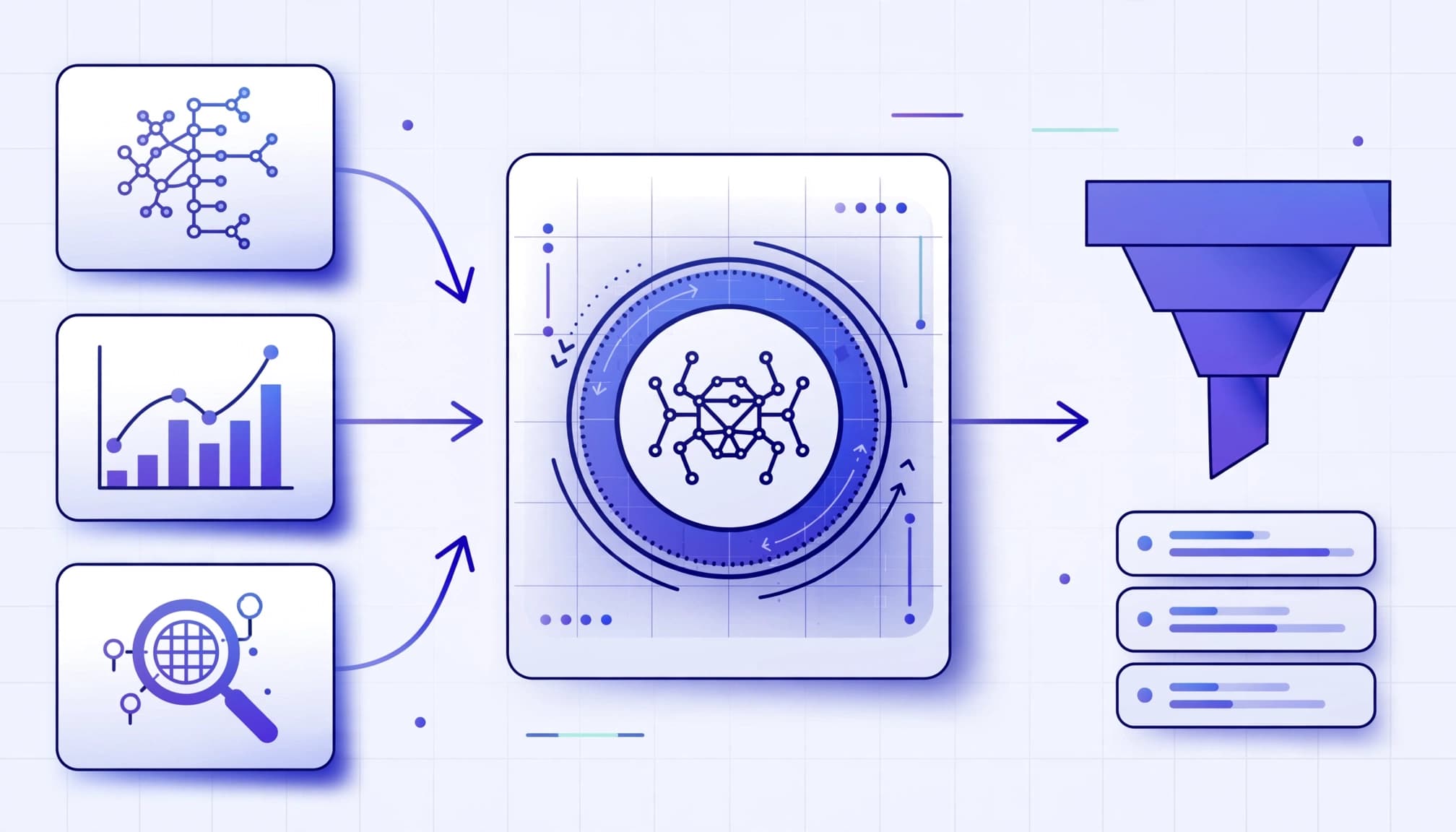
Screaming Frog SEO Spider provides a practical comparison workflow. It combines a rendered crawl with outside URL sources and supports canonical handling. Its orphan-page tutorial covers the required integrations and report filters.
Connect the data sources before crawling
In the crawl configuration, enable “Crawl Linked XML Sitemaps” so sitemap URLs enter the audit. Connect data from Google Analytics and the Google Search Console Search Analytics API, then validate API access, property selection, and landing-page dimensions.
For Analytics, select an organic traffic segment and a useful date range. One month is the tool’s default range, but lead-gen sites often need six to twelve months to reflect longer lead cycles and seasonal services.
The best date range depends on the business. An emergency plumber may generate steady demand, while an enterprise SaaS provider may see fewer but higher-value form submissions over several months.
Analyze candidates after the crawl finishes
Complete the crawl, then run crawl analysis before filtering reports. Afterward, use Screaming Frog to compare URLs found only in sitemaps, Analytics, or Search Console with URLs found in the internal crawl.
Search Console can identify URLs Google knows about, including unindexed pages. A rendered crawl tests whether those URLs are reachable through internal links. Visibility in search results is evidence, not a retention decision.
Use semrush site audit as a secondary cross-check, not an authoritative list. Reconcile its findings with the rendered crawl, sitemaps, GA4, Search Console, and CRM data. Review lead quality before deciding what to keep.
Use the current Page indexing report documentation to investigate index status. The report is a diagnostic view of URLs Google knows, not a complete list of every page on your domain.
Prioritize by Revenue Risk, Not URL Count
A report with 5,000 orphan pages can overwhelm a team. Most URLs will be low-value utility pages, outdated campaign assets, or harmless leftovers. Start with revenue risk.
Identify pages that can create qualified leads
Flag pages tied to core services, locations, industries, pricing, comparison intent, case studies, and consultation routes. Record the target query, intended conversion, canonical URL, organic traffic, and internal-link count. Assess SEO performance through impressions, clicks, conversions, and CRM-confirmed lead outcomes. Also note backlinks, the strength of a relevant destination, proposed anchor text for the eventual internal-link repair, and crawl depth as a tie-breaker.
For each organic landing page, separate a form start from a verified lead. A button click, thank-you-page reload, or duplicate CRM record can inflate reporting. Use the GA4 lead tracking checklist to validate that a confirmed submission fires one clean conversion event.
Use a simple decision matrix
This short matrix keeps the audit focused on action, not spreadsheet volume.
| Signal | High priority | Lower priority |
|---|---|---|
| Business role | Service, location, pricing, or consultation page | Login, thank-you, test, or outdated campaign page |
| Search evidence | Impressions, clicks, or strong search rankings for a valuable target query | No meaningful search demand |
| Link value | Quality backlinks or strong link authority nearby | No backlinks and no useful destination |
| Page quality | Unique proof, clear offer, working CTA | Thin, duplicate, expired, or broken content |
Combine commercial intent, search evidence, backlink value, conversion quality, and the strength of a relevant destination when setting priority. A page with organic impressions and high-value service intent should move ahead of a hundred unvisited filter URLs. Likewise, a retired page with authoritative backlinks may deserve a direct redirect even if it has no current traffic.
Choose the Right Fix for Each Page
Don’t apply the same fix to all orphan pages. The right action depends on whether the URL should attract visitors, support users, or disappear.
Add internal links when the page should rank
Add internal links to valuable pages from closely related hubs, service pages, case studies, FAQs, and editorial guides. Use descriptive anchor text that fits naturally, reinforces relevance, and matches the reader’s next logical step. Keep important lead pages within a shallow crawl depth, roughly three clicks from the homepage or a strong topic hub.
A managed IT services hub can link to cloud migration, cybersecurity assessment, and compliance consulting pages. A location page can link to local testimonials, relevant services, and a contact route. These paths improve user experience, support search rankings, and help strong hubs pass link equity to valuable pages with backlinks.
Google’s Links report can help review internal-link patterns, although it doesn’t independently identify every orphan URL.
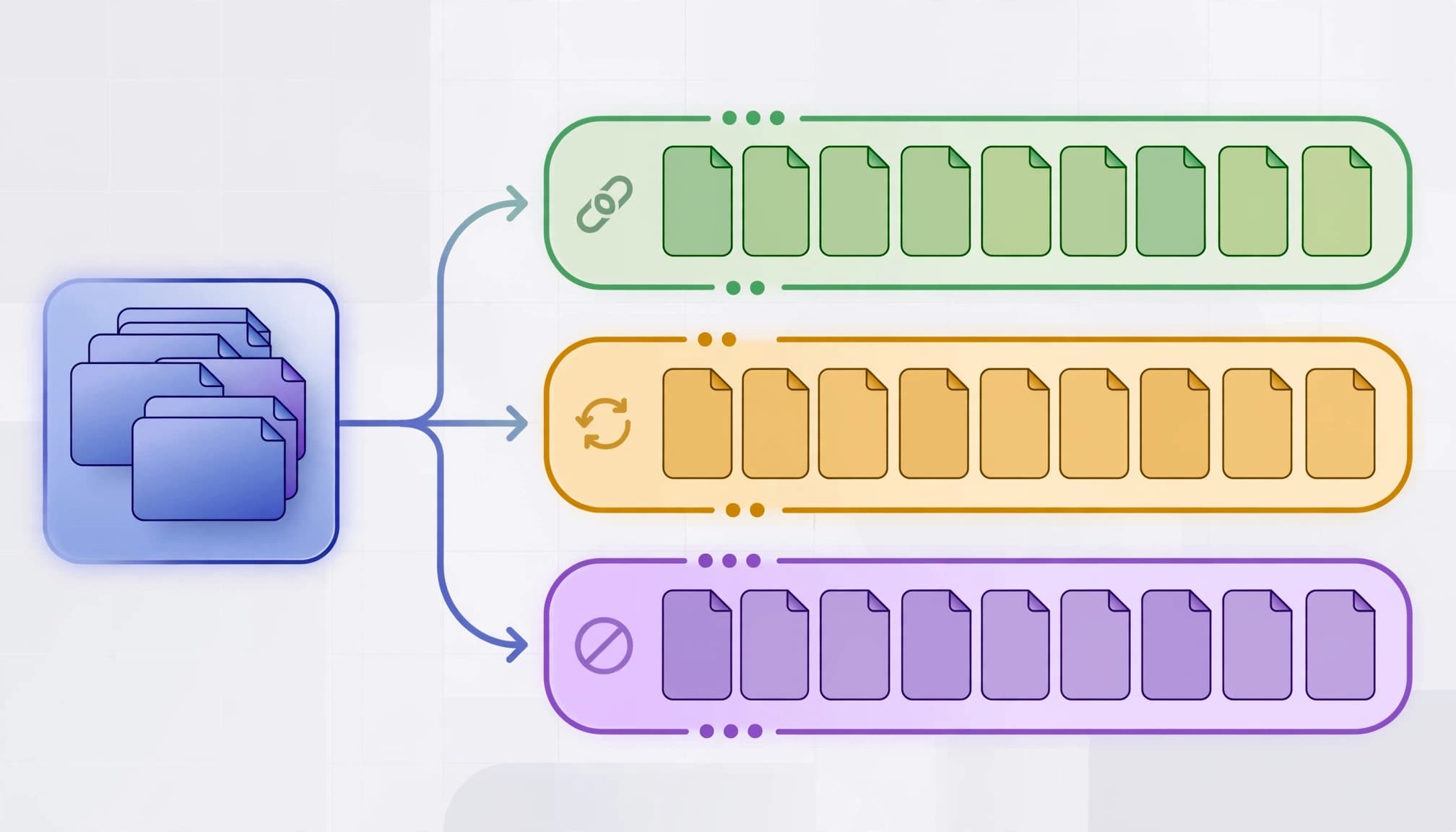
Redirect, noindex, or remove pages with no search role
Use a 301 redirect when an old page has a close, useful replacement. Redirect an outdated “SEO audit service” landing page to the current audit service page, not the homepage.
Apply a noindex tag to pages that need to work for users but shouldn’t compete in organic search. Thank-you pages, private booking confirmations, duplicate form states, and certain campaign variants often fit this category.
Delete pages with no user value, no backlinks, no traffic, and no replacement. Return a 410 for content permanently removed without a relevant alternative. Don’t use robots.txt as a quick deindexing method, because Google may retain a blocked URL without seeing the noindex instruction.
Prevent Orphan Pages at Scale
Large service-location sites, ecommerce stores, and programmatic publishing systems can create hundreds of isolated URLs in a single release. New templates and releases can create orphan pages at scale when internal linking isn’t part of deployment review.
Audit templates before individual URLs
Lead-gen sites should review templates by purpose first: core services, industries, locations, comparisons, case studies, and resource articles. Each template needs a defined place in the hierarchy, inbound-link rules, and a release review for content updates and removals.
Location pages need original local evidence, not a city name swapped into identical copy. In 2026, AI-assisted content and programmatic location-page generation still need unique evidence and clear internal-link destinations. They also need canonical rules and a clear conversion purpose. Include service-area details, reviews, proof, relevant FAQs, and clear contact options; otherwise, thin pages rarely justify indexing.
Control programmatic and ecommerce URL generation
Product filters, internal search pages, pagination states, parameters, and variants can multiply quickly. Decide in advance which patterns should be indexable, canonicalized, noindexed, or blocked from crawling. Enforce those rules during release review.
Keep xml sitemaps limited to preferred canonical URLs that return 200 status and offer indexable content. Google recommends maintaining accurate sitemaps and directing crawler attention toward valuable URLs in its crawl budget guidance.

Validate the Repair After Release
For 2026 workflows, re-crawl the site after links, redirects, or removals go live. Confirm repaired orphan pages have rendered internal links, the intended crawl depth, canonical and status-code consistency, and the expected sitemap state.
Use the Google Search Console indexing report guide to inspect important URLs and their indexing signals. Compare visibility in search results before and after the repair, without assuming rankings or indexation will improve.
Monitor crawl activity after large changes. Search Console’s Crawl Stats report covers recent crawling patterns and can expose spikes in error URLs, redirects, or duplicate paths. Use this crawl stats guide for lead-gen sites to relate technical changes to high-value pages.
After each release, use GA4 and CRM attribution to measure outcomes, not just organic clicks. SEO, Performance Marketing, Social Media Marketing, and Website Development should share a view of seo performance, qualified leads, booked calls, opportunities, and sales. More organic clicks don’t necessarily indicate a successful repair if lead quality declines.
Frequently Asked Questions
Can Google index an orphan page from an XML sitemap?
Yes. Google can discover an isolated URL through an XML sitemap, external backlinks, past crawls, and other sources. Yet sitemap inclusion does not guarantee useful visibility in search results or provide a durable internal route.
If the page is important enough to rank, add it to a logical topic hub and link to it from relevant pages. That gives users and crawlers a clear route to the content.
Are all orphan pages bad for SEO?
No. A noindex thank-you page or short-term campaign landing page may have no internal links by design. The problem begins when an indexable page with commercial or informational value has no durable route through the website.
Evaluate its business purpose before changing anything. An isolated URL with qualified organic leads or strong backlinks deserves more attention than an unvisited confirmation page.
How often should a lead-gen site check for indexing issues?
Run a full check quarterly, then run focused checks after migrations, redesigns, CMS changes, navigation edits, and major campaign releases.
For complex sites, include these checks in every deployment checklist. If your migration, tracking, and internal-link issues keep overlapping, Get In Touch With Us for a practical technical and conversion review.
Keep the Pages That Matter Connected
Orphan pages aren’t automatically an SEO emergency. Each should be connected, redirected, noindexed, or removed based on its business purpose.
The strongest orphan page audit connects crawler evidence with buyer intent, indexing signals, link value, and qualified lead outcomes. When service pages have clear paths through the site, organic visibility has a better chance to become real sales conversations.