A person can see your ad, skip the click, and still contact your business later. Google Ads view-through conversions make that influence visible, but they can also make a weak lead-generation report look stronger than it is.
For Kolkata businesses running Display, YouTube, or Demand Gen campaigns, the useful question is not “How many conversions did Google Ads claim?” It is whether ad exposure produced qualified enquiries, booked meetings, and sales opportunities. Treat view-through data as evidence of influence, then validate it in your CRM.
The reporting framework below separates passive exposure from demonstrated buying intent.

Google Ads View-Through Conversions: What They Measure

A view-through conversion happens when someone sees an ad, doesn’t interact with it, and later completes a tracked conversion within the set window. Google Ads can assign that credit after a viewable Display, YouTube, or other eligible ad exposure.
This can support brand awareness and remarketing campaigns. A local interior designer may run video ad campaigns, then receive a direct website enquiry two days later. The ad impressions show exposure, not proof of intent or influence.
View-through, click-through, and engaged-view conversions
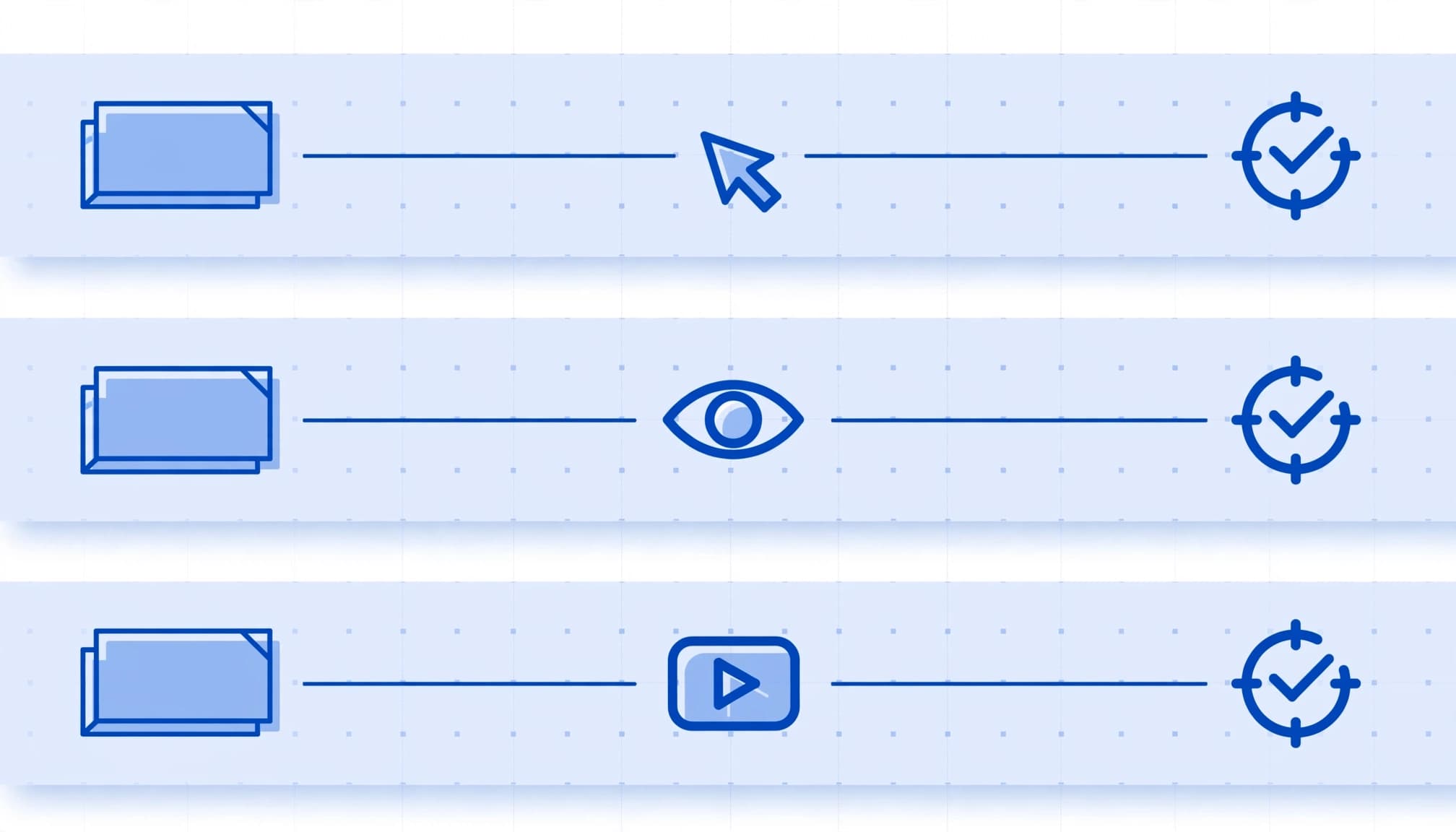
Click-through conversions follow a measurable ad click. They usually signal stronger intent because the prospect actively chose to visit your site.
A view-through conversion follows an ad impression without a click. It shows possible ad influence, not proof that the ad caused the lead. Engaged-view conversions are separate video events and should remain distinct from passive impressions because they involve video engagement.
Google’s view-through conversion guidance explains the conditions under which these events can receive credit. Cross-device conversions may be incompletely observed or attributed across devices. Keep each event type separate, then validate the resulting leads in your CRM.
Exposure does not equal a qualified lead

A submitted form is an enquiry. A qualified lead meets your business rules, such as service fit, location, budget range, valid contact details, and genuine project need.
For example, a Kolkata service business could receive 40 form fills after a display campaign, while only 12 match its service area and price range. Reporting all 40 as success hides the real cost per qualified lead.
A rising view-through total is not good news if the CRM-qualified lead rate falls at the same time.
How Google Attributes a View-Through Conversion

Google uses viewability rules before it can count many Display Network ads as view-through conversions. For this inventory, Google’s Active View technology generally requires at least 50% of the ad to appear on screen for one continuous second.
That threshold matters. An ad impression that entered the user’s view should carry more weight than one loaded below the fold and never seen. However, attribution still connects a later conversion to exposure under Google’s platform rules, rather than proving direct causality.
Demand Gen uses a different view rule
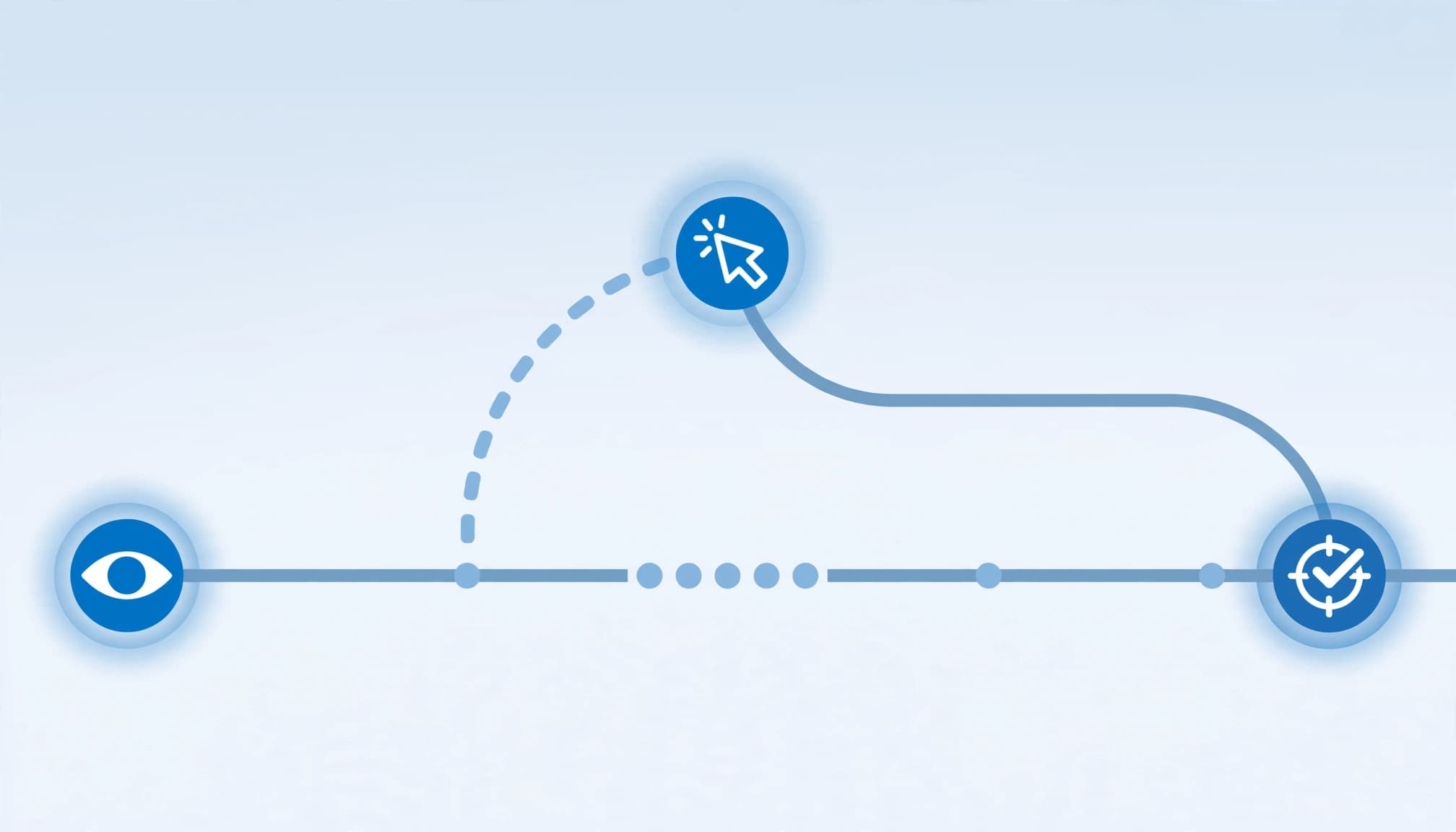
Don’t apply the standard Active View threshold to every campaign type. Google’s Demand Gen documentation uses a separate requirement for eligible Demand Gen campaigns, where one pixel on screen for any duration can qualify as a view on YouTube inventory.
That setting supports conversion optimization through a broader exposure signal. It can include passive views, unlike engaged-view conversions, so demand-generation teams should interpret the data more conservatively when assessing lead quality.
Set a conversion window that fits the sales cycle
Google Ads uses a one-day default view-through conversion window, while click-through conversions default to 30 days. The conversion window is configured per conversion action, and Google allows a separate view-through conversion window.
Use a short window for a same-day booking or quick quote request. For B2B consulting, property services, or high-consideration purchases, test a longer window only when CRM records show that prospects often convert after several days.
Attribution models and cross-device conversions can also affect interpretation. A later click may take attribution priority, so review these results alongside click-through conversions rather than treating them as equal evidence of performance.
How to Find View-Through Data in Google Ads

Open Campaigns or Ad groups, select Columns, then choose Modify columns to adjust your reporting columns. Under Conversions, add View-through conv. and All conv., the all conversions column, then apply the changes.
Break the data down by campaign, network, audience, and conversion action, then confirm which conversion actions feed the selected columns. A Display remarketing campaign may generate many view-through conversions, while a Search campaign may generate mostly clicks. Those are different jobs and deserve different expectations.
Google Ads places view-through conversions in View-through conv. and All conv., rather than the standard Conversions column. This keeps standard CPA and ROAS reporting focused on the conversion actions selected for bidding. View-through conversions don’t automatically count as standard bidding conversions.
Before changing targets or budgets, compare Conversions with All conversions. Also check whether native Google Ads tracking, imported Google Analytics events, app actions, or CRM imports created the reported total. Attribution models and cross-device conversions can also create differences by campaign or network.
Use View-Through Data Carefully in Demand Gen Bidding

View-through conversion optimization is disabled by default for eligible Demand Gen campaigns. For an eligible campaign, open campaign settings, find Conversions optimization, select Include view-through conversions, and save.
After activation, segment reporting by ad event type. Google Ads can show additional biddable conversion activity under impressions, which helps explain campaign learning or spend changes over time.
Set the window before changing bids

Choose the conversion window and primary goal before judging the bid strategy. If a short-sales-cycle business uses a 30-day view window, the campaign may receive credit for leads from repeat searches, referrals, SEO, or earlier outreach.
Run a controlled test where possible, treating it as a bidding optimization experiment. Keep comparable audiences, offers, landing pages, and sales follow-up standards. Attribution models and cross-device conversions can make platform volume differ from qualified demand. Compare qualified lead rate, sales acceptance, and opportunity creation, not only platform conversion volume.
Put quality guardrails around Smart Bidding

Do not add a raw form fill and its later qualified version to the same bidding goal unless you have deliberate values and understand the duplicate signal. Otherwise, Smart Bidding may learn to pursue the easiest enquiries.
Treat engaged-view conversions differently from passive view data. Keep passive view data and weak engagement actions as secondary observation signals unless qualified CRM outcomes are reliable and sufficiently numerous. Then use a reliable qualified lead, booked consultation, or sales-accepted lead as the primary bidding signal when enough data exists.
The distinction between primary and secondary conversion actions is central here. Primary conversion actions can guide bidding, while secondary actions help you diagnose campaign behavior without rewarding low-intent activity. Include view-through conversions only as supporting evidence, not as the sole performance metric.
Reconcile Google Ads With Analytics and CRM

Google Ads, Google Analytics, and a CRM answer different questions. Google Ads reports according to its conversion settings. Google Analytics provides journey context, while the CRM determines whether a lead was qualified or sales accepted.
Totals won’t match perfectly. Attribution models, different lookback windows, cross-device conversions, duplicate handling, and delayed CRM updates all affect the count. The goal is a documented explanation for important gaps.
Build a CRM-qualified lead status

Store a stable lead ID and capture GCLID when available. Preserve the original landing page, conversion time, campaign, and source rather than overwriting them during later visits.
Create clear stages such as new enquiry, contacted, qualified lead, sales accepted, opportunity, and closed won. Sales and marketing should agree on the definition before reporting begins.
Then send meaningful CRM outcomes back to Google Ads as offline conversions. The selected import method determines which click identifiers, conversion times, and CRM stages can be used. This guide to offline conversion tracking for qualified leads covers the feedback loop between click identifiers, CRM stages, and imported outcomes.
Account for privacy and tracking limits

Browser privacy controls, consent choices, and cross-site cookies can limit the detail available for cross-device conversions. These limits can create discrepancies, but they don’t make CRM validation useless.
Privacy Sandbox attribution reporting can also be delayed, limited, and noised by design. Compare direction and quality trends over several weeks instead of reacting to a single day’s view-through total.
Trace one consented test lead through the form, Google tag, CRM record, and import process. Check for duplicate submissions, missing consent data, incorrect conversion times, and delayed HubSpot or Salesforce updates.
A Practical Qualified Lead Reporting Framework

The ad exposure layer is useful for brand awareness, but it only signals possible assisted demand, not qualified performance.
Use one report that shows the complete chain, but don’t blend every stage into one conversion metric.
| Reporting layer | Measure | Decision it supports |
|---|---|---|
| Ad exposure | Ad impressions, reach, view-through conversions | Whether awareness activity may assist demand |
| Response | Clicks, calls, form submissions, booked meetings | Whether prospects show active intent |
| Lead quality | Qualified lead conversion rate (CRM-qualified leads, not raw form submissions), sales acceptance, spam rate | Whether campaigns attract the right people |
| Revenue | Opportunities, closed sales, revenue, margin | Whether spend supports profitable growth |
This view keeps channel decisions honest. Don’t judge campaigns by view-through volume or the cheapest raw lead.
A campaign with higher cost per lead may still win if it creates stronger opportunities and closes more business. Evaluate that impact through revenue and margin.
Review lead-to-qualified, qualified-to-opportunity, and opportunity-to-sale rates monthly by campaign and service line. Interpret platform totals consistently across campaigns and periods, especially when attribution models and cross-device conversions differ. Also track median first-response time and loss reasons, since weak sales follow-up can look like an advertising problem.
Key Takeaways
- Treat view-through conversions as an influence metric, not automatic proof of qualified demand.
- Compare the relevant reporting columns, View-through conv., Conversions, and All conv., before changing target CPA or campaign budgets.
- Keep qualified CRM stages separate from raw enquiries, then import those downstream outcomes to improve bidding decisions.
- Review Google Ads alongside Analytics and CRM data, while documenting attribution and privacy-related differences.
- Judge awareness campaigns by qualified pipeline and revenue trends, not the cheapest cost per lead.
Frequently Asked Questions

Why aren’t view-through conversions in the Conversions column? Google Ads separates them because they come from ad exposure without a click. They appear in View-through conv. and All conv. columns, helping teams review influence without automatically treating it as a standard bidding conversion.
Should small businesses in Kolkata enable view-through optimization? Test it only when you have dependable downstream CRM data and enough conversion volume. Businesses with short sales cycles and weak qualification processes should first fix tracking and lead-quality definitions.
Can Google Analytics verify every view-through conversion? No. Google Ads and Analytics use different collection methods, attribution models, settings, and reporting rules. Cross-device conversions and platform-specific measurement can also limit one-to-one reconciliation. Use GA4 for journey analysis and the CRM for sales qualification.
What should count as a qualified lead? Use rules your sales team can apply consistently, such as a valid contact, suitable location, relevant service need, workable budget, and decision-maker access.
Make Ad Exposure Accountable

View-through reporting can support brand awareness and reveal demand-generation influence that click-only reports miss. However, qualified CRM outcomes remain the accountability standard for protecting your budget from inflated lead counts.
Connect campaign data to disciplined CRM stages, review gaps between platforms, and optimize toward sales-ready outcomes. For help auditing tracking, lead quality, campaign goals, and downstream sales outcomes, Get In Touch With Us.