For a first online store, Shopify is often the easier ecommerce platform; WooCommerce offers more control if you can manage WordPress. Shopify’s ease of use can shorten a beginner’s learning curve. For a Kolkata business, the better choice depends on your payment setup, maintenance support and total operating cost.
The Shopify vs WooCommerce decision becomes clearer when you separate launching a website from running it every week. Start with what your business needs today, rather than buying features you might never use.

Key Takeaways

Both platforms can support a small business. Their main difference is who handles the technical work.
- Choose Shopify if you’re launching a straightforward product business and want fewer infrastructure decisions.
- Pick WooCommerce if you already use WordPress, need tailored functionality or have reliable technical support.
- Compare subscriptions, hosting, extensions, payment charges and maintenance together, because the cheapest starting price can hide recurring expenses.
For Indian merchants, UPI availability, delivery coverage and payment settlement also deserve attention before design choices. A beautiful storefront won’t compensate for a payment flow your customers struggle to complete.
Shopify vs WooCommerce at a Glance
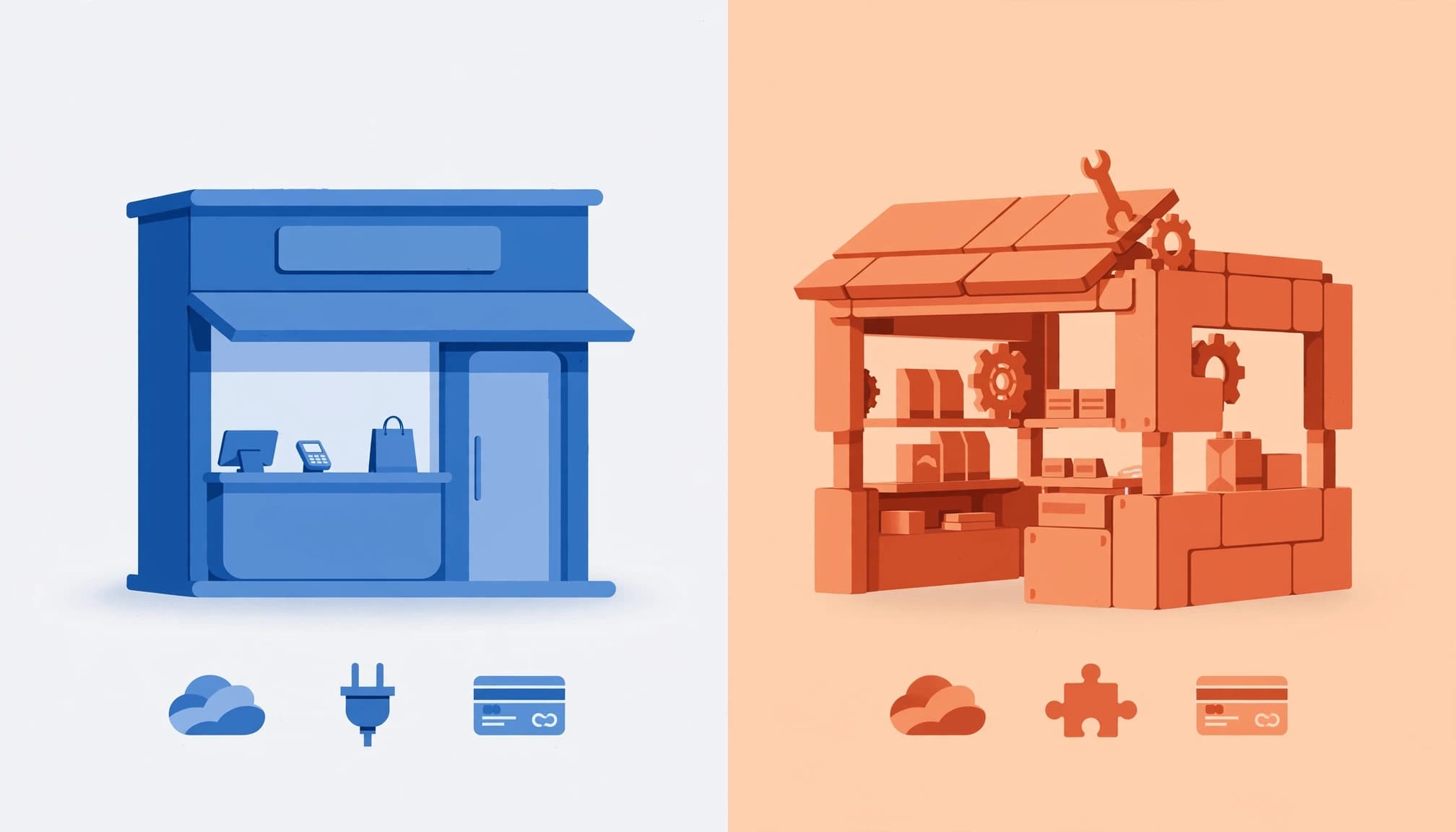
Shopify is a hosted ecommerce platform. WooCommerce is free, open-source ecommerce software that runs on a self-hosted WordPress site.
Here’s how those differences affect a beginner.
| Decision point | Shopify | WooCommerce |
|---|---|---|
| Infrastructure | Hosting comes with the platform | You choose hosting separately |
| Setup | Guided setup and visual editing | WordPress, hosting and plugin configuration |
| Selling features | Core selling tools are built in, with apps for extra features | WooCommerce and extensions provide selling features |
| Scalability | The hosted service handles more infrastructure | Growth depends on hosting and technical configuration |
| Main advantage | Convenient day-to-day operation | Extensive customization and hosting freedom |
| Main drawback | Recurring subscriptions and platform restrictions | More technical responsibility |
| Costs | Plan, domain, apps and payment charges | Hosting, domain, extensions and maintenance |
| Best fit | Owners prioritizing a quick launch | Owners needing a tailored WordPress store |
Shopify reduces the number of suppliers you coordinate. However, adding apps can turn a predictable subscription into several monthly bills.
WooCommerce lets you change hosts, edit code and choose individual components. That freedom also means someone must resolve conflicts between them.
Neither platform automatically produces sales. Product information, mobile usability, delivery promises and customer acquisition matter on both. Popularity figures, market share and review scores don’t show whether a platform supports your particular workflow.
What Your First Year Will Cost

Separate recurring operating costs from upfront design and setup work. The prices below are US-dollar benchmarks, not Indian prices or rupee conversions.
Shopify subscriptions and optional extras

Shopify’s published pricing can change, so check its current plans before budgeting for a monthly subscription.
Your first-year total also depends on billing frequency, domain registration, paid apps, payment processing charges and professional setup.
Shopify Plus is an enterprise plan, not a typical starting requirement for a first store.
A free theme keeps initial spending lower. Recurring app subscriptions still belong in your ongoing budget, even when installation is free.
WooCommerce hosting and ongoing expenses

The core plugin is free, but WooCommerce’s hosting estimate varies with a store’s performance needs.
Hosting is an ongoing expense. Add domain renewals, paid extensions and maintenance support to your budget.
WooCommerce isn’t automatically cheaper than Shopify. Existing WordPress infrastructure can reduce costs, while custom development can increase upfront spending.
Compare total cost of ownership for the first year and renewal years separately. A one-time build fee isn’t the same as an annually renewed extension license.
Setup, Design and Search Visibility

Both platforms support attractive stores. Their setup effort and customization boundaries differ more than their ability to display products.
Launch speed and design flexibility

Shopify offers guided setup, mobile-friendly themes and visual editing. Its Theme Store lets merchants browse available designs.
WooCommerce requires hosting, WordPress and configuration. WordPress-based stores may also need selected plugins for tasks such as backups. A beginner’s WooCommerce setup guide explains the setup sequence.
However, WooCommerce offers more freedom over layouts and custom workflows. It’s a strong fit when an existing WordPress website needs commerce added.
Shopify’s App Store offers a wide range of tools, while WooCommerce extensions draw on the broader WordPress ecosystem. Install tools to meet documented requirements, not just to collect features.
SEO controls and useful reporting

WooCommerce offers broader control over URL structures and technical SEO through WordPress. Shopify uses fixed paths such as /products/ and generates its sitemap automatically.
Those differences don’t decide rankings alone. Clear categories, useful descriptions and fast pages matter on both platforms.
Our product schema markup guide covers consistent prices, availability and variants, including INR product data. Check plugins for compatibility and updates, and avoid overlapping SEO tools when an existing system already produces accurate markup.
Shopify includes store reporting. WooCommerce also includes free analytics and sales reports, so a paid reporting extension isn’t mandatory for basic sales analysis.
Payments and Operational Responsibilities

For Kolkata retailers, payment methods, shipping options and routine administration deserve as much attention as templates. Check delivery coverage and customer-facing choices before launch. These costs and tasks continue after launch.
Processing charges and in-person sales

Shopify Payments on Basic lists a US standard online card rate of 2.9% plus $0.30. WooPayments’ US base card rate is also 2.9% plus $0.30.
These are US benchmarks, not Indian processing quotes. For Indian merchants, available payment methods and fees depend on the provider, card origin and currency conversion.
Processor charges are separate from Shopify’s plan-dependent transaction fees for orders paid through third-party providers. Eligible Shopify Payments orders avoid that additional platform charge. WooCommerce doesn’t add an equivalent platform-level fee.
Shopify has its own point of sale (POS) offering. WooCommerce now has mobile-app POS mode, described as an early version for supported devices and payment arrangements. Blanket claims that WooCommerce has no POS are outdated.
Maintenance, security and product restrictions

Shopify’s hosted model reduces infrastructure administration. WooCommerce gives you more responsibility for coordinating your host, extensions and technical support.
Assign an owner for updates, security, backups and restoring the store after a failed change. Also decide who handles failed orders and broken integrations.
For restricted or high-risk products, distinguish platform rules from payment-provider rules. Self-hosting doesn’t remove processor restrictions or legal obligations.
For Indian shoppers, check that your payment gateways support UPI, cards and net banking. Offer cash on delivery only when its charges and return-to-origin risk fit your margins.
Choose for Your Business, Then Plan for Migration

Shopify is a practical fit for beginners who want a simpler launch and fewer infrastructure tasks. It suits owners who’d rather focus on products and marketing, if the ongoing costs fit their budget.
WooCommerce suits an existing WordPress business with a clear need for custom purchasing workflows. Choose it if you have dependable maintenance help and the budget for ongoing technical work.
If you hire help, our guide to choosing an ecommerce development partner explains how platform skills and relevant industry experience affect the decision. Compare the customer support available from the platform, your host, or a technical partner you hire.
Use the scalability comparison above alongside your skills, operating capacity and budget. You can migrate in either direction later, but transferring product records is only part of the job.
- Export and back up products, customers, orders and existing page URLs.
- Map fields, rebuild required integrations and prepare redirects for changed addresses.
- Test payments, taxes, shipping and inventory before switching the live domain.
Customer passwords, subscriptions and app settings may need separate handling. Migration time depends on catalog complexity and connected systems, so a universal completion estimate would be misleading.
Keep control of your domain and maintain accessible exports. These habits make a future move less disruptive.
Frequently Asked Questions

How much does Shopify take from a $20 sale?
For a US example, Shopify Basic’s standard online card rate is 2.9% plus $0.30. Processing a $20 sale costs $0.88, leaving $19.12 before subscription costs, taxes and other expenses. A third-party payment provider may add separate Shopify transaction fees and provider charges.
Which platform is easier without coding experience?
Shopify generally requires fewer technical decisions because hosting and store administration sit together. WooCommerce can work without coding, but initial configuration and troubleshooting demand more technical confidence or outside help.
Does either platform include email marketing?
All Shopify plans include 10,000 free emails each month through Shopify Messaging. Additional emails start at $1 per 1,000. WooCommerce stores typically connect an email-marketing service or plugin, such as MailPoet or Mailchimp.
What’s Shopify’s biggest disadvantage?
Its convenience comes with platform boundaries and recurring costs. Apps can increase monthly spending, while deeper customization may require development or a different plan. WooCommerce offers more freedom, but ongoing technical work can offset subscription savings.
Choose the Store You Can Run Reliably

For a first store, Shopify usually wins on convenience. WooCommerce makes more sense when WordPress flexibility supports a clear business requirement and maintenance has an owner.
Choose around operating capacity, rather than the lowest advertised entry price. Payment reliability and manageable recurring expenses matter long after launch.
If you need help connecting platform choice with store development and marketing, Get In Touch With Us.