Performance Max for Service Leads: Campaign Setup Guide for 2026

A performance max service leads campaign can feel like handing the wheel to automation and hoping it takes the right road. Sometimes it does. Sometimes it drives straight into junk calls, weak forms, and wasted spend.

The fix is better setup, not blind trust. In 2026, Google Ads gives you more control than the early PMax years, including data exclusions, stronger negatives, placement visibility, and cleaner testing. If you feed the system strong signals, it can find real prospects across Search, Maps, YouTube, Display, Gmail, and Discover.

This guide walks through the setup that matters most for service businesses, especially if calls, quote requests, and booked jobs are your real goal.

Prepare Your Account Before Launch

A professional marketer at a modern desk with dual monitors showing Google Ads Performance Max campaign setup screen, soft lighting, keyboard and notebook nearby.

Start with structure. Don't put plumbing, HVAC, roofing, and electrical into one campaign unless the leads have the same value and geography. PMax learns from patterns, so mixed services often muddy the signal.

Before you build anything, lock in three basics:

  1. Clear conversion goals, calls, forms, and booked jobs.
  2. Clean landing pages, one main service intent per page.
  3. Real budget logic, enough spend to generate learning data.

Google's own lead generation guidance for Performance Max lines up with this approach. Also, if your team needs broader support, working with performance marketing experts can help tighten tracking before launch.

Build High-Quality Asset Groups

Close-up of a laptop screen displaying neatly arranged creative assets for Google Ads, including headlines, images of service professionals like a plumber at work, logos, and video thumbnails, in a modern workspace with bright natural light.

Treat asset groups like tightly themed ad sets. One asset group per service category usually works better than one giant catch-all. For example, “emergency plumber” and “drain cleaning” may sound close, but buyers often act differently.

Use real photos, short videos, and headlines that match the landing page promise. Custom creative matters more for service lead gen because trust drives the click. In 2026, short video assets still help PMax open more inventory, and custom videos often outperform auto-generated ones.

Keep the message simple: problem, proof, action. A broader PMax campaign handbook is useful, but the main rule is this, make each asset group easy for Google to understand.

Set Targeting and Audience Signals

Digital marketer in cozy home office reviewing audience signals and targeting options in Google Ads interface on computer screen, charts showing customer segments for service leads, realistic photo.

Audience signals don't limit PMax, but they give it a smarter starting point. That matters when you want local service leads, not random clicks from broad traffic.

Upload first-party lists from your CRM, especially past customers, qualified leads, and repeat buyers. Then add custom segments based on high-intent searches, such as “same day AC repair” or “water heater install near me.” Keep the location settings tight around your actual service area.

Use URL controls carefully. For service campaigns, it's safer to start narrow and test expansion later. Google's 2026 experiment tools make that easier, so you can compare controlled traffic versus wider URL expansion without guessing.

Boost Lead Quality with 2026 Controls

Screenshot-like view of Google Ads settings panel on a tablet held in hands in a conference room, highlighting data exclusions, negative keywords, and spam prevention for Performance Max, natural daylight, clean modern style.

This is where most service campaigns win or lose.

In 2026, PMax gives advertisers better ways to filter bad traffic. Use campaign-level negative keywords to block junk intent like “free,” “DIY,” “jobs,” or “training.” Add brand exclusions when branded traffic belongs elsewhere. Review placement reports and cut low-quality app traffic if it sends weak leads.

Data exclusions are the big one. If old customer lists, spam leads, or bad remarketing pools keep getting pulled in, exclude them. You can also trim device or demographic segments that never become real jobs.

If Google learns from bad leads, it gets better at finding more bad leads.

For a useful outside view, see these Performance Max best practices in 2026. The theme is consistent, better controls lead to better lead quality.

Track Calls, Forms, and Offline Conversions

A marketer in a professional office sets up conversion tracking in Google Ads for calls, forms, and offline imports, surrounded by icons of phone calls, web forms, and CRM uploads on a central computer screen under soft lighting.

Don't let PMax optimize to every hand-raise equally. A junk form and a booked job are not the same thing.

Set up call tracking through Google call assets or your call platform, then count only meaningful calls as primary conversions. For forms, filter spam before those leads train the campaign. If you use lead form assets, test them against landing pages instead of assuming they're better.

This quick setup rule keeps the signal clean:

Conversion typeCount as primary when
Phone callIt lasts long enough to show real intent
Web formIt passes spam checks and required fields
Booked appointmentIt reaches a qualified CRM stage
Closed job or saleIt has real revenue value attached

Most importantly, import offline conversions from your CRM. When Google sees which leads turn into jobs, bidding gets much sharper.

Avoid These Common Setup Pitfalls

Visual metaphor of a splitting path with warning signs around Google Ads mistakes like spam leads and poor tracking, service van heading correctly in sunny suburban street, vibrant illustrative style.

A bad PMax launch usually comes from a few repeat mistakes.

Too many goals: If calls, chats, page views, and form opens all count, the campaign chases noise.
Loose geography: Service ads outside your real coverage area waste budget fast.
Weak landing pages: Slow pages and vague offers hurt both lead rate and lead quality.
No feedback loop: Without offline import, Google can't tell a booked service from a dead lead.

Also, don't judge performance too early. Give the campaign enough time to learn, but don't ignore obvious spam. If you're splitting budgets across platforms, this Google Ads vs Bing Ads comparison can help frame channel decisions.

A strong setup makes automation useful. A sloppy one makes it expensive.

When lead quality is the goal, build PMax like a filter, not a funnel with holes in it. Keep the campaign focused, feed it real outcomes, and block bad signals early. That's how service businesses turn automation into booked jobs, not just busy dashboards.

Local SEO Schema Markup Guide for Service Businesses in 2026

If your plumbing, HVAC, dental, or landscaping business shows up in Google, you're already in a competition you didn't start. The winners usually look more “certain” to Google. They have consistent details, clear services, and strong local signals.

That's where local business schema helps. Think of it like a tidy label on a toolbox; structured data is the technical term. The tools are the same, but now anyone can find the right one fast. This data helps search engines understand your business name and category, especially for voice search queries.

This guide walks you through what to mark up in 2026, what to avoid, and copy-paste JSON-LD examples you can adapt for your site.

What local business schema actually does (and what it doesn't)

Clean minimalistic vector diagram of Schema.org LocalBusiness schema hierarchy, displaying key properties like name, address, telephone, opening hours, and geo coordinates with simple icons on a white background.

Local schema markup is structured data, a standardized format using schema.org vocabulary that tells search engines, “Here's who we are, where we are, and how to contact us.” In most cases, the foundation is the LocalBusiness entity type or a more specific subtype (like Plumber, Dentist, or HVACBusiness).

It doesn't replace good content, reviews, or a solid Google Business Profile. It also doesn't guarantee rich results or rich snippets. However, structured data reduces guesswork, especially when Google compares similar businesses in the same area, and it increases the chances of appearing in the Knowledge Panel.

If you're investing in local SEO services as part of your local SEO strategies, structured data with LocalBusiness is one of the few technical tasks that can support many other efforts at once (location pages, citations, and GBP consistency).

Gotcha: schema should match real-world info. If your markup says “open 24/7” but your GBP says “closes at 6,” trust drops fast.

Why service businesses need local business schema in 2026

Google local map pack results on a mobile screen showing rich schema snippets with star ratings, business hours, address, and phone for a plumber service, with a subtle city map background and one highlighted business card.

In March 2026, local search is even more “answer-first.” Many searches end on the results page. People tap to call, check hours, or pick the best-rated option without opening a website.

Accurate local business schema and structured data support the machine-readable facts Google needs: hours, address, phone, service category, and sometimes ratings. Search engines use LocalBusiness data to populate AI snapshots, while this structured data helps secure SERP features and visibility in rich results. It can also help AI-driven experiences pull the right business details when summarizing options, with a key benefit for service brands being appearances in the Knowledge Panel.

This setup works best when your Google Business Profile is also tight, especially for location pages. If yours needs cleanup, start with this Google Business Profile optimization guide and align your schema to it field-for-field.

For extra context on how schema ties into local results, including rich results, see this local SEO schema guide for 2026.

Essential schema properties that move the needle in 2026

Infographic icons representing key LocalBusiness schema properties including address map pin, phone handset, opening hours clock, price range dollar, aggregate rating stars, and map link, neatly arranged around a central HVAC service van in flat vector style with green and blue colors on white background.

Most problems come from missing basics, not fancy fields. Start with the properties from schema.org that control “can Google trust this listing?”

Here's a quick reference for service businesses:

PropertyWhy it mattersCommon mistake
@type (use a subtype)Clarifies what you doUsing only LocalBusiness when a subtype exists
name (business name), telephone, url (NAP details)Core identity signalsDifferent telephone than GBP or footer
address (PostalAddress)Confirms postal address location and NAPpostal address Formatting that doesn't match citations
geo (GeoCoordinates)Helps pin the exact place with latitude and longitudeUsing city-center coords instead of the storefront
openingHoursSpecificationShows accurate opening hoursForgetting weekend hours or holidays
aggregateRating, priceRangeHelps earn rich snippetsOmitting them despite customer reviews and prices
hasMapConnects to map referenceLinking to the wrong location map

If you want a deeper explainer on LocalBusiness fields and examples, this overview is useful: LocalBusiness schema markup basics.

How to add LocalBusiness schema (JSON-LD) without breaking your site

Clean laptop on wooden desk showing syntax-highlighted JSON-LD code for LocalBusiness schema in a code editor, with coffee mug nearby in natural daylight photorealistic style.

JSON-LD is still the safest and preferred structured data format for most sites, recommended by search engines, because it doesn't interfere with page layout. Add it once per location page (or once site-wide if you only have one location and one main contact page). For multiple locations, check your location pages to ensure each has its individual JSON-LD script.

A practical process for implementing JSON-LD structured data:

  1. Pick the closest LocalBusiness subtype (Plumber, Dentist, Electrician, etc.).
  2. Copy details from your GBP (don't “improve” them).
  3. Add exact hours, plus holiday overrides if needed. Use openingHoursSpecification for this.
  4. Add @id that stays stable (even if URLs change).
  5. Publish, then use the Rich Results Test for validation (don't assume it's fine).

JSON-LD LocalBusiness example (copy/paste, replace placeholders): {“@context”:”https://schema.org”,”@type”:”Plumber”,”@id”:”https://example.com/#plumber”,”name”:”YOUR_BUSINESS_NAME”,”url”:”https://example.com/”,”telephone”:”+1-000-000-0000″,”image”:”https://example.com/images/office.jpg”,”priceRange”:”$$”,”address”:{“@type”:”PostalAddress”,”streetAddress”:”123 MAIN ST”,”addressLocality”:”CITY”,”addressRegion”:”STATE”,”postalCode”:”ZIP”,”addressCountry”:”US”},”geo”:{“@type”:”GeoCoordinates”,”latitude”:00.0000,”longitude”:-00.0000},”openingHoursSpecification”:[{“@type”:”OpeningHoursSpecification”,”dayOfWeek”:[“Monday”,”Tuesday”,”Wednesday”,”Thursday”,”Friday”],”opens”:”09:00″,”closes”:”18:00″}]}

If you're building location and service pages from a mapped plan, this local SEO keyword research template helps you keep pages, services, and areas aligned.

Schema markup for multi-location and service-area businesses

Illustrative isometric city map featuring five colored pins marking multi-location service businesses like plumbers and dentists, connected by lines to a central hub, with simple road and building outlines in pastel colors.

Multi-location structured data fails when every location looks identical to Google. Each branch needs its own location page, its own NAP details, and its own stable @id. The Organization entity acts as the parent that connects all the LocalBusiness entities, providing a global identity for the brand while each LocalBusiness represents a specific branch with unique NAP details and a postal address.

Also, service-area businesses often confuse “no public storefront” with “no address.” If you meet customers at their homes, you can still mark up your base address (as long as it's legitimate), and separately describe coverage using Service and areaServed.

Multi-location JSON-LD pattern (copy/paste, replace placeholders):

{
  "@context": "https://schema.org",
  "@graph": [
    {
      "@type": "Organization",
      "@id": "https://example.com/#org",
      "name": "YOUR_BRAND_NAME",
      "url": "https://example.com/"
    },
    {
      "@type": "LocalBusiness",
      "@id": "https://example.com/locations/location-1/#biz",
      "name": "YOUR_BRAND_NAME",
      "parentOrganization": {
        "@id": "https://example.com/#org"
      },
      "address": {
        "@type": "PostalAddress",
        "streetAddress": "ADDRESS_1",
        "addressLocality": "CITY",
        "addressRegion": "STATE",
        "postalCode": "ZIP",
        "addressCountry": "US"
      },
      "telephone": "+1-000-000-0000"
    },
    {
      "@type": "LocalBusiness",
      "@id": "https://example.com/locations/location-2/#biz",
      "name": "YOUR_BRAND_NAME",
      "parentOrganization": {
        "@id": "https://example.com/#org"
      },
      "address": {
        "@type": "PostalAddress",
        "streetAddress": "ADDRESS_2",
        "addressLocality": "CITY",
        "addressRegion": "STATE",
        "postalCode": "ZIP",
        "addressCountry": "US"
      },
      "telephone": "+1-000-000-0001"
    }
  ]
}

Rule of thumb: one location page, one location schema from the Organization markup. Don't stack five branches on a single “Locations” page and hope for the best.

Schema Markup Validation and Rich Results Test (Then Keep It Current)

Desktop browser window on a monitor displaying a schema markup validation tool with green checkmarks and success indicators for LocalBusiness structured data, set on a simple office desk.

After publishing, run your page through Google's Rich Results Test and the schema.org validator for structured data validation. You're looking for two things: errors (must fix) and warnings (review, then decide). Use Google Search Console to monitor structured data health and rich results. In 2026, freshness also matters. If your opening hours change seasonally, update schema the same day you update GBP.

This is the simple end-of-project checklist many teams skip:

  • Business name matches GBP exactly
  • Telephone number matches header, footer, and GBP
  • Address formatting matches citations (suite, abbreviations, ZIP)
  • @type uses the closest subtype (not only LocalBusiness)
  • GeoCoordinates points to the real location, not the city center
  • openingHoursSpecification matches GBP opening hours, including weekends
  • Holiday changes use a special-hours approach (don't “fake” regular hours)
  • Each location has a unique @id and its own location page
  • Only one primary LocalBusiness entity per location page
  • Re-validate with Rich Results Test and Google Search Console after major site edits or theme changes

For another angle on what rich results can show for local companies, see schema markup for local business rich results.

Conclusion

Local search rewards businesses that look consistent, verifiable, and easy to contact. Local business schema and structured data form the foundation of local SEO, but they won't carry a weak local strategy; they can remove friction from a strong one. Add the basics, use the right subtype, keep everything synced with your Google Business Profile, and perform validation through Google Search Console to keep the data working. Search engines rely on schema.org for rich results and SERP features, so the next time Google compares you to a nearby competitor, your details won't be the messy part.

Local SEO Competitor Audit Workflow for Service Businesses in 2026

If you're losing calls to competitors in your own service area, it often isn't because they're better. It's because they have better local visibility, looking more trustworthy in the places customers decide fast: Google Maps, the local pack, and “best of” pages.

A local seo competitor audit turns that frustration into a repeatable workflow. You'll learn who's winning, why they're winning, and what to copy (ethically) with clear priorities.

This guide focuses on local search engine optimization for service businesses in 2026, plumbers, HVAC, dentists, electricians, cleaners, law firms, and local teams supporting them.

Why a Local SEO Competitor Audit matters more in 2026

AI image prompt: Service business owner analyzing Google map pack rankings and local SEO metrics on a laptop in a modern home office, realistic photo, natural light, no readable text.
Service business owner examines competitor local SEO rankings on laptop displaying Google map pack and analytics dashboard in modern home office with notebook and coffee mug.

Local search feels more crowded in 2026 because AI search means more actions happen before a website click. People tap to call, compare photos, skim reviews on Google Business Profile, then book. As a result, your audit can't stop at “who ranks.” It has to explain what makes Google and customers trust them.

Also, results vary by where the searcher stands. A law firm can dominate local search rankings downtown but disappear in a nearby suburb. So you need a workflow that's location-aware and consistent.

If you want another perspective on what a modern local audit includes, first verify your own performance in Google Search Console and complete a technical SEO audit to ensure basic site health. Then compare your notes with this local SEO audit guide and keep only what maps to revenue.

Treat your audit like a pre-flight check. You're not collecting facts, you're preventing lost leads.

Step 1: Start your competitor analysis by building your competitor list (the right way)

AI image prompt: Marketer creating a local competitor list from Google results using a laptop and notepad at an organized desk, realistic photo, soft light, no readable text.
A focused person at an organized desk builds a list of local competitors using Google search results on screen and notepad, with pens and laptop in soft office lighting.

Start with your main services and your real service area. Then search in incognito and on mobile when possible. Add competitors from both the map results and the organic search results, because you'll often see different brands in each.

Keep two buckets:

  • Revenue competitors: businesses that actually take your jobs (even if they don't rank well yet).
  • Search competitors: the ones that show up for your money terms.

For example, an HVAC company should track long-tail keywords that match search intent, like “emergency AC repair,” not just “HVAC contractor.” Meanwhile, a dentist should add “Invisalign” and “teeth whitening” if those drive high-margin bookings.

Aim for 5 to 10 competitors. More than that slows decisions.

Step 2: Audit Google Business Profiles like a buyer, not a marketer

AI image prompt: Top-down view of a laptop comparing two Google Business Profiles on a clean desk with notes, photorealistic, natural light, no readable text.
Top-down photorealistic view of a laptop screen comparing two Google Business Profiles for local services like plumbers, on a clean modern office desk with notes and mouse, even natural lighting, no people or readable text.

Now open each competitor's Google Business Profile and capture what a customer can see in 10 seconds. You're looking for patterns, not perfection.

Focus on:

  • Primary category and secondary categories: do they match the service you want to rank for? Check the business information for accuracy, and see if competitors may be using schema markup to help Google verify their Google Business Profile data.
  • Services list: are they thorough and written in customer language?
  • Photos: do they look real, recent, and local?
  • Posts: are they active enough to signal “open and responsive”?
  • Messaging, booking, and call-to-action: do they reduce steps?

If your own Google Business Profile feels “complete,” it still might not compete. Use this as a benchmark, then tighten your setup with ClickyOwl's Google Business Profile Optimization guide.

Step 3: Check local pack and organic rankings across real locations

AI image prompt: Smartphone showing a Google local pack map result next to printed rank notes on a desk, realistic photo, bright window light, no readable text.
A smartphone screen shows Google local pack results for a plumber search with an integrated map, placed next to printed ranking reports on a casual workspace desk under bright window light in a realistic style and dynamic angle.

Local search rankings aren't one number anymore. They shift by neighborhood, device (perform a mobile audit to verify), and wording. So, pick 3 to 5 “grid points” that match where you want customers. Track the local pack and the same core terms at each point.

For keyword research, practical examples:

  • Plumber: “emergency plumber,” “drain cleaning,” “water heater repair.”
  • Dentist: “dentist near me,” “emergency dentist,” “Invisalign.”
  • Law firm: “personal injury lawyer,” “car accident lawyer,” “free consultation.”

Also note who wins the “people also ask” and who owns the organic pages under the map. When you find gaps, you'll feed them into your content plan. ClickyOwl's Local SEO Keyword Research Template helps you turn those terms into a clean page map.

Step 4: Examine competitor websites for local intent, proof, and coverage

AI image prompt: Laptop showing a blurred website audit view with an on-page checklist notebook beside it, warm light, photorealistic, no readable text.
Professional desk setup with laptop displaying blurred website audit tool for local SEO, showing keyword highlights and schema snippet, beside open notebook with on-page checklist. Photorealistic angled composition with warm ambient lighting, no people or readable text.

Competitors often win because their site answers buyer questions faster. So, for each top competitor, conduct a local content audit by reviewing the pages that rank for your target terms and write down what they do better.

Look for:

  • Service page depth: pricing ranges, process, timelines, warranties, FAQs.
  • Location coverage: city pages, neighborhood pages, “areas we serve” clarity (especially for multi-location businesses).
  • Proof: case photos, licenses, insurance, awards, staff bios, before-and-after (cross-check with Google Business Profile for added trustworthiness, as these proof points boost conversion rates).
  • Conversion flow: click-to-call, quick forms, clear service-area statements.

A cleaning company might win with simple proof like “bonded and insured” plus real job photos that align with its Google Business Profile. On the other hand, a dental clinic often wins with provider credentials and financing details close to the top of the page.

Step 5: Analyze reviews, citations, and local links for trust signals

AI image prompt: Tablet displaying review trends and citation audit visuals with backlink graphs on a desk, diffused light, realistic style, no readable text.
Tablet screen showing review analytics dashboard and citation audit report for local business, graphs of backlinks beside it, sleek desk with stylus, overhead composition, modern digital style realistic elements, diffused lighting, no people or hands interacting closely, no readable text.

This is where “prominence” gets real. Two businesses can look similar, yet one has stronger trust signals across the web.

Start with online reviews:

  • Compare online review count, rating, and review frequency.
  • Scan wording. Do customers mention the services you want to rank for?
  • Check owner replies. Fast, calm replies often correlate with higher conversions.

Next, citations and local backlinks:

  • Verify nap accuracy across key directory listings, and check citation consistency in directory listings.
  • Note local backlinks from chambers, local news, sponsorship pages, supplier lists.

For more competitive-analysis framing, this local SEO audit and competitive analysis overview lays out the categories worth measuring.

A competitor with fewer online reviews can still beat you if their online reviews match high-intent services and stay fresh.

Step 6: Turn findings into a simple action plan (with copy-friendly checklist)

AI image prompt: One professional highlighting gaps in a competitor analysis sheet in a conference room with a whiteboard of action sketches, realistic photo, bright light, no readable text.
A confident business professional highlights gaps in a competitor analysis spreadsheet using markers, with a whiteboard featuring action plan sketches in a bright conference room.

Don't try to “fix everything.” Instead, score each gap by impact and effort, then ship the top few improvements this month. Turn your competitor analysis findings into competitor intelligence that powers a simple action plan. A good local SEO competitor audit ends with a short sprint, not a long wish list.

Copy this copy-friendly competitor analysis checklist into a doc or sheet and fill it for your top 3 competitors:

Competitor analysis areaWhat to captureWhere to checkYour notes
Competitor setTop 5 to 10 real competitorsGoogle Maps + organic search results
Google Business Profile basicsCategories, services, attributesGoogle Business Profile
Google Business Profile activityPhotos, posts, Q&A, booking, messagingGoogle Business Profile
Local search rankingsMap pack and organic by neighborhoodManual checks, rank tracker
Service pagesDepth, proof, CTAs, FAQsCompetitor websites
Local visibilityCities, suburbs, neighborhoods servedCompetitor websites
Online reviewsCount, recency, themes, repliesGoogle reviews
Directory listingsNAP accuracy, key directoriesMajor directories
Local backlinksSponsorships, local PR, associationsBacklink tools, Google
Competitor analysis next actions3 quick wins, 3 bigger projectsYour plan

Then tailor your action plan by niche. For example, plumbers usually win with faster response messaging, emergency service proof, and review velocity. Dentists often need stronger provider pages and service-level FAQs. Law firms tend to benefit from location-focused practice pages and local news mentions.

If you want help building and executing the plan, ClickyOwl's Local SEO Services page outlines what a fully managed workflow can cover.

Wrap-up: your competitors aren't mysterious. They're leaving clues everywhere. Run this workflow quarterly, refresh the checklist monthly, use Google Search Console to track the impact of your local search engine optimization improvements, and you'll keep finding winnable gaps that turn into calls.

GTM Tracking Plan Template for Local Service Websites (2026)

If you run a local service business, your website has one job: turn intent into calls, form leads, chats, and booked jobs. Yet many teams still track the wrong things, or they track the right things twice.

This GTM tracking plan template, a critical component of your go-to-market strategy for local business growth, is built for GA4 in 2026, with privacy rules, booking tools, and consent banners in mind. You'll get ready-to-use tables for event planning, naming, Google Tag Manager build mapping, and QA, plus practical notes that prevent messy data.

What to track on a local service website in 2026 (GA4-first)

Clean professional office desk with open laptop showing blurred GA4 events list for local plumber website tracking including form_submit, phone_click, booking, chat_initiate, and directions, with subtle floating icons, notebook, pen, coffee mug, and blurred person reviewing in background.

Start with conversions that match real revenue and align with your target audience and ideal customer profile. For a plumber, HVAC tech, dentist, or law firm, that usually means lead capture, not “scroll 90%.”

In GA4 within Google Analytics, keep Enhanced Measurement for basics (page_view, outbound clicks), but rely on event tracking via custom events in GTM for lead actions. As a result, you control when events fire and what details you send. If you need a second perspective on local business event tracking, this guide on advanced GA4 tracking for local businesses is a useful comparison.

Recommended GA4 key events (conversions) for local services, which map to stages in the buyer journey:

  • form_submit (lead form success, not just validation)
  • click_to_call (tap-to-call on mobile, or click on desktop)
  • booking_completed (scheduler success page or confirmed callback)
  • chat_lead (chat started or first message sent)
  • directions_click (tap address or “Get directions”)

Keep parameters small and helpful, like lead_type (emergency, routine, quote), service (drain_cleaning, root_canal), and placement (header, sticky, contact_page). Avoid personal data (no names, emails, phone numbers).

Your GTM tracking plan template (copy, fill, ship)

Modern workspace featuring a laptop displaying a blurred Google Sheets table structure for a GTM tracking plan with columns for Event, Trigger, Tags, Parameters, and Status, mouse pointer hovering, notepad with checklist nearby, soft office lighting.

A tracking plan should read like a work order, aligning your setup with business goals and KPIs. Each row answers: what's the action, what proves success, where does it fire, and what could break it?

Use this as your master sheet, an essential component of your marketing plan template:

Business goalsGA4 event nameFires when (success definition)Primary GTM triggerKey performance metrics (examples)Mark as key event?Notes (common pitfalls)
Contact leadform_submitThank-you view, success DOM state, or XHR 200 responseCustom event or element visibility on success messageform_id, lead_type, service, location_areaYesDon't use generic “Form Submission” if validation fails often
Phone leadclick_to_callClick on tel: linkClick trigger (Just Links) filtered to Click URL starts with tel:placement, service, page_typeYesDon't pass the phone number, it's unnecessary risk
Booked appointmentbooking_completedScheduler confirms booking (return URL or callback)Page view (thank-you URL) or custom event from schedulerbooking_provider, service, booking_typeYesCross-domain schedulers can create self-referrals
Chat leadchat_leadFirst message sent, or chat started if that's all you can detectCustom event from chat API, or click trigger for chat launcherchat_provider, placement, serviceYesSome widgets fire multiple opens, dedupe it
Directions intentdirections_clickClick/tap address or Maps linkClick trigger filtered to maps URL or address elementplacement, location_areaOptionalGood proxy for in-person intent (clinics, offices)
Lead quality (optional)lead_qualifiedCRM marks lead as qualifiedServer-side event or Measurement Protocollead_id, lead_type, value, currencyYesBest event for ad optimization when available

If your leads also come from Maps, track those link clicks and align them with on-profile actions, then pair it with Google Business Profile optimization so your direction and call intent actually grows.

Event and parameter naming conventions your team won't fight over

Simple clean graphic of GA4 event naming convention flowchart using ga4_event_name with parameters like form_id and lead_type, on digital whiteboard style background in modern analytics room with marker icons.

Naming is boring until you need to audit 40 tags on a Friday, especially when cross-functional teams and stakeholders clash over inconsistent labels. Set rules once for seamless collaboration and effective project management that prevents technical debt and simplifies long-term oversight, then stick to them.

Use lowercase, underscores, and stable meanings (not button colors or UI labels). Also, pick one “family” of terms and keep it consistent across trades (plumber, dentist, HVAC, legal).

ItemConventionGood exampleAvoid
GA4 event nameverb_noun (stage-based)form_submit, click_to_callSubmitForm1, blue_button_click
Lead typefixed enumemergency, routine, quotefree text like “ASAP!!!”
Serviceservice slugwater_heater_repair, teeth_whitening“Service Page 2”
Placementwhere it happenedheader, sticky_footer, contact_page“top area”
Form IDstable IDcontact_main, estimate_requestDOM-generated random IDs
Dedupe keyevent identifierevent_idrelying on “hope it fires once”

After you ship, register the parameters you care about as GA4 custom definitions so they show in reports. Keep it tight, because too many custom dimensions slows decisions.

GTM trigger and tag matrix (so nothing double-fires)

Blurred laptop screen preview of GTM interface featuring trigger tag matrix table for form submit and phone click events matching, on a desk with keyboard, mouse, calendar, and phone props. Exactly one screen with hands resting naturally, professional lighting, landscape orientation, sharp focus without readable text or UI details.

The cleanest GTM setups look “boring”: one GA4 config tag, clear triggers, and events fired only on success. In addition, write version notes in GTM as part of your strategic roadmap so you can roll back fast.

Use this matrix as a checklist for a successful product launch to map what you'll build and support your launch activities:

GA4 tagTriggerKey filtersData sourceDedupe note
GA4 ConfigurationInitialization, All PagesnoneConstant Measurement IDOnly one config per experience, avoid duplicate installs
GA4 Event: form_submitCustom event dl_form_success (preferred)form_id equals targetData Layer variablesFire once per success, not per button click
GA4 Event: click_to_callJust Links clickClick URL starts with tel:Click variables + lookup for placementExclude repeated clicks within 2 seconds if needed
GA4 Event: booking_completedPage viewThank-you path matchesPage URL + optional query paramsCross-domain: confirm same session (linker)
GA4 Event: chat_leadCustom event from widgetprovider equals expectedData Layer or custom JSMany widgets emit open and message, pick one
GA4 Event: directions_clickJust Links clickmaps URL contains google.com/mapsClick URL + placementTreat as intent, not a guaranteed visit

If you want a broader GA4 plus GTM refresher, this GA4 and GTM setup guide for 2026 covers the core build steps end to end.

Consent-aware tracking in 2026 (Consent Mode v2 in GTM)

A tablet held in hands displays a blurred consent banner with accept and reject options alongside a faded GTM consent mode settings panel on a subtle plumber service homepage.

Consent changes how your tags behave, so it belongs in the tracking plan, not as an afterthought. Industries like SaaS and B2B heavily rely on consent-aware tracking for compliance. In GTM, set a default consent state (often denied where required), then update it when the visitor chooses.

Consent Mode v2 typically involves analytics_storage and ad_storage, plus ad_user_data and ad_personalization for ads features. When consent is denied, GA4 may send limited pings, and reporting can include modeled data that helps market research fill insight gaps. Meanwhile, ad tags should stay blocked or restricted based on the consent state.

If your CMP fires after your GA4 config tag, you can record “phantom” pageviews. Put consent defaults early, then load GA4.

For a practical implementation walkthrough, see this Consent Mode v2 setup guide.

QA checklist before you trust the numbers (GTM + GA4)

Analyst workspace with dual monitors: one blurred GTM preview, one GA4 debugview with subtle checklist overlay and low-opacity thumbs up icon. Cozy evening office light, coffee, notepad, one person with relaxed hands on keyboard.

QA is where most “mystery drops” get prevented, ensuring accurate data for competitive analysis against industry benchmarks. Test with GTM Preview, GA4 DebugView, and real devices, especially iPhones (tap-to-call behavior differs). Back up your GTM container by exporting it as a json file to share configurations easily during the QA process.

TestWhere to testPass conditionFix if it fails
GA4 config fires onceGTM PreviewOne config load per pageRemove duplicate GA4 installs (plugin plus GTM)
Consent defaults applyGTM Preview + browser storageTags respect consent stateMove consent initialization earlier
Form fires only on successGTM Preview + site formNo event on validation errorsSwitch to success message, XHR, or thank-you
Phone click tracks correctlyMobile device testclick_to_call fires on tapFilter to tel: and confirm link markup
Booking completion worksEnd-to-end bookingFires on confirmation onlyAdd cross-domain linker, use return URL
No double eventsGA4 DebugViewOne event per actionDisable competing auto-tracking, add dedupe guard
Parameters populateGA4 DebugViewservice, lead_type, placement presentFix Data Layer push or variable mapping
Key events setGA4 AdminOnly true leads marked key eventsUnmark noisy events, keep conversions strict
Self-referrals removedGA4 reportsBooking tool isn't top referrerConfigure cross-domain and referral exclusions

For a deeper audit workflow, have your product manager verify the final data output using ClickyOwl's GA4 lead tracking checklist and this guide to track website conversions in Google Analytics.

Conclusion

A local service tracking setup should feel like a receipt, not a guess. Define a small set of lead events that align with your customer journey map, standardize names, and map every GTM tag to a clear success signal. Then add consent-aware controls and QA before you scale spend across marketing channels. Once your tracking is stable, refine your value proposition and messaging strategy; clarify pricing strategy and milestones with accurate data. Your next question gets better: which service and area produces the best jobs, not just the most clicks from marketing channels? Scale confidently for your product launch.

Review Generation System for Google Business Profile in 2026 (Compliant and Scalable)

If your phone isn't ringing like it should, google business profile reviews are often the missing proof you need to get more reviews and fuel business growth. In 2026, google reviews don't just shape trust for your google business profile, they also influence whether people tap “Call,” “Directions,” or “Website” without thinking twice.

The catch is simple: Google's enforcement is tighter than it was a few years ago. Quick-win tactics can trigger removals, posting delays, or even a temporary freeze on new reviews. A real system has to be consistent, fair to every customer, and easy for staff to run daily.

Why Google Business Profile Reviews Drive Growth in 2026

A small business owner at a desk in a modern office, smiling while checking positive customer reviews on a laptop screen shown at an angle, one person only, warm natural lighting, professional realistic style.

A great review profile works like a familiar face in a new neighborhood. Even if people haven't met you, they feel safer walking in.

In 2026, buyers compare options fast, often right on Google Maps. That means google business profile reviews do three jobs at once:

  • Reduce doubt: Customers evaluate profiles at a glance with the star rating, and they trust other customers more than ads.
  • Answer “Will this work for me?”: Details in reviews (timing, cleanliness, outcomes) help close the gap.
  • Lift actions, not just rankings: More calls, more direction requests, more website button clicks, more bookings.

If your profile looks “complete” but still underperforms, it's usually friction. Weak photos, slow responses, and sporadic reviews create hesitation. Pair your review workflow with a strong Google Business Profile foundation, like this Google Business Profile optimization guide, so the whole listing converts better.

Google's Rules for Review Generation (What Changed for 2026)

Clean infographic-style image of Google's review policy document displayed on a tablet held by a business professional in a cafe setting. Minimalist modern style with soft daylight, screen slightly blurred with no readable text, focusing on compliance visualization.

Google's algorithm is better at spotting manipulation patterns like fake reviews now. Sudden spikes, repeated wording, or “too perfect” timing can look unnatural, even if you meant well. Reviews can disappear, and some profiles may get blocked from receiving new reviews for a period, or even face a suspended account, if Google suspects manipulation.

The non-negotiables are straightforward:

  • Don't offer money, discounts, gifts, or freebies for reviews.
  • Don't ask only happy customers (no review gating).
  • Don't pressure people on-site to post immediately.
  • Don't tell customers what to say, or require certain keywords or staff names.

A safe rule: ask everyone the same way, at the same point in your service, using the same link for Google Business Profile reviews at that location.

Owner replies can also be moderated before they appear. So, keep responses calm and professional, because edits and reversals take time. For a practical breakdown of the 2026 shifts, see GBP review policy changes in 2026.

Train Your Team to Ask for Reviews (Without Feeling Pushy)

Manager training retail employees on a tablet displaying a review request screen during a friendly team huddle in a brightly lit store.

A review system fails when it lives only in the owner's head. The fix is to train your team to get more reviews: a simple script, one moment to ask, and a backup plan to share review link.

Pick the “success moment” for each location. For a dentist, it might be post-visit checkout. For home services, it's right after confirming the job is complete. For restaurants, it's after the bill, not during the meal.

Staff ask script (in person):
“Thanks for coming in today, it really helps us if customers share honest Google reviews. If you've got a minute later, I can text you our review link.”

Staff ask script (phone follow-up):
“Quick check, did everything get resolved today? If you have a moment, we'd appreciate an honest Google review. I can send the link.”

Keep training tight. Role-play twice, then move on. Don't set quotas like “get 10 reviews today.” That kind of pressure creates weird patterns and risky behavior. If you need broader profile support alongside Google Business Profile reviews, compare your workflow to this Google Business Profile best practices for 2026.

SMS and Email Review Request Templates (Plus Receipt Text and Follow-ups)

Photorealistic smartphone screen mockup on a wooden table displaying a blurred SMS review request template, angled slightly in a cozy home office with natural light.

Speed matters because memory fades. Send your request to share review link within 30 to 120 minutes of the completed service when possible. Always use the correct review link for that specific location (consider a url shortener for cleaner presentation).

SMS (first ask):
Hi {FirstName}, thanks for choosing {business name} today. Could you share an honest Google review? It helps local customers find us: {ReviewLink}

Email (first ask):
Subject: Quick feedback on {Service}
Hi {FirstName}, thanks again for visiting {business name}. If you can spare a minute, please leave an honest Google review here: {ReviewLink}. Photo reviews are a valuable addition (we read every one).

Receipt or invoice text (printed or PDF):
“Tell us how we did on Google: {ReviewLink}”

Follow-up sequence (no spam, just one gentle reminder for google reviews):

  1. Day 0: Send SMS or email within 2 hours.
  2. Day 2: “Just checking, any feedback from your visit? Here's the link if you didn't get a chance: {ReviewLink}”
  3. Day 7 (optional): Only for high-value services, one last note: “Thanks again, your honest review helps our local team a lot: {ReviewLink}”

If your audience prefers QR codes, put them where customers naturally pause (front desk, packaging insert, appointment card). Just don't corner people into scanning in front of staff.

Review Response Library (Positive, Neutral, Negative)

Business owner with positive expression typing response to customer review on computer in office, desk with coffee mug, evening warm lighting, realistic style, screen angled no text visible.

Replying to diverse feedback types builds trust and helps manage your online reputation, even when the review isn't glowing. In 2026, fast responses to google reviews also help you control the story before it spreads. Stay alert for video reviews as an emerging format.

Positive review response:
Thanks, {Name}! We're glad you loved the {Service}. If you ever need {RelatedService}, we're here to help.

Neutral (3-star) response:
Thanks for the customer feedback, {Name}. We're reviewing your notes about {Issue}. If you're open to it, please contact us at {Phone/Email} so we can make it right.

Negative review response (keep it calm):
Hi {Name}, sorry this was your experience. We want to understand what happened and fix it. Please reach us at {Phone/Email} with your visit details (date and service), and we'll follow up.

Avoid arguing point-by-point in public. State intent, offer a direct contact path, then take it offline.

Key KPIs to Track Review Performance (What “Good” Looks Like)

A business analyst in a modern office views a monitor displaying a dashboard with key review metrics including star ratings, volume, and response time graphs, under blue-toned lighting in a clean data visualization style.

Track a few signals that connect reviews to real revenue, not vanity wins. Here's a simple scorecard to use monthly.

KPIHow to measureTarget for most local businesses
Review frequency per locationNew reviews countSteady weekly flow (no spikes)
Average star ratingGBP ratingStable and realistic for your niche
Review diversityVariety of sources and themesBalanced across customer types
Response timeTime to first replyUnder 24 to 48 hours
Response rate% of reviews replied to90% plus
Sentiment trendTag themes (service, price, wait)More “service outcome” mentions over time
Conversion impactCalls, direction requests, bookings, business rankingUpward trend after review gains

When review frequency climbs but conversions don't, your listing or offer is the bottleneck. That's where broader local SEO services can support landing pages, tracking, and map visibility across locations for growing businesses.

Review Generation Checklist and SOP (Multi-location Ready)

Checklist on clipboard held by marketer in workspace, items like review SOP steps faintly suggested but no text, organized desk background, bright daylight, realistic photo, one person partially visible hand relaxed, no readable text anywhere.

A good SOP feels boring, and that's the point. You want repeatable actions that don't depend on one “motivated” employee.

SOP steps (run per location):

  1. Assign an owner for review management (store manager or marketer).
  2. Set the “ask moment” (after success, never before).
  3. Use one approved SMS and one approved email template.
  4. Send the request to all customers who completed a service (where you have consent to contact) to gather genuine reviews.
  5. Monitor new reviews daily using the Google Business Profile app, respond within 24 to 48 hours.
  6. Log themes weekly (top 3 praises, top 3 complaints).
  7. Report suspicious reviews through GBP tools, don't fight publicly.

Weekly checklist (10 minutes):

  • Confirm the correct review link is used for that location (users need a Google account to post).
  • Check for unusual spikes or repeated wording; monitor Facebook reviews and Yelp reviews for overall brand consistency.
  • Reply to every new review.
  • Share one service insight with the ops team (what customers loved or hated).

For agencies, standardize templates across clients, but keep the “ask moment” unique per industry. For a deeper, policy-safe playbook, compare notes with proven, policy-safe review strategies.

Conclusion

A reliable system for google business profile reviews isn't about pushing harder, it's about removing friction to achieve a five star rating. Ask every customer fairly, use simple templates, and reply quickly with a steady tone. Then track KPIs that connect reviews to calls and bookings. The businesses that win in 2026 treat reviews like daily operations, not a once-a-quarter campaign. Get more reviews by starting today.

Local SEO Link Building Playbook for Service Businesses in 2026

If you run a service business, links aren't a vanity metric. They're like referrals that Google can verify. The right local links help you climb local search rankings in the map results, win trust faster, and get the call before your competitor does.

This comprehensive link building strategy focuses on local seo link building you can repeat every month. It's built for real operators, HVAC, plumbers, roofers, electricians, cleaners, pest control, and local law firms. Expect safer link sources, simple outreach that doesn't sound robotic, and tracking that ties back to booked jobs.

Why Local SEO Link Building Matters in 2026

A plumber works on a sink in a modern kitchen with tools on the counter and a local business van visible outside the window, captured in bright natural light in a realistic photo style featuring exactly one person.

In 2026, local search rankings create an even more “winner takes the call” landscape. Many searches end on the results page, particularly in the local pack and organic search results, so you need authority signals that show up before a site visit. Local links and local mentions do that work.

Google also seems less forgiving about old-school tactics. Over-optimized anchor text and spammy placements can hurt more than help. A useful north star is simple: get links that make sense to a customer, not just a crawler. For context on what's changed, this discussion on the new local link strategy in 2026 is worth a watch.

Build Authority with Google Business Profile First

HVAC technician at a service desk reviews Google Business Profile on a laptop, with local map and business photos visible on the angled screen, tools in the background, bright office lighting, realistic photo.

Links work better when your Google Business Profile looks like a real, active business. Before heavy outreach, tighten these authority signals:

  • Keep categories, services, hours, and NAP information accurate; this consistency fuels successful local citations.
  • Post updates weekly (offers, seasonal reminders, recent jobs).
  • Add fresh photos from real jobs, not stock images.
  • Reply to every review, and seed Q&A with your real policies.

Also connect your link building to page coverage. If you don't have a strong service page with localized content for “AC repair” (plus your service areas), many links won't convert. Pair this with a clean keyword map using ClickyOwl's local SEO keyword research template so you're building links to pages that can actually win calls. For a deeper Google Business Profile checklist, use this Google Business Profile optimization guide.

Treat Google Business Profile edits like wiring in a live panel, slow, careful, and documented.

Safe Link Sources for Local Service Pros

Realistic photo of an electrician shaking hands with a local chamber of commerce representative at a sunny outdoor community event, exchanging business cards, exactly two people, no text or logos.

Start with link sources that exist for a reason. Think “real-world relationship,” not “SEO inventory.”

High-safety sources that fit service businesses:

  • Local chambers of commerce and business associations (member directories, business listings)
  • Supplier and manufacturer dealer pages (especially HVAC, roofing, electrical)
  • Local sponsorship pages (youth sports, school events, charity runs)
  • Trade associations and licensing bodies (where relevant)
  • Local newspapers, community blogs, and event calendars
  • Trusted local directories used by customers in your area

To uncover even more opportunities, analyze competitor backlinks to identify potential high-quality backlinks that others in the industry have secured.

Directories can help, but keep them selective. Stick to well-known platforms, local directories, and business listings your customers actually use. Skip random “50,000 city listings” sites.

If you want a broader framework for geographic relevance, this local business link building guide breaks down the types of local placements that tend to align with real communities.

Repeatable Link-Building Workflows (Monthly System)

A plumber in a workshop uses markers on a whiteboard to outline link building workflow steps, with a service van visible through the window in natural light.

The easiest way to stay consistent is to run the same repeatable link building strategy every month. Here's a workflow most service teams can handle without hiring a full-time PR person:

  1. Pick one “linkable proof asset”: a case study, before-and-after gallery, seasonal checklist, or local pricing guide.
  2. Build a prospect list of 25: chambers, neighborhood sites, resource pages (high-value targets for service providers), event pages, partners, schools, nonprofits, supplier pages.
  3. Conduct an outreach campaign: send 10 tailored emails per week, short, specific, and local.
  4. Follow up once: two follow-ups often turns into spam.
  5. Log outcomes: who replied, who linked, who needs a phone call.

Before you ask for a link, run this quick checklist: confirm the page loads fast, the business name and NAP match GBP, the page has a clear call button, and you can explain the value in one sentence.

Outreach Email Templates That Convert (Without Sounding Salesy)

A roofer types an outreach email on a laptop in a cozy home office, with a coffee mug nearby and a window showing roof work outside under warm lighting in a realistic photo style.

These outreach email templates are vital for a successful outreach campaign. Good outreach reads like a neighbor wrote it. Keep it short, and avoid exact-match anchor text requests like “best plumber in Dallas.” Ask for a brand mention or a natural link.

Template 1: Partnership mention (supplier, partner, association)
(This can also be adapted for link reclamation or unlinked brand mentions.)
Subject: Quick question about your local partners page
Hi {Name}, I'm {Your Name} from {Business} in {City}.
We work with {Partner detail}, and I noticed you list trusted local partners.
Would you be open to adding us? Here's our info and a page that explains our service area: {URL}.
Thanks, {Signature}

Template 2: Sponsorship link (event, school, nonprofit)
Subject: Sponsor listing for {Event Name}
Hi {Name}, we're sponsoring {Event Name} this season.
Could you link our name to {URL} on the sponsor page? That helps attendees confirm details fast.
Appreciate you, {Signature}

If you need a bigger picture of how service businesses fit into a complete campaign, ClickyOwl's local SEO services page lays out how links, content, and GBP support each other.

Pitch Angles for Local PR Wins (That Journalists Actually Use)

A landscaper is interviewed by a local reporter at a job site, holding a microphone and notepad, with a green lawn background on a sunny day. Realistic photo style with exactly two people, no text or logos.

Local PR efforts as part of a digital pr approach yield powerful links because they come with trust. Your pitch needs a real local hook, not “please feature us.”

A few angles that fit service businesses:

  • Seasonal warnings: Reach out to local news sites and collaborate with local influencers on stories like “Early heat wave, 5 AC mistakes we keep seeing in {City}.”
  • Data from your calls: “Top 3 plumbing issues in {Neighborhood} this month.”
  • Community help story: “Free safety checks for seniors before storm season.”
  • Myth-busting: “Why DIY drain chemicals cause repeat clogs (what to do instead).”
  • Expert roundups: Participate in expert roundups to showcase your local authority.

Keep the email to 6 to 8 lines. Offer a quote, a checklist, or a short interview. For more general local tactics, this overview of local link building techniques for 2026 can spark ideas.

30/60/90-Day Local Link Building Plan (What to Do First)

Pest control owner pins markers for 30/60/90 days on a wall planner in an office, with a local map nearby, in realistic daylight photo style.

Use this 30/60/90-day link building strategy, focused on engaging the local community, as targets, then adjust based on your market and capacity.

TimeframePrimary focusOutput targets (set your baseline)
Days 1 to 30Foundations and easy winsFix nap information consistency, publish 1 linkable asset, build 1 prospect list, earn 2 to 4 quality local links
Days 31 to 60Partnerships and sponsorshipsJoin 1 association, secure 1 local sponsorship, request 5 partner links, earn 4 to 6 links total
Days 61 to 90Local PR and domain authorityPitch 10 journalists/blogs, publish 1 case study, earn 1 PR mention plus steady partner links

The takeaway: don't start with “hard PR” on day one. Build proof, then pitch.

Track Success with a KPI Dashboard (Tools and Benchmarks)

A clean KPI dashboard viewed on a computer monitor at an angle in a small office, displaying charts for links and rankings under natural light. Realistic photo with exactly one person present, no readable text, logos, or additional humans.

Links only matter if they lift calls, booked jobs, and map pack visibility. Tracking these KPIs contributes to your overall domain authority and local search rankings. Track a small set of KPIs monthly (and compare to your own last 30 days).

KPIToolWhat “good” looks like (practical benchmark)
Backlink profile growth (local referring domains)Google Search Console plus Ahrefs or SemrushSteady growth month over month, with most links relevant to your city/industry
GBP calls, messages, direction requestsGoogle Business Profile PerformanceUp over your baseline after link pushes and PR mentions
Map pack rankings (core services)Map pack rank trackerMore stable positions across nearby ZIP codes
Lead qualityCRM or call trackingMore “service + area + urgent” calls, fewer price-only tire kickers
Conversion rate on linked pagesGA4Improves after you add proof, FAQs, and clear CTAs

If you can't tie links to leads, you'll end up collecting backlinks like trophies instead of revenue.

Need proof that local SEO work can translate into local rankings? See ClickyOwl's local SEO case study for a pet grooming store for a real example of local visibility gains.

Conclusion

Local links should feel like real community signals, because they are. Start with GBP, local citations, and on-site proof, then earn high-quality backlinks through partners, sponsorships, and local stories people actually care about. Run the same local seo link building workflow every month, keep anchors natural, and skip anything that smells like a link scheme. When you track quality and lead impact, it turns from “marketing work” into a predictable pipeline. This combination is the most sustainable way to improve local search rankings and secure a spot in the map pack.

Looker Studio Reporting Dashboard Template for Lead Gen Campaigns (2026)

If your lead gen reporting feels like cooking the same meal every day, you're not alone. Most marketing teams still stitch together google ads, Meta, LinkedIn, GA4, and CRM numbers by hand, then argue about what's “real.”

A reusable looker studio dashboard template fixes that, because it turns manual reporting into automated reporting. You'll spend less time exporting CSVs and more time spotting where CPL is rising, which forms are converting, and whether those “leads” ever become MQLs and SQLs.

This guide walks through a practical 2026 template layout, with exact charts, fields, and build steps you can copy.

Why a Looker Studio dashboard template saves time (and reduces reporting fights)

Image prompt suggestion: A marketer reviewing a clean marketing dashboard on a laptop in a bright office, no readable text.

Professional marketer sitting relaxed at a modern desk with natural office window light, reviewing vibrant marketing dashboard on laptop displaying charts for lead metrics like total leads, CPL, and sources.

A Looker Studio dashboard template helps because it forces consistent definitions. “Leads” means one thing, not five. It also standardizes filters (date, channel, campaign, geo), so every stakeholder sees the same slice.

In 2026, the best setups blend paid media, google analytics 4 on-site conversions, and CRM stages. You can keep it light inside Looker Studio, a powerful data visualization tool, at first, then move to a warehouse later if you need more control. If you want inspiration for structure and layout, skim these Looker Studio dashboard examples or check out free Looker Studio templates to save even more time, and note how they separate exec KPIs from drill-down pages.

Gotcha: templates don't fix messy tracking. If your form event fires twice, your pretty dashboard will double-count, too.

Key marketing metrics to track in your lead gen dashboard (the ones teams actually use)

Image prompt suggestion: A desk scene with a laptop showing KPI tiles for leads, CPL, MQL, SQL, plus trend lines, no readable text.

Close-up laptop screen in a bright workspace showing Looker Studio dashboard with KPI scorecards for total leads, cost per lead, conversion rate, MQLs, SQLs, bar chart for lead sources, and line chart trends; coffee mug and notebook nearby.

Start with metrics that lead to decisions. Keep vanity numbers (like impressions) available, but not center stage.

Use this as your “north star” set for tracking campaign performance:

KPIWhere it comes fromRecommended calculation
LeadsGA4 event or Ads platform lead objectiveCount of generate_lead or form_submit
CPLAds platformsSpend / Leads
Conversion rate (click to lead)Ads + GA4Leads / Clicks
MQL rateCRMMQLs / Leads
SQL rateCRMSQLs / MQLs
Cost per SQLAds + CRMSpend / SQLs

Build steps (field picks):

  • Use GA4 for on-site conversions (form submits, demo requests, click-to-call).
  • Use google ads, meta ads, linkedin ads connectors for spend, clicks, impressions.
  • Use CRM data (HubSpot, Salesforce, or a clean export in Sheets/bigquery) for lifecycle stages.

To avoid chaos, name metrics the same across charts (for example, “Leads (GA4)” vs “Leads (CRM)”) and show both when they differ.

Build the overview page step-by-step (one page your execs will open)

Image prompt suggestion: A laptop showing an overview dashboard with KPI tiles and a weekly trend chart, no readable text.

Laptop on a modern desk displaying Looker Studio overview page with large KPI tiles for leads and revenue, trend line chart for weekly performance, and top campaigns table in a relaxed office setting with plants and warm daylight lighting.

Think of the overview page, your marketing dashboard, like a car dashboard. It shouldn't explain everything; it should show what needs attention.

Build steps (recommended components):

  1. Add a Date range control (default: last 28 days) and a Data control if you manage multiple accounts.
  2. Add 5 to 7 Scorecards: Spend (for budget tracking), Leads, CPL, MQLs, SQLs, Cost per SQL, and (if available) Pipeline value.
  3. Add a Time series chart: dimension = Date, metrics = Spend and Leads (dual-axis).
  4. Add a Table called “Top campaigns”: dimension = Campaign, metrics = Spend, Leads, CPL, MQLs, SQLs. Sort by SQLs (desc) for actionable insights.
  5. Add drill-down on the campaign table: Campaign -> Ad group -> Keyword (Google Ads) or Campaign -> Ad set -> Ad (Meta).

If your conversion setup is still evolving, use this internal guide to stabilize it: track website conversions in Google Analytics. For extra layout ideas, this collection of report templates is useful for page structure.

Lead sources and ad platform breakdown (where CPL rises first)

Image prompt suggestion: A marketer holding a tablet showing stacked bars for leads by channel and a CPL table, no readable text.

A single marketer in business casual holds a tablet displaying Looker Studio charts: a stacked bar graph for leads from Google Ads, Meta, and LinkedIn, plus a performance table with CPL by platform, set against a blurred office background with natural light.

This page analyzes cross-channel performance to answer a simple question: which channel is producing real leads at a sane cost?

Build steps (charts that work well):

  • Stacked bar chart: dimension = Week (or Date), breakdown dimension = Platform (Google Ads, Facebook Ads, Meta Ads, TikTok Ads, LinkedIn Ads), metric = Leads.
  • Bar chart: dimension = Campaign, metric = CPL (use a filter for min spend to avoid tiny-sample noise).
  • Scatter chart: X = CPL, Y = Leads, bubble size = Spend, dimension = Campaign (great for spotting waste).
  • Detail table: dimensions = Platform, Campaign, Landing page (if available), Instagram Insights; metrics = Spend, Clicks, Leads, CPL, GA4 CVR.

Add cross-filtering so clicking “Meta Ads” updates the whole page. Also include a landing page filter when you can, because one weak form page can make a good campaign look bad.

Blend CRM data for full-funnel tracking (MQL and SQL, not just form fills)

Image prompt suggestion: A desktop screen showing a funnel from clicks to form submits to MQL and SQL, no readable text.

Desktop screen displaying Looker Studio funnel visualization with horizontal bars tracking ad clicks to form submits (GA4), MQLs, and SQLs (CRM), alongside blended data charts. Modern desk setup includes keyboard, mouse, and one person's relaxed hands under soft lighting.

Ad platforms optimize to what you feed them. If you only report form fills, you'll often buy more low-quality leads. This full-funnel approach is essential for both lead gen and ecommerce analytics.

Build steps (a clean join plan using data source connectors):

  1. In your CRM export, include: Lead ID, Created date, Stage (Lead, MQL, SQL), Source, Campaign, UTM fields, and click IDs (gclid, fbclid) when possible.
  2. In Google Analytics 4, capture a lead_id on submit (or a stable dedupe key like email hash), plus UTMs.
  3. In Looker Studio, blend data on Lead ID (best), or on Email (risky), or on Date + Campaign (least accurate).
  4. Build a funnel chart: metrics = Clicks (Ads), Leads (GA4), MQLs (CRM), SQLs (CRM).

For tracking hygiene that holds up over time, keep this bookmarked: GA4 lead tracking checklist for B2B.

Attribution caveat: CRM stages often happen days later. Use both “lead created date” and “stage change date,” then report with clear labels.

Quick implementation checklist (copy this and ship the template)

Image prompt suggestion: Simple icons showing connectors, charts, blends, and filters as a visual checklist, no readable text.

Abstract icons on a screen illustrating dashboard building steps including data connectors, chart additions, blend joins, and filter setups in a vibrant infographic style with blurred desk background.

This checklist helps data analysts create white-label report templates for clients.

Copy this checklist:

  • Define lead events in Google Analytics 4 (form_submit, demo_request, click_to_call) and test in DebugView.
  • Connect sources using data source connectors: Google Analytics 4, Google Ads, Google Search Console, Meta, Amazon Ads, LinkedIn, Shopify, and CRM (native connector or a clean Sheets export).
  • Build 3 pages: Overview, Source and Platform, CRM Funnel.
  • Add global controls: Date range, Platform, Campaign, Geo, Device.
  • Add drill-downs: Campaign -> Ad group -> Keyword (or Ad set -> Ad).
  • Data analysts should verify dedupe rules in CRM exports (one row per Lead ID, latest stage).
  • Label metrics clearly (Leads GA4 vs Leads CRM) and document definitions in a small text box.
  • Set refresh expectations (15 minutes to daily) based on data source speed.

If you prefer starting from an established layout, this campaign dashboard report template can help you compare page structure before you finalize yours.

Conclusion

A dependable looker studio dashboard template should do one job well: connect spend to pipeline for digital marketing performance. When you standardize KPIs, build a tight overview page, and blend CRM stages, reporting stops being a weekly debate and provides real-time insights for the team.

Set it up once, then improve it monthly. If you want help building a version that matches your exact ad mix and CRM workflow, skip generic free looker studio templates; start with ClickyOwl's performance marketing agency team and make the dashboard part of the campaign process, not an afterthought.

Core Web Vitals WordPress Fix Guide for Service Sites (2026)

If your service site is slow, it doesn't just deliver a bad user experience. It costs calls, form leads, and trust, while hurting search engine rankings. A plumber page that loads late, a clinic site that jumps around, or a law firm header that blocks the screen all push people back to Google.

In 2026, Core Web Vitals still come down to three things: how fast your main content appears, how quickly the page reacts to taps, and how stable the layout stays. This guide focuses on WordPress-first fixes for real service sites, not perfect demo scores.

You'll get quick wins, then a practical path for LCP, INP, and CLS, plus common widget fixes (maps, chat, cookie banners, sticky CTAs).

What Core Web Vitals mean for WordPress service sites in 2026

Modern flat illustration of a WordPress performance dashboard highlighting Core Web Vitals metrics like LCP, INP, and CLS on a laptop screen viewed from above. Clean office desk with coffee mug nearby, soft natural lighting, vibrant blues and greens.

As of March 2026, the targets most teams work toward are Largest Contentful Paint (LCP) under 2.5 seconds, Interaction to Next Paint (INP) under 200 ms, and Cumulative Layout Shift (CLS) under 0.1. INP matters more than many site owners expect because it measures real interaction delay across the visit (it replaced First Input Delay (FID) in 2024).

On “service” layouts, the biggest problems repeat:

  • A huge hero image (or slider) becomes the LCP element.
  • Too many scripts fight for the main thread (page builder add-ons, reviews, chat, analytics).
  • Sticky headers, cookie banners, and late-loading embeds cause layout shifts.

If you want a deeper platform-specific view, this Core Web Vitals for WordPress optimization guide is a solid reference for what typically holds WordPress back. Managed WordPress hosting can solve some infrastructure issues related to these metrics.

Quick wins: improve scores in under 30 minutes

Modern flat illustration of quick WordPress optimization steps like cache enabling and image compression icons on a laptop screen, set on a clean workspace desk with soft lighting and vibrant blues and greens.

Start with changes that improve real-user data quickly, without redesigning templates. Before anything else, test your homepage and top service page in Google PageSpeed Insights to check mobile performance, then fix the biggest bottleneck.

Here's a simple impact vs effort snapshot to prioritize.

FixHelps mostImpactEffort
Enable page caching (plugin or host)LCP, INPHighLow
Image optimization: convert hero image to WebP/AVIF and compressLCPHighLow
Turn off heavy sliders and autoplay video above the foldLCP, INPHighMedium
Delay chat, reviews, and tracking until after interactionINPHighMedium
Reserve space for header, banners, and embedsCLSHighLow
Reduce fonts to 1 family, 2 weightsLCP, CLSMediumLow
Switch to a lightweight WordPress theme (for complex sites)LCP, CLSHighMedium

If you need a broader speed checklist for WordPress, this internal guide on how to increase WordPress website speed pairs well with the steps below.

Step-by-step: fix Largest Contentful Paint (LCP) on service pages

Modern flat illustration of Largest Contentful Paint optimization in WordPress, featuring a hero image loading fast on a laptop screen on a desk with a clock showing quick time, soft lighting, and vibrant blues and greens.

For most WordPress service sites, First Contentful Paint serves as a precursor to Largest Contentful Paint, which is the hero section. Treat it like the front door. If it sticks, nothing else matters.

  1. Make the hero an actual image, not a CSS background. WordPress can then generate srcset and pick a smaller size on mobile.

  2. Ship a smaller hero by default. A common win is replacing a 2500 px wide upload with a 1600 px version (and letting srcset handle the rest). Also switch to WebP image format or AVIF via ShortPixel, Imagify, or EWWW.

  3. Avoid “busy” heroes. Sliders, video backgrounds, and rotating testimonials often add scripts and delay LCP.

  4. Preload only what matters. Many performance plugins can preload the LCP image and critical CSS, while enabling lazy loading images for non-critical assets. If you control your theme enqueue, set a defer strategy for non-critical scripts: wp_enqueue_script('site', get_template_directory_uri().'/site.js', [], null, ['in_footer'=>true,'strategy'=>'defer']);

  5. Generate critical CSS, then stop loading unused CSS. WP Rocket, LiteSpeed Cache, and similar tools can help, but Time to First Byte and a Content Delivery Network are vital for server-side LCP improvements. Keep it simple: critical CSS for above-the-fold, then remove unused CSS site-wide.

If your LCP element is a giant block of text, check fonts first. Web font delays can make text “appear late,” even when the server is fast.

Cut Interaction to Next Paint (INP) delays without breaking features

Modern flat illustration depicting smooth button click responses and fast-loading interactive elements on a laptop screen in a WordPress context for better INP performance.

Interaction to Next Paint (INP) issues feel like tapping a button and nothing happens. On service sites, render-blocking resources like third-party scripts and page builder extras contribute to these interaction delays.

First, delay JavaScript execution for non-essential scripts. Most caching plugins now offer “Delay JS execution.” Put these in the delay list when safe: chat widgets, review widgets, popups, heatmaps, and marketing tags that don't affect the first view. To further free up the main thread, minify CSS and JavaScript and remove unused CSS.

Next, unload scripts on pages that don't need them. Perfmatters or Asset CleanUp can disable plugin assets per page. For example, don't load slider scripts on every service page if only the homepage uses them.

If you need a tiny theme-side fix for one stubborn script, add a targeted defer tag (single handle only): add_filter('script_loader_tag', fn($t,$h)=>$h==='reviews-widget'?str_replace(' src',' defer src',$t):$t, 10, 2);

For more background on safe, staged improvements, this guide on improving Core Web Vitals without breaking your site has a good risk-aware mindset.

Stop Cumulative Layout Shift (CLS) from headers, banners, and embeds

Modern flat illustration of a stable WordPress page layout on a laptop screen with reserved image spaces to prevent Cumulative Layout Shift (CLS), featuring a clean desk, soft lighting, and vibrant blues and greens.

Cumulative Layout Shift is that annoying “page jump” that disrupts visual stability and harms user experience, right when someone tries to tap Call Now. It's also common on WordPress because widgets load late.

Start with the basics:

  • Always reserve space for images, videos, and iframes. WordPress does this for images, but embeds and page builder blocks often need manual sizing.
  • Set a fixed header height using critical CSS to stabilize it and render above-the-fold content early if you use a sticky header. Avoid “shrinking header on scroll” effects unless you keep the layout height stable.
  • Use font-display: swap on self-hosted fonts, so text doesn't jump in late. In your font-face rules, ensure font-display: swap; is present.

Also watch for consent banners. Many cookie tools inject a banner that pushes the whole page down. Prefer banners that overlay without resizing content, or reserve a fixed-height slot from the start.

Optimize common service-site elements (sticky CTAs, Google Maps, chat, reviews)

Modern flat illustration depicting a WordPress laptop screen with optimized service site elements like sticky header, Google Maps embed, and chat widget on a stable layout, clean desk with soft lighting and vibrant blues and greens.

Service sites need conversion tools, but you don't need all of them on first paint.

Embedded Google Maps: Replace the live embed with a static map image and a click-to-load map (or a simple “Open in Google Maps” button). This usually improves LCP and INP fast, especially for mobile performance.

Sticky phone CTA and header: Keep them, but make them light. Use one icon, one line of text, and fixed dimensions for visual stability. Avoid loading extra icon packs; an SVG is often enough.

Review widgets: Many load large scripts and fonts. Widgets that pull dynamic data benefit from database optimization and improved server response times. If you can, render reviews server-side (cached) or load the widget only after scroll.

Chat: Don't load it on every page view at once. Delay it until a user scrolls, taps, or spends 10 seconds on page, which supports better mobile performance.

If you want another perspective on balancing performance with modern search visibility, this article on improving Core Web Vitals for WordPress covers the same tradeoffs from an AEO angle.

Measure and verify your Core Web Vitals fixes (workflow that sticks)

Modern flat illustration of verifying Core Web Vitals with Google tools on a WordPress dashboard laptop screen, featuring charts with green good scores on a clean desk with soft lighting and vibrant blues and greens.

Lab tests are helpful, but rankings and leads follow real-world field data from the Chrome User Experience Report. Use a repeatable workflow:

  1. Pick 3 templates (home, service detail, contact or location page). Fix templates, not single URLs.
  2. Run Google PageSpeed Insights on mobile (powered by Google Lighthouse), note the LCP element, total blocking time, and layout shift sources.
  3. Check Google Search Console CWV report for “Poor” groups, then validate after shipping changes.
  4. Re-test in Chrome DevTools using throttling, then click the page like a real user (menu, form, CTA).
  5. Wait for field data to update (often days to weeks). Keep shipping small, safe improvements.

When performance is stable, tie it back to growth work. A faster site supports everything in your wider plan to rank #1 on Google, because it improves user experience so users stick around long enough to convert.

Conclusion

A service site shouldn't feel like a heavy door. When you fix Largest Contentful Paint, Interaction to Next Paint, and Cumulative Layout Shift in the right order, the whole user experience gets calmer, faster, and easier to trust.

Start with the 30-minute wins, then handle the hero, scripts, and layout stability on your top templates. Once you see core web vitals wordpress improvements in Search Console and better search engine rankings, keep going, because speed work is never “done,” it's maintained.

Service Area Pages Template for Multi-Location Service Businesses (2026)

A multi-location service business owner stands over a large city map on a desk with pins marking service areas in a modern office, centered composition focusing on the map and relaxed hands, realistic style with warm natural lighting.
Pins on a city map, a simple visual for planning coverage and page structure, created with AI.

If you serve multiple cities, your website can't treat every location the same. People don't search that way for home services. They look for a service, then they look for proof you'll show up where they live. This behavior drives local SEO.

A strong service area pages template helps you publish faster without shipping a pile of near-duplicate pages. It also keeps your service area pages focused on one job as high-converting landing pages: turning local intent into calls, bookings, and quote requests.

This guide gives you a ready-to-use template (with placeholders), word-count targets, custom content ideas per city, and checks to avoid doorway-page trouble.

What service area pages need to accomplish in 2026

Clean blueprint wireframe of a service area webpage layout with sections for intro, services, map, and FAQs, displayed on a digital tablet screen at a slight angle in a minimalist office desk setting. Top-down composition in technical blueprint style with soft blue lighting, no text, logos, or people.
An at-a-glance page layout, showing the key sections a location page should include, created with AI.

In March 2026, many local searches end on the search results page. People tap to call, read reviews, or pick from the map pack. So to compete with strong local search visibility, your service area page has to do two things well: match local intent fast, and reduce doubt fast.

For a service area business, unlike traditional brick and mortar setups, that means clear coverage (where you serve), clear scope (what you do there), and clear next steps (call, booking, quote). It also means your page should support your Google presence, especially your profile details and reviews. Matching these acts as one of many trust signals that can improve the conversion rate. If your on-site claims and profile details don't match, trust drops.

For a practical refresher on the profile side, see this Google Business Profile optimization guide.

Reusable pieces vs what must be customized (with word-count targets)

Split scene comparing a generic template on the left with a customized location page on the right, featuring abstract icons for services and a map in a modern graphic design studio setting, vibrant illustrative style.
Generic structure versus local customization, shown side by side, created with AI.

Think of location landing pages like store shelves. The shelf shape can match, but the products can't be identical. Reuse structure, CTA styling, and compliance language. Customize the localized content that proves you actually serve that area.

Here's a simple range to keep pages useful without turning them into long essays:

Page sectionRecommended wordsReusable?Must customize per location?
Above-the-fold intro + trust line70 to 120StructureCity, main pain point, local proof
Services list (scannable)80 to 140StructureService priorities, local exclusions
Neighborhoods / suburbs served60 to 120StructureReal coverage only
Service radius + boundaries40 to 80PartialRadius, landmarks, edge cases
Customer reviews / proof snippet60 to 120PartialCustomer reviews tied to that area when possible
FAQs (3 to 6)150 to 250PartialLocal pricing, timing, access, parking
CTA block40 to 90YesCity, tracking number, offer (if any)

Takeaway: reuse the frame, but change the “unique content.” Unique content is what keeps pages from looking cloned. Localized content is key to avoiding duplicate content issues.

The ready-to-use service area pages template (copy, paste, fill)

Photorealistic laptop centered on a wooden desk in a cozy home office, displaying a slightly blurred blank service area page template with placeholders and a coffee mug nearby under soft daylight. No people, hands, readable text, or additional devices are present, with content filling the entire frame.
A clean starting point for a location page draft, created with AI.

Use this as your go-to service area pages template. Keep the headings consistent across cities, then fill the placeholders with real details.

Page H1: [Primary Service] in [City], [State]
URL slug idea: /[primary-service]-[city]/

1) Above the fold (70 to 120 words)
[2 to 3 sentences on the main job you solve in City.]
[1 sentence on response time or scheduling window.]
[1 trust line: licensing, warranty, years, or “local team.”]
Explicitly include contact information such as phone details.
Call to action button label: [Get a Quote] / [Call Now] / [Book a Visit]
Call to action link: [CTA URL]
Phone: [City tracking number or main number]

Sample intro block (paste and edit):
Serving [City], we help with [Primary Service] when you need it done right the first time. You'll get clear pricing, tidy work, and updates you can understand. Most [service type] jobs in [City] can be scheduled within [time window], and urgent requests get priority when available.

2) Services in [City] (80 to 140 words)
List your top services for this location. Keep it honest.

  • [Service 1]: [One short line on what's included]
  • [Service 2]: [One short line]
  • [Service 3]: [One short line]

Sample service list block:

  • [Primary Service]: Diagnosis, parts, and fix on the same visit when possible.
  • [Secondary Service]: Replacement options with clear warranty coverage.
  • [Maintenance]: Seasonal checks to prevent repeat problems.

3) Neighborhoods and nearby areas served (60 to 120 words)
Neighborhood specific details; Neighborhoods: [Neighborhood 1], [Neighborhood 2], [Neighborhood 3]
Nearby: [Suburb 1], [Suburb 2]
Service boundary note: We don't serve [Not served area] from this location.

Sample neighborhoods block:
We regularly serve [Neighborhoods], plus nearby areas like [Nearby suburbs]. If you're near [Landmark], you're usually within our normal route.

4) Reviews and local proof (60 to 120 words)
[2 short review snippets or a summary line.]
Review source: [Google / industry platform]
Optional proof: [Before/after photos], [case note], [team member in City]

5) FAQ for [City] (150 to 250 words)
Add 3 to 6 questions that people in this city actually ask.

  • Do you serve [Neighborhood]? [Answer]
  • What does [Service] cost in [City]? [Range + what changes it]
  • How fast can you arrive? [Realistic timing]
  • Do you handle permits/parking/building access? [Answer]

6) Map embed + service radius (40 to 80 words)
Google Map embed placeholder: [Google Map embed]. Cross-reference the Google Map embed and Google Business Profile links for consistency.
Service radius: [X miles or X km]
Coverage notes: [Rivers, bridges, tolls, traffic constraints]

7) Internal linking (placeholders, keep relevant)
Internal link placeholder: [Core service page URL]
Internal link placeholder: [Pricing page URL]
Internal link placeholder: [Contact or booking URL]

Unique content ideas for each location (so pages don't blur together)

Interactive city map embed with service radius circles and pins next to a prominent call-to-action button mockup on a responsive desktop webpage in clean modern flat design.
A map-and-CTA layout that helps visitors confirm coverage and act fast, created with AI.

If every city page says the same thing, Google and customers notice, especially since service area pages are essential for mobile businesses. Landing pages should vary across regions. Instead, rotate in location-specific “proof blocks” that are still easy to produce:

  • Localized content on local job patterns: common issues in that area (older buildings, hard water, seasonal demand).
  • Route logic: how you schedule that city (days, zones, typical arrival windows).
  • Building types: apartments, gated communities, industrial parks, coastal homes.
  • Photos that match reality: team, vehicles, tools, and real before/after from that city.
  • Local policies: parking, permits, access rules, or HOA restrictions.

When you plan topics and page targets, a simple location keyword map helps. This local SEO keyword research template can speed up the planning.

Compliance: avoid doorway-page signals and duplication issues

A realistic balance scale on a neutral conference room table tips towards unique content outweighing duplicate pages, surrounded by SEO compliance icons under bright overhead light in symmetrical composition with no text, people, or devices.
Unique content outweighing duplicates, a simple reminder to avoid thin, cloned pages, created with AI.

Doorway pages usually look like this: lots of cities, same copy, same promises, and no real differences. This duplicate content can hurt your search engine rankings, and it can confuse customers.
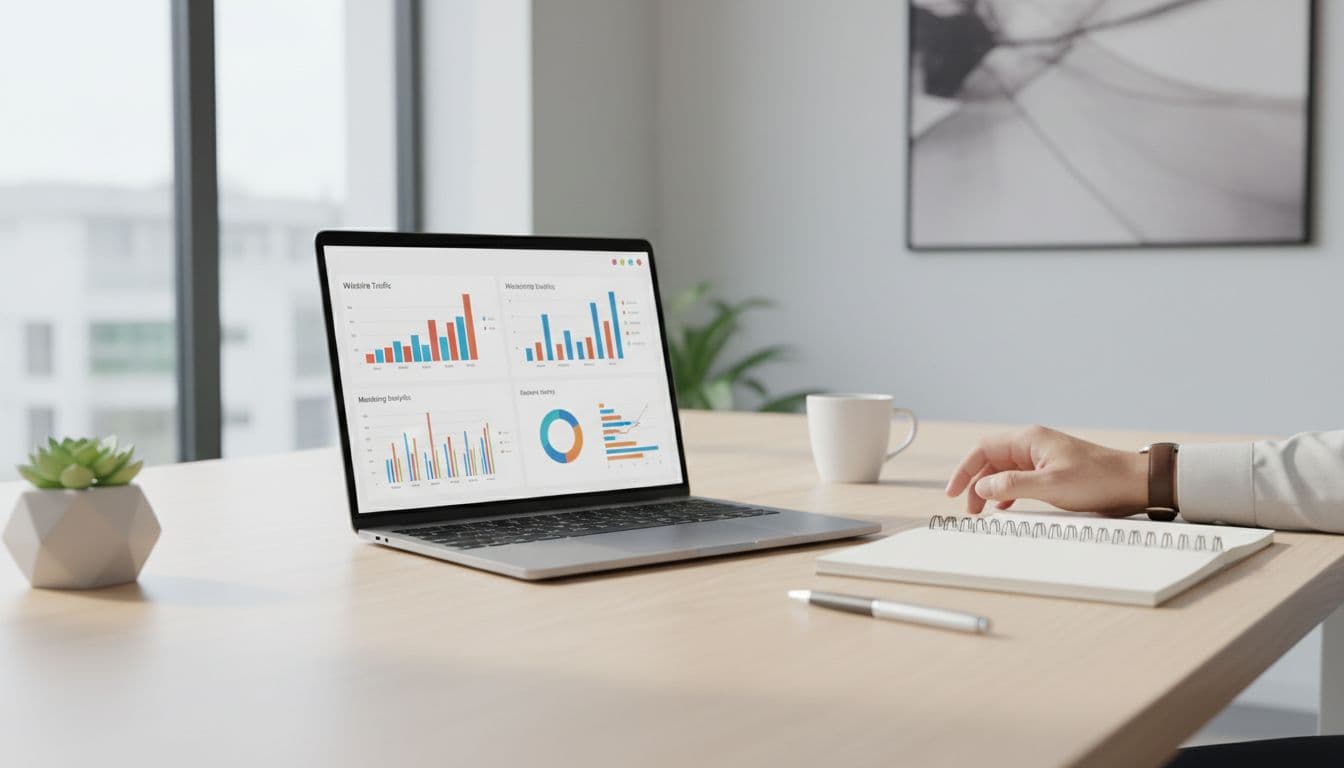
Unique content is the primary defense against being flagged for doorway pages.

Keep these rules tight:

  • Only publish a location page if you can actually serve that area at normal quality and speed.
  • Don't fake offices. If you're a service-area business, say so clearly.
  • Avoid swapping only the city name. Change the proof, the FAQs, and the coverage detail.
  • Use honest boundaries. A giant radius “just in case” looks suspicious and creates bad leads.

If a page can't answer “Can you help me here, with this problem, today?” in 10 seconds, it's not ready.

Final publish checklist (and a clean wrap-up)

Clipboard featuring a printed checklist for publishing service pages with checkmarks, held relaxed by one partially visible hand on a marketer's desk. Blurred laptop in office background, close-up photorealistic composition with natural window light.
A quick pre-publish checklist on a desk, created with AI.

Before you publish, run this quick pass:

  • Page targets one city (or one tight region), not a whole state.
  • Intro mentions [City] naturally, plus one real local detail.
  • Neighborhood list matches your actual dispatch coverage.
  • Service radius notes include at least one boundary or landmark.
  • FAQs include at least one city-specific pricing or timing answer.
  • Reviews or proof feel real, not generic.
  • Map embed loads and matches the coverage claim.
  • Schema markup is implemented for local business structured data.
  • Call to action appears above the fold and near the bottom.
  • Phone and booking links work on mobile.
  • Internal links point to the most relevant next step.
  • Title tag and meta description aren't copy-pasted across cities.

If you want help building this system across dozens of locations, start with a clear process like these local SEO services teams use to keep pages consistent and measurable.

In the end, a good service area pages template should feel like a reliable checklist, not a content factory. This strategy boosts organic traffic and local SEO performance for landing pages. Keep the structure repeatable, keep the proof local, and your pages will earn trust before the call even starts.

Consent Mode v2 GA4 Setup Guide for 2026 (GTM, gtag, CMP, Testing)

Cookie consent for website visitors in 2026 feels like traffic lights at a busy junction. If the signals are wrong, everything still moves, but you can't trust the counts.

Consent Mode v2 GA4 is the practical way to keep measurement useful while respecting user choice and ensuring GDPR compliance. It doesn't replace your cookie banner, it connects it to Google tags so GA4 and Google Ads behave correctly.

This guide is a step-by-step, checklist-first setup for Google Tag Manager and gtag.js you can hand to a marketer, analyst, or developer, then QA with confidence.

What Consent Mode v2 GA4 is, and why it matters in 2026

Clean, modern landscape hero illustration for a 2026 technical guide, featuring a central shield with cookie icon, consent signals (analytics_storage, ad_storage, ad_user_data, ad_personalization) flowing via arrows to GA4 chart and Ads server icons, with a bottom consent banner in flat-isometric hybrid style.
An overview of how consent signals flow from a banner to GA4 and ad measurement, created with AI.

Consent Mode v2 is an API that tells Google tags what they're allowed to do, based on the visitor's consent choice. In practice, it controls whether GA4 and ads storage can write cookies, and whether ad data can be used for personalization.

In v2, you manage four consent signals:

  • analytics_storage (GA4 measurement cookies)
  • ad_storage (ad cookies)
  • ad_user_data (sending user data to Google for ads)
  • ad_personalization (remarketing and ad personalization)

Why it matters in 2026: for EU, European Economic Area (EEA), and UK traffic, Google has required advertisers to pass these consent signals to keep key ads features like Personalized advertising and Remarketing working since the March 2024 deadline, and that expectation continues. If you don't implement it, you may lose parts of remarketing, conversion measurement, or personalization workflows. For a policy-level summary and what teams typically lose when consent signals are missing, see this Consent Mode v2 implementation guide on the EU user consent policy. This approach is essential for a Privacy-centric strategy.

Consent Mode has two behaviors you'll hear a lot:

  • Basic Consent Mode: blocks tags until consent. If the user denies, you collect nothing.
  • Advanced Consent Mode: tags load, but behave safely when consent is denied (cookieless pings). Google can model gaps. Advanced Consent Mode enables Behavioral modeling and Conversion modeling to recover data.

The biggest win in 2026 is trend stability. With Advanced Consent Mode, your reporting doesn't flatline when users say “no”.

Prerequisites checklist (before you touch GTM or code)

Clean, modern landscape hero illustration for the prerequisites section of a Google Consent Mode v2 setup guide for GA4, featuring checklist icons with checkmarks for GA4 property, GTM container, CMP banner, Measurement ID tag, and server, connected by data flow arrows with shield and cookie icons in a flat-isometric hybrid style.
The core items you need ready before implementation, created with AI.

Before setup, lock down the basics. Consent Mode problems often come from timing and duplicates, not the consent banner design.

Prerequisites you should confirm

  • A GA4 property and web data stream: you need the Measurement ID, and a clear plan for which domains you track. Google's developer docs are a good reference point for the tagging side of GA4: Google Analytics for developers.
  • One tagging approach per site area: pick Google Tag Manager or hardcoded gtag.js for the main site experience. Avoid double installs (CMS plugin plus GTM).
  • A Consent Management Platform that can update Consent Mode v2: ideally a Google-certified CMP if you run Google Ads in regulated regions. This short overview helps explain why CMP choice matters: Certified CMP and reporting accuracy.
  • A consent decision model: decide what “Accept all”, “Reject all”, and “Save preferences” mean in your banner.
  • A rollback plan: publish changes in a versioned way (GTM workspace or release branch).

If your GA4 foundation is shaky, fix that first. This internal guide pairs well with consent work because it focuses on stable conversions and clean tags: GA4 lead tracking checklist.

Consent mapping you'll implement

Set expectations with stakeholders using a simple mapping like this:

Banner choiceanalytics_storagead_storagead_user_dataad_personalization
Reject alldenieddenieddenieddenied
Accept allgrantedgrantedgrantedgranted
Analytics onlygranteddenieddenieddenied
Ads only (rare)deniedgrantedgrantedgranted

The takeaway: if your CMP offers category toggles, you must map them cleanly to the four core Consent signals.

Google Tag Manager implementation checklist (recommended for most teams)

Clean, modern hero illustration of GTM panel with consent configuration template, default denied settings, triggers to GA4 tag and CMP event, featuring cookie shield, checkmarks, and data flow icons in flat-isometric style.
Google Tag Manager handling default consent and tag firing rules, created with AI.

Google Tag Manager is usually the easiest way to control timing, because you can centralize consent defaults, tag sequencing, and debugging.

Step-by-step GTM setup

  1. Turn on GTM Consent Overview (Admin). This lets you see and manage consent requirements per tag.
  2. Set the Default consent state early using the Consent Initialization trigger. Your goal is “default denied before any Google tag runs.”
    • Default: analytics_storage=denied, ad_storage=denied, ad_user_data=denied, ad_personalization=denied.
  3. Configure your GA4 tags to respect consent.
    • GA4 Configuration and GA4 Event tags should require analytics_storage.
    • Google Ads tags should require ad_storage, plus the v2 signals as applicable.
  4. Listen for CMP events and update consent.
    • Most CMPs push an event or dataLayer state (for example, cmp_consent_update).
    • When the user accepts, use the “Update consent state” action to set to granted for the mapped signals.
  5. Choose Basic Consent Mode vs Advanced Consent Mode behavior intentionally.
    • If you use Advanced Consent Mode, you still set defaults to denied, but allow Google tags to load and send cookieless signals.
    • If you use Basic Consent Mode, block the tags entirely until consent.

Default denied vs granted (what “good” looks like)

  • Before choice: GA4 may send cookieless pings (Advanced Consent Mode), but it should not set analytics cookies when consent is denied.
  • After Accept all: GA4 can set cookies, enable full data collection, and measure normally, and ads signals can support remarketing and conversion measurement.

A common gotcha: teams set defaults inside a tag that fires after the GA4 config tag. That's too late.

Treat consent defaults like a seatbelt. Put it on before you start the engine, not at the first turn.

gtag.js implementation checklist (when you can't use GTM)

Clean, modern landscape hero illustration for gtag implementation in Google Consent Mode v2 setup for GA4, showing code snippets for consent default and update, GA4 config tag, arrows to browser and server, shield-protected cookie, checkmark, in flat isometric hybrid style with subtle gradients and Google-like accents.
A code-first setup where default consent and updates wrap GA4 tagging, created with AI.

If your site hardcodes tags, you can still implement Consent Mode v2 reliably with gtag.js. The key is placement and timing.

Step-by-step gtag setup (minimal, correct order)

  1. Load gtag.js as you normally do.
  2. Set the Default consent state immediately after the gtag init, before config calls. Use a single default call that sets all four signals to denied.
    • Example shape (keep yours exact): gtag('consent','default', {analytics_storage:'denied', ad_storage:'denied', ad_user_data:'denied', ad_personalization:'denied'});
  3. Fire GA4 config after defaults.
  4. On CMP choice, call consent update to provide the Update consent state using your mapping. Optionally add the wait_for_update parameter (like 'wait_for_update': 500) to improve data accuracy by delaying tags until consent processes.
    • Example shape: gtag('consent','update', {analytics_storage:'granted', ad_storage:'granted', ad_user_data:'granted', ad_personalization:'granted'});
  5. Avoid manual “resend hits” hacks. In Advanced mode, Google can reprocess hits on the same page after consent is granted. Simo Ahava explains this behavior clearly: Consent Mode v2 for Google tags.

Validation checklist (GTM or gtag)

Use two quick layers of checks, then one deeper check. Proper implementation prevents measurement loss in GA4.

  • Tag Assistant / GTM Preview: confirm consent state shows denied on first load, then flips after interaction.
  • GA4 DebugView: confirm events appear when expected, and don't double-fire.
  • Network checks (browser dev tools): open requests to Google endpoints and verify consent parameters change after choice (look for the gcd parameter attached to requests).

Common errors and fixes (fast triage)

  • Default consent fires late: move the default call earlier, or fix GTM firing order.
  • Only two signals mapped: update your CMP mapping to include ad_user_data and ad_personalization.
  • Duplicate GA4 installs: remove the extra plugin or tag. Then re-test DebugView.
  • Consent never updates: your CMP event name or dataLayer keys don't match. Confirm the exact event in the console.
  • Regions mis-handled: apply stricter defaults for EU/EEA/UK traffic if needed, but keep logic simple so you can test it.

What to expect in GA4 reporting, and how to monitor

After rollout, don't panic when numbers shift. With more users declining cookies, observed sessions and conversions can drop. At the same time, trends often become smoother with modeling (more so in ads platforms).

Monitor like this:

  • Add an annotation date for the rollout.
  • Compare key events week over week, not day over day.
  • Watch audience sizes and conversion counts in both GA4 and Google Ads, and check for consent mode reporting gaps that may hide real performance.
  • Keep a single source of truth for conversions. This internal guide helps align GA4 events with business outcomes: track conversions in Google Analytics.

Conclusion

Consent Mode v2 GA4 is less about banners and more about signal quality. Set defaults to denied, map all four signals, and make updates fire instantly on choice. Then validate with Preview, DebugView, and a quick network check.

Once it's stable, you can finally trust your GA4 trends again, even when consent rates swing. This setup ensures responsible data collection and helps businesses navigate the evolving privacy landscape.