Fix Duplicate Google Business Profile Listings in 2026 Without Losing Reviews

Fix Duplicate Google Business Profile Listings in 2026 Without Losing Reviews

Two Google listings for the same business can split reviews, confuse customers, and send calls to the wrong number. That damage shows up fast when local search brings in leads every week.

The good news is that fixing a duplicate Google Business Profile in 2026 is still a clear process. First confirm the real listing, then choose the right action, and only escalate when self-service options won’t work.

Start with the profile you want to keep, because that choice shapes every step after it.

Step-by-step fix for duplicate Google Business Profile listings

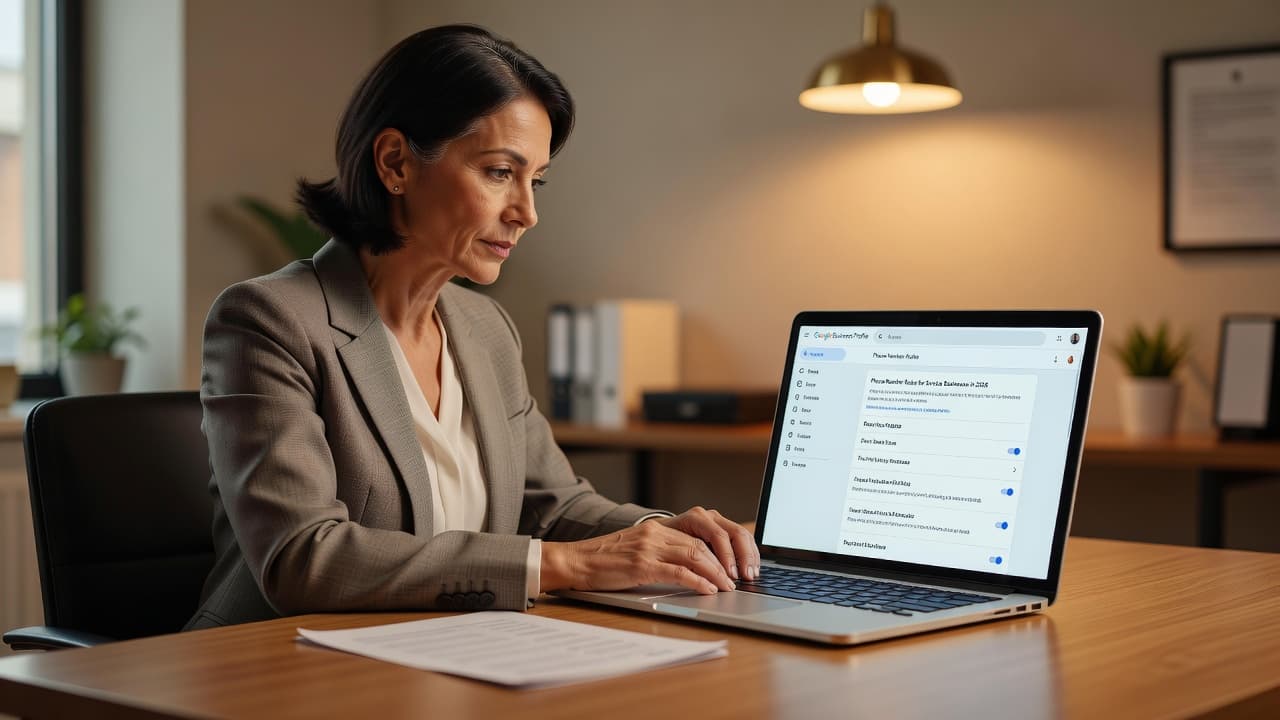
A focused professional sits at a clean desk looking at a laptop in a bright office.

Step 1: Verify the real listing before you remove anything

Open Google Search and Google Maps in an incognito window. Search your business name, phone number, and address. If two profiles appear, open both and save their Maps URLs in a note. That gives you clean evidence later.

Next, confirm that they are true duplicates. Both profiles should represent the same business, at the same location, for the same customer-facing purpose. If one profile is for a different department, a separate practitioner, or a real second location, don’t merge it.

Then decide which listing should stay. In most cases, keep the profile with the correct business name, current address, active phone number, strongest review history, and the Google account you can manage. If one listing is verified and tied to your real business site, that’s usually the safer choice.

If you don’t control the listing you want to keep, claim it first. On the profile in Maps, use “Claim this business” or request access. Ownership comes before cleanup in many duplicate cases.

A quick example helps. Say one profile has 86 reviews, the right hours, and a live website link. The second has an old suite number and no recent activity. The first profile is the one to protect. Build every next step around keeping that listing live.

Step 2: Compare the details that matter

A side-by-side check keeps you from deleting the stronger profile by mistake.

DetailWhat to compareWhich listing usually stays
Name, address, phoneSpelling, suite number, local phone, map pinThe listing with the current public details
Website, category, hoursMain site URL, primary category, open hoursThe listing that matches your real-world business
Reviews and photosReview count, recent photos, owner repliesThe listing with stronger history and engagement
Access and verificationWhich Google account controls it, verified statusThe listing you can manage and verify

Pay close attention to reviews. If both listings are for the same business and one has meaningful reviews, don’t rush to delete anything. In that case, a merge request is often better than a removal request because review loss can be permanent.

Also compare your business details against your website and other channels. This cleanup affects SEO, Performance Marketing, Social Media Marketing, and Website Development. If your DIgital Marketing is handled in-house or by an agency, the same name, address, phone number, and URL should appear everywhere. That consistency supports local search, and it works even better when paired with broader professional SEO services.

Step 3: Choose removal, a suggested edit, or a merge request

Once you know which profile should stay, pick the action that fits your ownership status.

  1. If you own both profiles, sign in to your Google Business Profile account and open the duplicate. Look for options such as “Remove business profile”, “Delete this listing”, or “Remove profile content and managers”. If the duplicate has no reviews and no value, removal is often enough. If it has reviews, photos, or ranking history, ask Google to merge it instead.
  2. If you own one profile but not the other, request access to the second listing first. After Google resolves ownership, ask support to remove or merge the duplicate. This is common when an old employee, agency, or partner verified the extra profile years ago.
  3. If you own neither profile, or the duplicate is a public data issue, use “Suggest an edit” in Google Maps. Mark the listing as “Doesn’t exist” only when it should never have been there. Mark it “Permanently closed” only if the business has truly shut down at that location. Don’t mark an active business as closed simply to remove a duplicate, because that can create a bigger mess.

A simple rule helps here. Use a normal edit for wrong public facts. Use support for same-business duplicate listings that need a merge or a clean removal.

If the duplicate has reviews you care about, ask for a merge before you delete anything.

If you want a quick second reference, this duplicate listing guide gives a short overview of the same decision points. Still, your own evidence matters more than any shortcut.

Step 4: Escalate with evidence if Google doesn’t resolve it

Sometimes Google rejects the edit, leaves both profiles live, or closes the wrong one. When that happens, move from guessing to documentation.

Gather a small evidence pack before you contact support. Include both Maps URLs, screenshots of both profiles, your preferred listing, the duplicate listing, your correct name, address, phone number, and website URL. If needed, add current storefront photos. Support may also ask for proof such as a utility bill or lease that matches the business name and address. This 2026 Business Profile guide shows the kind of documentation often used for support cases.

Then contact Google Business Profile Help and state the issue in one clear sentence. Tell Google which profile should stay and which one is the duplicate. Mention that both represent the same business at the same address.

Please keep the verified profile with the current reviews and merge the second profile for the same business at the same location.

If Google denies the request, reply with tighter evidence instead of rewriting the whole story. Reference the same case if possible. Keep screenshots, dates, and copies of every message. Support queues can take time, but clean documentation usually beats long explanations.

When duplicates keep coming back, the problem often runs deeper than Google alone. Your site, directories, ads, and social profiles may still show mismatched business data. If you want help reviewing the issue or cleaning up local visibility across channels, Get In Touch With Us.

A short checklist before you hit submit

  • Confirm both profiles are for the same business and same location.
  • Decide which listing should stay before taking action.
  • Save both Google Maps URLs and screenshots.
  • Compare reviews, website URL, hours, phone number, and categories.
  • Use “Suggest an edit” only for public data errors.
  • Request a merge when the duplicate has reviews or strong history.
  • Escalate with proof if Google rejects the change.

Conclusion

Two listings for one business can split trust as fast as they split traffic. The clean fix is to verify the real profile first, compare the right details, and choose the correct path based on ownership.

Most duplicate Google Business Profile problems become manageable once you stop treating every case the same way. Keep the listing that customers can trust, document every step, and make that single profile match your SEO and every other public channel.

Call Tracking and Local SEO in 2026: What Service Businesses Can Use Safely

Call Tracking and Local SEO in 2026: What Service Businesses Can Use Safely

A missed call can cost a plumber, roofer, or law firm real money. At the same time, a messy phone setup can weaken your local SEO if Google sees different numbers across your site, listings, and directories.

The good news is simple. Call tracking numbers do not automatically hurt rankings in 2026. Problems start when tracking numbers replace your main business number in the wrong places. If you want better attribution without damaging NAP consistency, the setup matters more than the tool.

Do call tracking numbers hurt local SEO in 2026?

A person sits at a desk focusing on digital charts and marketing analytics on a laptop screen.

The short answer is no, not when you use them correctly.

Local SEO still depends on clear business identity signals. Google compares your business name, address, and phone number across your website, Google Business Profile, and third-party citations. When that phone number changes from place to place, Google’s confidence can drop.

That is why older advice warned people away from call tracking. The warning came from bad setups, not from call tracking itself.

Call tracking doesn’t break local SEO. Inconsistent phone data does.

For service businesses, call tracking is useful because the phone is often the conversion point. A homeowner with a leaking pipe usually calls. A person who needs a criminal defense lawyer often calls. If you cannot tell whether that call came from organic search, Google Ads, Local Services Ads, or a social campaign, you are guessing.

Used well, call tracking helps you connect leads to marketing channels. In a broader DIgital Marketing plan, that matters because you can compare SEO, Performance Marketing, and Social Media Marketing without relying on form fills alone. CallRail’s overview of call tracking gives a solid plain-English look at how this attribution works.

Where businesses get into trouble is simple. They swap their main number for a new tracking number in the website header, citations, and Google Business Profile, then add more numbers for other campaigns. Google crawls that mess and sees mixed signals.

If you’re already investing in expert local SEO for physical locations, phone setup should be part of the same strategy, not an afterthought.

The safe setup for primary numbers, Google Business Profile, and citations

A minimalist graphic features a digital map pin centered on a smartphone screen.

The safest setup starts with one canonical phone number. This is your real, long-term business number. Use that number as your reference point everywhere Google expects consistent business data.

For most plumbers, HVAC companies, electricians, roofers, and law firms, that means your primary number should stay stable on:

  • your core citations and directory profiles
  • your LocalBusiness schema
  • your contact page
  • any crawlable site content that search engines read as core business info

Then layer tracking on top of that foundation.

Dynamic number insertion, usually called DNI, is the safest website option in 2026. With DNI, visitors see a source-specific tracking number, but search engines still see your main number in the underlying code. This is why modern call tracking and local SEO can work together.

This quick table shows the difference between a safe setup and a risky one:

PlacementBest setupWhat to avoid
Website for organic visitorsUse DNI so users see a tracking number, while bots can still read the main numberHard-coding different tracking numbers on crawlable pages
Google Business ProfileKeep one long-term approach, either main number first or one stable tracking number plus main number as secondaryRotating numbers or using campaign numbers here
Citations and directoriesKeep the main business number consistentAdding different tracking numbers to Yelp, BBB, Angi, and similar listings
Google Ads or offline campaignsUse dedicated tracking numbers freelyReusing those ad numbers on indexed pages

Google Business Profile is where many owners get stuck. There are two practical options.

The conservative option is easiest for small businesses. Keep your main local number as the primary phone number on your profile. If your system allows it, add a tracking number in the secondary field or rely on website DNI for better source data.

The second option is common too, and many local SEO teams use it without trouble. Put one stable tracking number in the primary field and your real local number in the secondary field. If you choose this route, do not swap it often. Keep it consistent. Sterling Sky’s guide on call tracking myths explains why this can work when handled carefully.

Either way, the bad move is using several tracking numbers across listings. One profile, one long-term setup.

Citations need even more discipline. Your main number should stay the same on Yelp, Apple Maps, Bing Places, BBB, and industry directories. If a tracking number leaks into those places, clean it up fast. GroupFractal’s local SEO call tracking tips make the same point.

Also, don’t ignore Website Development. A broken implementation can expose the wrong number to crawlers. Your developer or marketing team should confirm that the main number appears in schema, in the source HTML when needed, and in any key contact elements that search engines process.

Common mistakes service businesses still make, and what a correct setup looks like

Two colleagues discuss a digital marketing strategy while reviewing data on an open laptop.

The biggest mistake is replacing the real business number everywhere because “tracking is more important.” It isn’t. Attribution matters, but business identity comes first.

Another common problem is number leakage. This happens when a tracking number meant only for ads or specific visitors ends up in crawlable page content, a footer, a city page, or a syndicated directory listing. Once that happens, NAP consistency starts to slip.

A few other mistakes show up all the time:

  • changing numbers every few months
  • giving each service page a different hard-coded number
  • forgetting to update schema after a redesign
  • using one-off numbers in citations
  • tracking phone calls but never tying them back to source data

For service businesses, the cleanest setup often looks like this.

An HVAC company has one main local number. That number stays on its core citations and in schema. The website uses DNI, so people from Google Ads see one tracking number, organic visitors see another, and direct visitors may see the main number. Search engines still have access to the core business number.

If the company wants Google Business Profile call tracking, it uses one stable profile number and keeps the local number in the secondary field. It does not change that number for summer promos or after-hours campaigns.

A law firm can follow the same logic. Use one main office number for local identity. Use DNI on practice-area pages to measure calls from organic search. Use separate tracking lines for paid search or intake campaigns. Keep those numbers out of citations.

This is also where channel reporting gets stronger. Call tracking helps show whether SEO is driving emergency service calls, whether Performance Marketing is bringing qualified leads, and whether Social Media Marketing is mostly creating awareness rather than high-intent calls. That makes budget decisions easier.

One more point matters in 2026. Non-indexed placements are much safer for tracking numbers. A number used in Google Ads, direct mail, van wraps, or social ads usually has no SEO downside because search engines are not treating those placements as core citation sources. CallScaler’s write-up on non-indexed tracking placements covers that distinction well.

If your current setup has grown messy after several campaigns, a cleanup is worth it. Audit your website code, Google Business Profile, and top citations first. Then decide which number is your permanent business number, and rebuild around it. If you want help reviewing the setup, Get In Touch With Us.

Final thoughts

Call tracking is safe for local SEO when you treat your main business number as the anchor and add tracking around it, not instead of it. That is the key point service businesses need to remember in 2026.

A stable phone identity helps Google trust your listings. Smart tracking helps you trust your marketing data. When both are in place, you get cleaner attribution, stronger local visibility, and fewer expensive mistakes.

Google Business Profile Video Strategy for Service Businesses in 2026

Google Business Profile Video Strategy for Service Businesses in 2026

If your Google profile still relies on photos alone, you’re easy to scroll past. In 2026, local customers want proof before they call, especially for services they can’t judge in advance.

A short Google Business Profile video can show your van, tools, team, and work style faster than a long description. When you use it well, it supports trust, local visibility, and more calls from people who are ready to book.

Why Google Business Profile videos matter more in 2026

A technician holds a smartphone to film a video in front of a service van outdoors.

A Google Business Profile video works like a first handshake. People can see that you’re real, local, and active. For service businesses, that matters because buyers often choose the company that feels safest, not only the one with the lowest price.

Picture two electricians in the local pack. One profile has a logo and a few static photos. The other has a short clip showing a branded van, a clean toolkit, and a technician arriving at a home. The second profile feels more trustworthy in seconds.

Google’s official photo and video requirements still keep public videos simple: up to 30 seconds, up to 75 MB, and 720p or higher. That limit is helpful. It pushes you to show one clear story instead of trying to cram in a full promo.

Authenticity matters more than polish. In fact, Whitespark’s guide to GBP photos and videos points out that your footage should show the real business and real location. Stock footage might look slick, but it weakens trust and can create policy issues.

This also connects to SEO in a practical way. Video doesn’t give you a magic ranking jump on its own. However, it can improve click confidence, help people stay with your brand longer, and make your profile feel complete. When your reviews, categories, service pages, and video all line up, the result is stronger local visibility and better lead quality.

For many owners, this is where DIgital Marketing stops feeling abstract. Your Google profile becomes a live sales asset, not a listing you update once and forget.

Use two video types, public clips and verification proof

A business owner displays organized professional tools and a work calendar inside a bright, clean workshop.

Most owners mix up two different video jobs. One video is for customers. The other is for Google.

Your public profile videos are short clips that people can see on Search or Maps. These should show your team, your work, your vehicle, your shop, or the result you deliver. Keep them clear and simple.

Your verification video is different. Google may ask for it when you set up or re-verify a profile. That video is not a commercial. It’s proof that the business exists and that you control it.

Your best video is usually the one that proves you’re real, not the one that looks most produced.

For a service business in 2026, a good verification video usually includes:

  • A street sign, building number, or nearby landmark
  • A branded vehicle, uniform, tools, or service equipment
  • A walk into the work area, office, or storage space
  • One live management action, such as opening a booking system or unlocking a work area
  • No private papers, passwords, or customer details in frame

If you run a home-based service and hide your address, show other proof instead. A nearby street sign, your house number, a branded kit, and your workspace can all help. Google wants to see real operations, not a slideshow.

For public videos, keep that same spirit. Show normal business activity during a real workday. Use steady phone footage, decent light, and clean audio if someone speaks. Light editing is fine, but don’t bury the clip under heavy text, loud music, or flashy effects. People searching for a locksmith or cleaner don’t need a mini movie. They need confidence.

What service businesses should film each month

A professional stands in a modern office reviewing a marketing video clip on their smartphone.

You don’t need a studio or a big content plan. You need a repeatable rhythm. One useful Google Business Profile video each week is more than enough for most local brands.

A simple content mix works well:

| Video type | What to show | Best use | | | | | | Welcome or arrival clip | Van arrival, storefront, technician greeting, office entrance | First impression and trust | | Service in action | Safe part of the job, tools, prep, cleanup, process | Proof of expertise | | FAQ or seasonal tip | One answer to a common customer question | Education and local relevance | | Result clip | Finished space, repaired item, clean work area, before/after angle | Conversion support |

Keep each public video short and focused. A strong format is 3 seconds of location, 15 to 20 seconds of work, then a few seconds of the finished result. Center the subject, hold the phone steady, and skip long intros.

Here are a few examples. A plumber can show a leak test and a clean sink area after the repair. A cleaning company can show room prep, part of the process, and the finished surface. A landscaper can film edging, trimming, and the final curb view. A law office or clinic can use a welcome video that shows the entrance, reception area, and a friendly team member.

When you have a seasonal offer, pair the clip with a post. Google’s Business Profile posts help page confirms you can add a video and an action button that sends people to a booking or quote page.

The same video can also support your wider marketing. One clip can feed Social Media Marketing, live on a service page, and even support Performance Marketing campaigns. That only works if the next step is solid, though. If visitors land on a weak page, the video’s momentum dies. That’s why good Website Development still matters. If your profile, landing pages, and offers feel disconnected, it helps to review your full-service digital marketing support.

How to turn profile video into local SEO and more conversions

A laptop screen displays a simplified data analytics dashboard with a blurred office background.

Video works best when it fits the rest of your local setup. If your categories are wrong, your reviews are stale, or your service pages are thin, video won’t cover the gap. It helps most when it supports a strong profile and a clear booking path.

Use this checklist before you upload:

  • Show your actual location, team, vehicle, or tools in the first few seconds
  • Keep the clip under 30 seconds and easy to follow without fancy editing
  • Match the video topic to a real service you want to sell
  • Send clicks to a page that fits the video, not a generic homepage
  • Track what happens after the view, including calls, form fills, and booked jobs

Most importantly, measure the right things. Watch website clicks from your profile, phone calls, direction requests if you have a public address, and lead quality after each upload. Add UTM tags to your website link so you can see profile traffic in analytics. Then compare results over 60 to 90 days, not after one week.

A practical example helps. If you post a drain-cleaning video in June, link it to the drain service page, not your about page. If the page loads slowly or buries the phone number, fix that first. Video helps people say yes faster, but the page still has to close the lead.

Keep a reference for the rules, too. Fluxnote’s 2026 GBP video specs guide is useful when your team needs a quick check on file size, length, and common policy issues.

If results still feel flat, the problem usually isn’t the clip alone. It’s the full path from search to booking. In that case, it can help to book a free strategy review and find the break in the chain.

Final thoughts

A strong Google Business Profile video doesn’t need cinematic polish. It needs real proof of your business, your service, and the result a customer can expect.

Start with one welcome clip and one proof-based service video. Then keep the pattern going. In 2026, the local service businesses that win attention are often the ones that look the most real.

Google Business Profile Attributes for Service Businesses in 2026

Google Business Profile Attributes for Service Businesses in 2026

A half-complete Google profile can lose leads before the phone rings. In 2026, Google Business Profile attributes do more than fill space. They help buyers decide if your business fits their needs, and they help Google match you to the right searches.

If you run a service business, those small profile details can shape trust, relevance, and conversions in a few seconds. The smart move is not to turn on every option. It’s to choose the ones that prove you’re the right fit, then keep them accurate.

Why attributes carry more weight in 2026

Many service owners still treat attributes like bonus details. That made sense years ago. It doesn’t now.

A clean, minimalist desk features a laptop and notepad illuminated by bright natural light.

Google’s local results are more specific than they used to be. Your primary category still matters a lot, and the most specific accurate category usually wins. A roofer should not hide under “general contractor” if “roofing contractor” fits better. Once that category is right, Google can surface the most relevant attribute options for your profile.

At the same time, Maps is getting better at reading the whole profile. In May 2026, Google’s AI-driven summaries can pull from posts, reviews, descriptions, and service data. That means your attributes don’t stand alone. They work with the rest of the profile, and weak details can create mixed signals.

For service businesses, attributes often answer the buyer’s next question before they contact you. Do you take appointments? Do you offer online estimates? Is the business accessible? Do you provide on-site service? Those answers reduce doubt fast.

Google also makes this a moving target. On Google’s business attributes help page, the company notes that attributes vary by category and country, and even their names can change over time. Google also says some edits appear in minutes, while others can take up to 30 days. So this is not a one-time setup task.

Service-area businesses feel the change even more. Google now supports up to 20 service areas, but adding cities you don’t truly serve can backfire. If the profile, reviews, and website don’t line up, the listing looks less trustworthy. That hurts both clicks and calls.

This is why attribute work belongs inside a bigger local visibility plan, not in a forgotten admin tab. When it supports your local SEO services, it becomes part of how you earn better leads, not just more impressions.

The best attributes are the ones that remove doubt, not the ones that make the profile look “full.”

A practical way to rank attributes by impact

Most service businesses need a filter, because not every attribute deserves equal attention. A simple system works well: rank each option by trust, relevance, and conversion impact.

A professional in casual business attire smiles while speaking with a client in a bright office.

Start with trust. These are the facts that calm a buyer down. Accessibility details, appointment rules, online estimate availability, and ownership identifiers like women-owned or veteran-led can matter a lot, but only when they are true. If an option is only partly true, leave it off. An inaccurate attribute doesn’t build trust. It creates friction.

Next comes relevance. These details help Google connect your business to the right intent. A service-area company should show real service coverage, not a wish list of nearby cities. A firm that travels to the customer should reflect that clearly. Your service list should also break broad offers into smaller, real jobs. “Roof repair,” “roof replacement,” and “storm damage repair” send better signals than one generic “roofing” entry.

Then look at conversion impact. Some attributes and nearby profile features help a buyer act now. Online appointments, booking links, service menus, and estimate-related settings shorten the path from search to lead. In 2026, that matters more because buyers expect to act from the listing itself.

A useful rule is to work in this order:

  1. Fix the most specific primary category first.
  2. Add the attributes that answer your two biggest buyer objections.
  3. Match those claims with services, reviews, and landing pages.

A 2026 local SEO playbook on GBP attributes makes a similar point: when several businesses share the same broad category, these details often become tie-breakers. They won’t rescue a weak profile, but they can help a strong one stand out.

This also explains why Google profile work can’t sit apart from the rest of your marketing. For most small firms, it’s part of DIgital Marketing, even if it feels like profile maintenance. It supports SEO, makes Performance Marketing clicks less wasteful, gives Social Media Marketing traffic more proof, and works best when Website Development keeps your booking or contact pages clear. When profile work drifts away from the rest of your digital growth services, the message usually gets messy.

One more point matters in 2026. Some of the highest-impact fields sit right beside attributes, not inside the attribute list itself. Products, service items, photos, reviews, and booking settings all reinforce the same promise. If your profile says “online estimates” but your site has no visible quote form, the lead experience breaks. If your listing says “appointment required” but the phone goes unanswered for days, the attribute becomes a warning.

What service-area and multi-location businesses should do

Service businesses have more moving parts than storefront retailers. The profile has to describe where you work, how you work, and what kind of lead should contact you. That changes how you choose attributes.

A set of simple, professional line icons arranged neatly against a clean neutral background.

For service-area businesses, Google’s current direction is clear. List the real places you serve, keep it within actual coverage, and break your services into separate items. If you’re a plumber, “water heater repair” and “drain cleaning” are better than one vague service label. If you’re a law firm, separate family law, estate planning, and DUI defense where those are real practice areas. If you’re a clinic or salon, use service menus and products where they fit, because Google is pulling more from that data.

Multi-location brands need a different discipline. Central rules help, but copy-paste hurts. One branch may offer online appointments, another may not. One clinic may show new-patient availability, another may not. One salon may have full accessibility details, another may still be limited. A single master template is fine for brand standards, but every location needs local truth.

This is also where newer verification rules matter. Video verification is now common for new profiles, and Google wants a continuous video that proves management access and the business’s real presence. If a brand opens locations quickly without local process, profile accuracy slips before the listing has any chance to rank.

Category differences are real, so your attribute mix should change by vertical. This quick view helps frame priorities:

Business typeAttributes and related fields to review firstCommon mistake
Home servicesOnline estimates, on-site service details, accurate service areas, separate service itemsListing every nearby city and using one broad service label
LegalAppointment settings, consultation options if shown, clear practice-area services, ownership details if trueUsing generic firm-wide profile settings across all offices
HealthcareAccessibility details, appointment options, new-patient status if available, provider-specific servicesLeaving outdated hours or incomplete access information
BeautyAppointment required, accessibility, women-owned if true, menu-style services or productsForgetting to update seasonal services and booking links

The takeaway is simple. There is no universal attribute stack for every business. A service profile should mirror the way that business actually sells and serves.

A solid 2026 guide to Google My Business attributes is useful here because it shows how service-area, estimate, accessibility, and appointment options can differ by business type. That matters when you manage several categories or several locations.

A few vertical notes are worth keeping in mind. Home services usually gain the most from estimate and service-detail clarity. Legal practices often benefit from appointment and consultation clarity because buyers want to know the next step before they call. Healthcare profiles need clean access details because patients notice friction fast. Beauty brands often convert better when the service menu, booking link, and appointment settings line up.

If you manage many profiles, build three internal lists: required, optional, and never-use. That helps local teams move faster while still protecting accuracy. It also gives your wider SEO strategy cleaner signals across locations.

Keep the profile active, accurate, and useful

Attributes are not “set and forget” fields. Google changes options, businesses change services, and location teams forget to update details. The profiles that keep working are the ones with a routine.

A business owner stands outside their storefront checking updates on a smartphone during the day.

A monthly check is a good standard in 2026. Review hours, phone number, website link, service areas, services, booking flow, and the attribute set. Then add fresh photos, publish a post, and reply to reviews. This matters because Google is using more profile content in summaries, and stale listings tend to look less reliable.

Fresh visuals help too. Real photos beat stock art. Short videos can help prove that the business is active and real. That doesn’t replace attributes, but it supports them. If your profile says you provide on-site service, show crews, tools, or completed work. If it says appointments are required, the booking path should be obvious on both the profile and the site.

Reviews now carry more detail as well. Google is getting better at connecting review language to the actual service delivered. So don’t ask customers for bland praise. Ask them to mention the work they hired you for. “AC repair,” “bridal makeup,” “estate planning,” or “same-day notary” is more useful than “great service.”

Another 2026 shift is the rise of AI calling and AI-assisted answers inside search tools. Profiles with clear hours, services, and contact details work better with that trend because machines need clean data too. If a bot or assistant is trying to interpret your business, vague settings create bad matches.

Track outcomes, not only ranking. After attribute updates, watch calls, website clicks, booking clicks, and lead quality. A better attribute set should reduce dead-end leads and improve fit. If it doesn’t, your categories, services, or landing pages may be saying something else.

If keeping profile data, local pages, and conversion tracking aligned feels messy, it’s smart to ask for a second set of eyes. After your next audit, you can Get In Touch With Us if you want help cleaning up the gaps.

Conclusion

A stronger profile starts with honest detail, not more toggles. The best Google Business Profile attributes are the ones that match how your business really works, answer buyer concerns fast, and fit the services you want to sell.

That brings the opening point full circle. A half-complete profile loses leads because it feels vague. A specific, current, well-matched profile gives Google clearer signals and gives local buyers fewer reasons to hesitate.

Google Business Profile Posts for Service Businesses in 2026

Google Business Profile Posts for Service Businesses in 2026

A stale profile costs calls. For service businesses, Google Business Profile posts can show that you’re active, available, and worth contacting right now.

If you run a plumbing company, HVAC shop, dental office, law firm, roofing crew, or home service brand, your posts don’t need polish for the sake of polish. They need clear timing, real proof, and one next step. The goal is simple: reduce hesitation and help a searcher act.

That starts with treating each post like a small sales page inside Google.

Why recent posts still influence local decisions

A technician stands by a work van while checking his mobile phone.

When someone searches for “emergency plumber near me” or “dentist open Saturday,” they’re already close to booking. At that point, your latest update can matter more than another polished slogan on your homepage.

Fresh posts tell people your business is active. They also support the other signals on your profile, such as reviews, photos, services, and hours. A quiet profile doesn’t always mean a bad business, but it can look neglected.

Google’s own Business Profile post guidance makes the standard clear. Add relevant details, keep dates accurate, and edit posts when information changes. In other words, Google wants useful updates, not fluff.

That lines up with what current local search teams are seeing. PinPoint Promote’s 2026 guide notes that posts often lose their strongest visibility after about a week. For most service businesses, that makes one post per week a practical baseline.

Weekly is enough to show life. During peak seasons, more can make sense. An HVAC company in summer, a roofer after storms, or a tax lawyer in filing season may need extra updates because demand shifts fast.

Posts also work best as part of a broader local presence. If your profile is incomplete or your service pages are thin, fix that first with a stronger local search engine optimization strategy. Posting won’t cover up weak local signals, but it can sharpen a solid profile and help more searchers choose you.

Post ideas that work for plumbers, dentists, lawyers, and roofers

A service professional in uniform uses a smartphone to photograph a renovated residential kitchen.

Most service businesses don’t need endless variety. The best Google posts usually fall into four groups: finished work, seasonal reminders, open availability, and short answers to common questions.

Real jobs beat generic promos. A plumber can show a completed water heater install. An HVAC company can post that same-week AC tune-ups are open. A dentist can announce Saturday cleaning slots. A lawyer can share a short update about consult availability or a community talk, without making risky promises about outcomes. A roofer can post storm inspection openings after heavy rain.

This quick table shows the pattern:

BusinessStrong post angleBest next step
PlumberSame-week drain cleaning in a named service areaCall now
HVACPre-summer AC tune-up reminderBook online
DentistNew hygiene or whitening slots this weekReserve visit
LawyerFamily law or estate consult times availableLearn more
RooferPost-storm inspection openingsGet quote
Home servicesBefore-and-after repair photo with resultCall now

The format changes, but the logic doesn’t. Lead with something timely, show proof, and make the next action obvious. That is why Wiremo’s 2026 post guide stresses specific service examples and one-tap calls to action for home services and local practices.

Photos matter here. Use your team, your vans, your office, and real job photos. A dentist should show the practice, not a stock smile. A roofer should post an actual recent project, not a glossy roof from a brochure. A lawyer can use an office photo, team headshot, or event image if client privacy is involved.

Keep each post tied to one idea. If you try to promote financing, a seasonal offer, a new location, and a hiring update all at once, the post loses shape. One clear point wins because people skim.

How to write Google Business Profile posts that get action

A well-organized desk features a digital tablet and planner under bright morning light.

The best writing formula is plain. Start with the update, name the service, add the location if it helps, then tell the reader what to do next.

Lead with the offer or update, then name the service, place, and next step.

That structure works because Google searchers are in a hurry. They don’t want a warm intro. They want to know if you solve the problem, where you work, and how soon they can act.

A strong post might read like this: “Now booking AC tune-ups in North Phoenix. Same-week appointments are open before the next heat spike. Book online today.” A roofing version could say: “Storm-damage roof inspections available this week in Tulsa. Free estimates through Friday. Get a quote.” A dentist might post: “Saturday cleaning appointments are open in Mesa. Reserve your visit before spots fill.”

Clarity matters more than clever wording. Postoria’s 2026 posting strategy makes the same point, one takeaway per post, specific service details, and a CTA that fits the intent. For service businesses, “Call,” “Book,” and “Get quote” usually beat softer prompts.

The landing page matters too. If your post is about roof repair, send people to the roof repair page, not the homepage. If the update is about emergency plumbing, link to that service page. This is where many businesses lose easy conversions. A post earns the click, then the wrong page wastes it.

Tracking helps you see what works. If you want a cleaner setup for links, measurements, and profile structure, this GBP management guide explains how to tag URLs and connect profile traffic to real leads. Keep your service areas, hours, and offers aligned across the profile and the site. Mixed signals create doubt, and doubt slows down calls.

Use urgency only when it’s true. “Three spots left this week” works if you mean it. “Offer ends Friday” works if it really ends Friday. Fake urgency trains people to ignore you.

A posting rhythm small teams can keep

Two professionals discuss business strategies while looking at a laptop screen in a modern office.

You don’t need a full-time content team to stay active. One hour a month is enough for many small service businesses if you batch the work.

A simple routine works well:

  1. Collect four to eight real photos from jobs, office life, or team activity.
  2. Draft short posts around current demand, open slots, common questions, and recent work.
  3. Match each post to the right landing page and CTA button.
  4. Schedule, publish, and review calls, clicks, and booked jobs at month-end.

That process is easier when you post to a rhythm. Renew Local’s 2026 guide suggests weekly posting as a practical minimum, with two to three posts per week during active periods. It also notes that mid-week mornings often perform well for service categories. Still, the best schedule is the one your team can keep.

Measure outcomes that matter. Track call clicks, website clicks, booked appointments, estimate requests, and service-page traffic. A post that gets modest views but drives three booked jobs is better than one with broad reach and no action.

Google posts also fit into a bigger marketing system. They won’t replace DIgital Marketing, SEO, Performance Marketing, Social Media Marketing, or Website Development. They support those efforts by catching people at the moment of local intent, when the next click often turns into a lead.

If your profile gets views but not enough calls, the fix may sit beyond posting. You may need tighter service pages, stronger trust signals, or sharper professional search engine optimization services. If you want help building the calendar, landing pages, and tracking, Get In Touch With Us.

Make each post earn its place

A good Google post doesn’t try to do everything. It gives a searcher one timely reason to trust you and one easy way to act.

For service businesses in 2026, consistency beats creativity. A short, specific post about today’s availability, this week’s job, or a seasonal service can do more than a month of silence.

Google Business Profile Services Strategy for 2026

Google Business Profile Services Strategy for 2026

A thin services list can cost you calls in 2026, even when your reviews are strong. Google now uses profile details more directly in Search and Maps, so vague service entries can lead to weak matches and missed leads.

For small service businesses, the services area on your Google profile is no longer a box to fill in later. It helps Google understand what you do, helps customers decide faster, and supports a stronger google business profile services strategy from the ground up.

Build a service list that matches real searches

A clean, minimalist dashboard UI displays a professional list of services in blue and white tones.

In 2026, Google is better at pulling service details into search answers and map results. That means your service names do more than fill space. They help Google decide when your business is relevant.

Start with your main category. If you’re a plumber, choose “Plumber,” not a broader label that sounds polished but says less. Then add only the service groups and service types you actually sell. Google’s own help for managing services makes this clear: use suggested services when they fit, and add custom services when they don’t.

Clear beats clever every time. A customer searches “water heater repair,” not “premium hot water solutions.” The same rule applies to cleaning, HVAC, pest control, roofing, legal services, and home care.

Use plain service names first

Write service names the way customers say them on the phone. Keep each entry short, direct, and tied to a real job. If your team uses internal labels or package names, leave them off the profile.

This quick naming test helps:

Weak service nameBetter service nameWhy it works
Premium home solutionsHouse cleaningSays the actual job
Total plumbing careDrain cleaningMatches a clear need
Outdoor upgradesIrrigation installationEasier for Google to classify

Better labels sound plain because customers search plainly.

A practical setup often looks like this:

  1. Pick one primary category that matches your main revenue service.
  2. Add service groups under that category.
  3. Use suggested services where Google offers a good fit.
  4. Add custom services for real jobs missing from the list.
  5. Write short descriptions only when they add clarity.

Short descriptions help when the service name alone doesn’t tell the full story. For example, “Same-day diagnosis and repair for tank and tankless units” says more than a vague sentence about quality.

Avoid common setup mistakes

Many businesses turn the services section into a keyword dump. That backfires. Don’t add city names to every service. Don’t list jobs you outsource. Don’t create duplicate entries with tiny wording changes. Also, don’t post prices unless they’re stable and easy to honor.

For trade-based examples, this service list template for common trades shows how simple naming often wins over marketing copy.

The goal is not a huge list. The goal is a specific list. If a service brings leads, belongs to your core offer, and appears on your site, it belongs here.

Make your website, reviews, and profile agree

A digital bridge links a website homepage interface to a glowing map marker icon.

A strong profile can’t fix a weak website. If your Google Business Profile lists “water heater repair” but your site only says “full-service plumbing,” you’re giving Google mixed signals. You’re also making customers work harder than they should.

Your top services should appear in both places, using close language. That doesn’t mean copying the same line everywhere. It means the same service themes should show up in your page titles, headings, body copy, forms, and proof points.

If your profile promises a service that your site barely mentions, Google has less reason to trust the match.

Give each core service a real home on your site

Every core offer needs its own page, or at least a clear section on a strong service page. If you cover multiple towns, connect those service pages to relevant city pages instead of cramming place names into the profile. This local SEO linking guide explains a clean structure for service pages and local pages.

Reviews matter here too. If customers keep mentioning “drain cleaning” or “move-out cleaning,” and those services are missing from your profile, fix the gap. Google is connecting service signals across listings, reviews, and answer formats more than before.

For service-area businesses, structured data adds another layer of clarity. A good structured data guide for service businesses can help you mark up the facts Google needs to read cleanly, including service type and area served.

Treat the services section as part of your full marketing system

This is where DIgital Marketing becomes practical. Your SEO, Performance Marketing, Social Media Marketing, and Website Development should reflect the same service priorities. If you run ads for “same-day AC repair” but your profile hides that service, your message gets weaker. If social posts highlight kitchen remodeling but your profile only lists “home improvement,” you lose clarity.

Google also gives some businesses ways to highlight online or remote services. If you offer consultations, virtual estimates, or online sessions, Google’s profile completion guidance is worth reviewing so those offerings appear properly.

A simple example makes this easier to see. Say you’re an HVAC company. Your profile lists AC repair, furnace repair, duct cleaning, and thermostat installation. Your website should have pages or strong sections for those services. Reviews should mention those jobs in natural language. Your contact forms should route those leads clearly. Then the whole system speaks with one voice.

That kind of consistency does more than help rankings. It improves lead quality because people know what you do before they call.

Review, update, and measure what brings calls

A clean graphic features a calendar icon and a checklist on a blue and white background.

Once your services section is live, don’t leave it untouched for a year. In 2026, stale profile data creates more risk because Google may reuse it in more places. If an old service sits on the profile after you stop offering it, customers can reach out for the wrong job.

A monthly review is enough for most small businesses. Seasonal businesses may need it more often. Roofers, landscapers, HVAC companies, and cleaning firms often shift offers through the year, so the list should reflect that.

Check four things during each review:

  • Remove services you no longer offer or no longer want.
  • Add services that now show up often in calls, forms, and reviews.
  • Compare service names with your website headings and service pages.
  • Check whether your descriptions or prices still match reality.

Performance data helps you make better edits. Watch which services show up in lead forms, call notes, booked jobs, and service-page traffic. Then compare that with your profile list. If one profitable service keeps winning leads but isn’t featured clearly, move it up in your service groups or add a sharper description.

Common mistakes still show up all the time. Businesses copy competitor service lists. Teams leave old emergency services active after hours change. Owners add broad labels because they sound more premium. None of that helps.

If your profile, site, and reporting still feel disconnected, Get In Touch With Us for help tying profile updates to real lead tracking.

A good services section is not a one-time task. It’s routine maintenance, like keeping your front sign visible and your phone line working.

The practical takeaway

The businesses that get more from their Google profile in 2026 are usually the clearest ones, not the loudest. A strong services section uses real service names, matches the website, and stays current as the business changes.

You don’t need fifty entries to win local intent. You need the right ones, written plainly, backed up by your site, and reviewed often. That’s the kind of clarity Google can match, and customers can trust.

Google Business Holiday Hours for Service Businesses in 2026

One wrong holiday listing can waste a full day of calls, bookings, and drive-bys. For service businesses, that mistake hits fast because people often search when they need help now.

In 2026, google business holiday hours are still one of the easiest fixes for missed leads, yet many owners treat them as a last-minute task. A better plan starts with operations first, then updates Google, your website, and every place customers check next.

Plan your holiday hours before the week gets messy

Holiday hours should come from your real schedule, not from guesswork at the front desk. If you’re a plumber, dentist, repair shop, law office, clinic, or salon, your Google Business Profile needs to match how your business will actually respond.

A focused professional stands in a modern office looking at their smartphone screen.

Build an operations-first calendar

Start with one shared holiday calendar. Add each date, then decide four things: are you closed, open with reduced hours, taking appointments only, or running on-call service.

That sounds simple, but most problems start in the gaps. A home services company may dispatch emergency calls while the office is closed. A medical practice may close routine visits but keep a nurse line open. A law firm may stop walk-ins but accept scheduled consultations.

Your profile should show the customer-facing hours, not the private back-office reality. If nobody can answer calls or confirm appointments, showing “open” creates friction.

Google may also display a notice that your hours could differ on recognized holidays. Because of that, confirm each holiday in advance, even when your schedule stays the same. Google’s holiday guidance for Business Profile makes that point clearly.

Assign one person to own the updates. Then give them approval from operations, not from memory. This cuts the usual last-minute chain of texts that leads to bad listings.

Update special hours in Google the right way

Once your internal plan is set, update the profile directly in Google Search or Google Maps:

  1. Search for your business name while logged into the owner account.
  2. Click “Edit profile”.
  3. Open “Hours”.
  4. Choose “Special hours” or “Holiday hours”.
  5. Add each holiday date one by one.
  6. Mark the business closed, or enter the exact open and close times.
  7. Save, then review the public profile.

For short-term changes, use special hours. Google says you can use them when your business is closed or has adjusted hours for up to six days in a row. If you’ll be closed for seven days or more, or for an unknown period, use the special hours instructions from Google, which also explain when to mark the profile temporarily closed.

If you’re closed for a full week or longer, special hours alone are not the right fix.

This matters for service businesses with winter shutdowns, extended holiday breaks, or office remodels. A repair company that closes its shop from December 24 through January 2 shouldn’t patch that with a few scattered hour edits.

Use the right holiday setup for each service scenario

Most service businesses don’t fit a neat “open” or “closed” label. That’s why your holiday setup should match how customers can actually reach you.

A professional wearing a headset smiles while working at a computer in a modern office.

A quick reference for common cases

This table helps you match the holiday situation to the right profile update.

ScenarioWhat to show on GoogleWhat to tell customers elsewhere
Closed all dayMark the business closed for that dateAdd the same message on your website, voicemail, and booking page
Reduced hoursEnter exact holiday open and close timesMention last appointment or cutoff time
On-call service onlyShow the real staffed response hours, not 24/7 unless calls are answered liveExplain emergency-only service on website and phone greeting
Temporary change due to staff shortage or eventUse special hours for short changesPost the same update on social channels and confirmations

The main rule is simple: publish the hours a customer can rely on.

What this looks like for real service businesses

A home services company might close its office on Thanksgiving but keep an emergency plumber on call from 8 a.m. to noon. In that case, don’t list a full normal day. Show the limited response window, then explain “emergency service only” on your site and phone message.

A healthcare practice has even less room for confusion. If routine appointments are paused but urgent calls are screened, your profile should reflect the call-handling window. Patients don’t care what your team intended. They care whether someone answers.

Legal offices often have a similar issue. Attorneys may still review urgent matters over email, but if reception is closed and consultations aren’t being booked, the profile should not imply normal operations.

Repair businesses need special care too. An auto shop may stop in-person drop-offs while still dispatching roadside support. A phone repair store may close early on Christmas Eve but honor pre-booked pickups. Those are different service states, and customers notice the mismatch fast.

For appointment-based businesses, use holiday hours for the public-facing schedule and keep your booking tool aligned. If you offer different service windows, Google also allows “more hours” for certain service types. That helps when office hours and appointment hours are not the same.

If no one can answer calls, texts, or bookings during that window, don’t show the business as open.

Keep every customer touchpoint in sync

Your Google listing is the first stop for many local searches, but it isn’t the only one. If your profile says one thing and your website says another, customers trust neither.

A 3D map marker icon and a calendar icon rest on a clean, professional desk surface.

Why local SEO and trust move together

Holiday hour accuracy affects more than convenience. It shapes local visibility, call quality, and reviews. A customer who finds you in Maps, drives over, and sees locked doors may not give you a second chance.

That’s why holiday updates matter to DIgital Marketing, SEO, Performance Marketing, Social Media Marketing, and Website Development at the same time. The profile, the contact page, the booking form, ad schedules, and social posts all need the same answer.

Accurate hours won’t magically fix weak local rankings. Still, inconsistent business data creates avoidable problems. It can waste paid clicks, confuse call extensions, and hurt trust during high-intent searches. For many small companies, this is where professional SEO services help, because local performance depends on clean business information.

Build one holiday-hours workflow across marketing and operations

Keep the process boring and repeatable. Boring wins here.

Use one shared document with holiday dates, approved hours, phone coverage, and website updates. Then set a timeline. For example, lock the schedule two weeks before a major holiday, update Google ten days out, update the website one week out, and refresh voicemail and social posts two days before.

That system protects more than Google. It keeps your ads from running into closed offices. It keeps appointment confirmations accurate. It also keeps your staff from answering the same “Are you open?” question all morning.

If your team runs campaigns, sync ad schedules with holiday hours. If you’re sending email reminders, match them to staffed hours. If you have location pages, update them too. Many owners need one team to handle that cross-channel work, and our digital marketing services are built for that kind of coordination.

Small details matter here. Change the homepage banner. Update the contact page. Adjust lead form copy if responses will be slower. Add a pinned social post if customers check Facebook or Instagram before calling. Those edits take minutes, but they stop a lot of frustration.

If the process already feels messy across locations, teams, or service lines, Get In Touch With Us before the next holiday cycle starts.

Make accuracy the habit

Holiday hours work best when they follow a repeatable system. First set the real operating plan, then publish the same answer everywhere customers look.

For service businesses, the biggest win isn’t technical. It’s trust. When your Google profile, website, phone greeting, and booking flow all match, customers stop guessing and start booking.

That kind of clarity is easy to overlook, but it’s often the difference between a full schedule and a missed holiday rush.

Local SEO Image Optimization for Service Businesses: What Works in 2026

One weak image can make a strong local business look small, dated, or hard to trust. In local search, that often costs the click before your phone ever rings.

For plumbers, HVAC companies, roofers, landscapers, dentists, lawyers, and similar brands, images now shape rankings, map visibility, click-through rate, and conversions. Good local SEO image optimization turns photos into proof, and proof wins more jobs.

The businesses pulling ahead in 2026 usually are not using fancier visuals. They are using clearer, faster, better-placed ones.

Why images now affect local rankings and calls

A clean, branded service van is parked in a sunny residential driveway in a quiet neighborhood.

Local search has become more visual and more trust-driven. When someone searches for “emergency plumber near me” or “dentist in Tampa,” they often judge the business before reading much copy. They scan the profile photo, job images, exterior shots, and service page visuals. If those images feel fake, old, or generic, the click goes elsewhere.

That matters because search engines are also looking for signs that a business is real, active, and locally relevant. Fresh images of your team, trucks, office, tools, and finished work support that story. They also help users stay on the page longer, which gives your page a better chance to turn visits into calls or form fills.

For small service brands, a real photo library does more work than most owners expect. A roofer can show a finished ridge line on a real home. An HVAC company can show a tech testing a condenser. A landscaper can show the crew, the trailer, and the final yard. A lawyer can show the actual office, meeting room, and front desk. A dentist can show treatment rooms, staff, and the exterior so new patients know they found the right place.

Stock photos still have a place in some ad creative, but they are weak local proof. A smiling family in a perfect kitchen does not tell Google or a customer that you fixed a water heater in their city last week. Real work photos do.

The strongest local image is the one that proves you are nearby, active, and trustworthy in two seconds.

Google Business Profile deserves extra attention here because it often shapes first impressions before your website gets a visit. If your profile photos are stale, sparse, or mismatched, start with this Google Business Profile optimization guide. Keep your logo, cover image, team shots, exterior, interior, and recent job photos updated so your map listing feels alive.

This is also where SEO meets the rest of your marketing. The same image set can support Social Media Marketing, local landing pages, email, and even Performance Marketing ads. Better images do not only help rankings. They raise trust across every touchpoint.

How to optimize every upload before it slows your site

A laptop screen displays a modern digital dashboard featuring performance charts and image optimization metrics.

A good local image starts before the upload. If your phone saves a file as IMG_4938.jpg, you still have work to do. Rename it, resize it, compress it, and place it on the right page with helpful text around it.

The file name should describe what is in the photo and, when it fits, where it happened. Keep it plain. Use hyphens. Skip filler words. A strong file name for a real job image might be water-heater-repair-midtown-atlanta.jpg. A weak one is best-plumber-atlanta-cheap-fast.jpg. That second example looks spammy because it is.

Alt text matters for accessibility first. Screen readers use it, and search engines use it as added context. Write it like you are describing the image to a person who cannot see it. Good alt text for that same image could be “Technician repairing a leaking water heater in Midtown Atlanta.” Bad alt text looks like a keyword pile.

Captions are optional, but they help when the image needs extra context. A caption can tell the user what changed, where the work happened, or why the image matters. Captions also get read more often than many owners think, so use them when they add value.

Image size is where a lot of local sites lose ground. Owners upload giant originals from a new phone, then trust the website to shrink them. The page still loads the full file. That hurts mobile speed, and local searches are mostly mobile. As tips on optimizing images for local search point out, resize the image before upload instead of relying on the browser to do the work.

As a practical starting point, many service sites do well with content images in the 800 to 1200 pixel range, while hero images often need more width but tighter compression. These small business image SEO best practices are a helpful benchmark if you need one. Use WebP by default when your site supports it. Keep PNG for cases like transparent graphics. AVIF can be excellent too, but only if your setup handles it cleanly.

This is where SEO and Website Development overlap. A page cannot rank or convert well if images drag down load time. Fast pages keep users engaged, improve mobile experience, and help your tap-to-call buttons show up faster. For local service businesses, speed is not a technical side issue. It affects leads.

If you already map services and locations with a local SEO keyword research template, use that same structure when naming images for service and city pages. The image should support the page topic, not drift into random terms.

Here are a few practical examples:

Page useFilenameAlt textCaption
Plumber service pagewater-heater-repair-midtown-atlanta.jpgTechnician repairing a leaking water heater in Midtown AtlantaSame-day water heater repair for a Midtown Atlanta homeowner
HVAC city pageac-install-phoenix-residential-home.webpHVAC technician installing a new AC unit at a home in PhoenixNew AC system installed before peak summer heat in Phoenix
Dentist location pageteeth-whitening-room-tampa-dental-office.jpgTreatment room prepared for teeth whitening at a Tampa dental officePrivate whitening room at our Tampa office
Lawyer office pagepersonal-injury-law-firm-chicago-office-exterior.jpgExterior of a personal injury law office in ChicagoStreet-facing office entrance in downtown Chicago

The takeaway is simple. Match the image to the page, write like a human, and keep the file light.

One warning matters here. Do not force a city into every image. A staff headshot used across the whole site does not need five different local versions. Name that file for what it is, such as licensed-plumbing-team.jpg, and keep moving.

Where images belong on service pages and local landing pages

A split screen comparing a messy, cluttered room with the same space after professional cleaning and organization.

A lot of businesses do the hard part, they gather real photos, then hide them on one gallery page. That is a missed chance. The best images belong on the pages that drive calls.

Start with your money pages. If water heater repair, AC replacement, roof repair, dental implants, or personal injury leads the way, those pages should carry the strongest proof. Put a real job image near the top, a team or process image in the middle, and a trust-building visual near the call-to-action. When a visitor reaches the form or phone number, the page should already feel credible.

City pages need special care. If you serve ten nearby areas, do not clone the same gallery across all ten pages and swap only the city name. That feels thin to users and weak to search engines. Use images that honestly support the area page. That might mean a crew photo in a nearby neighborhood, a truck at a known local street, or a finished project from that city. When the image is not tied to one place, keep the description generic instead of pretending.

Before-and-after images work especially well for roofers, cleaners, remodelers, landscapers, and restoration companies. They show change fast, which helps conversion rate. Keep them honest. Use the same angle when you can, avoid heavy filters, and place them near copy that explains the service result.

Professional services need a different mix. Dentists and lawyers may not have dramatic before-and-after visuals, and they should protect patient and client privacy. In those cases, office exterior shots, team photos, consultation rooms, branded materials, and community images can still build strong local trust. The point is to remove doubt. People want proof that the office is real, easy to find, and staffed by people they can picture meeting.

Your contact page also deserves real imagery. An exterior photo helps new visitors recognize the building. An interior shot can reduce first-visit friction for anxious patients or clients. Even service businesses that travel to customers can use photos of branded vans, equipment, or warehouse space to show they are established.

Google Business Profile, service pages, city pages, contact pages, and local blog posts should all work together. A post about “spring AC tune-up in Scottsdale” with real project photos can support long-tail traffic and reinforce your service area. For a broader strategy, image placement works best inside professional local SEO services, because the page, the profile, the reviews, and the internal links all support each other.

If you want more examples of image naming and format choices for local brands, this guidance on image optimization for local business websites is a useful reference. Still, the core rule is simple: each important page should carry visuals that help a buyer trust that page faster.

What works in 2026, what is outdated, and what to ignore

A close-up of hands holding a smartphone displaying a digital map in a bustling city.

Small business owners hear a lot of half-true image advice. Some of it is old. Some of it was never right. In 2026, the pattern is clear: real photos, fast delivery, useful labels, and local relevance still work. Thin tricks do not.

This quick table sorts the signal from the noise:

Best practiceOutdated tacticMyth
Use real job, team, office, and vehicle photosRely on stock images for every service pageAny image will help local rankings
Compress and resize before uploadUpload giant originals and let the site shrink themMore megapixels mean better SEO
Write short, honest alt textStuff service and city terms into every alt attributeAlt text exists only for rankings
Add location terms only when they are trueRename the same photo for every city pageGeotagging alone will lift map rankings
Update Google Business Profile photos oftenUpload once and ignore images for a yearQuantity matters more than relevance

Geotagging is a good example. Some businesses still act like hidden location data will push them into the map pack by itself. Real-world proof matters more. If a photo truly came from a job in that city, fine. If it did not, fake location signals do not help and can make the rest of the page less trustworthy.

Another myth says image work is a minor DIgital Marketing task you can hand off later. That mindset hurts growth. Image quality touches SEO, Social Media Marketing, Website Development, and Performance Marketing at the same time. A sharp, compressed, well-labeled job photo can improve a landing page, a map listing, an ad, and a remarketing campaign.

Mobile presentation matters too. Most local buyers see your images on a phone first. So crop with mobile in mind. Keep the main subject centered. Test how the page loads on a weaker connection. If your contact button jumps down the screen while a large image loads, you have a conversion problem, not only a design problem.

Freshness still counts, especially on your profile and recent project pages. New photos tell buyers the business is active. They also give you more ways to match search intent across seasons. An HVAC company should show tune-ups in spring, installs in summer, and heating calls in winter. A landscaper should swap in seasonal yard work. A roofer can publish storm-response images when that need spikes.

If your site still runs on oversized files and generic stock art, fix those basics before you chase harder tactics. When you want a second set of eyes on slow pages, weak service photos, or a thin local content setup, Get In Touch With Us for a practical review.

Conclusion

The local businesses winning more clicks in 2026 are doing one thing better than their competitors: they are showing proof. Their images are real, fast, well-labeled, and placed on the pages that matter most.

Start with your top service pages and your Google Business Profile. Replace stock photos, compress every upload, and write alt text that sounds like a person wrote it. When your visuals support trust, page speed, and local relevance at the same time, they stop being decoration and start helping the business grow.

Service Page SEO Template for Local Businesses in 2026

Search results in 2026 are crowded due to search engine optimization advancements. Local businesses compete with map packs, review snippets, ads, and AI summaries before a visitor even clicks.

That means your service page can’t read like a brochure. It needs to build your online presence by matching local intent, prove you can do the work, and make contacting you feel easy.

A strong service page SEO template gives you a repeatable system for every core service. If you own a local business, manage marketing, or build pages for clients, this structure keeps each page focused and useful.

Key Takeaways

  • Build service pages around one main service and clear local intent, answering what you offer, who it’s for, where you cover it, why trust you, and the next action right up front.
  • Follow the practical template: H1 with service + location, direct opening paragraph, proof strip, service details, why choose us, real service area info, FAQs, and simple CTAs.
  • Make local relevance and trust real with specific neighborhoods, response times, reviews, licenses, photos, and case examples—avoid keyword stuffing or generic claims.
  • Support rankings and conversions with purposeful internal links, matching schema, hesitation-removing FAQs, and mobile-friendly CTAs that appear multiple times.
  • Skip common pitfalls like doorway pages, buried contact info, vague headings, or interchangeable copy that could fit any business.

What a local service page must do in 2026

A local service page has one job: connect potential clients’ needs to a clear action. If potential clients search for “garage door repair in Tampa,” they don’t want your company history first. They want to know you do the job, cover their area, and can help soon.

Person analyzes website on laptop in bright modern office desk with coffee cup and notebook.

Search engines now compare much more than page copy. They look at business profile data, reviews, service-area signals, internal links, on-page SEO signals like page quality, and user experience from how visitors interact with the site. As a result, thin pages that swap city names and repeat the same claims don’t hold up well.

Your service page also affects more than SEO. A strong page supports Digital Marketing as a whole. SEO can bring organic traffic, Performance Marketing can send paid clicks, Social Media Marketing can warm up local demand, and Website Development can keep the page fast and mobile-friendly. When those pieces connect, one page can do a lot more work. If you want that kind of joined-up support, our digital marketing capabilities as a marketing agency show how the channels fit together.

Before you write, define the page’s focus. In most cases, the best setup is one page for one main service with one main local intent. That doesn’t mean one page per tiny neighborhood. It means one page should clearly target a core service and then support nearby service areas with real details.

Every strong page answers these questions fast:

  • What service do you offer?
  • Who is it for?
  • Where do you provide it?
  • Why should someone trust you?
  • What should they do next?

If those answers are easy to find in the first screen or two, the page starts strong. If they’re buried under generic text, visitors bounce and rankings often stall.

A practical service page SEO template you can adapt

A good template keeps your page clear without turning every service page into a clone. Unlike rigid landing page templates, the structure below works for plumbers, roofers, dentists, landscapers, electricians, cleaners, lawyers, med spas, and most other local businesses.

Minimalist flat design shows nodes connected by clean lines forming site map structure.

Use this customizable page flow as your base:

Page sectionWhat it needs to doExample content
H1Match the service and place“AC Repair in Naperville, IL”
Opening paragraphConfirm the job, audience, and speed“Need same-day AC repair? Our licensed team fixes central and ductless systems across Naperville and nearby suburbs.”
Proof stripAdd fast trust signalsReviews, years in business, license, response time
Service detailsDeliver clear service descriptionsRepairs, installs, inspections, emergency calls
Why choose usShow experience and fitLocal photos, technician bios, warranties
Service area sectionMake local coverage realNeighborhoods, towns, travel radius, response times
FAQsRemove frictionPrice ranges, timing, emergency hours, financing
CTA blockMake contact simpleCall button, short form, booking link

That table looks simple because it should be simple. Most weak service pages fail by trying to sound impressive. Strong pages focus on clarity.

Sample heading stack

Your headings should read like a helpful outline, not a pile of search phrases. Here is a clean format:

  • H1: AC Repair in Naperville, IL
  • H2: Fast repairs for central and ductless systems
  • H2: What our technicians repair
  • H2: Why homeowners in Naperville call us
  • H2: Service areas near Naperville
  • H2: Common AC repair questions
  • H2: Book your repair visit

That structure works because each section has a job. The first heading states the service. The next sections explain the work, prove credibility, localize the page, and lead the visitor toward action.

Sample copy blocks you can reuse

The opening copy should sound direct and local. It should not sound like a mission statement.

Need AC repair in Naperville? Our licensed team fixes central air systems, ductless units, and common cooling issues for homeowners across Naperville and nearby areas. We offer fast scheduling, clear communication, and repair options that match the problem.

Your CTA block should stay short:

Call now to book a repair visit, or send a quick form and we’ll confirm your time slot.

The same principle applies across trades and service types. This multi layout website template lets you swap in pests, service window, and neighborhood coverage for a pest control company, or adjust the tone while keeping the structure for a family law firm. The page still needs service clarity, local relevance, proof, and an easy next step.

For agencies, web templates like this one make production easier. Build one version as a standard brief, then customize each page with unique proof, service details, and local context. If client volume is growing, white label web and SEO services can help you scale without turning every page into duplicate copy.

Make service area relevance real, not stuffed

Local relevance is where many service pages go off track. Some pages mention a city 30 times and still feel empty. Others barely mention where the business works. Neither approach helps much.

Person points to wall map with pins marking neighborhoods in bright clean office.

A good service-area section should sound like it came from a business that actually operates there. Mention neighborhoods, nearby suburbs, travel radius, parking or access issues when relevant, local building types, and realistic response times. Those details carry more weight than a long footer full of city names.

You also need to decide when a separate city page makes sense as part of your seo strategy. Create one when you have enough unique material for that place, such as reviews from local customers, photos from local jobs, local regulations, case examples, or a real office there; this kind of content marketing builds genuine relevance. If you don’t have that depth, keep the city detail inside your main service page.

Local relevance comes from real operating detail, not a pile of place names.

Here is a simple sample block:

We provide water heater repair across Plano, Allen, McKinney, and nearby neighborhoods. If you’re in West Plano, Legacy, or Deerfield, we can often offer same-day appointments. Our team also handles common issues in newer townhome communities and older single-family homes.

That works because it sounds lived-in. It gives useful clues without stuffing keywords. In contrast, a paragraph that lists 20 cities with no context looks like filler.

Keep your service area section honest. If you charge travel fees outside a core zone, say so. If emergency service only covers select postcodes after hours, say that too. Clear limits build more trust than vague promises.

Add trust signals that prove you can do the job

A local service page needs more than claims. It needs proof. That is where E-E-A-T becomes practical for small businesses. Visitors want signs of real experience, real expertise, and a real business they can contact if something goes wrong, which drives customer engagement.

Laptop screen displays clean minimalist testimonial section on website interface, blurred modern office background.

Start with the basics. Show the business name, phone number, and service area clearly. Add real review excerpts, license details when relevant, insurance status, staff photos, before-and-after images, case studies, and a short note on how long you’ve offered the service. If you have service guarantees, financing, same-day availability, or manufacturer certifications, place them near the top.

Specific proof beats generic praise. “Trusted by hundreds of happy customers” is weak unless you back it up. A short review quote with a first name, city, and service completed feels more believable. Named technicians, a real storefront photo, and a photo from a recent local job also help.

You don’t need a long wall of badges. In fact, too many icons can make the page feel padded without proper visual hierarchy. Pick the signals that matter most for your service. For an electrician, licenses and insurance matter. For a med spa, practitioner credentials and safety details matter. For a roofer, warranty terms and project photos matter.

A simple proof strip near the top often works well. It might include a review rating, years in business, emergency hours, or a “licensed and insured” note. Then reinforce that proof deeper down with reviews, FAQs, and local case examples.

If you can say, “We completed this job in this town for this type of customer,” you’re already stronger than most local competitors.

Support rankings and leads with links, schema, FAQs, and strong calls to action

A service page should not stand alone. It needs support from the rest of your site, and it needs a conversion path that feels obvious on mobile.

Close-up of bright action button on minimalist mobile website with blurred office background.

Use internal links with purpose

Internal linking helps search engines understand page relationships, but it also helps real people move through your site. Your service page should link out to the contact page, related services, SEO services, financing pages when relevant, and any useful case studies or blog posts. At the same time, it should also receive links from your service hub, location pages, and homepage navigation through smart link building.

Keep anchor text natural. “Drain cleaning services” is better than “best cheap drain cleaning SEO page.” Good internal links sound like normal language because they are normal language.

Add schema that matches visible page content

For many local service pages, the most useful schema types are LocalBusiness, Service, FAQPage, and BreadcrumbList. Use the one that fits your business model and page content. If your FAQs appear on the page, markup can help search engines understand them. If your address or service area appears on the page, reflect that accurately in your schema.

Don’t markup things that are not visible. Also, don’t use review markup carelessly. It needs to follow Google’s rules and match real reviews about your business.

Schema won’t rescue a weak page, but it can support a strong one. Treat it like wiring behind the wall. Visitors won’t praise it, yet the page works better when it’s done right.

Write FAQs that remove hesitation

Good FAQs answer the questions that stop people from calling and boost conversion. Keep them short, direct, and tied to how the service works in real life. Include pricing tables where relevant for clear expectations.

A few examples: “Do you offer same-day service in Oak Brook?” “How much does water heater repair usually cost? (See our pricing tables)” “Do I need to be home during the appointment?” “Do you work weekends or after hours?” “Do you offer free estimates for replacements?”

Those questions help because they handle timing, cost, availability, and expectations. They also give you room to mention service areas and process in a natural way.

Fix the conversion leaks most pages ignore

A page can rank and still underperform if the next step is clumsy. Put your phone number high on the page. Add a clear call to action button above the fold. Repeat the call to action after proof sections and near the FAQs. Keep forms short. For most local services, name, phone, email, postcode, and a short message are enough.

Mobile matters even more in 2026 because many local searches happen when someone needs help now. Click-to-call buttons, fast load times, responsive designs, and readable text on smaller screens are not optional.

Use this quick review checklist before publishing:

  • The page targets one main service and one clear local intent.
  • The H1 states the service and location plainly.
  • The intro says who you help, where you work, and how to contact you.
  • The page includes real trust signals, not stock claims.
  • The service-area copy mentions places you truly cover.
  • Internal links connect the page to contact, related services, and supporting pages.
  • Schema markup matches visible page content.
  • The FAQs answer real buying questions.
  • The call to action appears more than once and works well on mobile.
  • The copy does not repeat the same city or service phrase over and over.
  • Perform site auditing to ensure overall optimization.

Most importantly, avoid common mistakes. Don’t create doorway pages with near-identical city copy. Don’t hide contact details. Don’t use vague headings like “Our Solutions.” Don’t bury reviews at the bottom. And don’t write a page that could belong to any business in any town.

Frequently Asked Questions

What should one service page focus on?

Target one core service with one main local intent, like ‘AC Repair in Naperville, IL.’ Cover what you offer, who it’s for, your areas, trust signals, and a clear next step. This keeps the page focused, useful, and strong for both SEO and conversions.

How do you make service areas feel real?

List specific neighborhoods, suburbs, travel radius, response times, and local details like building types or access issues. Sound like a business that operates there, and be honest about limits like travel fees. This builds genuine relevance without keyword stuffing.

What trust signals work best on service pages?

Use a top proof strip with reviews, years in business, licenses, and response times, then add photos, technician bios, warranties, and local case examples deeper down. Specific proof like named reviews or job photos beats generic claims. Pick signals that matter for your service, like insurance for electricians or credentials for med spas.

Do I need schema and internal links?

Yes—add LocalBusiness, Service, FAQPage, or BreadcrumbList schema that matches visible content. Link to contact, related services, and supporting pages with natural anchor text, and get links from your site hub. These support SEO without overpowering the page’s clarity.

How should FAQs and CTAs be structured?

Write short FAQs on real buyer questions like pricing, timing, and availability to remove friction. Place CTAs above the fold, after proof, and near FAQs, with click-to-call for mobile and short forms. Repeat them to guide visitors to action without clutter.

Conclusion

The best local service page in 2026 is built on specificity. It matches one service, one local intent, and one clear next step, then supports that promise with real proof.

If your current page sounds broad, generic, or interchangeable, that is the first problem to fix. A solid service page SEO template gives you a repeatable way to write pages that rank better and convert better without sounding robotic. For agencies aiming to scale these with programmatic SEO, pair it with an SEO proposal template and HTML template to build efficient local page structures.

If you want a second set of eyes on your pages, or help building a stronger local page structure from our digital marketing agency team, Get In Touch With Us.

Google Ads Conversion Lag in 2026 for Service Businesses

Your Google Ads account can look weak today and healthy three days later. For service businesses, that gap is often the difference between smart optimization and wasted budget.

If you run a law firm, HVAC company, dental practice, home service brand, or B2B service business, Google Ads conversion lag can hide your real performance and distort ROAS. The problem gets worse with improper conversion tracking, especially when leads close offline, sales cycles stretch, or reporting depends on CRM imports.

The fix starts with knowing which delay you are looking at, then building reports and bidding rules around that reality.

Key Takeaways

  • Distinguish reporting lag (delayed visibility of conversions in Google Ads) from sales-cycle lag (time for leads to become revenue), as mixing them distorts ROAS and bidding decisions for service businesses.
  • Review performance over 14-30 day windows instead of fresh data, and use CRM stages like qualified leads and booked jobs for true insights.
  • Build lag-aware reports with offline imports, enhanced conversions, and path metrics to train Smart Bidding on quality outcomes, not speed.
  • Avoid premature pauses or shifts by accounting for incomplete recent days, especially with privacy changes and longer service sales cycles in 2026.

The two delays most service businesses mix up

Many teams use “conversion lag” to describe one problem. In practice, there are two.

Reporting lag means the conversion already happened, but Google Ads has not shown it yet. That is common with form fills, call events, enhanced conversions, and offline imports. Use the Time Lag Report and conversions by conversion time to diagnose the issue. Google documents this in its conversion lag reporting help, and it matters because recent days often look incomplete.

Sales-cycle lag means the lead exists, but revenue or a booked job happens later. A dental implant consult might turn into treatment two weeks later. A law firm lead may sign after a case review. A commercial HVAC quote can sit for 30 days before approval. These delayed conversions distort return on ad spend calculations.

Top-down view of a professional desk with laptop, notebook, and coffee cup.

This quick table makes the split clearer:

Delay typeWhat is delayedTypical exampleBest response
Reporting lagVisibility in Google AdsOffline call import posts tomorrowAdjust your lookback window to at least 72 hours
Sales-cycle lagThe real business outcomeQuote approved 10 days laterTrack lead stages, not only first leads

That difference changes how you judge campaigns. If an HVAC campaign generated ten calls today, but your CRM import runs once a week, the account may show only three conversions. If a B2B services campaign produced four solid leads today, none may become “won” for 45 days.

Google Ads reports conversions back to the date of the ad interaction. So the last few days are often incomplete. Meanwhile, service businesses live on calls, callbacks, quotes, consults, financing, and offline closing. That means a lead-gen account can look expensive before the picture is complete.

This is where many owners get fooled. They think the channel is failing when the data is simply late due to Google Ads conversion lag.

Why delayed conversions distort budget and bidding decisions

A lagged account does not only confuse reports. It changes what Google learns.

Smart Bidding needs feedback. Delayed conversions mean if the best leads appear late, the system learns from the fastest signals, not the best ones. That often causes Smart Bidding strategies like target ROAS to undershoot your goal, since cheap form fills, short calls, or low-intent searches get too much credit. Meanwhile, expensive keywords that bring real cases, booked installs, or qualified demos may look worse than they are.

Glowing light particles connect scattered dots on a dark background.

For service businesses, this shows up in a few common ways:

  • A legal campaign gets paused because same-week CPA spikes, even though signed cases usually arrive in week two or three.
  • A dental account shifts budget toward general cleaning terms because implant consults take longer to book.
  • A B2B service campaign looks poor in-platform, but the CRM shows higher close rates, deal value, and ROAS.
  • A home services account chases volume after hours because quick low-quality calls report faster than daytime booked jobs.

If you optimize on fresh lead counts alone, you train the account on speed, not quality.

This gets messier in 2026 because tracking is less forgiving. Privacy limits still reduce visible user paths, especially on browsers that block more cookies and shorten cookie lifetime. Enhanced Conversions can recover part of that missing signal, but the data still needs processing time. Some offline import workflows also changed in early 2026, with IP addresses and session data no longer accepted in certain setups. So older workarounds do not hold up.

There is also a reporting caveat many teams miss. Data-driven attribution model spreads credit across touchpoints as prospects move through the marketing funnel. As a result, time-lag views are not always simple last-click timelines. This explanation of attribution changes and time lag reporting is helpful if your account has seen odd shifts in assisted value.

Another trap sits outside Google Ads. GA4 often trails native ad reporting in the short term. That does not mean one platform is wrong. It means they process and count differently. This breakdown of GA4 vs native Google Ads tracking is useful when your team sees one number in Ads and another in Analytics.

So, if your Digital Marketing team reviews results every morning, the newest numbers deserve caution. In lead generation, the freshest data is often the least complete.

How to analyze Google Ads conversion lag without flying blind

The fix is practical. You do not need a perfect data stack on day one. You need a lag-aware one.

Start by separating your reporting views with solid conversion tracking. One report should track front-end conversions, such as calls, form fills, and booked appointments. Another should track qualified leads, closed jobs, or revenue from your CRM. Performance Marketing works better when those two views sit side by side, letting you contrast last click attribution with first interaction models and better map the full customer journey.

Hands type on a laptop keyboard with blurred abstract charts on screen in modern office.

A simple operating checklist helps:

  1. Review the last 7 days with caution, and make bigger budget calls from 14 to 30-day windows.
  2. Import offline conversions daily if possible. Weekly batches are too slow for active accounts.
  3. Use clear stages in your CRM, such as lead, qualified lead, estimate sent, booked, sold.
  4. Extend the conversion window or lookback window when the business cycle is longer. Many service firms need 60 to 90 days.
  5. Compare keyword or campaign quality by bake rate, path metrics, conversion value, and revenue to gauge campaign efficiency, not only cost per lead.
  6. Keep Enhanced Conversions and consent settings up to date so you recover more measurable signal.
  7. Leverage path analysis for data-driven decisions that reveal the true customer journey.

Here is a realistic example. A roofing company sees a cost per lead jump on Monday, prompting hasty budget allocation cuts of 25 percent on bids that miss performance expectations. By Thursday, delayed call conversions and CRM updates push the real CPA back into target. The early cut reduced impression share during the busiest storm-related demand. The account did not fail. The decision failed.

Service businesses should also watch for false lag. Sometimes the issue is not timing. It is broken click-based tracking, weak forms needing conversion rate optimization, or poor call routing that skips remarketing and seasonal bid adjustment. Bad Website Development can hide behind “lag” when the real problem is that thank-you pages do not fire, call assets are misconfigured, or the site drops mobile visitors before they submit. Since call-only ads have been phased out in 2026, teams that moved to call assets need to verify call reporting and CRM matching carefully.

Google’s own conversion delay estimates can help set expectations for the conversion window, especially when you are forecasting CPA or ROAS. However, the more important habit is operational discipline. Pause obvious junk traffic fast, but wait longer before judging winners and losers.

This broader view matters across channels. Strong strategies for service business lead generation make Google Ads more effective because they create demand before the click. SEO often drives branded searches that close faster. Social Media Marketing can warm up local audiences before they search. If you serve multiple towns or metro areas, conducting a local SEO competitor audit can also explain why some locations close slower than others.

For owners, the key habit is simple: ask for reports that connect spend to qualified pipeline using path metrics and bake rate, not only raw leads. If your team still reports on form fills without tying them to sales stages, the account is probably under-read. If you want a second set of eyes on tracking and lead-quality reporting, Get In Touch With Us.

Frequently Asked Questions

What is the difference between reporting lag and sales-cycle lag?

Reporting lag occurs when conversions have happened but aren’t yet visible in Google Ads due to processing delays from form fills, calls, or offline imports. Sales-cycle lag is the real business delay where leads take days or weeks to close, like a dental consult booking treatment later. Understanding this split prevents mistaking incomplete data for poor performance.

How long should I wait before optimizing budgets in Google Ads?

Wait at least 72 hours for reporting lag to clear, and use 14-30 day windows for reliable decisions on service business campaigns. Fresh data often looks incomplete, leading to hasty cuts during peak demand. Tie decisions to CRM-updated metrics like bake rates and qualified pipeline instead.

Why does conversion lag distort Smart Bidding results?

Delayed conversions make Smart Bidding favor fast, low-quality signals like short calls over high-value leads that close later. This causes undershooting ROAS targets and shifting budget to cheap keywords. Fix it by importing offline outcomes daily and extending lookback windows to 60-90 days for service cycles.

How can service businesses track conversions accurately?

Separate front-end metrics (calls, forms) from back-end (closed revenue) using CRM stages and daily offline imports. Enable enhanced conversions and verify call assets post-2026 changes. Compare native Google Ads data with GA4, and use time lag reports to set realistic expectations.

Final thoughts

A service business does not win Google Ads by reading yesterday’s numbers too literally. It wins by separating reporting lag from real sales-cycle lag, accounting for Google Ads conversion lag, then optimizing with that gap in mind.

While an eCommerce business might enjoy faster data feedback, service businesses must rely on complex multi-touch attribution models to contrast simplistic last-click approaches. When the account learns from qualified outcomes instead of the fastest signals through Smart Bidding, ROAS and budget decisions get calmer and more accurate. That is true for paid search, SEO, Social Media Marketing, and the wider Digital Marketing system around them.