If your ads send visitors to one domain, your form lives on another, and your thank-you page sits somewhere else, GA4 can split one visit into pieces. That means bad attribution, inflated direct traffic, and reports you can’t trust.
For small businesses spending on GA4 cross-domain tracking and lead generation, this is no small bug. It affects DIgital Marketing, SEO, Performance Marketing, Social Media Marketing, and Website Development because every team ends up reading different numbers. The fix is simple in theory, but details matter.
Why cross-domain tracking matters in lead gen funnels
When GA4 is set up well, it treats a visitor moving from domain A to domain B as one journey. In 2026, that still depends on one core rule: use the same GA4 Measurement ID and web stream across every domain in the funnel.

GA4 now passes the _gl linker parameter automatically when your domains are configured correctly, so the same client ID can follow the user across sites. Google’s own cross-domain measurement guide explains that flow clearly.
A common lead funnel looks like this: a landing page on your main site, a booking form on a separate scheduling domain, then a thank-you page on another branded domain. Without cross-domain setup, GA4 often starts a new session in the middle. Your ad click gets credit for the first page, but the lead may show up as direct or as a referral from your own site.
If your own booking domain shows up as a top referrer, your funnel is broken.
What you need in place before setup
Start with the boring stuff. It saves hours later.

Use one GA4 property for the whole funnel. Put the same Measurement ID on every domain involved. If you’re using Google Tag Manager, keep naming and firing rules consistent across containers. If these are only subdomains, GA4 usually handles them with the same tag, so extra cross-domain rules may not be needed.
Next, confirm that your consent tool can share consent across domains. In 2026, that matters more because denied consent can create gaps that look like broken attribution. Many teams now pair this with server-side GTM for better reliability.
Also, make sure your CSP allows Google Analytics requests on every domain. For a broader event structure, this GA4 lead tracking checklist is a useful companion before you touch the funnel.
How to set up GA4 cross-domain tracking step by step
The setup is short, but each step carries weight.
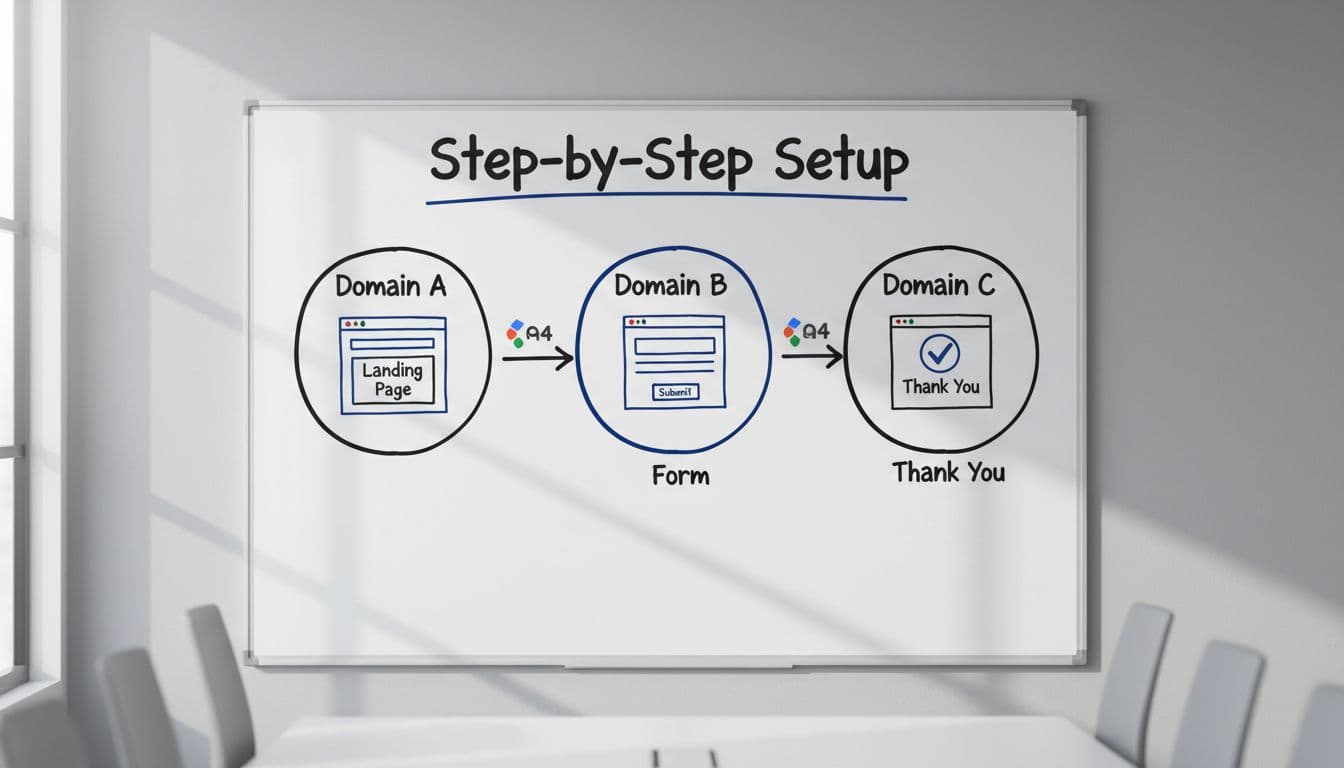
Go to GA4, then Admin -> Data Streams -> your web stream -> Configure tag settings -> Configure your domains. Add every root domain used in the funnel. “Contains” is usually enough for small business setups.
Then add those same domains to List unwanted referrals. This second step matters because cross-domain setup alone doesn’t always stop self-referrals. A recent GA4 cross-domain setup walkthrough shows the full path.
After that, check your links. When a visitor clicks from one domain to the next, GA4 should append _gl to the URL for the handoff. You do not need to build old-school manual linker code like Universal Analytics often did.
Finally, protect attribution beyond GA4. Send utm_source, utm_medium, utm_campaign, click IDs, and a unique lead_id into your CRM at form submit. Otherwise, GA4 may look clean while your sales data still falls apart. This is where a solid UTM governance template pays off.
A practical multi-domain funnel example
Picture a paid search campaign driving traffic to offersite.com. The visitor clicks “Book a demo” and moves to bookingportal.com. After submitting, they land on thankyoubrand.com, and the lead pushes into HubSpot or Salesforce.

A strong setup tracks the same session across all three domains, fires the lead event only on real success, and passes campaign data into the CRM. Google’s lead generation form reporting guide is helpful for mapping the right funnel steps in GA4.
This matters when you run Google Ads, Meta ads, or email at the same time. If the CRM only stores the final touch, your Performance Marketing team may overvalue branded search. If it stores nothing, Social Media Marketing may look weak even when it started the journey.
Keep both first-touch and latest-touch values in the CRM. Also, never add UTM tags to internal links between your own pages. That rewrites source data and breaks attribution by force.
How to fix broken sessions, self-referrals, and attribution loss
Most problems come from three causes: different Measurement IDs, missing referral exclusions, or bad CRM handoff.

If sessions break between domains, verify the same GA4 ID loads everywhere. If self-referrals appear, update the unwanted referrals list. If leads show as direct in the CRM, inspect the form and hidden fields, not GA4 alone.
A few quick checks help fast:
- Preview tags in GTM and confirm page views fire once, not twice.
- Open both domains and compare the GA4 client ID during a test journey.
- Watch DebugView while moving from landing page to form to thank-you page.
- Check whether the lead record stores UTMs, click IDs, and
lead_id.
If your tracking issues keep touching ad spend, reporting, and site changes at once, a full-service digital marketing partner can help connect the media and measurement pieces.
Testing habits that keep the data clean in 2026

Run one live test every time you launch a new landing page, new form tool, or new thank-you domain. That includes Website Development changes, because a small redirect tweak can break a clean handoff.
Check Realtime, DebugView, and the CRM record on the same test. Then repeat on mobile, because consent banners and browser privacy settings often behave differently there. For extra implementation detail, this step-by-step GA4 guide from DevriX is a solid reference.
Clean cross-domain data isn’t about making GA4 prettier. It’s about knowing which campaigns create leads, which pages close the form, and which channels deserve more budget. When one visit stays one visit from click to CRM, the whole funnel gets easier to trust.