Local SEO Keyword Research Template for Service Businesses in 2026

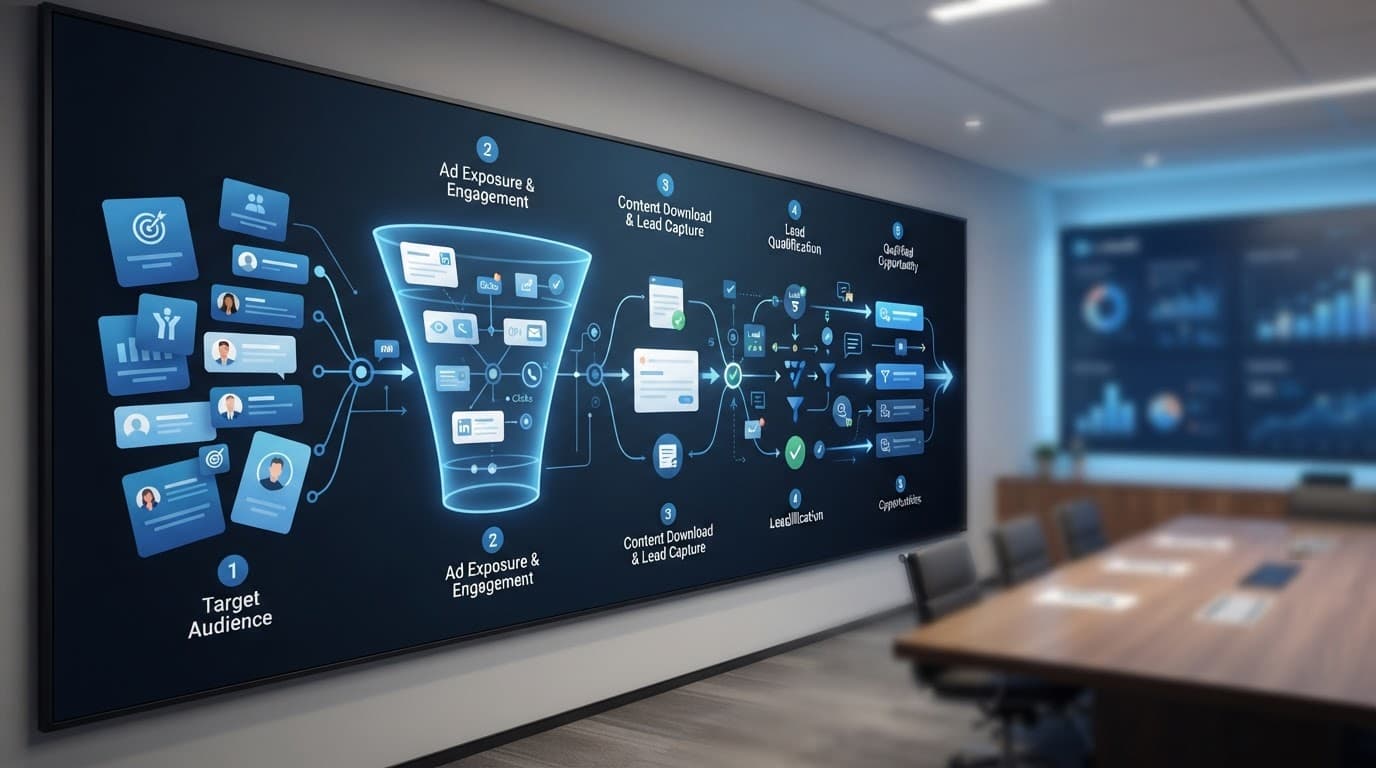
Clean modern 2D vector flat design of a neighborhood map grid featuring a central local map pin, search bar overlay, and nearby keyword list spreadsheet icon. High contrast blues and teals palette with orange accent on white light background, ample negative space and simple shapes.
Local intent starts on a map, not a homepage, this illustration was created with AI.

If you run a service business, you don't need “more traffic.” You need the right calls from people nearby who need help now.

That's why local SEO keyword research in 2026, as part of a solid local SEO strategy, looks less like chasing big search volumes and more like building a clean, repeatable system. One that starts with identifying seed keywords for your main services, maps real services to real neighborhoods by selecting a primary keyword for each targeted page, then turns that list into pages you can rank and track.

Below is a template-first approach you can copy, score, and reuse, whether you're a plumber, dentist, roofer, or a small agency supporting them.

What matters in 2026: local pack, GBP signals, and AI answers

Clean modern 2D vector flat design priority scoring chart with stars review icons on neighborhood grid background, entity and GBP signals icons, subtle gradients in blues teals orange accents on high contrast white background. Minimal single focal point simple shapes ample space landscape orientation no text no logos no people.
Prioritizing keywords is really prioritizing leads, this illustration was created with AI.

In 2026, many local searches end before a person ever reaches your site. They may tap a map result, call from your Google Business Profile, or get a quick answer in AI summaries. That changes what “good” research looks like, as search intent is driven by mobile search and voice search queries.

First, plan around how the local pack behaves. Results shift by the searcher's location, and “near me” often means “near where I'm standing.” So city-level terms alone aren't enough. You want neighborhood, landmark, and “open now” style modifiers, the phrases people use when the problem is urgent. Distinguish between explicit local keywords (like service plus city) and implicit local keywords (such as near me queries); both count as geo-modified keywords that impact the map pack and visibility in local search results, regardless of total search volume.

Second, treat your Google Business Profile as a main conversion asset. A strong profile supports local visibility with accurate categories, service areas, attributes, photos, posts, and review activity. If you want more context on how profiles and AI features are changing local search, see this Google Business Profile AI guide.

Third, expect AI-generated results to quote or summarize clear, specific content. In practice, that means your keyword list should point to pages that answer common local questions fast: service scope, pricing ranges, turnaround times, areas served, and proof (reviews, certifications, real project photos).

If your keyword can't be tied to a page that can win trust in 10 seconds, it's usually not a priority.

Finally, think in entities, not just phrases. Consistent business details across the web, service-area clarity, and local mentions help search engines connect the dots. A keyword list that ignores those signals often produces pages that never move.

For extra reading on map pack tactics and what tends to influence visibility, reference a local pack optimization guide for 2026.

Copy/paste keyword research template (with scoring you can actually use)

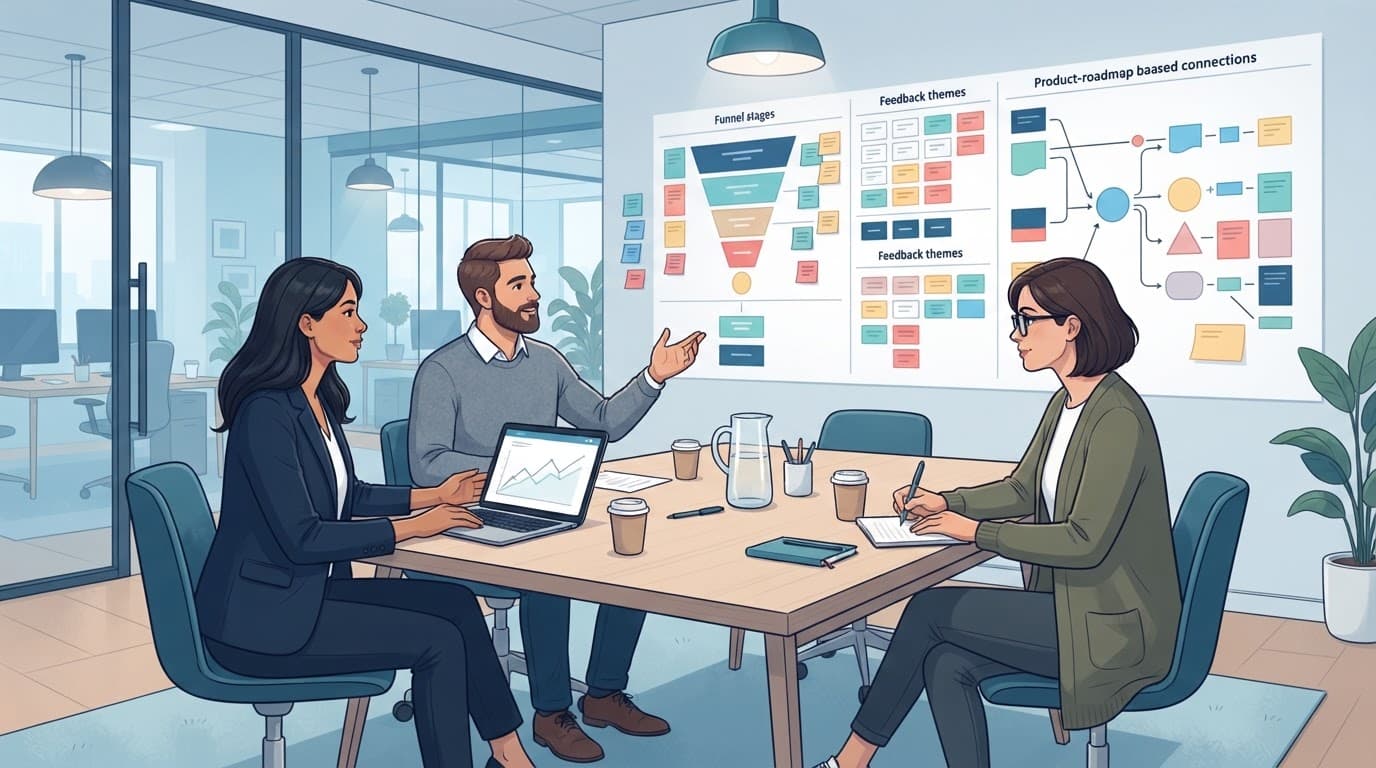
Clean modern 2D vector flat design spreadsheet template with columns for keyword, service, location, and intent, featuring service van icon, wrench, and GBP profile icon on high-contrast white background with subtle blue, teal, and orange gradients.
Use one sheet to keep service, location, and intent connected, this illustration was created with AI.

Use this table as your master keyword mapping sheet for local SEO keyword research. It's designed for small teams that need speed and consistency. Start with seed keywords like “plumber Austin” in Google Keyword Planner to uncover long-tail keywords and near me keywords, then assign a primary keyword to each row based on search intent.

Before the table, set a simple scoring rule so you don't argue about priorities.

Priority Score formula (0 to 100):
Priority Score = (Intent 0 to 25) + (Revenue fit 0 to 20) + (Local fit 0 to 20) + (SERP chance 0 to 20) + (GBP support 0 to 15)

Quick scoring criteria:

  • Intent: 25 = emergency or ready-to-book (transactional search intent), 15 = comparison, 5 = learning.
  • Revenue fit: higher margin or repeat work scores higher.
  • Local fit: includes neighborhood, suburb, or “near me” language with location modifiers you can genuinely serve.
  • SERP chance: you already have a relevant page, or low keyword difficulty from competitor analysis and SERP analysis shows competitors look beatable (factor in search volume here).
  • GBP support: can you support it with Google Business Profile categories, services, photos, posts, and reviews.

Copy/paste this blank template:

KeywordServiceLocationModifierIntent (0-25)Page typeGBP actionPriority score (0-100)NotesSource

Now here's a filled example for a sample service business: a plumber serving Austin, TX (including a few neighborhoods).

KeywordServiceLocationModifierIntent (0-25)Page typeGBP actionPriority score (0-100)NotesSource
emergency plumber South AustinEmergency plumbingSouth Austinemergency25Location service pageAdd “Emergency service” details, post after-hours note92Add response time and fee rangeCustomer calls
water heater repair near meWater heater repairAustinnear me25Core service pageAdd water heater photos, service list88Build FAQ for common brandsSearch suggestions
drain cleaning ZilkerDrain cleaningZilkerneighborhood20Location service pageAdd Zilker service area mention80Add local case studyCompetitor pages
leak detection Austin costLeak detectionAustincost15Pricing guideAdd “estimates” info in Q&A70Include typical ranges, factorsCustomer emails

The takeaway: each row points to an action through keyword mapping, not just a phrase. That's where many teams finally start seeing momentum.

Turn your research into a page plan and tracking workflow

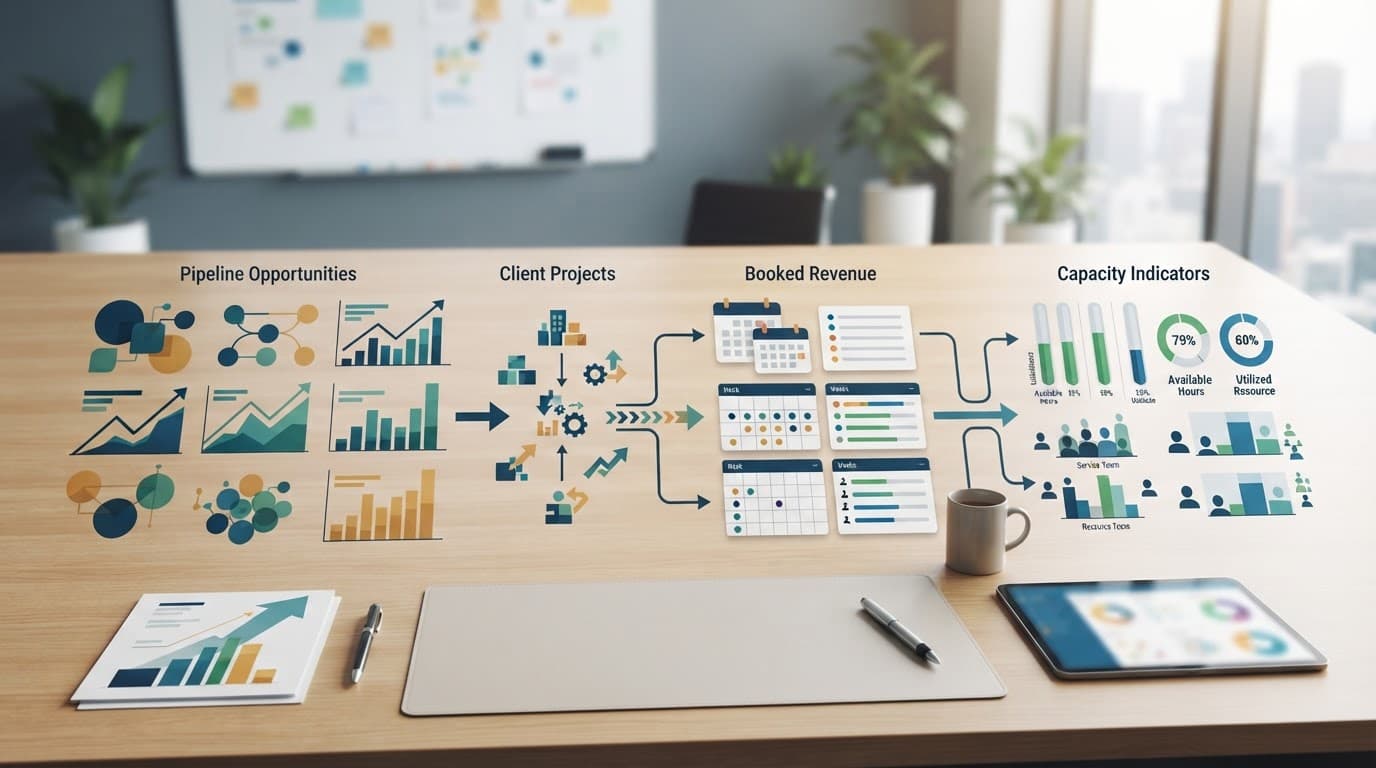
Clean 2D vector flat design of a workflow funnel from research to page plan to tracking, featuring analytics charts, AI nodes, and local pack icons on a high-contrast white light background with blues, teals, and orange accents.
Research only pays off when it becomes pages, profile updates, and tracking, this illustration was created with AI.

Once the sheet from your local SEO keyword research exists, the next win is turning it into a simple pipeline as part of your local SEO strategy and content strategy that you can repeat every month.

Workflow (research to results):

  1. Cluster: group rows by service (water heater, drain, emergency), then by area (city, suburb, neighborhood).
  2. Assign a page type: one strong core service page first, then supporting location pages, then one or two proof pages (pricing, FAQs, case studies). Optimize meta descriptions with location-specific phrases for better click-through.
  3. Pair every page with a GBP task: add photos for that service, publish a short post, request reviews that mention the job type, confirm services and categories match reality, and audit NAP citations.
  4. Ship, then refine: publish pages, watch calls and form fills, then rewrite sections that don't convert.

Use this page plan table to stay organized:

PagePrimary topicTarget areaSupports which keywordsProof to addPrimary conversion
/water-heater-repair/Water heater repairCity-widerepair, replacement, installphotos, warranty info, FAQscall
/drain-cleaning-zilker/Drain cleaningZilkerneighborhood + servicelocal job story, before/aftercall
/pricing/Pricing guideService areacost, estimate, ratesranges, factors, what's includedquote request

Then track like a business owner, not like a spreadsheet collector. Keep it light, but consistent:

  • GBP metrics: calls, direction requests, message clicks, photo views.
  • Organic traffic: monitor organic traffic for specific search queries to see performance in local search results despite fluctuating search volume.
  • Lead quality: which pages drive booked jobs, not just visits.
  • Local visibility: spot-check core terms from a few nearby ZIP codes.

If AI answers reduce clicks, your goal shifts: win the mention, win the map result, and make the call easy.

If you want a real-world example of how local targeting and service-focused pages can improve visibility, this local SEO success case study for beauty professionals shows how a structured approach can support lead growth.

For another perspective on building repeatable steps, compare your process with an AI-powered local SEO workflow guide, then adapt it to your market.

Conclusion

A good keyword list shouldn't feel like homework. It should feel like a shortlist of jobs you want more of, tied to the exact places you serve.

Start with local SEO keyword research that connects service, location, intent, and a clear next action; it's the foundation of a sustainable local SEO strategy. Score it, build pages that answer fast, and back it up with a strong GBP and real proof. Then track calls and bookings from the map pack and local search results, not vanity search volume metrics.

If you could rank for just five local searches that bring your best jobs, which ones would you pick first?

Call Tracking Setup Guide for Lead Gen Websites in 2026

If you spend money to get leads, website call tracking means phone calls no longer have to be a mystery. Yet many teams still see “Calls” as a single bucket, with no source, no quality signal, and no clear owner.

A solid call tracking setup fixes that. You'll know which Google Ads, marketing campaigns, pages, and keywords drive qualified conversations, not just dials. You'll also stay on the right side of privacy rules that got stricter again in 2026.

Below is a practitioner-focused setup you can ship, test, and maintain.

The 2026 call tracking architecture (what you're building)

Flat-isometric view of call tracking architecture: lead-gen website with dynamic number insertion swapping phone numbers, connecting via server to call tracking dashboard, GA4 charts, and CRM icons. Clean modern professional SaaS aesthetic with navy teal violet accents on white background.
An architecture view of how dynamic numbers, Google Analytics, and CRM attribution connect, created with AI.

Think of call tracking like a “return address” on every phone lead. The site shows a number, a visitor calls it, and the system maps that call back to the session that saw the number, delivering visitor-level insights.

At a minimum, your stack needs five parts:

  • Number inventory (local and toll-free numbers), with a plan for static and dynamic use.
  • DNI script (dynamic number insertion) to swap numbers per visitor.
  • Attribution storage to hold UTMs, gclid, landing page, and referrer.
  • Event output into GA4 (and ad platforms), plus offline conversion sync if you can.
  • CRM handoff so sales outcomes feed back into “qualified call” reporting.

In 2026, measurement breaks most often at the seams. For example, your landing page is on one domain, scheduling is on another, and the call happens after a return visit. So the real goal is not “track a call.” It's stitch identity and intent across the customer journey without collecting risky data to boost marketing ROI.

Gotcha: if you only report “calls,” you'll optimize for spam and wrong numbers. Track qualified calls as the primary conversion, and raw calls as a diagnostic metric.

DNI vs Static Call Tracking, Plus Pool Sizing Math That Won't Burn You

Flat-isometric split-view diagram comparing Dynamic Number Insertion (DNI) dynamic numbers with static numbers for call tracking on lead-gen websites, featuring number pool rotation for PPC/organic sources and pool sizing math icons.
DNI versus static number use cases, including number pool sizing concepts, created with AI.

Use static call tracking with static numbers when you don't need per-visitor attribution. Good examples are Google Business Profile (using Google forwarding numbers or the phone snippet), billboards, or a specific partner page.

Use DNI (dynamic call tracking) when you need source, campaign, keyword, landing page, and returning-visitor mapping with a unique tracking number. That typically means PPC landing pages and high-intent SEO pages.

Pool sizing is where teams stumble. If the pool is too small, two visitors can share one tracking number. Attribution becomes random.

A practical way to size the pool is to plan for concurrency:

Pool size (minimum) ≈ peak concurrent sessions eligible to see DNI × safety factor

“Eligible” means sessions where you display the swapped number (often all sessions on key pages). Use a safety factor of 1.5 to 2.0 until you've observed collisions.

Here's a quick example to calibrate:

Traffic pattern (example)Peak concurrent eligible sessionsSafety factorSuggested pool size
Low-volume local service81.512
Mid-volume PPC burst251.845
High-volume multi-campaign602.0120

Recommended defaults that work for most lead gen sites:

  • DNI cookie duration: 30 days (match your sales cycle if longer).
  • Session hold time for a number: 30 to 60 minutes.
  • Separate pools for brand PPC vs non-brand PPC marketing campaigns, if budget allows.
  • Fallback static number if the script fails or consent blocks DNI.

Common pitfall: using one static number site-wide, then hoping GA4 “source” explains calls. It won't, because the phone system can't see the session.

Call tracking setup in GTM and GA4 (including SPAs and cross-domain)

Clean, modern flat-isometric illustration of step-by-step GTM call tracking setup for lead-gen websites, featuring tags, triggers, dataLayer events, and phone icons flowing to GA4 on a tilted GTM interface.
How GTM tags and events flow into GA4 for call tracking, created with AI.

Your call tracking vendor handles DNI, but you still need clean analytics events. The simplest model is: send “call events” to Google Analytics, then send “qualified call” as offline conversions later from the CRM.

Start with a clear event map for conversion tracking:

  • click_to_call (user taps a tel link)
  • call_start (vendor detects an inbound call)
  • call_connected (optional, answered call)
  • call_qualified (conversion action sent later from CRM based on outcome)

Implementation steps (ship in this order):

  1. Define attribution fields you care about: utm_source, utm_campaign, gclid, landing page, referrer, plus a lead_id.
  2. Enable cross-domain in GA4 if any step uses another domain (scheduler, payment, subdomain). For GA4 hygiene, keep a reference like this GA4 lead tracking checklist.
  3. Persist UTMs and gclid in a first-party cookie (or localStorage if allowed). Refresh on each landing.
  4. SPA support: trigger DNI swaps on route changes, not just initial load. In Google Tag Manager, that usually means a History Change trigger plus a DOM-ready guard.
  5. Push events to the dataLayer so Google Tags don't depend on fragile CSS selectors.

Example dataLayer push patterns for conversion tracking (keep them small and consistent):

  • dataLayer.push({event:'click_to_call', placement:'sticky_header'})
  • dataLayer.push({event:'call_start', call_id:'<vendor_id>', source:'dni'})
  • dataLayer.push({event:'call_qualified', call_id:'<vendor_id>', reason:'sales_accepted'})

Then, in Google Tag Manager:

  • Create a GA4 Event tag for each event name.
  • Use Custom Event triggers that match click_to_call, call_start, and so on.
  • Pass only non-sensitive parameters (never send phone numbers to GA4).

For more conversion wiring patterns, this guide on how to track conversions in Google Analytics is a useful cross-check.

On server-side tagging: if you run a tagging server, forward call events server-to-server (or via Measurement Protocol). That reduces loss from blockers and gives better control over identifiers.

Recording, transcription, AI spam filtering, and lead scoring workflows

Flat-isometric illustration featuring icons for consent banners, first-party cookies, server-side tagging, privacy shields, and spam filter AI, arranged in a table-like grid highlighting compliance pitfalls for lead-gen websites.
Privacy, retention, and quality controls that often surround call tracking, created with AI.

Call recordings boost coaching and dispute handling, but they also raise risk. In 2026, treat them like sensitive data by default.

Practical compliance basics:

  • Disclose recording at call start (and respect two-party consent regions).
  • Set retention to the shortest window that still supports operations (often 30 to 90 days).
  • Avoid collecting PCI or PHI in recordings. If payments happen by phone, use pause or stop recording.
  • Restrict access by role, and log exports.

Transcription helps, but don't store more than you need. Many teams store:

  • A short summary,
  • Intent category (sales, support, wrong number),
  • Qualification fields (budget, timeline, service fit),
  • A spam flag.

For AI-powered spam filtering and lead scoring, a reliable workflow looks like this:

  1. Run basic filters first (repeat callers, very short duration, known spam patterns).
  2. Transcribe, then classify intent and sentiment.
  3. Assign a lead score based on lead quality and handle call routing in the CRM (sales queue vs nurture).
  4. Mark qualified calls only after a human outcome, not just a model guess, and feed outcomes back through CRM integration to refine the scoring model.

QA test cases and a troubleshooting matrix you can hand to a team

Clean, modern 2026-style flat-isometric illustration of a QA test dashboard for call tracking on lead-gen websites, showing charts for test calls from different sources, attribution models, and conversion windows on a single monitor with white background and navy teal violet accents.
QA checks across channels, windows, and attribution outcomes, created with AI.

Run QA like you're testing a checkout. Small tracking bugs become expensive fast.

High-value test cases (do these on desktop and mobile):

  • Google Ads call-only ads with gclid: number swaps, call maps to the correct campaign.
  • Google Ads call extensions: number swaps, call maps to the correct campaign.
  • GMB call tracking: calls from local sources map to the correct listing.
  • UTM-only visit: no gclid, still attributes to source and campaign.
  • Return visit within 7 days: same visitor sees a number and attribution holds.
  • SPA route change: number stays correct after navigation, no flicker to fallback.
  • Cross-domain hop: user goes to scheduler domain, comes back, then calls.
  • Consent denied: site shows fallback number, analytics does not fire blocked tags.
  • Qualified outcome: CRM marks the call qualified, GA4 receives call_qualified.

Use this troubleshooting matrix when something looks off:

SymptomLikely causeFast fix
Tracking calls show as “direct”UTMs not persisted, or cross-domain breaks sessionStore UTMs first-party, add GA4 cross-domain linker
Wrong campaign on conversion trackingPool too small, number collisionsIncrease pool, shorten session hold time, add safety factor
DNI doesn't work on SPA pagesSwap runs only on page loadAdd History Change trigger, re-run swap on route updates
GA4 events double-fireMultiple tags or triggers overlapAdd once-per-page guards, tighten trigger conditions
Recording missing or partialConsent flow or IVR step blocks recordingVerify recording settings, add disclosure timing check

Conclusion

A modern call tracking setup is part analytics, part operations, and part compliance. When you size the DNI pool correctly, support SPAs and cross-domain journeys, and optimize your marketing efforts for qualified calls, attribution stops being a debate, even for high-volume Google Ads campaigns.

If your next Google Ads campaign doubles traffic tomorrow, will your call tracking still hold up, or will it blur phone call leads into noise?

Service Business SEO: A 90-Day Content Plan for 2026

If your phones aren't ringing from organic traffic, it usually isn't “because service business SEO is dead.” It's because your content isn't answering the exact local questions people ask in 2026, in a format search systems can trust for local SEO and search engine optimization.

This 90-day service business SEO plan is built for busy owners and marketing managers of service based businesses focused on lead generation. You'll publish the right pages first, support them with helpful local content, keep your Google Business Profile active, and track results weekly without drowning in dashboards.

What matters for service business SEO in 2026 (AI answers, local proof, trust)

Professional B2B illustration of a generic AI search assistant icon next to local map pins and service van tools icons in subtle isometric flat hybrid style. Features high-contrast design with lots of white space, deep blue, teal, and warm gray palette, soft shadows, and crisp vector-like edges.
An AI-style search assistant next to local service signals, created with AI.

In 2026, the landscape of local SEO and home services SEO shifts as people search with longer, more specific questions. They also accept answers from AI summaries, but they still hire based on trust signals. That means your content has two jobs: help someone decide, and prove you're real.

Start your 90 days with three foundations:

  • Clarity: One primary service per page aligned with search intent, one clear next step (call, book, request quote).
  • Local evidence: Photos of real jobs, service areas, pricing ranges, before and after examples, and reviewer language you hear on calls to stand out in local search results and Google Maps.
  • Consistency: Accurate business info everywhere, especially your Google Business Profile (Google's own checklist helps: complete your Google Business Profile).

If you need a reference point for how agencies structure the work, skim a practical 90-day sprint model like Local SEO sprints for 2026, then simplify it for your team. For hands-on support, you can also compare what “done-for-you” looks like on ClickyOwl's SEO services.

The goal isn't more content. The goal is fewer, stronger pages that match how people choose a provider.

A sample topic cluster that fits almost any service business

Professional B2B hub-and-spoke diagram for topic clusters, connecting a central hub to spokes with local service icons like tools, map pins, and review stars in subtle isometric flat hybrid style with high contrast, ample white space, and a palette of deep blue, teal, and warm gray.
Topic cluster hubs and spokes for local services, created with AI.

For any service area business, keyword research reveals how a topic cluster keeps you from posting random blogs that never rank. Think of it like a neighborhood map: one “main street” page, then side streets that support it.

Use this generic cluster as a plug-and-play template (swap in your service and cities):

Cluster partPage typeExample topicPrimary intent
HubCore service page“Water Heater Repair”Hire
Spoke 1Problem page“No hot water, causes and fixes”Diagnose then hire
Spoke 2Cost page“Water heater repair cost in (City)”Budget then hire
Spoke 3Location page“Water heater repair service area pages in (Neighborhood)”Local hire
Spoke 4Comparison page“Repair vs replace a water heater”Decide
Spoke 5Proof page“Recent jobs and reviews (City)”Trust
Spoke 6FAQ page“Warranty, timing, permits, brands”Reduce friction

Keep internal links tight to target high intent keywords and transactional keywords. Every spoke should link back to the hub using natural anchor text. Then the hub links out to the top spokes. If you also serve SaaS or product businesses, the internal linking logic is similar to product-led SEO for SaaS, just applied to local intent and service areas.

90-day editorial calendar template (what to publish each week)

A 90-day calendar grid with sequential blocks marked for content publishing weeks, featuring integrated service business motifs like vans, map pins, and tools icons in a subtle isometric flat hybrid style. High-contrast design with ample white space, professional B2B color palette of deep blue, teal, and warm gray, soft shadows, and crisp vector-like edges.
An at-a-glance 90-day publishing calendar for service businesses, created with AI.

This content marketing and local SEO template assumes one strong publish per week (plus lighter updates). That pace is realistic, even for a small team, and it keeps quality high.

WeekPrimary publish (1)Secondary action (lighter)Local trust action
1Update main service hubAdd FAQs to hubAdd 10 new job photos to Google Business Profile
2Cost page for top serviceRefresh title tags on 5 pagesAsk 5 recent clients for customer reviews
3“Repair vs replace” pageAdd internal links to hubPublish 1 case story on site
4Location page (area 1)Add service area blurbsReply to every Google Business Profile customer review
5Problem page (top call driver)Add 5 FAQs + schemaPost “before/after” Google Business Profile update
6Location page (area 2)Improve images + alt textAdd services and attributes in Google Business Profile
7Proof page (jobs, reviews)Add author and license infoUpload 10 more photos to Google Business Profile
8FAQ page (operations)Fix thin pagesRequest customer reviews with service keywords
9Location page (area 3)Improve CTAs sitewideGoogle Business Profile post about seasonal checklist
10Second service hub or sub-serviceAdd comparison linksAdd Q&A to Google Business Profile
11Problem page (secondary)Update internal linksShare a short customer story on Google Business Profile
12Pricing and financing optionsAdd lead magnet or estimate formPublish “limited slots” update (true only)
13Consolidate and refresh winnersPrune 2 weak postsReview report, plan next 90 days

One rule keeps this calendar from failing: don't ship thin AI drafts. Use AI to outline, but add real local detail, pricing context, photos, and the exact questions your staff hears in your service based business.

On-page SOP checklist (use this every time you publish)

Professional isometric flat hybrid style on-page SEO checklist with checkmarks, headings, schema nodes, and internal links icons for B2B service businesses. Features high-contrast design, deep blue, teal, and warm gray palette, ample white space, soft shadows, and crisp edges; landscape 16:9 format with no people or text.
An on-page publishing checklist for local SEO pages, created with AI.

After completing a technical SEO audit, treat this like a pre-flight check. Miss one item and your page can still “look done” while underperforming.

  • Search intent match: The first 120 words confirm who the page is for and what you do.
  • Title and H1 alignment: Similar meaning, not identical, both include the service naturally.
  • Proof near the top: Add 1 to 2 photos, a short testimonial snippet, or a credential.
  • Service area clarity: Mention city or neighborhoods where it's honest, don't spam a list. Ensure NAP data consistency across your site and build local citations.
  • Helpful sections: Costs, timelines, what's included, what can go wrong, FAQs.
  • Internal links: Link to the hub, one related spoke, and your contact page.
  • Schema and FAQs: Add FAQ markup when you truly answer common questions.
  • Strong CTA: One main action, repeated once, with a clear expectation (hours, response time) to boost conversion rates.

If you want a simple framework for prioritizing page edits, borrow the “step” mindset from this Google ranking plan and apply it to your top service and top locations first.

Google Business Profile posting cadence (fast wins that look real)

Professional B2B Google Business Profile card in subtle isometric flat hybrid style with map pin, review stars, service van icon, and local service elements. High-contrast design featuring deep blue, teal, warm gray colors, ample white space, soft shadows, and crisp edges, with no people, brands, text, or watermarks.
An illustrated Google Business Profile-style card with local trust elements, created with AI.

Google Business Profile activity is your “open for business” signal and boosts visibility in the Google Map Pack. Keep it steady, not spammy. If you want a deeper playbook, compare your habits to Google Business Profile best practices for 2026.

Here's a simple cadence that fits most service businesses:

ItemCadenceExample ideas
Photos2x per weekJob site, team, equipment, finished result
Posts1x per weekSeasonal tip, quick checklist, service highlight, Local Services Ads promo
Q&A2 per month“Do you offer same-day?” answered by you
ReviewsOngoingAsk for customer reviews after job completion, reply within 48 hours for reputation management

Post ideas that earn clicks: “3 signs you need (service),” “What we check in a 20-minute visit,” and “A real fix we did this week,” with one photo.

KPI tracking sheet fields, weekly reporting cadence, and a low-cost tool stack

High-contrast analytics dashboard in subtle isometric flat hybrid style for service business SEO, featuring before-after traffic graph with upward trend and KPI metrics icons, using deep blue, teal, and warm gray palette with ample white space and soft shadows.
A simple SEO reporting dashboard with trend lines and KPI tiles, created with AI.

Track what turns into calls, not vanity metrics. Use a simple sheet with these fields:

CategoryFields to track weekly
Content outputPages published, pages updated, internal links added
Search (site)GSC clicks, impressions, top queries (including near me searches for local SEO), top pages
LeadsCalls, forms, bookings, qualified leads (yes or no)
LocalGoogle Business Profile calls, direction requests, website clicks, review count
TrustNew photos added, new testimonials, response time to reviews

Weekly cadence as part of this marketing strategy: check numbers Monday, pick one fix Tuesday, publish Wednesday, promote with Google Business Profile Thursday, and review wins Friday.

For tools, keep it lightweight: Google Search Console, GA4, a spreadsheet, and one rank tracker (see keyword rank tracking tools if you're comparing options). If budget is tight, start with Semrush free tools for auditing local citations on citation sites plus a short list like best free SEO tools in 2026.

Conclusion

A 90-day service business SEO plan works because it forces focus on search engine optimization. You publish the pages that drive decisions, support them with local proof, and measure progress every week. Most importantly, you build trust in places people actually look, your site, your Business Profile, and your reviews. Pick week one from the calendar, put it on the team's schedule, and ship the first update today to boost lead generation.

Google Business Profile Optimization Guide for Local Leads in 2026

Illustration of a city street storefront highlighted by a glowing map pin, with upward arrows showing phone calls, directions, and bookings from a search bar in an urban background.
Your Google Business Profile (formerly known as Google My Business) acts like a digital storefront on Google Maps, turning local searches into calls, direction requests, and bookings through local SEO (created with AI).

AI image prompt: Local storefront with a map pin and lead actions flowing from search.

If your Google Business Profile feels “fine,” it might still be leaking leads. In 2026, a profile can look complete but still fail to trigger calls, messages, and bookings.

That's why google business profile optimization is less about filling boxes and more about removing friction. Your goal is simple: when someone finds you on Google Maps, they should know you're the right choice, and they should have one clear next step to improve local search results and boost your local ranking.

Google also leans harder on on-profile content now. March 2026 updates highlight AI-assisted Q&A, stronger review tools, easier booking connections, and multi-location post scheduling. In other words, your profile isn't a directory listing anymore, it's a mini sales page.

Claim, verify, and protect your Google Business Profile from sudden shutdowns

A laptop on a modern desk shows a blurred screen with profile verification process, highlighted by green checkmark icons and a map pin confirming location, with a business card nearby. Clean, professional illustration focusing on verification success elements.
Verification and ownership steps keep your Google Business Profile stable and editable when you need it most (created with AI).

AI image prompt: Laptop scene showing verification success with a checkmark and map pin.

First, lock down ownership. Use one Google account for admin access, then add staff as managers. That way, you won't lose control when someone leaves.

Next, verify and double-check your business information and contact information, because 2026's AI-powered Q&A can pull answers from your Google Business Profile and reviews. Bad inputs create bad answers. Maintaining a verified Google Business Profile is critical for appearing in local search results and avoiding revenue-impacting suspensions.

Avoid the fastest way to get suspended: changing your business name to include extra locations or services. Keep the name exactly like your signage and legal brand.

A suspended Google Business Profile isn't an SEO issue, it's a revenue issue. Treat edits like you'd treat a change to your bank account.

If you want a second set of eyes, compare your setup to a current checklist like this Google Business Profile optimization checklist for 2026.

Field-by-field setup that drives calls, messages, and bookings

Clean modern illustration of an organized business profile dashboard with icons for name badge, address pin, clock hours, phone, website link, service list, and category tags neatly arranged on a complete info panel. Features subtle flat UI elements with slight 3D depth in a bright professional palette of white, light gray, blue, and green accents.
A well-filled profile helps Google match you to high-intent local searches (created with AI).

AI image prompt: Organized profile fields dashboard with icons for categories, services, and contact info.

Think of each field as a shelf label in a store. When labels are clear, shoppers buy faster. When fields are vague, they wander to a competitor.

Use this field-by-field checklist:

  • Primary category: Choose what you are, not what you sell sometimes (for example, “Plumber,” not “Home Services”).
  • Secondary categories: Add only true services you deliver daily.
  • Services: Create service items that match how customers ask (examples: “Emergency drain cleaning,” “AC installation,” “Same-day pest control”).
  • Business description (lead-gen text field): Lead with location + core outcome + proof (years, warranty, licensing), then end with a direct CTA.
  • Appointment / booking link: Point to a page that loads fast and has one action.
  • Attributes: Add payment types, accessibility, and service options (on-site, online estimates, same-day).
  • Service areas (if relevant): Use real coverage zones, not a huge radius “just in case.”

Relevance (from matching categories and services), proximity (from location and service areas), and business information (from complete fields) influence your position in the map pack on Google Maps. Optimize your Google Business Profile with this checklist for top local visibility.

For a practical example of how local demand translates into real leads, skim this pet grooming local SEO case study.

Photos and Videos, Google Posts, and 2026 Features that Lift Click-Through Rate

A camera device uploads photos to a transforming profile card featuring images, videos, update post bubbles, and CTA button icons, with a rising visibility graph emphasizing content boost. Clean modern SEO marketing illustration with subtle media UI elements, flat design, slight 3D depth, and bright professional palette.
Fresh visuals and short updates make your profile feel active, trustworthy, and worth contacting (created with AI).

AI image prompt: Camera uploading media to a profile card with post bubbles and an upward graph.

In 2026, “activity signals” matter more because many searches end without a website click. Your photos and videos and Google posts do the selling in the results page. Active Google Business Profiles appear more often in discovery searches and Google Maps, which directly lifts your local ranking.

Start with photos and videos that answer buyer questions quickly: exterior (day and night), interior, team at work, before-and-after, and your most popular service in action. Add short videos too, even simple walk-throughs.

Use Google posts weekly. Google guidance shared in March 2026 notes that posts expire after 7 days, so silence looks like neglect. For franchises, multi-location scheduling is a key 2026 feature that makes weekly updates realistic across every branch.

Also watch for newer options you can turn on when available for your category:

  • Smart menu management (great for restaurants and service lists shown as menus)
  • AR store tours (helpful when your space is part of the decision)
  • Direct booking and shopping connections (reduce steps to purchase)

For extra ideas, see these Google Business Profile optimization best practices.

Reviews, Q&A, and messaging that turn map views into leads

Stack of golden star ratings with positive speech bubbles and resolved Q&A checkmarks surrounding a prominent business profile card trust badge. Clean modern SEO marketing illustration focusing on review and feedback UI elements.
Customer reviews and helpful answers remove doubt fast, which improves lead volume and quality (created with AI).

AI image prompt: Star ratings, Q&A checkmarks, and trust elements around a profile card.

Customer reviews are your loudest social proof in the local pack. Ask at the moment of success, not days later. A simple SMS or email works best, and you should route it to the exact customer review link for that location.

Reply to every customer review. Keep it short, mention the service, and invite the next step (call, message, or booking). For negative reviews, acknowledge, clarify, then move it offline. High-quality customer reviews also build prominence in the local pack on Google Maps.

March 2026 updates also mention stronger review moderation tools, so report fake or off-topic reviews from the Google Business Profile dashboard instead of starting an endless public argument.

Finally, don't ignore Q&A section and messaging. With AI-assisted Q&A rolling out, you should seed your own questions and answer them using your real policies:

  • Pricing ranges (when possible)
  • Service area and response times
  • Booking rules and deposits
  • Warranty, refunds, or rework policy

If you want another checklist angle, this 2026 optimization checklist has a solid rundown of engagement areas (posts, reviews, and Q&A).

Tracking local leads: UTMs, conversions, KPIs, and a monthly workflow

Clean modern illustration of an analytics dashboard featuring line charts, bar graphs, KPIs, performance metrics, and a map overlay with active pins for SEO marketing. Professional visualization with subtle UI elements in a bright palette of white, light gray, blue, and green accents.
Simple tracking turns “more views” into leads with better conversion rates you can improve month after month (created with AI).

AI image prompt: Local SEO analytics dashboard with KPIs, charts, and map pins.

If you can't measure leads, you'll end up chasing vanity metrics. Implement UTM tracking on every profile link you control (website, appointment, menu, order). Keep the template consistent, for example:
?utm_source=google&utm_medium=organic&utm_campaign=gbp&utm_content=website

For conversion tracking, aim for signals that match real leads:

  • Call clicks from mobile (plus call tracking numbers if you use them)
  • Form submits on your booking page
  • Clicks to chat or message (if your platform supports event tracking)
  • Direction requests as a proxy for visits (especially for retail)

Use this KPI table as your monthly scorecard for local SEO and local ranking:

KPIWhere to checkWhy it matters
CallsGBP performance, call logsHighest-intent lead type
MessagesGBP messagingCaptures “not ready to call” leads
Website clicksGBP + analytics UTMsShows branded search demand and offer fit
Direction requestsGBP performanceStrong visit intent
Review volume and ratingGBP reviewsImpacts trust, conversion, and local ranking
Top queriesGBP performanceTells you what to emphasize

Run this monthly workflow to keep momentum without living inside GBP (formerly Google My Business):

  1. Review performance trends and local ranking, compare to last month.
  2. Add 5 to 10 new photos and videos, remove outdated ones.
  3. Publish 4 posts (1 per week), reuse the best offer.
  4. Request customer reviews from the past month's happy customers.
  5. Update services, hours, attributes, business description, and contact information for seasonality.
  6. Audit Q&A, approve or edit AI-suggested answers.

If your site also needs to convert that traffic better, pair GBP work with on-site improvements through focused SEO services.

Strong google business profile optimization isn't complicated, it's consistent. Make the profile accurate, make it active, make it easy to contact you, then measure leads like a business owner. When your listing does the talking, your phone rings even when you're busy doing the work.

Google Business Profile Optimization Checklist for 2026

Your google business profile, a key component of local SEO that helps you appear in the local pack, is often your real homepage. It shows before your site, before your ads, and sometimes before your competitors even load.

In 2026, google business profile optimization isn't about filling boxes once and forgetting it. Google rewards profiles that stay accurate, active, and easy for real people to trust fast.

Use this checklist to audit, fix, and maintain your profile, whether you previously used google my business or are starting fresh, with priorities, examples, and mistakes to avoid. Consistent updates improve visibility on google maps. Since features and policies can change, verify anything new against official GBP documentation before rolling it out across locations.

1) Run a 15-minute Google Business Profile audit first (Highest impact)

Diverse business owner holding clipboard with checkmarks beside map pins and profile icons on an office desk with laptop showing Google Maps. Clean modern flat-vector illustration with Google color palette, high contrast, and soft shadows.
An at-a-glance profile audit checklist scene, created with AI.

This is your “does it pass the sniff test?” moment. If a customer has 10 seconds, can they tell what you do, where you are, and how to contact you?

Start with this quick audit table, then fix every “High” item before anything else. If you want a second checklist to cross-check your work, compare against a 2026-focused guide like Dyad's GBP checklist.

Audit itemRecommended setting (2026)PriorityCommon mistake
Ownership and verificationCorrect owner account, verified statusHighEx-employee owns the profile
Business nameAccurate business information, no extra keywordsHighAdding services or city names
Primary categoryMost accurate core serviceHighPicking a “bigger” category for volume
Address and map pinMatches signage and mail addressHighPin placed on a nearby road
Hours (regular + special)Holiday and event updates addedHighForgetting special hours
Phone and websiteAccurate contact information, correct landing pageHighCall center number for every location
Description and attributesClear services, updated attributesMediumMarketing fluff, missing key attributes
Photos and logo/coverFresh, real photos, updated coverMediumOld photos, stock images
Products/servicesKey offers listed and maintainedMediumLeaving outdated pricing or items

If you only fix three things today: primary category, hours (including special hours), and the main landing page link.

2) Fix NAP, service areas, and location trust signals (Highest impact)

Storefront building in street view with consistent NAP signs and floating directory icons, clean modern flat-vector style using Google colors, high contrast professional vibe with subtle 3D depth and soft shadows.
Storefront and directory consistency concept, created with AI.

NAP means name, address, phone. NAP consistency is vital for local ranking and appearing in local search results. In practice, it means “can Google trust you?” and “can customers reach you?” Keep your GBP NAP identical to your website header/footer, contact page, and key directories.

For service-area businesses, be strict about boundaries and service areas. Proximity to the user affects visibility, so recent 2026 updates have pushed tighter limits (often around a 2-hour drive range). Don't stretch it. A too-large radius can trigger edits, suspensions, or lead quality problems.

Also, update what “in-person” means for your model. In 2026, online-only listings are more likely to be rejected, so make sure your profile reflects a real, eligible customer experience (at your place, at theirs, or both).

If you manage a multi-location brand, standardize NAP formatting in a shared doc (suite rules, landmark hints, and phone formatting). High relevance across directories builds trust. The difference shows up in rankings over time, as seen in local wins like this local SEO case study for a pet grooming store.

3) Choose categories, services, and products like a customer would (High to Medium impact)

Clean modern flat-vector illustration of retail store interior shelves tagged with category labels, services icons, and product items, featuring one diverse business owner browsing in Google blue-red-yellow-green palette with neutral grays and white background.
Category and service organization concept, created with AI.

Category choice is still one of the strongest levers, especially for discovery searches. Pick a primary category that matches your main revenue line, then add relevant secondary categories only when you truly offer them.

A practical example:

  • If you do mostly emergency pipe repair, “Plumber” usually beats “Handyman.”
  • If you mainly do installations and remodel work, a different primary may fit better.

Next, build out Services with plain names and short descriptions. Keep the business description clear and customer-focused, writing like your front desk talks, not like your brochure. For instance: “Water heater repair (same-day in most cases)” is clearer than “Comprehensive water heater solutions.”

Add Products if you sell items people search for, like “Brake pads,” “Facial serum,” or “Dog grooming package.” Keep them current, because stale menus and outdated offers can hurt trust. For more ideas on what to include this year, scan what to include in a 2026 GBP.

Mistakes to avoid: stuffing services into the business name, picking categories you “might” do, and listing every neighborhood as a service. A well-organized google business profile attracts more clicks.

4) Upgrade photos and videos for 2026 search behavior (Medium impact)

A camera on a tripod photographs a vibrant storefront exterior in a daytime urban street setting, overlaid with video play icons. Features clean modern flat-vector style with subtle 3D depth, Google brand colors, high contrast, soft shadows, and white background.
A storefront photo and video capture scene, created with AI.

In 2026, visuals do more than “look good.” Google's systems read what's in them and connect that to searches, so fresh, real photos and videos can help you match intent.

Aim for: exterior, interior, team at work, best-selling items, and “proof” shots (parking, entrance, accessibility). High-quality photos and videos also help with the conversion rate once a user finds you on Google Maps. Add short videos too, like a 10-second walk-in view or a quick service demo.

A simple weekly habit works: upload 2 to 5 new photos and videos per location. Rotate seasonal shots and remove anything that's misleading.

Common mistakes: stock photos, heavy filters, outdated storefront shots (old signage), images that don't match the category (for example, a “dentist” profile with only building photos and no clinic shots), and not visually confirming attributes like accessibility in your gallery.

For a broader look at how AI is affecting GBP visibility, see Agency Jet's 2026 GBP AI evolution guide.

5) Customer Reviews and “Ask Maps” answers: control what you can (Highest impact)

Clean modern flat-vector illustration featuring a diverse business owner at a desk with coffee mug, examining a phone screen surrounded by chat bubbles with star ratings and speech icons. Wide composition in Google colors on white background with high contrast, soft shadows, and subtle 3D depth.
Review and customer conversation signals concept, created with AI.

Some markets have seen the classic QA section de-emphasized in favor of AI-style answers (often surfaced as “Ask Maps”). That means your customer reviews, photos, attributes, and services quietly become your FAQ, influencing your local ranking.

Request reviews right after a win moment (job done, appointment complete). Keep it simple, and never “gate” reviews by only asking happy customers.

Use response templates to stay fast, or leverage the messaging feature to respond to inquiries quickly:

  • Positive: “Thanks, [Name]. Glad we could help with [service]. Your customer review means a lot. If you need [related service], call anytime.”
  • Negative: “Sorry this happened, [Name]. Please contact [method] so we can fix it. We take this seriously.”

Also, seed your own “answers” by writing service descriptions that cover common questions: pricing ranges, parking, turnaround time, and warranty basics.

Need proof that steady review work supports local visibility? This beauty pros visibility case study shows how consistent local signals add up.

6) Use Google Posts to look active (Medium impact)

Modern office scene with a calendar featuring pinned posts, a megaphone announcing updates, and a laptop displaying a social media feed, in clean flat-vector style with Google colors, high contrast, and subtle 3D depth, featuring exactly one person.
Posting cadence and updates planning scene, created with AI.

In 2026, Google posts can show near the top of your profile, especially on mobile. Even one post per week signals that you're open, current, and worth a click. Active Google posts help increase your prominence in the local area.

Keep posts tight:

  • One offer or update per post (sale, new service, event, limited slots).
  • One clear action (Call, Book, Order, Learn more).
  • One supporting photo that matches the message.

Avoid posting things you can't honor. Expired deals and unclear terms drive bad reviews. Also, don't recycle the same copy across every location. Swap local context, team photos, and service specifics.

If you want another checklist to compare posting and content choices, this GBP optimization checklist guide is a helpful reference. A well-maintained Google business profile signals a healthy business.

7) Track performance with UTMs, then maintain on a schedule (High impact)

Clean modern flat-vector illustration of an analytics dashboard with line charts, link icons, and UTM tags on a computer screen at a desk with notebook and one diverse marketer, using Google color palette on neutral background with high contrast and soft shadows.
Tracking and measurement workflow concept, created with AI.

Without UTM tracking, you'll argue about opinions. With UTM tracking, you'll make clean calls while distinguishing branded search from generic clicks.

Add UTMs to the Website and Appointment links so you can see GBP traffic in analytics. Example UTM: ?utm_source=google&utm_medium=organic&utm_campaign=gbp&utm_content=website_link

Use a simple KPI tracker like this:

KPIWhere to checkTargetNote
CallsGBP performanceUp month-over-monthWatch missed-call hours
Website clicksGBP performance + analyticsUp with stable conversionUTMs required
Direction requestsGBP performanceStable or risingGreat for retail; Google Maps interactions are a key metric
Photo viewsGBP performanceCompetitive in your areaUpload weekly

Finally, run maintenance like a gym routine, not a one-time project. These local SEO efforts help you dominate the map pack and improve overall local search results:

TaskFrequencyPriorityOwner
Special hoursMonthly, plus holidaysHighManager
New photosWeeklyMediumStaff lead
Customer reviews2 to 5 times/weekHighSupport
Services/products refreshMonthlyMediumMarketing
Category checkQuarterlyHighSEO lead

Conclusion

A great profile feels like a well-run storefront: clear sign, correct hours, helpful staff, and fresh proof you're active. Start with the high-impact fixes, then keep a simple weekly rhythm. These steps succeed old google my business tactics. In 2026, google business profile optimization rewards consistency more than clever tricks, leading to better placement in the local pack and google maps. Set your schedule today, and next month's results will be easier to explain and repeat.

Landing Page Copy Template for High-Intent Lead Gen in 2026

Illustration of one professional in a sleek modern office viewing a laptop screen angled to show prominent headline area and glowing CTA button prop, with relaxed hands on desk beside coffee mug. Wide landscape composition with clean futuristic SaaS B2B aesthetic using crisp vector 3D hybrid style, soft gradients in white charcoal and electric blue.
Hero-style landing page scene showing a focused CTA moment, created with AI.

High-intent clicks are expensive, and they're impatient. If your landing page copy feels vague, visitors bounce, even when they want what you sell.

This landing page copy template is built for your target audience of 2026 buyers, who move through various stages of awareness, self-educate fast, scan on mobile, and expect proof plus privacy clarity before they hand over an email.

Use it like a fill-in-the-blanks page script. Keep what fits, delete the rest, and make every line earn its spot by converting purchase intent.

The 2026 high-converting landing page structure (and the rules that make it work)

Abstract 3D icons of rising revenue charts, time-saving clocks, and cost reduction symbols in a structured bullet list layout on a clean digital canvas with soft glows and futuristic professional aesthetic.
Value-focused icons that match how benefits should scan on a landing page, created with AI.

Think of the page like a good sales call that clearly defines the value proposition. First, name the outcome. Next, prove you can deliver. Then, make “yes” feel easy.

Here's the simple wireframe to follow:

This structure leverages visual hierarchy so users can scan the page quickly and intuitively.

Block A (Hero): Outcome headline, short subhead, 1 primary call to action, micro-proof line
Block B (Proof bar): Logos, ratings, counters, or one hard stat
Block C (Benefits): 3 to 5 benefits, tied to pain points like time, money, risk
Block D (How it works): 3 steps, plain language
Block E (Objections): 3 quick answers, no drama
Block F (Form): Small ask, clear next step, privacy reassurance

Two rules keep this landing page copy template “high-intent” instead of “high-traffic”:

If your hero doesn't answer “What do I get?” in 7 seconds, it's not ready.

Before you pick words, match the copy to the unique selling proposition at the core of your offer. This table helps you stay tight.

Offer typeBest promise angleBest “next step” framingWhat to avoid
Demo“See it working on your use case”“15-min live walkthrough”“Schedule a call” (too vague)
Consultation“Get a plan you can act on”“Bring your numbers, leave with next steps”Long forms
Quote“Clear price range fast”“2-minute request, same-day reply”“Contact us” CTA
Trial“Try the core value in minutes”“No card, cancel anytime”Over-explaining features

After launch, tighten the page using real behavior data from your marketing funnel. If you need a clean setup, use this guide to track website conversions in Google Analytics.

Plug-and-play landing page copy blocks (headlines, CTAs, microcopy, and error states)

Illustration of a mobile phone held in one relaxed hand displaying simple form fields and a prominent CTA button, positioned on a cafe table. Clean futuristic SaaS/B2B style with crisp vector/3D hybrid, soft gradients, and high contrast.
Mobile-first form moment showing the “small ask” principle, created with AI.

Use these blocks as swap-in parts to create skimmable content for mobile blocks and improve conversion rate. Keep the tone direct. Add numbers only when you can back them up.

Headlines (copywriting formulas – pick one, then fill the brackets)

#Headline formula
1Get [desired outcome] in [timeframe] without [big pain].
2[Role/team] use [product/service] to [measurable result].
3Stop [pain]. Start [outcome].
4The fastest way to [job-to-be-done], for [ICP].
5[Proof] for [ICP] who need [outcome] now.

Subheadlines (choose one style)

Option A (clarity): “Built for [industry], works with [tool/workflow], and shows value on day one.”
Option B (risk reduction): “See pricing, timeline, and what happens after you submit.”
Option C (proof-led): “Teams report fewer delays and faster handoffs after switching.”

Benefit bullets (write 3 to 5, keep each under 10 words)

Examples to model: “Fewer manual steps”, “Same-day visibility”, “Clear owner for every task”, “No long setup”, “Audit-ready logs”, “Addresses specific pain points”

Call to action buttons (use 1 primary, 1 secondary max)

Primary CTA (high intent)Secondary CTA (lower commitment)
Get a 15-min demoSee sample results
Start my free trialWatch a 2-minute walkthrough
Get pricing for my teamCompare plans
Request a quote todayAsk a question
Book my consultCheck availability

Form field labels (lead gen, high-intent)

Full name
Work email
Company
Role (dropdown)
Team size (dropdown)
What are you trying to improve? (short text)

Microcopy that reduces friction (paste near the form)

Click trigger reassurances
Next step: “You'll get a calendar link after submit.”
Time box: “Takes about 30 seconds.”
Fit check: “Best for teams with [X] active users/projects.”

Error states (be helpful, not snarky)

Email: “Please use a work email (no Gmail or Yahoo).”
Phone (if required): “Add country code, we'll only text if needed.”
Required field: “This helps us route you to the right specialist.”

Social proof and objection handling that don't feel like fluff

Illustration of one professional with relaxed hands scrolling client logos and star ratings on an angled laptop screen in a bright office desk setting. Wide landscape composition in clean futuristic-professional SaaS/B2B style with crisp vector/3D hybrid, soft gradients, high contrast, and subtle depth-of-field.
Social proof moment showing how trust should be visible early, created with AI.

In 2026, buyers expect receipts. A page can look great and still lose, because it doesn't feel safe to believe.

If you have one strong number, use it. Storylane reported a redesign that drove 36% more impressions and a 30% boost in conversion rate, even with the same core copy. Proof changes behavior.

Social proof patterns (choose 1 to 2, repeat lightly)

PatternCopy you can paste
Logo bar + qualifier“Trusted by teams in [industry] from [range] employees.”
Short testimonial or customer review + role“”[Result] in [time].” [Name], [Title], [Company type]”
Outcome stat + context“[X]% faster [process] after [change], based on [source].”
3D shield icons block incoming doubt clouds while checkmark approvals emerge, arranged as an FAQ or objection list on a digital panel in a secure digital environment.
Objection-handling visual that matches an FAQ section, created with AI.

Objection blocks (write like a calm expert addressing common pain points from the customer's point of view)

“Is this for companies like mine?”
“Yes, if you have [fit marker]. If not, we'll tell you quickly.”

“How fast can we start?”
“Most teams start in [timeframe]. Your timeline depends on [variable].”

“Do I need to talk to sales?”
“Not unless you want to. You can [self-serve step] first.”

Mobile-first copy and AI personalization that stays respectful

Illustration of a tablet device on a desk showing dynamic personalized content hints at an angle with no readable text, accompanied by one relaxed hand in a clean contemporary workspace.
Tablet-focused landing page scene reflecting personalization and mobile readability, created with AI.

Mobile rules the first impression, so write for thumbs first. Keep above the fold to one message, one CTA, one proof line.

AI personalization helps when it's subtle and earned. Swap the problem language by ad group, industry, or page path, not by guessing private details, while avoiding complex industry jargon. Also, personalize CTAs with a second-person point of view (“Get my…” often reads more direct than “Get your…”).

For teams that want AI-assisted workflows without losing trust, align your copy with a clear data stance and consistent messaging, similar to an AI-driven digital marketing agency approach.

Example: B2B SaaS demo page (paste-ready)

These examples clearly communicate the value proposition to the target audience.
Headline: “See pipeline gaps in 15 minutes, not 15 tabs.”
Subhead: “A live demo using your funnel stages, so you can spot leaks fast.”
CTA: “Get a 15-min demo”
Micro-proof: “No deck first, we go straight to the workflow.”

Example: Local professional service (quote request)

Headline: “Get a same-day estimate for [service], with clear next steps.”
Subhead: “Tell us the basics, we'll reply with a price range and timeline.”
CTA: “Request a quote today”
Micro-proof: “No spam, no pushy calls.”

If organic traffic feeds your high-intent pages, ensure message match across ads and landing pages. For SaaS teams, SaaS SEO services can support those bottom-of-funnel visits.

Privacy and compliance microcopy for 2026 (clear, non-legal language)

Glowing lock icon and compliance badges float around a secure form in a protected vault-like digital space, featuring a clean futuristic SaaS aesthetic with soft gradients and high contrast.
Privacy-first visual that fits a form section and reassurance copy, created with AI.

People hesitate at the form because data feels permanent. Fix that with landing page copy in plain words, placed right under the button.

Privacy reassurance (short): “We'll only use your details to respond. We don't sell personal data.”
Consent hint (optional checkbox): “Yes, email me product updates (you can unsubscribe anytime).”
Data-minimization line: “Share only what's needed, we'll ask nothing extra.”
Retention line (if relevant): “We delete inquiry data after [X] months if you don't become a customer.”
Compliance comfort (general, non-legal): “We follow common privacy standards (GDPR-style rights: access, delete, opt out).”

Keep it honest. If you call, say you call. If you don't, say you don't.

A high-intent page is like a well-lit hallway. The visitor should see the door, the handle, and what's on the other side.

Build with this landing page copy template, then use A/B testing to refine it one change at a time based on performance. Tight copy plus real proof wins. These refinements are essential for capturing purchase intent and maintaining a high conversion rate. Clarity is still the fastest path to yes.

SEO Audit Checklist For Lead Gen Websites In 2026

If your website is a lead-gen machine, SEO isn't the paint job, it's the engine. A ranking bump means nothing if forms break, pages don't index, or GA4 can't tie organic visits to pipeline.

This seo audit checklist is built for 2026 realities: AI-powered search overviews, higher standards for brand trust, Core Web Vitals with INP as the responsiveness metric, and less tolerance for spammy patterns. Each check includes clear pass/fail criteria and how to verify it with tools your team already uses.

The 2026 SEO audit checklist (with pass/fail criteria)

Use this as your baseline. Then prioritize fixes by impact on indexing, conversions, and attribution.

Audit areaCheckPassFailHow to verify
CrawlabilityImportant pages accessibleService and lead pages return 200, not blocked4xx, 5xx, blocked by robots, soft 404Screaming Frog or Sitebulb crawl, GSC Pages report
Indexing controlIndexation matches intentMoney pages indexed, thank-you pages noindexLead pages not indexed, thank-you pages indexedGSC Pages, site: spot checks, Screaming Frog “Indexability”
CanonicalsCanonicals are consistentSelf-referential on clean URLsCanonicals point to wrong page or parameter URLScreaming Frog Canonicals report
Internal linkingMoney pages within 3 clicksService, location, comparison pages linked from hubsOrphan pages, deep pages, generic anchorsScreaming Frog “Crawl depth” + “Orphan URLs” (GSC integration)
CWV (INP focus)Responsive interactionsINP “Good” (aim under 200 ms)INP needs improvement or poorPageSpeed Insights, GSC Core Web Vitals
SpeedFast main pagesLCP “Good” on key templatesSlow LCP on service or location pagesPSI + Lighthouse on top landing pages
Mobile UXNo mobile frictionTaps, forms, menus work on mobileLayout shifts, sticky overlays, tiny tap targetsChrome DevTools mobile emulation + Lighthouse
FormsForms submit reliablyValidations work, no blocked requestsJS errors, blocked third-party endpointsChrome DevTools Console + Network, QA on real devices
AnalyticsOrganic-to-lead tracking worksForm submit and call events fire with sourceLeads show as “(direct)” or missingGA4 DebugView, Tag Manager Preview, GA4 conversions
Structured dataSchema valid and relevantNo errors, matches visible contentErrors, spammy FAQ, mismatchGSC Enhancements, Rich Results test, Schema validator

For deeper technical checklists to cross-reference, keep these handy: technical SEO audit checklist for lead-gen sites and technical SEO audit 2026 checklist.

If Google can't crawl and index your lead pages cleanly, everything else is just guessing.

Audit your lead-gen page templates (service, location, comparison, case study)

Lead-gen sites usually win or lose on a small set of templates. Audit by template first, not by URL count.

Service pages (money pages).
Pass when each service page targets one clear intent, loads fast, and has a single primary CTA above the fold. Fail when one page tries to rank for five services, or when the CTA sits below a wall of text. Verify with GA4 landing page reports (engagement rate, scroll, conversion rate) and GSC query patterns (are you attracting buyers, not students?).

Location pages (the duplicate-content trap).
Pass when each location page has real proof and local detail: service area boundaries, photos, reviews, case snippets, unique FAQs, and clear contact options. Fail when pages are near-copies with just city names swapped. Verify by running a Sitebulb duplicate-content report, then review the worst clusters manually.

If you need a reference for what strong local intent can look like, compare against a real outcome-driven example like this pet grooming local SEO case study.

Comparison pages (high intent, high scrutiny).
Pass when claims are sourced, language is precise, and the page shows who it's for. Fail when it reads like vendor bashing or makes unverifiable promises. Verify by checking SERP intent and making sure the page answers “Which should I pick?” quickly, then backs it up.

Case studies (trust builders that also rank).
Pass when each case study includes constraints, actions, and measurable outcomes, plus links to related services. Fail when it's a vague success story with no numbers or timeline. Verify with on-page content review and internal linking depth, then look for assisted conversions in GA4. A practical example is this SEO case study for business consultants.

Lead-gen tracking and attribution checks (organic to lead to pipeline)

In 2026, reporting “organic sessions are up” won't satisfy anyone. You need clean attribution from organic click to lead event, then to CRM if possible.

Start with the basics: one primary conversion per lead type (demo, contact, quote, call). Then confirm those events fire reliably across templates and devices.

Here's a quick mini-audit for attribution hygiene:

Tracking itemPassFailVerify
Form submission trackingGA4 event fires on successful submitFires on button click, or doesn't fireGA4 DebugView, Tag Manager Preview
Thank-you page handlingThank-you page is noindexThank-you page ranks or shows in GSCGSC Pages, robots meta checks
Call trackingCalls attributed to sourceCalls show as direct or unassignedCall tracking platform logs + GA4 events
Organic landing page mappingTop GSC pages mapped to CTAsHigh-traffic pages have weak CTAsGSC Landing pages + on-page review
Bot and spam filteringLead spam controlledGA4 polluted, CRM floodedServer logs, GA4 filters, reCAPTCHA or alternatives

One more practical tip: if forms fail only sometimes, check browser console errors and blocked requests in DevTools. Ad blockers and strict tracking settings can break form libraries and call widgets.

AI Overviews, entity trust, and spam risks you can actually audit

AI-powered results reward sites that are easy to interpret and hard to doubt. That doesn't mean writing for robots, it means writing like a specialist who expects scrutiny.

Pass when your site shows consistent brand details (name, address, phone, leadership, author bios where relevant), and content matches what your schema claims. Fail when content looks mass-produced, thin, or mismatched (for example, FAQ schema that isn't visible on the page).

Verify trust signals with a quick sweep:

  • In Screaming Frog, extract structured data and look for errors or irrelevant types.
  • In GSC, review Enhancements and manual actions.
  • In content, check if key claims have proof (case studies, testimonials, certifications).

If your team is adapting content for AI visibility, align your review process with what AI-focused audits check, for example this AI SEO audit checklist for 2026.

If you publish pages at scale, make sure each one earns its existence, otherwise spam policies can turn “more pages” into “more risk”.

Remediation roadmap (0 to 30 days, 31 to 90, 90+)

Fix the blockers first, then tighten relevance, then build trust and depth.

TimelineWhat to fix firstDeliverable
0 to 30 daysIndexing, robots, canonicals, 4xx and 5xx, broken forms, GA4 conversion eventsClean crawl, stable tracking, top templates passing CWV checks
31 to 90 daysTemplate improvements (service, location, comparison), internal linking to money pages, schema cleanupHigher conversion rate per landing page, fewer duplicates, stronger SERP alignment
90+ daysCase study pipeline, authority content, partnerships and quality links, ongoing CWV workCompounding growth in qualified leads and brand visibility

Conclusion

A lead-gen site doesn't need a perfect audit score, it needs fewer leaks and clearer proof. Run this seo audit checklist quarterly, and re-check after every template or tracking change. When you can connect crawlability, speed, intent, and attribution, you stop chasing rankings and start building predictable organic lead flow.

GA4 Setup Checklist for Lead Generation Websites in 2026

Leads from your lead generation efforts are only “trackable” in Google Analytics 4 until they aren't. One form change, one new subdomain, one consent banner update, and your numbers drift.

This GA4 setup checklist is built for lead-generation teams focused on B2B user acquisition in 2026 who need conversion tracking they can trust, even with tighter privacy rules. It's practical, it's opinionated, and it focuses on the events that actually move pipeline.

Property and stream basics that prevent dirty data

Clean technical illustration of GA4 property creation dashboard for lead gen site, shown on a laptop in an office desk setting with minimalist flat design, subtle 3D depth, and blue-teal-orange accents.
GA4 property and data stream setup for a lead-gen website, created with AI.

Before tags and events, set up your property in Google Analytics 4 to find your Measurement ID and lock the foundation. A messy property creates reporting debates later.

  • Check: Reporting time zone and currency. Default: match finance reporting (not “where your dev sits”). Why it matters: daily lead counts and CPL can shift across midnight.
  • Check: Data retention. Default: set to 14 months if available to you. Why it matters: longer lookbacks help with longer sales cycles and cohort review.
  • Check: Web data stream and Enhanced Measurement. Default: keep page views on, then selectively enable scroll, outbound clicks, and file downloads if they map to intent. Why it matters: fewer noisy events makes lead-path analysis easier.
  • Check: Unwanted referrals and cross-domain. Default: use referral exclusions for payment gateways, schedulers, and auth providers if they break sessions; add cross-domain tracking for your main site and booking domain. Why it matters: attribution often “falls” to the wrong referrer right before a lead submits.

If you want a broader implementation reference to compare against, Vital Design's GA4 best practice checklist is a useful second opinion.

GTM tagging defaults that won't double-fire

Technical illustration of Google Tag Manager interface configuring GA4 tags for lead forms, showing workspace preview with tags, triggers, and variables for form submissions in minimalist flat subtle 3D style with soft gradients on white background.
Google Tag Manager configured for GA4 lead tracking, created with AI.

For lead-gen sites, Google Tag Manager is usually the control room for Google Analytics 4. The goal is stable firing rules and clean parameters.

  • Check: One GA4 Configuration tag per site experience. Default: single config tag, fire on all pages, avoid duplicate installs (CMS plugin plus GTM). Why it matters: duplicate page_view inflates sessions and ruins funnels.
  • Check: Use a clear Data Layer contract. Default: push form metadata (form_id, form_name, lead_type) on interaction, not on page load. Why it matters: form tracking breaks less when layouts change.
  • Check: Form triggers that match reality. Default: prefer “success state” (thank-you page, success DOM event, fetch/XHR success) over generic “Form Submission” triggers, especially for tracking multi-step forms accurately. Why it matters: many forms “submit” even when validation fails.
  • Check: Linker and cross-domain settings. Default: handle in GA4 config, not scattered across tags. Why it matters: fewer places to forget when new domains launch.
  • Check: Naming. Default: GA4 | event | form_submit style, plus version notes in tag descriptions. Why it matters: faster audits during campaign launches.

Lead-gen event map (with names and parameters you can ship)

Illustration of GA4 event tracking schema for lead generation, featuring form_submit and lead_qualified events with parameters like value and currency. Flow diagram from website form to GA4 in minimalist flat 3D style with gradients on white background.
An event and parameter flow from form interaction to GA4 reporting, created with AI.

The event-based model of Google Analytics 4 lets you treat events like a funnel blueprint, mapping the form submission process effectively. If your events don't match decisions your team makes, they'll get ignored.

  • Check: Pick a small set of “decision” events. Default: 5 to 8 key events. Why it matters: GA4 gets noisy fast, and teams stop trusting it.
  • Check: Standardize event names. Default: use lowercase and underscores, avoid UI-specific names like button_click_red. Why it matters: you'll redesign the UI, but the funnel stage stays.
  • Check: Add parameters that explain lead quality, such as lead qualification. Default: keep 3 to 6 custom parameters per key event. Why it matters: it helps break down CPL by lead type without extra events.

Example event set for lead generation (with suggested parameters):

  • view_form (form_id, form_name, lead_type, page_location)
  • form_start (form_id, method, step_count)
  • form_submit (form_id, lead_type, value, currency, lead_id)
  • generate_lead (lead_type, value, currency, lead_id)
  • click_to_call (placement, business_unit) (avoid sending phone numbers)
  • lead_qualified (lead_stage, value, currency, lead_id) (send when CRM qualifies)

In 2026, GA4 reporting also leans more on engagement signals such as “time to first action,” so clean interaction events make on-site intent easier to read. For more practical do's and don'ts, Measure Marketing Pro's GA4 best practices for 2026 is worth skimming.

Privacy and consent in 2026 (Consent Mode v2 and server-side)

Minimalist flat subtle 3D illustration of a website mockup at an angle, featuring a cookie consent banner and privacy shield for GA4 on a lead gen site with server-side tagging motifs and lock icons. High contrast blues, teals, and orange accents on white gradient background, landscape orientation with content edge-to-edge.
Consent and privacy-first tracking for GA4, created with AI.

Privacy work isn't a legal box-tick anymore. Google Analytics 4 privacy settings are directly tied to whether your lead numbers match reality.

  • Check: Consent banner behavior. Default: block non-essential tags until consent, then fire tags based on consent state. Why it matters: it reduces compliance risk and avoids “ghost” tags.
  • Check: Consent Mode v2 configuration. Default: implement Consent Mode v2 through your CMP and GTM consent settings. Why it matters: GA4 can model gaps when users deny cookies, which helps stabilize trend lines.
  • Check: Server-side tagging plan. Default: start with server-side only for your highest-value conversion events. Why it matters: it can recover measurement lost to blockers, including for landing page performance, and improve data control.

2026 consideration: Consent Mode v2 plus server-side tagging is becoming the “default stack” for lead-gen measurement because it balances privacy with durable attribution.

If you're planning more advanced tracking, this guide on GA4 plus server-side tracking with UTM parameters can help you think through the moving parts. Also, tighten access and credential sharing around analytics and ad accounts, especially with agencies involved; ClickyOwl's protecting data with digital marketing partners is a solid baseline.

Conversions, attribution, CRM handoff, and a quick QA plan

Illustration depicting GA4 conversions setup with form_submit marked as a conversion, attribution models dropdown, and CRM integrations icons on a minimalist dashboard view. Features flat 3D depth, soft gradients in blues, teals, and orange on a white background with crisp lines and ample whitespace.
Marking lead events as conversions and aligning them with attribution and CRM, created with AI.

In GA4 conversion tracking, a “conversion” should mean “someone you can follow up with,” not a random micro-click.

  • Check: Key events set. Default: mark only bottom-of-funnel events (form_submit, generate_lead, call connect if you can). Why it matters: ad optimizations get worse when you feed weak conversions.
  • Check: Conversion values. Default: send value and currency for leads, even if it's a model (example: by lead_type). Why it matters: it lets you compare channels beyond raw volume.
  • Check: CRM key (lead_id). Default: generate a lead_id on submit, store it in CRM, and send it in GA4 events. Why it matters: it's your glue for CRM integration, offline qualification and deduping.
  • Check: UTM parameters into the lead record. Default: store utm_source, utm_medium, utm_campaign, plus click IDs when available. Why it matters: GA4 attribution is useful, but CRM is where revenue lives.

In early 2026, GA4's cross-channel reporting has continued to improve, including more flexible attribution systems per conversion in some accounts. These attribution systems help provide user journey insights and support funnel exploration for analyzing landing page performance. Use that to separate “any lead” from “qualified lead” reporting.

Here's a lightweight QA table you can run before scaling spend:

What to testToolExpected result
Measurement ID in data streamGA4 Admin > Data StreamsCorrect Measurement ID shown
Page_view firing onceGTM PreviewOne GA4 config hit per page load
Form submission trackingGTM Preview + GA4 DebugViewEvent fires only on real success
Parameters capturedGA4 DebugViewform_id and lead_type populate correctly
Cross-domain session continuityGA4 realtime reportsNo self-referrals, same session continues
Consent behaviorBrowser dev tools + GTM PreviewTags respect consent state
CRM lead_id persistenceCRM record reviewSame lead_id appears in GA4 and CRM

Conclusion

If GA4 feels like a leaky bucket, it's usually one of three things: shaky triggers, unclear events, or missing consent logic. Troubleshoot your setup in Google Tag Manager to resolve lead generation discrepancies in Google Analytics 4. A strong conversion tracking strategy is vital for lead generation. Fix those, and your reporting stops being a debate. Start with the foundation, track a small lead-focused event set, then confirm everything with QA before pushing budget. Once the foundation is set, teams should explore predictive metrics for lead scoring and use Looker Studio to create custom reports or export data to BigQuery for deeper analysis. Which conversion in your funnel is most expensive to mis-measure right now?

Google Ads Account Setup Checklist for Lead Generation in 2026

If your leads are messy, your account will get messy too. In 2026, Google's automation can scale fast, but it can't fix weak setup choices. The fastest way to waste budget in lead generation is to optimize without proper conversion tracking.

This google ads account setup checklist focuses on what lead-gen teams actually need: clean access and billing, reliable GA4 and Google tag tracking, privacy-safe measurement, call and form attribution, and a feedback loop from your CRM so Google learns what a good lead looks like.

Get the Google Ads account structure fundamentals right for lead generation before you touch keywords

Start with the parts that are painful to change later. A strong foundation keeps reporting stable and reduces account risk.

Lock these in first:

  1. Time zone and currency: Choose based on finance and reporting needs, not convenience. You can't change them without creating a new account.
  2. Auto-tagging: Keep it on so GCLID flows into GA4 and your CRM. Without it, offline attribution becomes guesswork.
  3. User access and security: Use the least privilege approach. Give Admin only to owners, keep Standard for day-to-day operators, and use Read only for stakeholders. Require 2-step verification on every user.
  4. Google Ads account structure: If you run multiple clients or multiple brands, set it up under an MCC from day one. It prevents access chaos later.
  5. Billing, tax, and payment profile: Add a backup payment method, confirm invoicing details, and align tax settings with your legal entity. Don't wait until launch day to find a card block.
  6. Advertiser and business verification: Build time for it. Verification delays are a common reason campaigns don't serve.
  7. Brand safety defaults: For lead gen, keep early traffic tight. Avoid expanding reach until tracking and lead quality are proven.
  8. Campaign settings: Establish campaign settings early since they play a key role in lead generation success. Align bidding strategies, locations, and ad schedules with your target audience to drive quality leads.

A quick note on channels: if you're considering expanding beyond Google, it helps to understand the tradeoffs in a PPC platforms: Google vs Bing for leads comparison, because tracking and lead intent often differ by network.

Finally, set expectations with your team using a simple naming system. Before diving in, leverage the Google Keyword Planner to identify opportunities and define keyword match types; this step is essential for organizing ad group themes effectively. Consistent names make audits and scripts easier, and they reduce mistakes during handoffs.

Use a pattern like: Region | Service | Network | Match Type | Objective | 2026. Keep it boring. Boring scales.

Build conversion tracking you can trust using Google Analytics 4 and Google Tag Manager

For lead generation, conversion tracking is your steering wheel. If it's loose, every optimization drifts.

Set your measurement plan before campaign creation:

  • Define your primary conversions: lead form submits, qualified calls, and booked appointments. Landing page optimization is critical for maintaining a high click-through rate and conversion tracking accuracy. Everything else is secondary (scroll depth, page views, time on site).
  • Pick one “source of truth” per action: duplication is the silent killer. If the same form submit fires from Google Analytics 4 import and Google Ads tag, you'll inflate conversions and train bidding on noise.
  • Use Google tag or Google Tag Manager: Either is fine, but keep it consistent. Google Tag Manager is usually easier for agencies and multi-step funnels.

Enhanced Conversions for Leads should be treated like a default in 2026, not a bonus. It improves matching when cookies drop, as long as you pass first-party data correctly (email, phone) and only after the user submits. Google's setup details are here: Enhanced Conversions for Leads configuration.

Consent also matters now because measurement quality depends on how you handle opt-outs. If you operate in regions with consent requirements, implement Consent Mode through your CMP and tag setup, then validate behavior in Tag Assistant.

If you wouldn't bet your budget on the data, don't ask smart bidding to bet on it either.

Offline conversion tracking is a prerequisite for smart bidding success.

Here are practical default settings most lead-gen accounts should start with:

Setup area Recommended default Why it matters for leads
Conversion actions 1 to 3 primary actions (Form Submit, Qualified Call, Booked) Keeps bidding focused on outcomes
“Include in Conversions” Yes for primary, No for micro-events Prevents optimizing to fluff
Count One for forms and booked appointments Stops repeat submits from inflating results
Attribution model Data-driven Better credit assignment across devices and touchpoints
Enhanced Conversions On for lead forms Improves match rate with privacy limits
Google Analytics 4 link + auto-tagging On Enables cleaner reporting and imports

Call tracking needs equal care. For ad extensions and call ads, use Google forwarding numbers where available so calls can become conversions with a clear source; ad extensions help lower the cost per lead through precise attribution. For website calls, use a tracked number on landing pages, and set a minimum call length that matches intent (for example, 45 to 90 seconds, depending on your sales cycle). If you need a broader view of setups and pitfalls, use this phone call conversion tracking guide as a reference.

Feed lead quality back into Google Ads (CRM, offline imports, spam control, QA)

Most lead generation accounts fail for one reason: they optimize for volume over cost per lead, then wonder why sales is angry.

Fix that with a tight feedback loop for better lead generation results.

First, capture click IDs and store them in your CRM. At minimum, collect GCLID on form submit and pass it into your lead record. If you rely on scheduled appointments, store the same ID on the booking event as well. This clean data supports a robust bid strategy like Target CPA or maximize conversions, powering Smart Bidding with quality signals to lower your cost per lead.

Next, import offline conversions based on quality milestones, not just raw leads. Common import events include:

  • Qualified lead (passed validation, correct location, correct service need)
  • Sales accepted lead (accepted by sales team)
  • Closed won (final revenue)

Google's rules and requirements can trip teams up, so keep this open while building: offline conversion import guidelines.

Calls can also be imported when they happen outside Google's native call reporting, like in a contact center or call tracking platform. If you use the API route, reference: import call conversions via Google Ads API.

Now protect your account from junk leads in lead generation campaigns. Form spam doesn't just waste follow-up time, it poisons Smart Bidding. A few practical safeguards:

  • Add reCAPTCHA or an invisible challenge, plus a simple honeypot field.
  • Block obvious bot patterns server-side, not only in the browser.
  • Validate phone and email formats, then stop “[email protected]” style submits.
  • Focus on high-intent keywords, tighten geo targeting, and review the search terms report early, because broad match keywords invite spam.
  • Build negative keywords from day one to filter broad match keywords effectively.
  • If you use lead form assets, review answers and lead quality daily at the start.

Importing “Qualified Lead” often beats importing “Lead”, because it teaches Google what you actually want.

Common setup mistakes to avoid

  • Counting every form submit as success, even when spam is high and Quality Score suffers.
  • Importing duplicate conversions from both GA4 and Google Ads tag.
  • Leaving location targeting on Presence or interest for local services (it pulls in out-of-area leads).
  • Running ads 24/7 when your team only answers calls 9 to 6.
  • Skipping negative keywords until spend climbs (start building them day one; use the search terms report to spot issues with high-intent keywords).
  • Giving too many Admin users, then losing control of settings and billing.
  • Neglecting Quality Score by ignoring responsive search ads relevance or weak ad group themes.
  • Failing to leverage audience targeting for B2B lead generation or account-based marketing scenarios.
  • Overlooking ad extensions and landing page optimization, which boost Quality Score and responsive search ads performance.

Launch-day verification checklist (do this before scaling)

  • Submit a test lead form, confirm the conversion fires once in Google Ads.
  • Check Enhanced Conversions status, confirm it shows as recording.
  • Validate Consent Mode behavior with and without consent, if applicable.
  • Place a test call, confirm call reporting and conversion logic (duration threshold).
  • Confirm “Include in Conversions” only contains your primary lead actions.
  • Confirm attribution model and conversion windows match your sales cycle; review bid strategy like Target CPA or Target ROAS.
  • Verify location setting uses presence for local campaigns, review ad schedule, and ensure Performance Max campaigns receive quality signals.
  • Confirm leads land in the CRM with GCLID captured, then test an offline import flow.
  • Check remarketing list populations are growing and audience targeting layers align with ad group themes.
  • Scan for policy or verification warnings, fix them before increasing budgets; audit landing page optimization and responsive search ads for Quality Score impact.

Conclusion

A solid Google Ads account structure is the engine for effective lead generation in 2026. It's less about fancy campaign types and more about dependable measurement. Set tight access and billing, build GA4 and tag tracking you can trust, then send lead quality signals back through offline imports. Regularly refine negative keywords as a key maintenance task. Once the feedback loop works, scaling feels a lot less like gambling, especially with smart bidding helping maintain a high click-through rate for long-term lead generation success. The real question is simple: are you optimizing for leads, or for revenue-grade outcomes?