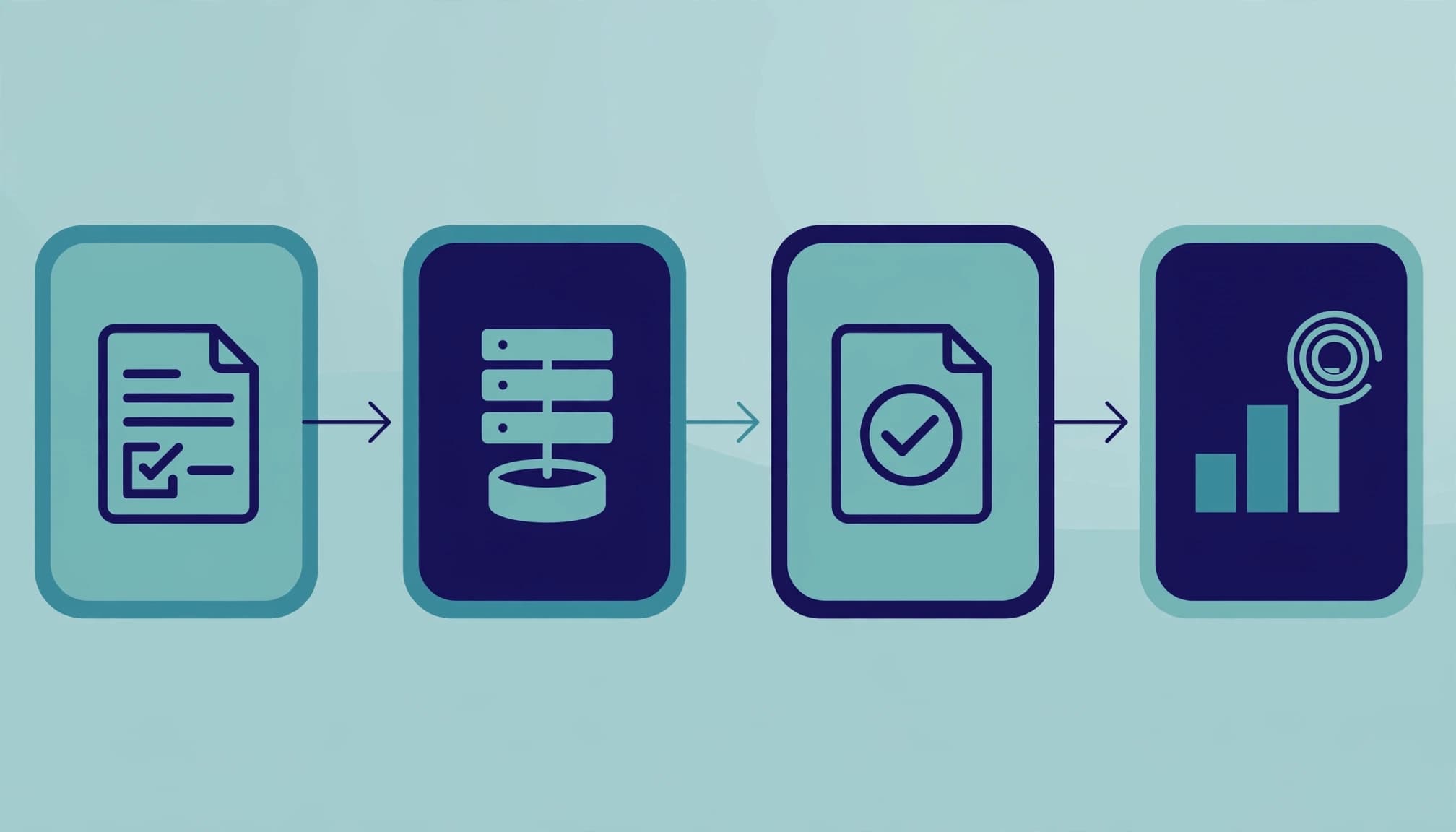
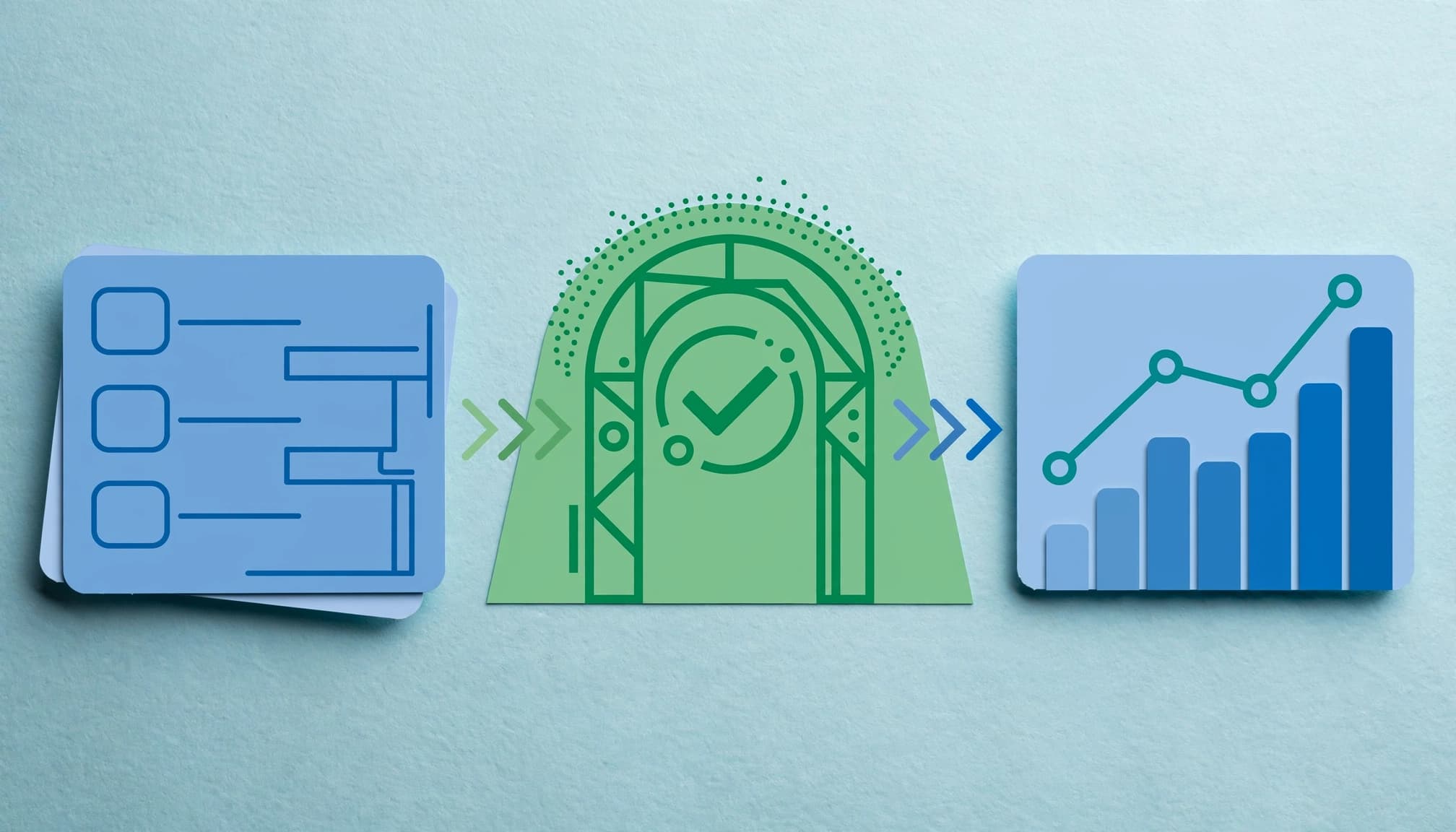
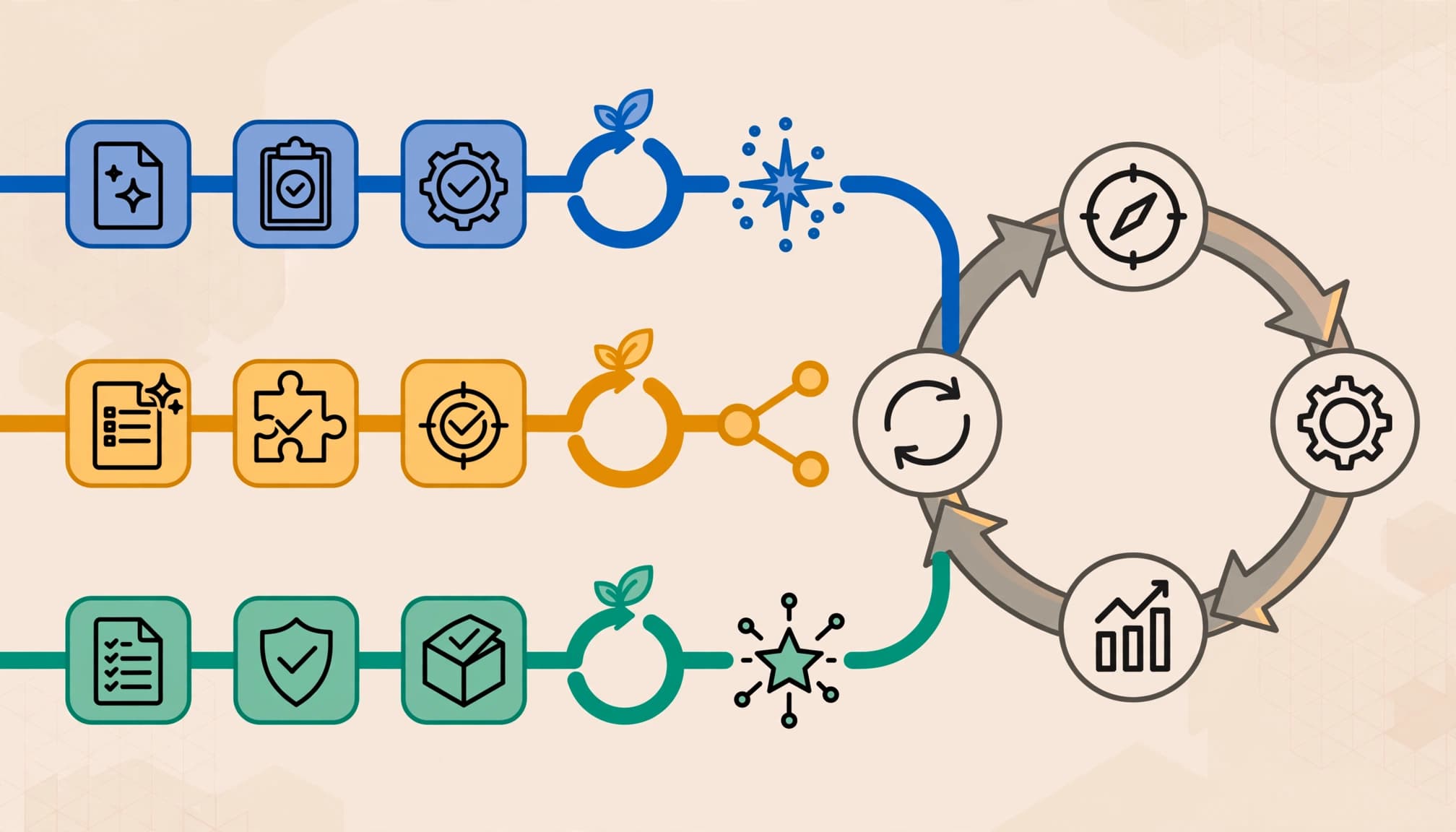
Lead Qualification Scorecard for Service Businesses

lead qualification scorecard

A busy enquiry inbox can make every prospect look equally urgent. But a homeowner outside your service area, a company asking for a quote, and a job seeker need different responses.

A simple scoring system assesses fit and intent, guiding the next response through a lead scoring model. This lead qualification scorecard gives service businesses a 100-point framework and clear scoring rules. It supports consistent lead management, prioritizes work that fits your ideal customer profile, and helps refine lead scoring with actual sales results.

What a lead qualification scorecard should measure

A contractor studies a neighborhood map with coverage circles and a house icon.

A lead scoring model assigns points to evidence that an enquiry could become suitable work. It combines fit, what the prospect needs and whether you can deliver it, with intent, what the prospect has done and how soon they want to proceed. HubSpot’s lead scoring overview describes the same distinction between suitable records and engaged ones.

For a Kolkata service business, an enquiry from Salt Lake might be workable while an otherwise attractive request falls outside its coverage. That distinction matters more than the number of pages either person visited.

Fit: Can you serve this prospect well?

A consultant compares two sheets of paper at a sunlit meeting table.

Explicit scoring uses explicit information supplied by the prospect or confirmed during intake: location, requested service, project size, budget, and contact details. A commercial cleaning firm might also need building size and access to a facilities manager.

Write your qualified-lead definition in plain language first. For an HVAC company, it could be an in-area caller who needs a covered service within 30 days and can be contacted. Your team can then score those conditions consistently.

Intent: Is the prospect ready to act?

A phone notification sits beside a calendar with an upcoming appointment.

Intent includes stated timing and implicit scoring of activity across the prospect’s buying journey. Behavioral scoring gives more weight to observable actions, such as requesting an estimate, booking a consultation, or replying after receiving service details. These signals usually matter more than an email open or a general blog visit.

Use consistent scoring rules to keep the fit score and intent subtotal visible as separate parts of your lead scoring. A strong-fit prospect researching next quarter needs nurturing; someone requesting work today may still be outside your service area.

Ready-to-use lead qualification scorecard template

A blank scorecard with colored dots and a pencil on a counter.

Use this adaptable lead scoring model as an illustrative 100-point example for an appointment-based service. Its scoring criteria award up to 60 points for fit and 40 for intent. Adapt these scoring rules to your business, and record unknown information as zero until confirmed rather than assuming a poor fit.

SignalMaximumFull-point rulePartial-point rule
Offered service match20Request matches a service you sellRelated request requiring clarification: 10
Serviceable location15Address is inside your coverage areaNearby area you sometimes cover: 8
Job size or budget fit15Meets your normal minimumPossibly suitable, pending scope: 7
Contact and decision access10Working contact details and a clear decision pathWorking contact details only: 5
Quote or appointment request20Asks for an estimate or books a consultationAsks for service details: 10
Project timing12Wants to proceed within 30 daysWants to proceed in 31 to 90 days: 6
Follow-up engagement8Replies with details or makes relevant repeat contactVisits a high-intent service or pricing page: 4

Add the first four rows for a fit score out of 60 and the last three for an engagement score out of 40. Award each row once, at its highest supported value. Keep lead scoring tied to meaningful signals, so a repeated page visit shouldn’t keep adding points.

Before scoring, remove spam and duplicates. Mark wrong-service and outside-area enquiries as disqualified when those are firm boundaries. Keep them in the CRM with a reason, rather than hiding them in a low-score bucket.

Set weights for the way your service sells

A small repair folder and a larger renovation folder sit beside a measuring tape.

The template is a starting point, not an industry benchmark. Before adopting its weights, review won jobs, lost proposals, and enquiries your team rejected. Look for conditions that separated valuable work from costly follow-up, then use those patterns to shape a practical, rule-based lead scoring model.

Score the value and feasibility of the job

An estimator studies a residential site plan beside a measuring tape and tools.

For a renovation firm, project scope and budget may deserve more than 15 points because site visits take time. For an urgent repair company, serviceable location and availability may be central to its ideal customer profile.

Adjust the scoring criteria and the definition of fit as well as the points. A law firm might replace geography with jurisdiction and job size with case type. A B2B agency could score company profile, project scope, and access to a decision-maker. Leave out any criterion your team can’t check reliably. These scoring rules should reflect what your team can verify.

Keep the approach practical. Predictive lead scoring is a later option, once your business has enough reliable outcome data.

Score intent using observable actions

Three icons show a website visit, phone call, and quotation request in sequence on paper.

In lead scoring, give more credit to a booked call than to passive browsing. For phone-heavy services, a call outcome or confirmed appointment tells you more than duration alone. Ask staff to record what the caller needs and the next agreed step. Use score decay when older intent signals should carry less weight.

HubSpot’s guide to building lead scores shows how CRM properties and recorded actions can contribute points. Start with signals your team already captures, then add others only when they improve decisions. Compare revised weights with conversion rates over time, but don’t assume score changes alone will improve results.

Choose thresholds and response rules

A sales manager sorts three folders into colored trays on a desk.

Lead scoring is useful when each score range has an owner and a next action. Treat each cutoff as an initial threshold for qualification, not proof that a lead will buy.

Total scoreSuggested action
0 to 24Check missing details once; close only with a documented no-fit reason.
25 to 49Send relevant information as part of lead nurturing and set a follow-up reminder.
50 to 74Assign a person to qualify the need and offer a conversation.
75 to 100Prioritise a prompt human response and attempt to book the next step.

For lead prioritization, consider score recency too, since older engagement may call for score decay.

Add a safeguard: a 75-point lead should also have a fit score of at least 40 points before entering priority sales follow-up. Otherwise, strong engagement could mask a poor service match. An urgent request can receive an immediate callback even when missing fields keep its score low.

A marketing qualified lead (MQL) has enough evidence for targeted follow-up. A sales qualified lead (SQL) has a credible need, fit, and timing confirmed by sales. Once sales confirms those details, the opportunity can enter the sales pipeline. A promising score shouldn’t automatically imply that this conversation has happened.

Put the scorecard into your CRM and keep it current

An angled monitor shows connected blank cards and simple icons in a quiet office.

You can start in a spreadsheet. Once the team uses the rules consistently, move them into CRM fields for service, location, budget or scope, timing, source, owner, fit score, intent score, and disposition. This gives your lead management process one consistent record to work from.

Automate scores without overcomplicating CRM

Colored lead cards move through connected stages on a simple CRM board.

Use CRM integration to connect forms and booking tools to the same lead record. Then configure automation tools to update scores, assign owners, and send reminders based on verified events. Test the scoring rules on a few sample records before enabling automatic routing, especially when missing fields or duplicates could create misleading scores.

HubSpot offers fit and engagement scoring options; its lead scoring lesson also covers event rules and how scores fade. Check your CRM’s current capabilities before copying a platform-specific workflow. Whatever the software, a named person must own each high-priority lead. Predictive lead scoring can be a later option if you have enough reliable historical outcomes, but it isn’t required for a service-business scorecard.

Use score decay and negative points carefully

Faded enquiry cards sit beside a bright new message on a calendar page.

Intent signals can expire, while stable fit information may remain useful. You might remove the eight engagement points after 30 days without meaningful contact, then restore them if the prospect replies. Choose the interval based on your typical buying cycle; major B2B projects often move more slowly than urgent repairs.

Use negative scoring cautiously, and only for reliable evidence, such as a prospect confirming they’ve postponed the project. Keep hard disqualifiers separate. If intent isn’t current, use lead nurturing rather than treating the lead as a priority for immediate outreach. A duplicate shouldn’t become a low-priority sales task merely because its score fell.

Align sales and marketing around outcomes

A business owner and marketing consultant review a wall chart across a table.

Lead scoring fails when marketing counts every form submission as success and sales rejects most of them. Strong sales and marketing alignment starts with agreed MQL and SQL definitions, response deadlines, enquiry ownership, and rejection reasons staff must record. A marketing and sales handoff checklist can help make those lead management decisions explicit.

Review lead quality together

Two colleagues sort blank enquiry cards together in a sunlit office.

Each month, compare high-scoring enquiries with booked work and lost deals across the sales pipeline. Review a few low-scoring leads too; if they became good customers, identify the signal your model missed. Then revisit scoring rules and score decay, changing one or two rules at a time to see whether they help.

Also check rejected records by source. If an SEO service page repeatedly brings in wrong-service requests, the page may need clearer wording. If paid ads generate suitable prospects who never book, inspect response times before changing the campaign.

Track scorecard performance, not just volume

An analyst reviews a trend chart beside a phone enquiry log.

Track qualified lead rate, contact rate, appointment bookings, conversion rates, booked revenue, and median first-response time by source. Record duplicates, overdue follow-ups, and loss reasons too, then use the full picture to assess sales productivity. The lead generation reporting dashboard shows how to view funnel stages together.

Ad platforms may report more conversions than your CRM reports qualified leads. Compare forms, calls, and CRM dispositions using a consistent GA4 and CRM reconciliation process. If tracking and follow-up records are scattered, Get In Touch With Us to discuss a measurement setup your team can maintain.

Key takeaways

A business owner reviews enquiry cards beside a phone and paper scoring grid.

Start with a shared definition of a workable enquiry and sales and marketing alignment on ownership. Score fit and intent separately, keep hard disqualifiers visible, and attach an action to each score band. Review conversion rates against booked jobs and sales to test the weights. Use score decay to account for intent freshness.

Frequently asked questions

A calm-colored grid of four icons shows scoring, profiles, automation, and time.

How should a lead qualification scorecard work?

A shop worker checks a phone beside the counter.

Use lead scoring to assess enquiries consistently, choose a response, and record outcomes. A marketing qualified lead (MQL) meets marketing criteria, while a sales qualified lead (SQL) is ready for sales follow-up. Keep the first version small enough to use during a call or after a form arrives.

What is the difference between fit and intent?

A profile icon and an activity icon balanced on a white board.

Fit asks whether the work suits your business. Intent asks whether the prospect is taking steps toward buying. Both matter: urgency can’t make an out-of-area job serviceable.

Can a CRM automate lead scoring?

An angled CRM screen shows contact cards and abstract score bars in soft office light.

Yes, if your CRM can use the fields and activities behind your rules. Automate point updates and reminders, but let staff confirm sales qualification after a meaningful exchange.

How often should scores lose points?

An old blank card sits beside a blank calendar reminder and small clock.

Use score decay when a lead stops engaging beyond your normal sales cycle. Remove stale activity points without erasing stable fit details, such as service type or location.

Conclusion

A business owner selects one card from a neat set in a sunlit office.

The next enquiry in your inbox deserves a response based on its actual fit and readiness, not its arrival order alone. A short lead scoring approach makes that decision repeatable.

Start with the seven signals above, assign each score band an owner for lead prioritization, and revise the rules as sales outcomes reveal what works.


GA4 generate_lead Event: Validate Confirmed Form Submissions

A dashboard separates a confirmed form submission from a rejected one.

A visitor clicks “Request a Quote,” but the form rejects their phone number. If your analytics still records a lead, your cost per lead looks better than your sales inbox does. A GA4 generate_lead event should count a confirmed enquiry, not a button click.

That distinction matters when deciding which marketing campaigns, SEO pages, or services deserve more investment. Start by identifying the moment your website confirms it has accepted a submission.

What should the GA4 generate_lead event count?

A shop owner checks a tablet beside a storefront counter in warm daylight.

Google lists generate_lead among its recommended events for lead generation. For a website form, use it when your agreed lead-capture process confirms that the enquiry was accepted. Define that point with whoever manages the form and CRM before setting up a tag.

Why a button click is not a lead

A hand rests beside a blurred contact form on a smartphone in soft daylight.

A click can precede a missing required field, a failed CAPTCHA, or a server error. Even a form that passes browser validation may fail when the website tries to save it.

Google Analytics 4’s enhanced measurement can collect form interactions such as form_start and form_submit, where supported. Those events help diagnose form use, but don’t assume either proves your business received an enquiry. Keep generate_lead tied to the confirmed outcome.

Use one event name and useful context

Teal and navy blocks show a form flowing through a server to a thank-you page and analytics event.

Use generate_lead across contact and quote forms, then distinguish them with event parameters such as form_id, lead_type, or service_line. This is easier to report on than separate event names for every form.

No parameter is mandatory for every generate_lead event. Google’s recommended event reference lists value as recommended and lead_source as optional; send currency when you send value. Don’t send names, email addresses, or phone numbers as GA4 parameters.

Choose a signal that proves the form succeeded

A paper form passes through a green checkpoint toward an analytics chart.

The right trigger depends on how the form works. A dedicated thank-you page is useful if visitors reach it only after successful processing. Confirm that a visitor can’t open the page directly and create a false lead.

A monitor shows an abstract browser window with a green check icon on a tidy desk.

For an AJAX form that stays on the same page, ask the developer or form provider for a success callback. Fire tracking only after the server confirms accepted form submissions, not when the loading spinner appears. For an embedded booking tool, verify what its “completed” message means and whether confirmation happens on another domain.

A success message alone may be unreliable if the form displays it before the CRM accepts the record. Test the complete path: browser confirmation, notification or CRM entry, and GA4 event. The GA4 lead tracking checklist can help keep those checks consistent across forms.

Implement the event with Google Tag Manager

A monitor shows connected abstract nodes with one highlighted beside a success badge.

In Google Tag Manager, create a Google Analytics: GA4 Event tag using your site’s Google tag or the correct GA4 Measurement ID. Set the event name to generate_lead. The trigger must represent the confirmed success signal you selected, not a generic click on the submit button.

For a dedicated thank-you page

A laptop displays a green success icon on a confirmation page.

Create a Page View trigger restricted to that confirmation page. Submit a test enquiry and check that the page appears only after the website accepts it. Then refresh the page and use the browser’s Back button: a page-view trigger may fire again.

If repeat views would inflate leads, ask the developer to provide a success event tied to the accepted submission instead. Choose one firing path for each form.

For a form that doesn’t reload

Abstract data tokens and channel symbols flow into a compact analytics report.

After the server confirms success, the site can push a named event into GTM’s data layer, along with a form identifier. A GTM Custom Event trigger can then fire generate_lead; Data Layer Variables can pass form_id and lead_type.

Agree on the success event name with your developer and test it against a failed response. If an embedded tool can’t expose confirmation to your site, check its native integration before relying on an earlier interaction.

Validate failures and successes in Tag Assistant and DebugView

A developer checks colored dots and a timeline on a desktop monitor.

Open GTM Preview and connect your site to Tag Assistant using Google’s container preview instructions. Keep the Tag Assistant timeline open as you test the form. It shows which trigger occurred and whether your GA4 tag fired.

Run tests that must produce zero leads

A timeline shows a failed form attempt, then success and one event marker.

First, submit the form with required fields blank. Try an invalid email address, fail the CAPTCHA if applicable, and ask your developer to test a rejected server response. None should fire generate_lead. A click or generic submit trigger appearing in Tag Assistant isn’t a problem by itself. The GA4 lead tag firing at that point is.

Next, complete one valid submission. Find the success signal in the timeline, then confirm the lead tag fires once afterward. Repeat the test on mobile and for each form type. For a closer look at triggers and variables, use the GTM Preview lead-tracking guide.

Check what GA4 receives

A magnifying glass highlights a break in an event path beside browser and analytics icons.

In the GA4 DebugView tool, select your test device and find generate_lead. Open the event to inspect its parameters and check that form_id identifies the form you submitted. If the event appears twice, inspect both GTM tags and any hardcoded gtag.js implementation.

Finally, verify the test enquiry reached its intended inbox or CRM. DebugView confirms GA4 received an event, but it can’t prove your sales team received a usable lead. Don’t expect standard GA4 reports to update as quickly as a debug session.

Mark the confirmed lead as a GA4 key event

A business owner stands near a dashboard with one lead event marked by a green dot.

Once the event passes your tests, mark generate_lead as a key event in your key event configuration. If it hasn’t appeared yet, create a key event using the exact event name. Check your property’s current Admin labels, as Google changes interface wording.

Google explains the distinction between GA4 key events and Google Ads conversions. If you use Google Ads, you can use the GA4 key event for conversion tracking. Check whether a separate Ads tag already counts the same submission before setting both actions as primary. Allow for processing time when checking reports or imports.

Connect submissions to sales outcomes

Colored nodes branch from an inquiry path toward a customer and a phone-call icon.

A confirmed form submission starts a lead record, not a qualified opportunity. Once the first event is trustworthy, you can assess which enquiries become sales conversations and customers.

Record later stages separately

A paper folder sits beside a ringing phone and an open laptop on an empty desk.

GA4 also recommends events such as qualify_lead, working_lead, and close_convert_lead. Map each to a clear CRM status, then use an appropriate integration or Measurement Protocol setup to connect online and offline activity.

Your CRM may merge duplicate enquiries into one contact, while GA4 records separate web actions. Compare confirmed events with CRM records weekly and investigate gaps rather than expecting identical totals. The GA4 and CRM reconciliation guide provides a useful process for that review.

Judge channels by lead quality

A business owner and consultant discuss a funnel diagram in a small meeting room.

Break down confirmed leads by form, service, and traffic source. Then compare those groups with qualified leads or opportunities. A landing page with many enquiries may still attract poor-fit requests.

For a defined quote or booking journey, GA4 funnel explorations can show where visitors stop between starting a form and submitting it. Keep the confirmed lead event as the final web step.

Fix the failures that inflate lead counts

A check mark, event node, and small funnel arranged on a pale teal background.

If counts look wrong, inspect the firing path before changing reports. A thank-you page trigger and an AJAX success trigger may both send generate_lead. A hardcoded GA4 event or a separate gtag.js implementation can also duplicate the GTM tag. Keep one source for the final event and check duplicate GA4 conversions after changing it.

If events are missing, confirm the GTM container loads on the form and confirmation page. Then check the Measurement ID, consent state, trigger conditions, and embedded form behavior. Re-test after form-builder updates or website redesigns. If your setup spans several forms and a CRM, Get In Touch With Us for help auditing the full path.

Key takeaways

Blank question cards sit beside an analytics icon and green check mark.
  • Fire generate_lead only after the form is confirmed, never when someone clicks the submit button.
  • Test invalid, rejected, and successful submissions in GTM Preview and GA4 DebugView.
  • Verify that one event reaches GA4 and the enquiry arrives in your inbox or CRM.
  • Use parameters to identify lead sources and forms, then assess lead quality through CRM stages.

Frequently asked questions

A monitor shows an abstract browser window with a green check icon on a tidy desk.

Is generate_lead a custom event? No. It’s a GA4 recommended event to implement when it fits the action you’re measuring. You can add your own parameters for business context.

Does generate_lead require value? No. Google recommends value, particularly for a key event, but it isn’t mandatory for every lead. Send currency if you send value, and don’t present an estimated lead value as closed revenue.

Why can Tag Assistant show a fired tag while my report shows nothing? Check the destination Measurement ID and look for the event in DebugView first. Standard reporting can take longer, and consent settings or browser extensions may affect collection. Also confirm you’re viewing the same GA4 property and data stream.

Should form_submit and generate_lead both be key events? Usually, choose the confirmed lead as the primary key event for that form. Keep form-interaction events for diagnosis, especially if they can include attempts that never reach your business.

Conclusion

A green point at the end of a path in front of a softly blurred storefront.

That rejected quote request at the start should never improve your reported cost per lead. Tie generate_lead to confirmed acceptance, test failures as carefully as successes, and verify what reaches your CRM.

Reliable lead counts give you a sound starting point for judging campaigns and sales outcomes.

Lead Funnel Leakage Audit for Service Businesses

A business owner reviews a laptop pipeline as prospects slip away before booking.

Your enquiries can rise while your booked jobs stay flat. For a service business, lead funnel leakage often happens after someone calls, submits a form, or asks for a quote, but before anyone takes responsibility for the next step.

More traffic won’t fix a missed callback or an estimate left unanswered. A lead funnel leakage audit traces your lead generation funnel from enquiry to booked work, revealing where prospects drop off. It’s a practical revenue operations review of how enquiry handling and sales work together, helping you choose a first fix.

What counts as lead funnel leakage?

Metal beads escape from glass funnels into a catch tray beside measuring instruments.

Some prospects won’t buy. They may live outside your service area, lack the budget, or choose a different provider after a fair comparison. That’s normal attrition, not a churn rate, which measures existing customers leaving.

Preventable sales funnel leakage happens when a suitable prospect can’t complete the buyer journey because of your process. A Kolkata repair company might miss a call during a busy afternoon. A consultancy might receive a qualified request but leave it unassigned in a shared inbox. In both cases, demand existed; the handoff failed.

The revenue effect depends on where the leak sits. Behavioral analytics can help identify visitors who leave before enquiring, but won’t diagnose every later handoff failure. Losing visitors before they enquire reduces your pool of leads. Losing qualified prospects after a consultation wastes more sales effort. Review both the number of people lost and their likely value, rather than assuming the largest percentage drop is the most expensive problem.

Step 1: Map every enquiry and handoff

Colored tokens mark stages on a paper funnel map, with several gathered below a gap.

Start with a simple path through your lead generation funnel: enquiry received, human contact made, qualified, appointment or discovery call completed, proposal sent if needed, and sale won or lost. Adapt it to how customers buy your service. An emergency electrician and a B2B design agency shouldn’t share identical stages.

Capture every entry point

A seated business owner reviews a printed ledger beside a wall chart in a bright Kolkata office.

List website forms, phone calls, Google Business Profile enquiries, WhatsApp messages, social inboxes, chat, and booking tools. Then check where each one lands. Does it create a CRM record, send an alert, or remain on someone’s phone?

For each source, record the arrival time, requested service, location, and assigned owner. Keep consent information where your team can see it. If a channel can’t be traced to a person responsible for replying, you’ve found a possible leak before measuring conversion rates.

Define when a lead moves forward

Two colleagues stand beside a whiteboard with abstract funnel shapes and arrows.

Define lead qualification using fit criteria from your ideal customer profile. For a home-service company, service area and job type might decide fit. For a commercial agency, project scope, timing, and buyer involvement may matter more.

For longer, consultative services, marketing-qualified leads and sales-qualified leads can be useful labels. Simpler service businesses can use lighter stages, adding lead scoring only when enquiry volume or complexity justifies it.

Make stage exits observable. “Contacted” should mean a real conversation or reply, not an automatic receipt. “Proposal sent” needs a sent date and a scheduled next action. Sales and marketing alignment matters because different stage definitions can send qualified leads into rejection categories nobody reviews.

Step 2: Measure conversion at each stage

A laptop showing a colorful dashboard sits beside a notepad and phone.

Choose a recent group of enquiries with enough time to progress through your lead generation funnel. Keep the same group in view at each stage; mixing this month’s new leads with last quarter’s closed sales produces misleading rates.

Calculate stage-to-stage rates

A paper funnel, magnifying glass, calculator, and three colored tokens sit on a tabletop.

To calculate conversion rates, divide the number reaching a stage by the number at the stage immediately before it. This illustrative group shows how the calculation works:

Stage reachedLeadsConversion from prior stage
Enquiry received100Starting point
Human contact6060%
Qualified2440%
Appointment booked1041.7%
Sale won550%

Here, 40 enquiries never reached human contact. Investigate that handoff before changing proposal templates. Also measure median time in each stage, overdue next actions, and loss reasons. Break results down by channel and service type when you have enough qualified leads for a useful comparison.

Google’s Funnel exploration documentation explains how to view movement through website steps. For a practical setup, use GA4 funnel explorations for lead generation alongside CRM stages. Behavioral analytics shows visitor actions; your CRM shows what happened after the enquiry.

Verify that the events mean what they say

A magnifying glass inspects a blank paper form beside a smartphone.

Submit a test form on desktop and mobile. Confirm that the success event fires once, only after submission succeeds. Then verify that the enquiry arrives with its source and page information intact.

Do the same for calls and booking requests where tracking permits. A button click isn’t a completed form, and an automated acknowledgement isn’t human contact. The GA4 lead tracking setup checklist can help you check event triggers before you trust the report.

Step 3: Test response speed and CRM handoffs

A hand rests beside a phone with an incoming notification in a quiet office.

Audit lead response time by measuring the gap between a customer’s first action and the first human response, separately from any automatic acknowledgement.

Follow a test enquiry through the system

A ringing desk phone and appointment book sit on an empty reception counter beside a glowing phone screen.

Submit a form, place a call after hours, and send a message from a mobile phone. Note who receives each alert, when someone responds, and what happens if the first person is unavailable. Repeat after website or staffing changes.

HubSpot’s lead-management guidance recommends contacting new leads within five minutes. Treat that as a useful target for urgent enquiries, then set achievable targets by lead type. An emergency call needs a faster path than a long-range commercial project request.

Track median response time and the slowest responses, not only the average. Your sales follow-up agreement should name an owner, a deadline, a backup, and a next action after an unanswered call. A voicemail counts as an attempt, not a completed conversation.

Check records that drive routing

Neat folders and scattered blank cards sit opposite each other with a magnifying glass between them.

Open a sample of recent sales pipeline records in your CRM. Check CRM data for missing or inconsistent phone numbers, service locations, sources, owners, stage-change dates, and scheduled next steps. Inspect duplicates and records left indefinitely as “new” as part of routine data hygiene.

Test lead routing rules with real service categories and locations. A request without a location may need manual review; it shouldn’t vanish because an automation rule cannot choose a team member. Assign one accountable owner even when several people can see the inbox.

Step 4: Inspect website friction before buying more traffic

Two hands rest beside a monitor showing colorful heatmap patterns.

If visitors reach a service landing page but rarely enquire, inspect it before increasing ad spend. Check mobile loading, form errors, unclear pricing expectations, and whether the page accurately states your service area and availability.

Watch the path to an enquiry. Do visitors start a form but abandon it at a required field? Do the calls to action work on mobile? Does the confirmation page explain when they’ll hear back? Promising same-day appointments when your diary is full creates another problem. These friction points can discourage enquiries.

Tools such as Contentsquare’s behavioral analytics show how visitors interact with a page. Heatmaps and session reviews suggest what to investigate, but a controlled page change and subsequent conversion data show whether a fix helped. If organic traffic is a major source, the lead-generation SEO audit checklist connects page checks with enquiry tracking.

Step 5: Prioritize fixes and measure again

Four colored glass tiles sit beside a calculator and blank sticky notes.

For each confirmed leak, record the affected stage, evidence, likely commercial impact, effort, and owner. This gives revenue operations and relevant teams a clear way to coordinate the fix. Start with problems affecting qualified enquiries that have a clear solution. Repairing a broken form notification usually comes before redesigning a page that already produces suitable leads.

Match each fix to the failure. Missed calls need callback ownership and after-hours cover. Poor qualification needs shared acceptance rules. Stalled proposals need an agreed follow-up date, a recorded reason when the buyer declines, and targeted lead nurturing where it makes sense.

Change one process at a time where possible. Record owners, stage changes, and next actions to improve pipeline visibility. Then compare the same stage rate, lead age, and booked-work outcome against your starting point. After a website change, use behavioral analytics to compare visitor behaviour. Note when routing or stage definitions change, or later comparisons will be hard to interpret.

A higher enquiry count can hide a worse funnel if fewer of those enquiries become qualified appointments.

If your website numbers and CRM outcomes tell different stories, Get In Touch With Us to review the tracking and handoffs together.

Key takeaways

Colored cards move toward three trays, with one route blocked.
  • Map every enquiry source to a named owner and a defined next stage.
  • Measure conversion between adjacent stages, plus response time and time spent waiting.
  • Test the customer journey yourself; dashboard events may not match what a customer experiences.
  • Fix confirmed losses closest to qualified demand, then check whether booked work improves.

Frequently asked questions

A notebook, face-down phone, branching paper path, and small magnifying glass.

How often should a service business run this audit?

Review new leads and overdue actions weekly. Set response targets that fit your service, then review lead response time against them. Test each enquiry channel at least monthly and after major website, campaign, or staffing changes. A fuller stage-by-stage review works well when you have enough recent outcomes to compare meaningfully.

How do I tell normal rejection from a preventable leak?

Record a reason for every lost opportunity. An out-of-area request is different from an in-area prospect who never received a callback. Sample the records behind each reason, because broad labels such as “no response” can conceal missed attempts or unclear ownership.

Do I need expensive software to begin?

No. A spreadsheet, reliable enquiry log, and basic CRM can reveal missing owners and slow replies. Add automation or behaviour tools when you know which failure they need to solve. Accurate stages and consistent follow-up matter more than a complex dashboard.

Close the gap between enquiry and booked work

A hand places a colored token at the final stage of a miniature pathway.

Rising enquiries mean little if suitable prospects wait unanswered. A useful audit follows each lead through measurable stages, finds the broken handoff, and checks whether the repair produces more booked work.

Make ownership and next actions visible first. Once every enquiry has a fair chance of being handled, your marketing numbers become far more useful.

Marketing Cohort Analysis for Smarter Service Budgets

marketing cohort analysis

A busy calendar can hide an expensive acquisition problem. If one channel brings many enquiries but few profitable customers, your marketing budget can look healthy while your margins shrink.

Marketing cohort analysis helps service businesses compare customers who started in the same period, came from the same channel, or followed the same path. Instead of chasing the lowest cost per lead, you can see which marketing investments create qualified jobs, protect margin, and drive repeat bookings.

For Kolkata businesses with local sales cycles, phone calls, site visits, and offline payments, that distinction matters. Grouping customers by source and start date helps service-business owners make better data-driven decisions than a blended monthly total.

Use marketing cohort analysis to see beyond average results

A person reviews a cohort dashboard on a laptop beside printed reports and a budget chart.

A cohort is a group of customers who share a meaningful starting point. It might include everyone who first contacted your business in April, customers acquired through Google Ads, or people who booked after visiting a service page.

Cohort analysis groups people by shared traits or actions, then examines how their behavior changes over time. Behavioral analytics examines what customers do after their first enquiry, including qualification, booking, cancellation, repeat service, and referral behavior.

Averages blur differences in lead quality

A monthly report may show 100 leads at an attractive cost per lead. Yet that number mixes spam, wrong-location enquiries, poor-fit prospects, genuine buyers, and customers who later renew.

A referral cohort may stay longer than customers acquired through a heavy discount. Likewise, SEO leads may need more time to close but produce larger retainers than a quick social media form fill. User engagement is one input signal, but it must connect to qualified leads and collected revenue.

Unlike an e-commerce business, a service company must evaluate calls, consultations, booked jobs, delivery costs, and offline payments. Online transactions alone cannot show the full commercial result.

A campaign with fewer enquiries can still deserve more budget if its cohort generates stronger gross margin after sales and delivery costs.

Cohorts answer budget questions that totals cannot

A useful report can answer practical questions:

  • Which acquisition source creates the highest qualified lead rate?
  • Which service package has the fastest payback period?
  • Do customers acquired in a certain season cancel sooner?
  • Does a landing page bring enquiries that sales can close?
  • Which campaigns lead to repeat bookings or retainer renewals?

This turns cohort reporting into a commercial tool, not another dashboard full of clicks. It separates revenue from gross margin, lead quality, conversion rates, and retention.

Choose the right cohort for the decision

Split visual showing customer cohorts by acquisition month and behavior, with one person in the background.

Start with a cohort definition that matches the decision you need to make. Two approaches work well for most service businesses.

Acquisition cohorts show where customers came from

Acquisition cohort analysis groups customers by their first conversion date, original source, campaign, landing page, or first-touch channel. Then, follow each group through qualification, proposals, closed revenue, gross margin, and retention.

You can compare January, February, and March leads, or original channels such as organic search, Google Ads, Instagram, referral partners, walk-ins, and direct mail. Preserve the original source, campaign, first landing page, and first conversion time in your CRM. Later interactions should add touchpoints, not overwrite the first source.

For SEO, track cohorts long enough to reflect its sales cycle. A person may discover a service through organic search, return through a branded search later, and call after comparing options.

Behavioral cohorts show what customers did

Behavioral cohort analysis groups people by actions rather than dates. Behavioral analytics can reveal user behavior such as consultation attendance, inspection bookings, follow-up completion, cancellation, renewal, and referral activity.

This view helps you find actions linked to stronger retention. For subscription businesses, customers who complete a follow-up may renew more often than one-time buyers. Compare the repurchase rate for customers who completed a follow-up with those who didn’t. You can also add RFM segmentation, which considers recency, frequency, and monetary value, when repeat purchases matter.

Combine acquisition and behavior when volume allows. Compare Google Ads customers who booked an inspection with Google Ads customers who only requested a quote.

Measure the metrics that connect marketing to profit

A person studies a marketing scorecard with gauges, a funnel, campaign cards, and a calculator.

Revenue matters, but it doesn’t tell you whether a cohort is profitable. A customer can produce high revenue while consuming costly staff time, travel, materials, or billable delivery capacity.

This scorecard is the financial layer of cohort analysis. It follows the customer lifecycle from lead quality through collected revenue, direct delivery costs, repeat service, and cancellation.

MetricWhat it measuresSimple calculation
Lead qualityFit against your accepted criteriaQualified leads / raw enquiries
Conversion ratesMovement between two stagesCustomers at next stage / customers at prior stage
Retention ratesShare of customers still active at a defined pointActive customers / starting cohort
Churn rateCustomers who cancel or do not renewLost customers / active customers at period start
Gross marginRevenue left after direct delivery costsCollected revenue – direct costs
Cohort CLVValue after direct costs over the relationshipCumulative revenue – cumulative direct costs, per customer
Payback periodTime needed to recover acquisition costCAC / monthly gross margin per customer

Evaluate customer retention and gross margin together. Strong retention can still be unprofitable when delivery costs consume most of the collected revenue.

Track the full path from enquiry to closed revenue

A raw lead is not the same as a qualified lead. Define the conditions that matter, such as service area, service type, budget range, project scope, or decision-maker availability.

Then track stages such as new enquiry, contacted, qualified lead, sales-accepted lead, opportunity, and closed won. Your CRM should remain the authority for these statuses, while GA4 records website actions such as form submissions, phone clicks, and appointment requests.

A GA4 channel grouping setup helps compare first-touch acquisition sources without lumping paid search, organic search, referral traffic, and social traffic into broad, unhelpful categories.

Use margin and payback before increasing spend

Customer lifetime value should use collected revenue and direct costs, not quoted value alone. Revenue isn’t gross margin, and a quoted contract isn’t collected revenue. Direct costs can include technicians, commissions, materials, subcontractors, fulfilment, and delivery time that reduces billable capacity.

For an e-commerce business, average order value may be useful for assessing transaction size. Service businesses should also account for technician time, travel, materials, capacity, and repeat work.

For recurring services, calculate payback from customer acquisition cost and monthly gross margin. Track repurchase rate as a supporting repeat-booking metric, but don’t treat it as a substitute for margin or payback. For project-led businesses, compare acquisition cost with gross margin at project completion, then watch whether follow-on work changes the cohort’s value.

A low cost per lead is weak evidence. A channel that costs more but brings qualified leads and profitable retained customers may be the better investment.

Build a cohort report from imperfect customer data

One analyst views connected customer data sources flowing into a central database.

Service-business data rarely sits in one clean system. Forms, WhatsApp enquiries, call tracking, spreadsheets, invoices, booking tools, and finance records may all describe one customer differently. Data integration tools can connect these sources, but stable IDs and clean definitions matter more than advanced software. Unlike an e-commerce business, a service business may need to reconcile phone calls, walk-ins, offline payments, and manually recorded jobs that never enter an online transaction feed.

A reliable cohort analysis starts with stable fields and routine checks before it needs advanced software.

Create a record that survives the sales cycle

Give each enquiry a stable lead ID. Store lead creation date, original source, campaign, landing page, conversion time, location, service interest, and click identifier when available.

Deduplicate contacts before counting leads. Keep spam records flagged rather than deleting them, because spam rates by campaign, form, or landing page reveal lead-quality problems.

Connect calls, chat, forms, booked meetings, and offline walk-ins to the same record where possible. For local sponsorships, flyers, or trade events, use distinct QR-code landing pages and controlled UTM tags. Sales staff should select source details from approved dropdowns instead of relying on memory.

Audit attribution and tracking gaps

Attribution reports will not match your CRM perfectly. Privacy choices, cross-device journeys, delayed updates, duplicate handling, and sales-cycle length all create gaps. A marketing automation platform may show different source fields or lifecycle stages, so check it against the CRM rather than treating it as the revenue authority. Predictive cohorts should wait until lead IDs, timestamps, source fields, and offline outcomes are reliable.

Audit the customer journey with a consented test lead. Submit the form, check the analytics event, confirm the CRM record, and verify that source fields and timestamps survived the handoff. Forms can appear functional while source data disappears or duplicate records form.

A lead generation SEO audit checklist can help test form events, phone tracking, and organic-to-lead reporting. When paid campaigns drive leads, send qualified stages, booked appointments, or closed revenue back to the ad platform where your setup supports offline conversion imports.

A practical cohort view for a Kolkata service business

A technician stands beside a cohort chart and neighborhood service map.

Consider a home-maintenance company serving Kolkata and nearby areas. Its report groups customers by the month of first enquiry and separates Google Ads, local SEO, referrals, and Instagram campaigns.

Illustrative assumptions

The example below uses a January cohort and a 180-day maturity window. All figures are illustrative, not reported business results.

ChannelSpendEnquiriesQualified leadsBooked jobsCollected revenueDirect delivery costsRepeat bookings
Google Ads₹60,0001207236₹2,16,000₹1,30,00012
Local SEO₹35,000906338₹2,47,000₹1,40,00016
Referrals₹20,000453627₹1,89,000₹1,05,00018
Instagram₹30,0001005020₹1,10,000₹70,0006

From these assumptions, compare qualified lead rate, booking conversion, gross margin, payback, and repeat value at the same maturity point. For example, local SEO has a 70% qualified lead rate and a 60% booking conversion from qualified leads. Its ₹1,07,000 gross profit represents a 43% gross margin and a 3.1x payback on acquisition spend. Its 16 repeat bookings equal 42% of initial booked jobs, a useful repeat value signal. These calculations are illustrative.

Compare cohorts at the same maturity

January leads may have had time to receive a quote, book a service, and return for maintenance. Leads from the last week have not. Comparing them directly can punish channels with longer sales cycles.

Set a maturity window before judging results. For example, compare retention rates and repurchase rate only after the cohort has had enough time to qualify, close, deliver, collect payment, and return for maintenance. Match acquisition costs to the cohort that generated the customers, rather than comparing this month’s spend with revenue from leads acquired months ago.

Google Analytics cohort analysis can track defined groups over time, but website data alone cannot confirm job quality or collected income. Bring CRM and finance data into the review.

Diagnose the first weak stage

If a cohort has strong enquiry volume but weak bookings, look for the first stage where results drop. Poor contact rates may point to missed calls, slow responses, incorrect phone numbers, or weak routing. A low qualified lead rate often indicates an offer, targeting, location, or landing-page mismatch.

If booked jobs are strong but gross margin is weak, review pricing, travel distance, materials, and delivery costs. If customers cancel after the first service, rising customer churn may reflect service quality, a weak onboarding flow, poor follow-up timing, or missing renewal reminders.

Reallocate budget with disciplined decision rules

Colored campaign blocks move across a planning table beside a retention curve and confidence gauge.

Budget changes should follow repeated evidence from marketing campaigns, not one strong week or a platform’s last-click report.

Increase, hold, or reduce investment

Cohort analysis should guide controlled, data-driven decisions. Increase spend gradually when mature cohorts show stronger qualified-lead quality, collected revenue, gross margin, and payback than comparable channels. Hold spend when cohort maturity or tracking is incomplete. Reduce spend only after checking targeting, follow-up, attribution, and sales capacity.

Keep changes controlled. Move a portion of budget, monitor the next cohort, and document why the change happened. This protects the business from overreacting to short-term noise.

Adjust for seasonality and small samples

A Diwali period, monsoon disruption, school holidays, or local capacity constraints can affect apparent performance. Compare similar calendar periods where possible, and annotate promotions, pricing changes, staffing gaps, and website redesigns. These factors should inform your marketing strategy, not distort it. A higher repurchase rate can support the view, but it cannot replace gross margin or payback.

Small cohorts can swing sharply because one large contract or cancellation changes the percentage. Wait for enough closed outcomes to make a useful comparison, then look for a pattern across several cohorts.

Predictive cohorts can add an early-warning layer. You can group customers with behaviors linked to later churn, such as missed follow-ups or declining booking frequency. Include these predictive cohorts in a cohort report with a clear review cadence, and validate them against later churn or repeat-booking outcomes.

A marketing automation platform may surface or route these signals, but it shouldn’t independently cut budget without mature CRM and finance evidence. Validate early warnings before using them to reduce investment or automate retention offers.

Key Takeaways

  • Judge channels through cohort analysis, qualified leads, gross margin, customer retention, repurchase rate, and payback, rather than cost per lead alone.
  • Preserve original acquisition data while recording later touchpoints separately.
  • Compare cohorts only after they’ve had time to move through your real sales cycle.
  • Use first-touch and latest-touch views together when attribution is unclear.
  • Treat tracking gaps, seasonality, and small sample sizes as reasons for caution, not reasons to ignore the data.

Frequently Asked Questions

What is the difference between acquisition and behavioral cohorts?

Acquisition cohorts group customers by when or where they first arrived, such as a month, channel, campaign, or landing page. Behavioral cohorts group them by actions, such as booking a consultation, renewing a contract, or making a repeat purchase. Cohort analysis explains source quality and customer behavior after arrival. For repeat-service businesses, the repurchase rate is useful, but interpret it alongside collected revenue and margin.

How does cohort analysis help reduce churn?

Retention rates by cohort show when customers tend to leave and which customer groups stay active. This helps identify patterns in customer churn. A subscription or retainer business can compare onboarding, service package, source, and follow-up patterns. Reviewing the onboarding flow can also reveal why early cancellations happen, helping the team focus retention work on a known weak stage rather than sending the same message to every customer.

Can a small service business use cohort analysis without expensive tools?

Yes. A spreadsheet can work when it joins lead ID, original source, qualification status, closed revenue, direct cost, cancellation date, and repeat bookings. The priority is consistent CRM stages and clean inputs. If paid media data and CRM outcomes are disconnected, Get In Touch With Us to review the tracking and reporting path.

Make every budget decision answerable

Marketing cohort analysis makes the marketing strategy accountable to customer quality over time. It shows which sources produce collected revenue and gross margin, while revealing customer retention, repeat work, and an acceptable repurchase rate.

The strongest budget decisions rely on mature cohort evidence, stable tracking, and shared trust between sales and marketing.

HubSpot Lifecycle Stages for Service Business Reporting

Laptop showing a colorful CRM funnel beside a notebook and coffee.

A CRM report can show hundreds of new leads while sales teams struggle to find worthwhile conversations. The difference is often definition, not demand.

For agencies, consultants, and local service firms in Kolkata, that clarity connects the buyer journey with sales and marketing processes. It also turns reports into decisions about budget, follow-up, and staffing.

Start by agreeing on what evidence moves a record forward.

Build HubSpot Lifecycle Stages Around Real Client Progress

A CRM funnel connects inquiries to retained customers through workflow panels and reporting charts.

The lifecycle stage property shows where a contact or company is in your commercial process. It also makes handoffs visible between marketing, sales, and client-service teams. HubSpot’s guide to contact and company lifecycle stages is a useful reference when reviewing your current setup.

Define a stage by buyer evidence

A lifecycle stage should describe a meaningful change in the client’s position, not a task completed by your team. “Sent email” and “left voicemail” are activities. “Confirmed a service need and agreed to a discovery call” is real progress.

For example, a Kolkata web design agency might call a lead qualified only after confirming company type, project scope, decision-maker access, and likely launch timing. A home-services company may require a valid phone number, serviceable postcode, job type, and appointment request.

Give each handoff an owner

Every new record needs an owner, response deadline, and next action. Marketing owns the quality of an MQL handoff. Sales owns the documented acceptance, rejection, or return-to-nurture outcome. Client service owns onboarding after the deal closes.

A lead that has no named owner and no next action is not in a stage. It is sitting in a database.

Lifecycle data management becomes reliable when each team agrees on the evidence required to enter and exit a stage.

HubSpot Lifecycle Stages vs. Lead Status

Two connected CRM panels compare a customer journey funnel with sales follow-up statuses.

Lifecycle stages and sales statuses answer different reporting questions. Using both prevents a sales team from turning the broader customer journey into a cluttered activity log.

Lead Status manages daily sales work

HubSpot lifecycle stages usually follow the wider path from early interest through qualification, opportunity, customer, and advocacy. They support reporting on major milestones, such as Lead to Marketing Qualified Lead (MQL), MQL to SQL, or Opportunity to Customer.

A contact shouldn’t move to Sales Qualified Lead because a rep made three calls. The move should reflect confirmed fit, need, timing, and a credible sales conversation. Lead scoring can prioritize review, but it doesn’t independently prove qualification.

Lead Status tracks what is happening within active sales outreach. Teams often map Lead Status values such as New, Open, In Progress, Attempted to Contact, Connected, Open Deal, Unqualified, and Bad Timing. Review the options in your own portal rather than assuming every account uses the same set.

Use Lead Status to manage rep follow-up. Use lifecycle stage to measure business progress. Deal stages still track the commercial process after an opportunity exists, while ticket pipelines track support and delivery work. No single property replaces the others.

A Lifecycle Framework for Agencies and Service Firms

Three colored service paths merge across proposal, delivery, renewal, and referral stages.

A short, shared framework is easier to maintain than a long chain of overlapping labels. Start with stages your team can define consistently, then add a custom stage only when it changes how you report or act.

Use a simple core model

This framework works for many agencies, consultancies, and B2B service providers:

Lifecycle stageMinimum entry evidencePrimary reporting use
LeadA form, call, chat, referral, or event enquiry enters HubSpotDemand by source and service
MQLThe record meets agreed fit, need, and evidence criteria, with lead scoring used as supporting inputMarketing quality
SQL (Sales Qualified Lead)Sales confirms a credible need and active conversationHandoff and response performance
OpportunityA deal has a real commercial pathPipeline value and conversion
CustomerA deal is closed-won and service beginsRevenue and acquisition reporting

Subscriber can remain useful for people receiving updates who have not made an enquiry. Evangelist may fit a mature referral program. However, don’t add labels merely because they appear in a generic funnel.

Cumulative time in stage can reveal stalled handoffs, even when the core framework remains short. Review those delays alongside conversion rates and source quality.

Keep delivery milestones elsewhere

An agency may need onboarding complete, campaign live, monthly review held, renewal due, and renewal won. Those are valuable signals, but they often belong in a client-service pipeline, project record, ticket, or custom property.

For instance, a consultant can remain a Customer throughout delivery while a project property records whether discovery, research, or implementation is complete. This preserves the Customer lifecycle stage for client reporting without hiding operational work.

HubSpot supports custom lifecycle stages when your customer journey needs a distinct, reportable milestone.

Build Reports That Show Quality, Not Just Volume

Isometric dashboard wall showing charts for leads, conversions, response time, pipeline value, and retention.

A monthly total of form fills can hide weak targeting, slow response, or poor qualification. Put quality and time-in-stage metrics beside volume so owners can see where performance changes.

Create an executive reporting view

Build one dashboard with a date range and a small set of decision-ready measures:

  • Lead, MQL, SQL, Opportunity, and Customer counts by source.
  • Conversion rates between each lifecycle stage.
  • Median time from Lead to sales outreach and from MQL to SQL.
  • Time in each lifecycle stage and cumulative time through the funnel.
  • Open opportunity value, win rate, and closed-won revenue.
  • Disqualified and closed-lost reasons by service line or campaign.

Use lifecycle stage calculated properties to capture entered and exited dates. These fields make time-in-stage reporting more consistent and easier to audit.

Compare paid search, referral, social, and SEO leads on conversion, lead scoring, opportunity value, and revenue, not volume alone. Ten ebook downloads may look good, yet one well-qualified website redesign enquiry can produce more revenue.

For blended reporting, a Looker Studio lead-generation dashboard template can help connect marketing spend, web conversions, and CRM lifecycle data.

Segment before judging a channel

Separate reports by service line, geography, pricing model, and acquisition source when volume permits. A low-cost campaign for social media management may create many Leads but few Opportunities. SEO may generate fewer contacts who convert into higher-value retainers.

Compare cumulative time in each stage across service lines, sources, and geographies. These comparisons can show where response or qualification delays affect otherwise strong channels.

Google Analytics 4 should record website actions such as successful form submissions or click-to-call events. HubSpot should remain the authority for qualification, pipeline value, and revenue. Reconcile differences rather than forcing both systems to report identical totals with a GA4 CRM reconciliation process.

Automate Updates With Guardrails

Connected CRM nodes route lead cards to sales owners and follow-up tasks.

Automation can speed up handoffs, but it can also create misleading stage jumps. Build workflows around verifiable events, then test them with real sample records.

Map triggers to clear business events

A successful enquiry can trigger automatic updates, create a Lead, and record source details. HubSpot workflows can assign an owner and create a follow-up task. Lead scoring or a qualification form can identify an MQL. Sales should usually confirm SQL after a conversation or trusted pre-qualification process.

Keep source, service interest, location, company type, expected value, and lead disposition in contact properties. Don’t bury those details in notes where reports can’t use them.

Test associations and escalation rules

A contact associated with a company doesn’t automatically make their lifecycle data identical. Decide which object is the reporting authority for each situation, then use HubSpot workflows to test associations and escalation rules before updating related records.

Add an escalation workflow for unworked inbound leads. If no call, email, logged task, or other qualifying action appears within the agreed window, notify a manager or reassign the record. A voicemail is an attempt, not a conversation.

Review automatic updates, form submissions, duplicate matching, owner assignment, attribution, and unexpected stage changes every week as part of data management. After workflow changes, check cumulative time in each stage for unusual patterns. A lead-generation SEO audit checklist can also help verify that organic enquiries arrive in the CRM with usable attribution data.

Handle Repeat Business Without Rewriting History

A customer record branching into renewal, expansion, referral, and reactivation paths.

Service relationships are rarely linear. A former web development client may return for SEO support. A retained client may add paid advertising. A customer may refer another company while an unresolved support ticket remains open.

Preserve the Customer record

Keep the original contact or company at Customer once it has purchased. Create a new deal for expansion, renewal, or reactivation work. Use deal type, service line, renewal date, and client segment properties to report the new commercial motion.

Report re-engagement separately

Track returning customers through a reactivation or expansion deal view instead of moving them backward to Lead. This protects original acquisition reporting and shows how much pipeline comes from existing relationships.

Lifecycle stage calculated properties can reveal bottlenecks across acquisition, expansion, renewal, and reactivation motions. HubSpot documents stage calculated properties, including date-based and time-in-stage analysis that can compare cumulative time across those motions.

Check your subscription and object settings before building reports around any field.

Key Takeaways

  • Define lifecycle stages around verified buyer progress, not sales activity.
  • Use Lead Status for outreach management, deal stages for commercial progress, and service records for delivery.
  • Measure source quality through MQLs, SQLs, opportunities, revenue, and time to follow up.
  • Automate repeatable handoffs, then audit workflows for duplicate records and incorrect stage changes.
  • Keep customers as customers, and report renewals or expansions through new deals and properties.

Frequently Asked Questions

Four connected CRM reference sections show lifecycle, lead status, automation, and reporting icons.

What default lifecycle stages should a service business use?

Review the default values available in your HubSpot account, then retain only the labels your teams can apply consistently. Most service-business reporting needs a clear path for Lead, Marketing Qualified Lead, Sales Qualified Lead, Opportunity, and Customer.

A Subscriber stage can separate newsletter contacts from active enquiries. Custom stages should earn their place by changing a report, routing rule, or ownership decision.

Which calculated properties matter most?

Start with lifecycle stage calculated properties, including dates entered and exited, latest time in stage, and cumulative time in stage. These fields help identify slow MQL reviews, stalled SQLs, or opportunities that sit too long before a proposal or decision.

Pair time-in-stage metrics with an owner and next action. Long durations need context, since they don’t automatically prove poor performance. A complex sale, poor follow-up, or workflow problem may explain the delay.

Make Lifecycle Reporting a Management Habit

A connected path links a qualified lead to delivery and a repeat client beside KPI cards.

Useful lifecycle reporting starts with shared definitions, clear ownership, and evidence that anyone can verify in the CRM. The strongest dashboard is not the busiest one. It shows where qualified demand becomes revenue and where it stops.

Review stage conversion, response time, stalled records, and source quality every month. If your team needs help connecting lifecycle definitions, attribution, and CRM reporting, Get In Touch With Us for a practical measurement plan.

B2B Information Architecture for Ready-to-Buy Teams

A glowing hub connects translucent panels and abstract business icons in a navy and teal digital layout.
AI-generated diagram showing a B2B buyer decision pathway from problem discovery through evaluation, proof, and conversion

A complex B2B sale rarely starts and ends on one service page. Buyers need answers about the problem, the options, the risk, the proof, and the next step before they involve colleagues or contact sales.

A clear site structure gives those buyers a better user experience. It reduces wasted clicks, supports stronger SEO, and helps a small business compete when its offer needs explanation.

A good structure turns scattered pages into a decision path that feels useful at every stage.

Key Takeaways

B2B buyer journey.
  • Organize your site’s information architecture around buyer decisions, such as comparing providers, checking integrations, or preparing a purchase case.
  • Give technical evaluators, business leaders, and procurement teams different routes to the evidence they need.
  • Define taxonomy and content organization before scaling a complex content library or product catalog.
  • Test labels, navigation, and user flows before development, then measure whether visitors reach meaningful actions.
  • Assign ownership for content, tags, redirects, and navigation changes so the site stays useful as the business grows.

B2B Information Architecture Starts With Buyer Intent

Information architecture is the system that organizes pages, labels, navigation, search, and relationships between content. In B2B, it must support a longer research process than a typical consumer purchase.

An enterprise software buyer may first research integrations, then assess implementation risk, security, costs, and business outcomes. If each answer lives in isolation, visitors must reconstruct the story themselves.

Map buyer personas to the job they need to complete

B2B audience routes.

Job titles help, yet tasks reveal stronger user mental models. Map buyer personas to tasks, evidence needs, and decision responsibilities, rather than treating them as demographic labels.

Create a route for each task. Routes can share pages, but they shouldn’t force every visitor through the same generic service description. That increases cognitive load and can create duplicate content for similar personas.

Organize around decisions, not internal departments

Buyer-focused sitemap.

Buyers don’t think in terms of your marketing, delivery, or partnerships departments. They look for a solution to a business problem and evidence that your company can handle it.

Design the site’s navigation systems around buyer decisions, not internal teams. For a complex service, useful top-level routes often include solutions, industries, use cases, resources, customer proof, and company information.

These routes create a hierarchical structure for evaluation content. Comparison pages, pricing factors, implementation guides, and case studies should sit close to the relevant routes. Decision-oriented paths feel clearer and more useful, improving the user experience.

A page earns its place when it helps a buyer make a real decision or move to the next one.

Build the Core Information Architecture Blocks

B2B content taxonomy.

A scalable site combines hierarchy with cross-connections. This content organization gives visitors predictable routes while preserving alternate paths.

A hierarchical structure supports predictable browsing. A sequential structure supports implementation or onboarding. A matrix structure lets visitors enter through industry, product, role, or use case.

Navigation systems turn these structures into menus, contextual links, and pathways. Use sitemaps to map the hierarchy, then test wireframes with representative buyer tasks.

Dan Brown’s principles offer a practical review lens. Keep choices focused and reveal detail gradually to reduce cognitive load. Provide examples, support more than one classification path, and leave room for growth.

Define taxonomy and metadata before publishing at scale

Content audit journey map.

A taxonomy is a shared vocabulary for sorting content. Metadata applies that vocabulary consistently to each page, product, resource, or case study.

A content model defines shared fields and relationships across those assets. This helps a headless CMS or product database distribute consistent information across site sections.

A B2B company might tag assets by:

  • Product or service line
  • Industry and company size
  • Use case and buyer role
  • Integration or platform
  • Buying stage and content format
  • Region, language, or access level

This structure helps content teams find gaps and gives visitors useful filters. It also supports consistent publishing across channels.

Make navigation, labels, and search work together

Navigation and search framework.

Clear labeling systems should use the language buyers use in calls, proposals, and searches. Internal labels such as “Capabilities” or “Enablement” may sound polished, yet they often hide meaning.

Use global navigation for major routes, contextual links for the next relevant decision, and breadcrumbs for real hierarchy. Large catalogs need search functionality with autocomplete and faceted search.

For enterprise software, filters should reflect buyer priorities, such as integrations, deployment model, compliance, or compatibility. Keep filters useful without creating thousands of thin URLs.

Your Google Search Console indexing report can help identify which filtered pages should remain out of search results.

Audit Content Before Redrawing the Sitemap

Content audit journey map.

Start with a formal content audit covering pages, PDFs, videos, landing pages, product records, forms, and templates. Record the owner, audience, intent, evidence, conversion action, traffic, and internal links for each item. Use the findings to expose gaps in the current information architecture.

Then map assets to buyer decisions. Identify which assets belong in which branches of the sitemaps, and which should be merged, redirected, or removed. A generic service page cannot answer every concern. Supporting content may need to explain pricing drivers, integration dependencies, timelines, scope boundaries, or proof from a comparable customer.

Sales call notes and lost-deal feedback often reveal these missing pages faster than keyword tools alone. Repeat the content audit after restructuring to compare coverage and confirm that important buyer questions have clear destinations.

Use card sorting to reveal buyer mental models

Card sorting and tree testing.

In open card sorting, participants group content and name the groups themselves. Closed card sorting asks them to place content into categories you provide. Both methods expose language gaps between your team and your audience, revealing user mental models and expected groupings.

Card sorting and content mapping can test how people expect information to be grouped before menus become expensive to change. Recruit a mix of customers, prospects, and internal subject experts, then compare patterns rather than treating one response as a rule.

Tree-test labels before building the interface

B2B evaluation flow.

Tree testing removes visual design and asks users to find a destination within a text-only hierarchical structure. Give participants realistic tasks, such as finding an integration guide, a pricing explanation, or a case study for a particular industry.

Measure task success, time, first-click direction, and wrong turns. Include a step-by-step implementation or buying task to evaluate a sequential structure. After labels and hierarchy are validated, create wireframes rather than treating them as a substitute for testing.

A Nielsen Norman Group intranet project reduced seven navigation categories to four after card sorting and tree testing, as described in its Intranet Design Annual. The lesson is to follow evidence, not chase a fixed number of menu items.

Design Evaluation Paths for High-Intent Buyers

B2B evaluation flow.

Information architecture should give high-intent visitors momentum without pressure, while supporting a clear user experience. A product or service overview should connect specifications, implementation details, integrations, proof, pricing context, and a conversation option without forcing premature contact. User flows should make that route clear. An implementation or onboarding guide can use a sequential structure, while still connecting each step to evaluation and proof pages.

For service businesses in Kolkata selling nationally or internationally, this often means placing delivery details and comparable proof beside the service claim. A visitor comparing providers shouldn’t need to dig through a blog archive to find them.

Put commercial evidence beside the claim

A strong evaluation route pairs each promise with evidence. Link a capability to a case study, a process page, a practical checklist, or a clear explanation of what happens after an enquiry.

Comparison pages and cost guides also help internal champions explain a recommendation to their team. They should answer real concerns, not repeat sales copy with a different heading.

Give buying committees connected paths

Buying committee paths.

Technical users evaluating enterprise software may need integration, deployment, security, and documentation details. Executives may care about outcomes, risk, and proof. Procurement teams often need vendor information and commercial clarity.

A matrix structure lets the same evidence be reached by role, industry, service, or use case. Use shared content objects with role-based entry points instead of building isolated microsites. A case study can appear under an industry hub, a service page, and a resource center when its metadata supports those routes.

Connect the Website to Operating Systems

B2B systems architecture.

Your information architecture reaches beyond navigation. A CMS, CRM, ERP, product database, consent tool, and analytics platform can shape what buyers see and what your team learns.

Define a shared content model and source of truth for product names, service categories, customer segments, evidence, and conversion events. Consistent metadata keeps labels and fields aligned across navigation, reporting, search, and reusable content objects. Otherwise, a renamed offer can break menus, reports, forms, and sales workflows at once.

Technical quality matters too, especially for enterprise software catalogs with complex integrations, versions, permissions, and documentation. Test mobile menus, search functionality, forms, redirects, structured data, and JavaScript-rendered pages. A JavaScript SEO audit for lead-generation sites can uncover pages or forms that appear functional while failing to render, index, or pass lead data correctly.

Keep the Structure Healthy With Governance

Taxonomy governance cycle.

Architecture decays when every new campaign adds a page, category, or menu item without review. Use an ownership matrix to assign responsibility for content organization, taxonomy, templates, redirects, metadata, content quality, navigation changes, and review cycles.

Create a simple change process. Every proposed page should state its audience, search intent, parent section, metadata, internal links, conversion goal, and owner. Run a quarterly content audit to evaluate inactive, duplicated, thin, or outdated pages before they damage findability or create competing routes. Merge duplicates and redirect retired URLs.

When a restructure affects pipeline pages, Get In Touch With Us for a practical website and search review before development begins.

Measure Whether Buyers Can Find What They Need

B2B architecture analytics.

Measure whether the information architecture helps buyers find the right content and progress through intended routes. Focus on useful user experience signals, not vanity traffic alone. Track search functionality success, no-result searches, path completion, proof-content engagement, form completion, and qualified opportunities. For faceted search, measure filter usage, zero-result combinations, and routes from filtered results to proof or conversion pages.

GA4 can show how visitors move through pages, funnels, and user flows. Focus on completed evaluation paths rather than raw pageviews. The CRM records deduplicated contacts, qualification, sales stages, and revenue, so the totals shouldn’t match perfectly. Use GA4 funnel explorations for lead tracking to investigate where strong prospects leave a route.

Search visibility needs separate attention. Search Console shows impressions, queries, and indexing status, while your CRM shows commercial outcomes. Pair both with a B2B SEO strategy and analytics plan so high-value pages are findable and measurable.

Frequently Asked Questions

Information architecture FAQ.

How does B2B information architecture differ from B2C site structure? B2B buyers usually face higher risk, longer research cycles, and several stakeholders. They need deeper product, process, proof, and commercial information before contacting a supplier.

Should every product or service have its own menu item? No. Main navigation should present meaningful choices. Use hubs, filters, contextual links, search, and breadcrumbs to help visitors reach detailed pages without crowding the menu. Breadcrumbs should reflect genuine hierarchy and help evaluators return to the relevant solution or category route.

When should a company redesign its site architecture? Start when buyers struggle to find important information, content teams create duplicates, search filters become messy, or sales repeatedly sends pages that customers cannot locate.

Can information architecture improve SEO? Yes. Clear hierarchy, descriptive labels, useful internal links, and well-managed indexation help search systems understand important pages. The same work also improves the buyer experience after the click.

Build a Structure Buyers Can Trust

B2B website architecture network.

A high-performing B2B website uses information architecture and a clear user experience to make a difficult purchase easier to assess. It connects a buyer’s problem with relevant expertise, credible proof, practical details, and a clear route to contact.

The strongest architecture is never finished. Keep testing buyer paths and user flows. Review content, remove friction, and simplify the site structure as offers and customer needs change.

Clarity gives high-intent buyers a reason to keep moving instead of returning to the search results.

First-Party Data Strategy for Service Businesses: A Practical Guide

Laptop with customer data graphics beside business tools on a tidy desk.

A missed call, duplicate enquiry, or untracked booking can cost a service business more than a weak campaign. A strong first-party data strategy turns those everyday customer interactions into reliable customer insights without treating people like anonymous clicks.

For Kolkata businesses, the goal is simple: know which marketing creates qualified enquiries, respond with context, and earn repeat work through useful communication that creates personalized experiences and strengthens customer relationships. The foundation is direct, consented customer information that your business collects and manages responsibly.

Key Takeaways

Four connected circles illustrate consent, records, service, and measurable results.
  • A first-party data strategy starts with information from enquiries, calls, bookings, invoices, feedback, and repeat service.
  • Use a CRM or booking system as your source of truth before investing in complex software.
  • Capture consent, service need, location, source, and outcome when each enquiry arrives.
  • Turn customer interactions into useful customer insights, then judge marketing by qualified leads, booked work, and revenue, not form fills alone.
  • Offer a clear value exchange, such as faster support, useful reminders, or more relevant follow-up.

What First-Party Data Means for Service Businesses

Business owner reviewing connected customer touchpoints on an office wall board.

First-party data is information your business collects directly through customer relationships. For a clinic, that might include appointment requests, preferred times, completed visits, and feedback. For a B2B agency, it could include a contact’s service interest, company size, lead source, sales stage, and deal value.

This data is useful because it connects marketing activity to work your team actually completes. It also gives you more control than relying only on advertising platforms or browser-based tracking.

Know the four data categories

The terms can sound technical, but the distinction matters:

Data typeWhat it meansService-business example
Zero-party dataInformation a person deliberately providesService preferences or preferred contact channel
First-party dataRecords collected through direct interactionsBooking history, quote requests, invoices
Second-party dataAnother business’s first-party data shared directlyA referral partner sharing consented event registrants through data collaboration
Third-party dataData gathered by an outside company across sourcesBroad audience lists bought for targeted advertising

Zero-party and first-party information are usually more useful for a local business because they come with context. A customer who asks for an annual AC service reminder has given a clear preference. That is more meaningful than assuming intent from an unknown browsing pattern.

Keep the focus on real customer journeys

A customer journey may start with SEO, continue after a call prompted by a Google Business Profile listing, move to WhatsApp for booking, and end with offline payment. If each step sits in a separate tool, your team loses the full picture.

A practical first-party data strategy joins the moments that matter, while collecting only what supports service delivery, marketing measurement, or a customer-approved follow-up.

Why First-Party Data Matters More Now

Split illustration showing a fading cookie icon and direct booking, phone, and referral symbols.

Browser privacy changes have made third-party cookies less dependable for measurement and audience targeting. Google changed course in April 2025 and retained user choice through Chrome’s privacy settings rather than removing them for every user. Consent choices, browser limits, and ad blockers can still create gaps in campaign reporting and targeted advertising. Prepare for a cookieless future, even when browser-based measurement remains available.

Direct customer records help you work around those gaps. They don’t eliminate measurement limits, but they give your business evidence that belongs in your own systems.

Replace borrowed signals with owned relationships

A form submission, booked consultation, or paid invoice is stronger evidence than a platform’s estimate of interest. Your CRM can record whether a lead was qualified, contacted, booked, lost, or converted into revenue.

This is especially important for high-consideration services. A legal consultation, renovation project, or B2B contract rarely follows a single-session online path. First-party records preserve the details that help sales continue the conversation.

Privacy is now part of marketing quality

Data privacy regulations now shape how businesses collect and use customer information. India’s Digital Personal Data Protection Act, 2023 requires consent to be free, specific, informed, unconditional, and unambiguous where consent is the basis for processing. Read the Digital Personal Data Protection Act before treating consent as a checkbox.

If you share or match information with a partner, document the purpose and relevant consent for that data collaboration. The rollout is phased. The official DPDP Rules 2025 are dated November 14, 2025, while some implementation timelines use November 13. Consent Manager provisions are scheduled for November 2026, and many core duties are scheduled for May 2027. These dates shouldn’t be treated as universal compliance conclusions. This article isn’t legal advice, so build good habits now and seek qualified guidance for your situation.

Collect Data Where Customers Already Interact

Six customer data sources arranged on a wooden counter, including a phone, calendar, receipt, form, envelope, and loyalty card.

Don’t create extra forms simply to collect more information. Start with touchpoints that already help your team serve customers: website forms, phone calls, WhatsApp messages, email enquiries, appointment tools, invoices, referrals, and in-person visits.

For every lead, record the minimum details needed for action. Use a simple data governance rule: capture the service requested, location or service area, preferred contact method, source, enquiry time, consent status, and a named owner.

Make forms useful, not intrusive

A plumbing company might ask for postcode, urgency, service type, and phone number. A design studio may need company name, project type, timeline, and budget range. Avoid fields that don’t change the next step.

A preferred contact method or service preference is zero-party data because the customer deliberately provides it. Collect it when it helps staff decide what happens next.

Ask why a detail is needed when you collect it. A postcode can confirm service coverage. A birthday usually can’t help a repair business respond to an urgent enquiry.

Data minimization improves both privacy and operations. Fewer, relevant fields make it easier for customers to enquire and for staff to act.

Protect source and outcome data

Support cross-channel marketing by retaining the original source, landing page, campaign details, and submission time. Keep these details with the CRM record across website, phone, WhatsApp, and booking channels.

Then add what happened next: contacted, qualified, booked, completed, cancelled, or lost. Use controlled data collaboration between analytics, CRM, and operational systems to connect these details with actual outcomes.

A GA4 and CRM reconciliation guide can help teams compare website activity with deduplicated CRM records and actual revenue. Analytics should show behaviour. Your CRM should hold identifiable customer records and commercial outcomes.

Build a First-Party Data Strategy That Staff Can Use

Six stepping stones lead from a customer need to a target symbol.

The best first-party data strategy is not the one with the most fields or integrations. It is the one your front desk, sales team, and marketing team use consistently.

Begin with one commercial question, such as “Which channels create profitable AC installation jobs?” or “Which lead sources produce retained B2B clients?” Let that question guide your marketing technology choices and reporting process.

Audit your records before adding tools

List every lead source, including calls, forms, Google Business Profile messages, social media, referrals, and marketplace leads. Then identify where data gets lost, duplicated, or trapped in personal inboxes.

Use one standard set of fields across sources. A practical record includes a unique lead ID, name, phone or email, service requested, location, original source, consent status, owner, next action, stage, and revenue where applicable.

Assign one accountable owner and a backup owner for each enquiry. A shared inbox may receive the message, but shared ownership often means no ownership. Strong data collaboration helps marketing, sales, front-desk, and operations teams work from the same records.

Set goals that connect to revenue

Choose a few measures that expose business value:

  • Percentage of leads contacted within your response-time target.
  • Qualified lead rate by source, location, and service line.
  • Booking rate, completed-job rate, and repeat-customer rate.
  • Revenue, gross margin, and customer lifetime value linked to closed work where records allow.

For attribution measurement, compare source data with booked work, completed jobs, and revenue. This shows which channels create valuable customers, not just enquiries.

Check every form with a real test submission. The GA4 lead tracking checklist covers consent-aware conversion measurement, including the difference between a button click and a successfully created lead.

If your lead flow, attribution, and CRM records need a practical review, Get In Touch With Us to discuss a measurement plan that fits your service operation.

Unify Customer Data Without Overbuilding

Data streams from business tools merge into a secure profile and campaign channel.

Data silos appear when your website, booking calendar, phone system, payment tool, and email platform store different versions of the customer. The first fix is usually a disciplined CRM, not an expensive new platform or wider marketing technology stack.

Use a stable internal contact or account ID. Standardize phone formats, email addresses, service categories, and location fields. Only merge records automatically when matches are obvious. Similar names, shared family phone numbers, and generic company inboxes need human review.

When a customer data platform helps

A customer data platform, or CDP, can centralize consented records from multiple systems, support identity resolution, and enable controlled data collaboration across those systems. As Salesforce’s CDP overview explains, identity resolution links engagement history across customer touchpoints.

Data clean rooms are an advanced privacy-preserving option for larger partner or advertising ecosystems, not a starting requirement for most service businesses.

However, a CDP will not repair incomplete forms, duplicate contacts, or unclear consent. Most smaller service businesses should first establish clean CRM records, reliable integrations, and clear ownership rules.

Activate segments carefully

Once records are clean, use audience segmentation based on information that changes the message or service. Useful segments include location, service type, business size, previous purchase history, enquiry stage, and engagement level.

A dental clinic can remind patients due for a checkup. A B2B consultant can send case studies relevant to a prospect’s industry. A home-services company can exclude recent customers from retargeting campaigns.

Personalized experiences should feel helpful, not unsettling or intrusive. Never upload bought, scraped, or borrowed contact lists to build lookalike audiences.

Use Transaction Data to Improve Decisions

A receipt and appointment record connect to a clear model while dotted predictions stay separate.

Predictive analytics can identify patterns and help prioritize leads, but its output depends on the information behind it. Verified records, such as a completed job, paid invoice, or signed contract, provide stronger validation than modeled conversion signals alone.

Modeled data still has a role. It can show directional trends when consent choices or technical limits hide part of a journey. Treat those estimates as guidance, then test them against CRM outcomes.

Send quality signals, not personal details

If a lead becomes qualified or turns into a paid customer, send that event to platforms used for targeted advertising only when your consent and privacy basis support it. The same limitations apply when activating retargeting campaigns. Keep names, emails, phone numbers, and free-text form answers out of GA4.

Use anonymous event data for analytics and keep personal data inside secured business systems. The GA4 event naming guide explains how to separate behavioural measurement from CRM-held customer details.

Review results with your team

Make this monthly review a data collaboration between marketing, sales, and finance, based on agreed outcomes. Compare marketing reports with sales and finance records for booked work, revenue, lead quality, service-area fit, margins, and customer lifetime value.

This review protects against a common mistake: increasing spend because low-quality leads look cheap in an ad platform. A channel that produces fewer enquiries may create more booked work and better margins.

First-Party Data Strategy FAQ

A central question mark surrounded by four service icons on a pale background.

Do small service businesses need a customer data platform?

Usually, no. Start with a CRM or booking system that captures consistent fields, consent status, source information, and final outcomes. Consider a customer data platform only when several systems hold valuable customer data that your team can’t connect reliably.

How often should we audit data quality?

Run lightweight checks weekly for duplicates, missing owners, overdue leads, and broken integrations. Review the full process each quarter, or monthly if your business has high enquiry volume and several marketing channels.

Can service history support loyalty programs?

Yes, if customers have consented to relevant communications. Use service history and stated preferences for useful reminders or offers, not broad surveillance. Keep messages relevant, limited, and easy to ignore.

Build Customer Trust Into Every Record

A data-point bridge connects two welcoming buildings in a warm Kolkata sunrise.

A useful first-party data system begins with better customer service, not more surveillance. Collect information for a clear reason, explain the benefit, protect it, and give people control over future communication.

When every enquiry has context, consent, ownership, and an outcome, marketing becomes easier to measure. Trustworthy records help your business respond faster, spend smarter, and build customer relationships that last.

How to Learn Digital Marketing: 5 Free Resources to Start Today [2026]

How to Learn Digital Marketing: 5 Free Resources to Start Today [2025]

If you want to learn digital marketing, you’re not alone. It’s now one of the top skills employers look for and business owners depend on daily. Knowing how to market online can boost your job options and help you grow your own ideas or brand with confidence.

Learning digital marketing doesn’t have to cost a thing, even if you’re starting from scratch or want to sharpen your skills for your next project. There are free resources designed for newcomers and working professionals, making it easy to pick up real-world tactics from home. You’ll find the best options, including step-by-step guides, hands-on courses and expert-curated lists, all ready to help you move ahead without spending money. To dive even deeper, check out this curated list of the best free digital marketing course in India for insights and practical learning paths.

Understanding Digital Marketing: A Roadmap for Beginners

Understanding Digital Marketing: A Roadmap for Beginners

Digital marketing shapes the way products, services, and ideas reach people everywhere. It covers everything from the ads you see on social media to the emails in your inbox and even the Google results you trust. If you want to learn digital marketing, it’s important to see the full picture and know which skills are in demand. Taking a guided, step-by-step approach is the smartest way to cut through the noise and start building a real foundation.

Why Learning Digital Marketing is More Important Than Ever

Every business, creator, and professional depends on being found and trusted online. More people research, shop, and interact online than ever before. Without proven digital marketing know-how, brands and influencers miss major opportunities.

Here are a few reasons why learning digital marketing pays off:

  • Wide job opportunities: Companies everywhere want people who understand digital marketing because results happen online.
  • Build your own brand: Grow your side hustle, help a nonprofit, share your passion, or launch a business. Digital marketing opens doors.
  • Stay future-ready: With online platforms and technologies changing rapidly, digital marketing skills are never wasted—they’re a foundation for any career move.
  • Real-world impact: Whether boosting local sales or connecting with a global audience, effective digital marketing skills get measurable results you can see.

Learning smart strategies from the start gives you a solid launchpad. Curious about how AI is transforming the field? Explore the Top AI tools for digital marketers working behind the scenes to save time and get better outcomes.

Essential Components of Digital Marketing

When you learn digital marketing, you build knowledge across several key areas. Each plays a different but important role in a complete online strategy:

  • Search Engine Optimization (SEO): Helps your website rank higher in search results, making it easier for people to find you.
  • Content Marketing: Involves creating blog posts, videos, infographics, and other content that attracts and informs your audience.
  • Social Media Marketing: Platforms like Instagram, Facebook, LinkedIn, and Twitter connect you to the people who matter most.
  • Email Marketing: Regular updates and newsletters keep your contacts engaged and help drive loyalty.
  • Pay-Per-Click (PPC) Advertising: Fast results through focused ads on Google, Facebook, and other networks.

  • Analytics and Data: Understanding numbers lets you track progress and tweak your campaigns for the best results.

Digital marketing never stands still. New platforms, tools, and algorithms arrive constantly. Building a well-rounded base helps you adapt and grow, no matter what changes next. To see how these strategies come together in action, check out this SEO case study by a digital marketing agency.

Developing the Right Mindset and Skills

Success when you learn digital marketing isn’t just about memorizing tactics or using tools. The right mindset makes all the difference. Here’s how to get started the smart way:

  • Stay curious: Digital marketing rewards those who love to experiment, try new approaches, and stay up to date.
  • Be consistent: Build habits, practice regularly, and apply what you learn every week. Progress adds up.
  • Embrace adaptability: Algorithms change, platforms update, and trends shift overnight. Being flexible keeps you in the game.
  • Use data for better decisions: Trust numbers, not just gut feelings. Let your results guide your strategy.
  • Refine soft skills: Communication, creativity, and problem-solving help you stand out.

With the right blend of practical skills and a growth-focused mindset, anyone can become a confident digital marketer. The path doesn’t have to be long or complicated, especially when you tap into high-quality learning resources built for self-starters ready to roll.

Top 5 Free Resources to Learn Digital Marketing

Top 5 Free Resources to Learn Digital Marketing

Want to learn digital marketing without spending a dime? The internet is packed with structured, expert-led resources that can help anyone become job-ready in weeks. Whether you’re starting from scratch or aiming for a professional upgrade, these five free programs deliver real skills, hands-on practice, and credentials that matter.

You’ll find options for every learning style: video tutorials, quizzes, bite-sized articles, and in-depth courses. Here’s a trusted short list to get you started.


Google Digital Garage

Google Digital Garage is one of the most recognized starting points for anyone looking to learn digital marketing. This free platform offers step-by-step courses created by Google experts, covering everything from the basics like how search engines work, to strategic skills like analytics and online advertising.

Highlights:

  • Over 40 free courses with video lessons and easy quizzes
  • “Fundamentals of digital marketing” certification recognized by employers
  • Walks you through SEO, search ads, email marketing, social media, and analytics

Google Digital Garage is perfect for beginners or anyone who likes a structured roadmap. You pick the pace and path, so it’s easy to fit into a busy schedule.

Curious about top programs geared for newcomers? Check out this best free digital marketing course in India for another highly recommended option.

HubSpot Academy

HubSpot Academy is known for its bite-sized, engaging digital marketing lessons. It covers key areas like inbound marketing, content strategy, email campaigns, and social media—all taught by industry pros.

What you can learn:

  • Inbound methodology (attract, engage, delight customers)
  • Content marketing strategies that work today
  • Email marketing and automation basics
  • Social media outreach and reporting

Every course comes with short videos, quizzes, and a certificate you can add to your LinkedIn profile. HubSpot’s approach works well for beginners and experienced pros who want to sharpen a specific skill set.

Coursera Free Digital Marketing Courses

Coursera brings together courses from leading universities and big-name faculty. While many classes are paid, you can audit most digital marketing content for free by skipping certificate options.

What stands out:

  • University-backed courses, including from Yale and the University of Illinois
  • Topics like SEO, branding, marketing analytics, and data-driven strategies
  • Flexible structure—learn at your own pace, pause, or revisit classes when life gets busy

Coursera is a great choice if you want detailed, academic training on specific digital marketing tools and theories. You’ll find everything from quick guides to full-scale professional certificates.

Moz SEO Learning Center

The Moz SEO Learning Center zeroes in on search engine optimization, making it a top pick for anyone serious about ranking higher online. The resources cover both fundamentals and advanced SEO techniques, with updated guides to match today’s trends.

Here’s what you get:

  • Detailed tutorials on keyword research, link building, and site audits
  • Beginner guides alongside deep dives for seasoned marketers
  • Downloadable checklists and resources you can use right away

If ranking well on Google is your priority, Moz helps fill in knowledge gaps quickly and delivers trusted, best-practice strategies.

Facebook Blueprint

Facebook Blueprint offers an impressive library of free courses tailored for anyone hoping to master social media marketing. It unlocks exclusive insights into Facebook, Instagram, Messenger, and WhatsApp advertising.

Key features:

  • Training modules designed by Facebook marketing experts
  • Lessons on business page setup, audience targeting, analytics, and paid campaigns
  • Real-world case studies and helpful checklists

Learning here prepares you to confidently run ads, grow followers, and analyze results across Meta’s family of platforms. Combine Blueprint with a focus on audience-building, as outlined in this Personal Brand Guide, to increase your impact as you learn digital marketing.

These five resources will set you up with solid, no-cost training you can trust—no matter where you are on your journey to become a digital marketer.

Strategically Applying What You Learn: The Path to Mastery

Strategically Applying What You Learn: The Path to Mastery

Learning digital marketing goes far beyond reading guides or watching tutorials. If you want your skills to stick and open doors, you need to get your hands dirty. Experimenting, tracking your progress, and building actual campaigns move you from theory to practice. Each step you take, big or small, sets the stage for real-world results.

Building Real-World Experience

The best way to learn digital marketing is by doing. Think of it like riding a bike—reading won’t keep you upright, but constant practice will.

If you’re new, here are actionable ways to build valuable, job-ready experience:

  • Side projects: Launch a blog, open a small online shop, or help a friend’s business build an online presence. These small wins give you room to test tactics without risk.
  • Internships and volunteering: Pitch your skills to local nonprofits, community groups, or startups. These teams often welcome fresh digital ideas and extra hands.
  • Freelance gigs: Even a single paid project sharpens your skills and shows clients and employers you can deliver.
  • Experiment with platforms: Test different channels—SEO, social, email, or paid ads. Learning where your strengths lie helps you specialize later.

Each of these paths builds skills much faster than sticking to courses alone. You’ll make mistakes, learn to fix them, and pick up tricks you can’t get from watching others. Hands-on work also teaches you how real-world campaigns come together, from brainstorming ideas to reading analytics and adapting on the fly.

Curious about practical digital marketing strategies for specific industries? Explore Digital Marketing Strategies for Graphic Design Agencies to see tailored examples that work in creative fields.

Creating and Showcasing Your Digital Marketing Portfolio

Once you begin to apply what you learn, start documenting your progress and results. Your digital marketing portfolio is more than a collection of screenshots; it’s your chance to prove your skills.

A strong portfolio should include:

  • Campaign summaries: Describe your role, goals, and the tactics you used.
  • Before-and-after results: Use screenshots or numbers to show growth in traffic, engagement, or sales.
  • Content samples: Include blog posts, ad creatives, social graphics, or email newsletters you’ve made.
  • Brief case studies: Highlight your problem-solving skills with a short breakdown of what worked (or what didn’t).

Organize your work online, even if it’s just a personal website or a LinkedIn project section. This makes it easy for others to see your talent at a glance. Whether you’re job-hunting or pitching clients, a credible portfolio speaks louder than a list of certifications.

If you’re working anonymously or behind the scenes, approaches from Faceless Digital Marketing Explained can inspire you to market your results without showing your personal brand.

Leveling Up: What Comes After the Basics

Once you’ve mastered the foundations, it’s time to raise the bar. Don’t stop learning—digital marketing evolves fast, and new tech keeps popping up.

To keep your skills sharp and stand out in the job market:

  1. Run bigger experiments: Take on more complex projects like multi-channel launches, split tests, or influencer partnerships.
  2. Study advanced tools: Automation, analytics platforms, and AI-powered features save time and deliver insights you can’t get by hand.
  3. Follow trends and top resources: Keep up with blogs, webinars, and newsletters on topics you want to master next.

If you’re curious about technology that’s changing digital marketing, learn how AI in eCommerce 2024 is driving smarter campaigns and better results. Exploring these tools early sets you apart from the crowd.

Taking these steps moves you closer to mastery. You’ll start to see campaigns not just as single efforts, but as part of a bigger, ongoing strategy. Each new challenge unlocks skills that employers value and clients notice, turning learning into lasting success.

Smart Tips for Effective and Consistent Digital Marketing Learning

Learning digital marketing takes more than just finishing a course or reading a blog post. To build lasting skills, you need to stick with it and use proven habits that keep you moving forward, no matter what life throws at you. Here’s how to stay motivated, track your progress, connect with like-minded learners, and keep up with the rapid changes in the field.

Setting Achievable Goals and Milestones

It’s easy to feel swamped by all the advice, tools, and strategies out there. To learn digital marketing in a way that truly sticks, start simple—set clear, realistic goals you can reach in a week or a month, not just a year. Break your journey down into bite-sized pieces.

Try these strategies:

  • Define your reason: Are you hoping to land a job, promote a side hustle, or just curious about new skills? Clear intent helps you pick the right path.
  • Start with small wins: Instead of “mastering SEO,” aim to “optimize a blog post for keywords” this week.
  • Make a progress chart: Use a notebook, app, or digital tracker to log milestones and review your growth.
  • Reward yourself: Finish a course? Celebrate that achievement, even if it’s just a night off or a favorite treat.
  • Review and adjust: Goals should work for you, not stress you out. If you fall behind, review what’s realistic and adjust rather than giving up.

Successful digital marketing learners treat their journey like a series of stepping stones, not a single long-haul sprint. For inspiration on how focused strategies lead to growth, check out this Jewellery Store SEO Case Study that shows the impact of steady, goal-driven progress.

Finding Support Through Communities and Forums

Learning new skills alone can be tough. Digital marketing communities and forums offer a support system—a place to swap tips, celebrate wins, troubleshoot issues, and keep your motivation high. These groups are filled with learners just like you and seasoned pros willing to help.

Ways to find your crew:

  • Join online forums: There are active groups for every topic, from SEO and PPC to content and analytics.
  • Participate, don’t just lurk: Ask questions, share your experience, and offer feedback.
  • Find a study buddy: Team up with someone on a similar journey so you can keep each other accountable.
  • Look for focused groups: Some communities are built around specific skills or tools, making it easier to get targeted help.

A good marketing community also keeps you up to date on what works and what’s changing. To see how group support and shared knowledge help marketers thrive, explore the story behind About ClickyOwl, where collaboration and innovation are at the core.

Staying Updated With Industry Trends

If you want to learn digital marketing for the long haul, expect the field to shift often. Tools, platforms, and tactics update quickly, and what worked yesterday might get old fast. Make it a habit to check industry news and trends regularly, so your skills stay sharp and fresh.

Practical ways to stay current:

  • Follow blogs, podcasts, and newsletters from trusted marketers and agencies.
  • Bookmark trend reports: A monthly read can help you pivot your learning focus as needed.
  • Test new tools: When you spot a new marketing app or feature, try it first-hand on a demo project or test account.
  • Update your skills: Take mini-courses or webinars to catch up on big changes.
  • Join trend-spotting groups: Many online communities flag important shifts in marketing early.

Even a few minutes a week can make a real difference in how you apply what you’ve learned. If you’re looking to experiment with new tactics, check out the Top WhatsApp Marketing Tools for fresh ideas and hands-on practice with emerging platforms.

With these habits, you’ll keep your digital marketing skills both current and marketable—ready to grow no matter how the field transforms next.

Conclusion

Learning digital marketing doesn’t have to be expensive or complicated. With the right mindset, clear goals, and a reliable set of free tools, anyone can start building real skills for today’s market. These top resources help you get hands-on experience, deepen your understanding, and stay updated—without a price tag.

Using free online resources is the smartest way to move at your own pace and make steady progress. There’s no better moment to upskill and future-proof your career or business. Start applying what you learn and track your results for real growth.

If you’re ready to explore even more tools, check out the ClickyOwl Resource Library packed with additional guides and downloads for digital marketers. Your learning journey only gets better from here, so keep moving forward and share your wins.

How to Find the Right WordPress Development Company in Kolkata (2024 Guide)

WordPress Development Company Kolkata

In the bustling tech hub of Kolkata, finding the right WordPress development company in kolkata is crucial for bringing your online vision to life. Whether you’re a small business owner or a large corporation, partnering with a skilled team can transform your website into a highly functional and user-friendly destination. But how do you make the right choice when faced with numerous options? This guide will provide you with practical insights and criteria to streamline your search, ensuring you pick a team that aligns with your needs and goals. From understanding your specific requirements to evaluating a developer’s portfolio, you’ll learn the key steps to hiring a WordPress development company tailored to your projects.

Understanding WordPress Development

When it comes to building websites, WordPress often stands out as a popular choice. Known for its flexibility and ease of use, it has become a go-to platform for many businesses. Let’s dive into what makes WordPress development so compelling and why it might be the right fit for your next project.

What is WordPress Development?

WordPress development involves creating, maintaining, and enhancing websites using the WordPress platform. But what does this mean exactly? At its core, WordPress is an open-source content management system (CMS) that allows users to publish content easily. It’s built on PHP and uses a MySQL database. Now, the real magic happens with two essential components: themes and plugins.

  • Themes: Think of themes as the wardrobe for your website. They define the look and layout, giving your site its distinct style. Whether you want a sleek corporate vibe or a playful blog, there’s a theme for it. Moreover, developers can create custom themes to match exact specifications.
  • Plugins: If themes are the wardrobe, plugins are the accessories that add functionality. Need an online store? There’s a plugin for that. Want to improve SEO? Plugins have got you covered. The WordPress plugin repository is vast, providing solutions ranging from simple contact forms to complex e-commerce systems.

Benefits of Using WordPress

So, why do so many businesses swear by WordPress? It’s not just a trend—there are tangible benefits that make WordPress a smart choice:

  1. User-Friendly Interface: You don’t need to be a tech guru to operate a WordPress site. Its dashboard is intuitive, making it easy for anyone to update content, add images, and manage the site.
  2. Customization Galore: With thousands of themes and plugins, WordPress offers a level of customization that’s hard to beat. You can tailor your website to fit any vision.
  3. SEO-Friendly: WordPress is designed with SEO in mind. It generates clean links and offers plugins like Yoast SEO to help improve your site’s visibility in search engines.
  4. Responsive Design: In today’s mobile-first world, having a responsive site is crucial. Most WordPress themes are responsive by default, ensuring that your site looks great on any device.
  5. Cost-Effective: Being open-source means WordPress is free to use. While you may invest in premium themes or plugins, the base platform doesn’t cost a dime.
  6. Strong Community Support: With a large community of developers and enthusiasts, help is never far away. Whether you hit a snag or need inspiration, forums and support guides abound.

By choosing WordPress, businesses gain access to a robust platform that’s both powerful and adaptable. As we explore more about hiring WordPress developers in Kolkata, understanding these fundamentals will provide a solid foundation.

Identifying Your Requirements

When you’re planning to hire a WordPress development company in Kolkata, understanding your needs is the first step. This means being clear about what you want for your website, and knowing the kind of tools and features that will help you achieve your goals. Let’s break down some key areas you should consider.

Types of WordPress Solutions

WordPress offers a diverse range of solutions, each tailored to specific needs. Here’s a quick look at the options you might consider:

  • Custom Themes: If you want your website to stand out, you might need a custom theme. This involves designing a unique look for your site that aligns with your brand’s identity. Imagine your website as a digital storefront; a custom theme ensures it reflects your style and attracts the right visitors.
  • Plugins: Think of plugins as the power-ups for your website. They add functionality without needing to code from scratch. Whether you need a contact form, SEO tools, or social media integration, plugins offer a way to enhance your site’s capabilities with minimal effort.
  • E-commerce Solutions: Planning to sell products or services online? WordPress powers a massive number of online stores thanks to powerful tools like WooCommerce. E-commerce solutions can help you manage everything from product listings and payments to shipping and taxes.

Being aware of these solutions helps you articulate your needs clearly when discussing your project with developers.

Budget Considerations

Budgeting for WordPress development is a bit like shopping for a new gadget; you want the best bang for your buck. Here’s how to set a realistic budget:

  1. List Your Requirements: Start by listing all the features you need. Do you require a sleek, modern design, or is a functional e-commerce setup your priority?
  2. Research Costs: Once you know what you need, start researching how much these features typically cost. Look at various companies in Kolkata to get a sense of average pricing.
  3. Set Priorities: It’s crucial to identify what’s most important to your website’s success. If sticking to a budget means making trade-offs, know which features you can’t live without.
  4. Allow for Flexibility: Sometimes, unexpected costs pop up during development. It’s wise to set aside a small contingency fund just in case.

By carefully considering both the type of WordPress solutions you need and how much you are willing to invest, you can approach a development company with clarity and confidence. This foresight not only saves time but ensures you get exactly what you need.

Finding WordPress Development Companies in Kolkata

Kolkata has become a bustling hub for digital innovation, making it a prime location to find top-notch WordPress development companies. Whether you’re looking for freelancers or established firms, the city has you covered. But where do you begin your search for the ideal partner for your next big web project?

Online Platforms and Freelancing Sites

The internet is teeming with platforms that connect you to skilled WordPress developers globally and locally. For those who prefer a more personal, Kolkata-based touch, several reputable online platforms can help you find the right fit.

  • Upwork: Known for its wide range of skilled freelancers, Upwork offers access to numerous WordPress developers based in Kolkata. With user reviews and clear hourly rates, it’s simple to compare and connect.
  • Freelancer.com: Another well-loved freelancing platform with a robust selection of developers. Here, projects can be posted, and freelancers bid to offer their services, making it easy to find competitive rates.
  • Local Job Boards: Websites like Naukri.com and Shine.com can connect you to freelancers and agencies specifically within Kolkata, providing local expertise right at your fingertips.

These platforms not only offer flexibility but also allow you to view a developer’s portfolio, giving you confidence in your choice.

Local Agencies and Firms

Sometimes, the best solution lies in established local agencies with a history of excellence in WordPress development. Kolkata hosts several renowned agencies that specialize in creating dynamic and functional websites.

  • Kazma Technology: A leader in WordPress development, known for their comprehensive and client-centric approach.
  • SB Infowaves: This firm offers everything from web design to app development, making it a versatile choice for your online needs.
  • HTSM Technologies: With over 17 years of experience, they have carved a niche in delivering high-quality WordPress solutions.
  • Intlum Technology: Renowned for their creative website designs that not only meet but exceed client expectations.
  • WordPress Kolkata: With over a decade of experience, this agency provides expertise in HTML, CSS, and PHP, ensuring robust website performance.

By considering these agencies, you can tap into a wealth of local talent and experience, ensuring your WordPress project is in capable hands.

Evaluating Potential Companies

Choosing the right WordPress development company in Kolkata isn’t just about a quick Google search. It’s about digging deeper to ensure they can transform your ideas into a functional, beautiful website. Here’s how you can assess potential companies to make the best choice for your project.

Portfolio Review

When hiring, a portfolio says more than words can. Reviewing a company’s past projects helps you see their style and abilities. It’s like checking the highlights of a sports player before drafting them into your team.

  • Look for Variety: Has the company worked on different types of websites, from blogs to e-commerce? A varied portfolio shows adaptability and creativity.
  • Check for Relevance: See if they’ve worked on projects similar to yours. If you want a complex e-commerce platform, a company with mainly blog sites may not fit.

Client Testimonials and Reviews

Testimonials are like word-of-mouth recommendations in the digital age. They give you insight into the company’s reliability and customer satisfaction. However, not all reviews are created equal.

  • Verify Sources: Look for testimonials on independent sites or platforms like Google Reviews. A review on the company’s website might be cherry-picked.
  • Read Between the Lines: Notice how the company responds to criticism. A constructive reply to a negative review can show professionalism and customer care.

Technical Expertise and Skills

The tech world revolves around skill and innovation. When evaluating a WordPress development company, assessing their technical expertise is key.

  • Essential Skills: Look for expertise in HTML, CSS, JavaScript, and PHP. These are the building blocks of WordPress.
  • Knowledge of Plugins and Themes: Good developers should be proficient in creating or modifying plugins and themes. Their skill here can tailor your website to fit your specific needs.
  • SEO and Mobile Optimization: Today, a website must be search-friendly and mobile-responsive. Ensure they know the ropes in these areas.

Each factor hints at the company’s ability to deliver on your expectations. Understanding these elements aids in hiring a WordPress development company in Kolkata that’s best for your project.

Interviewing Candidates

So, you’ve decided to hire a WordPress development company in Kolkata. The next step is crucial: interviewing potential candidates to ensure they’re the right fit for your project. How do you go about this? Simple. Ask the right questions and learn to gauge their communication skills.

Key Questions to Ask

It’s easy to get lost in the jargon and promises when interviewing developers. But asking the right questions is like shining a light in a dark room; it reveals what you truly need to know. Here are some questions that can help you find out more about a candidate’s qualifications:

  • What experience do you have with similar projects?
    This question helps you understand if they have hands-on experience with projects like yours. It’s not just about coding—it’s about understanding your needs.
  • Can you show us a portfolio of your past work?
    Seeing is believing. A portfolio can speak volumes about their style, attention to detail, and creativity.
  • How do you handle deadlines and project management?
    It’s crucial to know their approach to meeting deadlines and managing time. This affects your project’s flow and completion.
  • Can you provide references from past clients?
    Hearing directly from someone who has worked with the candidate can provide insights that aren’t apparent from the interview alone.
  • What’s your process for dealing with unexpected problems?
    Projects rarely go as planned. How they handle hiccups can make or break your project’s success.

Assessing Communication and Collaboration

Good communication is like lubrication in an engine; without it, things grind to a halt. You’re not just hiring a developer; you’re bringing someone into your project’s journey. Their ability to communicate clearly can significantly influence your project’s outcome. Here’s why effective communication matters:

  • Fewer Misunderstandings:
    Clear communication reduces the chance of mistakes and ensures both parties are on the same page.
  • Improved Collaboration:
    Collaboration is key in development. Whether it’s discussing ideas or addressing issues, their ability to work well with others can speed up the process and result in a better end product.
  • Timely Updates and Feedback:
    Regular updates from your developer mean you know where your project stands at all times. It’s easier to make adjustments when everyone’s informed.

Choosing the right WordPress development partner is akin to choosing the right puzzle piece that fits seamlessly into your picture. Asking pointed questions and assessing communication skills are your best tools to ensure you hire a candidate that complements your vision.

Understanding Costs and Contract Terms

When hiring a WordPress development company in Kolkata, it’s crucial to understand the costs and contract terms involved. This ensures you not only get value for your money but also protect yourself legally. Knowing the pricing models and contract essentials helps in making informed decisions and staying away from common pitfalls in web development agreements.

Hourly vs Project-Based Pricing

Choosing between hourly and project-based pricing depends on your project’s scope and your flexibility with costs.

  • Hourly Pricing: This model involves paying a developer a set rate for each hour worked on the project. Consider using this model when the project is expected to evolve or change after discussions begin. Hourly pricing gives you flexibility since you only pay for the actual development time. It’s like paying a carpenter for the time they spend creating custom furniture. But remember, the costs can rack up if the project drags on longer than anticipated.
  • Project-Based Pricing: In contrast, project-based pricing involves agreeing on a total cost upfront for the entire project, no matter how long it takes. This can be beneficial if you have a clear vision and set requirements. Since the price is set in stone, you’ll avoid any surprises in the final bill. Think of it like buying a pre-packaged meal that includes everything you need. This model can foster a sense of security but requires meticulous planning to avoid scope creep, which can lead to additional costs.

Choosing the right model depends on your project needs and budget constraints. Always assess the scope and complexity before deciding.

Contract Essentials

A good contract lays the groundwork for a successful partnership with a development company. Consider these key components to include in your contract to avoid any confusion or disputes down the line:

  • Scope of Work: Clearly define what is and isn’t included in the project to prevent future misunderstandings. A well-detailed scope acts like a roadmap, guiding both parties towards the main objectives.
  • Payment Terms: Outline how and when payments will be made. Will you pay in milestones, upfront, or upon completion? Having clear terms prevents disagreements about money.
  • Timeline: Set a realistic timeline for the project’s phases. This ensures everyone is on the same page regarding deadlines and delivery schedules.
  • Ownership Rights: Determine who owns the final product. Ensure you retain rights to the website and its content once completed.
  • Dispute Resolution: Include a section on how disputes will be handled if they arise, such as through mediation or arbitration.

Remember, the contract isn’t just a formality; it’s a protective measure for both you and the development company. Take the time to negotiate terms that reflect your needs and expectations clearly and professionally.

Post-Hiring Considerations

After choosing a WordPress development company in Kolkata, it’s crucial to ensure the collaboration is as smooth and effective as possible. Now that you’ve partnered with a team, let’s look at some key considerations to keep the momentum rolling.

Monitoring Project Progress

Keeping tabs on your project’s progress is like tracking your favorite team’s game stats. You want to know if you’re winning or if adjustments are needed. Here’s how you can stay on top of it:

  • Set Clear Milestones: Break down the project into bite-sized chunks. Each milestone should signal significant progress and goal achievement.
  • Regular Check-ins: Schedule weekly or bi-weekly meetings to review what’s been accomplished. No need for hour-long calls—short and sweet updates can keep everyone aligned.
  • Use Project Management Tools: Tools like Trello, Asana, or even a simple Google Sheet can work wonders. These tools allow everyone to visualize timelines and upcoming tasks.

You’ve got the tools; use them like a coach guiding a player. Keep your eye on the ball so the project flows smoothly and stays on track.

Feedback and Iterations

Think of feedback as the secret ingredient in your grandma’s famous recipe. It’s vital. Giving continuous feedback helps you get exactly what you want:

  • Be Specific: “I want it better” doesn’t cut it. Dive into details. “Change the button color to blue” is much clearer.
  • Timely Responses: Feedback given in a timely manner can prevent it from being a costly change. Aim to provide your input soon after reviewing the work.
  • Encourage Open Communication: Let the developers know they can ask questions anytime. This two-way street promotes innovation and creativity.

Iterating based on feedback ensures the final product is more polished, leaving you with a website that truly reflects your vision. Don’t hold back, your insights are just as valuable as the developer’s expertise.

These considerations can guide you to a successful project completion, ensuring that your newly hired WordPress development team in Kolkata can deliver on all fronts.

Conclusion

Choosing the right WordPress development company in Kolkata can elevate your online presence. Trust in local firms with proven experience and the skills you need. Prioritize those with strong portfolios and client testimonials that reflect successful projects.

Take the next step by reaching out for consultations. This is where you gauge reliability and the potential for a seamless working relationship. Don’t hesitate to ask for detailed proposals tailored to your needs.

By aligning your objectives with a top-tier development company, you ensure your website is not only functional but future-ready. Ready to transform your vision into reality? Start now and watch your business grow online.

How to Choose the Best Ecommerce Website Development Company in Kolkata

In today’s digital age, having a strong online presence is a must for any business. If you’re in Kolkata and looking to take your ecommerce venture to the next level, selecting the best ecommerce website development company is crucial. An effective site not only attracts more customers but also enhances user experience, directly impacting your sales and brand reputation. But how do you find the right fit among the many options in Kolkata? This post will guide you through essential factors to consider, ensuring you make an informed choice that aligns with your business goals. Get ready to elevate your online footprint with the right partnership.

Understanding Your Ecommerce Needs

Understanding Your Ecommerce Needs

When you’re looking to hire the best ecommerce website development company in Kolkata, it’s crucial to first understand your unique business needs. Just like a chef needs the right ingredients to cook a perfect dish, a business needs the right tools and features to craft a successful ecommerce site. Here’s how you can start understanding what you truly need for your online store.

Identifying Your Target Audience

Who are you selling to? This question is not just important—it’s essential. Knowing your audience is like having a map that guides your ecommerce journey. Without it, you’re pretty much wandering in the dark.

  • Demographics: Age, gender, and income levels can affect buying habits and preferences.
  • Interests & Behaviors: Are your customers trend followers or bargain hunters? Do they prefer luxury or practicality?
  • Geographical Location: Understanding where your customers are can help you decide on shipping options and even site languages or currencies.

Understanding these aspects helps you tailor your ecommerce solutions to meet the specific demands of your audience. It’s not just about meeting their needs; it’s about exceeding their expectations, ensuring they keep coming back.

Defining Key Features and Functionalities

Once you know who you’re serving, it’s time to list out the features and functionalities your site needs. Think of these as the foundation of your ecommerce platform. Without a strong foundation, even the most beautiful building can crumble.

Here are some must-have features:

  1. Payment Gateways: Ensure you have secure and diverse payment options. From credit cards to digital wallets, your site should offer flexibility.
  2. User Experience (UX): A well-designed site is intuitive and easy to navigate. The less friction your customers face, the happier they’ll be.
  3. Security: This is non-negotiable. Protecting customer data with SSL certificates and secure policies builds trust.
  4. Mobile Responsiveness: With more people shopping on their phones, your site has to look and work great on smaller screens.
  5. Search Functionality: Make it easy for customers to find what they’re looking for with an efficient, smart search bar.

Different businesses may require additional features, like inventory management or multi-language support that align with their specific goals. By identifying your needs early on, you set the stage for a seamless partnership with a development company, ensuring your site is ready to conquer the ecommerce world.

Researching Ecommerce Development Companies in Kolkata

Ecommerce Development Companies in Kolkata

Finding the best ecommerce website development company in Kolkata can make a significant difference for your business. With a plethora of options available, how do you sift the good from the not-so-great? By conducting thorough research, you can ensure that you partner with a team that truly gets your vision and can help bring it to life. Let’s explore some key strategies for finding the right fit.

Online Reviews and Testimonials

In today’s digital age, reviews and testimonials are like the trail of breadcrumbs leading you to the truth. They offer firsthand insights into what it’s like to work with a company. Platforms like Google, Clutch, and various social media channels are treasure troves of information.

  • Google Reviews provides local insights that show how a company interacts with its clients.
  • Clutch offers detailed reviews from verified customers, offering an in-depth look at past client experiences.
  • Social media can sometimes reveal unfiltered opinions. Look for engagement and responses from the company to gauge their customer service quality.

Remember, it’s not just about the stars. Read the comments for context. Are there any recurring issues? How does the company handle criticism? Spotting these patterns can help you make a well-informed decision.

Portfolio Analysis

A company’s portfolio is its artistic resume. It reveals not only what they’ve done, but what they’re capable of doing. Take the time to dive into the projects they’ve proudly displayed on their websites or platforms like Behance.

When evaluating a portfolio, consider the following:

  1. Diversity of Projects: Are they experienced in building various types of ecommerce sites?
  2. Design and Functionality: Does their work reflect both style and practicality? Look for user-friendly navigation and appealing design.
  3. Adaptability: Can they work across different industries? This shows flexibility and creativity.

By analyzing portfolios, you can assess whether a company aligns with your standards and business needs. Consider them as a window into a company’s methodology and dedication to quality. Just like you wouldn’t hire an artist based solely on their paintbrush, don’t choose a developer without examining their canvas of past work.

Researching ecommerce development companies is your first step towards building a thriving online presence. Keep these tactics in mind and you’ll surely find the best ecommerce website development company in Kolkata for your business.

Evaluating Company Expertise and Experience

Evaluating Company Expertise and Experience

When searching for the best ecommerce website development company in Kolkata, understanding the expertise and experience of potential partners is critical. The right company can transform your online presence and boost your business growth. So, what should you look for in terms of technical skills and industry experience?

Technical Skills and Technologies Used

Evaluating a company’s technical skills gives you insight into the platforms and technologies they are adept at using. It’s crucial to find a company that is familiar with the tools that best suit your business needs. Here are a few common technologies:

  • Shopify: Known for its user-friendly interface and robust features, Shopify is perfect for those seeking a quick setup and a wide array of plugins.
  • WooCommerce: As a customizable plugin for WordPress, WooCommerce offers flexibility and is great for small to medium-sized businesses looking for a tailored solution.
  • Custom Solutions: Sometimes, a one-size-fits-all approach doesn’t work. Custom solutions are ideal for businesses with specific needs that off-the-shelf solutions can’t meet. A company that can build custom solutions will ensure your ecommerce site stands out and functions exactly as required.

When evaluating a company’s tech skills, ask about their experience with these platforms. Have they completed similar projects using these technologies? How do they keep their team updated with the latest trends and updates?

Industry Experience

Industry experience can be a game changer. An ecommerce company with a history in your industry understands the nuances and challenges specific to your market. Why is this important? Here’s how industry experience can benefit you:

  1. Understanding of Market Trends: Companies familiar with your industry are more likely to know the latest trends and consumer behaviors, which can be instrumental in crafting a successful ecommerce strategy.
  2. Tailored Solutions: They can provide insights and solutions that are more relevant to your target audience, ensuring a better fit for your business needs.
  3. Proven Track Record: Check their portfolio. Do they boast successful projects within your industry? This not only shows their capability but also builds trust.

In summary, a company’s technical prowess and industry experience are like the twin engines propelling your ecommerce venture forward. Make sure to highlight these aspects while choosing the best ecommerce website development company in Kolkata.

Assessing Cost and Budget Considerations

Assessing Cost and Budget Considerations

Finding the best ecommerce website development company in Kolkata involves a good mix of quality and cost. Balancing your budget with the level of service you require is crucial. Let’s explore the cost aspects to help you make an informed choice.

Understanding Pricing Models

When choosing an ecommerce development company, understanding their pricing models can save you from future headaches. Different companies may offer various pricing strategies, and knowing these can help you compare them effectively.

  • Fixed Price: This is a straightforward option where the company gives you a single price for the complete project. It’s great if your project requirements are well-defined and unlikely to change. You know exactly what you’re paying for, but remember that any additional changes might rack up extra costs.
  • Hourly Rates: If your project scope is flexible or might need more tweaks along the way, hourly rates offer more flexibility. You’ll be paying for the exact time spent on your project, but it could also exceed your budget if not monitored closely.
  • Retainers: This model works kind of like a subscription where you pay a regular fee to retain the company’s services over time. This is ideal for ongoing projects where you need continuous updates and support from the developers.

Understanding these options helps you choose a model that aligns well with your budget and project expectations.

Requesting Quotes and Proposals

Once you’ve got a grasp on the pricing models, the next step is communicating your needs to potential developers. Accurate quotes and proposals depend on how clearly you express your project requirements.

To ensure clarity and precision, here are some guidelines:

  1. Be Specific: Clearly outline your project goals, timelines, and functionalities you expect in your ecommerce website. The more specific you are, the better the company can provide a tailored quote.
  2. Provide Examples: Share examples of websites that capture the look and feel you are aiming for. This gives developers a clearer picture of your vision.
  3. Ask Questions: Inquiring about timelines, support services, and revision limits will give you insights into how the company operates and their commitment to meeting your needs.
  4. Set Your Budget: Being upfront about your budget constraints helps developers provide realistic proposals that fit within your financial boundaries.

Remember, the key to finding the best ecommerce website development company in Kolkata is not just about the price but how well their services match your business needs and financial plan. Therefore, make sure you weigh all options carefully before making a decision.

Final Steps Before Choosing a Company

Final Steps Before Choosing a Company

Selecting the best ecommerce website development company in Kolkata is a big decision for your business. It’s like finding the perfect pair of shoes; they need to fit just right. Before taking the final leap, there are some crucial steps to ensure you make the right choice. These steps will help you understand the capabilities and support you’ll receive.

Scheduling Consultations

Before handing over the keys to your new digital storefront, it’s essential to schedule consultations with potential companies. Think of this as a first date—it’s a chance for you to see if you vibe well and share the same visions.

  • Discuss Project Details: Go over what you want from your website. Be clear about your goals and ask how they can help achieve them.
  • Evaluate Their Communication: Are they listening to your ideas? Great communication is key to a successful partnership.
  • Ask for Their Opinions: Get their thoughts on your project. This can give you insight into their expertise and creativity.

Checking Post-Launch Support

Imagine launching your beautiful new website only to find out there’s no one to call when something breaks. That’s why checking post-launch support is crucial. It’s about ensuring your website stays shiny and problem-free after it goes live.

  • Inquire About Maintenance Plans: Ask if they offer regular updates and bug fixes. This keeps your site running smoothly.
  • Understand Their Support Process: Make sure you know how to reach them for help. Is there a dedicated team to assist you?
  • Check Reviews: See what past clients say about their support. A company that’s attentive post-launch is often commended for it.

By taking these final steps, you ensure you’re not just choosing a company to build a website but a partner to help your business grow online. These considerations will guide you to the best ecommerce website development company in Kolkata that fits your needs perfectly.

Conclusion

Choosing the best ecommerce website development company in Kolkata is crucial for your business success. It ensures you have an online store that meets your needs and stands out in the competitive marketplace. With the right partner, you gain a website that is not only functional but also appealing to your customers and easy to navigate.

Take the time to research and make an informed decision. Check past projects, read client reviews, and have clear communication about your goals. This investment sets the foundation for your ecommerce success.

Ready to find your perfect match? Start the search for the ideal ecommerce development company today and watch your business thrive. Share your thoughts or questions in the comments below. Let’s continue the conversation!