Apple Business Connect: A Practical 2026 Guide to More Local Leads

Many local buyers never reach your homepage first; instead, they find small businesses' digital presence on their devices. They open Maps, compare photos, check hours, and tap the business that feels easiest to trust.

That is why Apple Business Connect, the free tool for businesses, matters more in 2026. Small businesses must first claim their location, then Apple has folded it into the wider Apple Business platform, but the goal hasn't changed: make your listing accurate, active, and easy to contact across Maps, Siri, and Spotlight. If you want more calls, bookings, and walk-ins, start by removing friction.

Key Takeaways

  • Claim and verify your business location with accurate details, legal name, and map pin before optimizing—wrong info sends leads to competitors.
  • Build a strong Apple Maps place card by picking precise categories, adding attributes like parking or Apple Pay, and enabling action buttons for calls, directions, or bookings to match local search intent.
  • Keep photos real and fresh (exterior, interior, products), update hours weekly, and use Showcases for promotions to turn casual views into immediate actions.
  • Track weekly insights on views and taps, test one change at a time, and integrate Apple Business Connect with Google, SEO, and your website for frictionless leads across platforms.
  • In 2026, a complete, active listing drives more calls, walk-ins, and bookings via Maps, Siri, and Spotlight—focus on accuracy over traffic.

Claim their location and verify your listing before you optimize anything

A weak listing can't win leads, no matter how good your service is. Business owners can visit the self-service website to claim their location, complete business verification, and manage their information. While business owners can handle this themselves, listing management agencies can assist for multi-location setups. If you already had Apple Business Connect set up, recent coverage of 2026 Apple Business changes shows most listing data moved into the new platform automatically.

A small business owner sits at a wooden desk in a cozy office with natural daylight, laptop open to the Apple Business Connect signup page at an angle, and smartphone nearby showing a blurred verification notification.

Use this order:

  1. Claim the business with your legal name and real address.
  2. Verify ownership with your Apple ID and add a backup admin.
  3. Match your phone, hours, and website link to your main business records.
  4. Double-check your map pin before you publish.

That last step matters more than owners expect. A wrong pin can send people to the next block, or worse, to a competitor.

Keep your details consistent everywhere. The same accurate information on Apple Maps, your site, and Google helps build trust and support stronger Google Business Profile optimization.

Wrong hours lose more leads than weak copy.

Build a Place Card that matches how people search

Apple Maps doesn't reward vague profiles. Your Apple Maps place card needs the right category, useful attributes, and the fastest next step.

Close-up of a laptop screen displaying blurred business category icons such as coffee cup and wrench tool, hands resting on a wooden desk with a green plant and notebook nearby, in a modern workspace with soft natural lighting.

Choose the category that describes what you do most often, not what sounds broad. Business owners, a dentist should pick “Dentist,” not a loose health label. A plumber should not hide under “Home Services.” Apple uses these details to match searches like “open now coffee shop” or “nearby repair” on your Apple Maps place card.

This quick table shows where lead quality improves fastest:

Listing elementBest moveWhy it helps
Primary categoryPick your main serviceMatches local intent better
AttributesAdd parking, accessibility, delivery, payment options, Apple Messages, Apple WalletFilters the right buyers
Action buttonsUse call, directions, order, or bookReduces steps to contact
Website linkSend users to the right landing pageImproves conversion

Action buttons are where many businesses waste opportunity. They turn your profile into an interactive place card with clear calls to action. If you take bookings, send people to the booking page for making a reservation. For restaurants, enable ordering food directly. If calls close sales, make calling the obvious choice.

Apple's Business Connect User Guide helps when you need exact field details. At the same time, this work supports the same local trust signals that matter in local SEO services, powering Apple Business Connect for Siri suggestions too.

Keep photos, hours, services, and offers fresh

A complete Apple Business Connect profile can still feel stale. Apple Maps is often a quick decision page, so your visuals and updates on your Apple Maps place card need to provide accurate information and answer buyer questions fast. This boosts customer engagement.

Side-angle view of a tablet screen showing a grid of high-quality smartphone photos of small business storefront exteriors on sunny days, cozy interiors with products on shelves, and work scenes, on a desk with coffee mug and camera in natural light.

Start with real photos, not stock images. For small businesses, these photos create visual storytelling: add an exterior shot, an interior shot, a team or service photo, and one image that shows your best-selling product or result. Then review your hours, services, and special dates every week. Holiday errors can kill a lead in seconds.

Apple Business Connect also gives businesses the Showcases feature to highlight promotions and events. If you run a bakery, use Showcases for special promotions like pre-orders for seasonal menu items before a holiday weekend. If you own a clinic, spotlight same-day appointments or product discounts. A current offer can turn a casual map view into a call.

Use this short weekly check in Apple Business Connect:

  • Update photos and logos with at least one recent photo.
  • Confirm the next 30 days of hours.
  • Refresh one service or offer.
  • Test every action link on mobile and update photos and logos if needed.

For another practical view of Apple discovery, see how local businesses get found on Apple Search.

Frequently Asked Questions

What is Apple Business Connect?

Apple Business Connect is a free tool for small businesses to claim and manage their location on Apple Maps, Siri, and Spotlight. It creates an accurate, interactive place card that drives local leads by reducing friction for calls, directions, and bookings. In 2026, it's integrated into the broader Apple Business platform with automatic data migration for existing users.

How do I claim and verify my business listing?

Visit the self-service Apple Business Connect website, claim with your legal name and real address, verify using your Apple ID, and add a backup admin. Match phone, hours, website, and double-check the map pin. For multi-locations, agencies can help, and most prior data transfers automatically.

What makes a strong Apple Maps place card?

Select your primary service category precisely, add attributes like accessibility or delivery, and set action buttons for quick calls, orders, or reservations. Link to the right landing page and ensure details match your website and Google profile. This setup filters the right buyers and boosts Siri suggestions.

How often should I update my profile?

Review photos, hours, services, and offers weekly—add recent real images, confirm the next 30 days, and refresh Showcases for promotions like holiday pre-orders. Test all links on mobile to avoid errors. Stale info loses leads faster than weak copy.

How do I track and improve performance?

Check Apple insights weekly for views, taps, and top actions, then test one change like new photos. Pair with broader marketing: fast-loading sites, consistent offers across Apple, Google, and social. Strong organic listings will enhance future Maps ads in 2026.

Track what brings taps, then connect Apple to the rest of your marketing

Optimization is not a one-time setup. Apple gives businesses insights into views, taps, and top actions, so review them every week and change one thing at a time.

Realistic landscape photo of a laptop on a professional desk showing a blurred analytics dashboard with rising graph lines for views, taps, and engagement, coffee cup and notebook beside, natural daylight from office window, no people, no watermarks or readable text.

Look for patterns. If new exterior photos increase direction taps, add more proof-of-location images. If one promotion gets more clicks, test a similar offer next month. When Apple Maps local ads expand in 2026, especially in the U.S. and Canada, a stronger organic listing should help your paid efforts convert better.

Apple Business Connect works best inside a larger Digital Marketing system. For global brands who need to scale, the Business Connect API enables seamless integration across platforms. Pair it with SEO, Performance Marketing, Social Media Marketing, and Website Development so the tap after Maps does not go to waste. Your site should load fast, your landing page should match the listing, and your offer should stay consistent across Apple, Google, and social channels. Apple Business Essentials provides related device management tools, while Tap to Pay on iPhone helps close the loop on customer engagement.
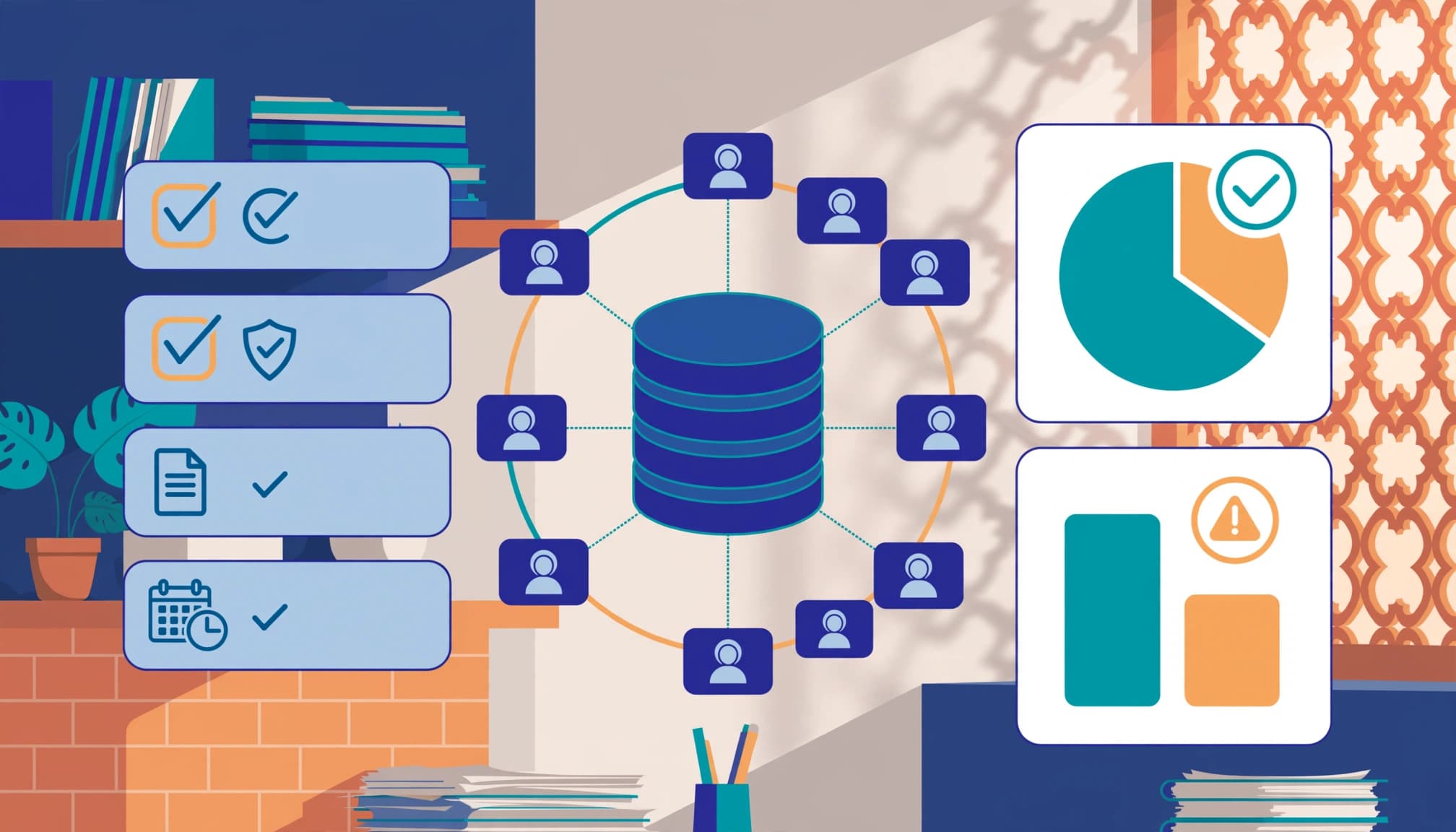
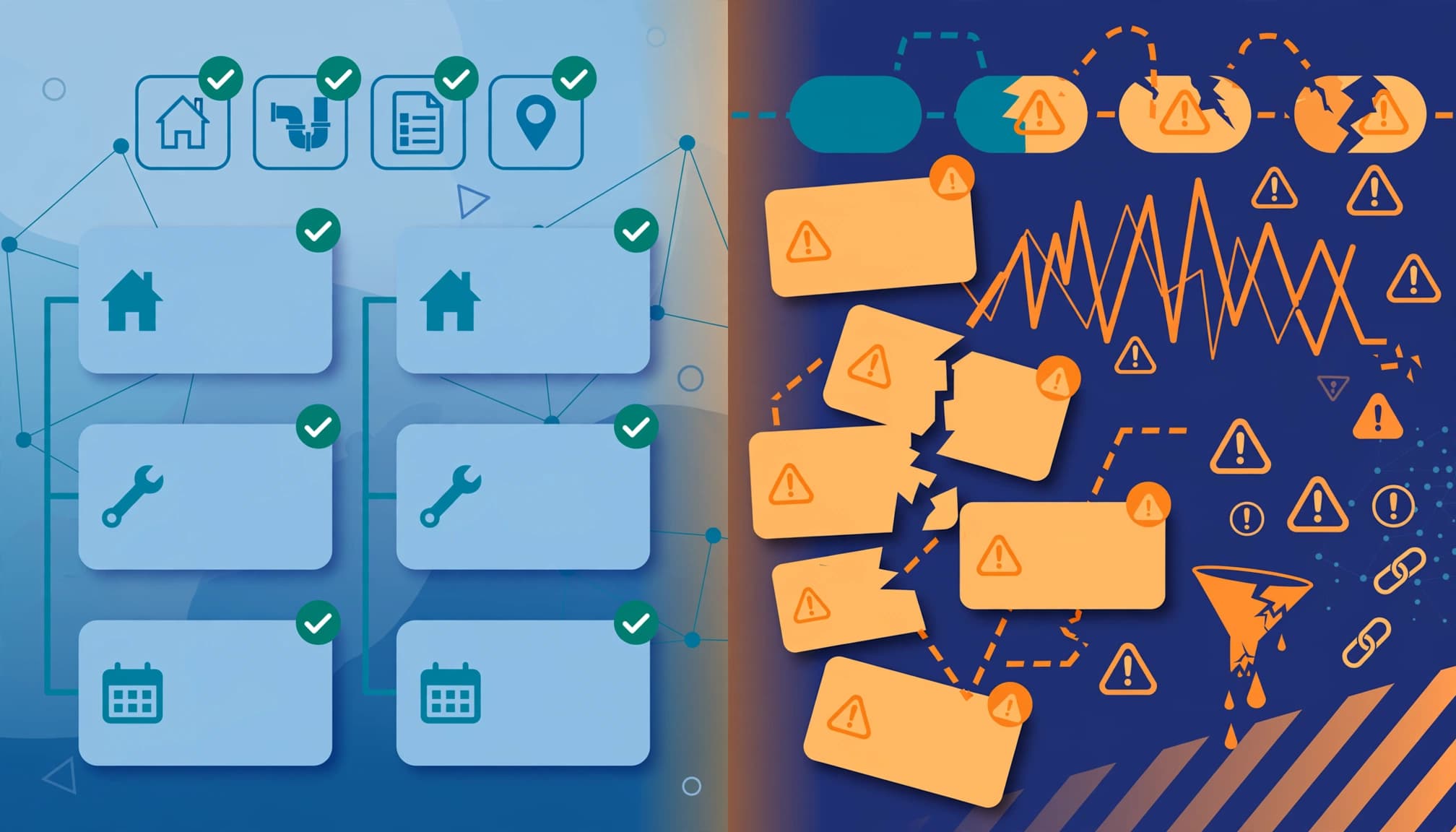
Small businesses usually don't need more traffic first. They need less friction. Business owners and small businesses should manage their information holistically across their digital presence.

The businesses that win local leads on Apple in 2026 usually look accurate, recent, and easy to contact. Apple Business Connect is now part of a broader Apple platform, complete with the Apple Maps place card and Showcases, but the lead formula is still simple: strong data, strong visuals, and steady updates. Examples like making a reservation right from the app show true frictionless leads.

If you want help aligning Apple Maps, Google, and your website into one lead system, Get In Touch With Us.

Google Business Profile Review Response Templates for Local SEO in 2026

A blank reply box for Google review response templates can waste more time than the review itself. In 2026, small business owners need fast, human responses that show real care, because potential customers read them before they call.

The good news, you don't need to write every reply from scratch. Google review response templates save time, keep your tone steady, help your Google Business Profile look active and trustworthy, boost your online reputation, and contribute to a stronger local SEO strategy.

Key Takeaways

  • Google review response templates save time, maintain a consistent brand tone, and signal activity to build trust and support local SEO without direct ranking boosts.
  • Keep replies short (2-4 sentences), respond within 48 hours, thank the reviewer, reference specifics, and avoid keywords, arguments, or identical copy-paste responses.
  • Use tailored templates for positive (general/service/staff), neutral, and negative (genuine/mistaken) reviews, always personalizing for low stars, details, or complaints.
  • Personalize responses for 1-3 star reviews, staff mentions, or stories; templates suffice for short 5-stars.
  • Build a simple system: daily checks, 6-8 saved templates, shared tracking sheet for team replies.

Why review replies still matter for local SEO in 2026

Small business owner smiling at laptop in cozy office, viewing positive Google reviews on screen at angle, coffee mug nearby, warm natural light, realistic photo.

Google hasn't said a reply alone will lift rankings. Still, responses add clear business signals that you're active, attentive, and open to customer feedback. That matters on a profile where people compare businesses in seconds.

This matters more in 2026 because Google is filtering suspicious review activity more aggressively as part of reputation management. Steady, natural reviews and calm, prompt replies are safer than bursts of copy-paste praise or awkward keyword stuffing. Recent guidance on Google review response best practices also points to speed, authenticity, and relevance as the basics.

Responses alone won't put you at the top of Maps search rankings, yet they support the trust and activity signals customers use to choose. A good reply also works like a mini storefront sign. It can mention the service, thank the customer, and set the tone for the next buyer. If your profile needs more than reply templates, start with this Google Business Profile Optimization Guide.

A review reply isn't private customer service. It's public proof of how you treat people.

Best practices before you paste a template

Close-up of two hands typing a response on a smartphone to a Google review notification on a desk with notebook and pen, soft office lighting, realistic style focused on typing action with no people or readable text visible.

Keep replies short. Most strong responses are 2 to 4 sentences. Thank the reviewer, mention their specific feedback on the service or visit, and close warmly.

Try to respond within 48 hours for an ideal response time. Fast replies show you're paying attention, and they stop bad reviews from sitting unanswered for a week. If more than one person replies, set one simple tone guide for your brand voice and professional tone so every response sounds like the same business.

A few habits help:

  • Skip fake keywords or city names.
  • Don't argue in public.
  • Never share private customer details.
  • Avoid using the exact same reply all day.

For a 1-star review, acknowledge the issue first, then offer a next step offline. For a 5-star review, express extra enthusiasm in your thanks. If the review looks like fake reviews, stay polite and report it through Google. For a wider look at examples, these professional reply templates for 2026 are useful for comparison.
Copy-paste google review response templates you can use today

Clean modern digital dashboard at an angle displaying exactly three illustrative template cards for positive, negative, and neutral Google review responses on a neutral background.

These google review response templates are based on a simple template formula. Swap in the customer's name, service, and one real detail for quick, effective replies that work across businesses, including restaurant review response or dental review response needs.

Positive review, short and general

“Thanks, [Name], we appreciate your feedback and we're glad you had a great experience with [business name]. We hope to see you again soon.”

Good for a short 5-star review with no real detail.

Positive review that mentions a service

“Thanks, [Name]. We're so glad we could help with [service]. It means a lot that you took time to share this, and we'll pass your kind words to the team.”

Use this when a customer mentions a haircut, repair, cleaning visit, consultation, or delivery. These positive review response examples shine here.

Neutral review, few details

“Thanks for your review, [Name]. We appreciate your visit and your feedback. If there's anything we can do better next time, we'd love to hear from you.”

This fits a 3-star or 4-star review that feels polite but not excited.

Positive review with staff praise

“Thanks, [Name]. We're happy to hear [staff name or team] made your visit a good one. We appreciate the support and look forward to helping again.”

Great when a reviewer names a technician, stylist, dentist, or front desk team member in a 5-star review.

Negative review response, genuine complaint

“Hi, [Name], we're sorry your experience didn't meet expectations. This isn't the standard we aim for. Please contact us at [phone/email] so we can look into it and make things right.”

Use this for late service, poor communication, wait times, or product issues in a 1-star review.

Negative review response that seems mistaken or fake

“Hi, [Name], we take feedback seriously, but we can't match this experience to a visit or order in our records. Please contact us at [phone/email] with details so we can review it.”

This is calmer and safer than calling the reviewer dishonest, ideal for a questionable 1-star review.

If you want more niche ideas, these industry-specific response templates can help. Still, keep your own voice. A bakery shouldn't sound like a law office.

When to Personalize Responses, and When a Template is Enough

A business professional sits at an organized desk with plants, customizing a review response template on their computer by pulling details from a customer note, under daylight lighting in a realistic photo.

Templates are for speed. Personalizing responses builds trust. Use both.

This quick table makes the decision easier, showing how personalizing responses impacts customer experience based on star rating and review details while leveraging social proof from high-star reviews:

Review typeTemplate onlyPersonalize
5-star with no textYesOptional
4-star with one detailYesBetter
3-star reviewRarelyYes
1 to 2-star reviewNoAlways
Review naming staff, service, or issueNoAlways

If the customer tells a story, reply like a human. Mention the service, date range, or staff member. If the review is one line long, a polished template is fine. For a full profile audit, keep this GBP Optimization Checklist 2026 handy.

Build a simple review response system

Dashboard of a review management tool displaying notifications, response queue, and rising analytics graphs on a laptop screen at a slight angle in a modern office. Realistic rendering focuses on interface elements with no readable text.

The easiest system is also the one most owners stick with, especially compared to automated responses that miss the human touch of personalized templates. Check customer feedback once each business day. Keep 6 to 8 saved templates. Personalize when the review has emotion, detail, or a complaint.

A shared sheet with reviewer name, star rating, and follow-up status keeps things simple if more than one person replies. This small habit supports local trust, builds customer loyalty, and fuels word-of-mouth marketing alongside your wider Digital Marketing work. It also fits alongside SEO, Social Media Marketing, Performance Marketing, and Website Development, because all of them work better when your public reputation is strong.

If you want help turning review replies into a cleaner local growth system, Get In Touch With Us. You can also compare your approach with more copy-and-paste review response examples.

Reviews stop feeling hard once you stop writing from zero. A good template gives you speed, but a good detail gives you trust.

In 2026, the best reply is short, specific, and timely on Google as a review platform. That's how your Google Business Profile looks active instead of asleep while strengthening your online reputation.

Frequently Asked Questions

Do Google review responses directly impact local SEO rankings in 2026?

No, Google hasn't confirmed replies alone lift rankings. They provide trust and activity signals that help profiles stand out when customers compare businesses. Combined with steady, natural reviews, they strengthen your overall reputation.

How quickly should I respond to a Google review?

Aim for within 48 hours to show you're attentive and prevent bad reviews from lingering. Fast, human replies build trust faster than delayed ones. Set a daily check habit for consistency.

When should I personalize a review response instead of using a template?

Always personalize 1-3 star reviews, staff mentions, services, or detailed stories. Templates work for short 5-stars or neutrals with little detail. This balance saves time while building real trust.

What if a negative review seems fake or mistaken?

Stay polite and say you can't match it to records, then invite contact with details at your phone/email. Avoid arguing publicly or calling it dishonest. Report suspicious reviews through Google separately.

How do I set up a simple review response system?

Check feedback daily, save 6-8 templates, and use a shared sheet for name, rating, and status if team replying. Personalize for emotion or complaints. This keeps your profile active without automation's robotic feel.

GA4 CRM Reconciliation for Leads and Pipeline in 2026

Your GA4 says 120 leads. Your CRM says 87. Sales says only 34 were worth calling. That gap between systems is normal; it often signals a breakdown in lead quality assessment, but it shouldn't stay mysterious.

In 2026, GA4 CRM reconciliation is less about chasing one perfect number and more about achieving full-funnel attribution so teams can see the complete path from click to close and get the right number for the right decision. As of April 2026, the basics still hold: clean tracking, shared definitions, and a repeatable way to explain gaps.

Key Takeaways

  • GA4 leads and CRM stages rarely match due to attribution differences, identity stitching issues, duplicates, time lags, privacy limits, and offline updates—focus on explaining the gap rather than forcing a perfect match.
  • Build a strong tracking foundation with a shared lead_id, standardized UTM/GCLID capture, success-based triggers, and consistent form handling across tools like embedded forms and chat widgets.
  • Implement a simple reconciliation framework using same-date rules, ID-based matching, gap bucketing (attribution, identity, etc.), and shared team definitions for reliable full-funnel insights.
  • Map specific GA4 events like form_submit or generate_lead to precise CRM stages (new lead, MQL, SQL, etc.) without overlap, and push offline conversions back via Measurement Protocol for complete attribution.
  • Run a weekly QA checklist to verify event firing, duplicates, source capture, stage flows, and consent impacts, treating reconciliation as an ongoing process for trusted reports.

Why GA4 leads and CRM stages rarely match

Clean modern B2B analytics illustration showing side-by-side dashboards with GA4 lead counts higher than CRM stages like MQL, SQL, opportunity, and customer, with the discrepancy gap highlighted in red. Office desk setting with dual monitors, charts, bars, professional SaaS aesthetic with blue teal accents and soft lighting.

GA4 tracks web actions. Your CRM tracks people, records, and stage changes. Those are not the same thing, so the totals drift.

Attribution is the first reason. GA4 may credit the last non-direct touch, while the CRM may keep first-touch fields, last-touch fields, or rep-entered source values due to different attribution model settings. Identity stitching is another common break. One person can visit from mobile, return on a laptop, then fill the form later with a work email. GA4 may split that journey, while the CRM creates one contact. This poses a challenge in mapping the customer journey, and conversion path analysis in GA4 helps explain why web totals and CRM records diverge.

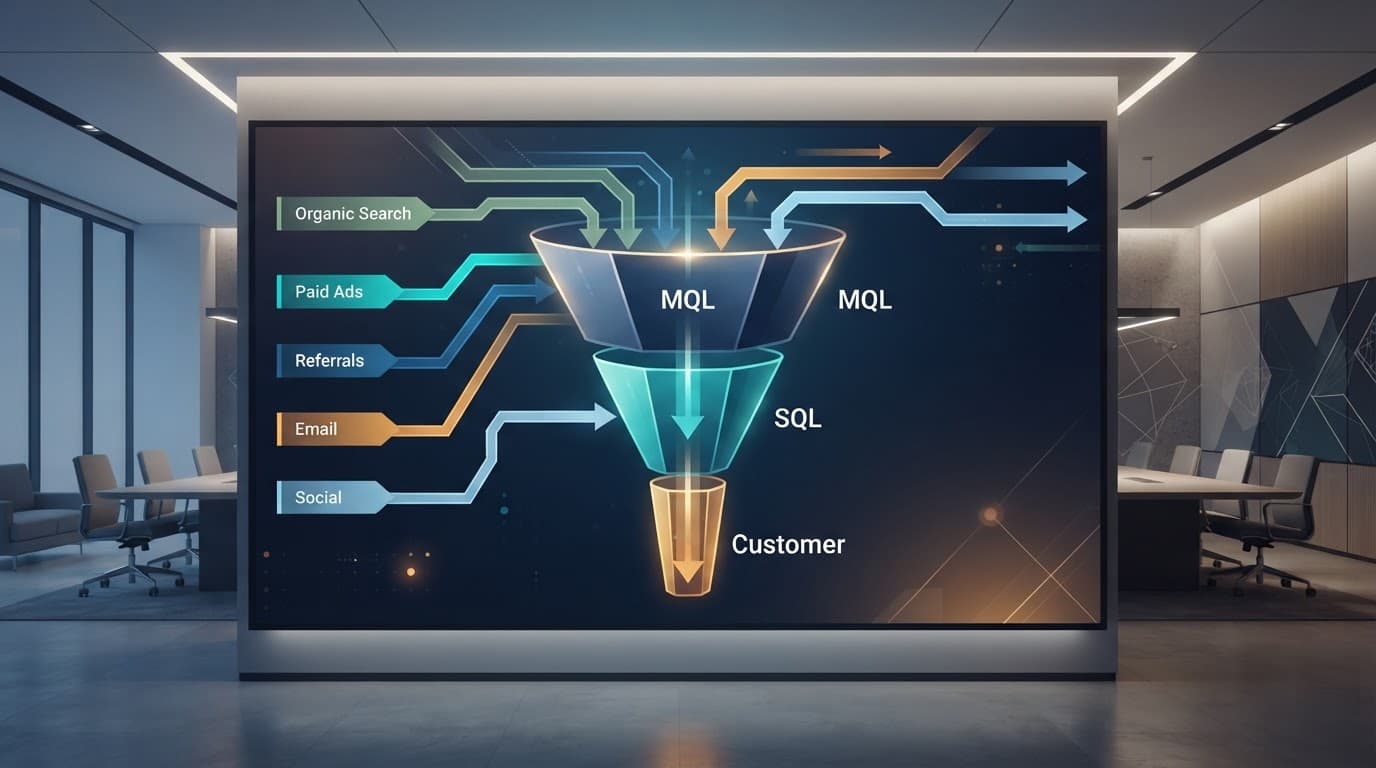
Then there are the messy causes. Duplicate submissions inflate GA4. CRM dedupe rules may merge them. Time lag also matters. A form fill can happen today, but marketing qualified leads, sales qualified leads, opportunity, and customer stages may update days or weeks later. Offline updates widen the gap further when a rep logs a call, meeting, or contract after the web session ended.

Privacy also plays a role. Consent Mode, ad blockers, and browser limits can suppress or model some data. Form tool mismatches do the rest, especially when embedded forms, schedulers, chat widgets, or native HubSpot and Salesforce forms fire different events. Self-reported attribution collected on forms can help bridge the gap when digital tracking fails.

Reconciliation works best when you explain the gap, not when you force zero difference.

If this sounds familiar, this guide on why ad, GA4, and CRM numbers never match shows how often these issues stack together.

Build the tracking foundation before you compare counts

Clean modern B2B analytics illustration of GA4 tracking setup with GTM container, GA4 config tags, form events flowing to CRM icons like Salesforce and HubSpot. Data streams and arrows connect web forms to pipeline stages in a clean dashboard view on one laptop.

Start with one shared key, usually a lead_id created at form success, alongside Client ID and User ID for better matching. Send that ID into GA4, your CRM, and any offline conversion flow. Without it, matching records turns into guesswork.

Next, standardize your source fields. Pass GCLID and UTM parameters (essential for ad-to-CRM flow), landing page, referrer, and click IDs when available. Use success-based triggers, not button clicks. If a form validates but fails server-side, GA4 should not count it as a lead. Additionally, moving toward server-side tracking helps secure first-party data and improve accuracy.

This is where small business teams often get tripped up. A site may use one form on the main site, another on a booking tool, and a third inside a chat widget. That is partly an analytics issue and partly a Website Development issue. Cross-domain setup, thank-you logic, and hidden field capture all need to line up. A successful CRM integration depends on these technical anchors being consistent across all form types.

A simple baseline helps:

  • one GA4 config path
  • one lead event definition
  • one shared lead ID
  • one owner for stage mapping

If you need a starting point, use this GA4 lead tracking checklist before you audit reports. If you automate stage syncs, a tool like n8n for GA4 and CRM workflows can push CRM updates without manual exports.

Create a reconciliation framework your teams can stick to

Clean modern B2B analytics illustration of a reconciliation framework flowchart depicting GA4 leads entering CRM pipeline stages including MQL, SQL, opportunity, and customer, with matching arrows and filters for duplicates and time lags.

A good framework does not pick one tool as the source of truth for everything. Instead, it gives each tool a job.

Use GA4 for demand generation trends, landing pages, and channel mix. Use the CRM for stage progression, revenue, and sales outcomes. With a BigQuery export and solid CRM integration, you can join web events and CRM records more reliably over time.

Keep the framework simple:

  1. Compare the same date rules. Form submit date and MQL date are different facts.
  2. Match on lead_id first, then email or phone only as backup.
  3. Separate gross leads from deduped leads.
  4. Break gaps into buckets, attribution, identity, privacy, offline updates, and stage delay.
  5. Review by channel and by form tool, using the lead acquisition report to verify UTM parameters and campaign taxonomy consistency.

This is also where team language matters. Marketing may call every completed form a lead. RevOps may count only accepted records. Sales may treat marketing qualified leads as noise unless an SDR qualifies them into sales qualified leads. Across DIgital Marketing, SEO, Performance Marketing, Social Media Marketing, and Website Development, shared definitions matter more than dashboard design.

Once your basic reconciliation sticks, advance to revenue attribution and data-driven attribution as the mature phase of this framework.

If organic lead quality is part of the debate, pair reconciliation work with a lead-gen SEO audit checklist.

Map GA4 conversions to CRM stages clearly

Clean modern B2B analytics illustration mapping GA4 events like form_submit and generate_lead to CRM stages MQL, SQL, opportunity, and customer using connecting lines in a dual panel wide layout with professional SaaS aesthetic.

Before the table, one rule matters most: don't map one GA4 event to four CRM stages.

GA4 signalCRM stageWhat it usually means
form_submit or generate_lead eventNew leadA valid web conversion happened
CRM rule or SDR accepted recordMQLLead meets agreed fit or intent rules
Meeting booked or rep qualifiedSQLSales accepted and is working it
Deal record createdOpportunityRevenue path is real
Closed-won update sent back to GA4 or warehouseCustomerSale happened, often offline

In Salesforce, this may map to Lead Status, Opportunity Stage, and Closed Won. In HubSpot, it may map to Lifecycle Stage and Deal Stage, allowing you to map GA4 events to CRM lifecycle stages clearly. The labels differ, but the logic should not. Track metrics like MQL to SQL conversion through this mapping for better insights.

This process is the heart of a solid CRM integration.

For long B2B cycles, push later-stage events back from the CRM using offline conversion tracking. This guide on offline conversions through GA4 Measurement Protocol is useful for sending offline events back to GA4 when opportunities and customers happen well after the initial visit.

Frequently Asked Questions

Why do GA4 lead counts rarely match CRM pipeline stages?

GA4 tracks web actions and events, while CRMs track deduped people, stage changes, and offline updates, leading to drifts from attribution models, identity splits, duplicates, time lags, and privacy restrictions. The gap often stacks multiple issues like form tool mismatches and self-reported sources. Reconciliation succeeds by categorizing and explaining these differences, not eliminating them.

How do I set up reliable tracking for GA4 to CRM reconciliation?

Start with a shared lead_id sent to GA4, CRM, and offline flows, plus standardized GCLID/UTM parameters and success-based triggers in GTM. Ensure consistency across all form types, including embedded, chat, and native CRM forms, with server-side tracking for better accuracy. Use one GA4 config, event definition, and stage mapping owner to avoid guesswork.

What makes a good GA4 CRM reconciliation framework?

Assign GA4 to demand trends and channels, CRM to stage progression and revenue, then apply rules like same-date comparisons, lead_id matching, gross vs. deduped separation, and gap bucketing by cause. Align team definitions across marketing, sales, and RevOps for MQL/SQL thresholds. Advance to BigQuery joins and data-driven attribution once basics stick.

How should I map GA4 events to CRM stages?

Map form_submit or generate_lead to new leads only, then CRM rules to MQL, rep qualification to SQL, deal creation to opportunity, and closed-won to customer—never one GA4 event to multiple stages. Adapt labels for Salesforce (Lead/Opportunity Status) or HubSpot (Lifecycle/Deal Stage) but keep logic consistent. Send offline stages back via GA4 Measurement Protocol for long B2B cycles.

What's in the weekly QA checklist for reconciliation?

Check generate_lead fires on success, lead_id syncs, duplicates by email/phone/ID, time-based comparisons (same-day, 7-day MQLs), consent/browser impacts, workflow jumps, source spikes, and offline event flows. Spot-check pipeline and revenue sync post-changes like form edits or campaigns. Regular audits prevent leaks that distort decisions.

Use this QA checklist every week

Clean modern B2B analytics illustration of a QA checklist dashboard for GA4 CRM reconciliation, featuring checkmark icons for consent tracking, duplicates, time lags, and attribution in a wide horizontal layout. Professional SaaS aesthetic with minimal clutter, blue teal accents, bright even lighting, no text, people, devices, or hands.

Run a short QA pass every week, especially after form edits, campaign launches, or CRM workflow changes.

  • Check that the generate_lead event fires only on real success.
  • Confirm the lead_id appears in GA4 and the CRM.
  • Review duplicates by email, phone, and lead_id.
  • Compare same-day leads, 7-day MQLs, and 30-day opportunities separately.
  • Audit consent impact by browser and device.
  • Spot-check Salesforce or HubSpot workflow rules for unexpected stage jumps.
  • Review source capture for direct, unassigned, and self-referral spikes.
  • Verify pipeline performance and the flow of closed-won revenue data.
  • Confirm syncing of offline events via Measurement Protocol to ensure late-stage deals are accounted for.

A regular GA4 data accuracy audit helps catch leaks before they distort budget calls.

When GA4 says 120 and the CRM says 87, the answer is rarely “someone is wrong.” The real answer is usually timing, identity, definitions, or missing data flow.

Once you treat reconciliation as an operating process, not a one-time fix, your reports become easier to trust and easier to act on. This process improves overall lead quality visibility by ensuring data consistency across the funnel.

If you want help cleaning up the setup, stage mapping, or QA process, Get In Touch With Us.

Meta Lead Ads vs Landing Pages for Service Businesses in 2026

Cheap leads can look great in Ads Manager, then fall apart on the phone. That's why meta lead ads versus landing pages is still one of the biggest choices a service business can make in 2026.

For most owners, the real test isn't cost per lead. It's booked jobs, show-up rates, and revenue after follow-up. If you're sending paid social traffic from Facebook or Instagram, the destination matters as much as the ad.

Why the traffic destination changes lead quality

Meta Lead Ads keep people inside Facebook or Instagram. A prospect taps the ad, sees a short form, and Meta often pre-fills contact details. Friction drops, so lead volume usually goes up.

Smartphone held in hand showing minimal Meta Facebook lead ad form for home services in casual home office with plants and natural light, photorealistic.

That speed helps when timing matters. A home services company running AC repair ads during a heat wave can win by capturing demand fast. The same goes for a coaching offer tied to a webinar or limited-time consultation.

Landing pages ask for more from the user. They leave the app, wait for the page to load, read the offer, and then fill out a form. That extra step filters out casual clicks. Fewer people convert, but the ones who do often want the service more.

This side-by-side view shows the tradeoff:

FactorMeta Lead AdsLanding Pages
Form completion rateUsually higherUsually lower
Lead intentLower to mediumMedium to high
Qualification controlLimitedStrong
Pixel trackingPartialBetter
Retargeting depthLimitedStrong
Best fitSpeed and volumeQuality and bookings

That pattern matches what many 2026 advertisers are seeing. In Barham Marketing's 2026 comparison, native forms tend to win on raw lead count, while landing pages often do better once sales quality enters the picture.

Booking rates and show-up rates tell the real story

A lead is only the first domino. If it never turns into an appointment, it's noise.

Cheap leads get expensive when your team spends hours calling people who never meant to book.

For higher-ticket services, landing pages often pull ahead after the first conversion. A med spa, family law firm, executive coach, or B2B services company usually needs space to explain price, trust, process, and next steps. A page can do that before the form even appears.

Realistic photograph of a single laptop on a modern desk in a cozy professional office, displaying a med spa service business landing page with implied contact form and before-after images. Soft overhead lighting illuminates the scene with a coffee mug nearby, screen angled slightly away with no readable text, no people or logos.

Take a med spa selling injectables. A Meta form may collect plenty of names. A landing page can pre-qualify by treatment interest, budget, location, and availability. That usually means fewer leads, but more bookings and fewer no-shows.

Legal and B2B campaigns show the same pattern. If someone is hiring a lawyer or a consultant, they want proof before they talk. Reviews, FAQs, case studies, and a stronger offer on-page help warm the lead before sales gets involved. Indeeleads' breakdown of Meta lead funnels makes a similar point, website paths tend to work better when intent matters more than sheer volume.

Still, Meta Lead Ads can outperform when urgency is high. A roofer after storm damage or a cleaning company with same-week slots may care more about fast contact than long-form education.

What changed in 2026, and why old advice falls short

Meta's automation is stronger now. Broad targeting often works better than tight audience stacks, and automated creative systems can test hundreds of combinations quickly. That helps Social Media Marketing teams move faster, but it also creates a catch. Meta will optimize for the easiest form fills unless you feed it better sales data.

That's where attribution breaks down. With lead ads, the user stays in-app, so your site pixel sees less of the journey. You get weaker page-level behavior data and fewer retargeting signals. Landing pages still matter because they give Performance Marketing teams better tracking, deeper remarketing pools, and cleaner ties to Website Development improvements.

Privacy changes make this more important. Lookalikes aren't what they were a few years ago, so first-party data matters more. Lead ads can sync instantly into a CRM, which is great for speed. Some brands now add extra questions or OTP-style verification to filter junk. Even so, landing pages still offer better routing by zip code, service type, budget, or urgency before a lead reaches sales.

AI-assisted follow-up also changes the math. A missed call no longer kills the lead if AI texts, emails, and books fast. Lead ads benefit from that speed. Yet landing pages often give AI more context, because you can pass page behavior and detailed form answers into your CRM. That matters across DIgital Marketing, especially when paid social supports local SEO services for businesses or broader comprehensive digital marketing services.

When to use Meta Lead Ads, landing pages, or both

Use Meta Lead Ads when speed matters, the offer is simple, and your team responds fast. They fit emergency home services, low-friction promotions, short coaching funnels, and mobile-first audiences that won't wait.

Choose landing pages when the service is expensive, trust-heavy, or regulated. Legal services, med spas, consulting, and most B2B offers usually need more context before a lead is ready to book.

Combine both when you want scale without giving up quality. Send colder audiences to Meta Lead Ads, then retarget opens, non-bookers, and warmer prospects to a landing page. KHC Group's guide to Meta ads for service businesses points in the same direction, the funnel matters more than the format alone.

The cheaper lead isn't always the better customer. In 2026, the winning path is the one that improves booked revenue, not the one that makes your dashboard look busy.

If you want help mapping the right funnel for your business, Get In Touch With Us.

Sales Navigator vs Apollo.io for B2B Outreach in 2026

Picking between Sales Navigator and Apollo.io looks simple until you build a real outbound process. Both help you find prospects and start conversations, but they solve different problems.

The real choice is this: do you want fresher LinkedIn-based data and relationship context, or a lower-cost platform with contact data and outreach built in? In 2026, most teams care less about long feature lists and more about data quality, speed, compliance, and total cost. That's where this comparison gets useful.

The biggest difference comes down to how each platform finds and updates data

At the core, these tools work in different ways. Sales Navigator pulls value from LinkedIn's live professional graph. Apollo.io works more like a large B2B contact database with outreach layered on top.

That single difference shapes almost everything else, from timing to list quality to daily workflow.

A sales professional at a modern office desk reviews LinkedIn profiles on a laptop using Sales Navigator, next to a colleague using Apollo.io contact database on a desktop, in a split side-by-side composition with natural lighting and professional realistic style.

Why live LinkedIn data gives Sales Navigator an edge for timing and account research

Sales Navigator is strongest when timing matters. If a buyer changes jobs, gets promoted, or joins a target account, LinkedIn tends to reflect that quickly. Those signals can turn a cold message into a well-timed one.

That matters most in enterprise sales and account-based outreach. When each target account is worth a lot, you care more about context than volume. You want to know who moved, who's active, and who might give you a warm path.

Sales Navigator also helps with account research. Reps can follow companies, watch role changes, and map stakeholders with more confidence. It's less like fishing with a net and more like spearfishing. Slower, yes, but far more precise when the target list is small.

If your reps win by knowing the account better than everyone else, Sales Navigator usually gives them the sharper view.

Why Apollo.io is faster for list building when you need emails, phones, and volume

Apollo.io moves faster because it bundles search, contact data, and outreach in one system. You can build a list, find emails or phone numbers, and launch a sequence without stitching together several tools.

For startups, lean SDR teams, and agencies running outbound at scale, that speed matters. Fewer tabs means less friction. It also lowers setup time for new reps.

The tradeoff is data freshness. Apollo's database is large, and that's useful, but some records can go stale. Titles, phone numbers, and emails may lag behind real job changes. In other words, Apollo is often better for coverage and convenience, while Sales Navigator is better for current professional context.

Feature by feature, which tool helps more with prospecting, outreach, and daily workflow

Once you move past the data model, the day-to-day choice becomes clearer. One tool helps you understand people better. The other helps you contact more people faster.

Split scene in a bright sales office: left side features a sales rep crafting personalized LinkedIn InMail with account maps and alerts on screen, right side shows a rep building email sequences and dialing calls using lead lists on dashboard. Professional realistic photo style with warm daylight lighting, exactly two people, one per side.

Here's the practical view:

Job to be doneSales NavigatorApollo.io
Find the right peopleExcellent for LinkedIn filters and org researchStrong for broad database search
Get emails and phonesLimited on its ownBuilt in
Send multi-step outreachWeak without extra toolsStrong with sequences and dialing
Track account changesStrong with live profile signalsMore limited
Keep workflow in one placeUsually needs other toolsBetter all-in-one setup

Apollo.io wins the workflow race for cold outbound. It offers email sequencing, call steps, lead scoring, and engagement tracking in one place. That makes it easier for reps to stay in motion.

Sales Navigator wins when message quality matters more than activity count. It gives reps better relationship context, better account intelligence, and a stronger shot at warm selling. If your team lives on LinkedIn, that context is hard to replace.

This also affects what happens after the click. If your outreach sends buyers to your site, a strong page matters as much as the first message. That's why many teams pair outbound with better B2B website optimization and a tighter landing page copy template.

Pricing, integrations, and when a mixed stack makes sense

In most cases, Apollo.io is the cheaper option. It bundles more outbound functions, so smaller teams can avoid buying separate sequencing and dialing tools. Sales Navigator often looks more expensive once you add the rest of the stack around it.

Exact pricing changes by seat count, limits, and plan tier, so a clean price snapshot rarely tells the full story. A better question is total cost per working workflow. If one rep needs Sales Navigator plus an email platform, data tool, and dialer, the real price rises fast.

Both tools connect with major CRMs like HubSpot and Salesforce. Apollo usually feels more flexible for list exports and fast campaign setup. Sales Navigator fits well when LinkedIn is already central to your sales motion.

A mixed stack makes sense in three common cases:

  • Enterprise teams that use Sales Navigator for targeting and relationship mapping, then use another platform for outreach.
  • High-value SaaS or ABM teams that need fresh account signals but still want verified contact channels.
  • Agencies that prospect in Apollo at scale, then switch to Sales Navigator for top accounts and late-stage research.

Compliance matters here too. More data doesn't always mean better outreach. Teams in 2026 are watching consent, data accuracy, and message relevance more closely, because bad data creates wasted spend and trust problems.

The better choice depends on how you sell

If your team wins with precision, timing, and account insight, Sales Navigator is usually the better fit. If your team wins with speed, volume, and built-in outbound tools, Apollo.io is often the smarter buy.

The best tool isn't the one with the longest feature page. It's the one that matches your sales motion, keeps data clean enough to trust, and helps reps move without extra drag.

What Is llms.txt and Does Your Website Need It?

People now discover brands through AI answers, not only search results. If ChatGPT, Gemini, or another tool describes your business, you want it to pull from the right pages.

That's why llms.txt is getting attention. It's a simple file placed at the root of your website to help AI tools find your most useful content faster. To see where it fits, it helps to look at what it is, how it works, and whether it deserves a spot on your site now.

What the llms.txt file is, and what it is meant to do

An llms.txt file is a plain Markdown document, usually published at /llms.txt, that gives large language models a cleaner map of your website. Instead of making an AI system sort through menus, scripts, sidebars, and repeated template code, you point it toward the pages that matter most.

The idea was proposed by Jeremy Howard in September 2024. Since then, it has picked up interest as AI search and answer engines have grown. As of April 2026, llms.txt is still an unofficial proposal, not a formal web standard. Still, adoption is moving up. One March 2026 study found llms.txt on 7.4% of Fortune 500 sites and about 10.13% of 300,000 checked domains. Several tech companies and documentation-heavy sites already use it.

Clean modern code editor on a laptop screen displaying an open llms.txt file in Markdown format with H1 title, blockquote summary, and H2 sections with bullet points. Realistic office desk setting with soft natural light, dark theme, sharp focus on content, no distractions.

Why AI tools need a simpler version of your website

Modern websites are busy. They include navigation bars, pop-ups, tracking code, repeated footer links, tabs, and dynamic elements. Humans can ignore that clutter. AI systems often have a harder time.

A curated file cuts through the noise. It tells the model, “Start here, these are the pages worth reading.” That can help AI tools build cleaner summaries, pull better citations, and describe your business with fewer mistakes.

This matters most when your site has a lot of pages. Without guidance, an AI system might focus on old posts, thin pages, or low-value archives instead of your strongest content.

How llms.txt is different from robots.txt and sitemap.xml

These three files serve different jobs. They work better together than alone.

Here's the simplest way to compare them:

FileMain purposeWho it helps most
robots.txtTells crawlers what they can or can't accessSearch engine and bot crawlers
sitemap.xmlLists URLs you want search engines to know aboutSearch engines
llms.txtHighlights your best pages and adds context for AI systemsAI answer tools and LLMs

robots.txt is about access. sitemap.xml is about discovery. llms.txt is about guidance.

llms.txt is a guide, not a gatekeeper. It doesn't replace robots.txt, and it doesn't force AI tools to obey it.

Why your website may need llms.txt now

If your site publishes useful content, llms.txt is worth paying attention to now. That includes service pages, product pages, help docs, knowledge bases, category pages, and original articles. Those are the assets AI tools often summarize, cite, or use to build answers.

This is where llms.txt connects with AI SEO, GEO, and AEO. The names differ, but the goal is similar: help machines understand your content well enough to mention it correctly. If you want a broader view of those shifts, this guide on GEO vs SEO vs AEO lays out how each one fits.

The business value is simple. You're not trying to stuff more pages into an AI system. You're trying to steer attention toward your current, high-value pages instead of the weak ones.

It can improve how AI answers describe your brand

When AI tools can quickly find your core pages, they have a better shot at describing your company accurately. That may lead to stronger summaries, cleaner citations, and fewer strange mismatches between what you do and what the AI says you do.

That doesn't mean guaranteed traffic or rankings. Results are still mixed, and some AI providers may ignore the file. A February 2026 test from OtterlyAI found no major crawler behavior change. Still, giving AI a clearer path is better than leaving it to guess.

This is also why brands are paying more attention to AI Overviews SEO for service businesses. AI answers often shape the first impression before a user ever clicks a website.

It helps you highlight your best pages, not your whole site

The strength of llms.txt is that it's selective. Think of it like handing someone a short reading list instead of your whole library.

That means you should include your top service pages, best product pages, strongest blog posts, useful guides, documentation, and key trust pages. Skip thin tag pages, duplicate URLs, expired promos, and low-value archives.

This is especially useful for growing websites. Once a site has dozens or hundreds of URLs, the best pages can get buried. llms.txt helps bring them back to the front.

How to create an llms.txt file without overcomplicating it

The common format is simple. Start with an H1 for your site name. Add a short blockquote or summary that explains what the site is about. Then organize your key pages under H2 section headings, with bullet links and short descriptions.

Most sites write the file in Markdown and upload it to the root of the domain so it loads at yourdomain.com/llms.txt. If you can, serve it with a normal 200 OK response and plain text output. Some sites also publish llms-full.txt or clean Markdown versions of important pages, but those are optional extras, not the starting point.

Simple web server file manager view of a site's root directory listing files like index.html, robots.txt, sitemap.xml, and highlighted llms.txt. Clean interface in professional blue tones with focused composition on the files list.

What to include in the file

Keep it tight and useful. Most sites only need a small set of strong links.

  • A short homepage summary that explains what the business does
  • Core service or product pages
  • Important guides, tutorials, or blog posts
  • Key category pages or collections
  • Documentation, help center, or knowledge base pages
  • Contact, about, or trust pages when they add context

Each listed page should be live, helpful, and worth sending an AI system to. Use clear labels and one short description per link. If the wording sounds like ad copy, trim it.

Common mistakes to avoid when building llms.txt

A lot of websites miss the point by turning llms.txt into a second sitemap. That weakens the file.

Avoid these common mistakes:

  • Listing too many pages
  • Using vague descriptions like “Learn more” or “Read this”
  • Linking to old, thin, or outdated content
  • Forgetting to update the file as pages change
  • Stuffing keywords into every line
  • Treating it like a tool that blocks AI access

The goal is clarity. If a page isn't one of your best sources, leave it out.

Best practices, limits, and whether llms.txt is worth it for your site

llms.txt is easy to create, easy to maintain, and low risk. That makes it attractive. Still, it isn't magic. It won't control every AI tool, and it won't fix weak content.

Use it alongside strong SEO basics: a clear site structure, fresh content, internal linking, and schema where it helps. If your core pages are messy or thin, fix those first. A clean file can point AI toward good content, but it can't turn bad content into good answers. This is why your broader SEO strategy for top rankings still matters.

Who should add it first

The best early candidates are content-rich websites. That includes SaaS companies, agencies, publishers, ecommerce brands with strong guides, support centers, product docs, startups, and service businesses that want better visibility in AI-generated answers.

On the other hand, a tiny site with five simple pages may see less value right away. It can still add llms.txt, but the upside is usually bigger for sites with more content and more room for AI confusion.

A simple rule for deciding if it is worth your time

Use this test: if your site has pages you want AI tools to understand and cite correctly, llms.txt is worth adding.

If your content is thin, old, or unclear, improve that first. Then publish the file. In other words, llms.txt supports content quality, it doesn't replace it.

AI answers are becoming part of how people choose brands. A simple guide file helps you shape that process instead of leaving it to chance.

llms.txt is not a silver bullet, but it is a smart housekeeping move. It points AI systems to your best content, reduces confusion, and fits the way online discovery is shifting.

For most content-rich websites, adding it now makes sense. It's simple to implement, easy to update, and well aligned with a web where AI often speaks before your homepage does.

Google Business Profile Photo Strategy for More Local Leads

A blurry storefront photo can ruin your first impression and lose a lead before your phone rings. In 2026, people discovering businesses via google search judge your business profile faster than your website, especially on Maps.

People want proof. They want to see your entrance, your team, your work, and whether you still look open for business. A smart google business profile photos strategy builds trust, improves engagement, and boosts visibility in the local pack, giving local shoppers one less reason to keep scrolling.

Key Takeaways

  • Fresh, high-quality Google Business Profile photos of your exterior, interior, team, products, and logo build trust, boost engagement, and improve visibility in local search results on Maps and Search.
  • Prioritize a core set of photos that answer buyer doubts: easy-to-find entrance, active space, real staff, and proof of your work, using landscape orientation around 1200×900 pixels.
  • Upload regularly with a checklist—real locations, natural lighting, JPG/PNG under 5MB—and replace outdated images monthly to keep your profile looking current and active.
  • Track success via photo views, call clicks, direction requests, and website visits in GBP insights; pair photos with reviews for maximum local leads.
  • Avoid stock shots, heavy filters, low light, or watermarks, as they make businesses look fake—user-generated content helps too.

Why Google Business Profile Photos Matter More in 2026

On Google Maps, photos work like a first handshake. They tell people if you're real, current, and worth contacting. That is why Google Business Profile photos affect more than appearance. They shape clicks, direction requests, and call volume.

A smiling business owner in a modern cafe holds a smartphone displaying a vibrant Google Business Profile featuring high-quality photos of the store exterior, bright interior, team, and fresh products, with a prominent call-to-action button.

As of April 2026, Google Business Profile (formerly Google My Business) hasn't changed the core photo specs in a big way. However, current Google photo and video quality guidelines still stress high resolution, clear, accurate visuals, and Google says exterior photos help customers recognize your business when they arrive on Google Maps. At the same time, more searches now end inside Google, so your business profile has to do more selling on its own.

A stale gallery sends the wrong message. Old signage, empty rooms, or generic stock shots can make a business look inactive. Fresh photos do the opposite. They support trust, back up reviews, and make the next step feel easier.

Fresh, real photos remove doubt before a buyer taps Call.

The Photo Set Every Local Profile Needs

Don't upload 20 random images and hope for the best. Build your gallery like a storefront window. Each photo should answer a buyer's next small doubt.

A clean grid showcasing variety of essential Google Business Profile photos: welcoming storefront exterior, bright interior with customers, happy team of two collaborating, and stocked product shelves. Photorealistic, professional quality images in landscape orientation to build trust and attract customers.

These essential images appear prominently in Google Search and Google Maps. This quick layout works for most local businesses, prioritizing exterior photos, interior photos, team photos, and product photos:

Photo typeWhat it provesExample
Exterior photosYou're easy to findEntrance, signage, parking
Interior photosThe place feels active and cleanReception, seating, work area
Team photosReal people do the workStaff helping a customer
Product photosYou do what you claimFinished repair, plated dish, treatment room
Business logo and cover photoBrand recognitionClear business logo, simple wide cover photo

A dentist should show exterior photos of the signage, interior photos of the front desk and treatment spaces, team photos of staff, product photos of services, and business logo. A plumber needs exterior photos of the van, interior photos of job-site action, team photos of the technician, product photos of finished results, and business logo. The category changes, but the goal stays the same: show what doing business with you feels like.

For best display in 2026, keep your business logo around 720 pixels x 720 pixels, your cover photo near 1024 x 576 at the recommended resolution, and most business images like exterior photos, interior photos, team photos, and product photos around 1200 x 900 with a landscape aspect ratio. Short videos can help too, especially simple walk-throughs or service clips under 30 seconds. For more category ideas, this photo upload guide for 2026 is useful.

A Simple Upload Checklist That Keeps Profiles Fresh

A strong gallery needs a system to upload photos regularly, not one big photo shoot every year. That's even more important for franchises, agencies, and multi-location teams.

Focused marketer at organized professional home office desk edits and uploads high-quality business photos to Google Business Profile on laptop, with thumbnails of exterior, interior, and team shots visible, natural window light.

Use this short checklist before you upload photos to your business profile:

  • Show the real location, team, tools, and finished work.
  • Keep lighting natural and edits light; stick to jpg or png formats with file size under 5MB for quick uploads.
  • Center the main subject, because mobile crops can be harsh.
  • Replace old entrance photos after signage or seasonal changes.
  • Add a few fresh images every month for each location when you upload photos.

After you verify your business, newly uploaded photos may have a pending status until processed. That last point matters. In 2026, active business profiles tend to look stronger on Google Maps and feel more trustworthy to users. A new photo every few weeks is better than a polished image from two years ago, especially when using jpg or png with the right file size.

If you manage several branches, create one shared shot list, but let each location use its own people and space. That keeps brand standards tight without making every gallery look copied. For the rest of your maintenance process, this 2026 Google Business Profile checklist pairs well with a photo routine.

Common Photo Mistakes That Quietly Cost Leads

Some galleries hurt more than they help. Stock photos, heavy filters, text overlays, and watermarks can make a business look fake or dated. To fix this, regularly review your gallery and remove photos that are low quality or outdated. The process to remove photos is simple: access your Google Business Profile, navigate to the Photos section, select the problematic images, and delete them.

Side-by-side contrast of left-side poor quality blurry dark outdated stock business photos against right-side sharp bright recent authentic business photos of storefronts teams and products, divided by neutral background, photorealistic high contrast.

Another common problem is missing wayfinding shots, including clear signage for the entrance, parking, or front desk. If people can't picture these details, they may choose the competitor that feels easier to visit. Low-light images cause trouble too, especially for restaurants, salons, clinics, and retail stores, since Google Vision AI automatically identifies objects in photos and struggles with dim conditions.

Also, don't put all your hopes on one cover photo. Google may crop your cover photo, test a different image, or surface user-generated content first. User-generated content from customers adds fresh, authentic shots to your gallery. So the full gallery matters more than a single hero cover photo. This cover photo strategy explains that well.

If you want a fast benchmark, run a local SEO competitor audit and compare your business profile's gallery against the top map results' business profiles in your market.

Frequently Asked Questions

What essential photos does every Google Business Profile need?

Build a gallery around exterior shots (entrance, signage), interior views (active spaces), team photos (staff at work), product/service images (finished results), and logo/cover photo. These prove you're real, current, and easy to do business with. Tailor to your category, like job-site action for plumbers or treatment rooms for dentists.

How often should I update my Google Business Profile photos?

Add fresh images every month, especially after changes like new signage or seasons. Active profiles with recent uploads rank stronger and build more trust than stale galleries. For multi-locations, use a shared shot list but customize per site.

What are common photo mistakes that hurt leads?

Stock photos, blurry/low-light shots, heavy filters, text overlays, and outdated images make your business look inactive or fake. Missing wayfinding details like parking also causes hesitation. Regularly review, delete poor ones, and prioritize authentic, clear visuals.

How can I measure if my photos drive more local leads?

Check GBP insights for rises in photo views, call clicks, direction requests, and website visits before/after uploads. Test with a fresh batch around one service and compare 30-day periods. Ask callers what they saw—mentions of your shop or team confirm photo-driven trust.

What are the best specs for Google Business Profile photos in 2026?

Use 1200×900 landscape for most images, 720×720 for logos, 1024×576 for covers; JPG/PNG under 5MB. Center subjects for mobile crops, keep edits light with natural lighting. Short videos under 30 seconds add value too.

How to Tell if Your Photos Are Driving More Local Leads

Good photo strategy should show up in performance. Watch photo views, call clicks, website visits, and direction requests in your local search results before and after you refresh your gallery.

A business analyst in a contemporary office reviews the Google Business Profile analytics dashboard on a desktop monitor, displaying graphs of rising photo views, engagement, and leads. The analyst has a satisfied expression with hands resting naturally, a coffee mug nearby, under natural overhead lighting.

A simple test works well. Upload a fresh batch built around one service, including 360 photos, then compare the next 30 days with the prior 30. If photo views rise but calls stay flat, your visuals may look nice without answering buyer concerns. A clinic may need more staff and room photos. A home service brand may need more job-site proof.

Track these four signals each month from your local search results in the business profile:

  • photo views
  • call clicks
  • direction requests
  • website visits with UTM tags

Also ask your front desk or sales team what callers mention. When people say, “I saw your shop” or “Your team looked professional,” that isn't fluff. That's photo-driven trust turning into leads, complementing customer reviews that offer textual proof of quality. For the wider workflow beyond google business profile photos, this Google Business Profile optimization guide fills in the rest.

The best google business profile photos aren't fancy. They're current, honest, and useful. They help people picture the visit, trust the business, and act faster.

If your business profile gallery of google business profile photos hasn't changed in months, that's one of the easiest local lead fixes you can make. On Google Maps in 2026, the business profile with real-looking google business profile photos paired with strong customer reviews often wins.

Local Services Ads Optimization for Home Services in 2026

Most home services companies don't lose Local Services Ads leads because demand is weak. They lose them because the setup is loose, the map is too wide, or the phone sits unanswered.

That matters more in 2026. Local services ads optimization now depends on a verified Google Business Profile, strong review flow, and fast lead handling. Start with the foundation, then tighten the account.

Key Takeaways

  • Build a complete, verified Google Business Profile first—it's now required for Local Services Ads and powers rankings, reviews, and trust signals.
  • Tighten service areas to proximity-strong zones and select job types based on profit margins and close rates to avoid weak leads.
  • Respond to leads in minutes (under 5 for emergencies) and request Google Business Profile reviews right after jobs to maintain top performance.
  • Pace budgets by lead type and day, screen/dispute invalid leads, and track offline conversions in your CRM for real revenue insights.
  • Treat Local Services Ads as an extension of your local SEO: fix the foundation before scaling spend.

Why Local Services Ads work differently in 2026

A home service business owner portrayed as a plumber checks the Local Services Ads dashboard on a laptop in a modern office with tools in the background and natural daylight lighting.

Local Services Ads still sit at the top of the Google search results page, and you still operate on a pay-per-lead model. But the rules have tightened in the local search landscape for contractors. A Google Business Profile with the Google Verified badge is now required to run, and reviews live under that Google Business Profile instead of a separate LSA review system.

So, if your Google Business Profile is thin or suspended, your Local Services Ads can stop cold. That's why smart operators now treat Local Services Ads like an extension of their Google Business Profile, not a side channel.

A good rule is simple: fix trust signals first, then scale spend. The old LSA app is gone, too, so teams should manage leads in the web dashboard and tie that flow to dispatch and CRM. If you want a broader view of current setup standards, this contractor LSA setup guide and this complete Local Services Ads guide both line up with what contractors are seeing in the field.

Build a complete profile before you touch budget

A plumber in a home office with plumbing tools nearby types details like service areas and photos into their Google Business Profile on a computer under bright indoor lighting.

Profile completeness is not busywork. It's your storefront, your proof, and a major ranking factors contributor.

Start by matching your business name, phone, license details, hours, and service list across LSA and Google Business Profile, which directly impacts your ad rankings. Then add high-quality photos. A plumber with fresh water heater installs looks more credible than a profile with three dusty stock shots from 2022.

Keep this checklist tight:

  • Fill every service field that matches real jobs you want.
  • Remove old numbers, old addresses, and weak photos.
  • Complete license verification and background checks to build trust.
  • Link the verified Google Business Profile and use its review link.
  • Check hours, holiday coverage, and emergency availability.

This also helps the rest of your local search visibility. A strong profile supports Maps, branded search, and your wider local SEO for home services.

If your profile feels half-finished, your ad rankings usually look half-finished too.

Pick job types and service areas with margin in mind

HVAC technician outdoors near a van with equipment, holding a tablet showing map outline for selecting service areas and job types in Local Services Ads, sunny day, realistic photo, one person with relaxed hands, no text.

Many owners think bigger coverage means more leads. In practice, it often means more weak leads. In Local Services Ads, Google heavily favors proximity to the customer, so tight service areas usually beat a giant map.

Choose job types based on profit, close rate, and crew strength. If your HVAC team wants installs but keeps paying for low-value thermostat calls, trim the list. If your plumbing team closes drain calls fast, keep them, but separate after-hours coverage from standard work in your scheduling rules.

This quick comparison helps pick job types and service areas:

VerticalBest Job TypesService Areas Strategy
PlumbersDrains, leaks, water heatersTight radius around fast-response zones
HVACRepair, replacement, tune-upsFocus on dense neighborhoods with tech coverage
ElectriciansPanels, rewires, EV chargersTarget areas with higher-ticket home upgrades
RoofersInspections, repairs, replacementsNarrow to storm-hit or high-demand service pockets

The same logic behind Google Ads location targeting strategies applies here. Cut the edges first. Then expand only after close rates hold up and Absolute Top Impression Rate improves in competitive zones. For vertical-specific ideas, compare this plumbing LSA playbook with this HVAC LSA guide.

Grow reviews steadily and answer leads fast

Electrician business owner smiling while reading positive customer reviews on his phone after a job, in a workshop background with electrical tools. Warm lighting and realistic style convey review management satisfaction.

Customer reviews now carry even more weight because they sit on your Google Business Profile. That means customer review quality and velocity both matter. Ten old five-star customer reviews won't carry a slow month forever.

Ask for the customer review right after the job, while the result is fresh. Text the GBP review link within two hours. Train techs to ask for an honest review about speed, clean-up, and communication. Those details help more than bland praise.

At the same time, responsiveness and response time can make or break LSA performance.

A slow answer turns a paid lead into a donation to Google.

Set a real response standard for top responsiveness. For emergency trades, that means under five minutes during staffed hours. For cleaners or landscapers, same-hour follow-up may be fine, but it still needs ownership. Handling message leads promptly is as important as answering phone calls. Fast follow-ups on missed calls boost your booking rate. Missed calls should route to dispatch, then to backup staff, not a dead voicemail box.

Frequently Asked Questions

What’s required to run Local Services Ads in 2026?

A verified Google Business Profile with the Google Verified badge is now mandatory, and reviews live there instead of a separate LSA system. The old LSA app is gone, so manage everything via the web dashboard tied to your dispatch and CRM. Incomplete or suspended profiles will halt your ads cold.

How should I choose service areas and job types?

Focus on tight radii around fast-response zones and high-margin jobs your crews excel at, like drains for plumbers or repairs for HVAC. Wider maps often deliver weak leads since Google favors proximity. Test and trim based on close rates and Absolute Top Impression Rate before expanding.

Why is fast lead response so critical?

Slow answers turn paid leads into lost opportunities, while top responsiveness boosts rankings and booking rates. Aim for under five minutes on emergencies and same-hour follow-ups otherwise, routing missed calls to dispatch. Handling messages promptly is as key as phone calls.

How do I track true performance beyond leads?

Tag leads as booked, sold, or bad fit, dispute invalids quickly, and upload offline conversions to show revenue like $350 repairs or $9,000 installs. Review cost per lead, ROAS, and close rates weekly by job type. Pace spend to avoid burning budget on low-value days or types.

How can I grow reviews effectively?

Request honest Google Business Profile reviews via text link within two hours post-job, focusing on speed, clean-up, and communication. Steady velocity and quality outweigh old stars, directly impacting LSA rankings. Train techs to ask while results are fresh.

Pace spend, screen leads, and grade revenue offline

Roofer focused on laptop in truck cab reviewing budget pacing and leads, with charts showing spend and conversions under dashboard lighting. Realistic photo of one person, no text or extra hands visible.

More budget isn't always better. If lead quality drops after you widen service areas or add weak job types, you're buying volume, not profit.

Watch pacing by day and by lead type. If Mondays burn half the weekly budget, cap lower-value coverage or tighten the map. Roofing may need burst budgets after storms. Cleaning companies often do better with steadier pacing through the week.

A landscaper uploads offline conversion data from a clipboard into the Google Ads interface on a desktop computer in an office with plants and tools, under soft natural light.

Then build a lead-screening routine with call quality analysis:

  1. Tag each lead as booked (including direct booking), estimate, sold, bad fit, or disputed.
  2. Dispute invalid leads fast, especially wrong service, spam, duplicate, or outside-area calls.
  3. Review close rate, cost per lead, return on ad spend, and sold revenue by job type every week.

This is where offline conversion quality matters. Google can count a lead, but only your CRM shows whether that lead became a $350 repair or a $9,000 install, revealing your true lead quality. Also, if Local Services Ads work beside Search campaigns, keep those campaigns clean with a negative keywords template for home services.

The shops that win in 2026 aren't chasing every lead. They're screening, disputing, and feeding budget toward the calls that turn into real jobs.

Local Services Ads can still be a strong channel for plumbers, HVAC companies, electricians, roofers, cleaners, and landscapers in home services. But the account only works when the business behind it works fast and stays tight.

Start this week with three moves: clean up your profile, shrink your service area to your best zones, and set a hard response-time rule. Better input creates better leads for Local Services Ads.