Google Ads Budget Pacing Template for Service Businesses 2026

Set a daily budget and hope it works out? That's how many service businesses burn through spend on Monday, then go quiet by Friday. A simple Google Ads budget pacing template gives you a daily target, a lead goal, and a clear rule for when to push harder or pull back.

This matters even more in 2026. Google can now pace more aggressively inside ad schedules, so weekday-only or business-hours campaigns may spend faster than before. Below is a practical template you can build in Sheets or Excel, plus the formulas and rules that help HVAC, plumbing, dental, legal, and local service campaigns stay in control.

Why budget pacing matters for service businesses

Split screen laptop comparison shows left side chaotic red overspend graph exhausting budget early and right side smooth green pacing line; service business office desk with coffee mug, realistic photo in natural daylight, one person's hands on desk.

Budget pacing is simple: compare where spend should be today with where spend actually is today. If planned spend by the 10th is $1,000 and you've already spent $1,450, you're over pace. If you've spent $720, you're under pace.

For service businesses, bad pacing feels like a leaky bucket. Calls come in hard for two days, then lead flow fades before the month ends. Google still uses monthly math. Your real cap is daily budget times 30.4, and one day can still reach 2 times your daily budget. Since the March 2026 pacing change for ad scheduling, the system can also push harder during your allowed hours. See this monthly pacing recalculation breakdown before you change budgets.

Google paces to available demand, not to your cash flow. Your template closes that gap.

Core elements of a pacing template

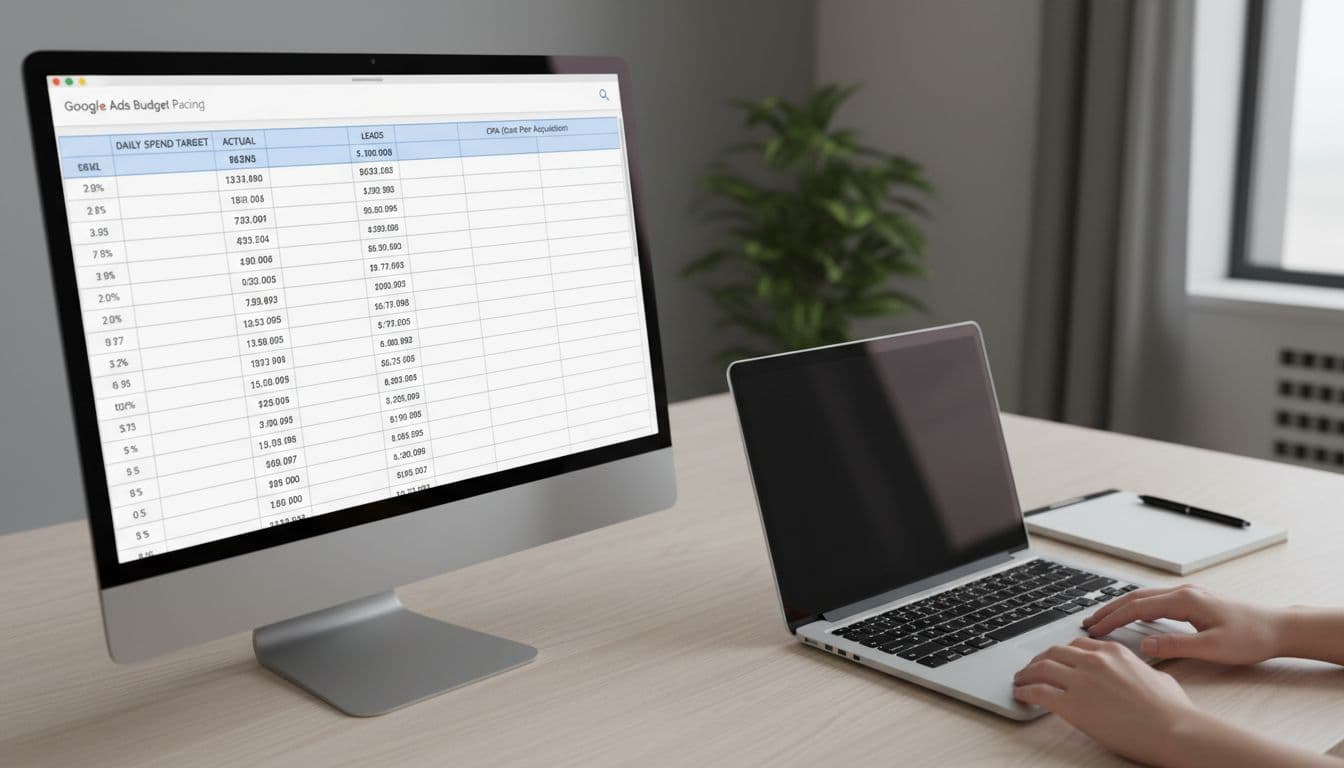
Photorealistic view of a spreadsheet template on a desktop laptop screen showing budget pacing columns for daily spend target, actual spend, leads, and CPA in a simple service business workspace with notepad and soft office lighting.

Your sheet doesn't need fancy charts. It needs a few columns you can trust. Start with one tab for the month and one for campaign detail.

Here is the core structure:

ColumnFormula or useWhy it matters
DateCalendar dayAnchors pacing
Planned spendMonthly budget ÷ 30.4Sets the target
Actual spendFrom Google AdsShows real pace
Variance %(Actual ÷ Planned) – 1Flags over or under
LeadsCalls + formsTies spend to demand
CPLSpend ÷ leadsChecks efficiency
Booked jobsFrom CRMMeasures lead quality

Add one notes column for promos, outages, weather, or staffing issues. Those details explain strange days fast. Also, if the account foundation is messy, start with this Google Ads account setup checklist. Clean tracking makes pacing numbers much more useful.

Step-by-step setup for your budget pacing sheet

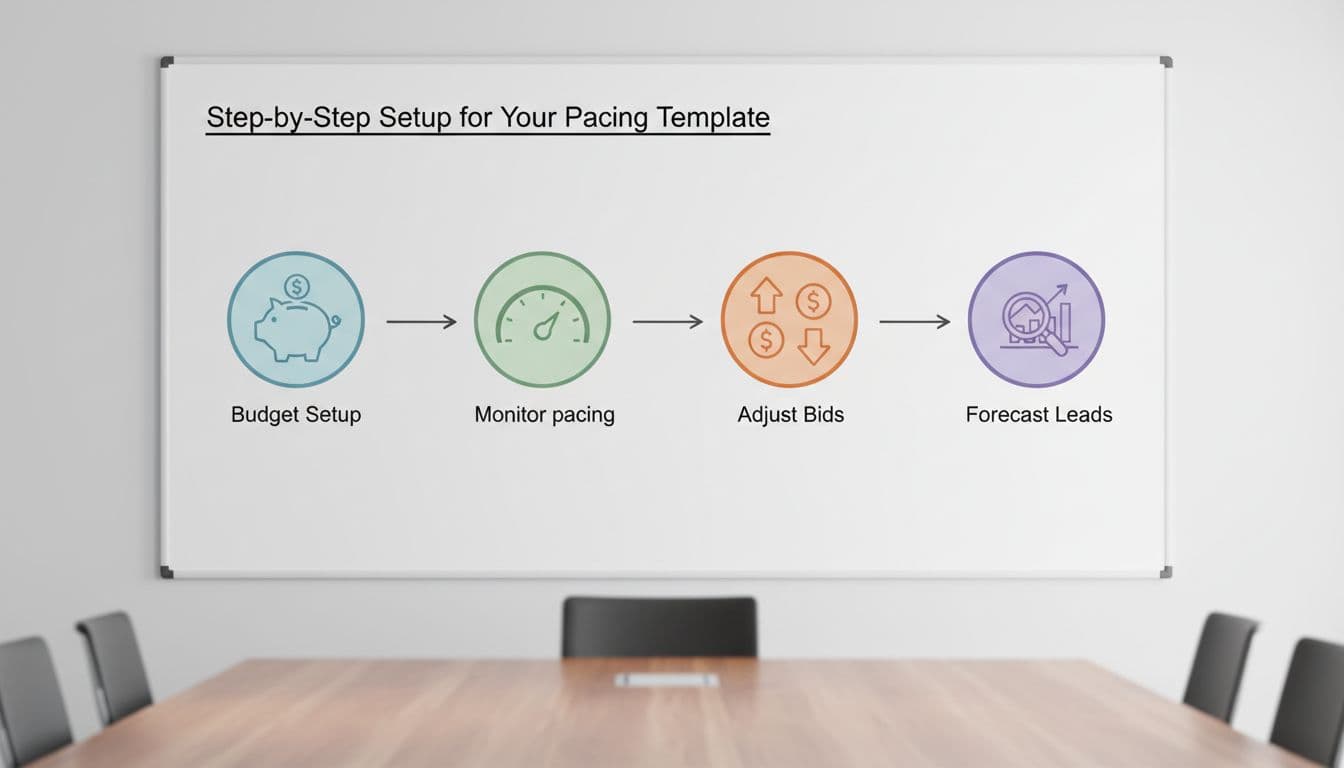
Clean illustrative icons on a whiteboard in a service business meeting room depict sequential steps: budget setup, monitor pacing, adjust bids, forecast leads. Bright even lighting, simple style, no people, text, or extra elements.

Keep the setup simple, then review it in five minutes a day.

  1. Set the monthly target: Pick the spend you can truly support. If the budget is $3,000, your pacing target is $3,000 ÷ 30.4 = $98.68 per day.
  2. Split by campaign type: Most service accounts work best with 60 to 70 percent in Search, 20 to 30 percent in Performance Max, and the rest in brand or remarketing. If you use PMax, this Performance Max setup for service leads can help protect lead quality.
  3. Create guardrails: Mark 0 to 5 percent over pace as green, 6 to 10 percent as yellow, and over 10 percent as red.
  4. Set a review rhythm: Check spend daily, lead quality twice a week, and booked jobs weekly. That keeps you from reacting to every wobble.

Forecast leads and set CPA/CPL guardrails

Calculator and notebook on a desk for calculating leads forecast and CPA targets for Google Ads, with HVAC tools like a wrench in the background; realistic photo with warm desk lamp lighting.

A good pacing sheet predicts lead volume, not just spend. Use three simple formulas:

Expected leads = Monthly budget ÷ Target CPL
Expected customers = Leads × Lead-to-job close rate
Expected revenue = Customers × Average job value

Say a plumbing company plans to spend $6,080 this month. Its target CPL is $95, and 35 percent of leads book. That forecast gives you 64 leads and about 22 jobs. If the average job is $850, that's roughly $18,700 in booked revenue.

Now set your ceiling. If your max CPA for a sold job is $270 and 35 percent of leads become jobs, your max CPL is $94.50. Once CPL sits above that for several days, pacing alone won't fix the problem. Improve conversion rate, tighten targeting, or reduce spend.

For cleaner forecasts, count only qualified calls and real form leads. Don't count junk conversions. This budget pacing explained clearly is useful if your team needs a quick reset on the math.

Adjust for seasonality and know when to push or pull back

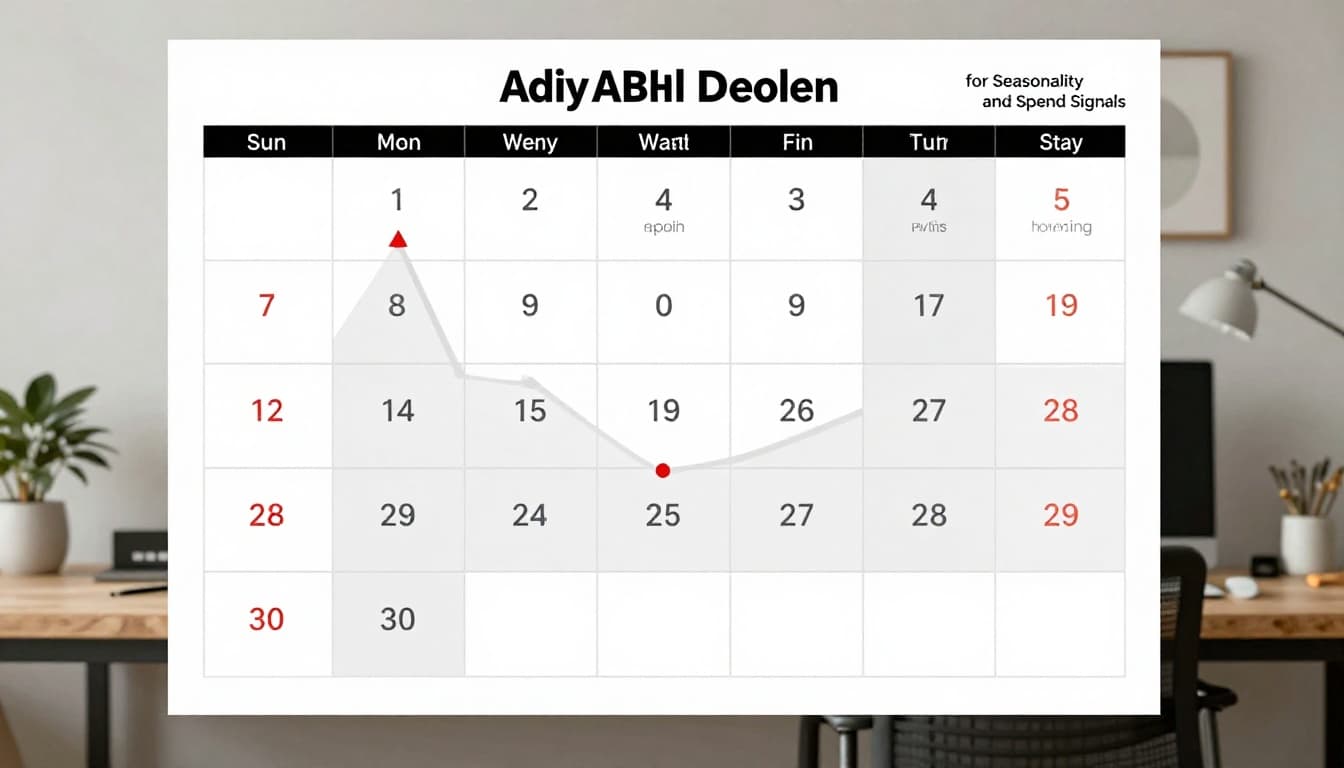
Calendar page marked with seasonal peaks for HVAC services including summer AC repairs and winter heating high spend periods, overlaid with a graph showing budget adjustments in a home office infographic style.

Service demand rarely moves in a straight line. HVAC spikes in heat waves. Dental can dip around holidays. Legal and emergency home services often jump with local events and weather. So add a seasonality multiplier column based on the last 12 months.

If June usually drives 30 percent more search demand than your average month, use a 1.30 multiplier. A $4,000 base budget becomes $5,200. If February runs at 0.80, reduce that same budget to $3,200 unless lead quality stays unusually strong.

Increase spend when search impression share is lost to budget, qualified lead rate holds, and CPL stays inside guardrails. Pull back when spend rises but booked jobs flatten. Also slow down if no-show rates climb or search terms get messy. A strong negative keywords template for home services helps stop waste before you blame the budget.

Use 2026 Google Ads features without losing control

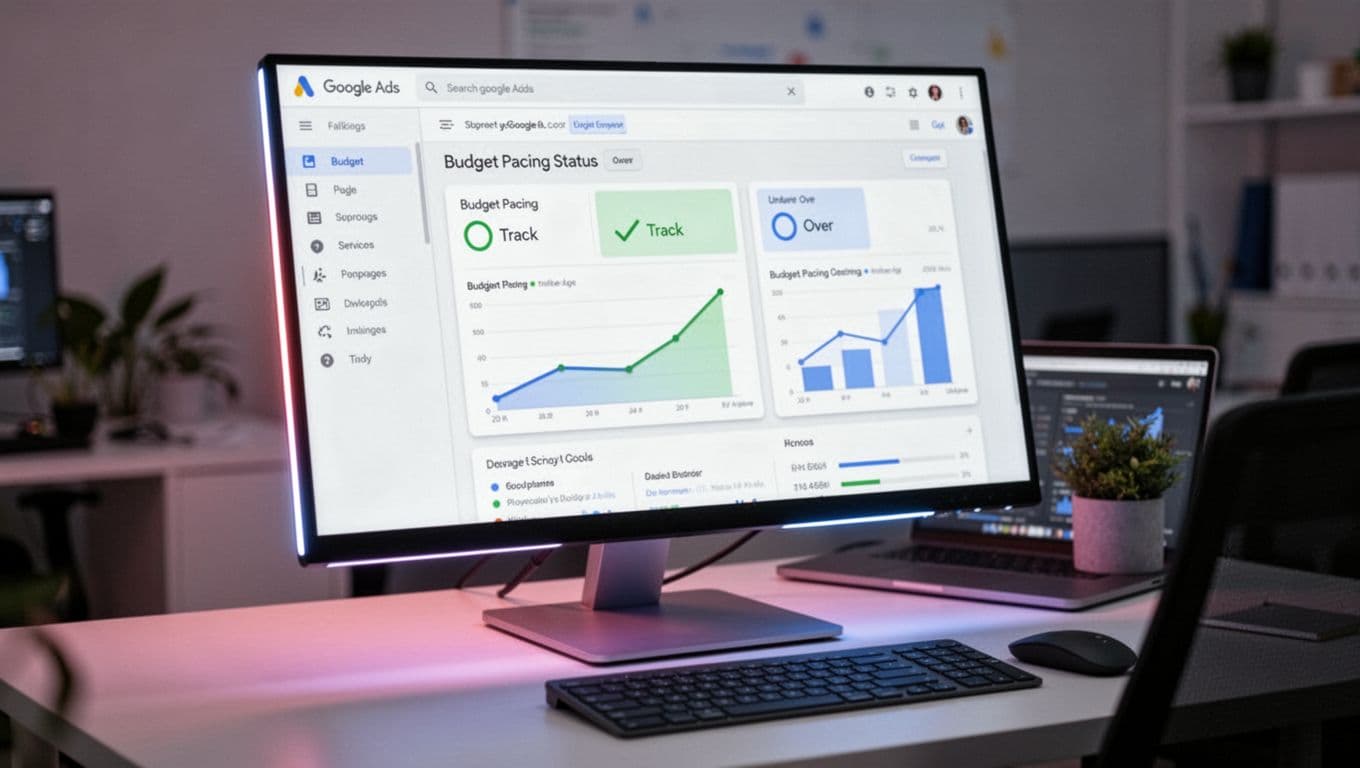
Modern Google Ads dashboard interface on a monitor displaying budget pacing status (on track, under, over) with charts in a professional marketer workspace. Realistic screenshot blend with screen glow, laptop at angle, no people, logos, or detailed UI text.

This year's biggest change is pacing with ad scheduling. If you run only weekdays or business hours, Google may spend faster during those windows to hit the same monthly cap. So don't set daily budget from active days. Set it from the monthly goal, then divide by 30.4.

For short promos or peak seasons, Campaign Total Budget can help because it works from a fixed amount instead of a loose daily average. Meanwhile, Search should still carry most of the spend for high-intent local queries. Use Maximize Conversions when lead volume is steady. Then test Target CPA once you have enough clean conversion data. Keep a close eye on lead quality if Performance Max starts soaking up spend.

Google Ads budget pacing isn't about squeezing every cent out of the platform. It's about matching spend to lead quality, sales capacity, and seasonality. Build the template, review it often, and trust your guardrails more than your gut. When the month starts to drift, you'll know exactly what to change, and why.

Google Ads Offline Conversion Tracking Setup for Service Businesses in 2026

If you count every form fill as a win, Google Ads learns the wrong lesson. Service businesses make money later, when a call gets qualified, an estimate gets booked, or a job closes. Offline conversion tracking fixes that gap.

In 2026, the core setup still starts with GCLID capture, CRM storage, and privacy-safe imports back to Google Ads. Once that loop is working, campaigns can optimize toward qualified leads, booked jobs, and real revenue instead of noisy top-of-funnel actions.

Why service businesses need offline conversion tracking

A plumbing call from outside your service area is not a conversion. Neither is a spam form or a price shopper who never answers. When Google only sees raw leads, it optimizes for volume, not quality.

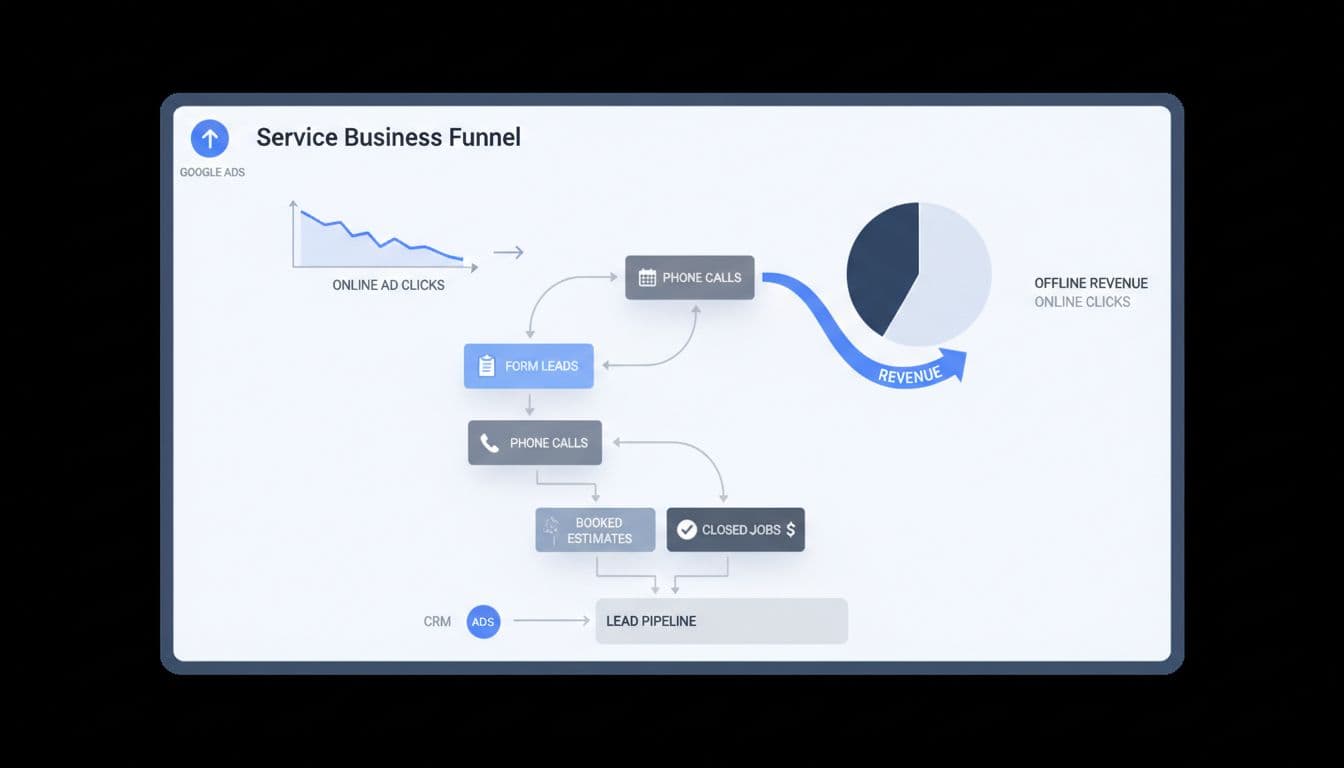
Clean modern illustration of a service business dashboard depicting online ad clicks funneling into offline revenue through form leads, phone calls, booked estimates, and closed jobs.

For service businesses, better signals are qualified lead, booked estimate, deposit paid, or closed-won job. A recent 2026 setup guide for offline conversion tracking makes the same point: campaigns get smarter when you feed them real business outcomes.

That matters even more in local services, where lead quality can swing hard by keyword, zip code, or device.

What to have ready before setup

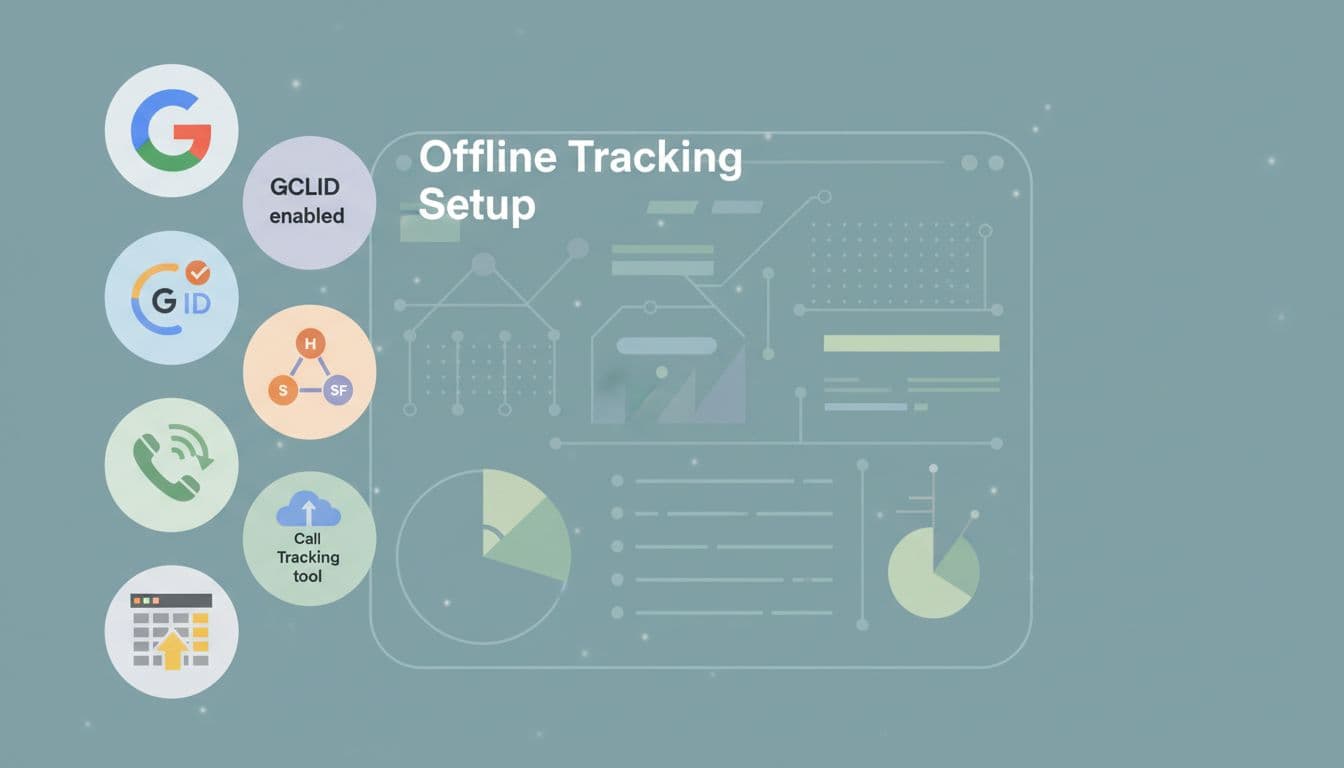
Before setup, turn on auto-tagging in Google Ads. That adds the GCLID to your click URLs, and it still drives most offline matching in 2026. On some iOS and YouTube traffic, you may also see WBRAID.

Clean modern illustration of prerequisite icons for offline tracking setup, featuring Google Ads account, GCLID, CRM like HubSpot or Salesforce, call tracking tool, and spreadsheet, arranged in a checklist on a tech dashboard background.

Next, capture the click ID on landing pages and pass it into your CRM with the lead record. Keep that first-party data for at least 90 days. You also need call tracking, a consent banner, and clean account basics. Many teams now use server-side tagging because browsers block more client-side tracking. If your foundation still needs work, this Google Ads account setup checklist for leads is a useful starting point.

Step-by-step Google Ads setup in 2026

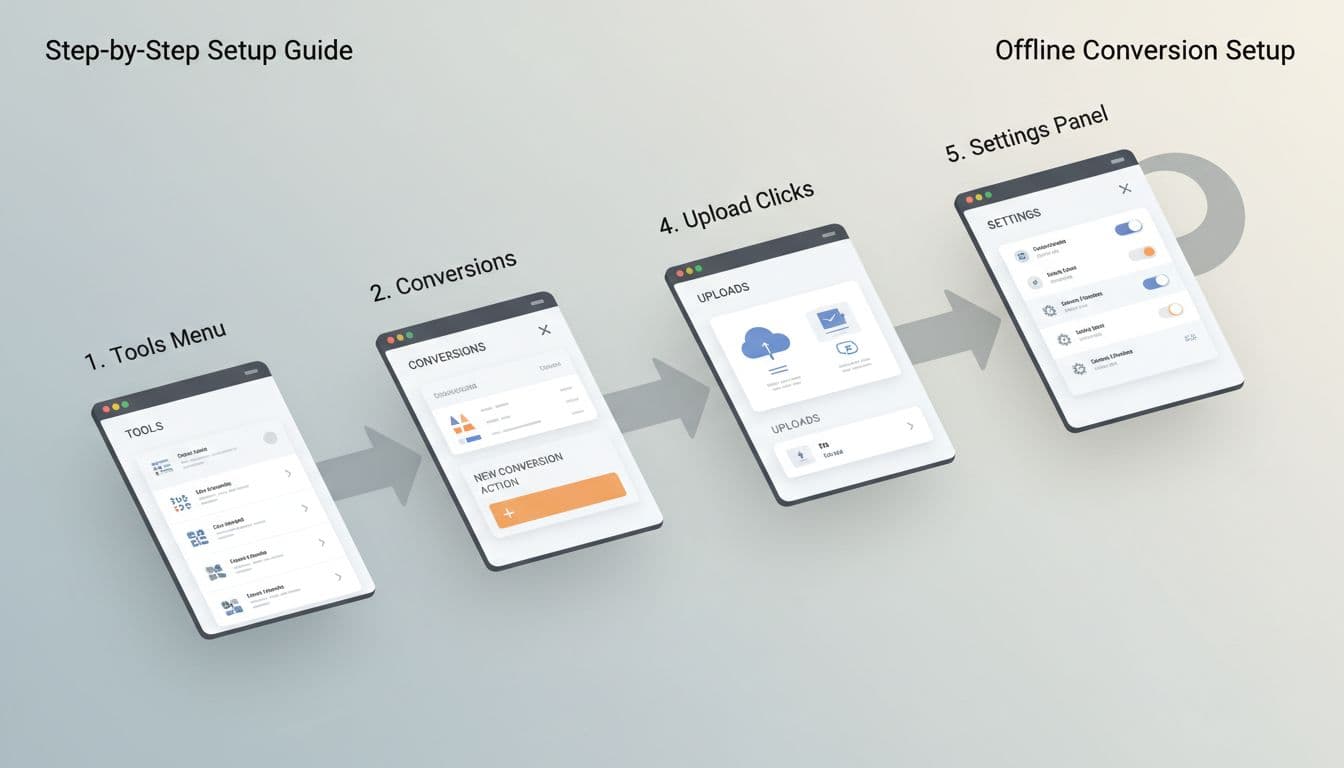
In the current interface, go to Goals, then Summary, then create a new offline conversion action. Use separate actions for the stages that matter to your sales team.

Clean modern flowchart illustration of Google Ads interface steps for offline conversion setup, including Tools menu, conversions, new action, upload clicks, and settings panel, in a professional dashboard style with neutral colors.
  1. Turn on auto-tagging in account settings.
  2. Capture GCLID on every landing page, store it, and send it with each form lead or tracked phone call.
  3. Create offline conversion actions such as Qualified Lead, Booked Estimate, Booked Job, and Closed Won Revenue.
  4. Assign values. A booked estimate may use a fixed proxy value, while a closed-won job should use actual revenue or a profit proxy.
  5. Mark only the actions you want bidding to learn from as Primary. Keep raw leads as Secondary if you still want them for reporting.

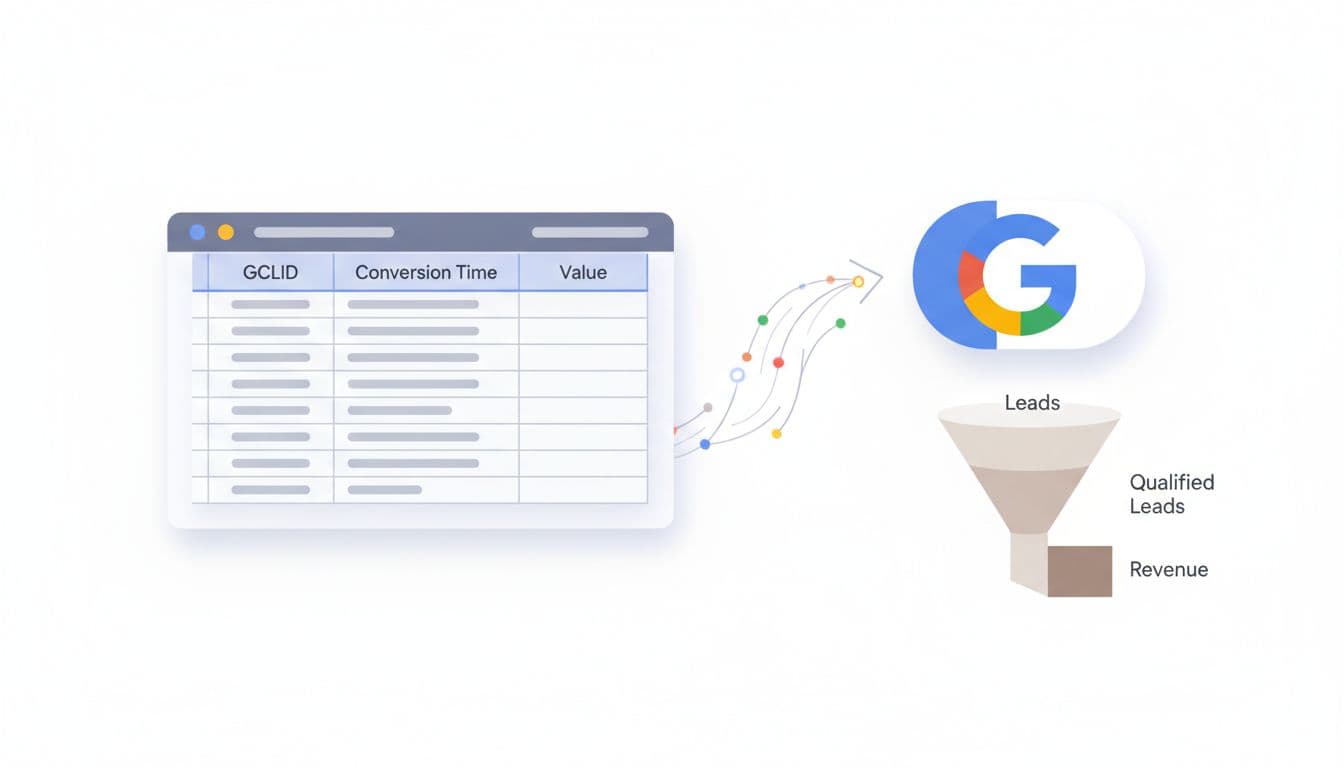
Each imported row needs a click ID, conversion name, conversion time, value, and currency. After your first test upload, check diagnostics inside Google Ads for match issues. If you want a simple file-based start, this Google Sheets import walkthrough is handy.

If the click ID never reaches the CRM on day one, you can't recover it later.

Connect your CRM and call tracking

Your CRM is the memory of the whole system. Every lead should carry the click ID, lead source, consent status, and stage changes. For call-heavy businesses, use a call tracking tool that swaps numbers on the site, ties the phone call back to the ad click, and sends that record into the CRM.

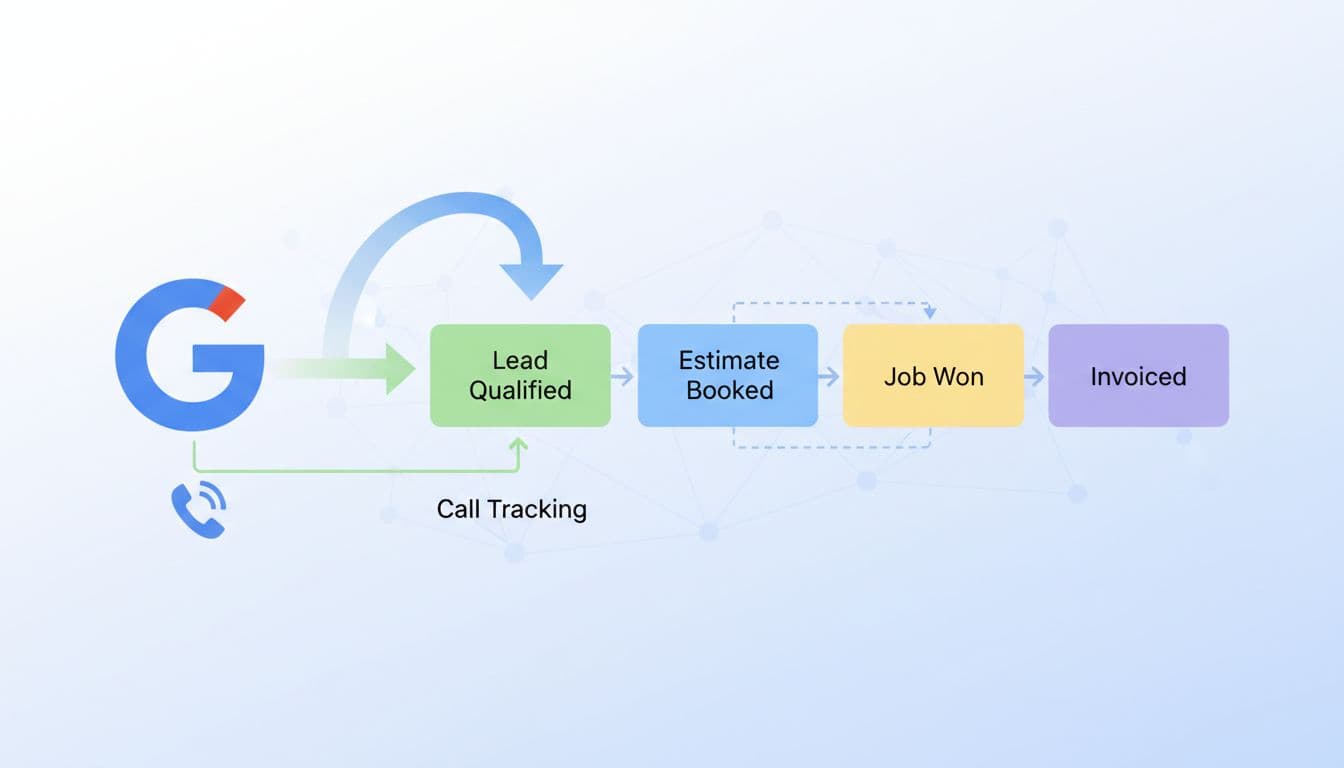
Clean modern illustration of CRM integration for offline tracking, featuring Google Ads icon connecting to CRM pipeline stages like lead qualified, estimate booked, job won, with data import arrows and linked call tracking phone icon. Service business lead flow diagram in SaaS dashboard style using subtle colors, no text or people.

This simple stage map works well for most service teams.

StageExampleImport as Primary?
Raw leadForm fill or first callUsually no
Qualified leadService area, job type, budget confirmedOften yes
Booked estimateInspection or consult scheduledYes
Closed-won jobDeposit paid or invoice wonBest signal

The key is consistency. If one rep marks a lead as “qualified” and another writes “good call,” the data gets muddy fast.

Import qualified offline conversions back into Google Ads

Manual uploads still work for lower lead volume. A weekly CSV can be enough for a local roofer, lawyer, or dental clinic. However, agencies and larger brands usually get better results from CRM or API-based imports, because Google receives faster feedback.

Clean modern illustration depicting a spreadsheet with GCLID, conversion time, and value columns uploading to a Google Ads button, paired with a lead qualification funnel narrowing to revenue on a professional tech dashboard in neutral tones.

HubSpot, Salesforce, Jobber, ServiceTitan, and even Sheets can all work. Keep it privacy-safe: use first-party capture, respect consent, and send only the fields needed for matching and value reporting. GCLID alone can be enough. Hashed email or phone may help in some setups, but never send raw notes or private case details. For a wider view of current options, this 2026 Google Ads conversions guide is a useful companion.

Optimize for booked jobs and revenue

Once imports run cleanly, stop judging campaigns by cost per form. Look at cost per qualified lead, booked estimate rate, booked job rate, close rate, and revenue by campaign. Then let bidding follow the money.

Clean modern SaaS-style illustration of an optimization dashboard showing post-tracking results with graphs for ROAS improvements, bid adjustments for revenue conversions, and service business metrics like job value vs clicks. Subtle colors, focused on key performance indicators without embedded text.

If closed-won volume is low, start by optimizing toward qualified leads or booked estimates. As volume builds, switch to value-based bidding so Google chases higher-value jobs, not just cheaper ones. That helps with HVAC replacements, legal matters, implants, and med spa packages, where lead values vary a lot. If you also run automation-heavy campaigns, this Performance Max campaign setup for service leads pairs well with revenue-based imports.

Bottom line: treat Google Ads like a salesperson, not a slot machine. Feed it the stages that predict revenue, keep the data clean, and offline conversion tracking will push more budget toward jobs that actually close.

Google Ads Search Campaign Structure for Service Businesses in 2026

If your search campaigns bring clicks but not booked jobs, the problem often starts with structure. A messy account sends mixed signals to Google, and mixed signals usually mean bad leads, unstable cost per lead, and wasted budget.

In 2026, a strong google ads campaign structure is usually leaner than people expect. Service businesses need clear campaign buckets, solid conversion data, and enough volume for bidding to learn. That matters whether you sell emergency plumbing, roof replacement, personal injury cases, med spa treatments, or B2B consultations.

Why campaign structure matters more in 2026

A single marketer seated at a modern desk in a bright office reviews a Google Ads dashboard on a laptop screen, showing charts with declining cost per lead and increasing qualified leads for a service business, in realistic photorealistic style with natural daylight.

Google Ads now leans harder on automation, so account structure has a new job. It must feed cleaner data into bidding. If one campaign mixes emergency jobs, low-value service calls, and premium installs, the system struggles to learn what a good lead looks like.

For most local and regional service businesses, the ideal starting point is 1 to 3 Search campaigns, not 10 or 20. Keep the split based on business value, not personal preference.

A practical setup often looks like this:

  • Core non-brand Search for high-intent services
  • Brand Search if competitors bid on your name or branded volume is meaningful
  • A separate test or specialty campaign for a new service, location, or audience

Inside those campaigns, ad groups should stay tight around service themes. HVAC companies might split AC repair and furnace install. Roofers may separate repair from replacement. Law firms usually need separate themes for practice areas because case value differs so much. Med spas often separate Botox from laser hair removal because intent, seasonality, and lead quality differ.

Location splits only make sense when staffing, close rates, or CPL varies a lot by market. If not, keep geography inside one campaign and use location targeting.

If you're rebuilding from scratch, start with a clean Google Ads account setup checklist for leads. Also, WordStream's 2026 account structure guide backs the same idea, fewer moving parts usually makes optimization faster.

Simplify or segment based on lead volume, not opinion

Split-view illustration of a marketer in an office comparing a single Google Ads campaign dashboard with moderate leads on one laptop to multiple segmented campaigns showing higher qualified leads and lower CPL on another.

Think of campaign structure like shelves in a service van. Too few, and tools get piled together. Too many, and your tech wastes time hunting for the wrench.

Simplify when volume is low. If you get under 30 conversions a month, have one main service line, or run a modest budget in one metro, keep it tight. One Search campaign with a few focused ad groups is often enough. That helps Smart Bidding learn faster, and it keeps reporting clear.

Segment when the business case is real. Split campaigns only if you would change budget, target CPA, ad copy, landing page, or schedule. Good reasons include emergency versus planned work, residential versus commercial, or premium services versus lower-ticket jobs.

For example, a plumber can keep drain cleaning and leak repair together early on. Once water heater installs start bringing higher-value leads, that service may deserve its own campaign. A law firm should often split personal injury from family law because the economics are totally different. Meanwhile, a B2B service provider may split by offer, such as managed IT versus cybersecurity assessments, when sales cycles and close rates differ.

More campaigns don't create control. Better signals do.

Common mistakes still burn budget in 2026. Splitting match types into separate campaigns, cloning the same keywords across campaigns, breaking out every suburb, and treating every form fill as equal all create noise. So does over-segmentation before the account has enough data. As Elshorafa's 2026 framework for service businesses notes, service accounts usually perform better when bottom-funnel intent gets most of the budget.

Automation now rewards clean signals, not busy accounts

A professional marketer relaxes at a modern desk, adjusting smart bidding settings for target CPA on the Google Ads interface on a laptop, with graphs displaying optimized bids and conversions, coffee nearby, in a naturally lit office.

In 2026, Google is pushing more AI-led Search features, including AI Max in more accounts. That means broader query matching, search themes, dynamic ad assembly, and less manual control. So the structure question has changed. You're no longer organizing for neatness. You're organizing for data quality.

For new campaigns, Maximize Conversions often works best until you have enough real leads. After roughly 20 to 30 solid conversions in 30 days, Target CPA can make sense. Still, low-volume niches may do better with Manual CPC for a while, especially for terms like emergency roofer, divorce lawyer, or commercial HVAC maintenance.

Automation doesn't remove the need for search term management. It makes it more important. Review search terms often, then block junk fast. Home service accounts usually need negatives like jobs, salary, free, diy, parts, or training. Med spas may need negatives for school, certification, or wholesale. B2B services often need to exclude template, definition, or software if they sell done-for-you services.

First-party conversion data now has a much bigger impact on structure decisions. If Google optimizes to any lead, it will happily find more weak leads. Feed back booked calls, qualified forms, consultations that showed up, and closed revenue when possible. HVAC installers should value install calls above tune-ups. Law firms should separate signed cases from raw inquiries. B2B teams should import CRM stages, not just demo requests. A clean GA4 conversion tracking for lead gen sites setup helps keep those signals trustworthy.

If you also run broader campaign types, keep Search focused on bottom-funnel demand and manage expansion separately. This Performance Max campaign setup for service leads is a useful companion when Search and PMax both support lead generation.

The best structure in 2026 isn't the most detailed account. It's the one that helps Google find qualified leads without guessing. Start small, split only where the business model changes, and protect your budget with strong negatives and better conversion data. If lead quality feels shaky, fix the structure before you raise spend.

Negative Keywords Template for Home Service Google Ads in 2026

If your ads keep showing for “jobs,” “DIY,” or “supplies,” you're buying curiosity instead of leads. A solid negative keywords template fixes that fast. In 2026, Google Ads matches searches more loosely, so home service campaigns need tighter filters to protect budget and improve call quality.

For plumbers, HVAC companies, roofers, electricians, cleaners, and pest control brands, the goal isn't more clicks. It's more local jobs. The template below gives you a clean starting point, plus category-specific ideas you can copy today.

Why negative keywords matter more in 2026

Clean professional marketing visual of a PPC dashboard showing negative keywords list blocking irrelevant home services searches like plumbing and HVAC, with red-highlighted wasted terms in search query reports using a blue-white-gray palette.
Google Ads can match you to a wider range of searches than many owners expect. That helps discovery, but it also opens the door to junk traffic. A plumber can pay for clicks from “plumbing school,” “pipe supply,” or “DIY sink repair” unless those terms are blocked.

Every bad click steals budget from high-intent searches like “emergency plumber near me.” As a result, lead quality often improves before click-through rate does. You may get fewer clicks, yet more calls worth answering.

If your account structure also needs work, this Google Ads setup checklist for leads helps tighten the basics. For a broader 2026 view, these Google Ads tips for home service businesses point to the same lesson: block poor-fit traffic early.

Bad searches don't just waste spend, they teach the campaign to chase the wrong demand.

Build your core negative keywords template around search intent

Professional visualization of a search intent funnel for Google Ads, with broad irrelevant queries like 'jobs free' crossed out by negatives, narrowing to local service calls, home repair background, blue-white-gray tones, PPC dashboard elements, landscape editorial style.

Start with intent buckets. That's easier than guessing random words one by one. Most home service accounts need the same core filters.

Use this starter table as your account-wide base list:

Intent bucketCopyable negativesWhy it helps
Jobs and trainingjobs, hiring, career, salary, apprenticeship, schoolBlocks job seekers
DIY and researchdiy, how to, tutorial, youtube, manual, pdfFilters non-buyers
Cheap/freefree, cheap, coupon, discountCuts low-value intent
Products and partsparts, supplies, tools, kit, wholesaleStops product shoppers
Mismatch termscommercial, residential, apartment, rvUse only if you don't serve them
Out-of-areacity names, ZIPs, counties you don't serveKeeps local intent tight

For multi-word blockers, phrase match usually gives better control. Keep exact match for one-off terms you know are bad. If you want more examples, this 2026 negative keyword guide is useful, and this complete 2026 negative keyword list can help expand your base list.

Copyable negative keyword ideas by home service category

Marketing visual showing home service categories like HVAC unit, plumbing pipe, roofing ladder, electrician tools arranged on a workbench, subtle overlay of negative keyword blocks like free cheap diy, blue white gray tones, professional digital ad style, landscape, sharp clean lines, no text, no people.

One template won't cover every trade. Still, most wasted clicks fall into patterns. Use the ideas below as campaign-level add-ons.

CategoryAdd these negativesSearch intent blocked
HVACwindow unit, portable, manual, freon price, classretail, DIY, training
Plumbingsnake tool, pipe fittings, supply store, plumbing schooltools, parts, jobs
Roofingshingles for sale, metal sheets, roofing nails, diy roofmaterials, DIY
Electricalwire spool, outlet cover, electrician salary, code booksupplies, research, jobs
Cleaninghousekeeper jobs, mop, vacuum parts, free checklisthiring, products, info
Pest controlbug identifier, insect photo, spray bottle, home remedyresearch, retail, DIY
Landscapingmower parts, seed mix, landscaping jobs, design softwareproducts, jobs, research

Then add service mismatches. If you don't do commercial work, block commercial. If you only handle repair, block installation. If you don't offer 24-hour help, block emergency. Local intent matters just as much, so exclude towns outside your service area.

To match ad targeting with organic demand, a local SEO keyword research template can help map services to the places you actually want calls from.

How to add and organize the template in Google Ads

Step-by-step Google Ads interface screenshot for adding negative keywords, with shared library panel open showing home service list, clean modern blue-white-gray UI, screen at angle.

The best setup has two layers: an account-wide shared list, and trade-specific negatives at campaign level. That keeps core junk traffic out while leaving room for service nuance.

A simple workflow works well:

  1. Build one shared list for jobs, DIY, free, products, and out-of-area terms.
  2. Add campaign lists for each trade, such as HVAC, plumbing, or roofing.
  3. Check the search terms report every week, then add new blockers fast.
  4. Review matched cities and neighborhoods after major budget changes.

For example, a plumbing account might keep one shared list for jobs and DIY, then a campaign list blocking water heater parts, pipe sizes, and supply brands. Keep the list practical. Don't block “near me.” Don't block “emergency” unless you truly don't offer it.

Your ads also need local trust after the click. A strong Google Business Profile optimization guide can support better lead flow in the same service areas.

Measure lead quality and keep the list fresh

Analytics chart displaying before-and-after ad performance improvements from negative keywords, featuring a drop in wasted spend and rise in lead quality for home services on a clean PPC metrics dashboard.

Lower cost per click sounds nice, but it isn't the whole story. Watch what happens to call quality, form quality, and booked-job rate after you apply the template.

MetricWhat to look for
Search termsFewer DIY, jobs, and retail queries
Lead qualityMore calls with real service need
Cost per leadStable or lower after cleanup
Booked jobsHigher close rate from paid traffic
Geo fitMore leads from target towns

Set a recurring reminder, because search behavior shifts with season, weather, and promo periods. If the account still pulls weak traffic, your negatives may be too shallow, or your keywords may be too broad.

A good negative keywords template acts like a gatekeeper. It doesn't create demand, but it keeps bad traffic from crowding out people ready to hire. Clean up the junk, protect local intent, and the right leads get more room to find you.

Local SEO Internal Linking Strategy for Service Businesses in 2026

A lot of service business sites still work like brochures. They list services, mention a few cities, and hope calls show up. That's not enough in 2026.

Local SEO internal linking turns your site into a guided path. It helps Google connect your services, locations, and proof. Just as important, it helps a homeowner, patient, or client move from “Can you help?” to “I'm ready to book.”

Why Internal Linking Boosts Local SEO

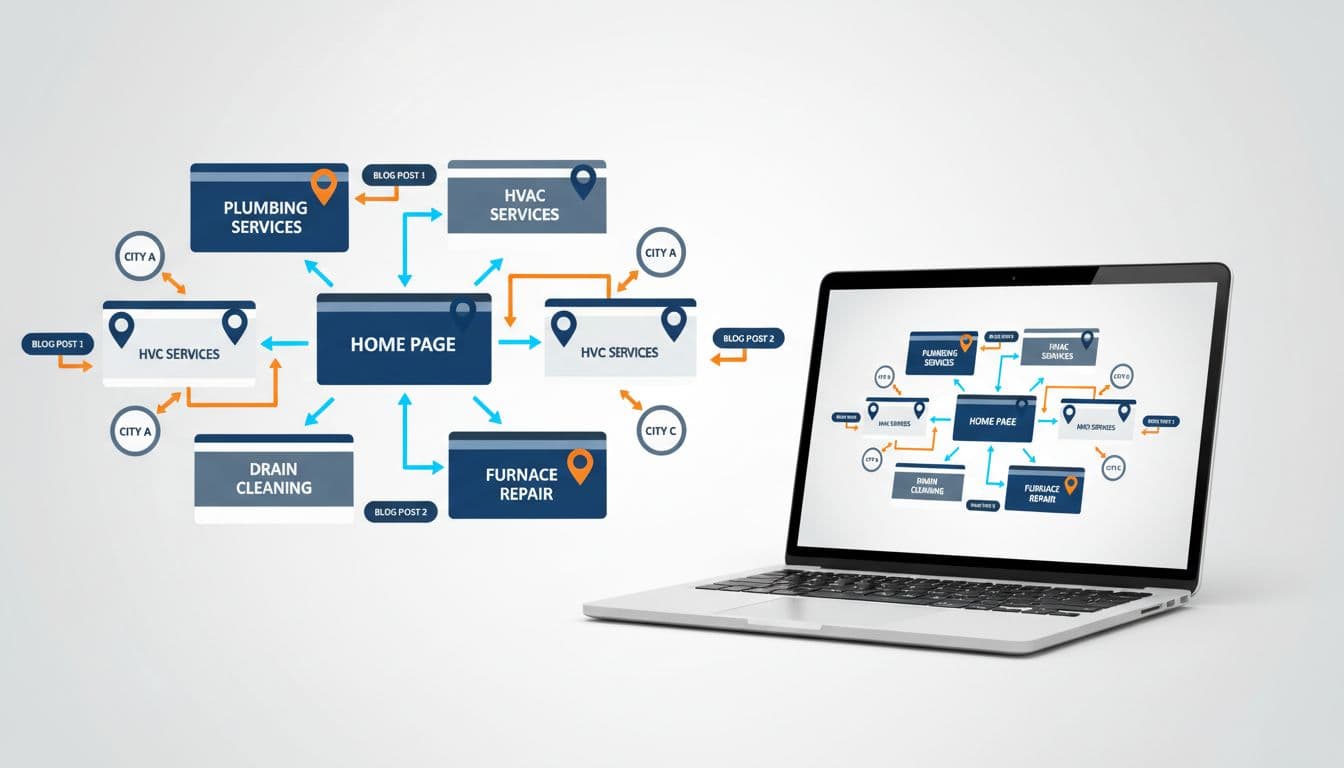
Clean modern illustration of interconnected website pages forming a local map with pins for service areas like plumbing and HVAC services, arrows indicating internal links between service pages, city pages, and blog posts.

Internal links do three jobs at once. They help search engines find pages, show which pages matter most, and guide visitors to the next step. For plumbers, HVAC companies, roofers, dentists, and lawyers, that means stronger links between service pages, city pages, blogs, and quote forms.

That structure matters more now because AI summaries and map-based results reward clear site relationships. The broader shift toward internal linking for SEO and GEO points in the same direction. If your Austin water heater page never connects to your Austin plumbing page, you're hiding your own relevance.

Key Principles of Local SEO Internal Linking

Clean modern illustration of three icons depicting key local SEO internal linking principles: hub-spoke model, city pages linking to services, and topic clusters, connected by lines in high-contrast professional style with simple educational composition, no text, no people, no extra elements.

Keep the system simple. Give each core service its own page. Give each real service area its own page. Then use blogs, FAQs, and case studies to support those money pages.

Also, keep important pages within 3 clicks of the homepage. If a location page takes five clicks to reach, it's buried. Before building links, map your page targets with a local SEO keyword research template.

A few rules help fast:

  • Link related pages, not random pages
  • Avoid orphan pages with no internal links
  • Use in-content links, not just menus
  • Vary anchor text naturally

Map Your Site for Maximum Impact

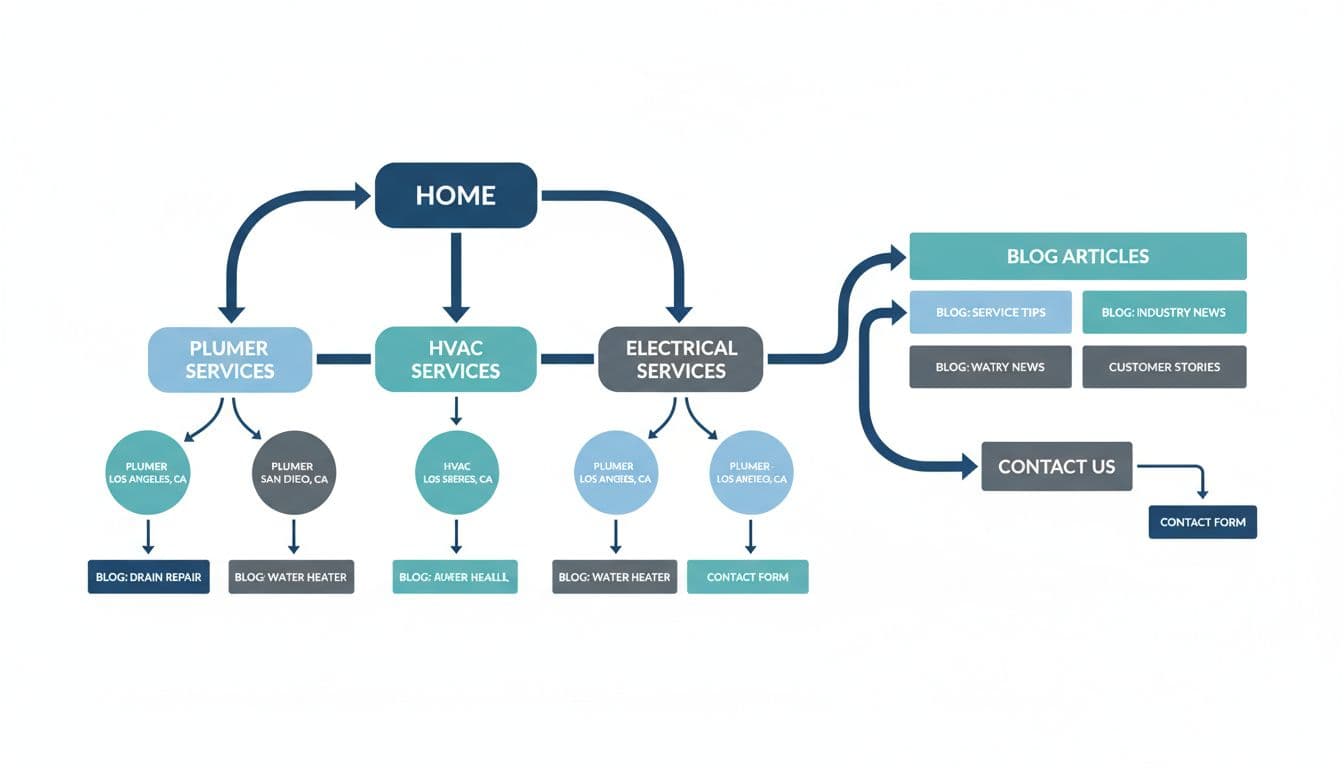
Clean modern illustration of a sitemap for a service business website with service pages like plumber and HVAC linked to city landing pages, blog articles, and contact forms. Arrows indicate flow from a central homepage in high-contrast professional blog-friendly style with simple composition, no text, no people.

Think in hubs and spokes. Your main service page is the hub. Related city pages, blog posts, and quote pages are the spokes.

This basic map works for most service businesses:

Page type Should link to
Service page Related city pages, quote page
City page Matching services, testimonials
Blog or FAQ Service page, city page
Contact or quote page Top services, financing or trust pages

For example, a roofer might link /roof-repair/ to /roof-repair-dallas/, a storm damage guide, and the estimate form. A dentist can link implants, city pages, cost guides, and booking pages the same way. The takeaway is simple, every page should point somewhere useful.

A page that doesn't connect to the next logical page is a dead end.

Craft Effective Anchor Text

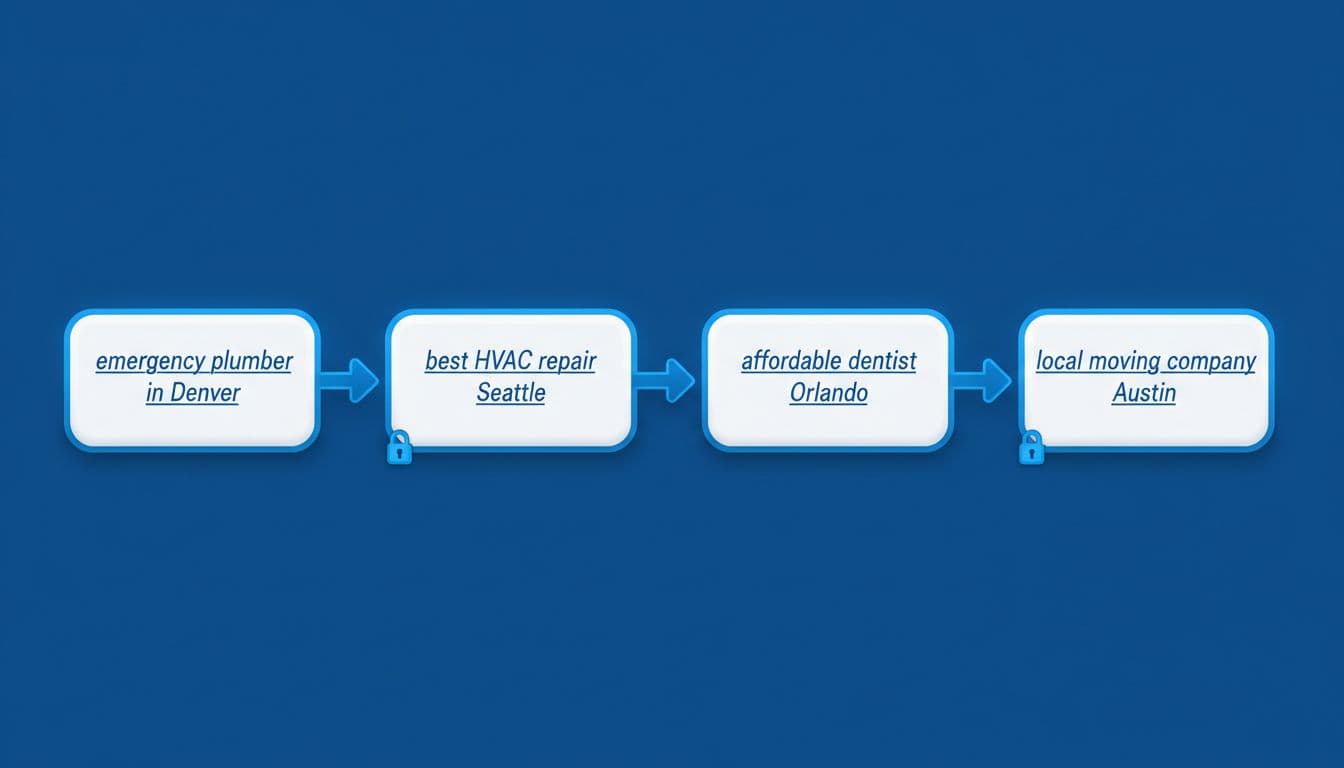
Clean modern high-contrast illustration depicting four anchor text examples for local services as web links in a chain connecting pages, in a simple professional educational style with no text labels or people.

Anchor text is the label on the door. “Click here” tells nobody anything. Clear phrases tell users and search engines what sits on the next page.

Good anchor text sounds natural and matches intent. A few examples:

  • Emergency plumber in Austin
  • AC repair in Plano
  • Dental implant cost guide
  • Request a roofing estimate

Mix the wording. Your HVAC page doesn't need the exact same anchor every time. Use service-plus-city anchors on city pages, and more general anchors inside educational blog posts. That balance keeps links readable and useful.

Link Service, City, Blog, and Contact Pages

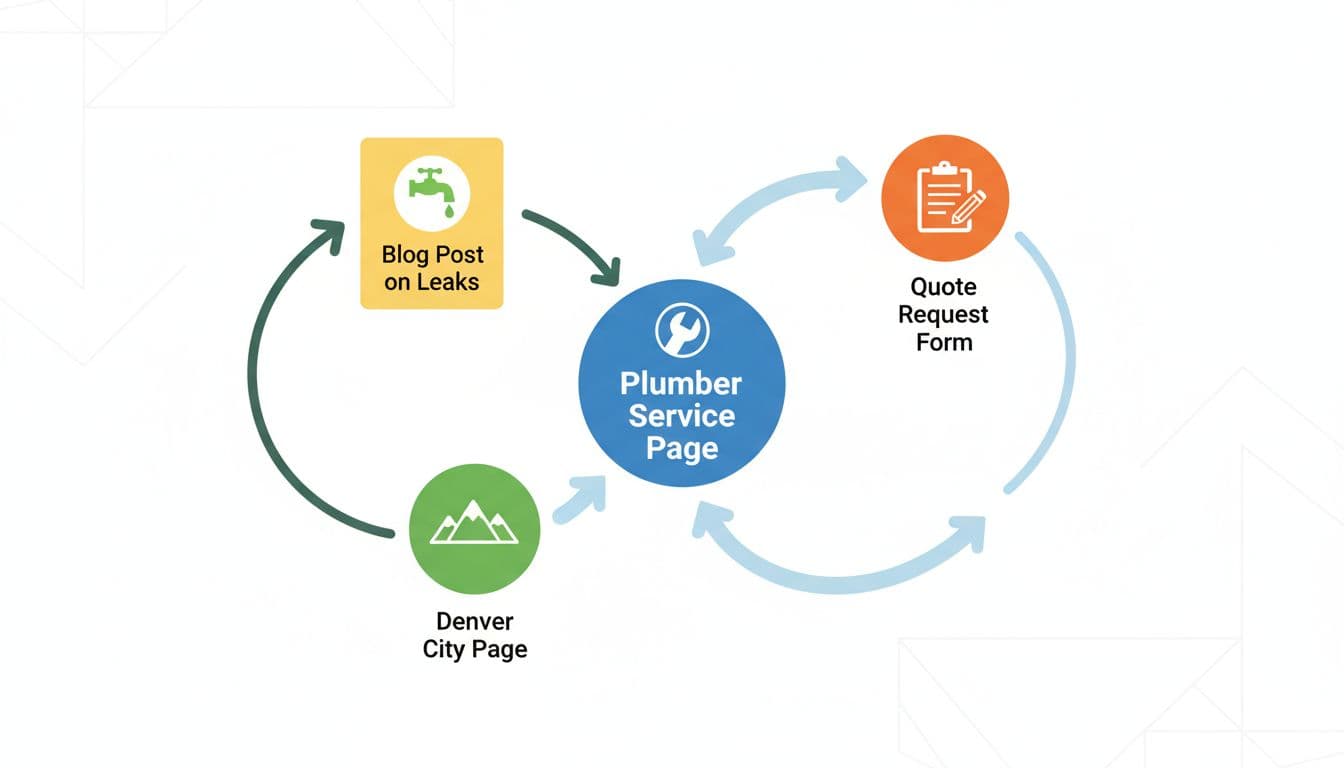
Clean modern high-contrast illustration of a central plumber service page as a hub with arrows linking to Denver city page, leaks blog post, and quote request form, in professional blog style with no text or people.

Many local sites make one costly mistake. Service pages link only to the contact page, while city pages sit alone. That wastes ranking signals and user flow.

Instead, create loops. A plumbing service page should link to the cities it serves, a leak repair blog, and the quote form. Each city page should link back to the core service page, plus one proof page such as reviews, pricing, or a case study. Blog posts should support both.

Here's a clean example for HVAC: AC repair page → AC repair in Round Rock → “5 signs your AC may fail” blog → request service form.

That same pattern works for lawyers with practice areas, dentists with treatments, and roofers with storm damage pages.

Your Implementation Checklist

Clean modern high-contrast illustration of exactly five connected checklist icons for local SEO internal linking audit metrics like link count and authority flow, professional and blog-friendly with no text or people.

You don't need a huge rebuild to start. A short monthly pass often fixes the biggest issues.

  • Every core service page links to relevant city pages
  • Every city page links back to the matching service
  • Every blog links to a commercial page where it fits
  • No important page sits more than 3 clicks deep
  • Broken and orphan links get fixed each month

For audits, a simple process like the one outlined in internal linking best practices for SEO 2026 is enough. Start with your highest-value services first, then expand.

Track Your Progress

Clean modern illustration of an analytics dashboard displaying local rankings, traffic from internal links, and GBP performance for a service business. Features one high-contrast graph showing an upward trend in a simple professional style with no text or people.

Watch more than rankings. Good internal linking should improve crawl paths, page views, calls, and form fills. Check Search Console for indexed pages and impressions. Then check analytics and call tracking for the real payoff.

Also, pair this with strong Google Business Profile optimization, because local visibility doesn't live on your website alone. Internal links are your on-site roads, while local mentions and backlinks still matter, as shown in local SEO link building tactics that work in 2026.

Internal linking isn't busywork. It's site structure, user flow, and local relevance rolled into one. Start with one service, one city, and one support article, then connect them well. If you want help building that system, focused local SEO services can speed up the work and keep the structure clean.


Performance Max for Service Leads: Campaign Setup Guide for 2026

A performance max service leads campaign can feel like handing the wheel to automation and hoping it takes the right road. Sometimes it does. Sometimes it drives straight into junk calls, weak forms, and wasted spend.

The fix is better setup, not blind trust. In 2026, Google Ads gives you more control than the early PMax years, including data exclusions, stronger negatives, placement visibility, and cleaner testing. If you feed the system strong signals, it can find real prospects across Search, Maps, YouTube, Display, Gmail, and Discover.

This guide walks through the setup that matters most for service businesses, especially if calls, quote requests, and booked jobs are your real goal.

Prepare Your Account Before Launch

A professional marketer at a modern desk with dual monitors showing Google Ads Performance Max campaign setup screen, soft lighting, keyboard and notebook nearby.

Start with structure. Don't put plumbing, HVAC, roofing, and electrical into one campaign unless the leads have the same value and geography. PMax learns from patterns, so mixed services often muddy the signal.

Before you build anything, lock in three basics:

  1. Clear conversion goals, calls, forms, and booked jobs.
  2. Clean landing pages, one main service intent per page.
  3. Real budget logic, enough spend to generate learning data.

Google's own lead generation guidance for Performance Max lines up with this approach. Also, if your team needs broader support, working with performance marketing experts can help tighten tracking before launch.

Build High-Quality Asset Groups

Close-up of a laptop screen displaying neatly arranged creative assets for Google Ads, including headlines, images of service professionals like a plumber at work, logos, and video thumbnails, in a modern workspace with bright natural light.

Treat asset groups like tightly themed ad sets. One asset group per service category usually works better than one giant catch-all. For example, “emergency plumber” and “drain cleaning” may sound close, but buyers often act differently.

Use real photos, short videos, and headlines that match the landing page promise. Custom creative matters more for service lead gen because trust drives the click. In 2026, short video assets still help PMax open more inventory, and custom videos often outperform auto-generated ones.

Keep the message simple: problem, proof, action. A broader PMax campaign handbook is useful, but the main rule is this, make each asset group easy for Google to understand.

Set Targeting and Audience Signals

Digital marketer in cozy home office reviewing audience signals and targeting options in Google Ads interface on computer screen, charts showing customer segments for service leads, realistic photo.

Audience signals don't limit PMax, but they give it a smarter starting point. That matters when you want local service leads, not random clicks from broad traffic.

Upload first-party lists from your CRM, especially past customers, qualified leads, and repeat buyers. Then add custom segments based on high-intent searches, such as “same day AC repair” or “water heater install near me.” Keep the location settings tight around your actual service area.

Use URL controls carefully. For service campaigns, it's safer to start narrow and test expansion later. Google's 2026 experiment tools make that easier, so you can compare controlled traffic versus wider URL expansion without guessing.

Boost Lead Quality with 2026 Controls

Screenshot-like view of Google Ads settings panel on a tablet held in hands in a conference room, highlighting data exclusions, negative keywords, and spam prevention for Performance Max, natural daylight, clean modern style.

This is where most service campaigns win or lose.

In 2026, PMax gives advertisers better ways to filter bad traffic. Use campaign-level negative keywords to block junk intent like “free,” “DIY,” “jobs,” or “training.” Add brand exclusions when branded traffic belongs elsewhere. Review placement reports and cut low-quality app traffic if it sends weak leads.

Data exclusions are the big one. If old customer lists, spam leads, or bad remarketing pools keep getting pulled in, exclude them. You can also trim device or demographic segments that never become real jobs.

If Google learns from bad leads, it gets better at finding more bad leads.

For a useful outside view, see these Performance Max best practices in 2026. The theme is consistent, better controls lead to better lead quality.

Track Calls, Forms, and Offline Conversions

A marketer in a professional office sets up conversion tracking in Google Ads for calls, forms, and offline imports, surrounded by icons of phone calls, web forms, and CRM uploads on a central computer screen under soft lighting.

Don't let PMax optimize to every hand-raise equally. A junk form and a booked job are not the same thing.

Set up call tracking through Google call assets or your call platform, then count only meaningful calls as primary conversions. For forms, filter spam before those leads train the campaign. If you use lead form assets, test them against landing pages instead of assuming they're better.

This quick setup rule keeps the signal clean:

Conversion typeCount as primary when
Phone callIt lasts long enough to show real intent
Web formIt passes spam checks and required fields
Booked appointmentIt reaches a qualified CRM stage
Closed job or saleIt has real revenue value attached

Most importantly, import offline conversions from your CRM. When Google sees which leads turn into jobs, bidding gets much sharper.

Avoid These Common Setup Pitfalls

Visual metaphor of a splitting path with warning signs around Google Ads mistakes like spam leads and poor tracking, service van heading correctly in sunny suburban street, vibrant illustrative style.

A bad PMax launch usually comes from a few repeat mistakes.

Too many goals: If calls, chats, page views, and form opens all count, the campaign chases noise.
Loose geography: Service ads outside your real coverage area waste budget fast.
Weak landing pages: Slow pages and vague offers hurt both lead rate and lead quality.
No feedback loop: Without offline import, Google can't tell a booked service from a dead lead.

Also, don't judge performance too early. Give the campaign enough time to learn, but don't ignore obvious spam. If you're splitting budgets across platforms, this Google Ads vs Bing Ads comparison can help frame channel decisions.

A strong setup makes automation useful. A sloppy one makes it expensive.

When lead quality is the goal, build PMax like a filter, not a funnel with holes in it. Keep the campaign focused, feed it real outcomes, and block bad signals early. That's how service businesses turn automation into booked jobs, not just busy dashboards.

Local SEO Schema Markup Guide for Service Businesses in 2026

If your plumbing, HVAC, dental, or landscaping business shows up in Google, you're already in a competition you didn't start. The winners usually look more “certain” to Google. They have consistent details, clear services, and strong local signals.

That's where local business schema helps. Think of it like a tidy label on a toolbox; structured data is the technical term. The tools are the same, but now anyone can find the right one fast. This data helps search engines understand your business name and category, especially for voice search queries.

This guide walks you through what to mark up in 2026, what to avoid, and copy-paste JSON-LD examples you can adapt for your site.

What local business schema actually does (and what it doesn't)

Clean minimalistic vector diagram of Schema.org LocalBusiness schema hierarchy, displaying key properties like name, address, telephone, opening hours, and geo coordinates with simple icons on a white background.

Local schema markup is structured data, a standardized format using schema.org vocabulary that tells search engines, “Here's who we are, where we are, and how to contact us.” In most cases, the foundation is the LocalBusiness entity type or a more specific subtype (like Plumber, Dentist, or HVACBusiness).

It doesn't replace good content, reviews, or a solid Google Business Profile. It also doesn't guarantee rich results or rich snippets. However, structured data reduces guesswork, especially when Google compares similar businesses in the same area, and it increases the chances of appearing in the Knowledge Panel.

If you're investing in local SEO services as part of your local SEO strategies, structured data with LocalBusiness is one of the few technical tasks that can support many other efforts at once (location pages, citations, and GBP consistency).

Gotcha: schema should match real-world info. If your markup says “open 24/7” but your GBP says “closes at 6,” trust drops fast.

Why service businesses need local business schema in 2026

Google local map pack results on a mobile screen showing rich schema snippets with star ratings, business hours, address, and phone for a plumber service, with a subtle city map background and one highlighted business card.

In March 2026, local search is even more “answer-first.” Many searches end on the results page. People tap to call, check hours, or pick the best-rated option without opening a website.

Accurate local business schema and structured data support the machine-readable facts Google needs: hours, address, phone, service category, and sometimes ratings. Search engines use LocalBusiness data to populate AI snapshots, while this structured data helps secure SERP features and visibility in rich results. It can also help AI-driven experiences pull the right business details when summarizing options, with a key benefit for service brands being appearances in the Knowledge Panel.

This setup works best when your Google Business Profile is also tight, especially for location pages. If yours needs cleanup, start with this Google Business Profile optimization guide and align your schema to it field-for-field.

For extra context on how schema ties into local results, including rich results, see this local SEO schema guide for 2026.

Essential schema properties that move the needle in 2026

Infographic icons representing key LocalBusiness schema properties including address map pin, phone handset, opening hours clock, price range dollar, aggregate rating stars, and map link, neatly arranged around a central HVAC service van in flat vector style with green and blue colors on white background.

Most problems come from missing basics, not fancy fields. Start with the properties from schema.org that control “can Google trust this listing?”

Here's a quick reference for service businesses:

PropertyWhy it mattersCommon mistake
@type (use a subtype)Clarifies what you doUsing only LocalBusiness when a subtype exists
name (business name), telephone, url (NAP details)Core identity signalsDifferent telephone than GBP or footer
address (PostalAddress)Confirms postal address location and NAPpostal address Formatting that doesn't match citations
geo (GeoCoordinates)Helps pin the exact place with latitude and longitudeUsing city-center coords instead of the storefront
openingHoursSpecificationShows accurate opening hoursForgetting weekend hours or holidays
aggregateRating, priceRangeHelps earn rich snippetsOmitting them despite customer reviews and prices
hasMapConnects to map referenceLinking to the wrong location map

If you want a deeper explainer on LocalBusiness fields and examples, this overview is useful: LocalBusiness schema markup basics.

How to add LocalBusiness schema (JSON-LD) without breaking your site

Clean laptop on wooden desk showing syntax-highlighted JSON-LD code for LocalBusiness schema in a code editor, with coffee mug nearby in natural daylight photorealistic style.

JSON-LD is still the safest and preferred structured data format for most sites, recommended by search engines, because it doesn't interfere with page layout. Add it once per location page (or once site-wide if you only have one location and one main contact page). For multiple locations, check your location pages to ensure each has its individual JSON-LD script.

A practical process for implementing JSON-LD structured data:

  1. Pick the closest LocalBusiness subtype (Plumber, Dentist, Electrician, etc.).
  2. Copy details from your GBP (don't “improve” them).
  3. Add exact hours, plus holiday overrides if needed. Use openingHoursSpecification for this.
  4. Add @id that stays stable (even if URLs change).
  5. Publish, then use the Rich Results Test for validation (don't assume it's fine).

JSON-LD LocalBusiness example (copy/paste, replace placeholders): {“@context”:”https://schema.org”,”@type”:”Plumber”,”@id”:”https://example.com/#plumber”,”name”:”YOUR_BUSINESS_NAME”,”url”:”https://example.com/”,”telephone”:”+1-000-000-0000″,”image”:”https://example.com/images/office.jpg”,”priceRange”:”$$”,”address”:{“@type”:”PostalAddress”,”streetAddress”:”123 MAIN ST”,”addressLocality”:”CITY”,”addressRegion”:”STATE”,”postalCode”:”ZIP”,”addressCountry”:”US”},”geo”:{“@type”:”GeoCoordinates”,”latitude”:00.0000,”longitude”:-00.0000},”openingHoursSpecification”:[{“@type”:”OpeningHoursSpecification”,”dayOfWeek”:[“Monday”,”Tuesday”,”Wednesday”,”Thursday”,”Friday”],”opens”:”09:00″,”closes”:”18:00″}]}

If you're building location and service pages from a mapped plan, this local SEO keyword research template helps you keep pages, services, and areas aligned.

Schema markup for multi-location and service-area businesses

Illustrative isometric city map featuring five colored pins marking multi-location service businesses like plumbers and dentists, connected by lines to a central hub, with simple road and building outlines in pastel colors.

Multi-location structured data fails when every location looks identical to Google. Each branch needs its own location page, its own NAP details, and its own stable @id. The Organization entity acts as the parent that connects all the LocalBusiness entities, providing a global identity for the brand while each LocalBusiness represents a specific branch with unique NAP details and a postal address.

Also, service-area businesses often confuse “no public storefront” with “no address.” If you meet customers at their homes, you can still mark up your base address (as long as it's legitimate), and separately describe coverage using Service and areaServed.

Multi-location JSON-LD pattern (copy/paste, replace placeholders):

{
  "@context": "https://schema.org",
  "@graph": [
    {
      "@type": "Organization",
      "@id": "https://example.com/#org",
      "name": "YOUR_BRAND_NAME",
      "url": "https://example.com/"
    },
    {
      "@type": "LocalBusiness",
      "@id": "https://example.com/locations/location-1/#biz",
      "name": "YOUR_BRAND_NAME",
      "parentOrganization": {
        "@id": "https://example.com/#org"
      },
      "address": {
        "@type": "PostalAddress",
        "streetAddress": "ADDRESS_1",
        "addressLocality": "CITY",
        "addressRegion": "STATE",
        "postalCode": "ZIP",
        "addressCountry": "US"
      },
      "telephone": "+1-000-000-0000"
    },
    {
      "@type": "LocalBusiness",
      "@id": "https://example.com/locations/location-2/#biz",
      "name": "YOUR_BRAND_NAME",
      "parentOrganization": {
        "@id": "https://example.com/#org"
      },
      "address": {
        "@type": "PostalAddress",
        "streetAddress": "ADDRESS_2",
        "addressLocality": "CITY",
        "addressRegion": "STATE",
        "postalCode": "ZIP",
        "addressCountry": "US"
      },
      "telephone": "+1-000-000-0001"
    }
  ]
}

Rule of thumb: one location page, one location schema from the Organization markup. Don't stack five branches on a single “Locations” page and hope for the best.

Schema Markup Validation and Rich Results Test (Then Keep It Current)

Desktop browser window on a monitor displaying a schema markup validation tool with green checkmarks and success indicators for LocalBusiness structured data, set on a simple office desk.

After publishing, run your page through Google's Rich Results Test and the schema.org validator for structured data validation. You're looking for two things: errors (must fix) and warnings (review, then decide). Use Google Search Console to monitor structured data health and rich results. In 2026, freshness also matters. If your opening hours change seasonally, update schema the same day you update GBP.

This is the simple end-of-project checklist many teams skip:

  • Business name matches GBP exactly
  • Telephone number matches header, footer, and GBP
  • Address formatting matches citations (suite, abbreviations, ZIP)
  • @type uses the closest subtype (not only LocalBusiness)
  • GeoCoordinates points to the real location, not the city center
  • openingHoursSpecification matches GBP opening hours, including weekends
  • Holiday changes use a special-hours approach (don't “fake” regular hours)
  • Each location has a unique @id and its own location page
  • Only one primary LocalBusiness entity per location page
  • Re-validate with Rich Results Test and Google Search Console after major site edits or theme changes

For another angle on what rich results can show for local companies, see schema markup for local business rich results.

Conclusion

Local search rewards businesses that look consistent, verifiable, and easy to contact. Local business schema and structured data form the foundation of local SEO, but they won't carry a weak local strategy; they can remove friction from a strong one. Add the basics, use the right subtype, keep everything synced with your Google Business Profile, and perform validation through Google Search Console to keep the data working. Search engines rely on schema.org for rich results and SERP features, so the next time Google compares you to a nearby competitor, your details won't be the messy part.

Local SEO Competitor Audit Workflow for Service Businesses in 2026

If you're losing calls to competitors in your own service area, it often isn't because they're better. It's because they have better local visibility, looking more trustworthy in the places customers decide fast: Google Maps, the local pack, and “best of” pages.

A local seo competitor audit turns that frustration into a repeatable workflow. You'll learn who's winning, why they're winning, and what to copy (ethically) with clear priorities.

This guide focuses on local search engine optimization for service businesses in 2026, plumbers, HVAC, dentists, electricians, cleaners, law firms, and local teams supporting them.

Why a Local SEO Competitor Audit matters more in 2026

AI image prompt: Service business owner analyzing Google map pack rankings and local SEO metrics on a laptop in a modern home office, realistic photo, natural light, no readable text.
Service business owner examines competitor local SEO rankings on laptop displaying Google map pack and analytics dashboard in modern home office with notebook and coffee mug.

Local search feels more crowded in 2026 because AI search means more actions happen before a website click. People tap to call, compare photos, skim reviews on Google Business Profile, then book. As a result, your audit can't stop at “who ranks.” It has to explain what makes Google and customers trust them.

Also, results vary by where the searcher stands. A law firm can dominate local search rankings downtown but disappear in a nearby suburb. So you need a workflow that's location-aware and consistent.

If you want another perspective on what a modern local audit includes, first verify your own performance in Google Search Console and complete a technical SEO audit to ensure basic site health. Then compare your notes with this local SEO audit guide and keep only what maps to revenue.

Treat your audit like a pre-flight check. You're not collecting facts, you're preventing lost leads.

Step 1: Start your competitor analysis by building your competitor list (the right way)

AI image prompt: Marketer creating a local competitor list from Google results using a laptop and notepad at an organized desk, realistic photo, soft light, no readable text.
A focused person at an organized desk builds a list of local competitors using Google search results on screen and notepad, with pens and laptop in soft office lighting.

Start with your main services and your real service area. Then search in incognito and on mobile when possible. Add competitors from both the map results and the organic search results, because you'll often see different brands in each.

Keep two buckets:

  • Revenue competitors: businesses that actually take your jobs (even if they don't rank well yet).
  • Search competitors: the ones that show up for your money terms.

For example, an HVAC company should track long-tail keywords that match search intent, like “emergency AC repair,” not just “HVAC contractor.” Meanwhile, a dentist should add “Invisalign” and “teeth whitening” if those drive high-margin bookings.

Aim for 5 to 10 competitors. More than that slows decisions.

Step 2: Audit Google Business Profiles like a buyer, not a marketer

AI image prompt: Top-down view of a laptop comparing two Google Business Profiles on a clean desk with notes, photorealistic, natural light, no readable text.
Top-down photorealistic view of a laptop screen comparing two Google Business Profiles for local services like plumbers, on a clean modern office desk with notes and mouse, even natural lighting, no people or readable text.

Now open each competitor's Google Business Profile and capture what a customer can see in 10 seconds. You're looking for patterns, not perfection.

Focus on:

  • Primary category and secondary categories: do they match the service you want to rank for? Check the business information for accuracy, and see if competitors may be using schema markup to help Google verify their Google Business Profile data.
  • Services list: are they thorough and written in customer language?
  • Photos: do they look real, recent, and local?
  • Posts: are they active enough to signal “open and responsive”?
  • Messaging, booking, and call-to-action: do they reduce steps?

If your own Google Business Profile feels “complete,” it still might not compete. Use this as a benchmark, then tighten your setup with ClickyOwl's Google Business Profile Optimization guide.

Step 3: Check local pack and organic rankings across real locations

AI image prompt: Smartphone showing a Google local pack map result next to printed rank notes on a desk, realistic photo, bright window light, no readable text.
A smartphone screen shows Google local pack results for a plumber search with an integrated map, placed next to printed ranking reports on a casual workspace desk under bright window light in a realistic style and dynamic angle.

Local search rankings aren't one number anymore. They shift by neighborhood, device (perform a mobile audit to verify), and wording. So, pick 3 to 5 “grid points” that match where you want customers. Track the local pack and the same core terms at each point.

For keyword research, practical examples:

  • Plumber: “emergency plumber,” “drain cleaning,” “water heater repair.”
  • Dentist: “dentist near me,” “emergency dentist,” “Invisalign.”
  • Law firm: “personal injury lawyer,” “car accident lawyer,” “free consultation.”

Also note who wins the “people also ask” and who owns the organic pages under the map. When you find gaps, you'll feed them into your content plan. ClickyOwl's Local SEO Keyword Research Template helps you turn those terms into a clean page map.

Step 4: Examine competitor websites for local intent, proof, and coverage

AI image prompt: Laptop showing a blurred website audit view with an on-page checklist notebook beside it, warm light, photorealistic, no readable text.
Professional desk setup with laptop displaying blurred website audit tool for local SEO, showing keyword highlights and schema snippet, beside open notebook with on-page checklist. Photorealistic angled composition with warm ambient lighting, no people or readable text.

Competitors often win because their site answers buyer questions faster. So, for each top competitor, conduct a local content audit by reviewing the pages that rank for your target terms and write down what they do better.

Look for:

  • Service page depth: pricing ranges, process, timelines, warranties, FAQs.
  • Location coverage: city pages, neighborhood pages, “areas we serve” clarity (especially for multi-location businesses).
  • Proof: case photos, licenses, insurance, awards, staff bios, before-and-after (cross-check with Google Business Profile for added trustworthiness, as these proof points boost conversion rates).
  • Conversion flow: click-to-call, quick forms, clear service-area statements.

A cleaning company might win with simple proof like “bonded and insured” plus real job photos that align with its Google Business Profile. On the other hand, a dental clinic often wins with provider credentials and financing details close to the top of the page.

Step 5: Analyze reviews, citations, and local links for trust signals

AI image prompt: Tablet displaying review trends and citation audit visuals with backlink graphs on a desk, diffused light, realistic style, no readable text.
Tablet screen showing review analytics dashboard and citation audit report for local business, graphs of backlinks beside it, sleek desk with stylus, overhead composition, modern digital style realistic elements, diffused lighting, no people or hands interacting closely, no readable text.

This is where “prominence” gets real. Two businesses can look similar, yet one has stronger trust signals across the web.

Start with online reviews:

  • Compare online review count, rating, and review frequency.
  • Scan wording. Do customers mention the services you want to rank for?
  • Check owner replies. Fast, calm replies often correlate with higher conversions.

Next, citations and local backlinks:

  • Verify nap accuracy across key directory listings, and check citation consistency in directory listings.
  • Note local backlinks from chambers, local news, sponsorship pages, supplier lists.

For more competitive-analysis framing, this local SEO audit and competitive analysis overview lays out the categories worth measuring.

A competitor with fewer online reviews can still beat you if their online reviews match high-intent services and stay fresh.

Step 6: Turn findings into a simple action plan (with copy-friendly checklist)

AI image prompt: One professional highlighting gaps in a competitor analysis sheet in a conference room with a whiteboard of action sketches, realistic photo, bright light, no readable text.
A confident business professional highlights gaps in a competitor analysis spreadsheet using markers, with a whiteboard featuring action plan sketches in a bright conference room.

Don't try to “fix everything.” Instead, score each gap by impact and effort, then ship the top few improvements this month. Turn your competitor analysis findings into competitor intelligence that powers a simple action plan. A good local SEO competitor audit ends with a short sprint, not a long wish list.

Copy this copy-friendly competitor analysis checklist into a doc or sheet and fill it for your top 3 competitors:

Competitor analysis areaWhat to captureWhere to checkYour notes
Competitor setTop 5 to 10 real competitorsGoogle Maps + organic search results
Google Business Profile basicsCategories, services, attributesGoogle Business Profile
Google Business Profile activityPhotos, posts, Q&A, booking, messagingGoogle Business Profile
Local search rankingsMap pack and organic by neighborhoodManual checks, rank tracker
Service pagesDepth, proof, CTAs, FAQsCompetitor websites
Local visibilityCities, suburbs, neighborhoods servedCompetitor websites
Online reviewsCount, recency, themes, repliesGoogle reviews
Directory listingsNAP accuracy, key directoriesMajor directories
Local backlinksSponsorships, local PR, associationsBacklink tools, Google
Competitor analysis next actions3 quick wins, 3 bigger projectsYour plan

Then tailor your action plan by niche. For example, plumbers usually win with faster response messaging, emergency service proof, and review velocity. Dentists often need stronger provider pages and service-level FAQs. Law firms tend to benefit from location-focused practice pages and local news mentions.

If you want help building and executing the plan, ClickyOwl's Local SEO Services page outlines what a fully managed workflow can cover.

Wrap-up: your competitors aren't mysterious. They're leaving clues everywhere. Run this workflow quarterly, refresh the checklist monthly, use Google Search Console to track the impact of your local search engine optimization improvements, and you'll keep finding winnable gaps that turn into calls.

GTM Tracking Plan Template for Local Service Websites (2026)

If you run a local service business, your website has one job: turn intent into calls, form leads, chats, and booked jobs. Yet many teams still track the wrong things, or they track the right things twice.

This GTM tracking plan template, a critical component of your go-to-market strategy for local business growth, is built for GA4 in 2026, with privacy rules, booking tools, and consent banners in mind. You'll get ready-to-use tables for event planning, naming, Google Tag Manager build mapping, and QA, plus practical notes that prevent messy data.

What to track on a local service website in 2026 (GA4-first)

Clean professional office desk with open laptop showing blurred GA4 events list for local plumber website tracking including form_submit, phone_click, booking, chat_initiate, and directions, with subtle floating icons, notebook, pen, coffee mug, and blurred person reviewing in background.

Start with conversions that match real revenue and align with your target audience and ideal customer profile. For a plumber, HVAC tech, dentist, or law firm, that usually means lead capture, not “scroll 90%.”

In GA4 within Google Analytics, keep Enhanced Measurement for basics (page_view, outbound clicks), but rely on event tracking via custom events in GTM for lead actions. As a result, you control when events fire and what details you send. If you need a second perspective on local business event tracking, this guide on advanced GA4 tracking for local businesses is a useful comparison.

Recommended GA4 key events (conversions) for local services, which map to stages in the buyer journey:

  • form_submit (lead form success, not just validation)
  • click_to_call (tap-to-call on mobile, or click on desktop)
  • booking_completed (scheduler success page or confirmed callback)
  • chat_lead (chat started or first message sent)
  • directions_click (tap address or “Get directions”)

Keep parameters small and helpful, like lead_type (emergency, routine, quote), service (drain_cleaning, root_canal), and placement (header, sticky, contact_page). Avoid personal data (no names, emails, phone numbers).

Your GTM tracking plan template (copy, fill, ship)

Modern workspace featuring a laptop displaying a blurred Google Sheets table structure for a GTM tracking plan with columns for Event, Trigger, Tags, Parameters, and Status, mouse pointer hovering, notepad with checklist nearby, soft office lighting.

A tracking plan should read like a work order, aligning your setup with business goals and KPIs. Each row answers: what's the action, what proves success, where does it fire, and what could break it?

Use this as your master sheet, an essential component of your marketing plan template:

Business goalsGA4 event nameFires when (success definition)Primary GTM triggerKey performance metrics (examples)Mark as key event?Notes (common pitfalls)
Contact leadform_submitThank-you view, success DOM state, or XHR 200 responseCustom event or element visibility on success messageform_id, lead_type, service, location_areaYesDon't use generic “Form Submission” if validation fails often
Phone leadclick_to_callClick on tel: linkClick trigger (Just Links) filtered to Click URL starts with tel:placement, service, page_typeYesDon't pass the phone number, it's unnecessary risk
Booked appointmentbooking_completedScheduler confirms booking (return URL or callback)Page view (thank-you URL) or custom event from schedulerbooking_provider, service, booking_typeYesCross-domain schedulers can create self-referrals
Chat leadchat_leadFirst message sent, or chat started if that's all you can detectCustom event from chat API, or click trigger for chat launcherchat_provider, placement, serviceYesSome widgets fire multiple opens, dedupe it
Directions intentdirections_clickClick/tap address or Maps linkClick trigger filtered to maps URL or address elementplacement, location_areaOptionalGood proxy for in-person intent (clinics, offices)
Lead quality (optional)lead_qualifiedCRM marks lead as qualifiedServer-side event or Measurement Protocollead_id, lead_type, value, currencyYesBest event for ad optimization when available

If your leads also come from Maps, track those link clicks and align them with on-profile actions, then pair it with Google Business Profile optimization so your direction and call intent actually grows.

Event and parameter naming conventions your team won't fight over

Simple clean graphic of GA4 event naming convention flowchart using ga4_event_name with parameters like form_id and lead_type, on digital whiteboard style background in modern analytics room with marker icons.

Naming is boring until you need to audit 40 tags on a Friday, especially when cross-functional teams and stakeholders clash over inconsistent labels. Set rules once for seamless collaboration and effective project management that prevents technical debt and simplifies long-term oversight, then stick to them.

Use lowercase, underscores, and stable meanings (not button colors or UI labels). Also, pick one “family” of terms and keep it consistent across trades (plumber, dentist, HVAC, legal).

ItemConventionGood exampleAvoid
GA4 event nameverb_noun (stage-based)form_submit, click_to_callSubmitForm1, blue_button_click
Lead typefixed enumemergency, routine, quotefree text like “ASAP!!!”
Serviceservice slugwater_heater_repair, teeth_whitening“Service Page 2”
Placementwhere it happenedheader, sticky_footer, contact_page“top area”
Form IDstable IDcontact_main, estimate_requestDOM-generated random IDs
Dedupe keyevent identifierevent_idrelying on “hope it fires once”

After you ship, register the parameters you care about as GA4 custom definitions so they show in reports. Keep it tight, because too many custom dimensions slows decisions.

GTM trigger and tag matrix (so nothing double-fires)

Blurred laptop screen preview of GTM interface featuring trigger tag matrix table for form submit and phone click events matching, on a desk with keyboard, mouse, calendar, and phone props. Exactly one screen with hands resting naturally, professional lighting, landscape orientation, sharp focus without readable text or UI details.

The cleanest GTM setups look “boring”: one GA4 config tag, clear triggers, and events fired only on success. In addition, write version notes in GTM as part of your strategic roadmap so you can roll back fast.

Use this matrix as a checklist for a successful product launch to map what you'll build and support your launch activities:

GA4 tagTriggerKey filtersData sourceDedupe note
GA4 ConfigurationInitialization, All PagesnoneConstant Measurement IDOnly one config per experience, avoid duplicate installs
GA4 Event: form_submitCustom event dl_form_success (preferred)form_id equals targetData Layer variablesFire once per success, not per button click
GA4 Event: click_to_callJust Links clickClick URL starts with tel:Click variables + lookup for placementExclude repeated clicks within 2 seconds if needed
GA4 Event: booking_completedPage viewThank-you path matchesPage URL + optional query paramsCross-domain: confirm same session (linker)
GA4 Event: chat_leadCustom event from widgetprovider equals expectedData Layer or custom JSMany widgets emit open and message, pick one
GA4 Event: directions_clickJust Links clickmaps URL contains google.com/mapsClick URL + placementTreat as intent, not a guaranteed visit

If you want a broader GA4 plus GTM refresher, this GA4 and GTM setup guide for 2026 covers the core build steps end to end.

Consent-aware tracking in 2026 (Consent Mode v2 in GTM)

A tablet held in hands displays a blurred consent banner with accept and reject options alongside a faded GTM consent mode settings panel on a subtle plumber service homepage.

Consent changes how your tags behave, so it belongs in the tracking plan, not as an afterthought. Industries like SaaS and B2B heavily rely on consent-aware tracking for compliance. In GTM, set a default consent state (often denied where required), then update it when the visitor chooses.

Consent Mode v2 typically involves analytics_storage and ad_storage, plus ad_user_data and ad_personalization for ads features. When consent is denied, GA4 may send limited pings, and reporting can include modeled data that helps market research fill insight gaps. Meanwhile, ad tags should stay blocked or restricted based on the consent state.

If your CMP fires after your GA4 config tag, you can record “phantom” pageviews. Put consent defaults early, then load GA4.

For a practical implementation walkthrough, see this Consent Mode v2 setup guide.

QA checklist before you trust the numbers (GTM + GA4)

Analyst workspace with dual monitors: one blurred GTM preview, one GA4 debugview with subtle checklist overlay and low-opacity thumbs up icon. Cozy evening office light, coffee, notepad, one person with relaxed hands on keyboard.

QA is where most “mystery drops” get prevented, ensuring accurate data for competitive analysis against industry benchmarks. Test with GTM Preview, GA4 DebugView, and real devices, especially iPhones (tap-to-call behavior differs). Back up your GTM container by exporting it as a json file to share configurations easily during the QA process.

TestWhere to testPass conditionFix if it fails
GA4 config fires onceGTM PreviewOne config load per pageRemove duplicate GA4 installs (plugin plus GTM)
Consent defaults applyGTM Preview + browser storageTags respect consent stateMove consent initialization earlier
Form fires only on successGTM Preview + site formNo event on validation errorsSwitch to success message, XHR, or thank-you
Phone click tracks correctlyMobile device testclick_to_call fires on tapFilter to tel: and confirm link markup
Booking completion worksEnd-to-end bookingFires on confirmation onlyAdd cross-domain linker, use return URL
No double eventsGA4 DebugViewOne event per actionDisable competing auto-tracking, add dedupe guard
Parameters populateGA4 DebugViewservice, lead_type, placement presentFix Data Layer push or variable mapping
Key events setGA4 AdminOnly true leads marked key eventsUnmark noisy events, keep conversions strict
Self-referrals removedGA4 reportsBooking tool isn't top referrerConfigure cross-domain and referral exclusions

For a deeper audit workflow, have your product manager verify the final data output using ClickyOwl's GA4 lead tracking checklist and this guide to track website conversions in Google Analytics.

Conclusion

A local service tracking setup should feel like a receipt, not a guess. Define a small set of lead events that align with your customer journey map, standardize names, and map every GTM tag to a clear success signal. Then add consent-aware controls and QA before you scale spend across marketing channels. Once your tracking is stable, refine your value proposition and messaging strategy; clarify pricing strategy and milestones with accurate data. Your next question gets better: which service and area produces the best jobs, not just the most clicks from marketing channels? Scale confidently for your product launch.

Review Generation System for Google Business Profile in 2026 (Compliant and Scalable)

If your phone isn't ringing like it should, google business profile reviews are often the missing proof you need to get more reviews and fuel business growth. In 2026, google reviews don't just shape trust for your google business profile, they also influence whether people tap “Call,” “Directions,” or “Website” without thinking twice.

The catch is simple: Google's enforcement is tighter than it was a few years ago. Quick-win tactics can trigger removals, posting delays, or even a temporary freeze on new reviews. A real system has to be consistent, fair to every customer, and easy for staff to run daily.

Why Google Business Profile Reviews Drive Growth in 2026

A small business owner at a desk in a modern office, smiling while checking positive customer reviews on a laptop screen shown at an angle, one person only, warm natural lighting, professional realistic style.

A great review profile works like a familiar face in a new neighborhood. Even if people haven't met you, they feel safer walking in.

In 2026, buyers compare options fast, often right on Google Maps. That means google business profile reviews do three jobs at once:

  • Reduce doubt: Customers evaluate profiles at a glance with the star rating, and they trust other customers more than ads.
  • Answer “Will this work for me?”: Details in reviews (timing, cleanliness, outcomes) help close the gap.
  • Lift actions, not just rankings: More calls, more direction requests, more website button clicks, more bookings.

If your profile looks “complete” but still underperforms, it's usually friction. Weak photos, slow responses, and sporadic reviews create hesitation. Pair your review workflow with a strong Google Business Profile foundation, like this Google Business Profile optimization guide, so the whole listing converts better.

Google's Rules for Review Generation (What Changed for 2026)

Clean infographic-style image of Google's review policy document displayed on a tablet held by a business professional in a cafe setting. Minimalist modern style with soft daylight, screen slightly blurred with no readable text, focusing on compliance visualization.

Google's algorithm is better at spotting manipulation patterns like fake reviews now. Sudden spikes, repeated wording, or “too perfect” timing can look unnatural, even if you meant well. Reviews can disappear, and some profiles may get blocked from receiving new reviews for a period, or even face a suspended account, if Google suspects manipulation.

The non-negotiables are straightforward:

  • Don't offer money, discounts, gifts, or freebies for reviews.
  • Don't ask only happy customers (no review gating).
  • Don't pressure people on-site to post immediately.
  • Don't tell customers what to say, or require certain keywords or staff names.

A safe rule: ask everyone the same way, at the same point in your service, using the same link for Google Business Profile reviews at that location.

Owner replies can also be moderated before they appear. So, keep responses calm and professional, because edits and reversals take time. For a practical breakdown of the 2026 shifts, see GBP review policy changes in 2026.

Train Your Team to Ask for Reviews (Without Feeling Pushy)

Manager training retail employees on a tablet displaying a review request screen during a friendly team huddle in a brightly lit store.

A review system fails when it lives only in the owner's head. The fix is to train your team to get more reviews: a simple script, one moment to ask, and a backup plan to share review link.

Pick the “success moment” for each location. For a dentist, it might be post-visit checkout. For home services, it's right after confirming the job is complete. For restaurants, it's after the bill, not during the meal.

Staff ask script (in person):
“Thanks for coming in today, it really helps us if customers share honest Google reviews. If you've got a minute later, I can text you our review link.”

Staff ask script (phone follow-up):
“Quick check, did everything get resolved today? If you have a moment, we'd appreciate an honest Google review. I can send the link.”

Keep training tight. Role-play twice, then move on. Don't set quotas like “get 10 reviews today.” That kind of pressure creates weird patterns and risky behavior. If you need broader profile support alongside Google Business Profile reviews, compare your workflow to this Google Business Profile best practices for 2026.

SMS and Email Review Request Templates (Plus Receipt Text and Follow-ups)

Photorealistic smartphone screen mockup on a wooden table displaying a blurred SMS review request template, angled slightly in a cozy home office with natural light.

Speed matters because memory fades. Send your request to share review link within 30 to 120 minutes of the completed service when possible. Always use the correct review link for that specific location (consider a url shortener for cleaner presentation).

SMS (first ask):
Hi {FirstName}, thanks for choosing {business name} today. Could you share an honest Google review? It helps local customers find us: {ReviewLink}

Email (first ask):
Subject: Quick feedback on {Service}
Hi {FirstName}, thanks again for visiting {business name}. If you can spare a minute, please leave an honest Google review here: {ReviewLink}. Photo reviews are a valuable addition (we read every one).

Receipt or invoice text (printed or PDF):
“Tell us how we did on Google: {ReviewLink}”

Follow-up sequence (no spam, just one gentle reminder for google reviews):

  1. Day 0: Send SMS or email within 2 hours.
  2. Day 2: “Just checking, any feedback from your visit? Here's the link if you didn't get a chance: {ReviewLink}”
  3. Day 7 (optional): Only for high-value services, one last note: “Thanks again, your honest review helps our local team a lot: {ReviewLink}”

If your audience prefers QR codes, put them where customers naturally pause (front desk, packaging insert, appointment card). Just don't corner people into scanning in front of staff.

Review Response Library (Positive, Neutral, Negative)

Business owner with positive expression typing response to customer review on computer in office, desk with coffee mug, evening warm lighting, realistic style, screen angled no text visible.

Replying to diverse feedback types builds trust and helps manage your online reputation, even when the review isn't glowing. In 2026, fast responses to google reviews also help you control the story before it spreads. Stay alert for video reviews as an emerging format.

Positive review response:
Thanks, {Name}! We're glad you loved the {Service}. If you ever need {RelatedService}, we're here to help.

Neutral (3-star) response:
Thanks for the customer feedback, {Name}. We're reviewing your notes about {Issue}. If you're open to it, please contact us at {Phone/Email} so we can make it right.

Negative review response (keep it calm):
Hi {Name}, sorry this was your experience. We want to understand what happened and fix it. Please reach us at {Phone/Email} with your visit details (date and service), and we'll follow up.

Avoid arguing point-by-point in public. State intent, offer a direct contact path, then take it offline.

Key KPIs to Track Review Performance (What “Good” Looks Like)

A business analyst in a modern office views a monitor displaying a dashboard with key review metrics including star ratings, volume, and response time graphs, under blue-toned lighting in a clean data visualization style.

Track a few signals that connect reviews to real revenue, not vanity wins. Here's a simple scorecard to use monthly.

KPIHow to measureTarget for most local businesses
Review frequency per locationNew reviews countSteady weekly flow (no spikes)
Average star ratingGBP ratingStable and realistic for your niche
Review diversityVariety of sources and themesBalanced across customer types
Response timeTime to first replyUnder 24 to 48 hours
Response rate% of reviews replied to90% plus
Sentiment trendTag themes (service, price, wait)More “service outcome” mentions over time
Conversion impactCalls, direction requests, bookings, business rankingUpward trend after review gains

When review frequency climbs but conversions don't, your listing or offer is the bottleneck. That's where broader local SEO services can support landing pages, tracking, and map visibility across locations for growing businesses.

Review Generation Checklist and SOP (Multi-location Ready)

Checklist on clipboard held by marketer in workspace, items like review SOP steps faintly suggested but no text, organized desk background, bright daylight, realistic photo, one person partially visible hand relaxed, no readable text anywhere.

A good SOP feels boring, and that's the point. You want repeatable actions that don't depend on one “motivated” employee.

SOP steps (run per location):

  1. Assign an owner for review management (store manager or marketer).
  2. Set the “ask moment” (after success, never before).
  3. Use one approved SMS and one approved email template.
  4. Send the request to all customers who completed a service (where you have consent to contact) to gather genuine reviews.
  5. Monitor new reviews daily using the Google Business Profile app, respond within 24 to 48 hours.
  6. Log themes weekly (top 3 praises, top 3 complaints).
  7. Report suspicious reviews through GBP tools, don't fight publicly.

Weekly checklist (10 minutes):

  • Confirm the correct review link is used for that location (users need a Google account to post).
  • Check for unusual spikes or repeated wording; monitor Facebook reviews and Yelp reviews for overall brand consistency.
  • Reply to every new review.
  • Share one service insight with the ops team (what customers loved or hated).

For agencies, standardize templates across clients, but keep the “ask moment” unique per industry. For a deeper, policy-safe playbook, compare notes with proven, policy-safe review strategies.

Conclusion

A reliable system for google business profile reviews isn't about pushing harder, it's about removing friction to achieve a five star rating. Ask every customer fairly, use simple templates, and reply quickly with a steady tone. Then track KPIs that connect reviews to calls and bookings. The businesses that win in 2026 treat reviews like daily operations, not a once-a-quarter campaign. Get more reviews by starting today.