Build a Call Recording QA Framework for Better Lead Quality in 2026

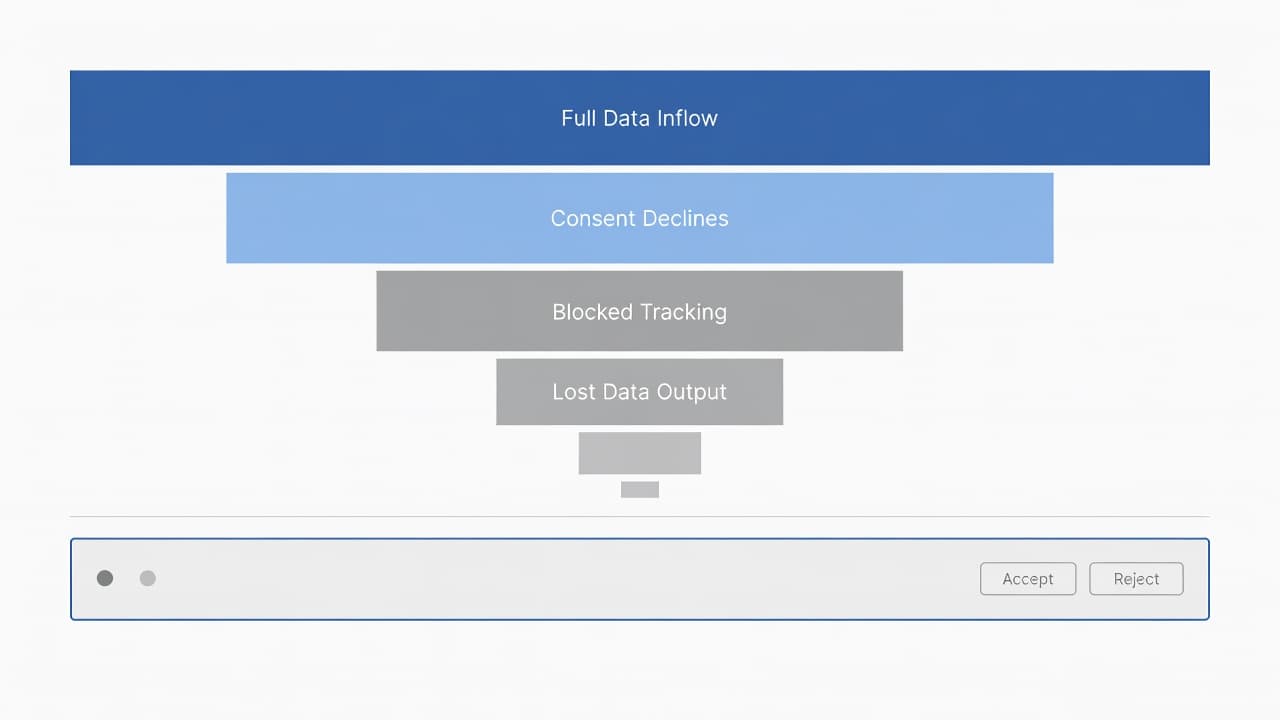
Bad leads rarely look bad in a dashboard. They sound wrong on the call, when the caller asks for a service you do not offer, has no budget, or is nowhere near your market.

A solid call recording QA framework turns those moments into usable data. In 2026, AI transcripts, auto summaries, and live prompts make review faster, but the real win is simple: better lead quality, better coaching, and clearer feedback between marketing and sales. For marketing leaders, sales ops, contact center managers, QA teams, and small business owners, that loop matters more than ever.

Why Your Team Needs a Call Recording QA Framework Now

In a modern office bathed in natural daylight, a sales manager and QA specialist collaborate intently, reviewing call recording transcripts displayed on dual monitors with hands resting on the desk and a laptop nearby.

When you review calls by source, weak patterns stop hiding. One landing page sends high-intent buyers. Another sends price shoppers. A paid keyword may look fine in reporting but keep attracting the wrong service request.

That matters because lead quality is not only a sales issue. In many small businesses, DIgital Marketing, SEO, Performance Marketing, Social Media Marketing, and Website Development all shape who calls and what they expect. A good QA program shows whether poor results come from bad traffic, a weak script, slow follow-up, or a broken handoff.

In 2026, many teams can search transcripts, tag objections, and compare outcomes within minutes. Some tools now flag missed qualification questions during the call, not days later. Start with proven call center QA best practices, then pair the findings with a tighter Google Ads campaign structure for qualified leads if paid search is a major source.

Core Components of an Effective Call Recording QA Framework

Diagram-like visualization of call QA framework components including recording, scoring, feedback loop, and agent training icons arranged in a cycle on a whiteboard in a conference room. Clean modern style with soft lighting, no people, no text, no logos, no watermarks.

Most small businesses do not need a giant scorecard. They need a system that answers four questions: Was the lead a fit, did the agent handle the call well, was the next step clear, and did marketing attract the right person in the first place?

Build your framework around five parts:

  • Record and tag calls by source, campaign, landing page, and agent.
  • Score the same few behaviors on every reviewed call.
  • Connect scores to booked meetings, qualified opportunities, and sales.
  • Coach agents weekly with clips from real calls.
  • Share themes with marketing and sales ops every month.

If marketing and sales use different rules for “qualified,” QA turns into opinion.

Also set rules for consent, storage, and access. That keeps the process safe and useful. A practical sales call recording guide covers the legal side. Then connect call outcomes to enhanced conversions for Google Ads leads so source quality is based on real outcomes, not guesswork.

Sample QA Criteria and Scoring Rubric

Close-up of a QA scoring rubric table on a computer screen displaying criteria like greeting, qualification questions, and close with scores in contact center software dashboard, realistic angled view with soft office lighting.

Start with a short rubric. If you score too many things, reviewers drift and agents ignore the feedback. Keep the focus on lead quality, conversion readiness, and clean handoffs.

This simple model works well for service businesses:

QA area Weight Full-score standard
Opening and trust 10 Clear greeting, sets purpose, confirms caller context
Qualification depth 25 Captures need, location, budget, timeline, decision role
Fit and urgency 25 Confirms service fit, urgency, and buying intent
Next-step control 20 Books appointment or sets a specific follow-up
CRM and compliance 20 Logs source, notes, consent, and outcome correctly

Set score bands before rollout. A score of 85 to 100 means the call was sales-ready. A 70 to 84 call needs coaching. Anything under 70 needs manager review because the agent likely missed fit, urgency, or the close. Run twice-monthly calibration sessions, and use a simple call center QA checklist to keep scoring steady across reviewers.

Key KPIs to Measure Lead Quality Improvements

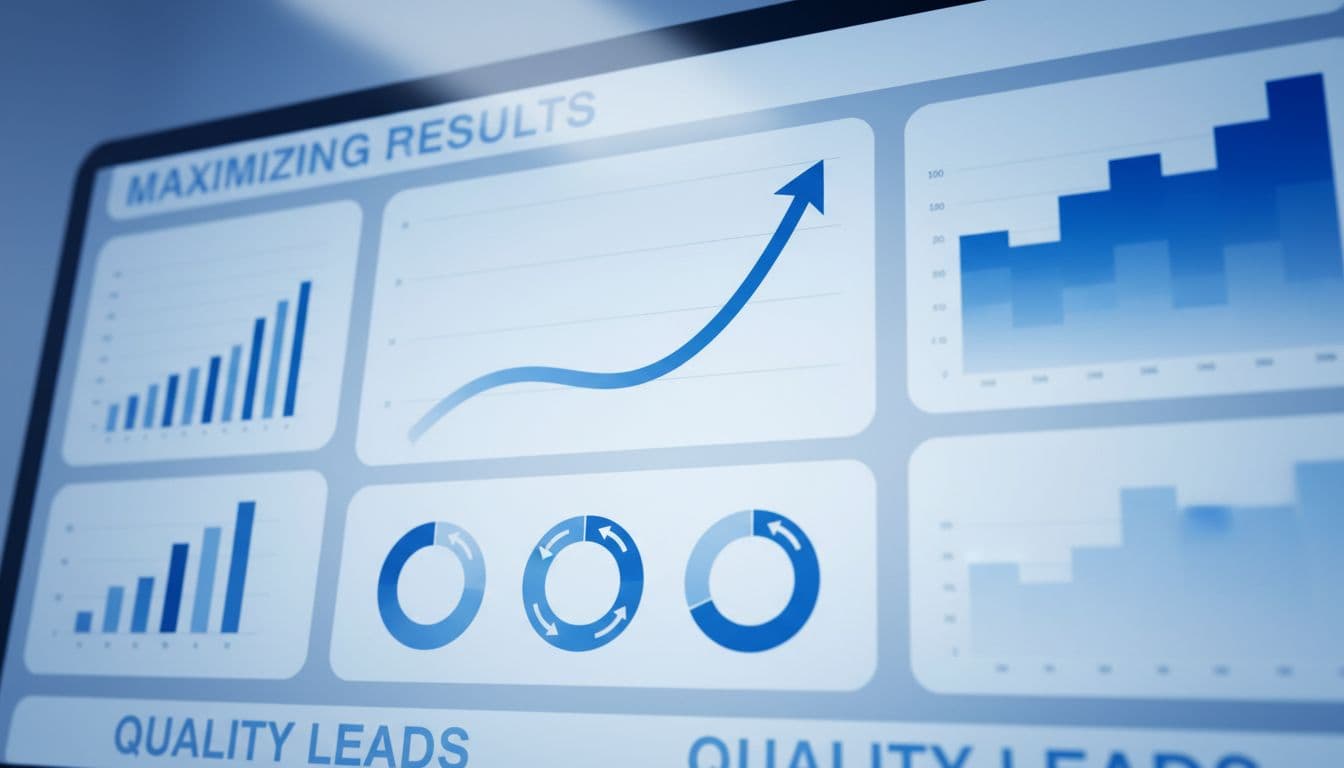
Dashboard charts on a large screen in a meeting room showing rising KPIs like lead qualification rate, conversion rate, and agent score in modern blue-toned analytics style. Realistic rendering with graphs and metrics, no people, text labels, or logos.

A QA score by itself is not a business metric. The real test is whether lead quality improves across sources, agents, and outcomes. This same view helps contact center managers spot training gaps and helps marketing leaders trim bad spend faster.

Track a small KPI set and review it every month:

  • Qualified lead rate by source
  • Appointment set rate after the first call
  • Lead-to-opportunity rate by agent and campaign
  • No-fit or wrong-service rate by landing page
  • Average QA score and coaching completion
  • Speed to follow-up on high-intent calls

The most useful view compares source quality with conversion readiness. If organic traffic grows but no-fit calls rise, review your pages with this lead-gen SEO audit checklist 2026. If paid volume rises while booked jobs stay flat, the issue may sit in targeting, landing-page promise, or agent handling. QA makes that visible fast.

Step-by-Step Implementation Guide for 2026

Step-by-step infographic style showing implementation workflow for call QA with plan, record, review, train, measure icons in sequence on an office desk with notebook, bright natural light, clean illustrative style, no people, no text, no logos.

Implementation works best in phases, not a big launch. A small team can stand up a useful framework in 30 days if the scope stays tight.

  1. Write one shared lead definition. Include fit, service area, budget, urgency, and decision-maker status.
  2. Tag every recorded call by source, campaign, landing page, and agent.
  3. Review the first 100 calls and note where scorers disagree.
  4. Adjust the rubric until it matches real buying behavior, not script trivia.
  5. Coach from call clips, then track whether the same issue drops the next month.
  6. Report findings to both marketing and sales, then fix the source or the script.

In 2026, AI can cover far more than random spot checks. Still, human review matters because tone and context change meaning. If volume is rising, learn how to audit sales calls at scale so managers spend time coaching instead of hunting through recordings.

Common Pitfalls and How to Avoid Them

A contact center agent with headset checks notes on their phone during a call to avoid poor qualification pitfalls, resulting in a happy customer on screen. Features a modern desk setup in realistic style with warm lighting, exactly one agent.

Most QA programs fail in ordinary ways. Teams grade script use harder than lead fit. They review only star reps or weak reps, so they miss the middle. Managers coach agents but never tell marketing that a keyword, ad, or form is attracting junk. Some teams also keep call files with loose access rules, which creates risk.

The fix is simple. Score for business outcomes first. Sample calls across all agents and sources. Hold one monthly meeting where marketing, sales, and QA listen to the same themes. That is where Website Development gaps, ad-message mismatch, and poor routing start to show up. Recent 2026 tools can flag missed questions in real time, but teams still need calibration so everyone judges calls the same way.

A bad lead stops looking mysterious once you can hear the pattern. A strong call recording QA framework turns that pattern into cleaner campaigns, sharper agents, and more sales-ready conversations.

If your call data, ad data, and CRM still live in separate places, Get In Touch With Us and build a process that improves lead quality without adding busywork.


GA4 Cross-Domain Tracking for Lead Gen Funnels in 2026

If your ads send visitors to one domain, your form lives on another, and your thank-you page sits somewhere else, GA4 can split one visit into pieces. That means bad attribution, inflated direct traffic, and reports you can't trust.

For small businesses spending on GA4 cross-domain tracking and lead generation, this is no small bug. It affects DIgital Marketing, SEO, Performance Marketing, Social Media Marketing, and Website Development because every team ends up reading different numbers. The fix is simple in theory, but details matter.

Why cross-domain tracking matters in lead gen funnels

When GA4 is set up well, it treats a visitor moving from domain A to domain B as one journey. In 2026, that still depends on one core rule: use the same GA4 Measurement ID and web stream across every domain in the funnel.

A small business owner at a desk in a cozy home office looks at a laptop screen showing an analytics dashboard with multiple website domains and lead funnel charts. Natural daylight from a window illuminates the realistic scene with one person only.

GA4 now passes the _gl linker parameter automatically when your domains are configured correctly, so the same client ID can follow the user across sites. Google's own cross-domain measurement guide explains that flow clearly.

A common lead funnel looks like this: a landing page on your main site, a booking form on a separate scheduling domain, then a thank-you page on another branded domain. Without cross-domain setup, GA4 often starts a new session in the middle. Your ad click gets credit for the first page, but the lead may show up as direct or as a referral from your own site.

If your own booking domain shows up as a top referrer, your funnel is broken.

What you need in place before setup

Start with the boring stuff. It saves hours later.

Top-down photorealistic view of a clean setup checklist on a notepad next to a computer keyboard and mouse, listing items like GA4 property, domains, and GTM container in a bright office setting with no readable text or extra objects.

Use one GA4 property for the whole funnel. Put the same Measurement ID on every domain involved. If you're using Google Tag Manager, keep naming and firing rules consistent across containers. If these are only subdomains, GA4 usually handles them with the same tag, so extra cross-domain rules may not be needed.

Next, confirm that your consent tool can share consent across domains. In 2026, that matters more because denied consent can create gaps that look like broken attribution. Many teams now pair this with server-side GTM for better reliability.

Also, make sure your CSP allows Google Analytics requests on every domain. For a broader event structure, this GA4 lead tracking checklist is a useful companion before you touch the funnel.

How to set up GA4 cross-domain tracking step by step

The setup is short, but each step carries weight.

Hand-drawn whiteboard diagram in a conference room showing the tracking flow from domain A landing page to domain B form to domain C thank you page, connected by arrows with GA4 icons.

Go to GA4, then Admin -> Data Streams -> your web stream -> Configure tag settings -> Configure your domains. Add every root domain used in the funnel. “Contains” is usually enough for small business setups.

Then add those same domains to List unwanted referrals. This second step matters because cross-domain setup alone doesn't always stop self-referrals. A recent GA4 cross-domain setup walkthrough shows the full path.

After that, check your links. When a visitor clicks from one domain to the next, GA4 should append _gl to the URL for the handoff. You do not need to build old-school manual linker code like Universal Analytics often did.

Finally, protect attribution beyond GA4. Send utm_source, utm_medium, utm_campaign, click IDs, and a unique lead_id into your CRM at form submit. Otherwise, GA4 may look clean while your sales data still falls apart. This is where a solid UTM governance template pays off.

A practical multi-domain funnel example

Picture a paid search campaign driving traffic to offersite.com. The visitor clicks “Book a demo” and moves to bookingportal.com. After submitting, they land on thankyoubrand.com, and the lead pushes into HubSpot or Salesforce.

Three devices on a modern office table showing a lead funnel sequence: laptop with landing page ad, phone with booking form, and desktop with CRM dashboard success, arranged sequentially with soft lighting.

A strong setup tracks the same session across all three domains, fires the lead event only on real success, and passes campaign data into the CRM. Google's lead generation form reporting guide is helpful for mapping the right funnel steps in GA4.

This matters when you run Google Ads, Meta ads, or email at the same time. If the CRM only stores the final touch, your Performance Marketing team may overvalue branded search. If it stores nothing, Social Media Marketing may look weak even when it started the journey.

Keep both first-touch and latest-touch values in the CRM. Also, never add UTM tags to internal links between your own pages. That rewrites source data and breaks attribution by force.

How to fix broken sessions, self-referrals, and attribution loss

Most problems come from three causes: different Measurement IDs, missing referral exclusions, or bad CRM handoff.

A frustrated analyst in a dimly lit late-evening office highlights error logs with red marks on a computer screen showing graphs of broken sessions, illustrating debugging cross-domain problems. Realistic scene with one person, relaxed hands on keyboard, and blurred screen details.

If sessions break between domains, verify the same GA4 ID loads everywhere. If self-referrals appear, update the unwanted referrals list. If leads show as direct in the CRM, inspect the form and hidden fields, not GA4 alone.

A few quick checks help fast:

  • Preview tags in GTM and confirm page views fire once, not twice.
  • Open both domains and compare the GA4 client ID during a test journey.
  • Watch DebugView while moving from landing page to form to thank-you page.
  • Check whether the lead record stores UTMs, click IDs, and lead_id.

If your tracking issues keep touching ad spend, reporting, and site changes at once, a full-service digital marketing partner can help connect the media and measurement pieces.

Testing habits that keep the data clean in 2026

A smiling analyst in a bright modern workspace reviews a validation dashboard across dual monitors showing unified sessions and green checkmarks for successful testing verification. The back view captures hands on the desk with screens slightly out of focus and no visible text.

Run one live test every time you launch a new landing page, new form tool, or new thank-you domain. That includes Website Development changes, because a small redirect tweak can break a clean handoff.

Check Realtime, DebugView, and the CRM record on the same test. Then repeat on mobile, because consent banners and browser privacy settings often behave differently there. For extra implementation detail, this step-by-step GA4 guide from DevriX is a solid reference.

Clean cross-domain data isn't about making GA4 prettier. It's about knowing which campaigns create leads, which pages close the form, and which channels deserve more budget. When one visit stays one visit from click to CRM, the whole funnel gets easier to trust.

Enhanced Conversions for Leads Setup Guide for 2026

If your Google Ads account treats every form fill like a win, bidding learns the wrong lesson. If you're searching for enhanced conversions leads setup, this enhanced conversions leads approach makes the goal simple: send better first-party lead data back to Google in a privacy-safe way.

As of April 2026, Google is rolling out a more unified setup to boost conversion tracking and conversion measurement accuracy, so menus may look a little different across accounts. The core process stays the same, and once your tagging, consent, and CRM data line up, the system is much easier to trust.

Key Takeaways

  • Enhanced conversions for leads improves Google Ads bidding by sending hashed first-party user data (like email or phone) from offline conversions, bridging messy multi-device lead journeys.
  • In 2026, expect a unified account-level setup with multiple data sources (tags, Data Manager, API), but start with one conversion action for safer testing.
  • Prerequisites include a Google Ads conversion action, GTM lead trigger with data access, consent handling, and CRM integration for qualified offline imports.
  • Test with real leads using diagnostics, GA4 DebugView, and Tag Assistant; common issues are triggers, mapping, or consent—matching can take 24-48 hours.
  • Prioritize privacy with SHA256 hashing, clear consent, and clean data to avoid junk signals, turning better measurement into lower CPA and higher ROAS.

What enhanced conversions for leads actually does

Clean modern illustration of enhanced conversions concept showing data flow from website lead form to Google Ads dashboard with hashed user data and conversion increase.

Enhanced conversions leads adds hashed user-provided data, such as email or phone strings, to your offline lead import process. Google uses that data to improve matching after someone clicks an ad and converts later.

That matters because lead journeys are messy. A person may click on mobile, fill a form on desktop, then close the deal after a sales call. Google's own help page on enhanced conversions for leads explains the matching model and the data rules.

For small businesses, enhanced conversions leads means less guesswork, better signals for smart bidding algorithms, and more high-quality leads.

Why this setup matters more in 2026

Dashboard-style visual of Google Ads interface highlighting benefits of enhanced conversions, featuring charts with improved conversion rates and ROAS for leads, rising performance metrics, blue-white martech aesthetic, and simple icons for privacy-safe tracking.

Google started allowing multiple data sources in April 2026 for enhanced conversions leads, which means tags, Data Manager, and API-based inputs can work together. Google has also said the separate web and lead settings are moving toward a single account-level switch by June 2026.

That change helps, but better measurement still depends on strong inputs and a clean Google Ads campaign structure for qualified leads. If you spend across Digital Marketing, SEO, Performance Marketing, Social Media Marketing, and Website Development, cleaner lead data improves return on ad spend and lowers cost per acquisition with reliable conversion tracking, helping every report make more sense.

Prerequisites before you turn anything on

Step-by-step icons in clean SaaS UI style showing prerequisites checklist: Google Ads account, GA4 property, GTM container, consent mode, and lead form example. Numbered steps 1-4 in blue and white colors with no extra text or people.

Get these pieces ready first:

  • A Google Ads conversion action for the lead event you want to improve.
  • A lead form submission or thank-you-page trigger in Google Tag Manager or gtag.js.
  • Access to user-provided fields via CSS selectors or Javascript variables; email is the main one (requiring SHA256 hashing), while phone (in E.164 standard) and address can help.
  • Consent handling in place, especially if you operate under GDPR or similar laws.

If your thank-you page doesn't expose the lead data, automatic capture may fail.

The most common setup problem is simple: the form fires, but the user data never reaches the tag.

Step-by-step setup guide in Google Ads

Sequential UI panels illustrating Google Ads setup for enhanced lead conversions: navigating tools and conversions, creating enhanced lead, selecting lead form, and hashing options in a simple blue-white dashboard style with no text or people.

Interface labels may shift a bit during the 2026 rollout of enhanced conversions leads. If you see separate options now, that's normal. Google's account-level enhanced conversions guidance is the best reference if your menus differ.

  1. Open Google Ads, then go to Goals > Conversions > Settings and turn on enhanced conversions leads for your conversion goal where available.
  2. Pick whether you want account-level coverage or to start with one conversion action. For most small businesses, one lead action is the safer first test.
  3. Accept Google's customer data terms, then choose your collection method, usually GTM, gtag.js, Data Manager, or API.
  4. In GTM, create or update the Google Ads tag so it sends user-provided data when the lead event fires. Match the correct conversion ID and label.
  5. If your sales team qualifies leads later, import that offline event from your CRM. If not using an API, you can use the offline conversion import method via GCLID uploads. Google's developer guide for enhanced conversions leads covers API-based imports.
  6. Publish changes, submit a real test lead, then check diagnostics before you scale spend.

A practical example helps. Say a local clinic gets consultation requests. Count the form submit, but also import converted leads like “appointment booked” from the CRM. That second signal gives bidding better feedback than raw form volume alone.

How GA4, GTM, and your CRM should work together

Clean martech flowchart illustrating Google Tag Manager tags for GA4 events, lead data flow to Google Ads, consent banner, and CRM sync icons in blue and white, no text or people.

GA4 doesn't replace Google Ads enhanced conversions for leads matching, but it helps you audit the journey. Send the same form event to GA4 and Google Ads, and keep naming consistent so reports stay readable.

GTM is usually the control center. Your website captures the form event, GTM passes the first-party customer data (while some legacy systems still rely on the Google Click ID or GCLID for the handoff), and the CRM database closes the loop later as the source of truth. If you also run Meta, align your naming and handoff rules with your Meta Conversions API for lead tracking setup so one platform doesn't report leads differently from another.

Testing and troubleshooting without wasting budget

Clean SaaS-style testing dashboard featuring green verification check, test leads table, highlighted common errors, and GA4 debug view in simple blue-white UI with no text or people.

Run one real test lead with a valid email to verify your enhanced conversions leads setup. Then check Tag Assistant, GA4 DebugView, and the Google Ads diagnostics panel.

If something breaks, the cause is usually one of these: the wrong trigger, automatic event detection left unmanaged causing duplicate triggers, missing consent, bad field mapping, or a mismatch between the conversion action and the tag. Matching imported data can take 24-48 hours to appear, so don't panic after five minutes. An automated import schedule is best for CRM health. Google's upgrade guide for offline imports is useful if you already import CRM conversions.

Frequently Asked Questions

What are enhanced conversions for leads?

Enhanced conversions for leads adds hashed user-provided data, such as email or phone, to your offline lead imports, helping Google match ad clicks to later conversions across devices. This reduces guesswork for Smart Bidding, especially for small businesses tracking form fills to sales. Google's matching model uses this first-party data for more accurate signals than click-based tracking alone.

What prerequisites do I need before setup?

You'll need a Google Ads conversion action for your lead event, a form submission trigger in GTM or gtag.js with access to user fields (email hashed via SHA256, phone in E.164), and consent handling for privacy laws like GDPR. If your thank-you page doesn't expose data, automatic capture may fail. A clean campaign structure also helps maximize benefits.

How do I set up enhanced conversions for leads in Google Ads?

Go to Goals > Conversions > Settings, turn on enhanced conversions for your lead goal, accept data terms, and choose GTM, gtag.js, or API. Update your GTM tag to send hashed data on the lead event with matching conversion ID/label, then import qualified CRM outcomes. Publish, test a real lead, and check diagnostics—interface may vary during 2026 rollout.

How do I test and troubleshoot the setup?

Submit a real test lead with valid email, then verify in Tag Assistant, GA4 DebugView, and Google Ads diagnostics. Common fixes: correct triggers, field mapping, consent, or duplicates from unmanaged events. Offline matching takes 24-48 hours; use scheduled CRM imports for reliability.

What privacy best practices should I follow?

Hash customer data (SHA256 for email) before sending, collect explicit consent where required, and use only necessary first-party fields. Avoid junk like spam or duplicates to prevent bad bidding signals. This keeps you compliant while improving data quality for real growth.

Privacy-safe best practices that protect data quality

Clean illustrative icons in blue and white depicting hashed data, consent mode toggle, EU compliance badges, and a secure lock on a lead pipeline.

Use first-party customer data only. Hash customer data before sending it to comply with privacy regulations and Google's customer data policies, collect clear consent where required, and keep only the fields you need.

Also, don't send junk. If spam leads, job seekers, or duplicate form fills enter the system, Smart Bidding learns from bad examples. The cleanest setups pass both the initial lead and the later qualified outcome, assigning the correct conversion value. That is where enhanced conversions leads becomes a real growth tool, not another tag to maintain.

If your setup touches forms, CRM stages, and ad platforms at once, Get In Touch With Us for a second set of eyes.

Better lead tracking doesn't start with more clicks. It starts with better signals.

When Google can tell a weak form fill from a real sales opportunity through enhanced conversions leads, your budget has a much better chance of finding high-quality leads.

Local Services Ads Optimization for Home Services in 2026

Most home services companies don't lose Local Services Ads leads because demand is weak. They lose them because the setup is loose, the map is too wide, or the phone sits unanswered.

That matters more in 2026. Local services ads optimization now depends on a verified Google Business Profile, strong review flow, and fast lead handling. Start with the foundation, then tighten the account.

Key Takeaways

  • Build a complete, verified Google Business Profile first—it's now required for Local Services Ads and powers rankings, reviews, and trust signals.
  • Tighten service areas to proximity-strong zones and select job types based on profit margins and close rates to avoid weak leads.
  • Respond to leads in minutes (under 5 for emergencies) and request Google Business Profile reviews right after jobs to maintain top performance.
  • Pace budgets by lead type and day, screen/dispute invalid leads, and track offline conversions in your CRM for real revenue insights.
  • Treat Local Services Ads as an extension of your local SEO: fix the foundation before scaling spend.

Why Local Services Ads work differently in 2026

A home service business owner portrayed as a plumber checks the Local Services Ads dashboard on a laptop in a modern office with tools in the background and natural daylight lighting.

Local Services Ads still sit at the top of the Google search results page, and you still operate on a pay-per-lead model. But the rules have tightened in the local search landscape for contractors. A Google Business Profile with the Google Verified badge is now required to run, and reviews live under that Google Business Profile instead of a separate LSA review system.

So, if your Google Business Profile is thin or suspended, your Local Services Ads can stop cold. That's why smart operators now treat Local Services Ads like an extension of their Google Business Profile, not a side channel.

A good rule is simple: fix trust signals first, then scale spend. The old LSA app is gone, too, so teams should manage leads in the web dashboard and tie that flow to dispatch and CRM. If you want a broader view of current setup standards, this contractor LSA setup guide and this complete Local Services Ads guide both line up with what contractors are seeing in the field.

Build a complete profile before you touch budget

A plumber in a home office with plumbing tools nearby types details like service areas and photos into their Google Business Profile on a computer under bright indoor lighting.

Profile completeness is not busywork. It's your storefront, your proof, and a major ranking factors contributor.

Start by matching your business name, phone, license details, hours, and service list across LSA and Google Business Profile, which directly impacts your ad rankings. Then add high-quality photos. A plumber with fresh water heater installs looks more credible than a profile with three dusty stock shots from 2022.

Keep this checklist tight:

  • Fill every service field that matches real jobs you want.
  • Remove old numbers, old addresses, and weak photos.
  • Complete license verification and background checks to build trust.
  • Link the verified Google Business Profile and use its review link.
  • Check hours, holiday coverage, and emergency availability.

This also helps the rest of your local search visibility. A strong profile supports Maps, branded search, and your wider local SEO for home services.

If your profile feels half-finished, your ad rankings usually look half-finished too.

Pick job types and service areas with margin in mind

HVAC technician outdoors near a van with equipment, holding a tablet showing map outline for selecting service areas and job types in Local Services Ads, sunny day, realistic photo, one person with relaxed hands, no text.

Many owners think bigger coverage means more leads. In practice, it often means more weak leads. In Local Services Ads, Google heavily favors proximity to the customer, so tight service areas usually beat a giant map.

Choose job types based on profit, close rate, and crew strength. If your HVAC team wants installs but keeps paying for low-value thermostat calls, trim the list. If your plumbing team closes drain calls fast, keep them, but separate after-hours coverage from standard work in your scheduling rules.

This quick comparison helps pick job types and service areas:

VerticalBest Job TypesService Areas Strategy
PlumbersDrains, leaks, water heatersTight radius around fast-response zones
HVACRepair, replacement, tune-upsFocus on dense neighborhoods with tech coverage
ElectriciansPanels, rewires, EV chargersTarget areas with higher-ticket home upgrades
RoofersInspections, repairs, replacementsNarrow to storm-hit or high-demand service pockets

The same logic behind Google Ads location targeting strategies applies here. Cut the edges first. Then expand only after close rates hold up and Absolute Top Impression Rate improves in competitive zones. For vertical-specific ideas, compare this plumbing LSA playbook with this HVAC LSA guide.

Grow reviews steadily and answer leads fast

Electrician business owner smiling while reading positive customer reviews on his phone after a job, in a workshop background with electrical tools. Warm lighting and realistic style convey review management satisfaction.

Customer reviews now carry even more weight because they sit on your Google Business Profile. That means customer review quality and velocity both matter. Ten old five-star customer reviews won't carry a slow month forever.

Ask for the customer review right after the job, while the result is fresh. Text the GBP review link within two hours. Train techs to ask for an honest review about speed, clean-up, and communication. Those details help more than bland praise.

At the same time, responsiveness and response time can make or break LSA performance.

A slow answer turns a paid lead into a donation to Google.

Set a real response standard for top responsiveness. For emergency trades, that means under five minutes during staffed hours. For cleaners or landscapers, same-hour follow-up may be fine, but it still needs ownership. Handling message leads promptly is as important as answering phone calls. Fast follow-ups on missed calls boost your booking rate. Missed calls should route to dispatch, then to backup staff, not a dead voicemail box.

Frequently Asked Questions

What’s required to run Local Services Ads in 2026?

A verified Google Business Profile with the Google Verified badge is now mandatory, and reviews live there instead of a separate LSA system. The old LSA app is gone, so manage everything via the web dashboard tied to your dispatch and CRM. Incomplete or suspended profiles will halt your ads cold.

How should I choose service areas and job types?

Focus on tight radii around fast-response zones and high-margin jobs your crews excel at, like drains for plumbers or repairs for HVAC. Wider maps often deliver weak leads since Google favors proximity. Test and trim based on close rates and Absolute Top Impression Rate before expanding.

Why is fast lead response so critical?

Slow answers turn paid leads into lost opportunities, while top responsiveness boosts rankings and booking rates. Aim for under five minutes on emergencies and same-hour follow-ups otherwise, routing missed calls to dispatch. Handling messages promptly is as key as phone calls.

How do I track true performance beyond leads?

Tag leads as booked, sold, or bad fit, dispute invalids quickly, and upload offline conversions to show revenue like $350 repairs or $9,000 installs. Review cost per lead, ROAS, and close rates weekly by job type. Pace spend to avoid burning budget on low-value days or types.
How can I grow reviews effectively?

Request honest Google Business Profile reviews via text link within two hours post-job, focusing on speed, clean-up, and communication. Steady velocity and quality outweigh old stars, directly impacting LSA rankings. Train techs to ask while results are fresh.

Pace spend, screen leads, and grade revenue offline

Roofer focused on laptop in truck cab reviewing budget pacing and leads, with charts showing spend and conversions under dashboard lighting. Realistic photo of one person, no text or extra hands visible.
More budget isn't always better. If lead quality drops after you widen service areas or add weak job types, you're buying volume, not profit.
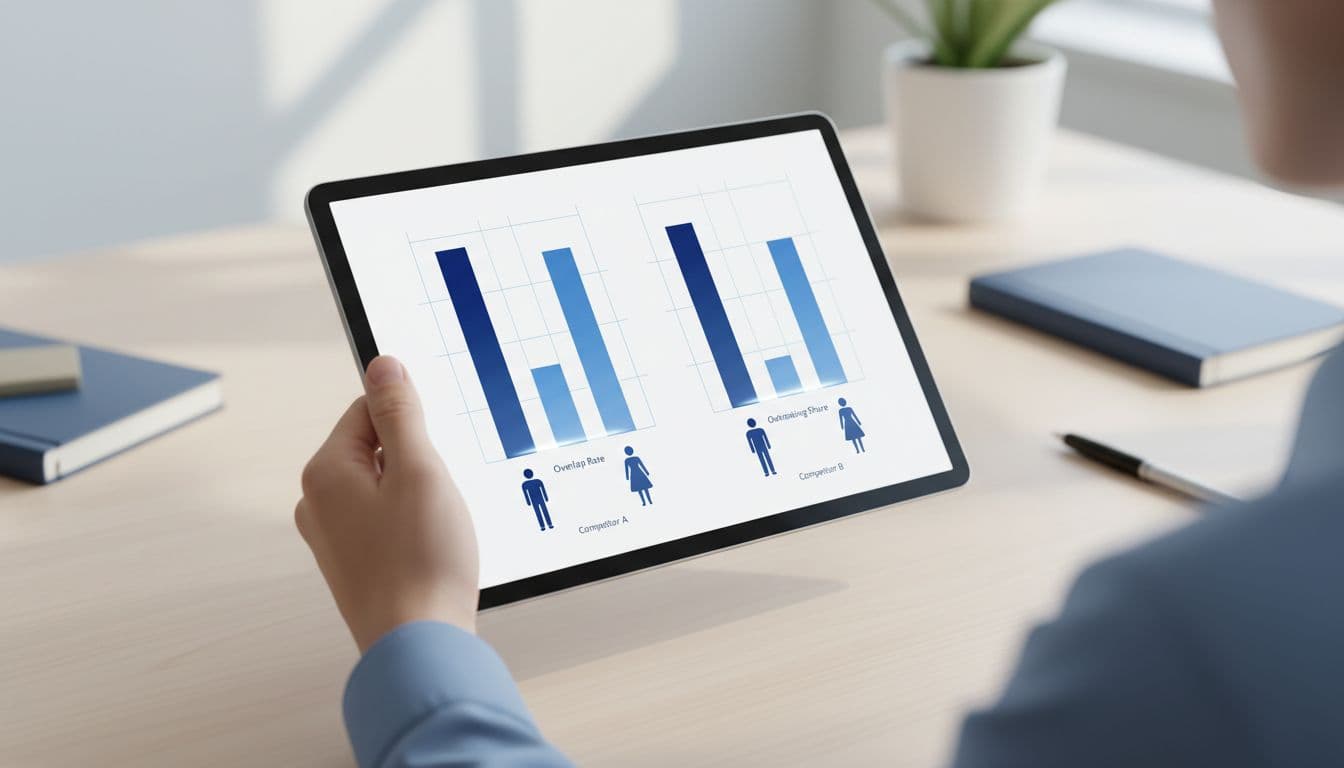
Watch pacing by day and by lead type. If Mondays burn half the weekly budget, cap lower-value coverage or tighten the map. Roofing may need burst budgets after storms. Cleaning companies often do better with steadier pacing through the week.

A landscaper uploads offline conversion data from a clipboard into the Google Ads interface on a desktop computer in an office with plants and tools, under soft natural light.

Then build a lead-screening routine with call quality analysis:

  1. Tag each lead as booked (including direct booking), estimate, sold, bad fit, or disputed.
  2. Dispute invalid leads fast, especially wrong service, spam, duplicate, or outside-area calls.
  3. Review close rate, cost per lead, return on ad spend, and sold revenue by job type every week.

This is where offline conversion quality matters. Google can count a lead, but only your CRM shows whether that lead became a $350 repair or a $9,000 install, revealing your true lead quality. Also, if Local Services Ads work beside Search campaigns, keep those campaigns clean with a negative keywords template for home services.

The shops that win in 2026 aren't chasing every lead. They're screening, disputing, and feeding budget toward the calls that turn into real jobs.

Local Services Ads can still be a strong channel for plumbers, HVAC companies, electricians, roofers, cleaners, and landscapers in home services. But the account only works when the business behind it works fast and stays tight.

Start this week with three moves: clean up your profile, shrink your service area to your best zones, and set a hard response-time rule. Better input creates better leads for Local Services Ads.

Microsoft Ads Strategy for Service Businesses in 2026 That Drives Calls

Google Ads gets most of the attention, but many local companies are finding cleaner leads from Bing Search with a smart Microsoft Ads strategy in 2026. Service businesses targeting high-intent audiences on Bing Search often see stronger lead volume than with Google Ads. If your team lives on phone calls, quote requests, and booked jobs, that matters.

Microsoft has made the platform easier to import, automate, and track. The win comes from building around local buyer behavior, not copying your Google Ads setup line by line.

Key Takeaways

  • Microsoft Ads delivers cleaner, high-intent leads at lower CPC than Google Ads for service businesses, especially B2B audiences on Bing Search who drive calls and bookings.
  • Build campaigns with tight local targeting by ZIP code, service line, and territory, using Responsive Search Ads with intent-focused copy and extensions to boost Quality Score.
  • Leverage 2026 AI features like Performance Max with negative keywords for control, Smart Bidding starting with Maximize Conversions, and Audience Network for remarketing.
  • Track leads properly with UET tag to differentiate calls, forms, and revenue—teaching the platform to optimize for closed deals, not just clicks.

Why Microsoft Ads Works for Service Businesses in 2026

A plumber in his work van examines the Microsoft Ads dashboard on a tablet for new leads, displaying a satisfied expression amid a busy suburban street under natural daylight.

Service businesses often miss Microsoft Ads because they assume the volume is too small compared to Google Ads. In many markets, that's the wrong call. Bing Search traffic may be lower overall, yet it delivers a less crowded environment with lower CPC that is easier to turn into calls for local businesses.

That matters most for the B2B audience on Bing Search who search from laptops at work, compare options at home, or book during business hours. LinkedIn targeting gives you a unique edge to reach this B2B audience of professionals with high-intent needs. For law firms, dentists, plumbers, and roofers, those Bing Search moments often turn into valuable leads.

Microsoft also kept improving the platform in early 2026. The January 2026 product updates added stronger Performance Max options and easier campaign imports. So if you already run paid search elsewhere, setup can move faster than expected, especially with the lower CPC advantages over Google Ads.

If you're weighing budget split across channels, this Microsoft Ads vs Google Ads guide gives useful context.

Don't treat Microsoft Ads like a backup channel. Treat it like a focused lead source with its own strengths.

Target Local Customers with Precision

Vibrant digital illustration of a city map with pins marking service areas, overlaid on a modern office desk with Microsoft Ads targeting elements as props, professional lighting, no people or text.

A strong Microsoft Ads strategy starts with tight geography and thoughtful campaign structure. Too many service businesses target an entire metro area, then wonder why lead quality slips. If you don't serve a ZIP code, exclude it with negative keywords. If one suburb closes better, give it its own campaign. Review search partners to control where your ads appear for better local precision.

Split campaigns by service line and territory when margins differ as part of your campaign structure. An HVAC company, for example, might separate emergency repair from full system installs. A personal injury firm might split branded searches from “car accident lawyer” terms by county. Performance Max serves as an option for broader local reach while keeping focused control.

Audience Ads, powered by the Microsoft Audience Network, deserve attention in 2026. They place your message across Microsoft-owned surfaces like MSN and Outlook with native placements, aiding remarketing and mid-funnel awareness. Refine with LinkedIn profile data for job titles tied to B2B service leads via LinkedIn targeting. The Microsoft Audience Network also uses LinkedIn profile data to enable precise LinkedIn targeting. Better placement visibility, highlighted in the February 2026 updates and Ad Preview Hub news, simplifies reviewing those campaigns and search partners before spend grows.

Local targeting works best when your landing page matches the area. Send “roof repair in Plano” traffic to a Plano-focused page, not a generic homepage.

Build Ads That Drive Calls and Bookings

HVAC technician smiling during phone call from ad lead in home repair setting with tools around, customer nodding in background under warm indoor lighting, realistic photo with exactly two people.

Your ad only has one job: move the searcher to the next step fast. For service businesses, that step is usually a call, short form, or booked consult. Responsive Search Ads excel here as the primary ad format, letting you test multiple ad copy variations to find what drives calls best.

Write ad copy around intent, not brand slogans. A better message sounds like “Same-day drain cleaning in Austin” or “Free consult for DUI cases.” It tells people what you do, where you do it, and what happens next. In Responsive Search Ads, pin your strongest headlines and descriptions upfront for top performance.

A few basics still carry the account:

  • Use ad extensions like call assets when calls matter most.
  • Add sitelinks via ad extensions for pricing, reviews, financing, or service areas.
  • Match ad copy to the landing page headline to boost Quality Score, which lowers costs and improves ad position (much like in Google Ads).

Unlike the more manual asset-building process in Google Ads, Responsive Search Ads in Microsoft Ads combine your inputs with AI for dynamic optimization, while ad customizers let you swap in location names, time-based offers, or urgent language for after-hours services. That helps a cleaning company show one message for office cleaning and another for move-out cleaning, without building dozens of separate ads. For a visual boost, try Multimedia Ads as an alternative to grab attention.

Quality Score also ties directly to creative performance metrics, so preview your Responsive Search Ads before launch. The Ad Preview Hub updates make it easier to catch bad layouts, weak assets, or mismatched formats before they hurt response.

Use 2026 AI-Powered Features Without Losing Control

Futuristic AI brain icon integrated with Microsoft Ads performance graphs and abstract data flows to service icons on a dark mode dashboard with glowing neon sci-fi lighting.

Automation is better in 2026, but you still need guardrails. Performance Max can help local service brands find more leads, especially when you feed it solid conversion tracking, good images, and strong service pages. This foundation powers automated bidding effectively.

Start small. Build one PMax campaign per major service category, not one giant account-wide bucket. Keep emergency services separate from planned services. A plumber should not mix “water heater install” with “burst pipe now” and expect Smart Bidding to sort it out.

Microsoft also expanded control. The March 2026 product news included negative keywords for PMax, which is a big deal for lead quality. Now you can block junk traffic with more confidence using negative keywords.

Autogenerated assets can save time, too. Still, review them weekly and ensure your conversion tracking stays accurate. If the system pulls weak page language, your ad may get more clicks but fewer real prospects.

Smart Bidding and Budget Management

Service business owner relaxes while adjusting bidding sliders on a laptop screen showing a detailed budget pie chart in a home office with coffee mug, calendar, and soft window light.

Microsoft simplified automated bidding in 2026 through Smart Bidding, which makes account setup less messy. As Search Engine Land reported, advertisers can now use cleaner automation paths while keeping outcome targets in place. This approach mirrors updates in Google Ads, streamlining Smart Bidding for better control.

For most service businesses, Maximize Conversions is the best place to start. Once you have stable lead volume, add a Target CPA. Don't rush that step if you only get a few conversions each month. Target CPA shines for lead-gen focused businesses chasing calls and bookings.

Budget by margin, not by guesswork. If a dental implant lead is worth far more than a teeth-cleaning lead, separate them. For high-margin services, Target ROAS helps maximize Return on ad spend, much like in Google Ads. Businesses selling service parts or equipment can also leverage Shopping Ads through Microsoft Merchant Center, applying automated bidding with Target ROAS to boost Return on ad spend further. Even with Shopping Ads, schedule reductions for low-quality times like weekends instead of cutting entire campaigns.

Most of all, don't spread a small budget across too many campaigns. One well-funded local campaign, including targeted Shopping Ads, beats six starved ones.

Frequently Asked Questions

Is Microsoft Ads better than Google Ads for local service businesses?

Microsoft Ads often provides cleaner leads in less crowded auctions with lower CPC, ideal for high-intent Bing Search users like B2B professionals booking services. While Google has more volume, Bing excels for local calls from laptop searches during work hours. Use LinkedIn targeting for an edge in reaching decision-makers.

How should I structure campaigns in Microsoft Ads?

Split by service type, territory, and margins—e.g., emergency vs. planned repairs—for better control and lead quality. Exclude unserved ZIPs with negative keywords and review search partners. Performance Max works for broader reach but start with focused campaigns, not account-wide.

What bidding strategy works best for call-driven services?

Start with Maximize Conversions once tracking is solid, then add Target CPA for stable volume. Use Target ROAS for high-margin services or Shopping Ads. Avoid spreading small budgets thin; fund one strong local campaign over many weak ones.

How do I track leads effectively in Microsoft Ads?

Install the UET tag for Universal Event Tracking to separate calls, forms, and bookings from junk. Connect to CRM for revenue feedback so Smart Bidding learns real value. This closes the loop from clicks to closed jobs, improving ROI faster than click-based metrics.

What's new in Microsoft Ads for 2026?

Updates include Performance Max enhancements, negative keywords for PMax, simplified Smart Bidding, and better Ad Preview Hub for placements. Audience Network uses LinkedIn data for precise targeting. These make setup faster and control stronger for service leads.

Track Leads from Clicks to Closed Deals

Clean modern analytics dashboard displaying leads to sales funnel for plumbing service, featuring phone calls, form fills, appointments, and revenue graphs in infographic style at an angle on a desk with bright lighting, no people, text, or watermarks.

This is where most accounts break. They count every form fill the same, then let the system optimize toward weak leads.

Set up Universal Event Tracking with the UET tag to track your real actions separately. Calls from ads, calls from the site, form fills, and booked appointments should not sit in one bucket. A two-minute phone call often means more than a six-second misdial. Your bidding should know that.

Then connect lead source to your CRM or booking flow using conversion tracking. If you can pass back which leads became estimates, consults, or closed jobs, Microsoft has better feedback to work from. That's how the platform learns the difference between cheap clicks and revenue. Build remarketing lists from this tracked data to re-engage promising leads, just as you would in Google Ads for better sophistication.

The account that wins isn't the one with the most leads. It's the one that teaches the platform which leads become customers.

If your current reporting ends at the thank-you page, fix that first with Universal Event Tracking, the UET tag, and conversion tracking. It's the fastest way to improve cost per booked job. Use those insights to refine remarketing lists and close the data loop from clicks to revenue.

The best Microsoft Ads strategy for 2026 is simple at its core: tighter local targeting, clearer call paths, smarter automation, and better feedback on what becomes revenue. Microsoft Ads tracking rivals Google Ads in depth when you set it up right.

If your account still judges success by clicks or raw lead count, change that this week. When Microsoft can see which calls turn into real jobs, the whole system gets sharper.

Google Call Ads Strategy for Emergency Service Leads in 2026

When a pipe bursts at 1 AM, nobody wants a brochure. They want a person to answer the phone. That is why google call ads still matter for plumbers, HVAC teams, electricians, locksmiths, and restoration companies.

The big shift in 2026 is simple. Google's old Call-Only Ads are gone for new builds, so call-first campaigns now run through responsive search ads with call assets. If you want more booked jobs, not more empty clicks, your setup has to match that new reality.

When Google Call Ads Beat Landing Pages

Plumber in work uniform stands next to service van loaded with tools, holding phone to ear with urgent expression, leaking pipe visible at nearby house on busy suburban street in daylight.

For emergency services, the phone is often the landing page. A live call can qualify urgency, location, and job value in under a minute.

Use call-focused ads when three things are true. The job is urgent, the search is local, and your team can answer fast. That fits burst pipes, no-heat calls, power outages, lockouts, and active water damage. It also works well on mobile, where people want help now, not a long form.

A plumber bidding on “emergency plumber near me” should push calls. An electrician on “sparking outlet repair tonight” should do the same. On the other hand, a full system replacement or planned remodel may need a landing page, photos, financing, and form capture.

In 2026, the winning setup is an RSA paired with call assets, tight location targeting, and clear hours. That's the model behind many high-intent lead strategies for plumbers. Think of it like a dispatch board, not a brochure rack.

Build the Campaign Around Services, Areas, and Answer Times

Sweaty HVAC technician in uniform checks AC unit outside a residential house on a hot summer day, phone in hand ready for a service call, tools scattered on the ground under bright sunlight.

Don't lump every emergency service into one campaign. Split plumbing, HVAC, electrical, locksmith, and restoration into separate campaigns or ad groups. Then break them down by city clusters or service radius if volume allows.

That structure helps your bidding, your call reporting, and your budget control. It also makes it easier to enhance Google Ads Quality Score because keywords and ad intent stay closely matched.

A simple bidding guide helps:

Bid strategyBest use caseWhy it works
Maximize ConversionsNew campaign with fixed budgetGood for driving as many tracked calls as possible
Target CPAYou know your average cost per booked callKeeps growth tied to a lead goal
Enhanced CPCYou want more manual control early onUseful while data is still thin

Most emergency advertisers should start with Maximize Conversions, then move to Target CPA once call quality data is clean.

Keep keywords tight. “Emergency plumber [city],” “24/7 HVAC repair,” “after-hours electrician,” and “water damage cleanup” are strong starts. Add callouts such as “24/7 Dispatch,” “Licensed Techs,” and “Same-Day Repair.” Set ad schedules only when someone can answer. A ringing phone with no answer is paid waste.

Write Ads for Panic, Not for Browsing

Electrician with toolkit at front door of house at night, phone to ear taking urgent job call, porch light on, dark sky, realistic scene.

Urgent search intent has a different tone. The searcher is stressed, tired, and likely on a phone. So your ad copy needs to calm them down and move them to call.

Lead with the problem and the response time. Save brand slogans for later. For example:

  • “Burst Pipe? Call a Local Plumber Now”
  • “No AC Tonight? 24/7 HVAC Repair”
  • “Locked Out? Fast Locksmith Dispatch”
  • “Water Damage? Immediate Cleanup Help”

These lines work because they match the moment. They don't sound clever. They sound useful.

If your ad says “24/7 emergency service,” someone has to answer at 2 AM.

Pin one strong emergency headline if Google starts mixing in softer copy. Then test description lines around speed, local trust, and technician availability. A solid ad copy testing framework helps you spot which promises drive real calls, not only clicks. For more ideas, these call-focused HVAC ad examples show why short, direct wording often wins.

Optimize for Call Conversions, Not Call Volume

A locksmith kneels urgently at a locked door in an apartment hallway, surrounded by tools and a nearby phone after a service call, under realistic indoor lighting.

A 12-second misdial should not teach your campaign what success looks like. Track calls as conversions only when they meet a useful threshold, such as 60 seconds, 90 seconds, or a booked-job outcome in your CRM.

For many emergency service companies, the best signal is not “phone rang.” It's “dispatch scheduled” or “estimate booked.” If you can import offline conversions, do it. That gives Google better feedback than raw call counts.

Set call assets at the campaign or ad group level when services need separate tracking. A locksmith campaign should not share the same call goal as restoration if close rates and job values differ. Use local numbers when possible, keep location targeting tight, and prefer presence-based targeting so you aren't paying for people far outside your service area.

Search intent matters here too. “Water heater leaking now” is stronger than “water heater info.” “Breaker keeps tripping tonight” is stronger than “electrical code questions.” Clean signals help smart bidding find more of the calls you want.

Cut Wasted Spend Before It Trains the Wrong Pattern

A professional water damage restoration worker in protective gear mops a flooded room in a damaged home interior, with a phone displaying a call log on a nearby table.

Low-quality calls usually come from loose match types, weak negatives, bad schedules, or vague ad copy. Fix those first, and mine search terms for better leads every week.

Add negatives for job seekers, DIY intent, free help, cheap parts, training, salary, and unrelated services. Tighten your radius. Exclude areas where you don't dispatch. If your overnight answering team struggles, lower bids or narrow coverage after hours instead of pretending every hour performs the same.

Message quality filters the call before it happens. “Emergency repair only” will screen out price shoppers. “Service area limited to North Dallas” can stop out-of-zone calls. A restoration company can mention “insurance-friendly emergency cleanup” to pull in more serious jobs.

Bad calls don't only waste money. They also teach Smart Bidding to find more bad calls.

One more 2026 note matters. Google has updated terms around calls and messages, including AI-related recording language. Review your process, your scripts, and your consent rules before you turn on call recording at scale. These emergency plumbing ad examples can also help you tighten intent before the phone ever rings.

The best emergency lead strategy in 2026 is plain. Match urgent keywords with direct ads, answer the phone fast, and feed Google real call quality data.

If the campaign drives calls but dispatch doesn't answer, the system breaks. If tracking is sloppy, bidding gets sloppy too.

Audit your ads, search terms, and call settings this week. The next missed emergency call might be your most profitable job.

YouTube Ads Strategy for Service Businesses in 2026

Most service businesses don't lose on YouTube because video is weak. They lose because they judge it like ecommerce, by cheap clicks and instant sales.

A smart youtube ads strategy in 2026 turns attention into phone calls, form fills, booked estimates, and cleaner pipeline quality. If people need to trust you before they buy, YouTube can do in 30 seconds what search text often can't. The key is matching format, audience, creative, landing page, and CRM tracking.

Why YouTube Ads Work So Well for Service Leads in 2026

A plumber business owner in a modern office excitedly reviews a YouTube ads dashboard on his laptop, displaying graphs of leads, phone calls, and booked appointments in a realistic B2B scene with subtle blue tones and natural lighting.

People hire plumbers, lawyers, dentists, and consultants after they trust you. Video builds that trust fast. A calm attorney, a uniformed tech, or a dentist walking through the first visit lowers risk.

That matters more in 2026 because YouTube now gives advertisers stronger reach controls, AI creative testing, and better cross-channel reporting. Recent updates also point to more efficient reach through tCPM and better measurement across Google properties. Meanwhile, Digital Applied's 2026 guide highlights how large Connected TV viewership has become.

For service businesses, this isn't about carts or impulse buys. It's about demand creation. A homeowner may not search “emergency HVAC repair” today, but after seeing your ad twice, your brand is the one they call when the AC fails.

That is why YouTube should sit beside Search, not replace it.

Pick Ad Formats by Funnel Stage

A dental clinic marketer at a modern desk reviews YouTube ad formats like in-stream, demand gen, and remarketing on a computer interface, with funnel stages of awareness, interest, and conversion visualized nearby in a clean realistic office setting.

Don't ask one campaign to do every job. That's like asking a receptionist to book, diagnose, and close the deal in one call.

This quick framework keeps roles clear:

Funnel stageBest formatUse it for
AwarenessSkippable in-stream, bumperLocal reach, brand recall, trust
ConsiderationDemand Gen, longer in-streamSite visits, offer education, audience building
ConversionRemarketing videoCalls, forms, booked consults

Use in-stream when the pain is easy to show fast, such as broken AC, roof leaks, or a backed-up drain. Use Demand Gen when the offer needs more thought, such as dental implants, med spa plans, legal consults, real estate listings, or B2B consulting. Use remarketing when someone already watched your video, visited your site, or started a form.

Then pair YouTube with Search. YouTube creates familiarity, while Search captures intent when it peaks. If you need the Google side mapped clearly, this guide to Google Ads campaign structure for qualified leads is a useful companion.

Master Local Targeting and Audience Quality

A professional HVAC service specialist plans local geo-targeting for YouTube ads on a map showing radii around city neighborhoods and homeowner demographics, at a realistic planning table with laptop and notes in natural daylight.

Start with service geography, not broad interest targeting. Use city clusters, ZIP codes, or a tight radius around profitable neighborhoods. Exclude places you won't service, low-value areas, and hours when nobody can answer the phone.

Next, build audiences from real buyer intent. Custom segments based on searches like “emergency plumber near me,” “dental implants cost,” or “dui lawyer” tend to beat vague affinity groups. ClickyOwl's article on Google Ads search terms workflow is a smart way to find those patterns.

Layer in first-party data too. Upload customer lists, retarget recent site visitors, and create separate audiences for video viewers. For local brands, this service lead setup guide backs the same idea, tight local targeting usually beats broad reach.

Build Video Creative That Drives Calls and Form Fills

A med spa consultant films a short YouTube ad video on a smartphone, demonstrating a before-and-after client testimonial setup in a modern clinic room with soft lighting.

Good service ads don't feel like commercials. They feel like proof. Open with the problem in the first five seconds, show the fix, then give one clear action.

For HVAC or plumbing, show the technician at the home and name the service area. For legal, put the attorney on camera. For dental and med spa, show the first visit and calm the fear. For consulting, lead with a sharp business outcome.

If you optimize to raw form fills, YouTube will often find low-intent leads.

Test small batches. Change the hook, the offer, or the CTA, not everything at once. Current tools also support more automated creative combination testing, a change covered in AdOutreach's 2026 playbook.

Landing pages need to match the ad. If the video promises a free estimate, the page should repeat that promise, show reviews, and make calling or booking easy.

Budget, Track, and Scale Around Pipeline Quality

A professional real estate agent in a home office analyzes YouTube ads KPIs, budget pacing, CRM tracking, and offline conversions on dual monitors displaying graphs for cost per lead and ROI in a realistic B2B scene.

Keep YouTube budget separate from Search. For many service businesses, a serious test starts around $3,000 to $8,000 per month. A practical split is 40% cold reach, 35% mid-funnel traffic, and 25% remarketing plus branded capture.

Watch view rate and cost per view early. After that, shift focus to cost per lead, cost per booked appointment, sales-qualified lead rate, and closed revenue. Cheap leads are noise if they never answer the phone.

Push lead quality back into the ad platforms. Track call length, form quality, show rate, job type, and close rate in your CRM. Then connect that data with offline conversion tracking Google Ads. If you also run Search or Performance Max for service leads, send the same quality signals there.

Scale only after the numbers improve at the bottom of the funnel, not at the top.

YouTube works for service businesses when it fills the pipeline, not when it wins a vanity metric. The best youtube ads strategy ties video, search, landing pages, and CRM data into one lead system.

Start with one offer, one service area, and one clean tracking setup. If you can't see which videos lead to booked jobs, fix that before you raise budget.

Google Ads Quality Score Strategy for Service Businesses in 2026

If your cost per lead is rising, google ads quality score may be part of the story. Not because it fixes everything, but because it exposes weak spots in your Search campaigns.

For service businesses, 2026 is less about chasing clicks and more about matching intent, page experience, and lead quality. Think of Quality Score like a fit test between the search, the ad, and the page someone lands on.

What Google Ads Quality Score Means in 2026

Clean modern illustration of Google Ads dashboard displaying Quality Score components like expected CTR, ad relevance, and landing page icons, with plumber tools in the background for a service business scene.

Quality Score is still a 1 to 10 rating, and in 2026 it still matters most in Search campaigns. It is not the same thing as Performance Max quality, and it is not the main ranking system for Local Services Ads.

Google still looks at three signals. For service brands, the fastest gains usually come from tighter intent matching and better landing pages. Several recent breakdowns, including this 2026 Quality Score guide, point in that same direction.

Here's the quick view:

SignalWhat Google wantsBest fix for service ads
Expected CTRPeople are likely to clickClear, specific ad copy
Ad relevanceThe ad matches the queryTighter keyword grouping
Landing page experienceThe page helps fastBetter match, speed, mobile UX

If your account is messy, start with a tighter Google Ads campaign structure for higher Quality Score. A plumbing ad group for “drain cleaning” should not also carry “water heater install.”

Improve Expected CTR Without Attracting Bad Leads

Split composition illustration of an ad preview dashboard with compelling 'emergency plumber near me' headlines alongside a service van parked outside a home, using blue, white, and orange colors for professional clarity.

A better click-through rate helps, but junk clicks hurt more than they help. That is where many service advertisers go wrong.

An HVAC company might write “Fast HVAC Help Today.” That sounds fine, but it is vague. “Emergency AC Repair, Same-Day Service” is tighter and filters better. The more your ad sounds like the search, the less wasted traffic you buy.

Use qualifiers on purpose. Add things like service area, job type, license status, or response time. A family law firm can say “Divorce Lawyer in Phoenix” instead of “Trusted Legal Help.” A dentist can say “Dental Implants Consultation” instead of “Top Dental Care.”

A higher CTR means little if the wrong people keep clicking.

Run a steady copy testing process to improve expected CTR. Test one variable at a time, usually headline angle, urgency, or qualifier. Keep the ad that brings qualified calls, not only the ad that earns more clicks.

Match Ads to Search Intent, Not Broad Themes

Dashboard visual of 'HVAC repair' search query aligning seamlessly with ad copy, extensions, and keyword icons, alongside a service technician at work in a professional editorial style.

Search intent matters more in 2026 because automation can amplify mistakes. If broad match and Smart Bidding pull in loose queries, costs climb fast.

So, split campaigns by intent and urgency, not only by service category. For a plumber, “emergency plumber,” “water heater repair,” and “bathroom remodel plumbing” should not share the same ad copy. Those searches come from different buyers.

The same rule applies to dental, legal, and home service accounts. “Dental implants cost” needs a different ad and page than “emergency dentist near me.” “DUI lawyer” should not live beside “estate planning attorney.”

Review search terms every week. Then add negatives and build new ad groups from winning queries. A simple search term analysis for better ad relevance often lifts Quality Score faster than bid changes do.

Fix Landing Page Experience Before Raising Bids

Modern wireframe of a fast-loading, mobile-friendly landing page for dental services on a laptop screen, set against a cozy clinic waiting room background with angled device composition in blue, white, and orange tones.

A slow, generic homepage is where many service campaigns lose money. If your ad promises “same-day furnace repair,” the landing page should repeat that promise near the top.

This matters even more on mobile. Most local lead traffic comes from phones, and people decide in seconds. If the page stalls, hides the phone number, or buries the form, Quality Score drops and conversion rate usually follows.

Check these first:

  • The headline matches the keyword and ad promise.
  • The page loads fast on mobile data.
  • The phone number and form show above the fold.
  • Trust signals are visible, such as reviews, licenses, or service area.

A dental office sending “Invisalign consultation” traffic to a general dentistry page creates friction. A law firm sending “car accident lawyer” clicks to a homepage does the same. Match the page to the problem people want solved right now.

Automation Helps Only When the Inputs Are Clean

Service business owner in modern office views Google Ads smart bidding dashboard with automation graphs and bid adjustment charts in professional digital editorial style using blue, white, and orange accents.

Smart Bidding can support a strong Quality Score strategy, but it cannot rescue weak relevance. If your keywords, ads, and pages are loose, automation buys more of the wrong traffic faster.

That is the big shift in 2026. Google leans harder on conversion signals, call data, and real business outcomes. Therefore, service advertisers need clean tracking, especially for phone calls, booked jobs, and qualified forms.

Import offline conversions when you can. A plumbing company should tell Google which leads turned into paid jobs, not only which ones filled a form. That helps bidding focus on value instead of noise.

If you also run Local Services Ads, remember they follow different signals. This 2026 LSA ranking overview is a useful reminder not to confuse LSA ranking with Search Quality Score.

A 30-Day Quality Score Action Plan

Icon-based flowchart depicting sequential steps for Quality Score optimization on PPC dashboards, featuring local service icons like wrench, tooth, and house in a professional blue, white, and orange design.

If you want better scores without hurting lead quality, use a simple four-step cycle:

  1. In week one, pick one service line, such as emergency plumbing, and isolate its keywords, ads, and landing page.
  2. In week two, rewrite ads to reflect the exact search and add qualifiers that block weak clicks.
  3. In week three, review search terms, add negatives, and pause low-relevance keywords.
  4. In week four, compare qualified leads, not only CTR or CPC, then scale the winners.

Keep a short checklist beside your reports. Ask whether the search matched the ad, the ad matched the page, and the page matched the lead type you want. If one link breaks, Quality Score usually tells on you.

The best google ads quality score strategy in 2026 is simple. Make the search, the ad, and the landing page feel like one conversation.

Start with one high-value service this week. Tighten the intent, sharpen the copy, fix the page, and measure qualified leads before you scale.

Google Ads Branded Search Strategy for Service Businesses in 2026

If someone searches your company name and clicks a competitor, that's not bad luck. It's a leak.

In 2026, branded results pages are crowded with ads, maps, AI summaries, and review sites. That means a Google Ads branded search campaign can protect calls and form fills, but only when it adds profit, not vanity clicks.

Here's how to decide when to run it, how to structure it, and how to prove it's helping.

Why Branded Search Still Pays Off in 2026

Branded traffic is usually your warmest traffic. These people already know your name from referrals, yard signs, trucks, radio, email, or local SEO. They're not browsing. They're trying to reach you.

Clean professional marketing illustration of a service business dashboard with high branded search traffic graphs and lead conversions spiking upward, featuring a laptop on a desk in a bright office with soft natural lighting.

The catch is simple. Google's results page gives them more places to go than before. Competitors can buy your brand terms. Review sites can sit above or beside you. AI-generated summaries pull attention upward. As Search Engine Land's take on competitive PPC defense points out, brand protection is now part of paid search, not a side issue.

Paid brand ads also give you control that organic listings can't always match. You choose the headline, the offer, the landing page, and the call extensions. For an HVAC company, that might mean “24/7 Emergency Repair.” For a dental practice, it might mean “Book Online Today.” When the searcher already knows your name, small message changes can lift booked leads fast.

Should You Bid on Your Own Brand?

The short answer is, often yes, but not always.

Clean professional marketing illustration of Google search results on a phone screen held by one hand, showing branded plumbing service ad at top over competitor ads below, modern digital advertising aesthetic with soft lighting.

If competitors, directories, or local lead platforms show up on your name, bid on your brand. If your business name is generic, shared, or easy to confuse, bid on it. If one new client is worth a lot, bid on it.

This quick table helps frame the decision:

SituationBest move
Competitors bid on your brandRun a branded campaign
Your name is generic or sharedRun a branded campaign
You rank first organically, no ad threats, tight budgetTest pausing and watch total leads
Calls go unanswered or tracking is weakFix operations first

If you have a tiny budget and no one is stealing branded clicks, brand ads may not be the best use of money. A roofer with limited spend might get more lift from non-brand storm damage searches. On the other hand, a law firm with review sites everywhere should rarely give up the top paid spot.

Don't guess. Run a controlled test. Pause branded ads for a short window, watch total leads and phone calls, then decide.

Branded Campaign Setup Essentials in 2026

Keep branded search separate from non-brand. That single move cleans up reporting, bidding, and budget control.

Clean professional marketing illustration of Google Ads interface setup for branded campaign, featuring keyword list with brand terms and bid settings on a desktop monitor in an office desk with natural daylight lighting.

Start with your business name, close misspellings, location variants, doctor or attorney names, and branded service phrases. Think “BrightSmile Dental implants” or “Atlas Plumbing emergency repair.” For most service businesses, that's enough to start clean.

In 2026, Google pushes automation hard. Broad match and smart bidding can work on brand, but don't turn everything loose on day one. Start with tight control, then widen only if search terms stay clean. If your account structure is messy, fix that first with a guide to Google Ads campaign structure for qualified leads.

Ad assets matter here because the searcher is already close to action. Add call assets, location assets, sitelinks, and proof points. If bidding is automated, keep it tied to real outcomes with a strong Google Ads bid strategy for service businesses. Also send traffic to the page that closes the click fastest, not always the homepage.

Measuring Branded Value and Protecting Organic Traffic

Cheap branded leads can fool you. A low cost per lead doesn't mean the campaign created new business.

Clean professional marketing illustration of an analytics dashboard on a laptop comparing paid branded versus organic traffic, featuring conversion tracking charts for protected leads in a cozy office with warm lighting and one coffee mug.

Measure branded value by incremental lift. Look at total calls, booked jobs, impression share, branded click share, and lead quality. Then compare periods with the campaign on and off, or split by time or service area. If organic traffic absorbs the demand with no drop in total leads, brand ads may be overclaiming credit.

A cheap branded lead isn't always new demand. Count the extra leads you protected, not the clicks you already owned.

To avoid cannibalizing organic traffic, keep brand budgets capped and brand terms isolated. Use ad copy that helps the ready-to-book visitor, not broad research traffic. Review queries every week, because automation expands faster than most teams notice. A steady process for search terms mining for Google Ads leads helps catch waste before it spreads.

2026 Updates: Mastering AI and Automation in Branded Search

Automation now touches almost every branded campaign. That changes how you manage, not whether you manage.

Clean professional illustration of AI gears integrating with branded search ads and Performance Max flows on a central computer dashboard, featuring futuristic blue-toned digital advertising aesthetic.

Google keeps pushing intent-based matching, smart bidding, and Performance Max deeper into the account. Broader matching can find useful brand variations, but it can also blur lines between true brand demand and loosely related searches. That's why blended data is dangerous. If cheap branded conversions mix with non-brand learning, your bidding system can chase the wrong lesson.

Newer reporting also matters more now. Channel-level views inside automated campaigns make it easier to see where branded traffic actually comes from. Many of the bigger auction shifts are part of broader Google Ads in 2026 strategy changes, especially around AI-led matching and reporting.

For most local service businesses, start with Search for brand protection. Then test automated add-ons slowly. If you use PMax around branded demand, keep it under tight review with a Performance Max setup for service leads.

Real-World Examples for Local Services

The best branded strategy depends on the business model, the sales cycle, and how crowded your brand page is.

Split-scene marketing illustration of plumber truck and dental office receiving branded Google Ads leads with phone icons and flow arrows, modern digital advertising for local services.

A plumber with strong truck branding may get lots of direct searches after hours. In that case, branded ads with call assets can protect urgent clicks when competitors are most aggressive. A dental office might run branded campaigns harder during promo months, after mailers, or when a nearby clinic starts bidding on its name.

Legal, medical, and high-ticket home service brands usually have more to lose from a stolen click. One retained case or financed install can pay for months of branded spend. Meanwhile, a small local contractor with no brand competition may only need light coverage, or short tests during busy seasons.

A branded campaign should fit your buying path. If the page helps people reach you faster, keep it. If it only shifts clicks from free to paid, cut it back.

A good branded campaign acts like a lock on your front door. It protects the people already trying to walk in.

Test it with discipline, keep automation on a short leash, and judge it by incremental leads, not cheap reports.

Google Ads Branded Search Strategy for Service Businesses in 2026

If someone searches your company name and clicks a competitor, that's not bad luck. It's a leak.

In 2026, branded results pages are crowded with ads, maps, AI summaries, and review sites. That means a Google Ads branded search campaign can protect calls and form fills, but only when it adds profit, not vanity clicks.

Here's how to decide when to run it, how to structure it, and how to prove it's helping.

Why Branded Search Still Pays Off in 2026

Branded traffic is usually your warmest traffic. These people already know your name from referrals, yard signs, trucks, radio, email, or local SEO. They're not browsing. They're trying to reach you.

Clean professional marketing illustration of a service business dashboard with high branded search traffic graphs and lead conversions spiking upward, featuring a laptop on a desk in a bright office with soft natural lighting.

The catch is simple. Google's results page gives them more places to go than before. Competitors can buy your brand terms. Review sites can sit above or beside you. AI-generated summaries pull attention upward. As Search Engine Land's take on competitive PPC defense points out, brand protection is now part of paid search, not a side issue.

Paid brand ads also give you control that organic listings can't always match. You choose the headline, the offer, the landing page, and the call extensions. For an HVAC company, that might mean “24/7 Emergency Repair.” For a dental practice, it might mean “Book Online Today.” When the searcher already knows your name, small message changes can lift booked leads fast.

Should You Bid on Your Own Brand?

The short answer is, often yes, but not always.

Clean professional marketing illustration of Google search results on a phone screen held by one hand, showing branded plumbing service ad at top over competitor ads below, modern digital advertising aesthetic with soft lighting.

If competitors, directories, or local lead platforms show up on your name, bid on your brand. If your business name is generic, shared, or easy to confuse, bid on it. If one new client is worth a lot, bid on it.

This quick table helps frame the decision:

SituationBest move
Competitors bid on your brandRun a branded campaign
Your name is generic or sharedRun a branded campaign
You rank first organically, no ad threats, tight budgetTest pausing and watch total leads
Calls go unanswered or tracking is weakFix operations first

If you have a tiny budget and no one is stealing branded clicks, brand ads may not be the best use of money. A roofer with limited spend might get more lift from non-brand storm damage searches. On the other hand, a law firm with review sites everywhere should rarely give up the top paid spot.

Don't guess. Run a controlled test. Pause branded ads for a short window, watch total leads and phone calls, then decide.

Branded Campaign Setup Essentials in 2026

Keep branded search separate from non-brand. That single move cleans up reporting, bidding, and budget control.

Clean professional marketing illustration of Google Ads interface setup for branded campaign, featuring keyword list with brand terms and bid settings on a desktop monitor in an office desk with natural daylight lighting.

Start with your business name, close misspellings, location variants, doctor or attorney names, and branded service phrases. Think “BrightSmile Dental implants” or “Atlas Plumbing emergency repair.” For most service businesses, that's enough to start clean.

In 2026, Google pushes automation hard. Broad match and smart bidding can work on brand, but don't turn everything loose on day one. Start with tight control, then widen only if search terms stay clean. If your account structure is messy, fix that first with a guide to Google Ads campaign structure for qualified leads.

Ad assets matter here because the searcher is already close to action. Add call assets, location assets, sitelinks, and proof points. If bidding is automated, keep it tied to real outcomes with a strong Google Ads bid strategy for service businesses. Also send traffic to the page that closes the click fastest, not always the homepage.

Measuring Branded Value and Protecting Organic Traffic

Cheap branded leads can fool you. A low cost per lead doesn't mean the campaign created new business.

Clean professional marketing illustration of an analytics dashboard on a laptop comparing paid branded versus organic traffic, featuring conversion tracking charts for protected leads in a cozy office with warm lighting and one coffee mug.

Measure branded value by incremental lift. Look at total calls, booked jobs, impression share, branded click share, and lead quality. Then compare periods with the campaign on and off, or split by time or service area. If organic traffic absorbs the demand with no drop in total leads, brand ads may be overclaiming credit.

A cheap branded lead isn't always new demand. Count the extra leads you protected, not the clicks you already owned.

To avoid cannibalizing organic traffic, keep brand budgets capped and brand terms isolated. Use ad copy that helps the ready-to-book visitor, not broad research traffic. Review queries every week, because automation expands faster than most teams notice. A steady process for search terms mining for Google Ads leads helps catch waste before it spreads.

2026 Updates: Mastering AI and Automation in Branded Search

Automation now touches almost every branded campaign. That changes how you manage, not whether you manage.

Clean professional illustration of AI gears integrating with branded search ads and Performance Max flows on a central computer dashboard, featuring futuristic blue-toned digital advertising aesthetic.

Google keeps pushing intent-based matching, smart bidding, and Performance Max deeper into the account. Broader matching can find useful brand variations, but it can also blur lines between true brand demand and loosely related searches. That's why blended data is dangerous. If cheap branded conversions mix with non-brand learning, your bidding system can chase the wrong lesson.

Newer reporting also matters more now. Channel-level views inside automated campaigns make it easier to see where branded traffic actually comes from. Many of the bigger auction shifts are part of broader Google Ads in 2026 strategy changes, especially around AI-led matching and reporting.

For most local service businesses, start with Search for brand protection. Then test automated add-ons slowly. If you use PMax around branded demand, keep it under tight review with a Performance Max setup for service leads.

Real-World Examples for Local Services

The best branded strategy depends on the business model, the sales cycle, and how crowded your brand page is.

Split-scene marketing illustration of plumber truck and dental office receiving branded Google Ads leads with phone icons and flow arrows, modern digital advertising for local services.

A plumber with strong truck branding may get lots of direct searches after hours. In that case, branded ads with call assets can protect urgent clicks when competitors are most aggressive. A dental office might run branded campaigns harder during promo months, after mailers, or when a nearby clinic starts bidding on its name.

Legal, medical, and high-ticket home service brands usually have more to lose from a stolen click. One retained case or financed install can pay for months of branded spend. Meanwhile, a small local contractor with no brand competition may only need light coverage, or short tests during busy seasons.

A branded campaign should fit your buying path. If the page helps people reach you faster, keep it. If it only shifts clicks from free to paid, cut it back.

A good branded campaign acts like a lock on your front door. It protects the people already trying to walk in.

Test it with discipline, keep automation on a short leash, and judge it by incremental leads, not cheap reports.